2004 GMC YUKON automatic transmission
[x] Cancel search: automatic transmissionPage 161 of 554

Instrument Panel Overview...............................3-4
Hazard Warning Flashers................................3-6
Other Warning Devices...................................3-7
Horn.............................................................3-7
Tilt Wheel.....................................................3-7
Turn Signal/Multifunction Lever.........................3-8
Exterior Lamps.............................................3-15
Interior Lamps..............................................3-19
Accessory Power Outlets...............................3-21
Ashtrays and Cigarette Lighter........................3-21
Climate Controls............................................3-22
Climate Control System.................................3-22
Dual Climate Control System..........................3-23
Dual Automatic Climate Control System...........3-27
Rear Air Conditioning System.........................3-34
Rear Air Conditioning and Heating System.......3-35
Rear Air Conditioning and Heating System
and Electronic Climate Controls...................3-38
Warning Lights, Gages and Indicators.............3-40
Warning Lights, Gages, and Indicators.............3-40
Instrument Panel Cluster................................3-41
Speedometer and Odometer...........................3-42
Tachometer.................................................3-42
Safety Belt Reminder Light.............................3-42
Air Bag Readiness Light................................3-43
Passenger Air Bag Status Indicator.................3-43Battery Warning Light....................................3-45
Voltmeter Gage............................................3-45
Brake System Warning Light..........................3-46
Anti-Lock Brake System Warning Light.............3-47
Traction Off Light..........................................3-48
Engine Coolant Temperature Gage..................3-49
Transmission Temperature Gage.....................3-49
Tire Pressure Light.......................................3-51
Malfunction Indicator Lamp.............................3-51
Oil Pressure Gage........................................3-55
Cruise Control Light......................................3-56
Four-Wheel-Drive Light..................................3-56
Tow/Haul Mode Light....................................3-56
Fuel Gage...................................................3-57
Low Fuel Warning Light.................................3-57
Driver Information Center (DIC).......................3-58
DIC Operation and Displays...........................3-58
DIC Warnings and Messages.........................3-70
Audio System(s).............................................3-77
Setting the Time for Radios without Radio
Data Systems (RDS)..................................3-77
Setting the Time for Radios with Radio
Data Systems (RDS)..................................3-78
AM-FM Radio...............................................3-78
Radio with CD..............................................3-81
Radio with Cassette and CD..........................3-92
Section 3 Instrument Panel
3-1
Page 165 of 554

A. Dome Lamp Override Button. See “Dome Lamps”
underInterior Lamps on page 3-19.
B. Exterior Lamp Controls. SeeExterior Lamps on
page 3-15.
C. Air Outlets. See “Climate Controls” in Section 3.
D. Automatic Transfer Case/Stabilitrak
®Mode Button
(AWD Vehicles)/Traction Assist System (TAS).
SeeFour-Wheel Drive on page 2-28.
E. Turn Signal/Multifunction Lever. SeeTurn
Signal/Multifunction Lever on page 3-8.
F. Instrument Panel Cluster. SeeInstrument Panel
Cluster on page 3-41.
G. Gearshift Lever. SeeAutomatic Transmission
Operation on page 2-24.
H. Tow/Haul Selector Button (If Equipped). See
Automatic Transmission Operation on page 2-24.
I. Audio System. SeeAudio System(s) on page 3-77.
J. Comfort Control System. SeeClimate Control
System on page 3-22.K. Instrument Panel Fuse Block. SeeFuses and Circuit
Breakers on page 5-113.
L. Hood Release. SeeHood Release on page 5-11.
M. Steering Wheel Control Buttons (If Equipped).
SeeDriver Information Center (DIC) on page 3-58.
N. Center Instrument Panel Utility Block. SeeFuses and
Circuit Breakers on page 5-113.
O. Tilt Wheel Lever. SeeTilt Wheel on page 3-7.
P. Parking Brake Release. SeeParking Brake on
page 2-37.
Q. Lighter and Accessory Power Outlets. See
Accessory Power Outlets on page 3-21.
R. Storage Area (If Equipped). See “Storage Areas” in
Section 2.
S. Ashtray. SeeAshtrays and Cigarette Lighter on
page 3-21.
T. Glovebox. SeeGlove Box on page 2-60.
3-5
Page 177 of 554

Lamps On Reminder
A reminder chime will sound when your headlamps or
parking lamps are manually turned on and your
ignition is off, in LOCK, ACCESSORY, or your door is
open. To disable the chime, turn the light off then
back on.
Daytime Running Lamps
Daytime Running Lamps (DRL) can make it easier for
others to see the front of your vehicle during the
day. DRL can be helpful in many different driving
conditions, but they can be especially helpful in the short
periods after dawn and before sunset. Fully functional
daytime running lamps are required on all vehicles
rst sold in Canada.
The DRL system will come on when the following
conditions are met:
The ignition is on
The exterior lamps control is AUTO
The automatic transmission is not in PARK (P)
The light sensor determines it is daytimeWhen the DRL are on, only your DRL lamps will be on.
The taillamps, sidemarker and other lamps won’t be
on. The instrument panel won’t be lit up either.
When it begins to get dark, the automatic headlamp
system will switch from DRL to the headlamps or the last
chosen headlamp setting that was used.
When you turn the headlamp switch off, the headlamps
will go off, and your DRL lamps will illuminate,
provided it is not dark outside.
Shifting the transmission into PARK (P) will allow you to
idle the vehicle with the DRL off. The DRL will stay
off until you shift the transmission out of PARK (P).
This procedure applies only to vehicles rst sold in the
United States.
3-17
Page 309 of 554

Traction Assist System (TAS)
Your vehicle may have a Traction Assist System (TAS)
that limits wheel spin. This is especially useful in slippery
road conditions. The system operates only if it senses
that one or both of the rear wheels are spinning or
beginning to lose traction. When this happens, the
system reduces engine power to limit wheel spin.
The traction control system is enabled every time your
vehicle is started. The system will activate if it senses
that any of the wheels are spinning or beginning to lose
traction.
You may hear or feel the system working or notice a
lack of accelerator response, but this is normal.
The Traction Assist System may operate on dry roads
under some conditions. When this happens, you
may notice a reduction in acceleration. This is normal
and doesn’t mean there’s a problem with your vehicle.
Examples of these conditions include a hard
acceleration in a turn, an abrupt upshift or downshift of
the transmission or driving on rough roads.If your vehicle is in cruise control when the TAS begins
to limit wheel spin, the cruise control will automatically
disengage. When road conditions allow you to safely
use it again, you may re-engage the cruise control. See
“Cruise Control” underTurn Signal/Multifunction
Lever on page 3-8.
When the traction off light
is on, the TAS is off and
will not limit wheel
spin. Adjust your driving
accordingly.
4-9
Page 310 of 554
The traction off light will come on under the following
conditions:
The Traction Assist System is turned off, either by
pressing the TAS on/off button or turning off the
automatic engagement feature of the TAS.
The transmission is in FIRST (1); TAS will not
operate in this gear. This is normal.
The vehicle is driven on an extremely rough road.
When the vehicle leaves the rough surface, slows
down or stops, the light will go off and TAS will
be on again. This is normal.
A Traction Assist System, Anti-Lock Brake System
or engine-related problem has been detected and
the vehicle needs service.
If the vehicle has been driven with the TAS system
on for long periods of time, or if the vehicle has
gone through many high speed braking maneuvers
the system may be automatically disabled. The
system will automatically re-enable after
approximately two minutes of not using the brakes.
SeeTraction Off Light on page 3-48.The Traction Assist System, as delivered from the
factory, will automatically come on whenever you start
your vehicle. To limit wheel spin, especially in
slippery road conditions, you should always leave the
system on. But you can turn the TAS off if you ever need
to. You should turn the TAS off if your vehicle ever
gets stuck in sand, mud or snow and rocking the vehicle
is required. See “Rocking Your Vehicle” underIf You
Are Stuck: In Sand, Mud, Ice or Snow on page 4-50.
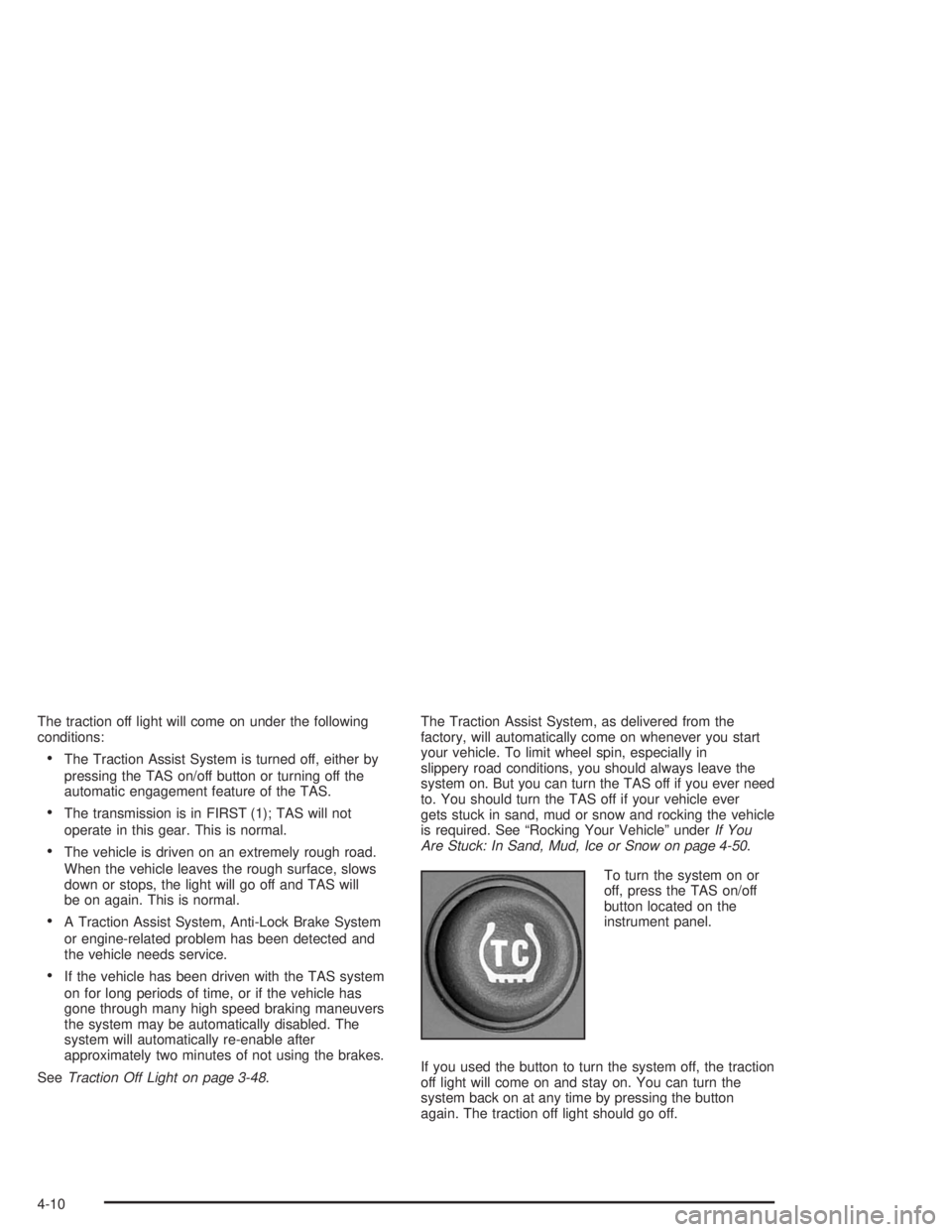
To turn the system on or
off, press the TAS on/off
button located on the
instrument panel.
If you used the button to turn the system off, the traction
off light will come on and stay on. You can turn the
system back on at any time by pressing the button
again. The traction off light should go off.
4-10
Page 311 of 554

If desired, you can change the TAS automatic
engagement feature so that the system will not come on
automatically when the engine is started. To do so:
1. Park the vehicle with the ignition off and the
transmission in PARK (P).
2. Turn the ignition to RUN; do not start the engine.
3. Apply the brake pedal, shift into NEUTRAL (N),
press the accelerator pedal to the oor and then
press the TAS on/off button and hold it down for at
least six seconds.
4. Release the TAS button and both pedals.
5. Turn off the ignition and wait a few seconds.
The next time you start your vehicle, the TAS will not
automatically come on. You can restore the automatic
feature by using the same procedure. Whether the TAS is
set to come on automatically or not, you can always turn
the system on or off by pressing the TAS on/off button.
Locking Rear Axle
If your vehicle has this feature, your locking rear axle
can give you additional traction on snow, mud, ice, sand
or gravel. It works like a standard axle most of the
time, but when one of the rear wheels has no traction
and the other does, this feature will allow the wheel with
traction to move the vehicle.
Stabilitrak®System
Your vehicle may be equipped with the
Stabilitrak®system which combines antilock brake,
traction and stability control systems and helps the driver
maintain directional control of the vehicle in most
driving conditions.
When you rst start your vehicle and begin to drive
away, the system performs several diagnostic checks to
ensure there are no problems. You may hear or feel
the system working. This is normal and does not mean
there is a problem with your vehicle. The system
should initialize before the vehicle reaches 20 m.p.h.
(32 km/h). In some cases, it may take approximately two
miles of driving before the system initializes.
If the system fails to turn on or activate, the STABILITY
SYS DISABLED or SERVICE STABILITY message
will be displayed. If the vehicle has gone through heavy
acceleration or braking during the rst two miles after
starting your vehicle, the STABILITY SYS DISABLED
message may appear. If this is the case, your
vehicle does not need servicing. Turn your vehicle off
and back on again to reset the system. If either message
appears on the Driver Information Center (DIC), and
your vehicle hasn’t gone through hard acceleration
or braking in the rst two miles, your vehicle should be
taken in for service.
4-11
Page 313 of 554

The traction control system is enabled automatically
when you start your vehicle, and it will activate and
display the TRACTION ACTIVE message in the Driver
Information Center (DIC) if it senses that any of the
wheels are spinning or beginning to lose traction while
driving. If you turn off Stabilitrak
®, only the brake-traction
control portion of traction control will work. The engine
speed management will be disabled. In this state, engine
power is not reduced automatically and the driven wheels
can spin more freely. This can cause the brake-traction
control to activate constantly. For more information on the
traction active message, seeDriver Information
Center (DIC) on page 3-58.
Notice:If the traction off light comes on due to
heavy braking and/or because the traction control
system has been continuously active, do not
allow the wheel(s) of one axle to spin excessively.
If you do, you may be causing damage to the
transfer case. This could lead to costly repairs not
covered by your warranty.
If the brake-traction control system activates constantly or
if the brakes have heated up due to high speed braking,
the brake-traction control will be disabled and the
TRACTION SYS LIMITED message will be displayed. In
the limited mode, the traction control system will only use
engine traction-control and is limited in its ability to
provide optimal performance since the system will not
utilize brake traction-control to control slip on the drivewheels. The system will return to normal operation after
the brakes have cooled. This can take up to two minutes
or longer depending on brake usage.
Notice:If you allow the wheel(s) of one axle to spin
excessively while the traction off, ABS and brake
warning lights and the SERVICE STABILITY
MESSAGE are displayed, you could damage the
transfer case. The repairs would not be covered by
your warranty. Reduce engine power and do not
spin the wheel(s) excessively while these lights and
this message are displayed.
The traction control system may activate on dry or
rough roads or under conditions such as heavy
acceleration while turning or abrupt upshifts/downshifts
of the transmission. When this happens you may
notice a reduction in acceleration, or may hear a noise
or vibration. This is normal.
If your vehicle is in cruise control when the system
activates, the STABILITY SYS ACTIVE message will
appear on the Driver Information Center (DIC), and the
cruise control will automatically disengage. When
road conditions allow you to use cruise again, you may
re-engage the cruise control. See “Cruise Control”
underTurn Signal/Multifunction Lever on page 3-8
Stabilitrak
®may also turn off automatically if it
determines that a problem exists with the system. If the
problem does not clear itself after restarting the
vehicle, you should see your dealer for service.
4-13
Page 364 of 554

Then, during the rst 500 miles (800 km) that you
tow a trailer, don’t drive over 50 mph (80 km/h)
and don’t make starts at full throttle. This helps your
engine and other parts of your vehicle wear in at
the heavier loads.
You can tow in DRIVE (D). You may want to shift
the transmission to THIRD (3) or, if necessary, a
lower gear selection if the transmission shifts
too often (e.g., under heavy loads and/or hilly
conditions). See “Tow/Haul Mode” later in
this section.
Three important considerations have to do with weight:
The weight of the trailer
The weight of the trailer tongue
The weight on your vehicle’s tires
Tow/Haul Mode
Tow/Haul is a feature that assists when pulling a heavy
trailer or a large or heavy load. The purpose of the
Tow/Haul mode is to:
Reduce the frequency and improve the predictability
of transmission shifts when pulling a heavy trailer or
a large or heavy load.
Provide the same solid shift feel when pulling a
heavy trailer or a large or heavy load as when
the vehicle is unloaded.
Improve control of vehicle speed while requiring
less throttle pedal activity when pulling a heavy
trailer or a large or heavy load.
Your vehicle may be equipped with a button at the end of
the shift lever which, when pressed, enables tow/haul.
Your vehicle may be equipped with Autoride™
®which
further improves your vehicle’s ride while towing. See
Autoride™ on page 4-62for more information. When the
button is pressed, a light on the instrument panel will
illuminate to indicate that Tow/Haul has been selected.
Tow/Haul may be turned off by pressing the button again,
at which time the indicator light on the instrument panel
will turn off. The vehicle will automatically turn off Tow/
Haul every time it is started.
4-64