2004 GMC YUKON DENALI steering
[x] Cancel search: steeringPage 149 of 468
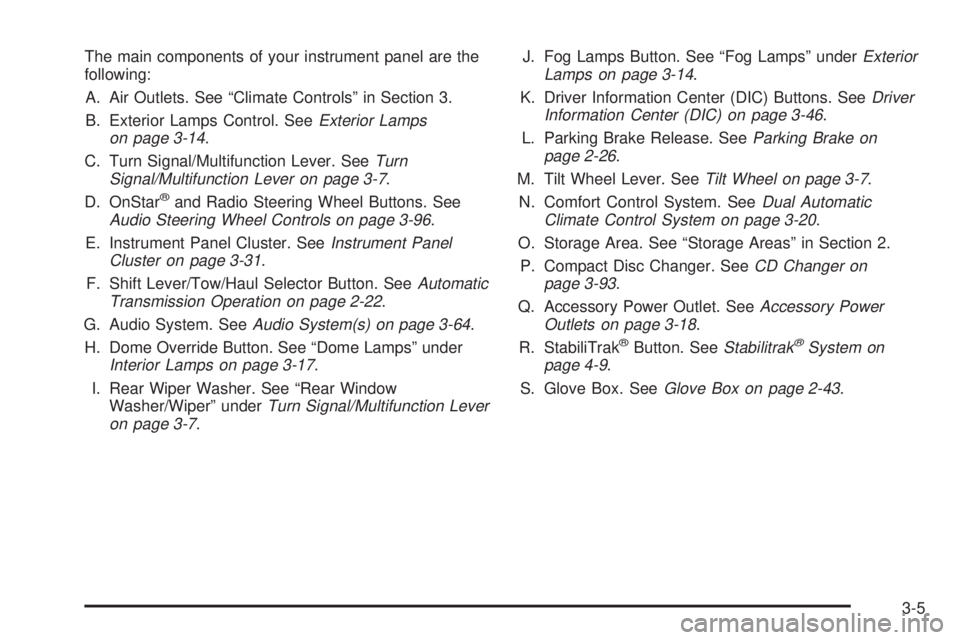
The main components of your instrument panel are the
following:
A. Air Outlets. See ªClimate Controlsº in Section 3.
B. Exterior Lamps Control. See
Exterior Lamps
on page 3-14.
C. Turn Signal/Multifunction Lever. See
Turn
Signal/Multifunction Lever on page 3-7.
D. OnStaržand Radio Steering Wheel Buttons. SeeAudio Steering Wheel Controls on page 3-96.
E. Instrument Panel Cluster. See
Instrument Panel
Cluster on page 3-31.
F. Shift Lever/Tow/Haul Selector Button. See
Automatic
Transmission Operation on page 2-22.
G. Audio System. See
Audio System(s) on page 3-64.
H. Dome Override Button. See ªDome Lampsº under
Interior Lamps on page 3-17.
I. Rear Wiper Washer. See ªRear Window
Washer/Wiperº under
Turn Signal/Multifunction Lever
on page 3-7.J. Fog Lamps Button. See ªFog Lampsº under
Exterior
Lamps on page 3-14.
K. Driver Information Center (DIC) Buttons. See
Driver
Information Center (DIC) on page 3-46.
L. Parking Brake Release. See
Parking Brake on
page 2-26.
M. Tilt Wheel Lever. See
Tilt Wheel on page 3-7.
N. Comfort Control System. See
Dual Automatic
Climate Control System on page 3-20.
O. Storage Area. See ªStorage Areasº in Section 2.
P. Compact Disc Changer. See
CD Changer on
page 3-93.
Q. Accessory Power Outlet. See
Accessory Power
Outlets on page 3-18.
R. StabiliTrakžButton. SeeStabilitrakžSystem on
page 4-9.
S. Glove Box. See
Glove Box on page 2-43.
3-5
Page 150 of 468
Hazard Warning Flashers
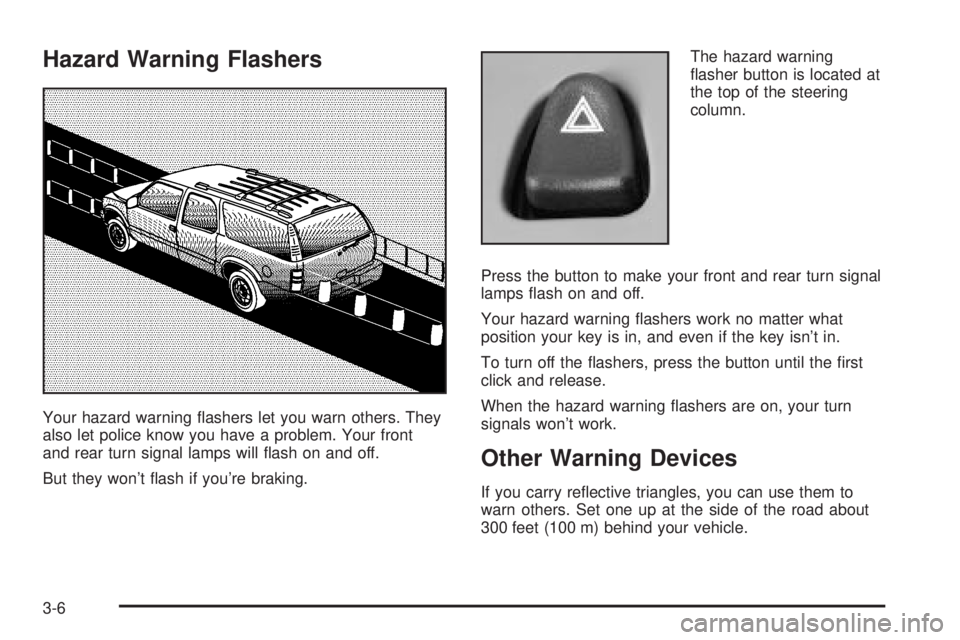
Your hazard warning ¯ashers let you warn others. They
also let police know you have a problem. Your front
and rear turn signal lamps will ¯ash on and off.
But they won't ¯ash if you're braking.The hazard warning
¯asher button is located at
the top of the steering
column.
Press the button to make your front and rear turn signal
lamps ¯ash on and off.
Your hazard warning ¯ashers work no matter what
position your key is in, and even if the key isn't in.
To turn off the ¯ashers, press the button until the ®rst
click and release.
When the hazard warning ¯ashers are on, your turn
signals won't work.
Other Warning Devices
If you carry re¯ective triangles, you can use them to
warn others. Set one up at the side of the road about
300 feet (100 m) behind your vehicle.
3-6
Page 151 of 468

Horn
To sound the horn, press the center pad on the steering
wheel.
Tilt Wheel
If your vehicle is equipped with a tilt wheel, it will allow
you to adjust the steering wheel before you drive.
You can raise it to the highest level to give your legs
more room when you exit and enter your vehicle.
The tilt steering wheel
lever is located on the
lower left side of the
column.
To tilt the wheel, hold the steering wheel and pull the
lever. Then move the steering wheel to a comfortable
position and release the lever to lock the wheel in place.
Turn Signal/Multifunction Lever
The lever on the left side of the steering column
includes the following:
·Turn and Lane Change Signals
·Headlamp High/Low-Beam Changer
·Flash-to-Pass
·Windshield Wipers
·Windshield Washer
·Cruise Control
For information on the exterior lamps, see
Exterior
Lamps on page 3-14.
3-7
Page 154 of 468
Windshield Washer
L
(Washer Fluid):There is a paddle marked with the
windshield washer symbol at the top of the multifunction
lever. To spray washer ¯uid on the windshield, push
the paddle. The wipers will clear the window and then
either stop or return to your preset speed.
{CAUTION:
In freezing weather, do not use your washer
until the windshield is warmed. Otherwise the
washer ¯uid can form ice on the windshield,
blocking your vision.
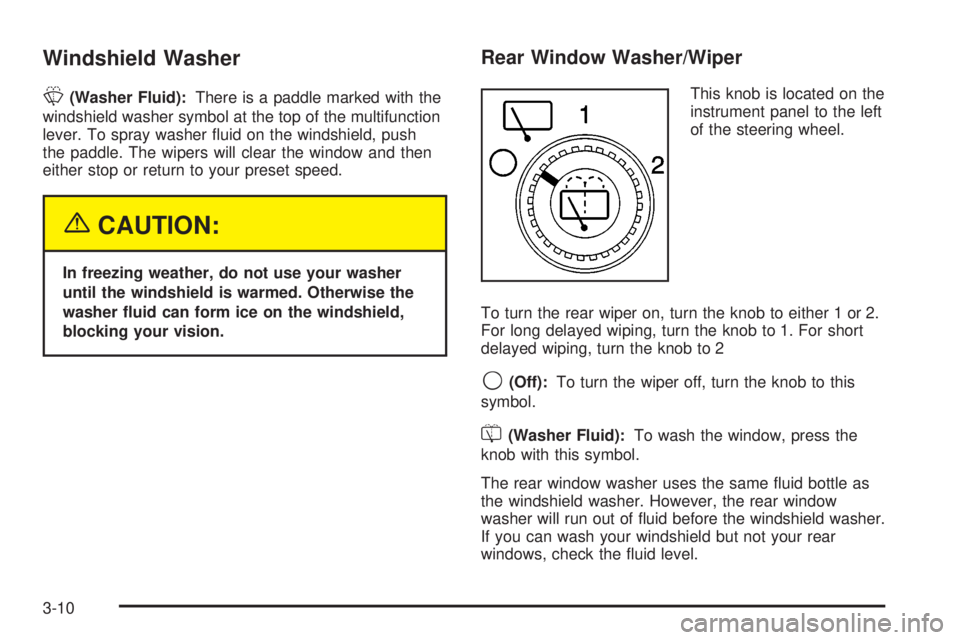
Rear Window Washer/Wiper
This knob is located on the
instrument panel to the left
of the steering wheel.
To turn the rear wiper on, turn the knob to either 1 or 2.
For long delayed wiping, turn the knob to 1. For short
delayed wiping, turn the knob to 2
9(Off):To turn the wiper off, turn the knob to this
symbol.
=(Washer Fluid):To wash the window, press the
knob with this symbol.
The rear window washer uses the same ¯uid bottle as
the windshield washer. However, the rear window
washer will run out of ¯uid before the windshield washer.
If you can wash your windshield but not your rear
windows, check the ¯uid level.
3-10
Page 190 of 468

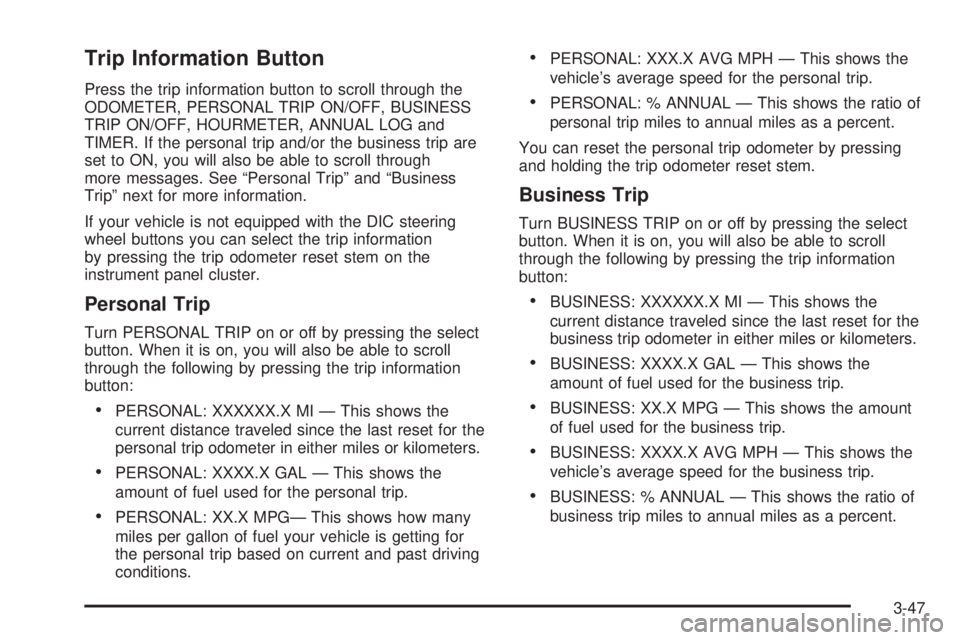
Driver Information Center (DIC)
The DIC display is located on the instrument panel
cluster above the steering wheel. The DIC can display
information such as the trip odometer, fuel economy and
personalization features. Vehicles without the DIC
buttons will not have all the features as the regular DIC.
See
Speedometer and Odometer on page 3-32for
information on features for vehicles without a full DIC.
A (Trip Information):This button will display the
odometer, personal trip odometer, business trip
odometer, hourmeter, annual log and the timer.
B (Fuel Information):This button will display the
current range, average fuel economy, instant fuel
economy and engine oil life.C (Personalization):This button will change personal
options available on your vehicle.
D (Select):This button resets certain functions and
turns off or acknowledges messages on the DIC.
DIC Operation and Displays
The DIC comes on when the ignition is on. After a short
delay the DIC will display the current driver (1 or 2)
and the information that was last displayed before the
engine was turned off.
If a problem is detected, a warning message will appear
on the display. Pressing any of the four buttons will
acknowledge (clear) most current warnings or service
messages. Some warnings that cannot be
acknowledged (cleared) are: ENGINE OVERHEATED,
OIL PRESSURE LOW, REDUCED ENGINE POWER,
TRANS HOT IDLE ENGINE, TRACTION SYS LIMITED,
TRACTION ACTIVE. These warnings must be dealt
with immediately and therefore cannot be cleared until
the problem has been corrected.
The DIC has different modes which can be accessed by
pressing the four buttons on the DIC. These buttons
are trip information, fuel information, personalization and
select. The button functions are detailed in the
following.
3-46
Page 191 of 468
Trip Information Button
Press the trip information button to scroll through the
ODOMETER, PERSONAL TRIP ON/OFF, BUSINESS
TRIP ON/OFF, HOURMETER, ANNUAL LOG and
TIMER. If the personal trip and/or the business trip are
set to ON, you will also be able to scroll through
more messages. See ªPersonal Tripº and ªBusiness
Tripº next for more information.
If your vehicle is not equipped with the DIC steering
wheel buttons you can select the trip information
by pressing the trip odometer reset stem on the
instrument panel cluster.
Personal Trip
Turn PERSONAL TRIP on or off by pressing the select
button. When it is on, you will also be able to scroll
through the following by pressing the trip information
button:
·PERSONAL: XXXXXX.X MI Ð This shows the
current distance traveled since the last reset for the
personal trip odometer in either miles or kilometers.
·PERSONAL: XXXX.X GAL Ð This shows the
amount of fuel used for the personal trip.
·PERSONAL: XX.X MPGÐ This shows how many
miles per gallon of fuel your vehicle is getting for
the personal trip based on current and past driving
conditions.
·PERSONAL: XXX.X AVG MPH Ð This shows the
vehicle's average speed for the personal trip.
·PERSONAL: % ANNUAL Ð This shows the ratio of
personal trip miles to annual miles as a percent.
You can reset the personal trip odometer by pressing
and holding the trip odometer reset stem.
Business Trip
Turn BUSINESS TRIP on or off by pressing the select
button. When it is on, you will also be able to scroll
through the following by pressing the trip information
button:
·BUSINESS: XXXXXX.X MI Ð This shows the
current distance traveled since the last reset for the
business trip odometer in either miles or kilometers.
·BUSINESS: XXXX.X GAL Ð This shows the
amount of fuel used for the business trip.
·BUSINESS: XX.X MPG Ð This shows the amount
of fuel used for the business trip.
·BUSINESS: XXXX.X AVG MPH Ð This shows the
vehicle's average speed for the business trip.
·BUSINESS: % ANNUAL Ð This shows the ratio of
business trip miles to annual miles as a percent.
3-47
Page 193 of 468

Fuel Information Button
Use the fuel information button to scroll through the
range, average fuel economy, instant fuel economy and
the GM Oil Life System.
If your vehicle is not equipped with the DIC steering
wheel control buttons you will not be able to display the
fuel information.
Fuel Range
Press the fuel information button until RANGE appears
to display the remaining distance you can drive
without refueling. It's based on fuel economy and the
fuel remaining in the tank. The display will show LOW if
the fuel level is low.
The fuel economy data used to determine fuel range is
an average of recent driving conditions. As your
driving conditions change, this data is gradually updated.
Fuel range cannot be reset.
Average Fuel Economy
Press the fuel information button until AVG ECON
appears in the display. Average fuel economy is how
many miles per gallon your vehicle is getting based on
current and past driving conditions.Press and hold the select button for two seconds while
AVG ECON is displayed to reset the average fuel
economy. Average fuel economy will then be calculated
starting from that point. If the average fuel economy
is not reset, it will be continually updated each time
you drive.
Instant Fuel Economy
Press the fuel information button until INST ECON
appears in the display. Instant fuel economy is how
many miles per gallon your vehicle is getting at
the particular moment in time. The instant fuel economy
cannot be reset.
GM Oil Life System
Press the fuel information button until ENGINE OIL LIFE
appears in the display. The GM Oil Life System shows
an estimate of the oil's remaining useful life. It will show
100% when the system is reset after an oil change. It
will alert you to change your oil on a schedule consistent
with your driving conditions.
Always reset the engine oil life after an oil change. To
reset the Oil Life System use the fuel button to reach the
ENGINE OIL LIFE screen and then press and hold
the select button for ®ve seconds while ENGINE OIL
LIFE is displayed. OIL LIFE RESET will appear on
the display for 10 seconds to let you know the system is
reset.
3-49
Page 194 of 468

The DIC does not replace the need to maintain your
vehicle as recommended in the Maintenance Schedule
in this manual. Also, the oil change reminder will not
detect dusty conditions or engine malfunctions that may
affect the oil. Also, the oil change reminder does not
measure how much oil you have in your engine. So, be
sure to check your oil level often. See
Engine Oil on
page 5-13.
Personalization Button
You can program certain features to a preferred setting
for up to two people. Press the personalization button
to scroll through the following personalization features.
All of the personalization options may not be available
on your vehicle. Only the options available will be
displayed on your DIC.
If your vehicle is not equipped with the DIC steering
wheel buttons you will not have any of the following
personalization options except for DISPLAY
LANGUAGE. See DISPLAY LANGUAGE later in this
section for more information.
·AUTOMATIC LOCKING
·AUTOMATIC UNLOCKING
·DELAYED LOCKING
·REMOTE LOCK FEEDBACK
·ALARM WARNING TYPE
·REMOTE UNLOCK FEEDBACK
·HEADLAMPS ON AT EXIT
·PERIMETER LIGHTING
·SEAT POSITION RECALL
·EASY EXIT DRIVER SEAT
·CURB VIEW ASSIST
·DISPLAY LANGUAGE
·DISPLAY UNITS (ENG/MET)
The default options for the above features were set
when your vehicle left the factory. The default options
are noted in the text following, but may have been
changed from their default state since then.
The driver's preferences can be recalled by pressing the
unlock button on the remote keyless entry transmitter
labeled 1 or 2 or by pressing the appropriate memory
button 1 or 2 located on the driver's door.
3-50