Page 134 of 588
Recommended Transfer Case Settings
Transfer Case Settings
Driving
Conditions2HIAUTO
4WD4HI 4LO N
Normal YES
Variable YES
Severe YES
Extreme YES
Vehicle in
Tow*YES
*See ªRecreational Vehicle Towingº in the Index for
further information.
You can choose among four driving settings:
h(2HI):This setting is used for driving in most street
and highway situations. Your front axle is not engaged
in two- wheel drive. This setting also provides the
best fuel economy.AUTO 4WD:This setting is ideal for use when road
conditions are variable. When driving your vehicle
in AUTO 4WD, the front axle is engaged, but the
vehicle's power is sent to the rear wheels. When the
vehicle senses a loss of traction, the system will
automatically engage four-wheel drive. Driving in this
mode results in slightly lower fuel economy than 2HI.
G(4HI):Use 4HI when you need extra traction, such
a on snowy or icy roads or in most off-road situations.
This setting also engages your front axle to help
drive your vehicle. This is the best setting to use when
plowing snow.
g(4LO):This setting also engages your front axle
and delivers extra torque. You may never need 4LO. It
sends maximum power to all four wheels. You might
choose 4LO if you are driving off-road in deep
sand, deep mud, deep snow and climbing or descending
steep hills.
2-40
Page 138 of 588
Electronic Transfer Case
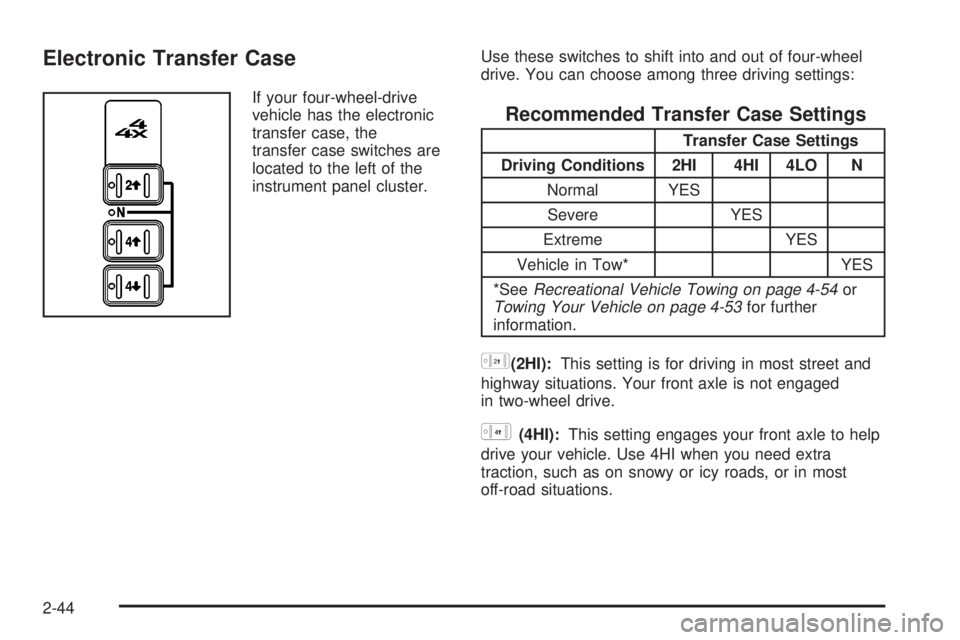
If your four-wheel-drive
vehicle has the electronic
transfer case, the
transfer case switches are
located to the left of the
instrument panel cluster.Use these switches to shift into and out of four-wheel
drive. You can choose among three driving settings:
Recommended Transfer Case Settings
Transfer Case Settings
Driving Conditions 2HI 4HI 4LO N
Normal YES
Severe YES
Extreme YES
Vehicle in Tow* YES
*See
Recreational Vehicle Towing on page 4-54orTowing Your Vehicle on page 4-53for further
information.
h(2HI):This setting is for driving in most street and
highway situations. Your front axle is not engaged
in two-wheel drive.
G(4HI):This setting engages your front axle to help
drive your vehicle. Use 4HI when you need extra
traction, such as on snowy or icy roads, or in most
off-road situations.
2-44
Page 139 of 588

g(4LO):This setting also engages your front axle to
give you extra traction. You may never need 4LO. It
sends the maximum power to all four wheels. You might
choose 4LO if you were driving off-road in sand, mud
or deep snow and climbing or descending steep hills.
Indicator lights in the switches show you which
setting you are in. The indicator lights will come on
brie¯y when you turn on the ignition and the last chosen
setting will stay on. If the lights do not come on, you
should take your vehicle in for service. An indicator light
will ¯ash while shifting. It will remain illuminated when
the shift is completed. If for some reason the transfer
cannot make a requested shift, it will return to the
last chosen setting.
{CAUTION:
Shifting the transfer case to NEUTRAL can
cause your vehicle to roll even if the
transmission is in PARK (P). You or someone
else could be seriously injured. Be sure to set
the parking brake before placing the transfer
case in NEUTRAL. See
Parking Brake on
page 2-48
.
NEUTRAL:Shift the vehicle's transfer case to
NEUTRAL only when towing your vehicle. See
Recreational Vehicle Towing on page 4-54orTowing
Your Vehicle on page 4-53for more information.
Shifting from 2HI to 4HI
Press and release the 4HI switch. This can be done at
any speed, and the front axle will lock automatically
with some delay.
Shifting from 4HI to 2HI
Press and release the 2HI switch. This can be done at
any speed, and the front axle will unlock automatically
with some delay.
2-45
Page 143 of 588
Shifting Into Park (P)
{CAUTION:
It can be dangerous to get out of your vehicle
if the shift lever is not fully in PARK (P) with
the parking brake ®rmly set. Your vehicle can
roll. If you have left the engine running, the
vehicle can move suddenly. You or others
could be injured. To be sure your vehicle will
not move, even when you are on fairly level
ground, use the steps that follow. With
four-wheel drive, if your transfer case is in
NEUTRAL, your vehicle will be free to roll,
even if your shift lever is in PARK (P). So, be
sure the transfer case is in a drive gear Ð not
in NEUTRAL. If you are pulling a trailer, see
Towing a Trailer on page 4-70.
1. Hold the brake pedal down with your right foot and
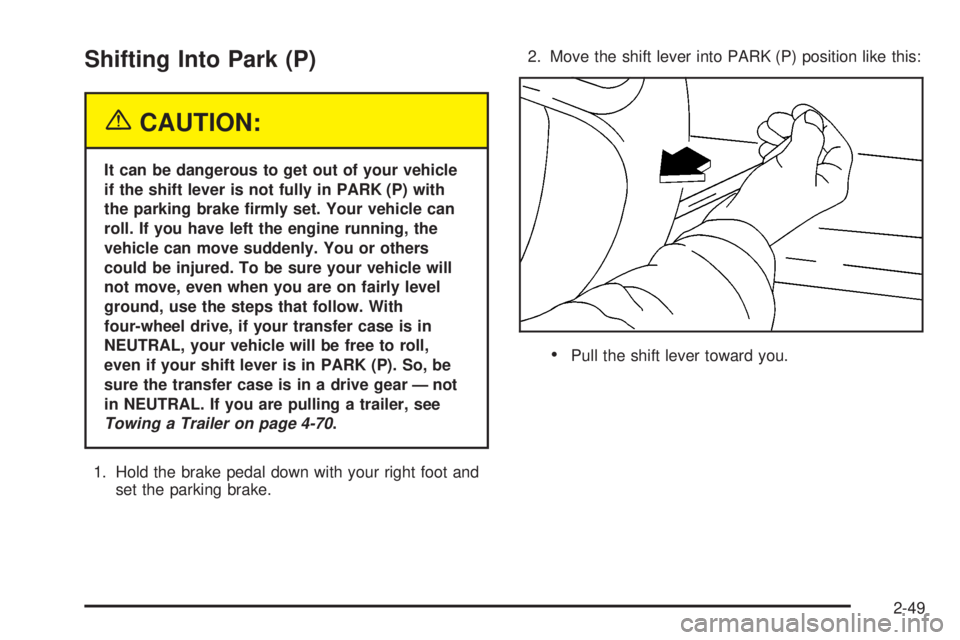
set the parking brake.2. Move the shift lever into PARK (P) position like this:
·Pull the shift lever toward you.
2-49
Page 144 of 588
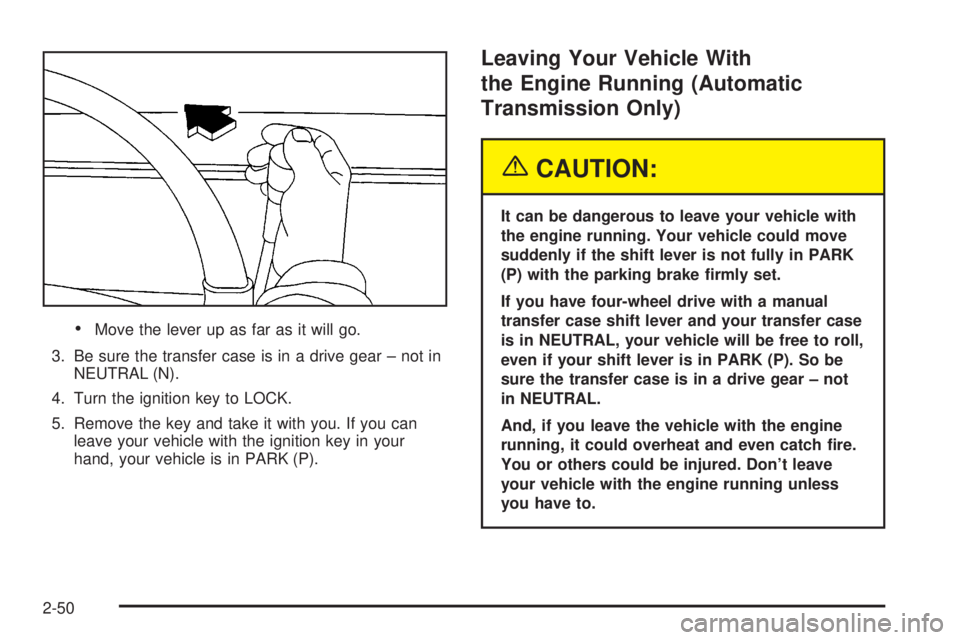
·Move the lever up as far as it will go.
3. Be sure the transfer case is in a drive gear ± not in
NEUTRAL (N).
4. Turn the ignition key to LOCK.
5. Remove the key and take it with you. If you can
leave your vehicle with the ignition key in your
hand, your vehicle is in PARK (P).
Leaving Your Vehicle With
the Engine Running (Automatic
Transmission Only)
{CAUTION:
It can be dangerous to leave your vehicle with
the engine running. Your vehicle could move
suddenly if the shift lever is not fully in PARK
(P) with the parking brake ®rmly set.
If you have four-wheel drive with a manual
transfer case shift lever and your transfer case
is in NEUTRAL, your vehicle will be free to roll,
even if your shift lever is in PARK (P). So be
sure the transfer case is in a drive gear ± not
in NEUTRAL.
And, if you leave the vehicle with the engine
running, it could overheat and even catch ®re.
You or others could be injured. Don't leave
your vehicle with the engine running unless
you have to.
2-50
Page 148 of 588

{CAUTION:
It can be dangerous to get out of your vehicle
if the shift lever is not fully in PARK (P) with
the parking brake ®rmly set. Your vehicle can
roll. Do not leave your vehicle when the engine
is running unless you have to. If you have left
the engine running, the vehicle can move
suddenly. You or others could be injured. To
be sure your vehicle will not move, even when
you are on fairly level ground, always set your
parking brake and move the shift lever to
PARK (P).
{CAUTION:
Four-wheel drive vehicles with the transfer
case in NEUTRAL will allow the vehicle to roll,
even if your shift lever is in PARK (P). So, be
sure the transfer case is in a drive gear Ð not
in NEUTRAL. Always set your parking brake.
Follow the proper steps to be sure your vehicle will not
move. See
Shifting Into Park (P) on page 2-49.
If you are pulling a trailer, see
Towing a Trailer on
page 4-70.
Mirrors
Manual Rearview Mirror
Pull the tab under the mirror toward you to reduce glare
from headlamps behind you after dark. Push the tab
away from you for normal daytime operation.
2-54
Page 159 of 588
OnStaržServices
One of the following plans is normally included for a
speci®c duration with each vehicle equipped with
OnStar
ž. You can upgrade or extend your OnStarž
service plan to meet your needs.
Safe and Sound Plan
·
Automatic Noti®cation of Air Bag Deployment
·Emergency Services
·Roadside Assistance
·Stolen Vehicle Assistance
·AccidentAssist
·Remote Door Unlock
·Remote Diagnostics
·Online Concierge
Directions and Connections Plan
·
All Safe and Sound Plan services
·Route Support
·RideAssist
·Information and Convenience Services
Luxury and Leisure Plan
·
All Directions and Connections Plan services
·Personal Concierge
OnStaržPersonal Calling
With OnStaržPersonal Calling, you have a safer way to
stay connected while driving. It's a hands-free wireless
phone that's integrated into your vehicle. You can place
calls nationwide using voice-activated dialing with no
contracts and no additional roaming charges. To ®nd out
more about OnStar
žPersonal Calling, refer to the
OnStaržowner's guide in your vehicle's glove box, or
call OnStaržat 1-888-4-ONSTAR (1-888-466-7827).
OnStaržVirtual Advisor
With OnStaržVirtual Advisor you can listen to your
favorite news, entertainment and information topics,
such as traffic and weather reports, stock quotes
and sports scores. You listen to your e-mail through
your vehicle's speakers, and reply with your hands on
the wheel and your eyes on the road.
2-65
Page 160 of 588
OnStaržSteering Wheel Controls
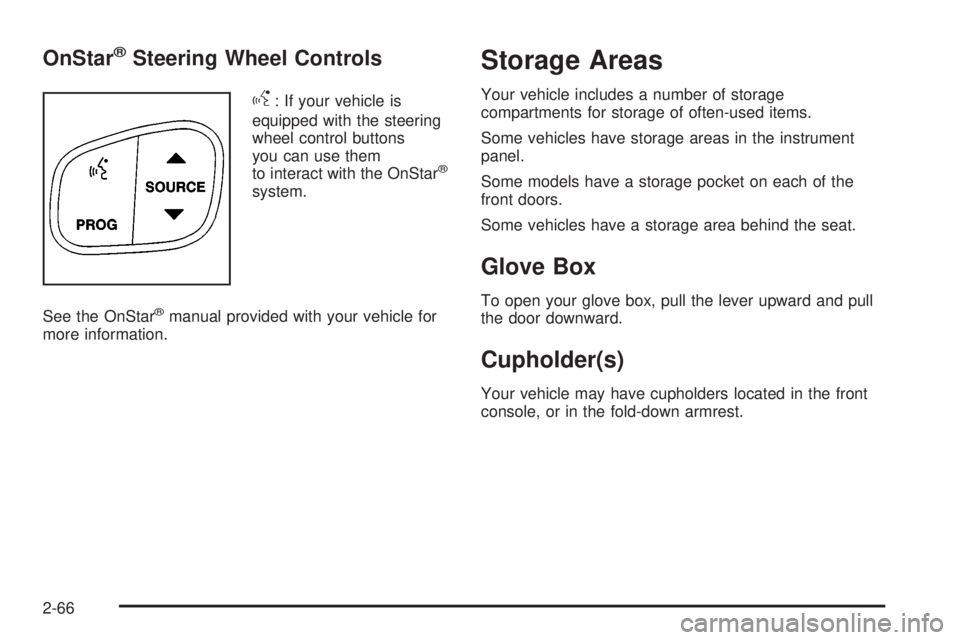
g
: If your vehicle is
equipped with the steering
wheel control buttons
you can use them
to interact with the OnStar
ž
system.
See the OnStar
žmanual provided with your vehicle for
more information.
Storage Areas
Your vehicle includes a number of storage
compartments for storage of often-used items.
Some vehicles have storage areas in the instrument
panel.
Some models have a storage pocket on each of the
front doors.
Some vehicles have a storage area behind the seat.
Glove Box
To open your glove box, pull the lever upward and pull
the door downward.
Cupholder(s)
Your vehicle may have cupholders located in the front
console, or in the fold-down armrest.
2-66