Page 1 of 240
Introduction 4
Instrument Cluster 10
Warning and control lights 10
Gauges 14
Entertainment Systems 18
AM/FM stereo with CD 18
AM/FM stereo with in-dash six CD 25
Climate Controls 33
Manual heating and air conditioning 33
Rear window defroster 34
Lights 35
Headlamps 35
Turn signal control 38
Bulb replacement 38
Driver Controls 43
Windshield wiper/washer control 43
Steering wheel adjustment 44
Power windows 45
Mirrors 46
Speed control 46
Locks and Security 54
Keys 54
Locks 54
Anti-theft system 57
2004 Mustang(mus)
Owners Guide (post-2002-fmt)
USA English(fus)
Table of Contents
1
Page 18 of 240
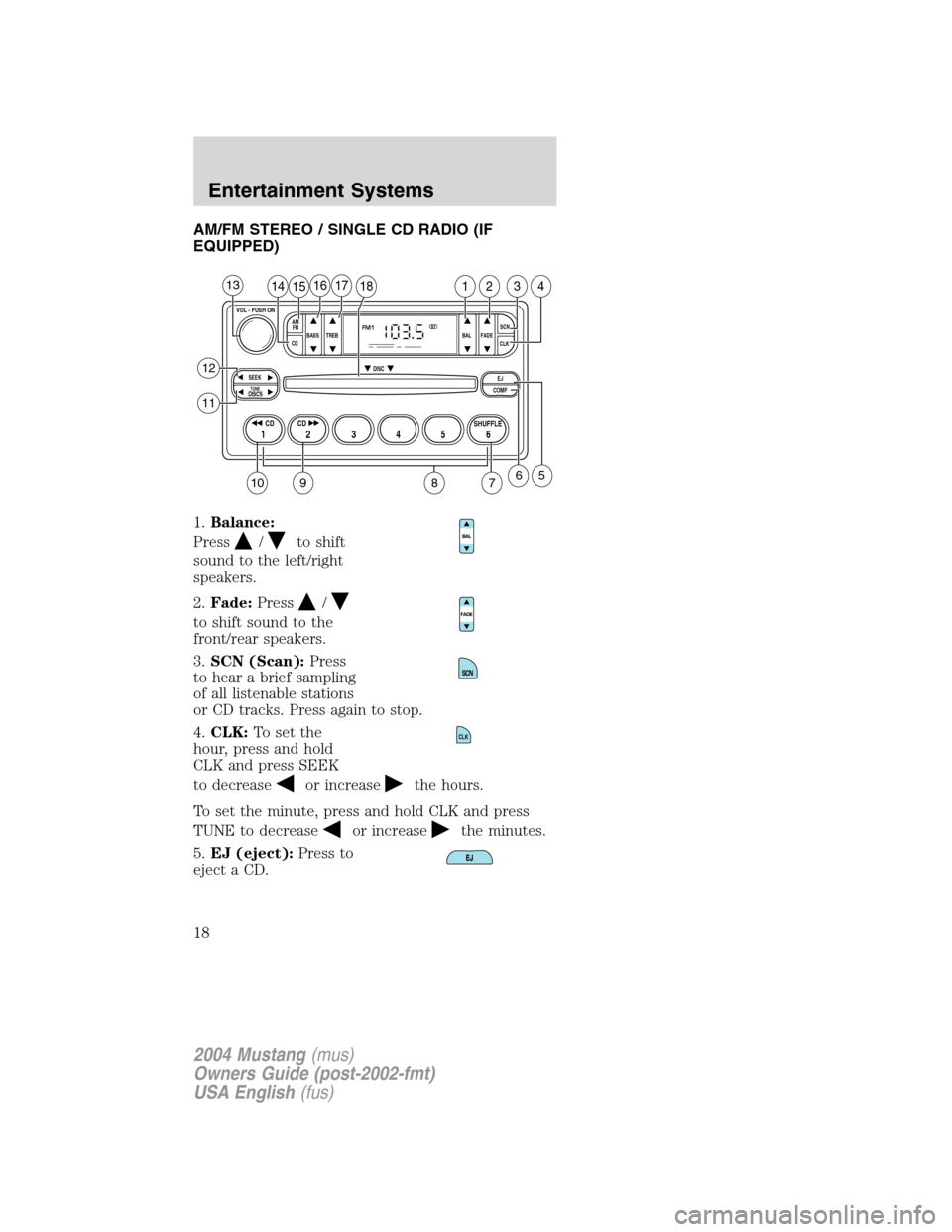
AM/FM STEREO / SINGLE CD RADIO (IF
EQUIPPED)
1.Balance:
Press
/to shift
sound to the left/right
speakers.
2.Fade:Press
/
to shift sound to the
front/rear speakers.
3.SCN (Scan):Press
to hear a brief sampling
of all listenable stations
or CD tracks. Press again to stop.
4.CLK:To set the
hour, press and hold
CLK and press SEEK
to decrease
or increasethe hours.
To set the minute, press and hold CLK and press
TUNE to decrease
or increasethe minutes.
5.EJ (eject):Press to
eject a CD.
BASS
CDTREB BAL FADESCN
CLK AM
FM
VOL - PUSH ON
SEEK
EJ
COMP DISC
DISCSTUNE
12 3456
FM1ST
SHUFFLE CD CD
1415161718123413
658
12
11
7910
CLK
2004 Mustang(mus)
Owners Guide (post-2002-fmt)
USA English(fus)
Entertainment Systems
18
Page 20 of 240
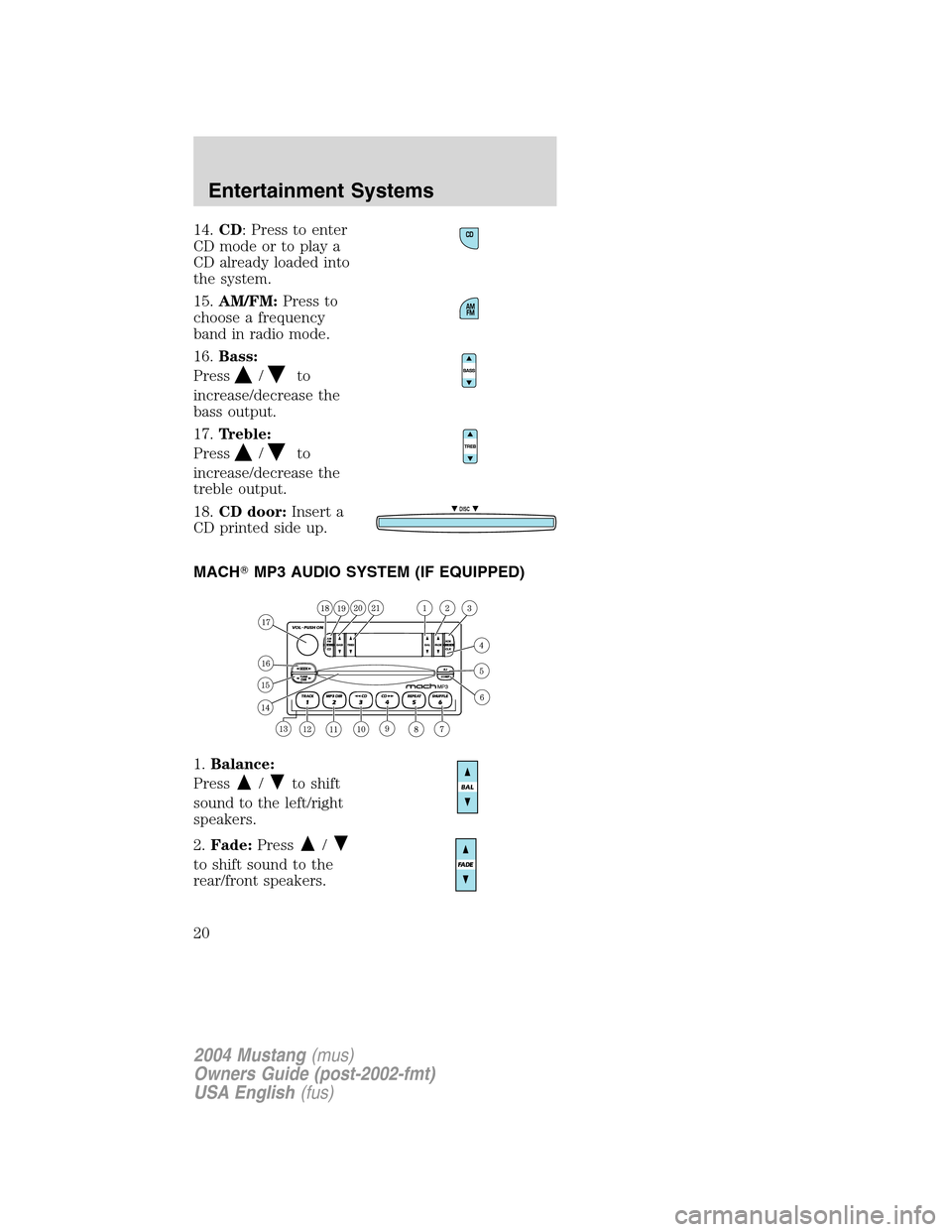
14.CD: Press to enter
CD mode or to play a
CD already loaded into
the system.
15.AM/FM:Press to
choose a frequency
band in radio mode.
16.Bass:
Press
/to
increase/decrease the
bass output.
17.Treble:
Press
/to
increase/decrease the
treble output.
18.CD door:Insert a
CD printed side up.
MACH�MP3 AUDIO SYSTEM (IF EQUIPPED)
1.Balance:
Press
/to shift
sound to the left/right
speakers.
2.Fade:Press
/
to shift sound to the
rear/front speakers.
DISC
2004 Mustang(mus)
Owners Guide (post-2002-fmt)
USA English(fus)
Entertainment Systems
20
Page 26 of 240
listening comfort and protection, it is not
recommended to listen to theMACH 1000�audio
system at high volume levels for extended periods of
time.
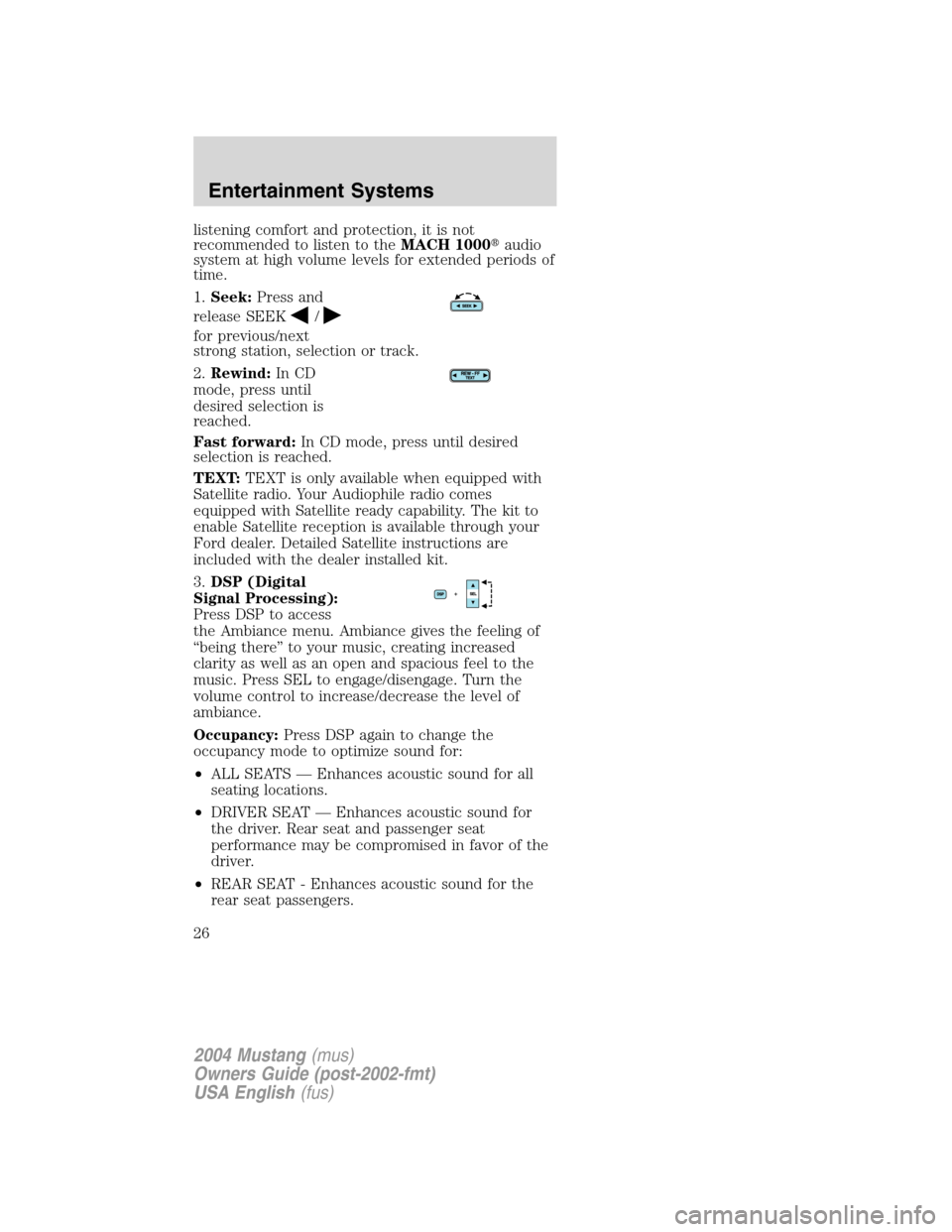
1.Seek:Press and
release SEEK
/
for previous/next
strong station, selection or track.
2.Rewind:In CD
mode, press until
desired selection is
reached.
Fast forward:In CD mode, press until desired
selection is reached.
TEXT:TEXT is only available when equipped with
Satellite radio. Your Audiophile radio comes
equipped with Satellite ready capability. The kit to
enable Satellite reception is available through your
Ford dealer. Detailed Satellite instructions are
included with the dealer installed kit.
3.DSP (Digital
Signal Processing):
Press DSP to access
the Ambiance menu. Ambiance gives the feeling of
“being there”to your music, creating increased
clarity as well as an open and spacious feel to the
music. Press SEL to engage/disengage. Turn the
volume control to increase/decrease the level of
ambiance.
Occupancy:Press DSP again to change the
occupancy mode to optimize sound for:
•ALL SEATS—Enhances acoustic sound for all
seating locations.
•DRIVER SEAT—Enhances acoustic sound for
the driver. Rear seat and passenger seat
performance may be compromised in favor of the
driver.
•REAR SEAT - Enhances acoustic sound for the
rear seat passengers.
2004 Mustang(mus)
Owners Guide (post-2002-fmt)
USA English(fus)
Entertainment Systems
26
Page 27 of 240
4.MACH(MACH 1000
only): Press to engage
MACH 1000 mode.
MACH 1000 mode enhances acoustic sound for all
seating locations and increases the signal to the
trunk mounted speakers and amplifiers for enhanced
bass performance. Press again to return to
previously set occupancy mode.
Mute:(MACH 460
only): Press to mute
the playing media.
5.Eject:Press EJ and
choose the
corresponding preset
(1–6) to eject the desired CD. Press and hold to
eject all loaded discs.
6.Bass:Press BASS;
then press
SEL
/to
decrease/increase the bass output.
Treble:Press TREB;
then press
SEL
/to
decrease/increase the treble output.
7.Select:Use with
Bass, Treble, Balance
and Fade controls to
adjust levels.
8.Balance:Press BAL;
then press
SEL
/to shift
sound to the left/right speakers.
Fade:Press FADE;
then press
SEL
/to shift
sound to the front/rear speakers.
2004 Mustang(mus)
Owners Guide (post-2002-fmt)
USA English(fus)
Entertainment Systems
27