2004 FORD FOCUS set clock
[x] Cancel search: set clockPage 18 of 232
Press the security release control and remove the front panel. To
reposition the panel, insert the right-hand edge first, then the left-hand
side, until the retaining latch is engaged.
Replacement panels:Your Ford Dealer will require the following if you
need to order a replacement panel:
•Your name and address.
•The vehicle identification number (visible in the corner of the
windscreen).
•The audio unit type.
•Proof of identification (i.e. driver’s license).
•A vehicle invoice (if the audio unit was installed in the vehicle prior to
delivery) or a parts invoice if the audio unit was purchased separately
form the vehicle, or an appropriate vehicle registration document.
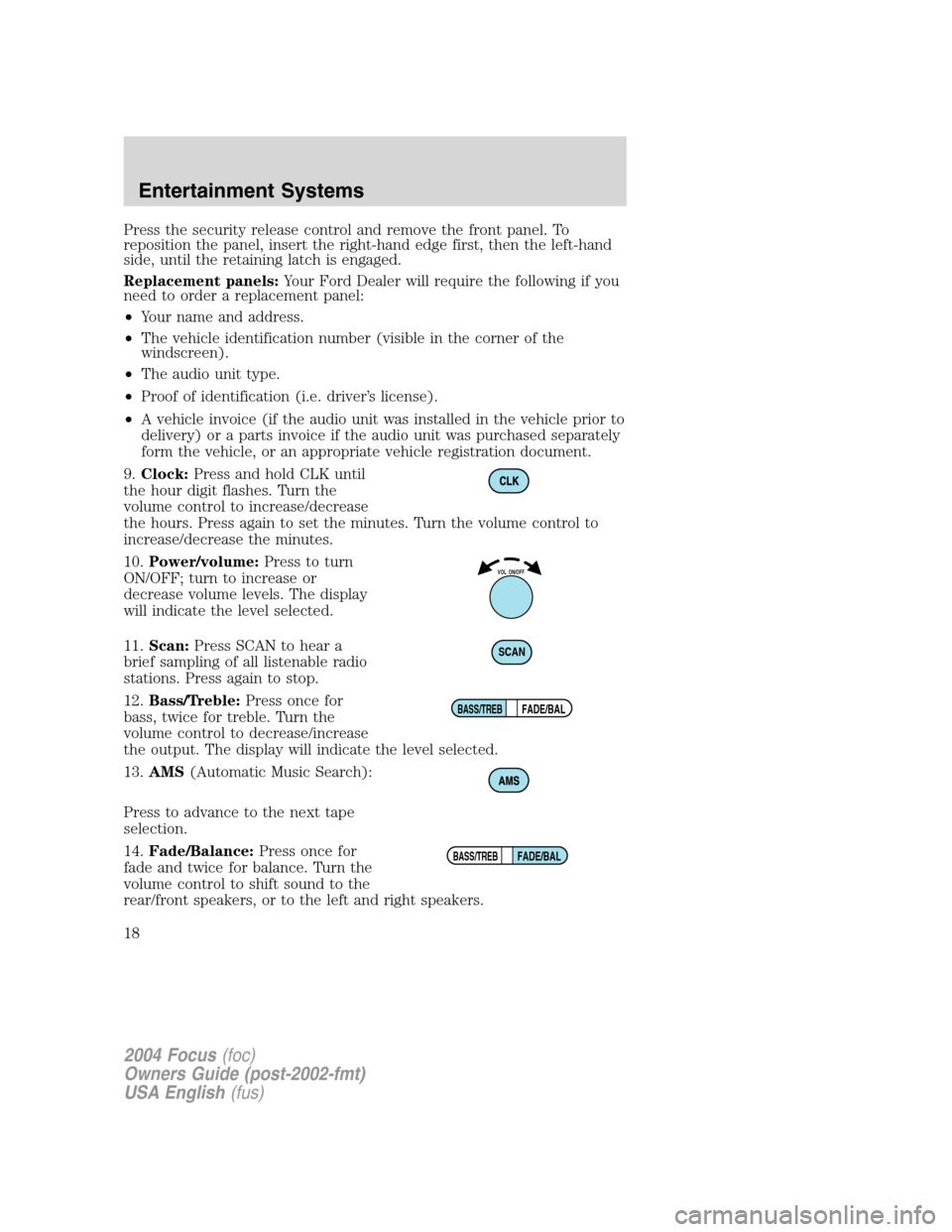
9.Clock:Press and hold CLK until
the hour digit flashes. Turn the
volume control to increase/decrease
the hours. Press again to set the minutes. Turn the volume control to
increase/decrease the minutes.
10.Power/volume:Press to turn
ON/OFF; turn to increase or
decrease volume levels. The display
will indicate the level selected.
11.Scan:Press SCAN to hear a
brief sampling of all listenable radio
stations. Press again to stop.
12.Bass/Treble:Press once for
bass, twice for treble. Turn the
volume control to decrease/increase
the output. The display will indicate the level selected.
13.AMS(Automatic Music Search):
Press to advance to the next tape
selection.
14.Fade/Balance:Press once for
fade and twice for balance. Turn the
volume control to shift sound to the
rear/front speakers, or to the left and right speakers.
VOL ON/OFF
SCAN
FADE/BALBASS/TREB
FADE/BALBASS/TREB
2004 Focus(foc)
Owners Guide (post-2002-fmt)
USA English(fus)
Entertainment Systems
18
Page 21 of 232
Replacement panels:Your Ford Dealer will require the following if you
need to order a replacement panel:
•Your name and address.
•The vehicle identification number (visible in the corner of the
windscreen).
•The audio unit type.
•Proof of identification (i.e. driver’s license).
•A vehicle invoice (if the audio unit was installed in the vehicle prior to
delivery) or a parts invoice if the audio unit was purchased separately
form the vehicle, or an appropriate vehicle registration document.
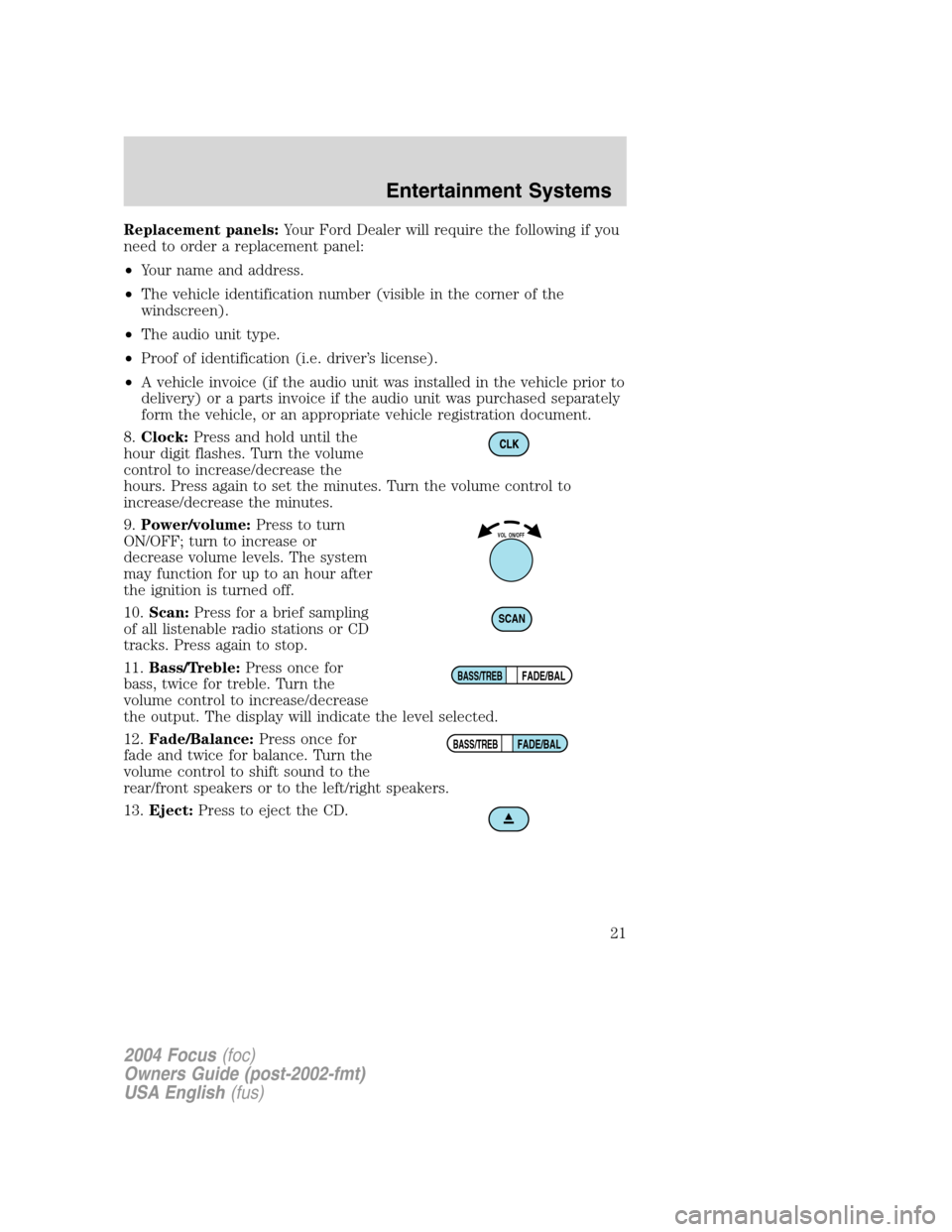
8.Clock:Press and hold until the
hour digit flashes. Turn the volume
control to increase/decrease the
hours. Press again to set the minutes. Turn the volume control to
increase/decrease the minutes.
9.Power/volume:Press to turn
ON/OFF; turn to increase or
decrease volume levels. The system
may function for up to an hour after
the ignition is turned off.
10.Scan:Press for a brief sampling
of all listenable radio stations or CD
tracks. Press again to stop.
11.Bass/Treble:Press once for
bass, twice for treble. Turn the
volume control to increase/decrease
the output. The display will indicate the level selected.
12.Fade/Balance:Press once for
fade and twice for balance. Turn the
volume control to shift sound to the
rear/front speakers or to the left/right speakers.
13.Eject:Press to eject the CD.
VOL ON/OFF
SCAN
FADE/BALBASS/TREB
FADE/BALBASS/TREB
2004 Focus(foc)
Owners Guide (post-2002-fmt)
USA English(fus)
Entertainment Systems
21
Page 26 of 232
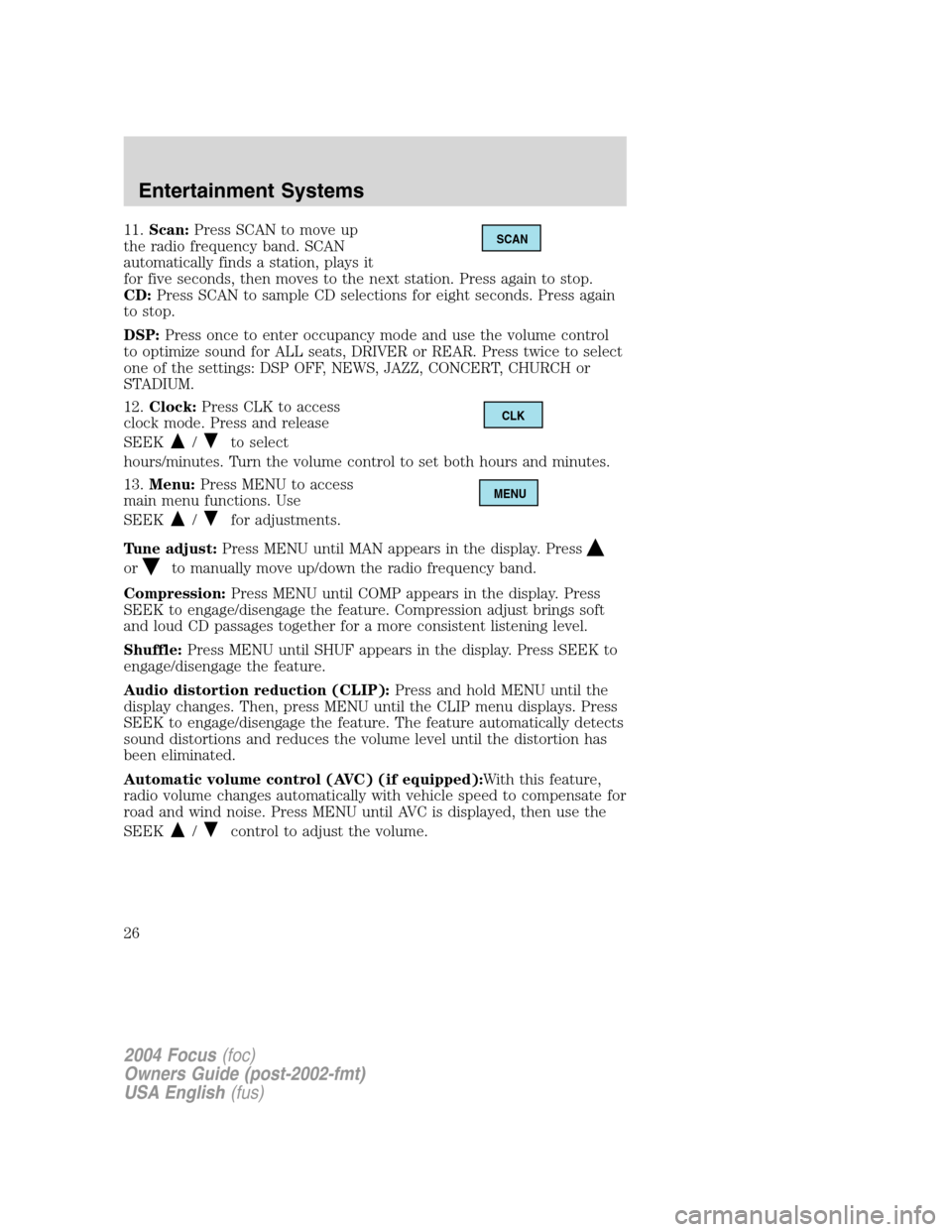
11.Scan:Press SCAN to move up
the radio frequency band. SCAN
automatically finds a station, plays it
for five seconds, then moves to the next station. Press again to stop.
CD:Press SCAN to sample CD selections for eight seconds. Press again
to stop.
DSP:Press once to enter occupancy mode and use the volume control
to optimize sound for ALL seats, DRIVER or REAR. Press twice to select
one of the settings: DSP OFF, NEWS, JAZZ, CONCERT, CHURCH or
STADIUM.
12.Clock:Press CLK to access
clock mode. Press and release
SEEK
/to select
hours/minutes. Turn the volume control to set both hours and minutes.
13.Menu:Press MENU to access
main menu functions. Use
SEEK
/for adjustments.
Tune adjust:Press MENU until MAN appears in the display. Press
orto manually move up/down the radio frequency band.
Compression:Press MENU until COMP appears in the display. Press
SEEK to engage/disengage the feature. Compression adjust brings soft
and loud CD passages together for a more consistent listening level.
Shuffle:Press MENU until SHUF appears in the display. Press SEEK to
engage/disengage the feature.
Audio distortion reduction (CLIP):Press and hold MENU until the
display changes. Then, press MENU until the CLIP menu displays. Press
SEEK to engage/disengage the feature. The feature automatically detects
sound distortions and reduces the volume level until the distortion has
been eliminated.
Automatic volume control (AVC) (if equipped):With this feature,
radio volume changes automatically with vehicle speed to compensate for
road and wind noise. Press MENU until AVC is displayed, then use the
SEEK
/control to adjust the volume.
SCAN
CLK
MENU
2004 Focus(foc)
Owners Guide (post-2002-fmt)
USA English(fus)
Entertainment Systems
26
Page 28 of 232
Press again for a brief sampling of all MP3 directories on the disc. SCAN
ALL appears at the bottom of the display.
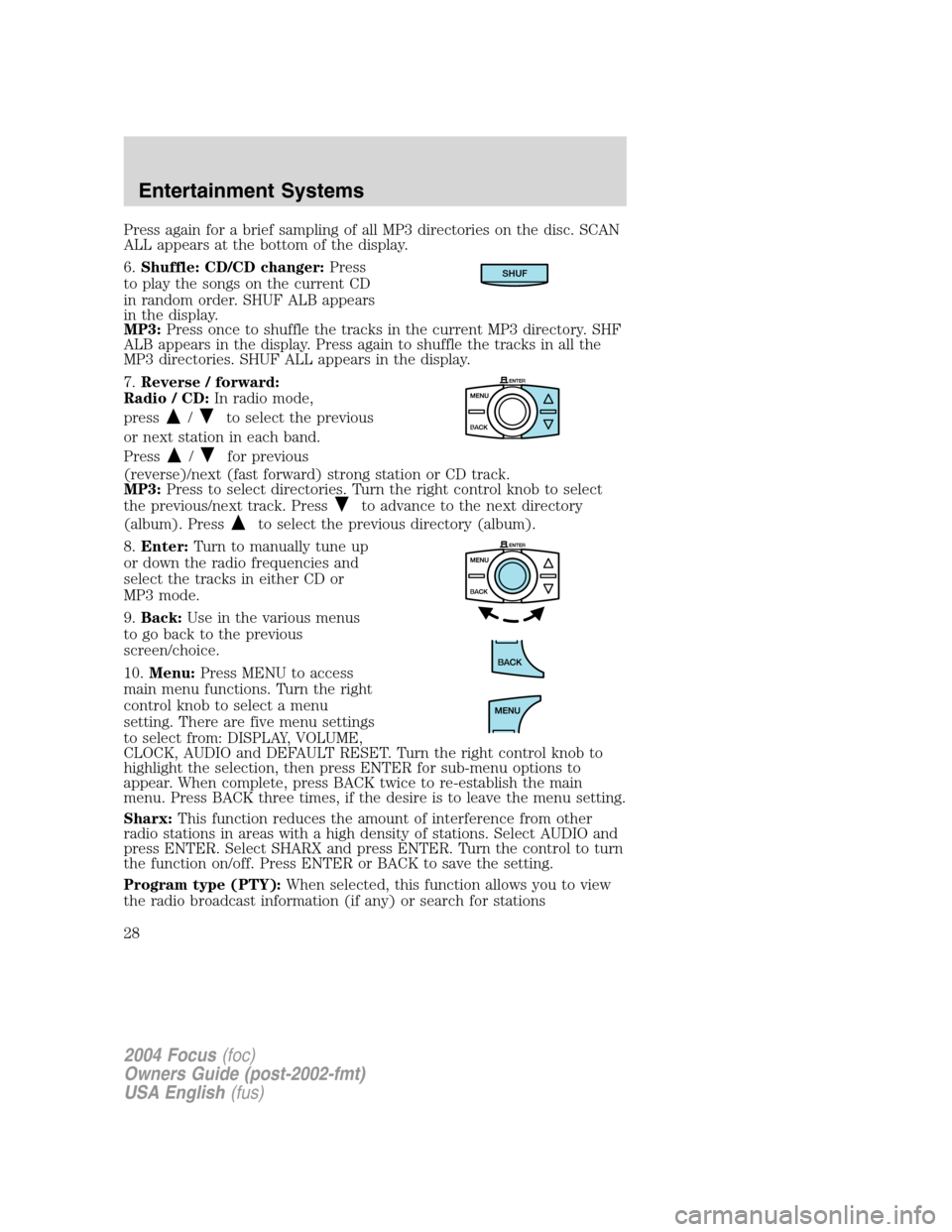
6.Shuffle: CD/CD changer: Press
to play the songs on the current CD
in random order. SHUF ALB appears
in the display.
MP3: Press once to shuffle the tracks in the current MP3 directory. SHF
ALB appears in the display. Press again to shuffle the tracks in all the
MP3 directories. SHUF ALL appears in the display.
7. Reverse / forward:
Radio / CD: In radio mode,
press
/to select the previous
or next station in each band.
Press
/for previous
(reverse)/next (fast forward) strong station or CD track.
MP3: Press to select directories. Turn the right control knob to select
the previous/next track. Press
to advance to the next directory
(album). Press
to select the previous directory (album).
8. Enter: Turn to manually tune up
or down the radio frequencies and
select the tracks in either CD or
MP3 mode.
9. Back: Use in the various menus
to go back to the previous
screen/choice.
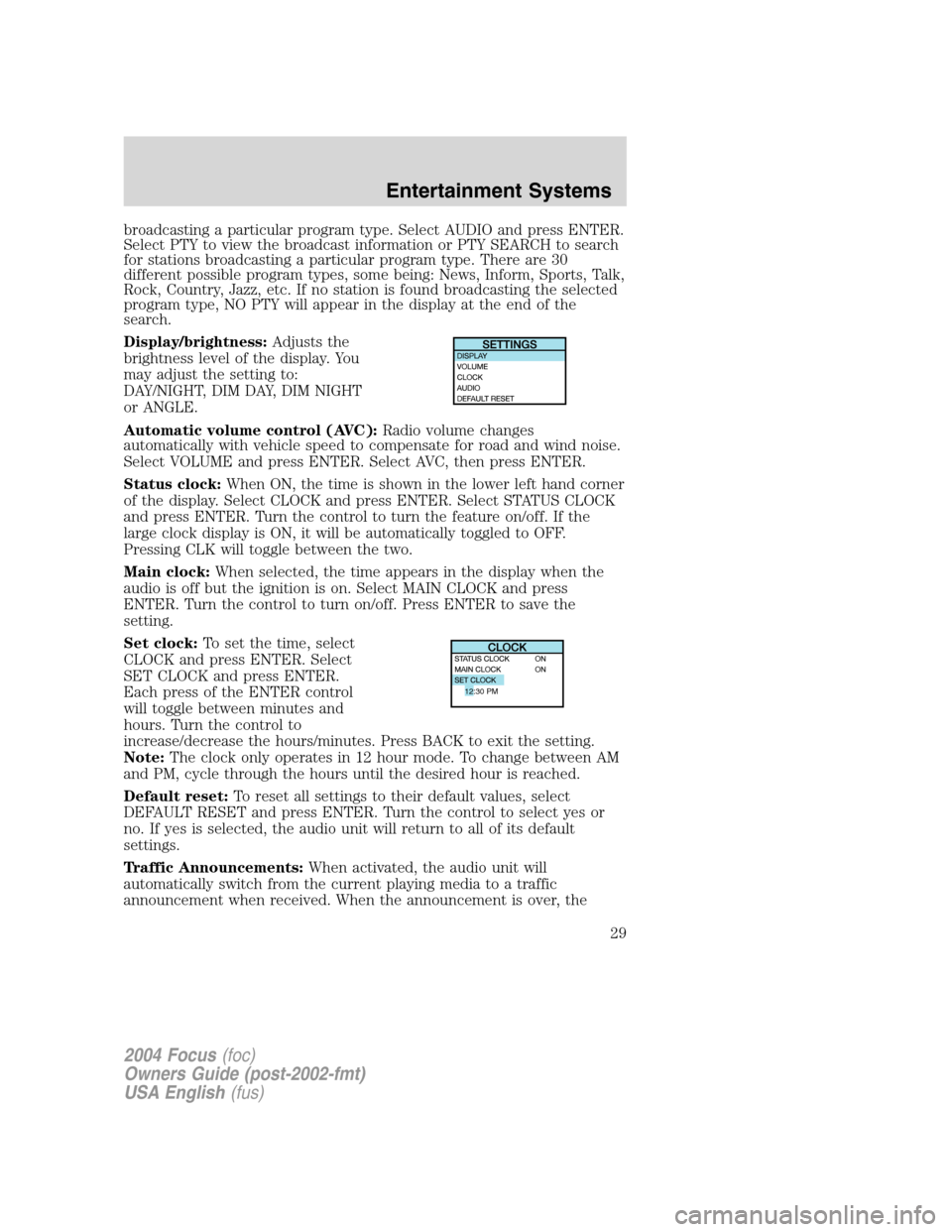
10. Menu: Press MENU to access
main menu functions. Turn the right
control knob to select a menu
setting. There are five menu settings
to select from: DISPLAY, VOLUME,
CLOCK, AUDIO and DEFAULT RESET. Turn the right control knob to
highlight the selection, then press ENTER for sub-menu options to
appear. When complete, press BACK twice to re-establish the main
menu. Press BACK three times, if the desire is to leave the menu setting.
Sharx: This function reduces the amount of interference from other
radio stations in areas with a high density of stations. Select AUDIO and
press ENTER. Select SHARX and press ENTER. Turn the control to turn
the function on/off. Press ENTER or BACK to save the setting.
Program type (PTY): When selected, this function allows you to view
the radio broadcast information (if any) or search for stations
SHUF
2004 Focus (foc)
Owners Guide (post-2002-fmt)
USA English (fus)
Entertainment Systems
28
Page 29 of 232
broadcasting a particular program type. Select AUDIO and press ENTER.
Select PTY to view the broadcast information or PTY SEARCH to search
for stations broadcasting a particular program type. There are 30
different possible program types, some being: News, Inform, Sports, Talk,
Rock, Country, Jazz, etc. If no station is found broadcasting the selected
program type, NO PTY will appear in the display at the end of the
search.
Display/brightness:Adjusts the
brightness level of the display. You
may adjust the setting to:
DAY/NIGHT, DIM DAY, DIM NIGHT
or ANGLE.
Automatic volume control (AVC): Radio volume changes
automatically with vehicle speed to compensate for road and wind noise.
Select VOLUME and press ENTER. Select AVC, then press ENTER.
Status clock: When ON, the time is shown in the lower left hand corner
of the display. Select CLOCK and press ENTER. Select STATUS CLOCK
and press ENTER. Turn the control to turn the feature on/off. If the
large clock display is ON, it will be automatically toggled to OFF.
Pressing CLK will toggle between the two.
Main clock: When selected, the time appears in the display when the
audio is off but the ignition is on. Select MAIN CLOCK and press
ENTER. Turn the control to turn on/off. Press ENTER to save the
setting.
Set clock: To set the time, select
CLOCK and press ENTER. Select
SET CLOCK and press ENTER.
Each press of the ENTER control
will toggle between minutes and
hours. Turn the control to
increase/decrease the hours/minutes. Press BACK to exit the setting.
Note: The clock only operates in 12 hour mode. To change between AM
and PM, cycle through the hours until the desired hour is reached.
Default reset: To reset all settings to their default values, select
DEFAULT RESET and press ENTER. Turn the control to select yes or
no. If yes is selected, the audio unit will return to all of its default
settings.
Traffic Announcements: When activated, the audio unit will
automatically switch from the current playing media to a traffic
announcement when received. When the announcement is over, the
12:30 PM
2004 Focus (foc)
Owners Guide (post-2002-fmt)
USA English (fus)
Entertainment Systems
29
Page 137 of 232
Tire change procedure
1. Park on a level surface, activate
hazard flashers and set the parking
brake.
When one of the front wheels is off the ground, the transaxle
alone will not prevent the vehicle from moving or slipping off the
jack, even if the vehicle is in P (Park) (automatic transaxle) or R
(Reverse) (manual transaxle).
To help prevent the vehicle from moving when you change a tire,
be sure the parking brake is set, then block (in both directions)
the wheel that is diagonally opposite (other side and end of the
vehicle) to the tire being changed.
If the vehicle slips off the jack, you or someone else could be
seriously injured.
2. Place gearshift lever in P (Park) (automatic transaxle) or R (Reverse)
(manual transaxle), turn engine OFF, and block the diagonally opposite
wheel.
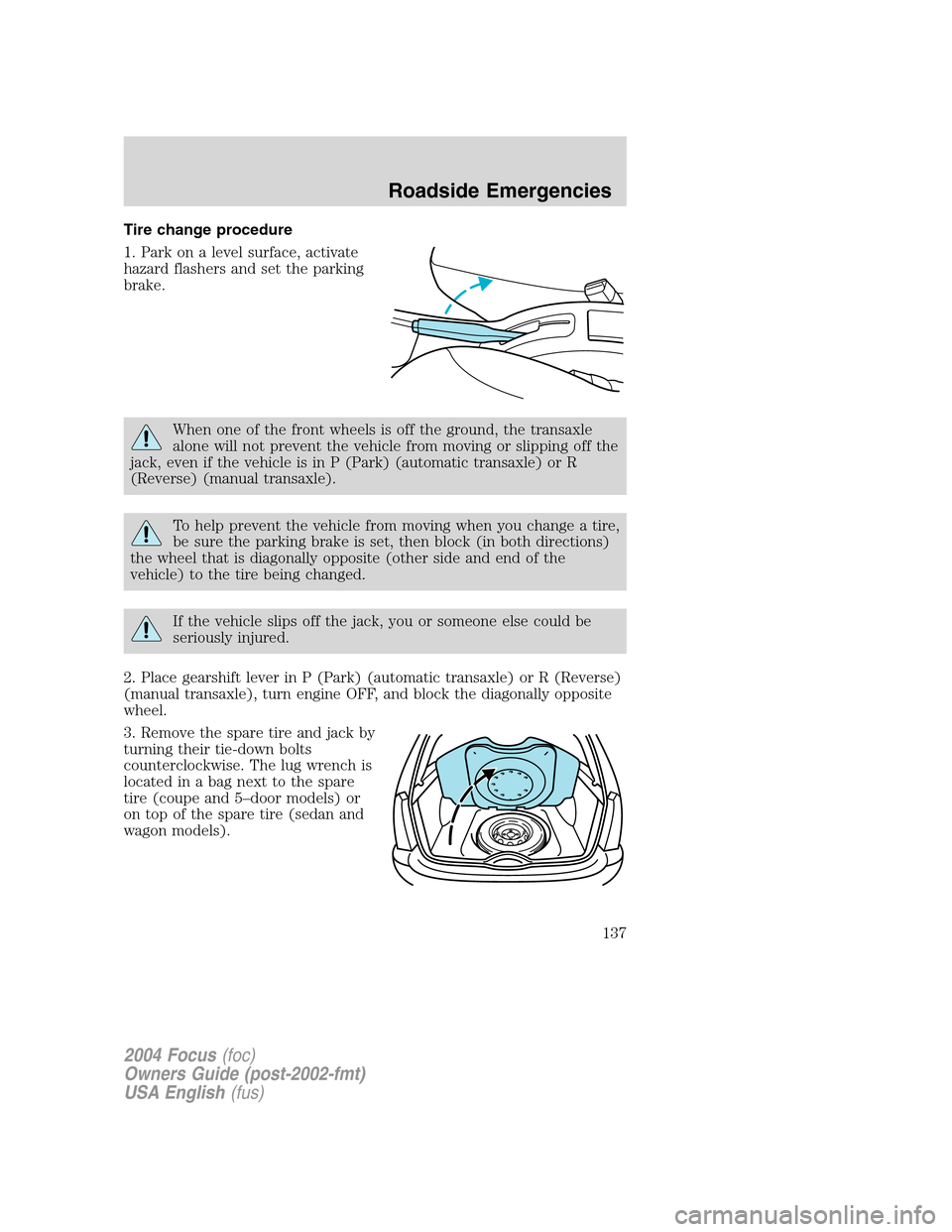
3. Remove the spare tire and jack by
turning their tie-down bolts
counterclockwise. The lug wrench is
located in a bag next to the spare
tire (coupe and 5–door models) or
on top of the spare tire (sedan and
wagon models).
2004 Focus(foc)
Owners Guide (post-2002-fmt)
USA English(fus)
Roadside Emergencies
137
Page 175 of 232

If the battery has been disconnected or a new battery has been installed,
the clock and the preset radio stations must be reset once the battery is
reconnected.
•Always dispose of automotive
batteries in a responsible manner.
Follow your local authorized
standards for disposal. Call your
local authorized recycling center
to find out more about recycling
automotive batteries.
ENGINE COOLANT
Checking engine coolant
The concentration and level of engine coolant should be checked at the
mileage intervals listed in the scheduled maintenance guide. The coolant
concentration should be maintained at 50/50 coolant and distilled water,
which equates to a freeze point of -36°C (-34°F). Coolant concentration
testing is possible with a hydrometer or antifreeze tester (such as the
Rotunda Battery and Antifreeze Tester, 014–R1060). The level of coolant
should be maintained at the“cold full”of“cold fill range”level in the
coolant reservoir. If the level falls below, add coolant per the instructions
in theAdding engine coolantsection.
Your vehicle was factory-filled with a 50/50 engine coolant and water
concentration. If the concentration of coolant falls below 40% or above
60%, the engine parts could become damaged or not work properly.A
50–50 mixture of coolant and water provides the following:
•Freeze protection down to -36°C (-34°F).
•Boiling protection up to 129°C (265°F).
•Protection against rust and other forms of corrosion.
•Enables calibrated gauges to work properly.
LEAD
RETURN
RECYCLE
2004 Focus(foc)
Owners Guide (post-2002-fmt)
USA English(fus)
Maintenance and Specifications
175