Page 45 of 232
Replacing grill-mounted front parking lamp/turn signal bulbs
1. Make sure the headlamp control
is in the OFF position and open the
hood.
2. Remove the cover panel at the
front of the engine compartment.
3. Remove the bulb socket from the
grille by turning counterclockwise.
4. Pull the bulb straight out of the
socket.
Install in reverse order.
Replacing turn signal lamps
1. Make sure the headlamp control
is in the OFF position.
2. Open the hood and remove the
bulb socket from the headlamp unit
by turning it counterclockwise.
3. Pull the bulb straight out of the
bulb socket.
Note:On vehicles fitted with VOL (HID) headlamps, have your Ford
dealer change the park lamp bulbs.
2004 Focus(foc)
Owners Guide (post-2002-fmt)
USA English(fus)
Lights
45
Page 46 of 232

Replacing tail/brake/backup lights and turn signal bulbs (coupe)
1. Make sure the headlamp control
is in the OFF position and then
open the hatchback.
2. From inside the luggage
compartment remove the wing nut
of the rear light assembly cover.
3. Using a Phillips screw driver
remove the screw. The lamp is still
retained by a spring loaded clip.
Remove by gently pulling out the
light housing.
4. Turn the bulb socket counterclockwise as far as possible and pull it
out.
5. Pull the bulb straight out of the socket.
Install in reverse order.
Replacing tail/brake/backup lights and turn signal bulbs (sedan)
1. Make sure the headlamp control
is in the OFF position and then
open the trunk.
2. From inside the luggage
compartment remove the three wing
nuts of the light housing.
3. Gently pull the light housing to
the outside.
4. Turn the bulb socket
counterclockwise and pull it out.
5. Pull the bulb straight out of the socket.
Install in reverse order.
2004 Focus(foc)
Owners Guide (post-2002-fmt)
USA English(fus)
Lights
46
Page 47 of 232
Replacing tail/brake/backup lights and turn signal bulbs (wagon)
1. Make sure the headlamp control
is in the OFF position and then
open the hatchback.
2. Using a screw driver remove the
fixings and trim from the body.
3. Remove the socket from the lamp
assembly
4. Pull the bulb straight out of the
socket.
Install in reverse order.
Replacing foglamp bulbs (if equipped)
1. Make sure the headlamp control
is in the OFF position.
2. Reach under the bumper cover
and remove the bulb socket from
the foglamp by turning
counterclockwise.
3. Disconnect the electrical connector from the foglamp bulb.
Install in reverse order.
Replacing side marker bulbs
1. Make sure the headlamp control
is in the OFF position.
2. Reach under the front fender and
grasp the bulb socket, turn the light
housing counterclockwise.
3. Pull the bulb straight out.
Install in reverse order.
2004 Focus(foc)
Owners Guide (post-2002-fmt)
USA English(fus)
Lights
47
Page 53 of 232
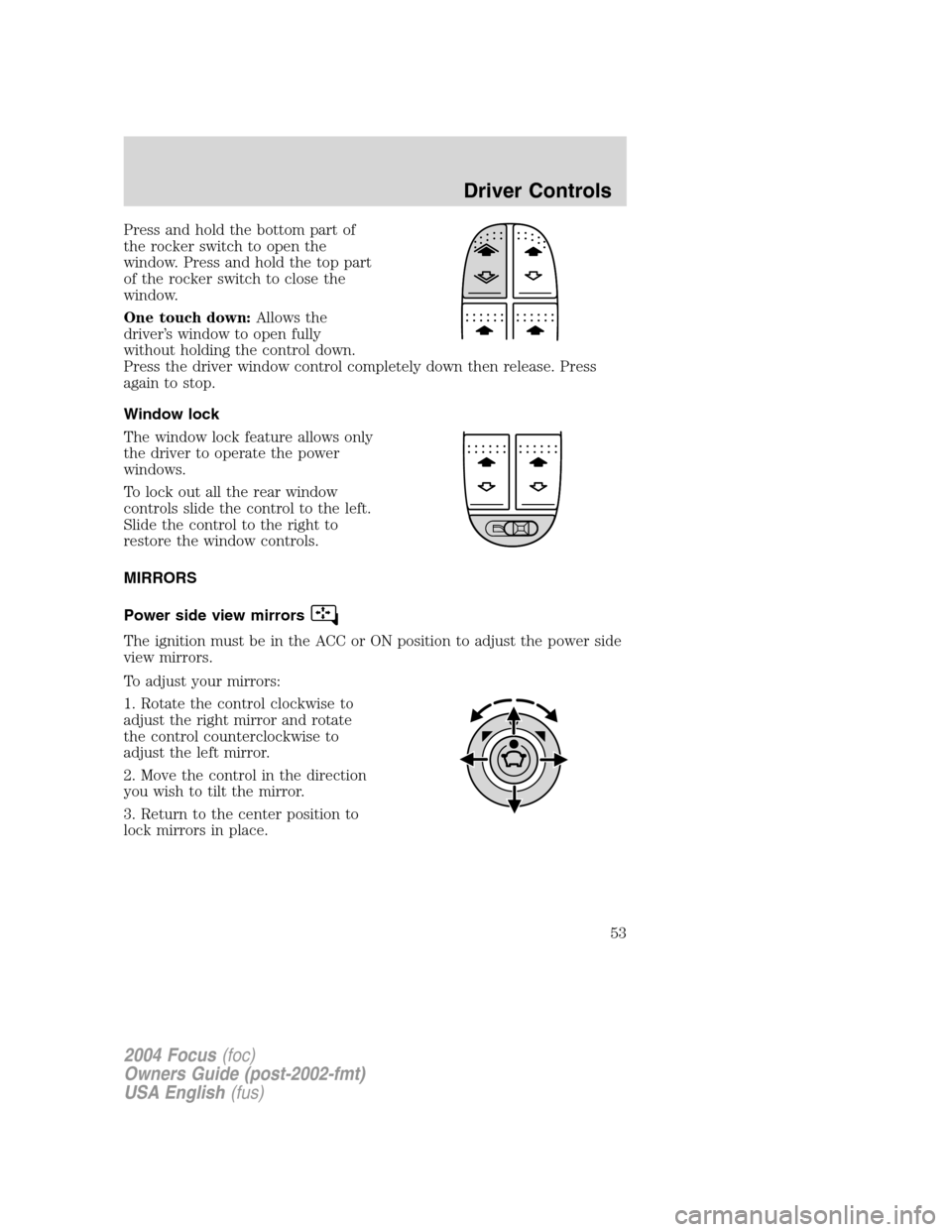
Press and hold the bottom part of
the rocker switch to open the
window. Press and hold the top part
of the rocker switch to close the
window.
One touch down:Allows the
driver’s window to open fully
without holding the control down.
Press the driver window control completely down then release. Press
again to stop.
Window lock
The window lock feature allows only
the driver to operate the power
windows.
To lock out all the rear window
controls slide the control to the left.
Slide the control to the right to
restore the window controls.
MIRRORS
Power side view mirrors
The ignition must be in the ACC or ON position to adjust the power side
view mirrors.
To adjust your mirrors:
1. Rotate the control clockwise to
adjust the right mirror and rotate
the control counterclockwise to
adjust the left mirror.
2. Move the control in the direction
you wish to tilt the mirror.
3. Return to the center position to
lock mirrors in place.
2004 Focus(foc)
Owners Guide (post-2002-fmt)
USA English(fus)
Driver Controls
53
Page 137 of 232
Tire change procedure
1. Park on a level surface, activate
hazard flashers and set the parking
brake.
When one of the front wheels is off the ground, the transaxle
alone will not prevent the vehicle from moving or slipping off the
jack, even if the vehicle is in P (Park) (automatic transaxle) or R
(Reverse) (manual transaxle).
To help prevent the vehicle from moving when you change a tire,
be sure the parking brake is set, then block (in both directions)
the wheel that is diagonally opposite (other side and end of the
vehicle) to the tire being changed.
If the vehicle slips off the jack, you or someone else could be
seriously injured.
2. Place gearshift lever in P (Park) (automatic transaxle) or R (Reverse)
(manual transaxle), turn engine OFF, and block the diagonally opposite
wheel.
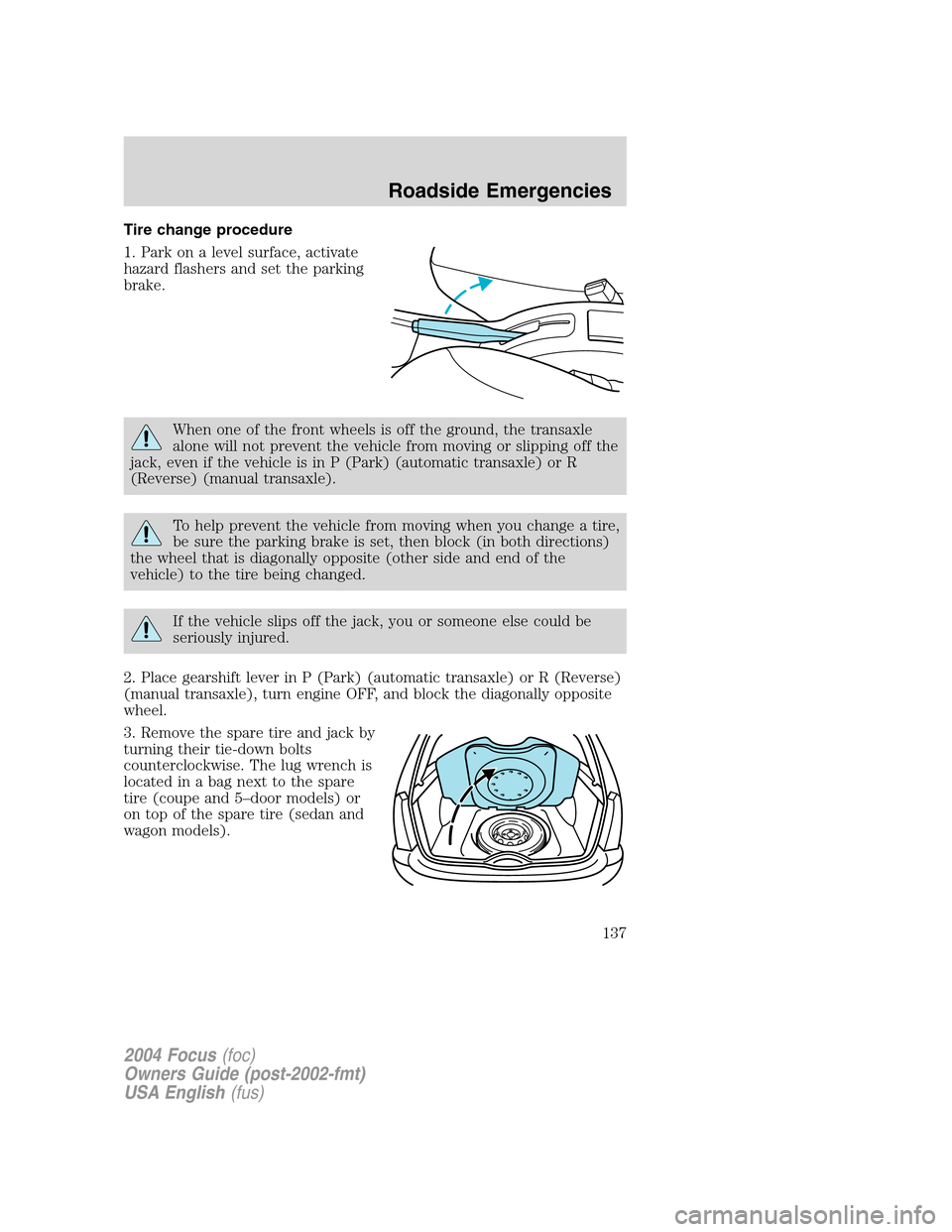
3. Remove the spare tire and jack by
turning their tie-down bolts
counterclockwise. The lug wrench is
located in a bag next to the spare
tire (coupe and 5–door models) or
on top of the spare tire (sedan and
wagon models).
2004 Focus(foc)
Owners Guide (post-2002-fmt)
USA English(fus)
Roadside Emergencies
137
Page 138 of 232
4. On coupe models, unsnap and
remove the access door (if
equipped) on the lower rocker
molding (SVT only) to access the
proper jacking points.
5. Loosen each wheel lug nut
one-half turn counterclockwise but
do not remove them until the wheel
is raised off the ground.
2004 Focus(foc)
Owners Guide (post-2002-fmt)
USA English(fus)
Roadside Emergencies
138
Page 139 of 232

6. The vehicle jacking points are
depicted on the yellow warning label
on the jack shown here. Depending
on which tire is to be changed,
locate the jack at the half-moon
cutout located approximately 15 cm
(6 inches) from the front wheel
opening (1) or approximately 38 cm
(15 inches) from the rear wheel
opening (2).
Jack at the specified locations
to avoid damage to the vehicle.
7. Remove the lug nuts with the lug wrench.
8. Replace the flat tire with the spare tire, making sure the valve stem is
facing outward. Reinstall the lug nuts until the wheel is snug against the
hub. Do not fully tighten the lug nuts until the wheel has been lowered.
9. Lower the wheel by turning the jack handle counterclockwise.
10. Remove the jack and fully
tighten the lug nuts in the order
shown.
11. Put flat tire, jack and lug wrench
away. Make sure the jack is fastened
so it does not rattle when you drive.
Unblock the wheels.
JUMP STARTING YOUR VEHICLE
The gases around the battery can explode if exposed to flames,
sparks, or lit cigarettes. An explosion could result in injury or
vehicle damage.
Batteries contain sulfuric acid which can burn skin, eyes and
clothing, if contacted.
1
4 3
2
2004 Focus(foc)
Owners Guide (post-2002-fmt)
USA English(fus)
Roadside Emergencies
139
Page 172 of 232

3. Recheck the engine oil level. Make sure the oil level is not above the
MAX mark on the engine oil level indicator (dipstick).
4. Install the indicator and ensure it is fully seated.
5. Fully install the engine oil filler cap by turning the filler cap clockwise
tightly until clicks are heard, or until it is snug.
To avoid possible oil loss, DO NOT operate the vehicle with the
engine oil level indicator and/or the engine oil filler cap removed.
Engine oil and filter recommendations
Look for this certification
trademark.
Use SAE 5W-20 engine oil.
Only use oils“Certified For Gasoline Engines”by the American
Petroleum Institute (API). To protect your engine’s warranty use
Motorcraft SAE 5W-20 or an equivalent 5W-20 oil meeting Ford
specification WSS-M2C153–H.SAE 5W-20 oil provides optimum fuel
economy and durability performance meeting all requirements for
your vehicle’s engine.
Do not use supplemental engine oil additives, cleaners or other engine
treatments. They are unnecessary and could lead to engine damage that
is not covered by Ford warranty.
Change your engine oil according to the appropriate schedule listed in
the scheduled maintenance guide.
Ford production and aftermarket (Motorcraft) oil filters are designed for
added engine protection and long life. If a replacement oil filter is used
that does not meet Ford material and design specifications, start-up
engine noises or knock may be experienced.
It is recommended you use the appropriate Motorcraft oil filter (or
another brand meeting Ford specifications) for your engine application.
2004 Focus(foc)
Owners Guide (post-2002-fmt)
USA English(fus)
Maintenance and Specifications
172


