2004 FORD F150 ECO mode
[x] Cancel search: ECO modePage 86 of 280

The UNLOCKfeature will work again after:
²a door has become ajar,
²the ignition is turned to the ON position, or
²using the UNLOCK
control on your remote entry transmitter or
unlocking via the keyless entry keypad.
Deactivating/activating power door lock disable feature
You must complete Steps 1±5 within 30 seconds, or the procedure will
have to be repeated. If the procedure needs to be repeated, you must
wait a minimum of 30 seconds to begin again.
1. Turn the ignition to the ON position, then press the UNLOCK button
three times.
2. Turn the ignition to the OFF position, then press the UNLOCK button
three times.
3. Turn the ignition to the ON position, and within five seconds, press
the LOCK button two times. Two horn chirps should be heard, indicating
that the system has been disabled. Conversely, two horn chirps followed
by a honk will indicate that the system is enabled.
4. Pressing the power door LOCK button two times again will turn the
feature ON if it was previously OFF, or OFF if it was previously ON.
Every two consecutive presses of the LOCK button after successfully
entering the configuration mode will change the enable/disable condition
of the feature.
5. Turn the ignition to the OFF position to exit programming.
Sounding a panic alarm
Press
to activate the alarm. Press again or turn the ignition to ACC
or ON to deactivate.
Note:The panic alarm will only operate when the ignition is in the OFF
position.
Memory feature (if equipped)
The remote entry system can also control the memory feature.
Press the
control once to unlock the driver's door. Pressing the
control will automatically move the seat and adjustable pedals to the
desired memory position (the memory position corresponds to the
transmitter being used).
Locks and Security
86
Page 89 of 280
To program the transmitters yourself:
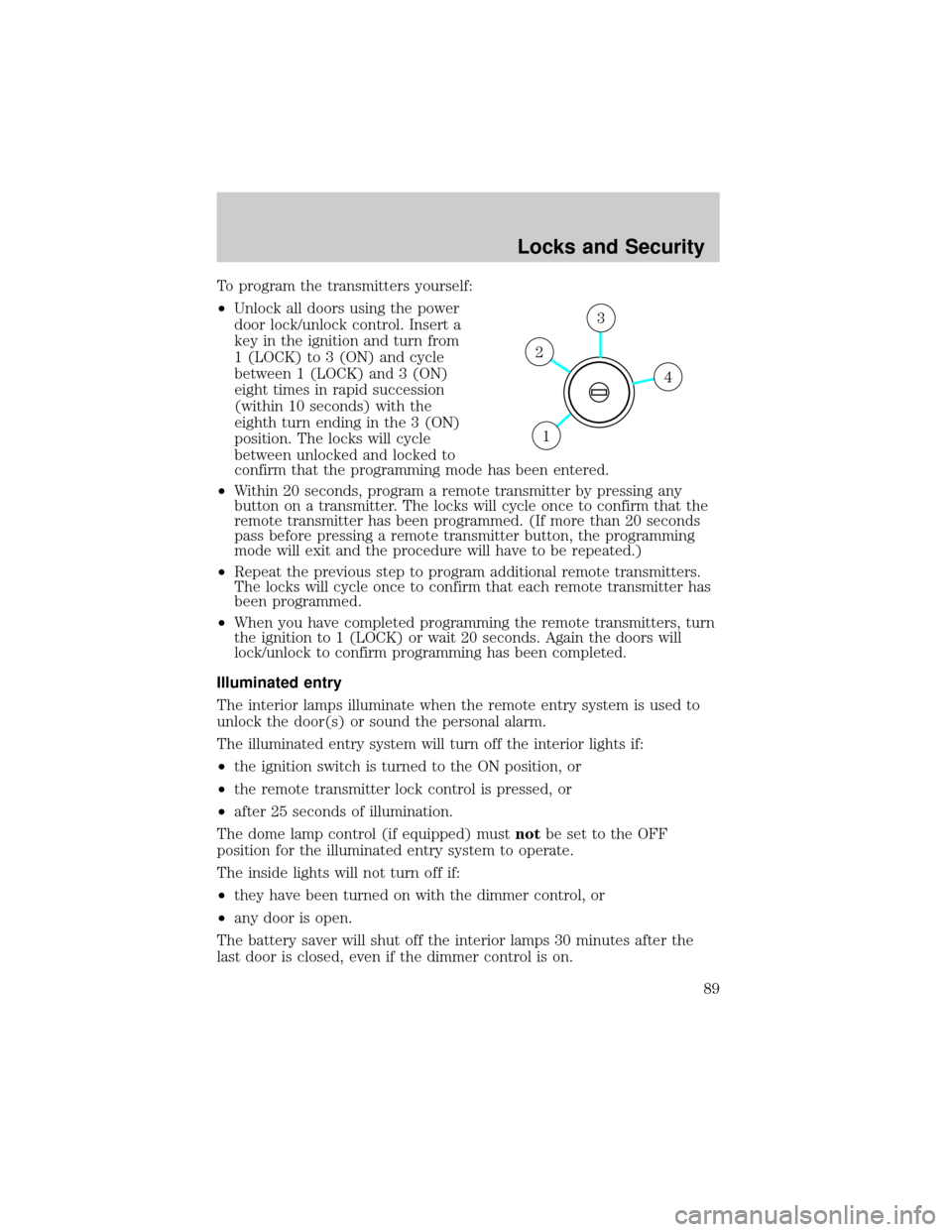
²Unlock all doors using the power
door lock/unlock control. Insert a
key in the ignition and turn from
1 (LOCK) to 3 (ON) and cycle
between 1 (LOCK) and 3 (ON)
eight times in rapid succession
(within 10 seconds) with the
eighth turn ending in the 3 (ON)
position. The locks will cycle
between unlocked and locked to
confirm that the programming mode has been entered.
²Within 20 seconds, program a remote transmitter by pressing any
button on a transmitter. The locks will cycle once to confirm that the
remote transmitter has been programmed. (If more than 20 seconds
pass before pressing a remote transmitter button, the programming
mode will exit and the procedure will have to be repeated.)
²Repeat the previous step to program additional remote transmitters.
The locks will cycle once to confirm that each remote transmitter has
been programmed.
²When you have completed programming the remote transmitters, turn
the ignition to 1 (LOCK) or wait 20 seconds. Again the doors will
lock/unlock to confirm programming has been completed.
Illuminated entry
The interior lamps illuminate when the remote entry system is used to
unlock the door(s) or sound the personal alarm.
The illuminated entry system will turn off the interior lights if:
²the ignition switch is turned to the ON position, or
²the remote transmitter lock control is pressed, or
²after 25 seconds of illumination.
The dome lamp control (if equipped) mustnotbe set to the OFF
position for the illuminated entry system to operate.
The inside lights will not turn off if:
²they have been turned on with the dimmer control, or
²any door is open.
The battery saver will shut off the interior lamps 30 minutes after the
last door is closed, even if the dimmer control is on.
4
3
2
1
Locks and Security
89
Page 90 of 280

Perimeter lighting feature
The perimeter lighting feature illuminates the exterior of the vehicle in
order to provide better visibility to the user while he or she approaches
and enters the vehicle.
The perimeter lighting feature activates when:
²the ignition is in the OFF position,
²the autolamp sensor determines that it is dark, and
²the user activates an unlock feature, using either the remote keyless
transmitter or the keypad.
The perimeter lighting feature will illuminate the headlamps and parking
lamps for 25 seconds, or until:
²the ignition is turned to any position other than the OFF position, or
²the user activates a lock feature, using either the remote keyless
transmitter or the keypad.
Enabling/disabling the perimeter lighting feature
Your vehicle comes with the perimeter lighting feature enabled. To
disable or re-enable this feature, perform the following steps within 30
seconds:
1. Turn the ignition to the ON position, then press the
control three
times.
2. Turn the ignition to the OFF position, then press the
control three
times.
3. Turn the ignition to the ON position, and within five seconds, press
the
control two times. A short horn chirp followed by a long horn
activation confirms that the perimeter lighting feature has been enabled.
A short horn chirp by itself confirms that the feature has been disabled.
4. Pressing the power doorcontrol two times again will turn the feature
ON if it was previously OFF, or OFF if it was previously ON. Every two
consecutive presses of the
control after successfully entering the
configuration mode will change the enable/disable condition of the feature.
5. Turn the ignition to the OFF position to exit programming.
Autolock (if equipped)
The autolock feature will lock all the doors when:
²all the doors are closed,
²the ignition is in the ON position,
Locks and Security
90
Page 105 of 280
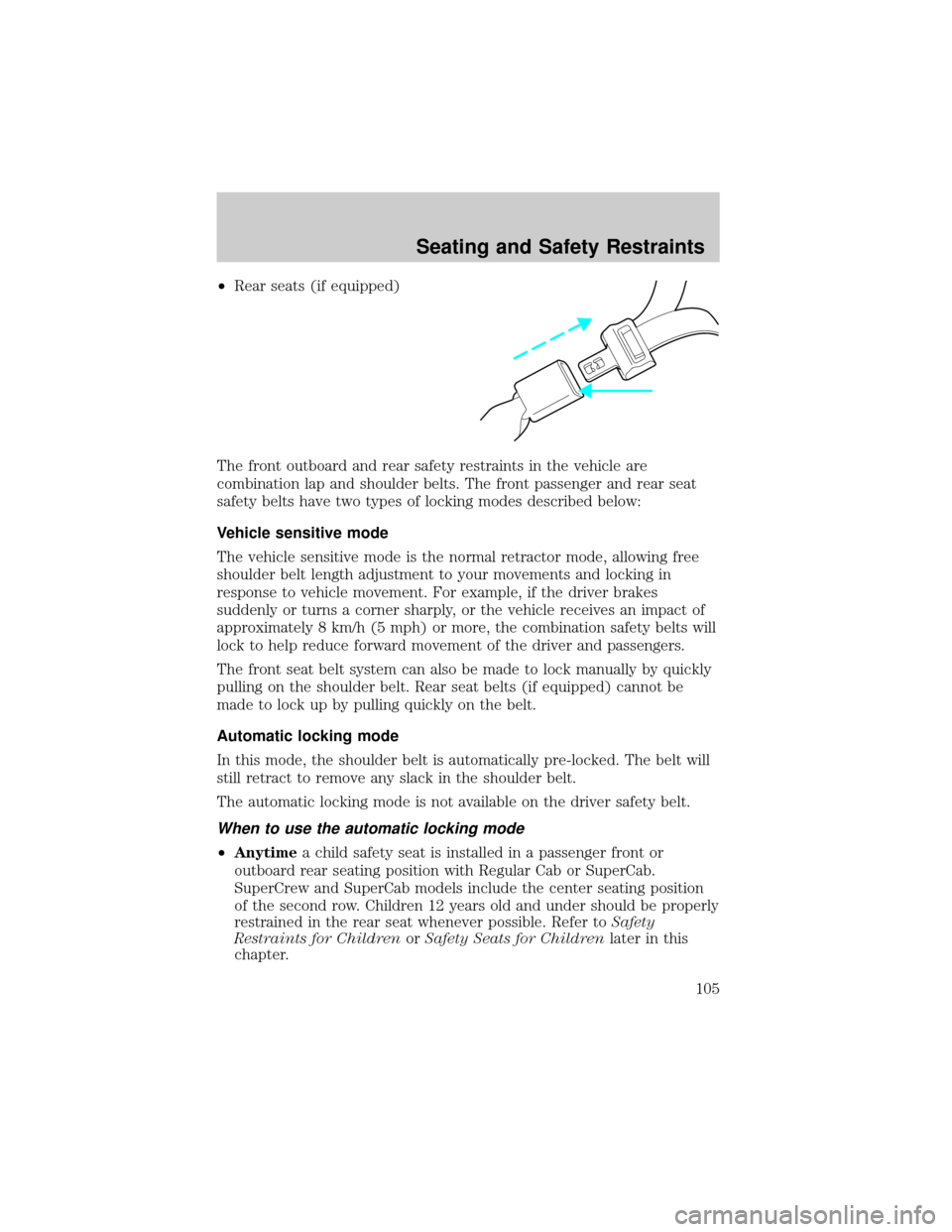
²Rear seats (if equipped)
The front outboard and rear safety restraints in the vehicle are
combination lap and shoulder belts. The front passenger and rear seat
safety belts have two types of locking modes described below:
Vehicle sensitive mode
The vehicle sensitive mode is the normal retractor mode, allowing free
shoulder belt length adjustment to your movements and locking in
response to vehicle movement. For example, if the driver brakes
suddenly or turns a corner sharply, or the vehicle receives an impact of
approximately 8 km/h (5 mph) or more, the combination safety belts will
lock to help reduce forward movement of the driver and passengers.
The front seat belt system can also be made to lock manually by quickly
pulling on the shoulder belt. Rear seat belts (if equipped) cannot be
made to lock up by pulling quickly on the belt.
Automatic locking mode
In this mode, the shoulder belt is automatically pre-locked. The belt will
still retract to remove any slack in the shoulder belt.
The automatic locking mode is not available on the driver safety belt.
When to use the automatic locking mode
²Anytimea child safety seat is installed in a passenger front or
outboard rear seating position with Regular Cab or SuperCab.
SuperCrew and SuperCab models include the center seating position
of the second row. Children 12 years old and under should be properly
restrained in the rear seat whenever possible. Refer toSafety
Restraints for ChildrenorSafety Seats for Childrenlater in this
chapter.
Seating and Safety Restraints
105
Page 129 of 280
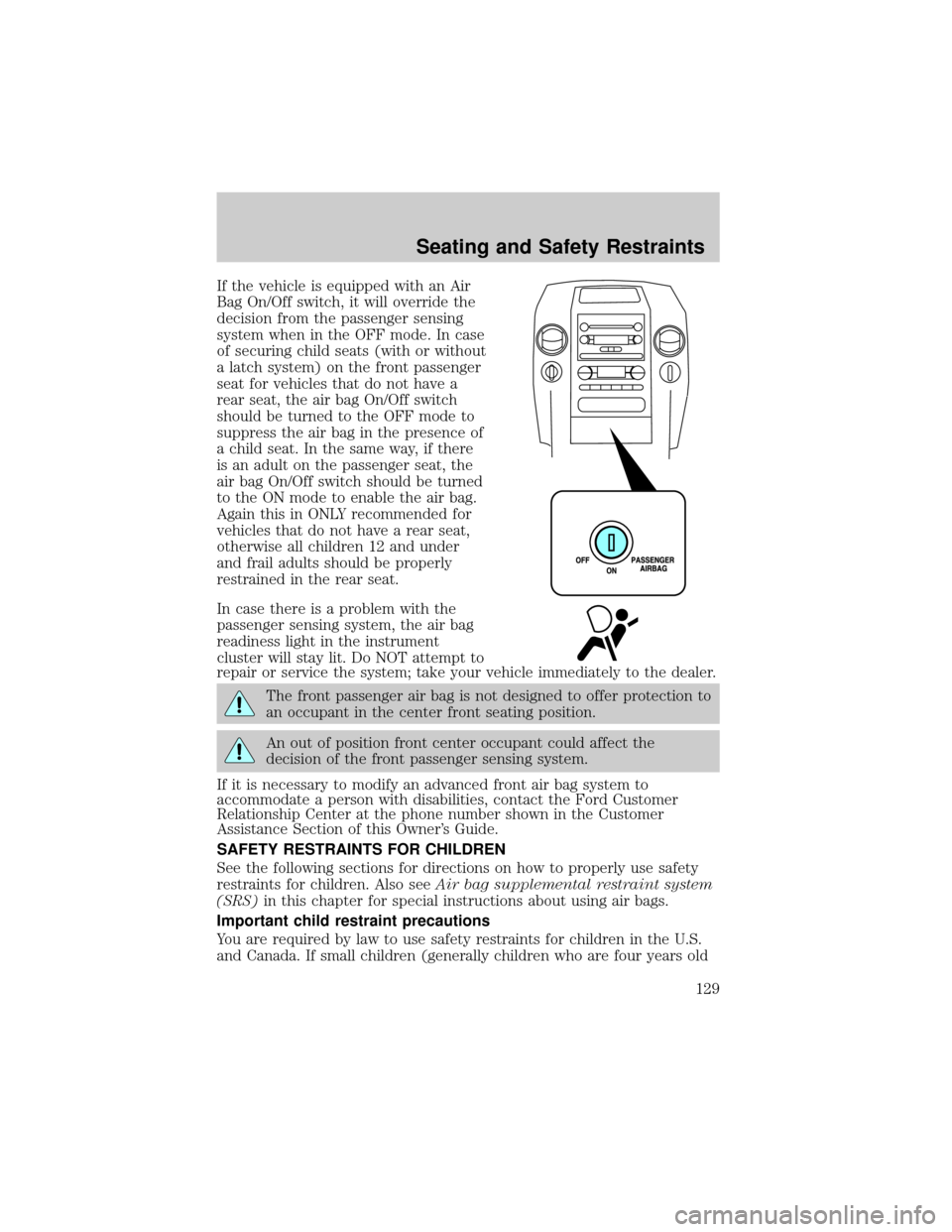
If the vehicle is equipped with an Air
Bag On/Off switch, it will override the
decision from the passenger sensing
system when in the OFF mode. In case
of securing child seats (with or without
a latch system) on the front passenger
seat for vehicles that do not have a
rear seat, the air bag On/Off switch
should be turned to the OFF mode to
suppress the air bag in the presence of
a child seat. In the same way, if there
is an adult on the passenger seat, the
air bag On/Off switch should be turned
to the ON mode to enable the air bag.
Again this in ONLY recommended for
vehicles that do not have a rear seat,
otherwise all children 12 and under
and frail adults should be properly
restrained in the rear seat.
In case there is a problem with the
passenger sensing system, the air bag
readiness light in the instrument
cluster will stay lit. Do NOT attempt to
repair or service the system; take your vehicle immediately to the dealer.
The front passenger air bag is not designed to offer protection to
an occupant in the center front seating position.
An out of position front center occupant could affect the
decision of the front passenger sensing system.
If it is necessary to modify an advanced front air bag system to
accommodate a person with disabilities, contact the Ford Customer
Relationship Center at the phone number shown in the Customer
Assistance Section of this Owner's Guide.
SAFETY RESTRAINTS FOR CHILDREN
See the following sections for directions on how to properly use safety
restraints for children. Also seeAir bag supplemental restraint system
(SRS)in this chapter for special instructions about using air bags.
Important child restraint precautions
You are required by law to use safety restraints for children in the U.S.
and Canada. If small children (generally children who are four years old
Seating and Safety Restraints
129
Page 134 of 280
²Put the safety belt in the automatic locking mode. Refer toAutomatic
locking mode(passenger side front seating position-Regular Cab)
(passenger side front and rear seating positions-SuperCrew and
SuperCab) (if equipped).
²LATCH lower anchors are recommended for use by children up to 22
kg (48 pounds) in a child restraint. Top tether anchors can be used
for children up to 27 kg (60 pounds) in a child restraint, and to
provide upper torso restraint for children up to 36 kg (80 pounds)
using an upper torso harness and a belt-positioning booster.
Ford recommends the use of a child safety seat having a top tether
strap. Install the child safety seat in a seating position with LATCH and
tether anchors. For more information on top tether straps and anchors,
refer toAttaching safety seats with tether strapsin this chapter. For
more information of LATCH anchors refer toAttaching safety seats with
LATCH (Lower Anchors and Tethers for Children) attachmentsin this
chapter.
Carefully follow all of the manufacturer's instructions included
with the safety seat you put in your vehicle. If you do not install
and use the safety seat properly, the child may be injured in a sudden
stop or collision.
Installing child safety seats with combination lap and shoulder
belts
Air bags can kill or injure a child in a child seat.NEVERplace a
rear-facing child seat in front of an active air bag. If you must
use a forward-facing child seat in the front seat, move the seat all the
way back.
Children 12 and under should be properly restrained in the rear
seat whenever possible.
Seating and Safety Restraints
134
Page 137 of 280
8. Allow the safety belt to retract to
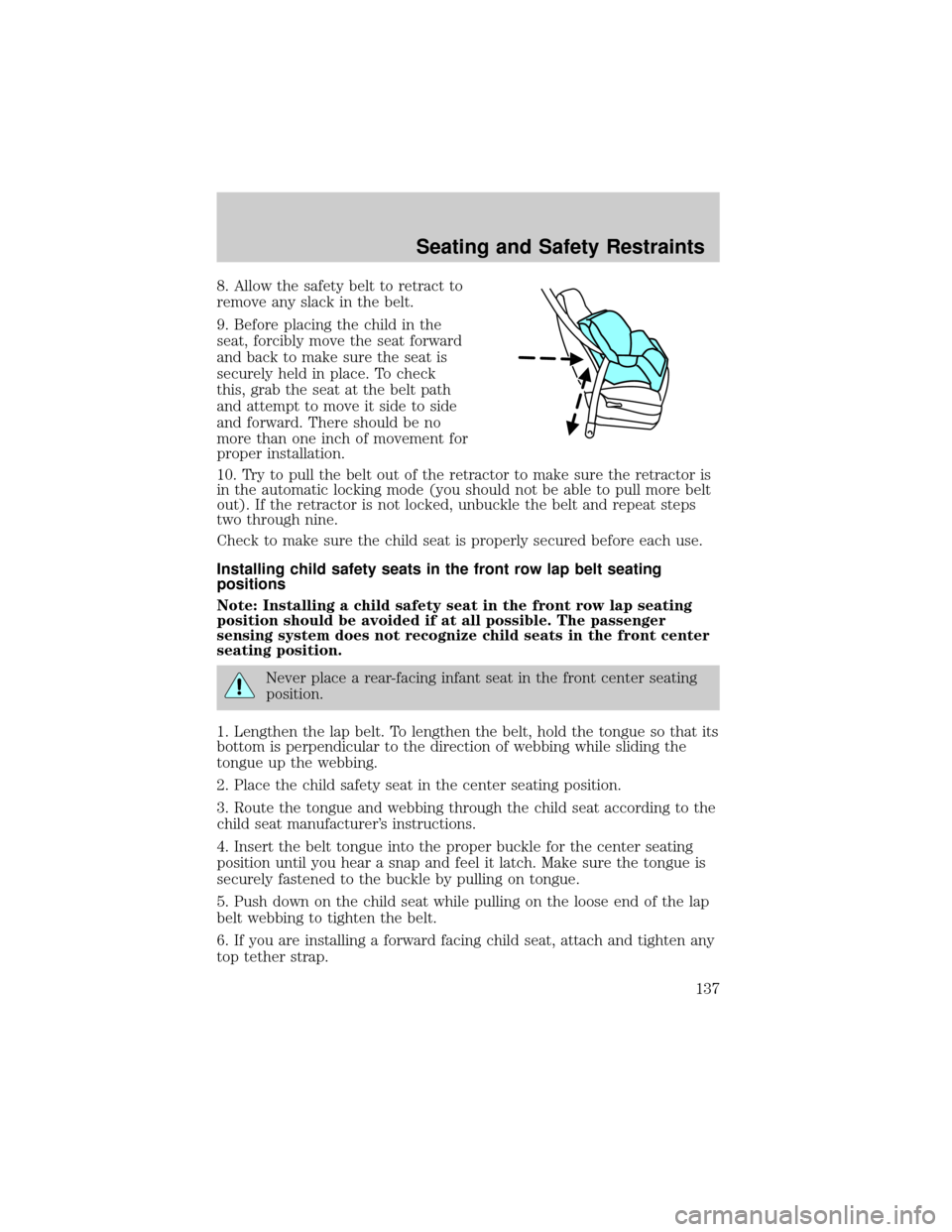
remove any slack in the belt.
9. Before placing the child in the
seat, forcibly move the seat forward
and back to make sure the seat is
securely held in place. To check
this, grab the seat at the belt path
and attempt to move it side to side
and forward. There should be no
more than one inch of movement for
proper installation.
10. Try to pull the belt out of the retractor to make sure the retractor is
in the automatic locking mode (you should not be able to pull more belt
out). If the retractor is not locked, unbuckle the belt and repeat steps
two through nine.
Check to make sure the child seat is properly secured before each use.
Installing child safety seats in the front row lap belt seating
positions
Note: Installing a child safety seat in the front row lap seating
position should be avoided if at all possible. The passenger
sensing system does not recognize child seats in the front center
seating position.
Never place a rear-facing infant seat in the front center seating
position.
1. Lengthen the lap belt. To lengthen the belt, hold the tongue so that its
bottom is perpendicular to the direction of webbing while sliding the
tongue up the webbing.
2. Place the child safety seat in the center seating position.
3. Route the tongue and webbing through the child seat according to the
child seat manufacturer's instructions.
4. Insert the belt tongue into the proper buckle for the center seating
position until you hear a snap and feel it latch. Make sure the tongue is
securely fastened to the buckle by pulling on tongue.
5. Push down on the child seat while pulling on the loose end of the lap
belt webbing to tighten the belt.
6. If you are installing a forward facing child seat, attach and tighten any
top tether strap.
Seating and Safety Restraints
137
Page 165 of 280
Parking
On some 4WD vehicles, when the transfer case is in the N (Neutral)
position, the engine and transmission are disconnected from the rest of
the driveline. Therefore, the vehicle is free to roll even if the automatic
transmission is in P (Park) or the manual transmission is in gear. Do not
leave the vehicle unattended with the transfer case in the N (Neutral)
position. Always set the parking brake fully and turn off the ignition
when leaving the vehicle.
Always set the parking brake fully and make sure the gearshift is
latched in P (Park). Turn the ignition to the LOCK position and
remove the key whenever you leave your vehicle.
If the parking brake is fully released, but the brake warning lamp
remains illuminated, the brakes may not be working properly.
See your dealer or a qualified service technician.
4WD Systems
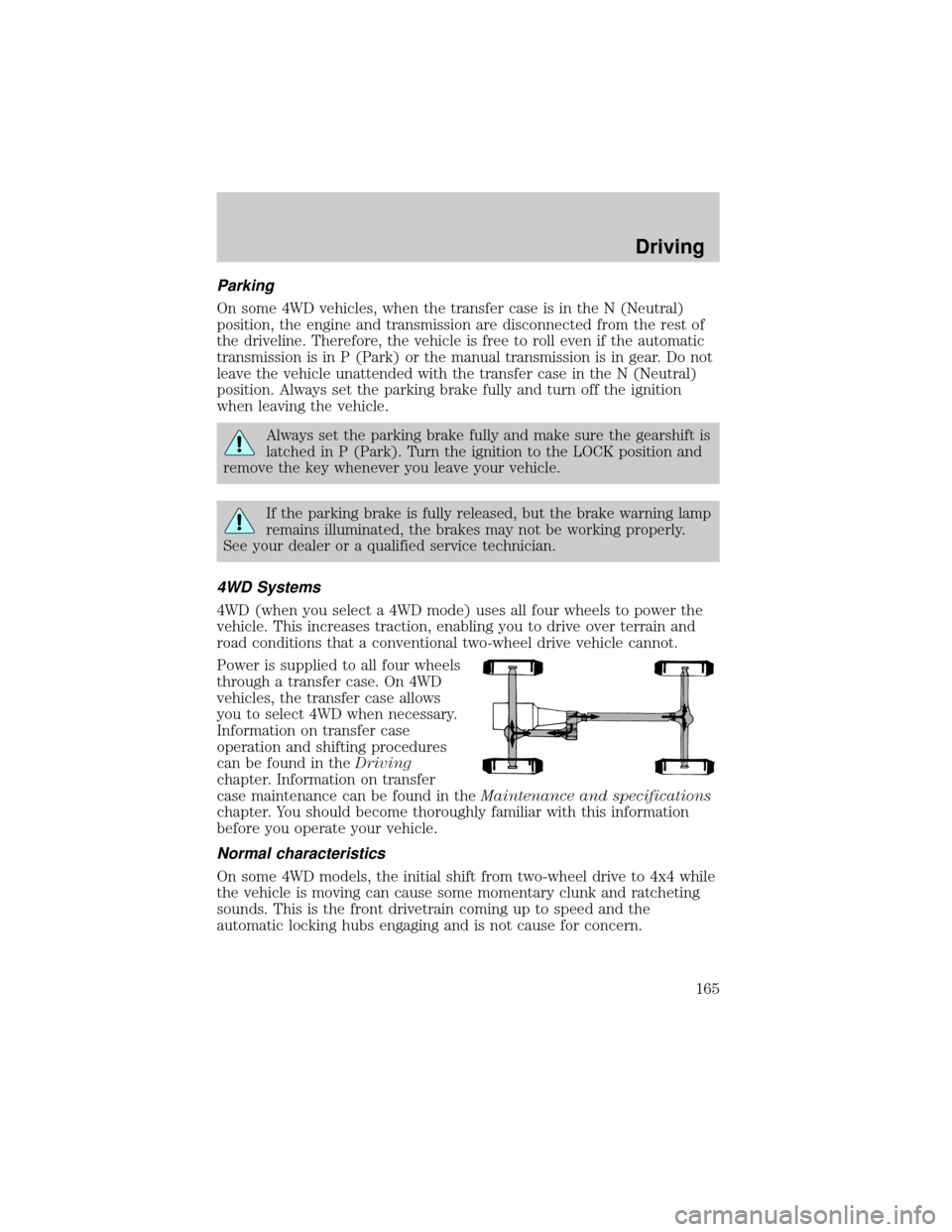
4WD (when you select a 4WD mode) uses all four wheels to power the
vehicle. This increases traction, enabling you to drive over terrain and
road conditions that a conventional two-wheel drive vehicle cannot.
Power is supplied to all four wheels
through a transfer case. On 4WD
vehicles, the transfer case allows
you to select 4WD when necessary.
Information on transfer case
operation and shifting procedures
can be found in theDriving
chapter. Information on transfer
case maintenance can be found in theMaintenance and specifications
chapter. You should become thoroughly familiar with this information
before you operate your vehicle.
Normal characteristics
On some 4WD models, the initial shift from two-wheel drive to 4x4 while
the vehicle is moving can cause some momentary clunk and ratcheting
sounds. This is the front drivetrain coming up to speed and the
automatic locking hubs engaging and is not cause for concern.
Driving
165