Page 42 of 240
Auxiliary input jacks
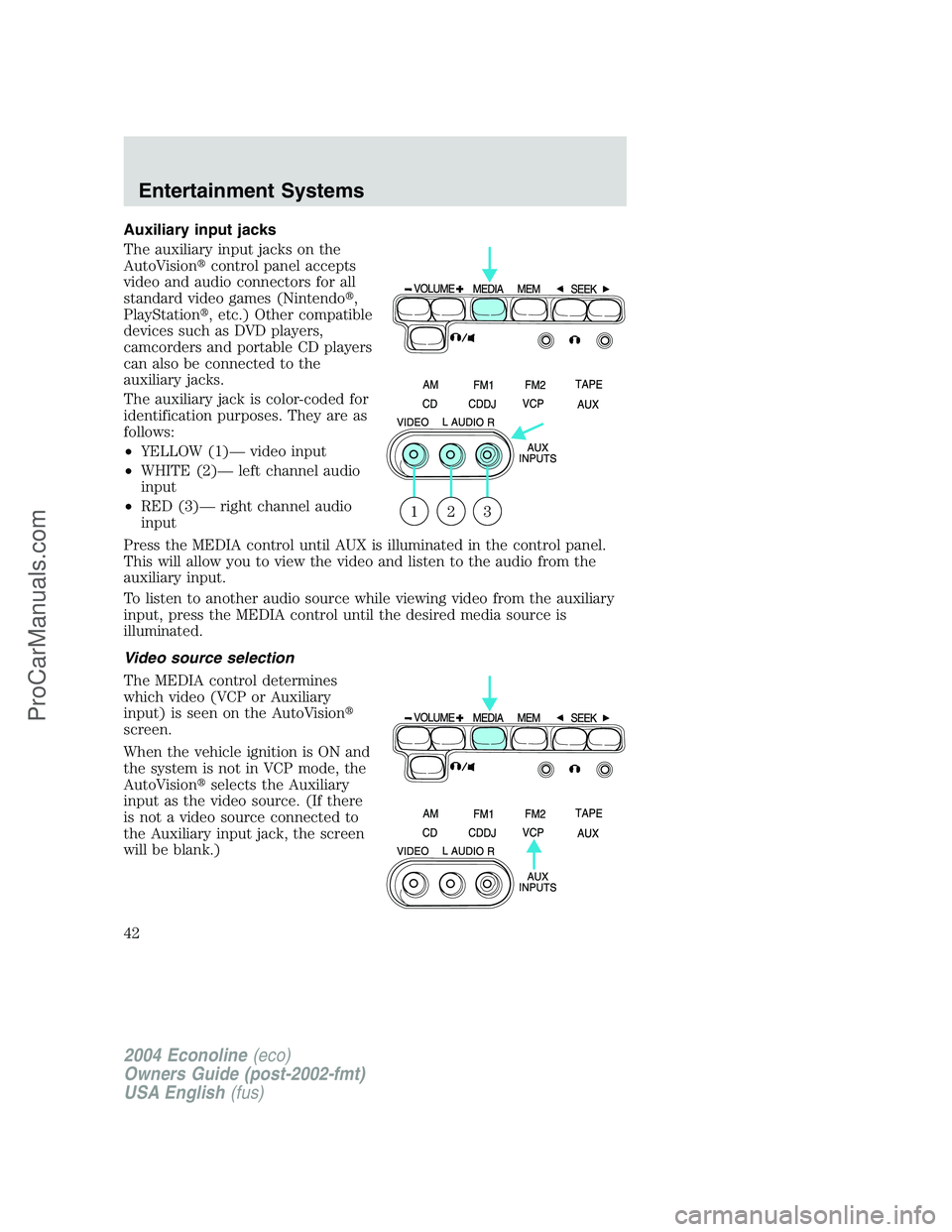
The auxiliary input jacks on the
AutoVision�control panel accepts
video and audio connectors for all
standard video games (Nintendo�,
PlayStation�, etc.) Other compatible
devices such as DVD players,
camcorders and portable CD players
can also be connected to the
auxiliary jacks.
The auxiliary jack is color-coded for
identification purposes. They are as
follows:
•YELLOW (1)—video input
•WHITE (2)—left channel audio
input
•RED (3)—right channel audio
input
Press the MEDIA control until AUX is illuminated in the control panel.
This will allow you to view the video and listen to the audio from the
auxiliary input.
To listen to another audio source while viewing video from the auxiliary
input, press the MEDIA control until the desired media source is
illuminated.
Video source selection
The MEDIA control determines
which video (VCP or Auxiliary
input) is seen on the AutoVision�
screen.
When the vehicle ignition is ON and
the system is not in VCP mode, the
AutoVision�selects the Auxiliary
input as the video source. (If there
is not a video source connected to
the Auxiliary input jack, the screen
will be blank.)
321
2004 Econoline(eco)
Owners Guide (post-2002-fmt)
USA English(fus)
Entertainment Systems
42
ProCarManuals.com
Page 50 of 240
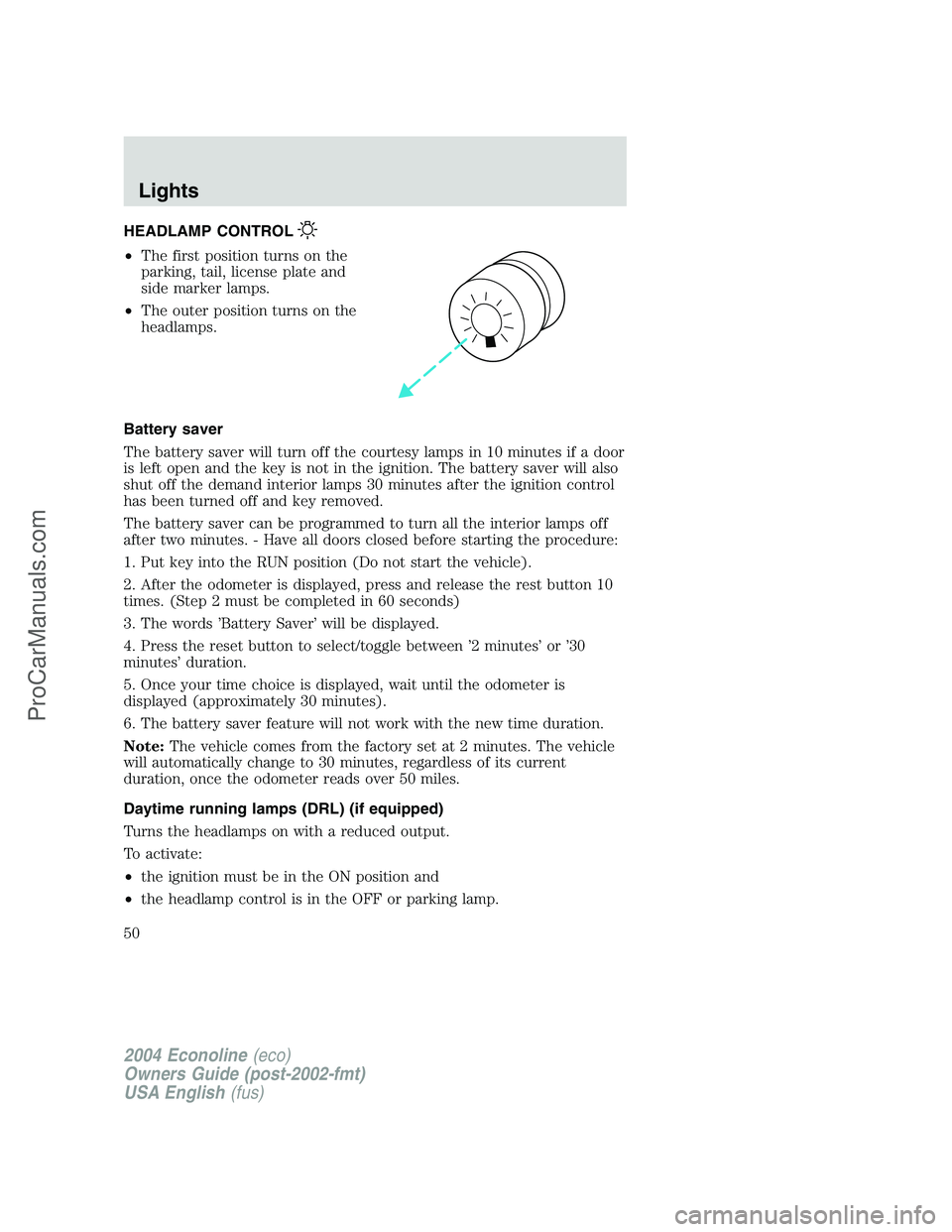
HEADLAMP CONTROL
•The first position turns on the
parking, tail, license plate and
side marker lamps.
•The outer position turns on the
headlamps.
Battery saver
The battery saver will turn off the courtesy lamps in 10 minutes if a door
is left open and the key is not in the ignition. The battery saver will also
shut off the demand interior lamps 30 minutes after the ignition control
has been turned off and key removed.
The battery saver can be programmed to turn all the interior lamps off
after two minutes. - Have all doors closed before starting the procedure:
1. Put key into the RUN position (Do not start the vehicle).
2. After the odometer is displayed, press and release the rest button 10
times. (Step 2 must be completed in 60 seconds)
3. The words’Battery Saver’will be displayed.
4. Press the reset button to select/toggle between’2 minutes’or’30
minutes’duration.
5. Once your time choice is displayed, wait until the odometer is
displayed (approximately 30 minutes).
6. The battery saver feature will not work with the new time duration.
Note:The vehicle comes from the factory set at 2 minutes. The vehicle
will automatically change to 30 minutes, regardless of its current
duration, once the odometer reads over 50 miles.
Daytime running lamps (DRL) (if equipped)
Turns the headlamps on with a reduced output.
To activate:
•the ignition must be in the ON position and
•the headlamp control is in the OFF or parking lamp.
2004 Econoline(eco)
Owners Guide (post-2002-fmt)
USA English(fus)
Lights
Lights
50
ProCarManuals.com
Page 52 of 240
AIMING THE HEADLAMPS
The headlamps on your vehicle are properly aimed at the assembly plant.
If your vehicle has been in an accident the alignment of your headlamps
should be checked by a qualified service technician.
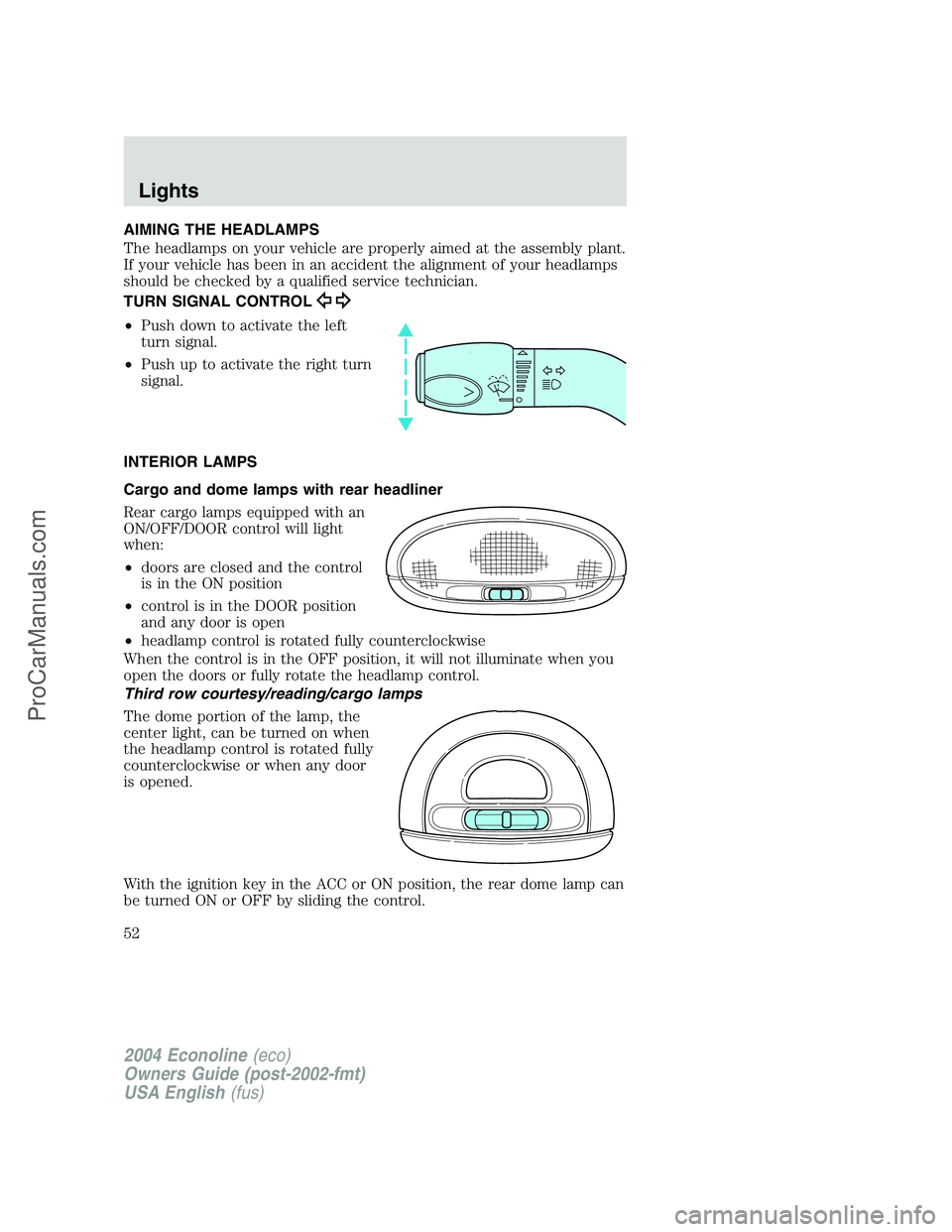
TURN SIGNAL CONTROL
•Push down to activate the left
turn signal.
•Push up to activate the right turn
signal.
INTERIOR LAMPS
Cargo and dome lamps with rear headliner
Rear cargo lamps equipped with an
ON/OFF/DOOR control will light
when:
•doors are closed and the control
is in the ON position
•control is in the DOOR position
and any door is open
•headlamp control is rotated fully counterclockwise
When the control is in the OFF position, it will not illuminate when you
open the doors or fully rotate the headlamp control.
Third row courtesy/reading/cargo lamps
The dome portion of the lamp, the
center light, can be turned on when
the headlamp control is rotated fully
counterclockwise or when any door
is opened.
With the ignition key in the ACC or ON position, the rear dome lamp can
be turned ON or OFF by sliding the control.
2004 Econoline(eco)
Owners Guide (post-2002-fmt)
USA English(fus)
Lights
52
ProCarManuals.com
Page 61 of 240
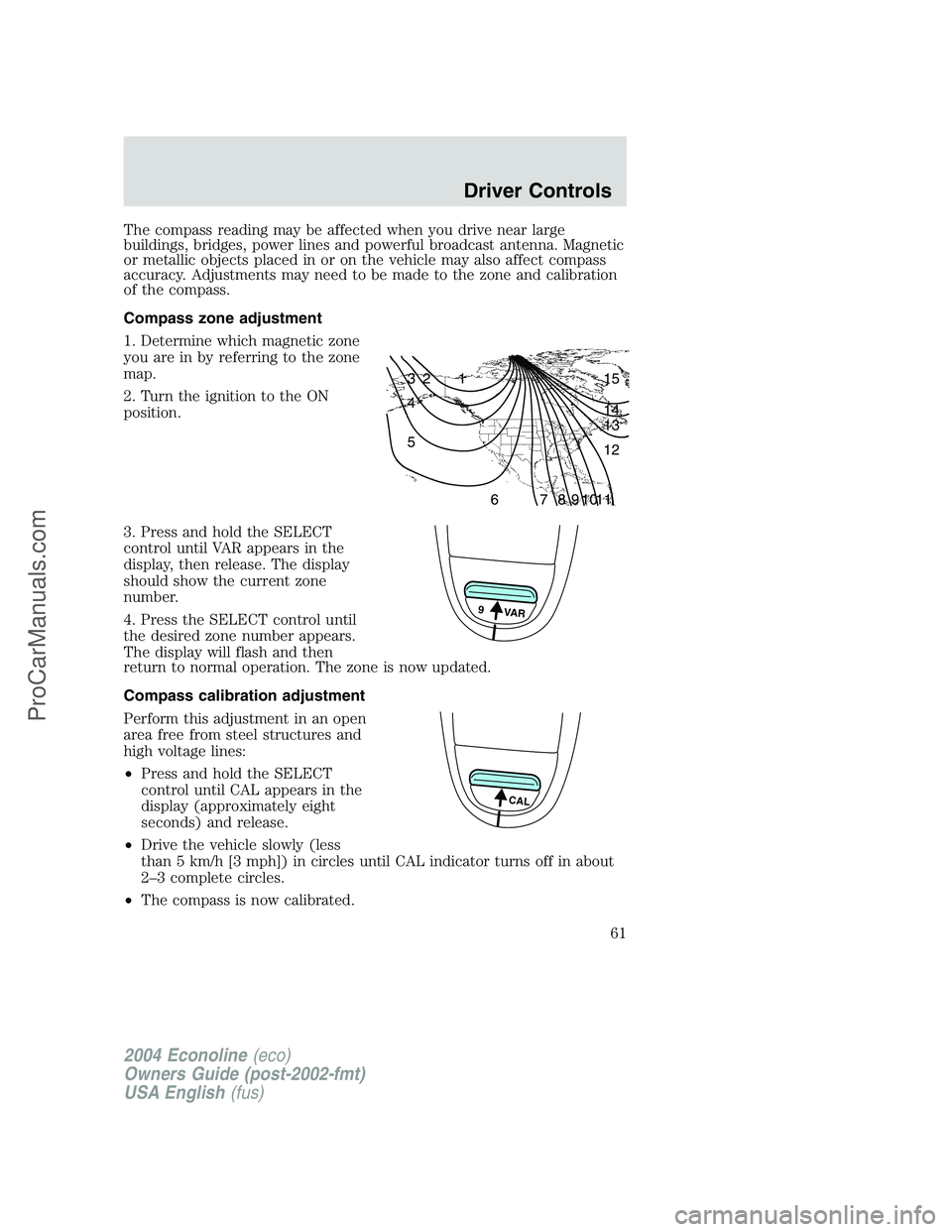
The compass reading may be affected when you drive near large
buildings, bridges, power lines and powerful broadcast antenna. Magnetic
or metallic objects placed in or on the vehicle may also affect compass
accuracy. Adjustments may need to be made to the zone and calibration
of the compass.
Compass zone adjustment
1. Determine which magnetic zone
you are in by referring to the zone
map.
2. Turn the ignition to the ON
position.
3. Press and hold the SELECT
control until VAR appears in the
display, then release. The display
should show the current zone
number.
4. Press the SELECT control until
the desired zone number appears.
The display will flash and then
return to normal operation. The zone is now updated.
Compass calibration adjustment
Perform this adjustment in an open
area free from steel structures and
high voltage lines:
•Press and hold the SELECT
control until CAL appears in the
display (approximately eight
seconds) and release.
•Drive the vehicle slowly (less
than 5 km/h [3 mph]) in circles until CAL indicator turns off in about
2–3 complete circles.
•The compass is now calibrated.
1 2 3
4
5
6 7 8 9 101112 13 14 15
9 VAR
CAL
2004 Econoline(eco)
Owners Guide (post-2002-fmt)
USA English(fus)
Driver Controls
61
ProCarManuals.com
Page 63 of 240
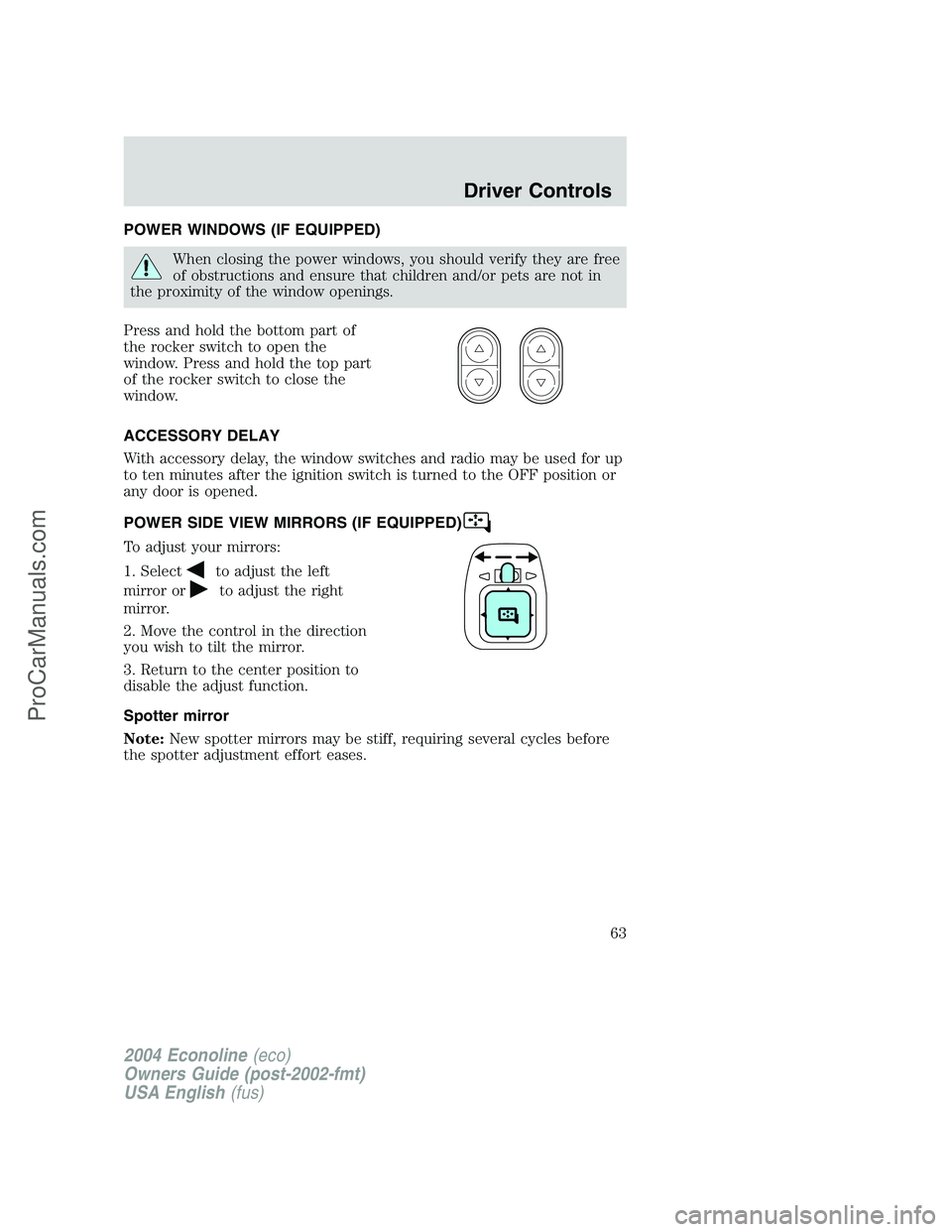
POWER WINDOWS (IF EQUIPPED)
When closing the power windows, you should verify they are free
of obstructions and ensure that children and/or pets are not in
the proximity of the window openings.
Press and hold the bottom part of
the rocker switch to open the
window. Press and hold the top part
of the rocker switch to close the
window.
ACCESSORY DELAY
With accessory delay, the window switches and radio may be used for up
to ten minutes after the ignition switch is turned to the OFF position or
any door is opened.
POWER SIDE VIEW MIRRORS (IF EQUIPPED)
To adjust your mirrors:
1. Select
to adjust the left
mirror or
to adjust the right
mirror.
2. Move the control in the direction
you wish to tilt the mirror.
3. Return to the center position to
disable the adjust function.
Spotter mirror
Note:New spotter mirrors may be stiff, requiring several cycles before
the spotter adjustment effort eases.
2004 Econoline(eco)
Owners Guide (post-2002-fmt)
USA English(fus)
Driver Controls
63
ProCarManuals.com
Page 67 of 240
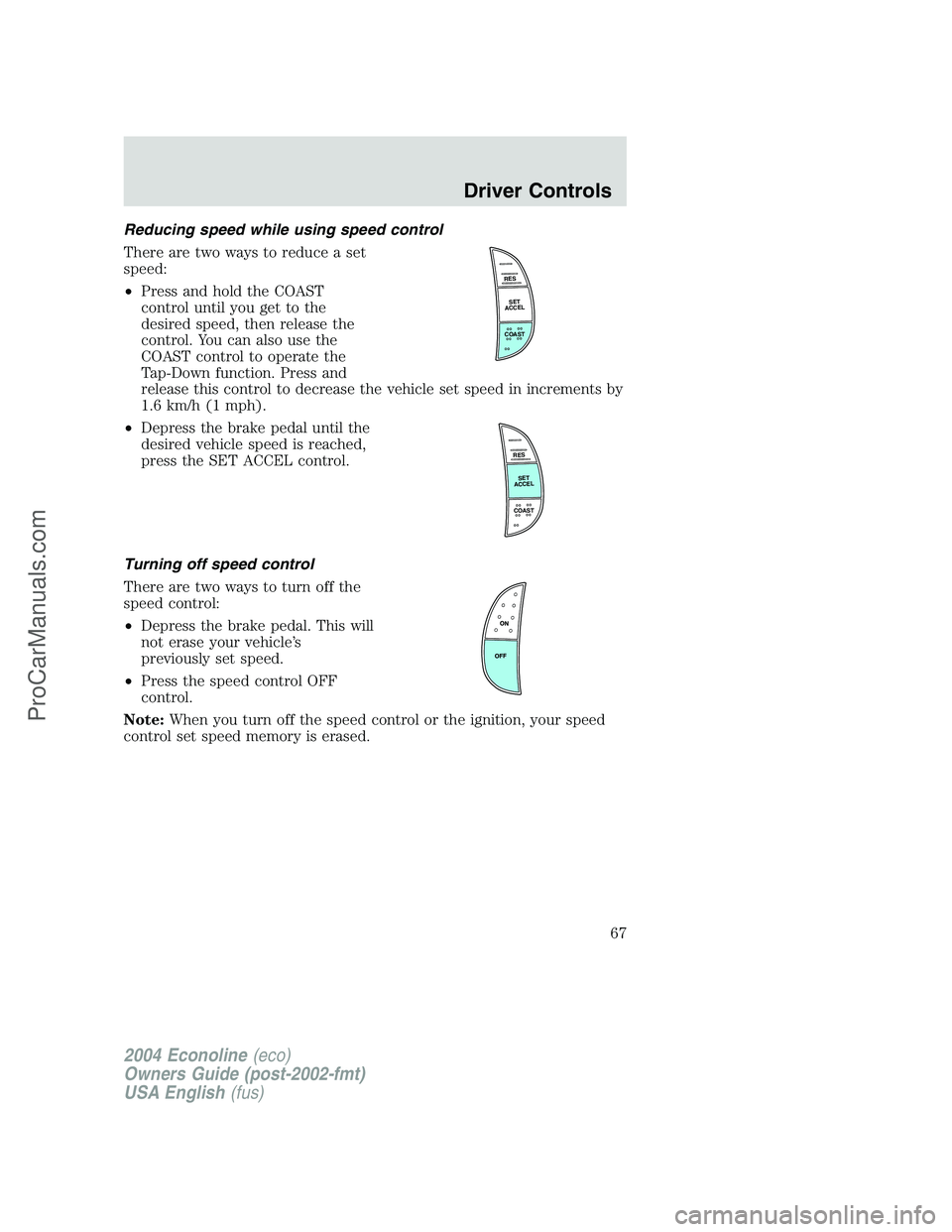
Reducing speed while using speed control
There are two ways to reduce a set
speed:
•Press and hold the COAST
control until you get to the
desired speed, then release the
control. You can also use the
COAST control to operate the
Tap-Down function. Press and
release this control to decrease the vehicle set speed in increments by
1.6 km/h (1 mph).
•Depress the brake pedal until the
desired vehicle speed is reached,
press the SET ACCEL control.
Turning off speed control
There are two ways to turn off the
speed control:
•Depress the brake pedal. This will
not erase your vehicle’s
previously set speed.
•Press the speed control OFF
control.
Note:When you turn off the speed control or the ignition, your speed
control set speed memory is erased.
RES
SET
ACCEL
COAST
RES
SET
ACCEL
COAST
2004 Econoline(eco)
Owners Guide (post-2002-fmt)
USA English(fus)
Driver Controls
67
ProCarManuals.com
Page 69 of 240
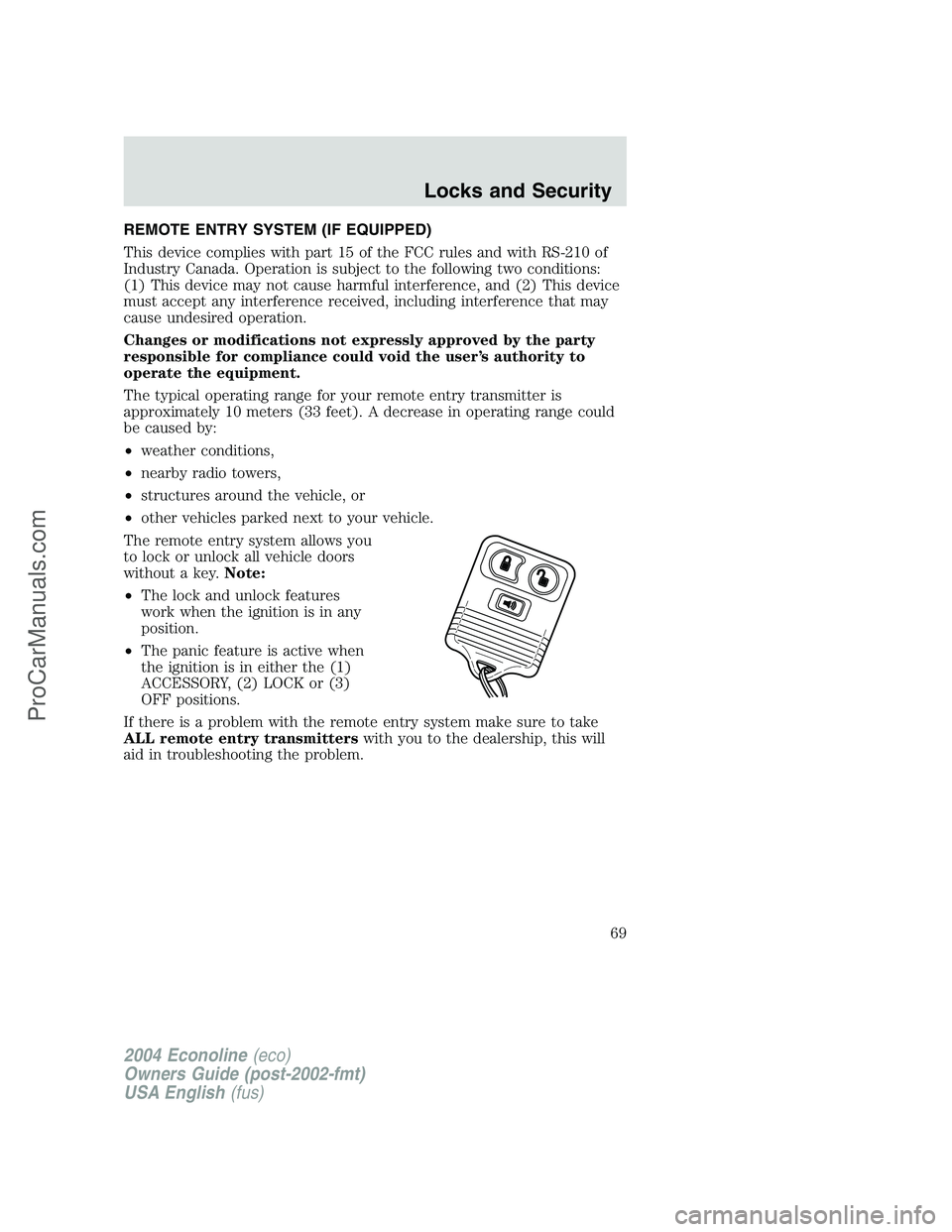
REMOTE ENTRY SYSTEM (IF EQUIPPED)
This device complies with part 15 of the FCC rules and with RS-210 of
Industry Canada. Operation is subject to the following two conditions:
(1) This device may not cause harmful interference, and (2) This device
must accept any interference received, including interference that may
cause undesired operation.
Changes or modifications not expressly approved by the party
responsible for compliance could void the user’s authority to
operate the equipment.
The typical operating range for your remote entry transmitter is
approximately 10 meters (33 feet). A decrease in operating range could
be caused by:
•weather conditions,
•nearby radio towers,
•structures around the vehicle, or
•other vehicles parked next to your vehicle.
The remote entry system allows you
to lock or unlock all vehicle doors
without a key.Note:
•The lock and unlock features
work when the ignition is in any
position.
•The panic feature is active when
the ignition is in either the (1)
ACCESSORY, (2) LOCK or (3)
OFF positions.
If there is a problem with the remote entry system make sure to take
ALL remote entry transmitterswith you to the dealership, this will
aid in troubleshooting the problem.
2004 Econoline(eco)
Owners Guide (post-2002-fmt)
USA English(fus)
Locks and Security
69
ProCarManuals.com
Page 70 of 240
Unlocking the doors
1. Pressand release to unlock the driver’s door.Note:The interior
lamps will illuminate.
2. Press
and release again within three seconds to unlock all the
doors.
Locking the doors
1. Pressand release to lock all the doors.
2. Press
and release again within three seconds to confirm that all the
doors are closed and locked.Note:The doors will lock again, and the
horn will chirp once. If any vehicle door is open or ajar, the horn will
chirp twice.
Sounding a panic alarm
Press
to activate the alarm. Press again or turn the ignition to ACC
or ON to deactivate.
Note:The panic alarm will only operate when the ignition is in the OFF
or ACC position.
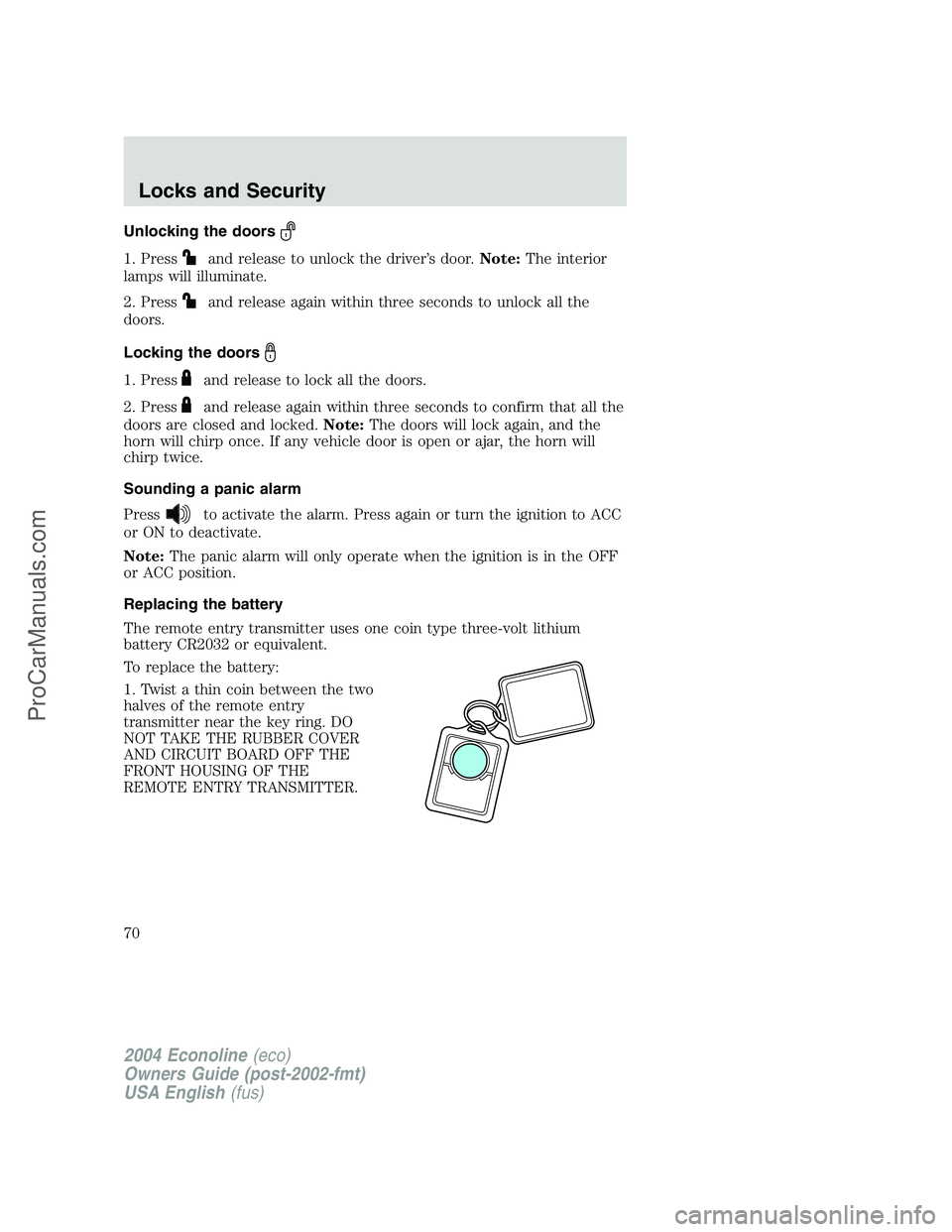
Replacing the battery
The remote entry transmitter uses one coin type three-volt lithium
battery CR2032 or equivalent.
To replace the battery:
1. Twist a thin coin between the two
halves of the remote entry
transmitter near the key ring. DO
NOT TAKE THE RUBBER COVER
AND CIRCUIT BOARD OFF THE
FRONT HOUSING OF THE
REMOTE ENTRY TRANSMITTER.
2004 Econoline(eco)
Owners Guide (post-2002-fmt)
USA English(fus)
Locks and Security
70
ProCarManuals.com