Page 403 of 516
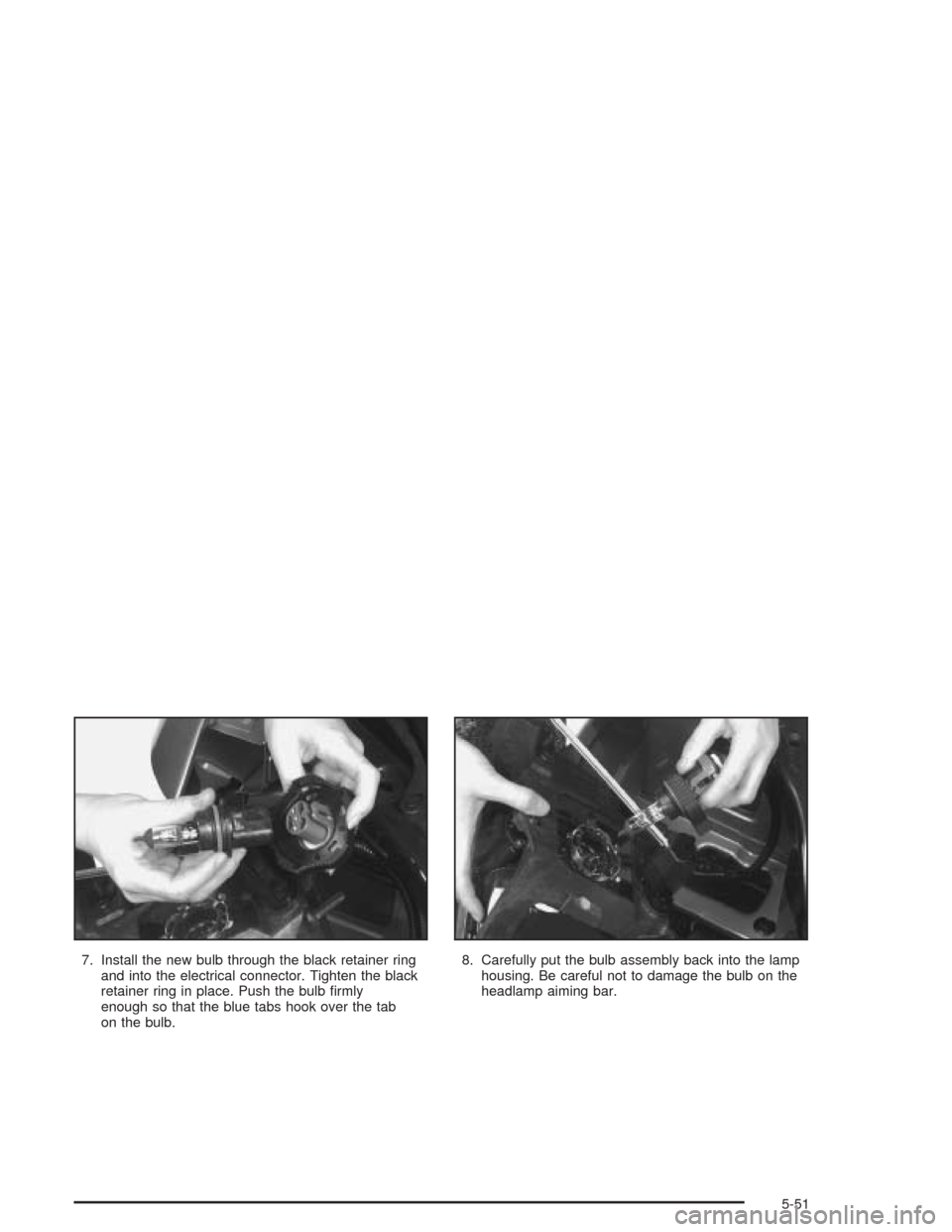
7. Install the new bulb through the black retainer ring
and into the electrical connector. Tighten the black
retainer ring in place. Push the bulb rmly
enough so that the blue tabs hook over the tab
on the bulb.8. Carefully put the bulb assembly back into the lamp
housing. Be careful not to damage the bulb on the
headlamp aiming bar.
5-51
Page 405 of 516
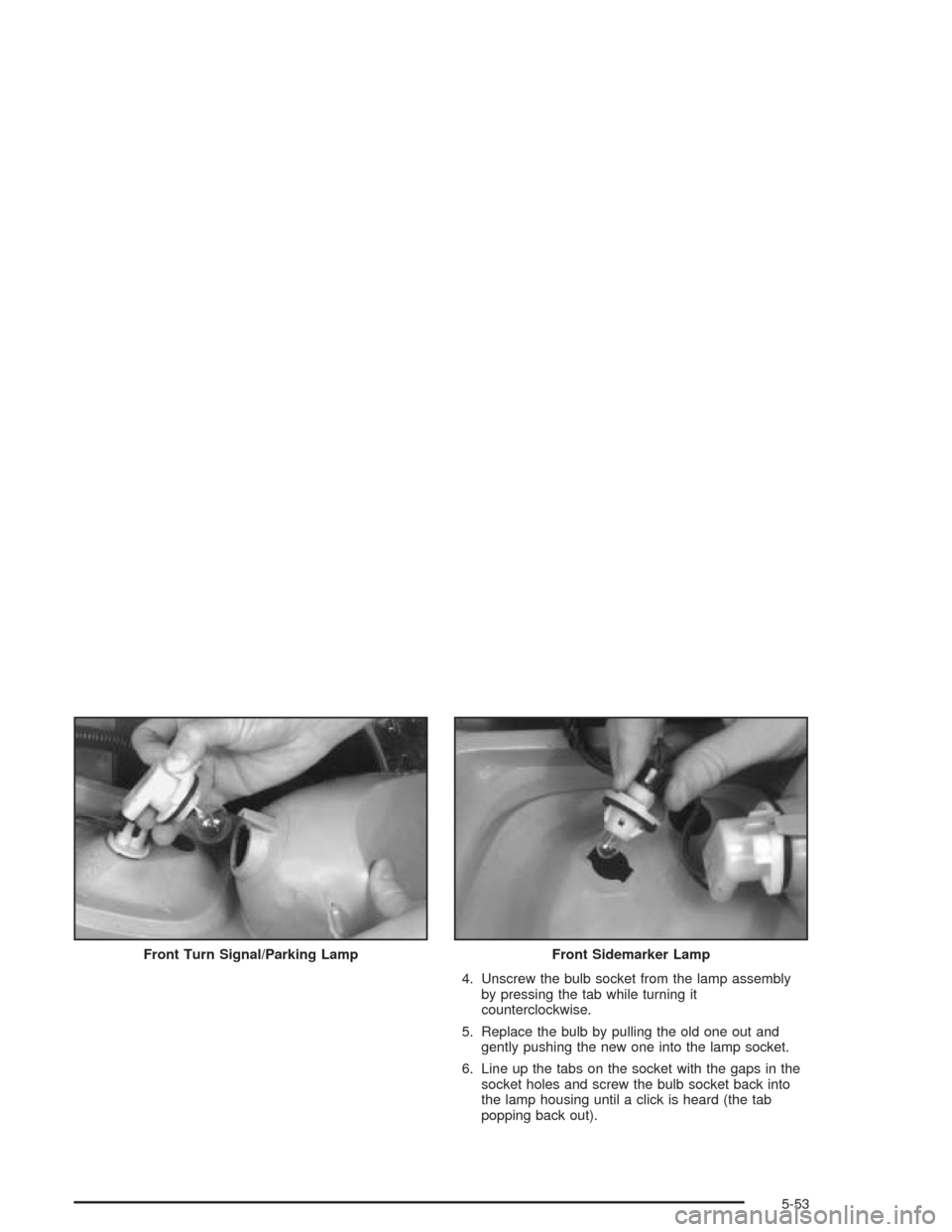
4. Unscrew the bulb socket from the lamp assembly
by pressing the tab while turning it
counterclockwise.
5. Replace the bulb by pulling the old one out and
gently pushing the new one into the lamp socket.
6. Line up the tabs on the socket with the gaps in the
socket holes and screw the bulb socket back into
the lamp housing until a click is heard (the tab
popping back out). Front Turn Signal/Parking Lamp
Front Sidemarker Lamp
5-53
Page 406 of 516
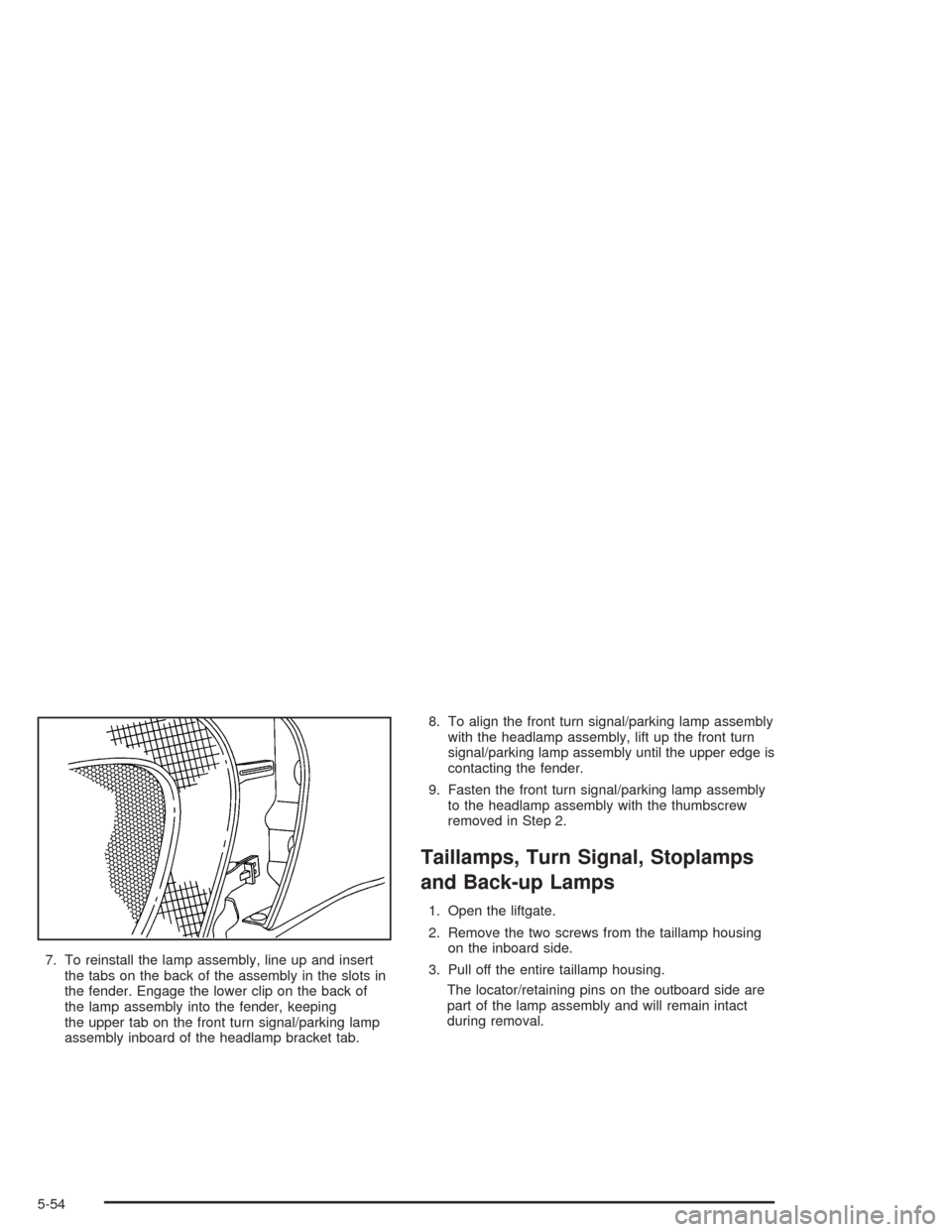
7. To reinstall the lamp assembly, line up and insert
the tabs on the back of the assembly in the slots in
the fender. Engage the lower clip on the back of
the lamp assembly into the fender, keeping
the upper tab on the front turn signal/parking lamp
assembly inboard of the headlamp bracket tab.8. To align the front turn signal/parking lamp assembly
with the headlamp assembly, lift up the front turn
signal/parking lamp assembly until the upper edge is
contacting the fender.
9. Fasten the front turn signal/parking lamp assembly
to the headlamp assembly with the thumbscrew
removed in Step 2.
Taillamps, Turn Signal, Stoplamps
and Back-up Lamps
1. Open the liftgate.
2. Remove the two screws from the taillamp housing
on the inboard side.
3. Pull off the entire taillamp housing.
The locator/retaining pins on the outboard side are
part of the lamp assembly and will remain intact
during removal.
5-54
Page 407 of 516
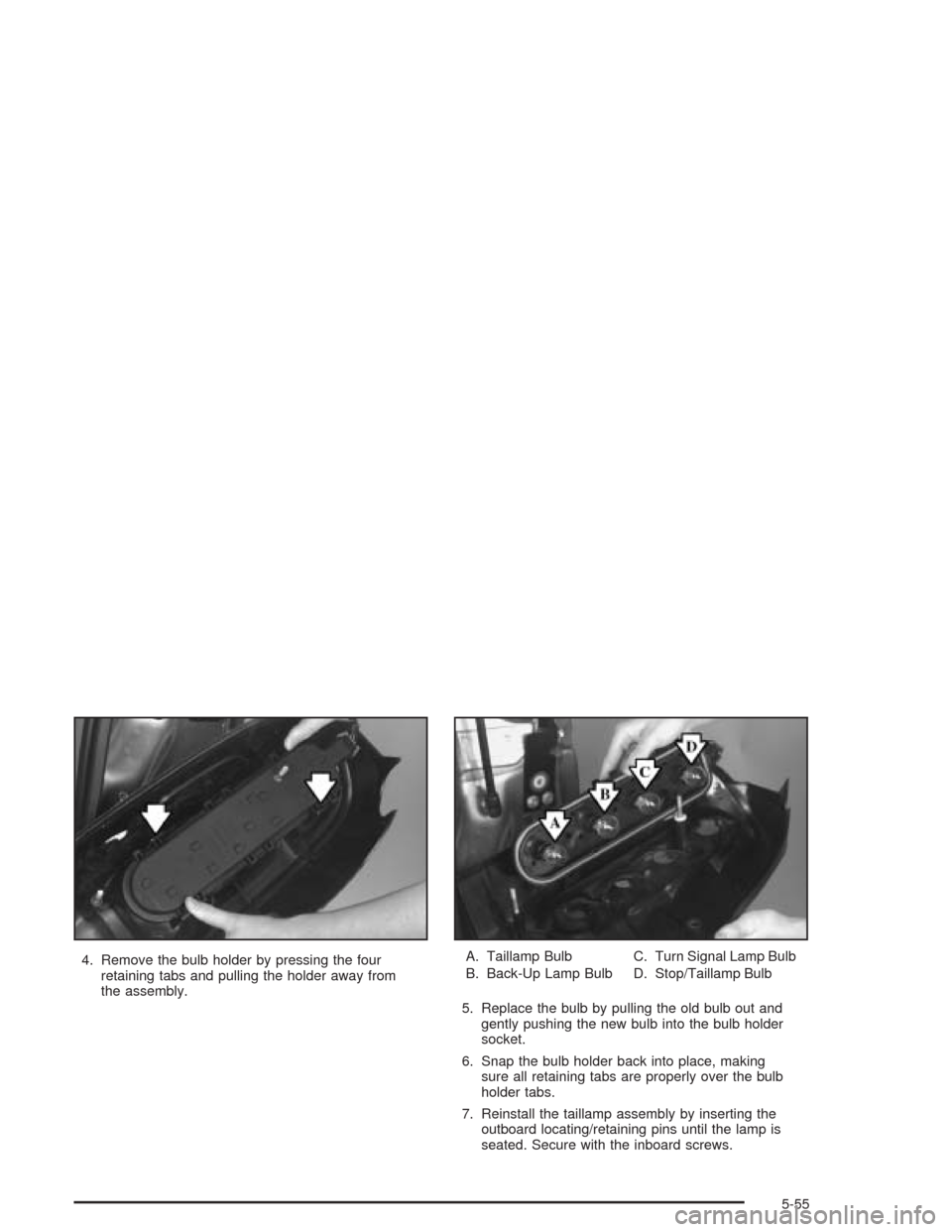
4. Remove the bulb holder by pressing the four
retaining tabs and pulling the holder away from
the assembly.A. Taillamp Bulb
B. Back-Up Lamp BulbC. Turn Signal Lamp Bulb
D. Stop/Taillamp Bulb
5. Replace the bulb by pulling the old bulb out and
gently pushing the new bulb into the bulb holder
socket.
6. Snap the bulb holder back into place, making
sure all retaining tabs are properly over the bulb
holder tabs.
7. Reinstall the taillamp assembly by inserting the
outboard locating/retaining pins until the lamp is
seated. Secure with the inboard screws.
5-55
Page 429 of 516

4. Remove the protective cap covering the outlet.
5. Attach the other end of the hose to the outlet.
6. Press the accessory inator switch. The light in the
switch will come on to show the system is working.
If the accessory inator system does not turn on or the
light does not come on, the fuse may be blown or
installed incorrectly. SeeFuses and Circuit Breakers on
page 5-106or see your dealer for service.
Your accessory inator will automatically shut off after
about 10 minutes. The light in the switch will blink. After
about one minute you can use the system again.
Press the switch and the indicator light will come on.
Notice:If you run the accessory inator longer
than 30 minutes at a time, you could damage
the inator. The repairs would not be covered by
your warranty. Run the inator for short periods of
time only.After running the accessory inator for 30 minutes, wait
at least 10 minutes before restarting the accessory
inator.
To turn off the inator, do the following:
1. Press the switch and detach the hose, rst from
the inated object, then from the outlet.
2. Put the protective cap back on.
3. Place the inator kit tools in the pouch, and store in
the glove box.
To put the cap back on, line up the tabs at the back of
the cover and put it in place. Push down the tab to
secure the cap.
5-77
Page 445 of 516
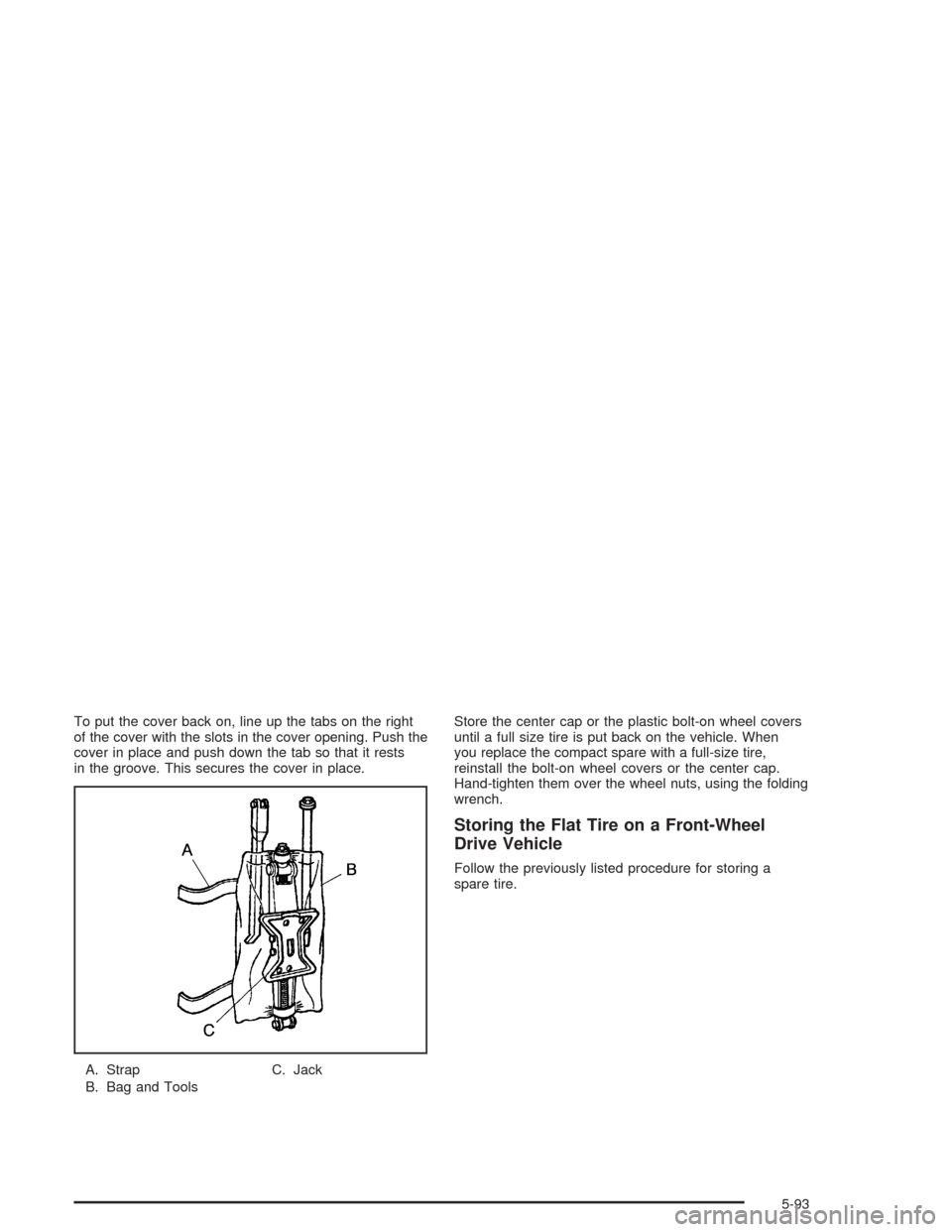
To put the cover back on, line up the tabs on the right
of the cover with the slots in the cover opening. Push the
cover in place and push down the tab so that it rests
in the groove. This secures the cover in place.
A. Strap
B. Bag and ToolsC. JackStore the center cap or the plastic bolt-on wheel covers
until a full size tire is put back on the vehicle. When
you replace the compact spare with a full-size tire,
reinstall the bolt-on wheel covers or the center cap.
Hand-tighten them over the wheel nuts, using the folding
wrench.
Storing the Flat Tire on a Front-Wheel
Drive Vehicle
Follow the previously listed procedure for storing a
spare tire.
5-93
Page 461 of 516
Fuse Usage
LH HEADLP
LOWNot Used
LH HEADLP
HIGHNot Used
Blank Not Used
Blank Not Used
Blank Not Used
RAP RELAYRetained Accessory Power (RAP)
Relay
Blank Not Used
HVAC/DIC/DRL/
HEATED SEATAir Inlet Actuator, DIC Display, DRL
Control Module, Heater-A/C Control,
Temperature Door Actuator (Front)
and Rear Window Defogger Relay
BCM PRGRAM BCM Programming
RH HEAD LP
LOWNot Used
RH HEAD LP
HIGHNot Used
PCM/ABSIGN MAIN Relay and PCM,
Electronic Brake Control ModuleCircuit Breaker Usage
HEADLAMPDaytime Running Lamps (DRL)
Control Module, Headlamp and
Instrument Panel Dimmer Switch
PWR SLD DR Power Sliding Door
PWR WDO Front Power Windows
PWR/HEATED
SEAT PSDSix-Way Power Seats and Rear
Side Door Actuator Motor
FRT HVAC HI
BLWRBlower Motor Hi Speed Relay
Module
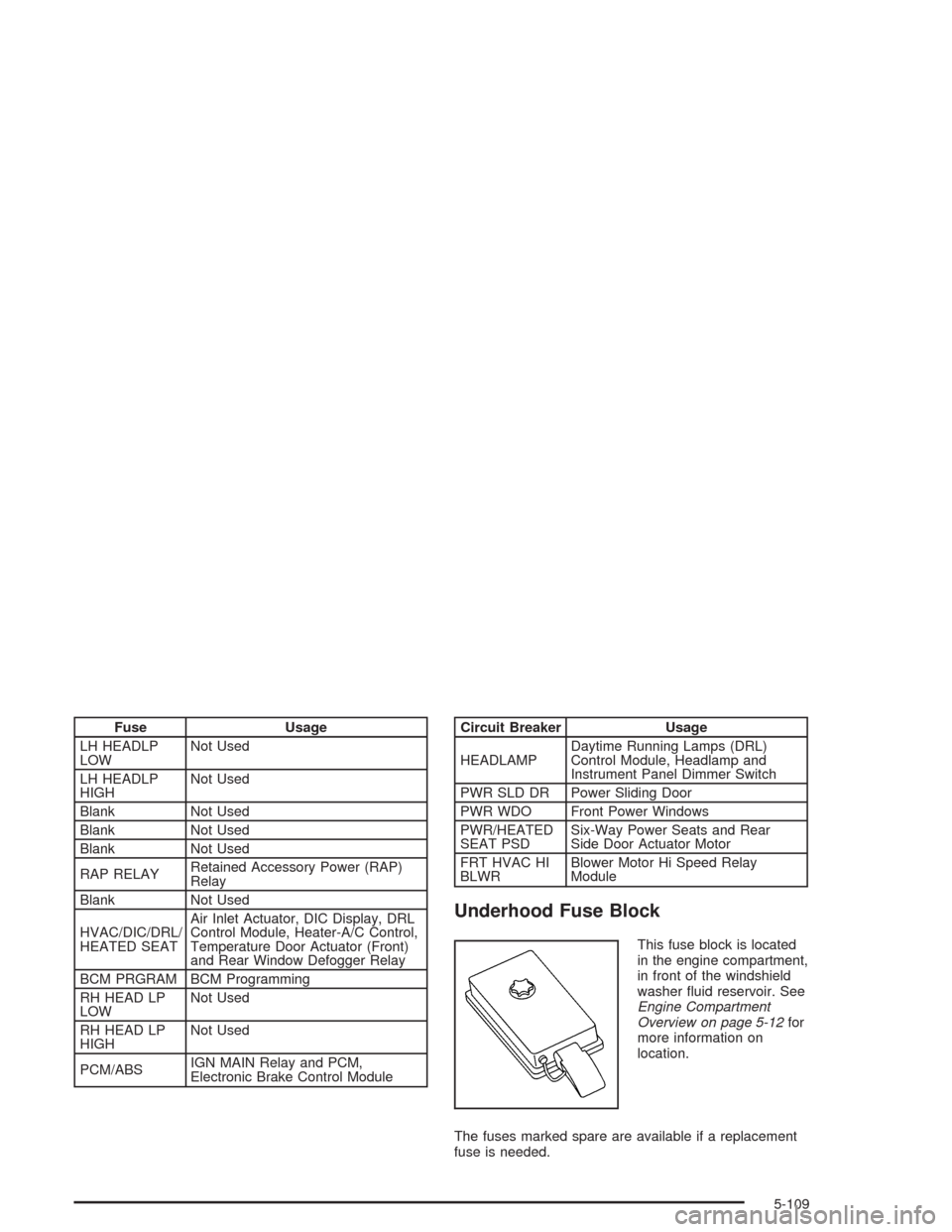
Underhood Fuse Block
This fuse block is located
in the engine compartment,
in front of the windshield
washer uid reservoir. See
Engine Compartment
Overview on page 5-12for
more information on
location.
The fuses marked spare are available if a replacement
fuse is needed.
5-109
Page 462 of 516
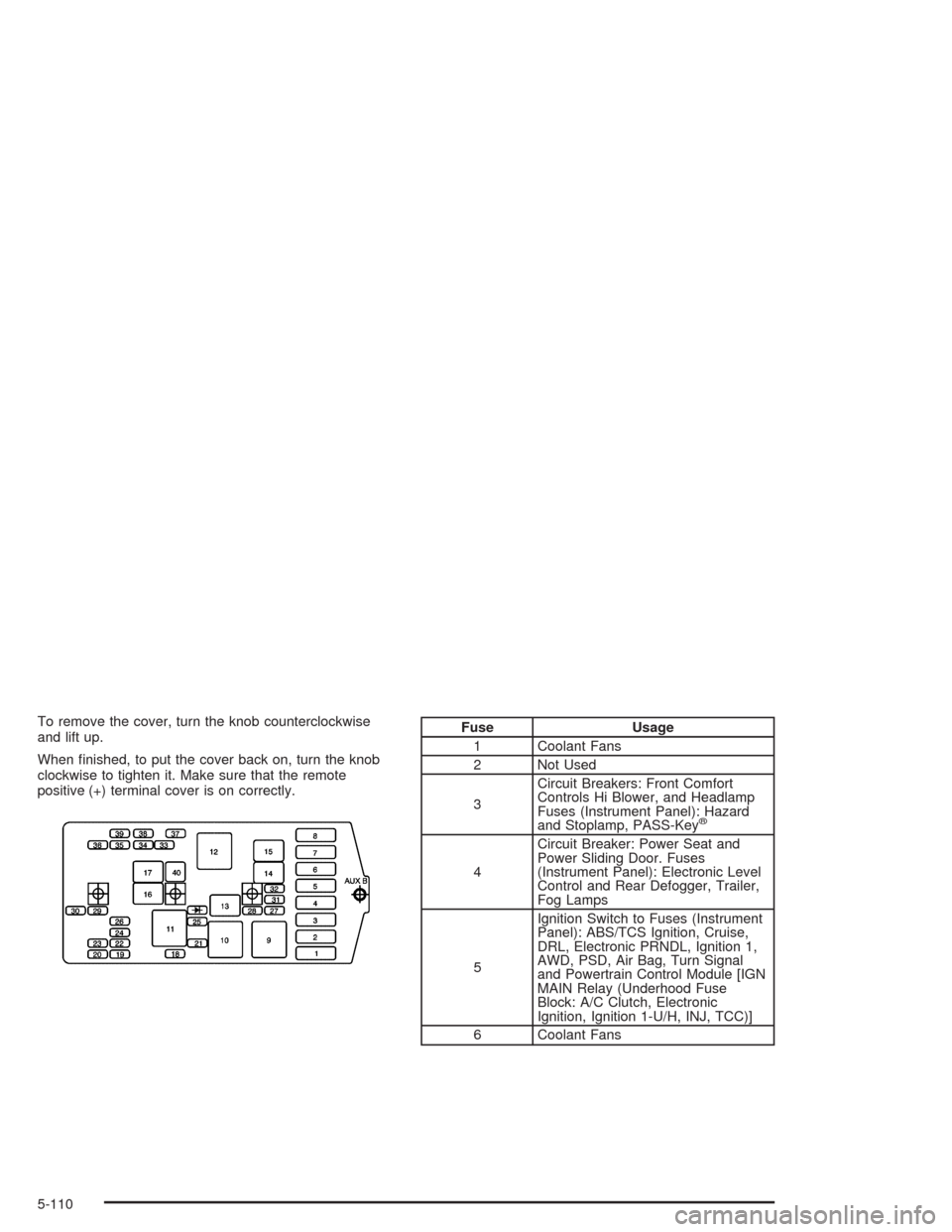
To remove the cover, turn the knob counterclockwise
and lift up.
When nished, to put the cover back on, turn the knob
clockwise to tighten it. Make sure that the remote
positive (+) terminal cover is on correctly.Fuse Usage
1 Coolant Fans
2 Not Used
3Circuit Breakers: Front Comfort
Controls Hi Blower, and Headlamp
Fuses (Instrument Panel): Hazard
and Stoplamp, PASS-Key
®
4Circuit Breaker: Power Seat and
Power Sliding Door. Fuses
(Instrument Panel): Electronic Level
Control and Rear Defogger, Trailer,
Fog Lamps
5Ignition Switch to Fuses (Instrument
Panel): ABS/TCS Ignition, Cruise,
DRL, Electronic PRNDL, Ignition 1,
AWD, PSD, Air Bag, Turn Signal
and Powertrain Control Module [IGN
MAIN Relay (Underhood Fuse
Block: A/C Clutch, Electronic
Ignition, Ignition 1-U/H, INJ, TCC)]
6 Coolant Fans
5-110