Page 226 of 448
DVD Messages
The following errors may be displayed on the video
screen:
Disc Format Error:This message will be displayed if a
disc is inserted upside down, if the disc is not readable,
or if the format is not compatible with the DVD player.
Load/Eject Error:This message will be displayed if the
disc is not properly loaded or ejected.
Disc Play Error:This message will be displayed if the
DVD player cannot play the disc. Scratched or
damaged discs will cause this error.
Region Code Error:This message will be displayed if
the region code of the DVD is not compatible with
the region code of the DVD player.
No Disc:This message will be displayed if any of the
buttons on the DVD faceplate or remote control are
pressed and no disc is present in the DVD player.
DVD Distortion
There may be an experience with audio distortion in the
wireless headphones when operating cellular phones,
scanners, CB radios, Global Positioning Systems
(GPS)*, two-way radios, mobile fax, or walkie talkies.
It may be necessary to turn off the DVD player
when operating one of these devices in or near the
vehicle.
* Excludes the OnStar
®System.
Cleaning the Video Screen
Pour some isopropyl or rubbing alcohol on a clean cloth
and gently wipe the video screen. Do not spray
directly onto the screen and do not press too hard or
too long on the video screen.
3-110
Page 229 of 448
Audio Steering Wheel Controls
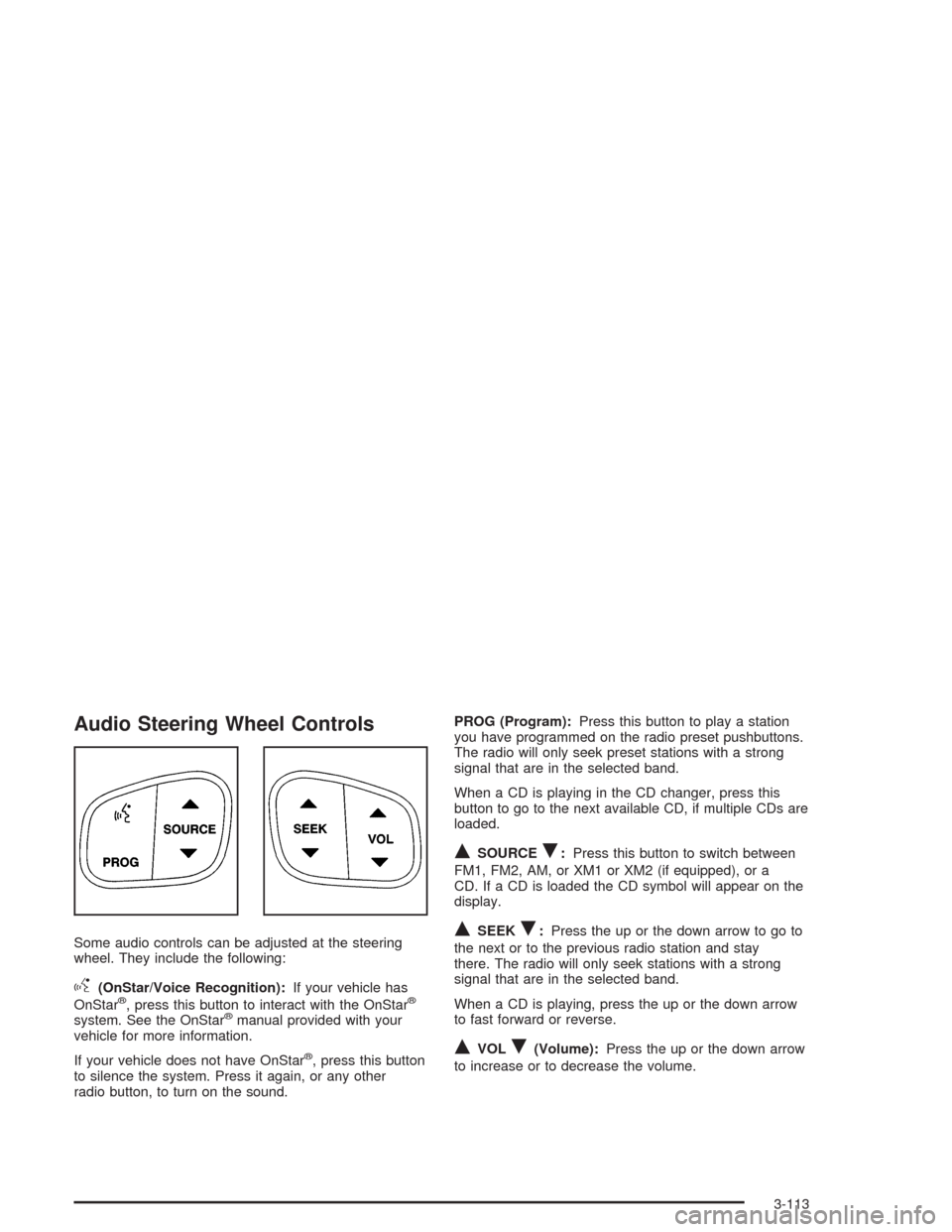
Some audio controls can be adjusted at the steering
wheel. They include the following:
g(OnStar/Voice Recognition):If your vehicle has
OnStar®, press this button to interact with the OnStar®
system. See the OnStar®manual provided with your
vehicle for more information.
If your vehicle does not have OnStar
®, press this button
to silence the system. Press it again, or any other
radio button, to turn on the sound.PROG (Program):Press this button to play a station
you have programmed on the radio preset pushbuttons.
The radio will only seek preset stations with a strong
signal that are in the selected band.
When a CD is playing in the CD changer, press this
button to go to the next available CD, if multiple CDs are
loaded.
QSOURCER:Press this button to switch between
FM1, FM2, AM, or XM1 or XM2 (if equipped), or a
CD. If a CD is loaded the CD symbol will appear on the
display.
QSEEKR:Press the up or the down arrow to go to
the next or to the previous radio station and stay
there. The radio will only seek stations with a strong
signal that are in the selected band.
When a CD is playing, press the up or the down arrow
to fast forward or reverse.
QVOLR(Volume):Press the up or the down arrow
to increase or to decrease the volume.
3-113
Page 437 of 448
Driving in Water..............................................4-26
Driving On Grades..........................................4-60
Driving on Off-Road Hills.................................4-19
Driving on Snow or Ice....................................4-38
Driving Through Deep Standing Water...............4-31
Driving Through Flowing Water.........................4-31
Driving Uphill..................................................4-20
Driving with a Trailer.......................................4-59
Dual Automatic Climate Control System.............3-24
Dual Climate Control System............................3-21
DVD
Rear Seat Entertainment System..................3-100
DVD Distortion..............................................3-110
DVD Messages.............................................3-110
DVD Player..................................................3-103
E
Electrical System
Add-On Equipment......................................5-92
Fuses and Circuit Breakers...........................5-93
Headlamps.................................................5-92
Power Windows and Other Power Options......5-92
Windshield Wiper Fuses...............................5-92
Emergency Release for Opening Liftgate............2-13
Emissions Inspection and Maintenance
Programs...................................................3-42Engine
Air Cleaner/Filter.........................................5-20
Battery.......................................................5-40
Change Engine Oil Light...............................3-44
Check and Service Engine Soon Light............3-40
Coolant......................................................5-23
Coolant Heater............................................2-21
Coolant Temperature Gage...........................3-39
Drive Belt Routing.......................................6-15
Engine Compartment Overview......................5-12
Exhaust.....................................................2-32
Fan Noise..................................................5-34
Oil .............................................................5-15
Overheating................................................5-26
Reduced Power Light...................................3-45
Starting......................................................2-20
Engine Compartment Fuse Block......................5-93
ENGINE COOLANT HOT/ENGINE
OVERHEATED............................................3-58
Engine Oil Additives........................................5-18
Entry Lighting.................................................3-18
Environmental Concerns..................................4-17
Erasing HomeLink
®Buttons..............................2-42
Event Data Recorders (EDR)............................. 7-9
Exit Lighting...................................................3-18
Express Down Window....................................2-15
Extender, Safety Belt.......................................1-26
Exterior Lamps...............................................3-15
5