2004 CHEVROLET TRAIL BLAZER mirror
[x] Cancel search: mirrorPage 115 of 448
A second mirror position, seating position and adjustable
pedal position can be programmed by repeating the
procedure with a second driver and pressing button 2 for
three seconds. Each time button 1 or 2 is pressed
and released while the vehicle is in PARK (P), a single
chime will sound, and the memory position will be
recalled.
If you use the unlock button on the remote keyless entry
transmitter to enter your vehicle, the preset driver’s
seat, mirror positions and adjustable pedal position will
be recalled if programmed to do so through the
Driver Information Center (DIC). The numbers on the
back of the transmitters, 1 or 2, correspond to the
numbers on the memory controls.
The seat positions, mirror positions and adjustable
pedal positions can also be recalled by placing the key
in the ignition if programmed to do so through the
Driver Information Center (DIC). SeeDIC Operation and
Displays on page 3-49.
To stop recall movement of the memory feature at any
time, press one of the power seat controls or memory
buttons.Two personalized exit positions can be set by rst
recalling the driver’s position by pressing 1 or 2, then
positioning the seat in the desired exit position for
that driver. Press and hold the button with the exit
symbol for three seconds. A double chime will sound to
let you know that the position has been stored. With
the vehicle in PARK (P), the exit position for that driver
can be recalled by pressing the exit button. The
mirrors, power lumbar, recline and adjustable pedal
positions will not be stored or recalled for the exit
positions. If no exit position is stored, the default is all
the way rearward.
Further programming for automatic seat and mirror
movement can be done through the Driver Information
Center (DIC). You may choose to either select or
not select the following:
Automatic seat, mirror movement and pedal
position when the vehicle is unlocked with the
remote keyless entry
automatic seat, mirror movement and pedal position
when a key is placed in the ignition
automatic seat movement to the exit position when
the vehicle is in PARK (P).
2-51
Page 124 of 448
Turn and Lane Change Signals
The turn signal has two upward (for right) and two
downward (for left) positions. These positions allow you
to signal a turn or a lane change.
To signal a turn, move the lever all the way up or down.
When the turn is nished, the lever will return
automatically.
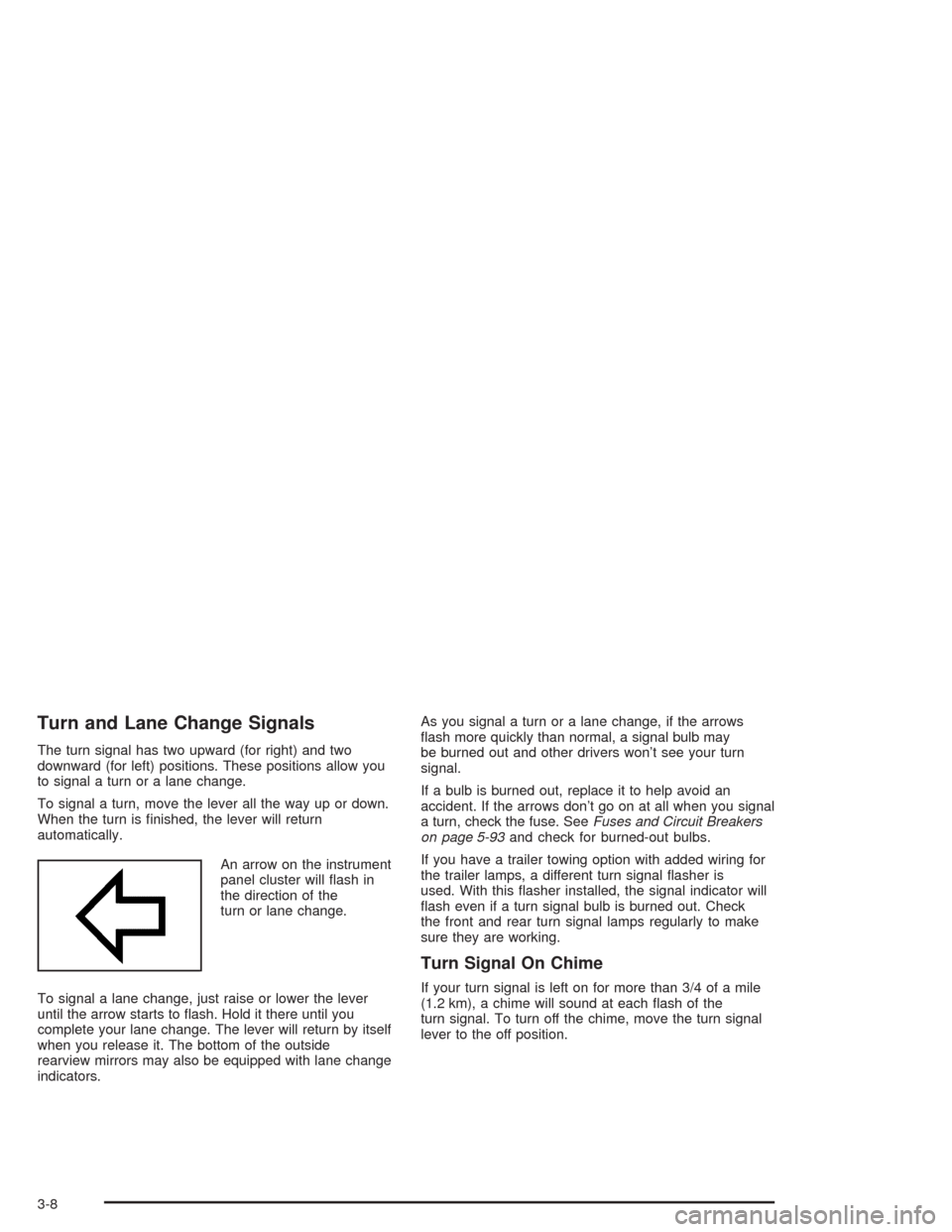
An arrow on the instrument
panel cluster will ash in
the direction of the
turn or lane change.
To signal a lane change, just raise or lower the lever
until the arrow starts to ash. Hold it there until you
complete your lane change. The lever will return by itself
when you release it. The bottom of the outside
rearview mirrors may also be equipped with lane change
indicators.As you signal a turn or a lane change, if the arrows
ash more quickly than normal, a signal bulb may
be burned out and other drivers won’t see your turn
signal.
If a bulb is burned out, replace it to help avoid an
accident. If the arrows don’t go on at all when you signal
a turn, check the fuse. SeeFuses and Circuit Breakers
on page 5-93and check for burned-out bulbs.
If you have a trailer towing option with added wiring for
the trailer lamps, a different turn signal asher is
used. With this asher installed, the signal indicator will
ash even if a turn signal bulb is burned out. Check
the front and rear turn signal lamps regularly to make
sure they are working.
Turn Signal On Chime
If your turn signal is left on for more than 3/4 of a mile
(1.2 km), a chime will sound at each ash of the
turn signal. To turn off the chime, move the turn signal
lever to the off position.
3-8
Page 126 of 448

Rainsense™ Wipers
Your vehicle may be equipped with
Rainsense™ windshield wipers. When active, these
wipers are able to detect moisture on the windshield and
automatically turn on the wipers.
The moisture sensor is located next to the inside
rearview mirror and is mounted on the windshield.
To turn on the Rainsense™ feature, the wipers must be
set to one of the ve delay settings on the multifunction
lever. Each of the ve settings adjusts the sensitivity
of the rainsensor. For more wipes, select the higher
settings; for fewer wipes, select the lower settings
located closer to off on the multifunction lever.
The rainsensor will automatically control the frequency
of the wipes from off to high speed according to the
weather conditions. The wipers can be left in a
rainsense mode even when it is not raining.
Notice:If you do not turn off the windshield wipers
when driving through an automatic car wash, you
could damage the wipers. Always turn off the
windshield wipers before entering an automatic
car wash.
Windshield Washer
L
(Windshield Washer):To spray washer uid on the
windshield, press the windshield washer paddle. The
wipers will clear the window and then either stop
or return to your preset speed.
{CAUTION:
In freezing weather, do not use your washer
until the windshield is warmed. Otherwise the
washer uid can form ice on the windshield,
blocking your vision.
3-10
Page 139 of 448
Rear Window Defogger
Your vehicle may have this feature. The lines you see
on the rear window warm the glass.
<(Rear):Press this button to turn the rear window
defogger on or off. An indicator light in the button
will come on to let you know that the rear window
defogger is active. The rear window defogger will
automatically turn off approximately ten minutes after
the button is pressed.
If your vehicle is equipped with heated mirrors, this
button will activate them.
Notice:Don’t use anything sharp on the inside of
the rear window. If you do, you could cut or damage
the warming grid, and the repairs wouldn’t be
covered by your warranty. Do not attach a temporary
vehicle license, tape, a decal or anything similar
to the defogger grid.
Outlet Adjustment
Use the air outlets located in the center and on the side
of your instrument panel to direct the airow.
Ventilation System
For mild outside temperatures when little heating or
cooling is needed, use the vent setting to direct outside
air through your vehicle.Your vehicle’s ventilation system supplies outside air to
the inside of your vehicle when it is moving. With the
side windows closed, air will ow into the front air inlet
grilles, through the vehicle and out the air exhaust
valves.
Outside air will also enter the vehicle when the heater
or the air conditioning is running, unless you have
selected recirculation mode.
Operation Tips
Keep the hood and front air inlets free of ice, snow,
or any other obstruction (such as leaves). The
heater and defroster will work far better, reducing
the chance of fogging the inside of your windows.
When you enter a vehicle in cold weather, turn the
fan knob all the way to the right for a few moments
before driving. This helps clear the intake ducts
of snow and moisture, and reduces the chance of
fogging the inside of your window.
Keep the air path under the front seats clear of
objects. This helps air to circulate throughout
your vehicle.
Adding outside equipment to the front of your
vehicle, such as hood-air deectors, may affect the
performance of the heating and air conditioning
system. Check with your dealer before adding
equipment to the outside of your vehicle.
3-23
Page 167 of 448
Personalization
You can program certain features to a preferred setting
for up to two people. Press the personalization button
to scroll through the following personalization features.
All of the personalization options may not be available
on your vehicle. Only the options available will be
displayed on your DIC.
ALARM WARNING TYPE
AUTOMATIC LOCKING
AUTOMATIC UNLOCKING
SEAT POSITION RECALL
PERIMETER LIGHTING
REMOTE LOCK FEEDBACK
REMOTE UNLOCK FEEDBACK
HEADLAMPS ON AT EXIT
MIRROR CURB VIEW ASSIST
EASY EXIT DRIVER SEAT
DISPLAY UNITS — U.S./MET
DISPLAY LANGUAGE
The driver’s preferences are recalled by pressing the
unlock button on the remote keyless entry transmitter or
by pressing the appropriate memory button 1 or 2
located on the driver’s door.
Alarm Warning Type
Press the personalization button until ALARM
WARNING TYPE appears in the display. To select your
personalization for alarm warning type, press the
select button while ALARM WARNING TYPE is
displayed on the DIC. Pressing the select button will
scroll through the following choices:
ALARM WARNING: BOTH (default): If you choose
BOTH, the headlamps will ash and the horn will
chirp when the alarm is active.
ALARM WARNING: OFF: If you choose OFF, there
will be no alarm warning on activation.
ALARM WARNING: HORN: If you choose HORN,
the horn will chirp when the alarm is active.
ALARM WARNING: LAMPS: If you choose LAMPS,
the headlamps will ash when the alarm is active.
Choose one of the four settings and press the
personalization button while it is displayed on the DIC to
select it and move on to the next feature. For more
information on alarm warning type, seeContent
Theft-Deterrent on page 2-16.
3-51
Page 171 of 448
Headlamps on at Exit
Press the personalization button until HEADLAMPS ON
AT EXIT appears in the display. To select your
personalization for how long the headlamps will stay on
when you turn off the vehicle, press the select button
while HEADLAMPS ON AT EXIT is displayed on
the DIC. Pressing the select button will scroll through
the following choices:
HEADLAMP DELAY: 10 SEC (default)
HEADLAMP DELAY: 20 SEC
HEADLAMP DELAY: 40 SEC
HEADLAMP DELAY: 60 SEC
HEADLAMP DELAY: 120 SEC
HEADLAMP DELAY: 180 SEC
HEADLAMP DELAY OFF
The amount of time you choose will be the amount of
time that the headlamps stay on after you turn off
the vehicle. If you choose off, the headlamps will turn
off as soon as you turn off the vehicle.
Choose one of the seven settings and press the
personalization button while it is displayed on the DIC to
select it and move on to the next feature.
Mirror Curb View Assist
Press the personalization button until MIRROR
CURBVIEW ASSIST appears in the display. To select
your personalization for curb view assist, press the
select button while MIRROR CURBVIEW ASSIST is
displayed on the DIC. With the engine running, engage
the parking brake, press the brake pedal and place
the vehicle in REVERSE (R) gear. Adjust the
passenger’s side and then the driver’s side outside
mirrors to the desired tilt positions. These positions will
be stored in memory once the vehicle is shifted out
of REVERSE (R). Press the select button to scroll
through the following choices:
CURB VIEW: OFF (default): If you choose off,
neither outside mirror will be tilted down when
the vehicle is shifted into REVERSE (R).
CURB VIEW: PASSENGER: If you choose
passenger, the passenger’s outside mirror will be
tilted down when the vehicle is shifted into
REVERSE (R).
CURB VIEW: DRIVER: If you choose driver, the
driver’s outside mirror will be tilted down when
the vehicle is shifted into REVERSE (R).
CURB VIEW: BOTH: If you choose both, the
driver’s and passenger’s outside mirror will be tilted
down when the vehicle is shifted into REVERSE (R).
3-55
Page 172 of 448
When the vehicle is placed in PARK (P) or in any
forward gear, the mirror(s) will return to normal driving
positions, following a short delay.
Choose one of the four settings and press the
personalization button while it is displayed on the DIC to
select it and move on to the next feature.
Easy Exit Driver Seat
Press the personalization button until EASY EXIT
DRIVER SEAT appears in the display. To select your
personalization for seat position exit, press the
select button while EASY EXIT DRIVER SEAT is
displayed on the DIC. Pressing the select button will
scroll through the following choices:
EASY EXIT SEAT: OFF (default): If you choose for
the easy exit seat feature to be on, the driver’s seat
will move to the exit position when the key is
removed from the ignition.
EASY EXIT SEAT: ON: If you choose for this
feature to be off, no seat exit recall will occur.
Choose one of the two settings and press the
personalization button while it is displayed on the DIC to
select it and move on to the next feature.
Display Units (U.S./MET)
Press the personalization button until DISPLAY
UNITS — U.S./MET appears in the display. To select
English or metric, press the select button while DISPLAY
UNITS — U.S./MET is displayed on the DIC. Pressing
the select button will scroll through the following choices:
UNITS: U.S. (ENGLISH): If you choose U.S.
(English), all information will be displayed in U.S.
units. For example, distance in miles and fuel
economy in miles per gallon (U.S. gallon) is
displayed.
UNITS: METRIC (KM/L): If you choose metric
KM/L, all information will be displayed in metric
units. For example, distance in kilometers and fuel
economy in KM/L is displayed.
UNITS: METRIC (L/100KM): If you choose metric
L/100KM, all information will be displayed in
metric units. For example, distance in kilometers
and fuel economy in L/100KM is displayed.
Choose one of the three settings and press the
personalization button while it is displayed on the DIC to
select it and end out of the personalization options.
3-56
Page 176 of 448
LEFT REAR DOOR AJAR
If the driver’s side rear door is not fully closed this
message will appear on the display and you will hear a
chime. Stop and turn off the vehicle, check the door
for obstacles, and close the door again. Check to see if
the message still appears on the DIC. Press the
select button to acknowledge this message and clear it
from the DIC display.
RIGHT REAR DOOR AJAR
If the passenger’s side rear door is not fully closed this
message will appear on the display and you will
hear a chime. Stop and turn off the vehicle, check the
door for obstacles, and close the door again. Check
to see if the message still appears on the DIC. Press the
select button to acknowledge this message and clear
it from the DIC display.
RFA # BATTERY LOW
If a remote keyless entry transmitter battery is low, this
message will appear on the DIC. The battery needs
to be replaced in the transmitter. Press the select button
to acknowledge this message and clear it from the
DIC display.
CURB VIEW ACTIVATED
The CURB VIEW ACTIVATED message is displayed
when one of the outside rear view mirrors move into the
curb view position. Refer to “Outside Curb View Assist
Mirrors” for more information.
TIGHTEN FUEL CAP
If the vehicle’s fuel cap is not tightened properly, this
message may appear on the DIC and a chime will
sound. Fully reinstall the fuel cap. The diagnostic system
can determine if the fuel cap has been left off or
improperly installed. A loose or missing fuel cap will
allow fuel to evaporate into the atmosphere. The
DIC message will remain on until the message is
cancelled with the return button on the steering wheel.
The DIC message will also be cancelled if the ignition
is turned off.
The DIC message and the Service Engine Soon light
may come on again during a second trip if the fuel cap is
still not tightened properly. SeeMalfunction Indicator
Lamp on page 3-40for more information.
3-60