2004 CHEVROLET TRAIL BLAZER instrument cluster
[x] Cancel search: instrument clusterPage 149 of 448
Instrument Panel Cluster
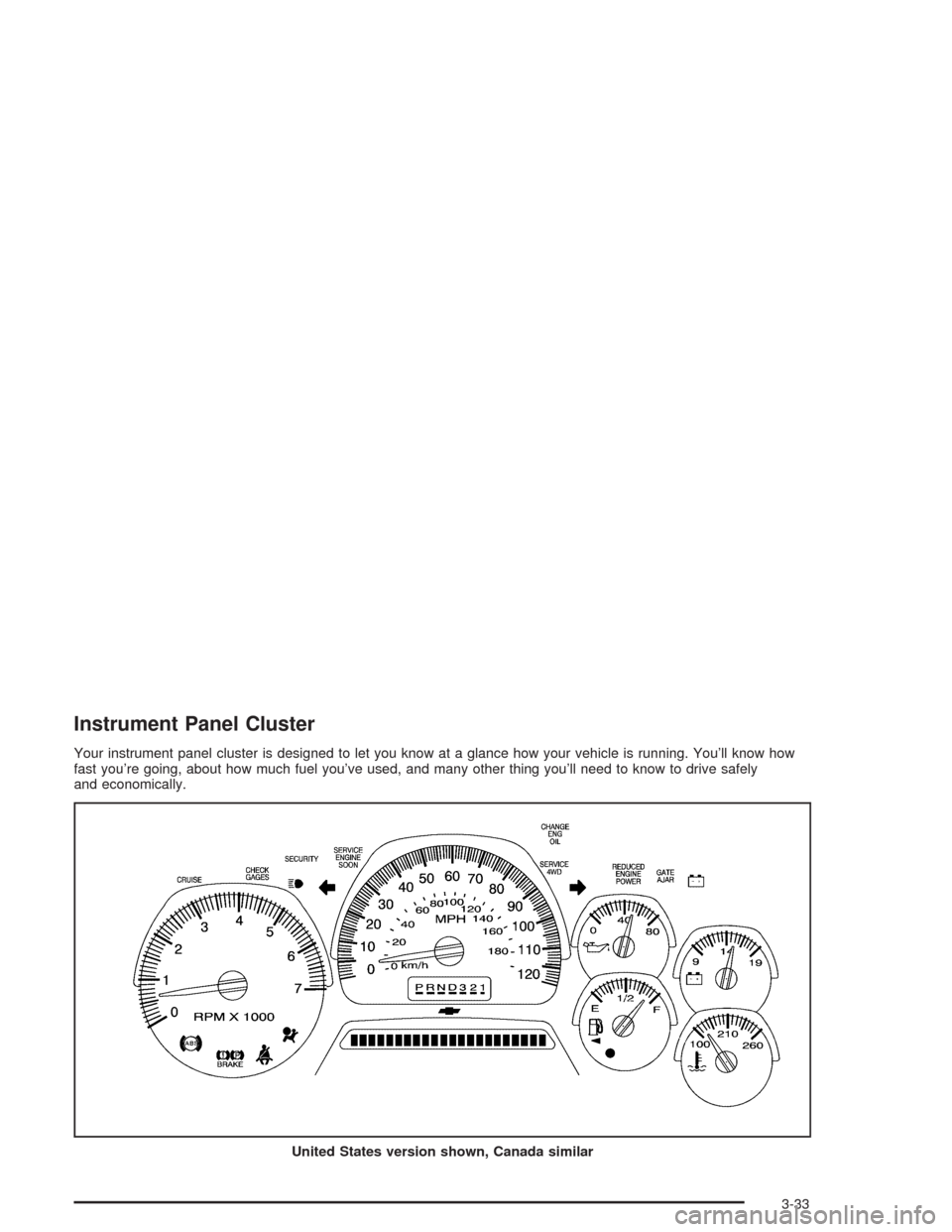
Your instrument panel cluster is designed to let you know at a glance how your vehicle is running. You’ll know how
fast you’re going, about how much fuel you’ve used, and many other thing you’ll need to know to drive safely
and economically.
United States version shown, Canada similar
3-33
Page 150 of 448
Speedometer and Odometer
Your speedometer lets you see your speed in both
miles per hour (mph) and kilometers per hour (km/h).
Your odometer shows how far your vehicle has
been driven, in either miles (used in the United States)
or kilometers (used in Canada).
The odometer mileage can be checked without the
vehicle running. Simply press the trip stem located on
the instrument panel cluster.
You may wonder what happens if your vehicle needs a
new odometer installed. The new one will be set to
the correct mileage total of the old odometer.
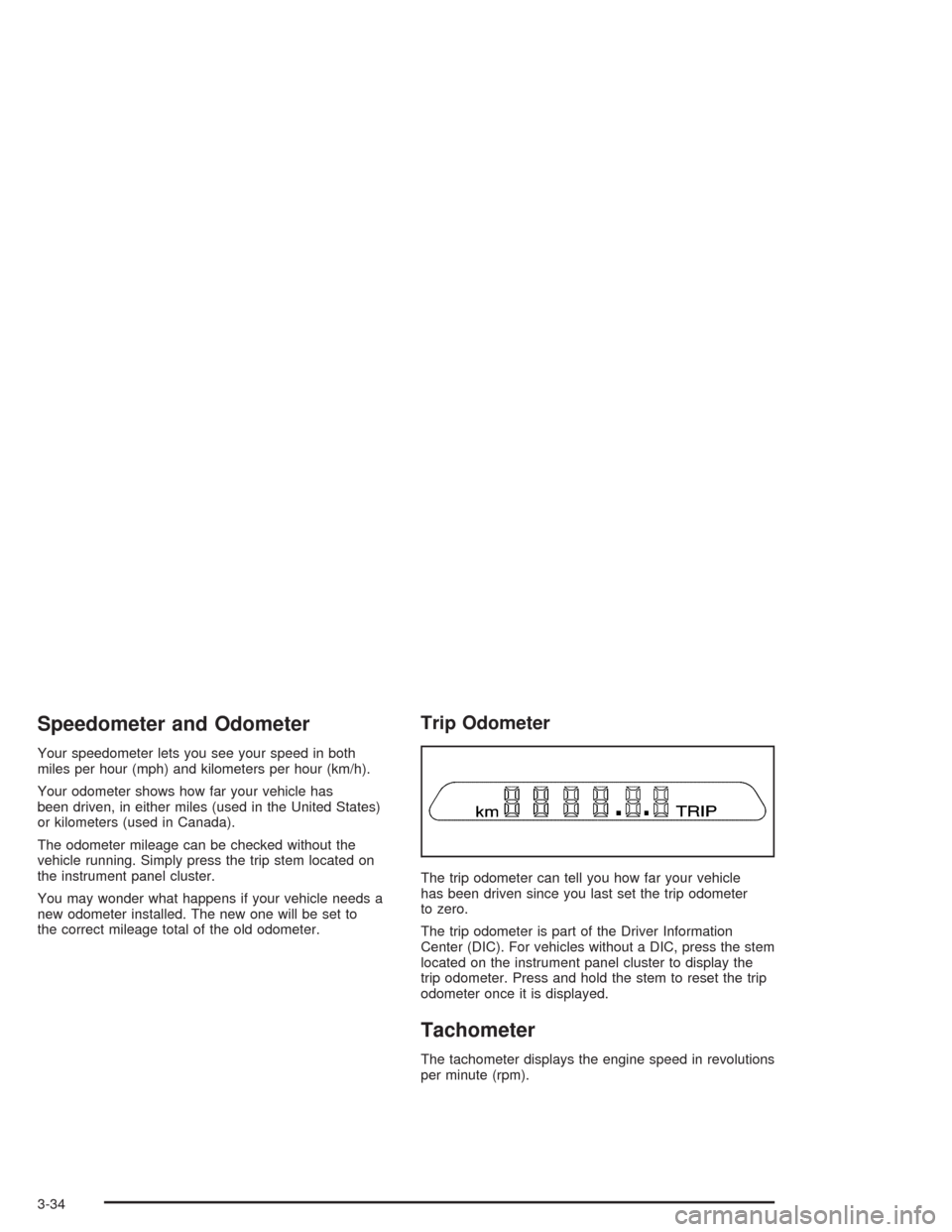
Trip Odometer
The trip odometer can tell you how far your vehicle
has been driven since you last set the trip odometer
to zero.
The trip odometer is part of the Driver Information
Center (DIC). For vehicles without a DIC, press the stem
located on the instrument panel cluster to display the
trip odometer. Press and hold the stem to reset the trip
odometer once it is displayed.
Tachometer
The tachometer displays the engine speed in revolutions
per minute (rpm).
3-34
Page 164 of 448
Here are four things that some owners ask about. None
of these show a problem with your fuel gage:
At the gas station, the gas pump shuts off before
the gage reads full.
It takes a little more or less fuel to ll up than the
gage indicated. For example, the gage may have
indicated the tank was half full, but it actually took a
little more or less than half the tank’s capacity to
ll the tank.
The gage moves a little when you turn a corner or
speed up.
The gage doesn’t go back to empty when you turn
off the ignition.
Low Fuel Warning Light
The light next to the fuel gage will come on briey when
you are starting the engine.
This light comes on when the fuel tank is low on fuel.
To turn it off, add fuel to the fuel tank.
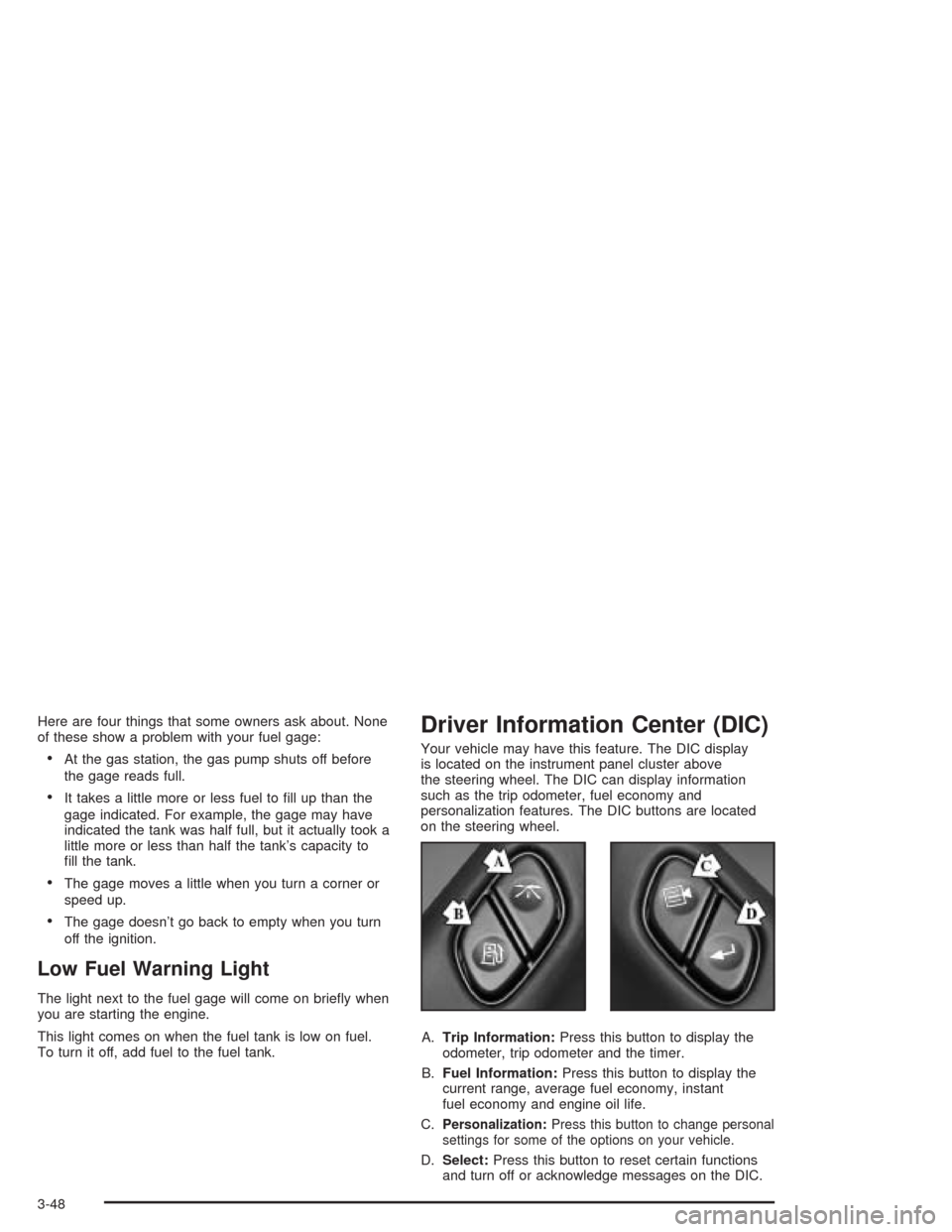
Driver Information Center (DIC)
Your vehicle may have this feature. The DIC display
is located on the instrument panel cluster above
the steering wheel. The DIC can display information
such as the trip odometer, fuel economy and
personalization features. The DIC buttons are located
on the steering wheel.
A.Trip Information:Press this button to display the
odometer, trip odometer and the timer.
B.Fuel Information:Press this button to display the
current range, average fuel economy, instant
fuel economy and engine oil life.
C.
Personalization:Press this button to change personal
settings for some of the options on your vehicle.
D.Select:Press this button to reset certain functions
and turn off or acknowledge messages on the DIC.
3-48
Page 165 of 448
DIC Operation and Displays
The DIC comes on when the ignition is on. After a short
delay the DIC will display the current driver and the
information that was last displayed before the engine
was turned off.
If a problem is detected, a warning message will appear
on the display. Pressing the trip stem will acknowledge
any warning or service messages. Pressing any of
the DIC steering wheel buttons (Trip Information, Fuel
Information, Personalization or Select button) will
also acknowledge any warnings or service messages.
The DIC has different modes which can be accessed by
pressing the four buttons on the DIC. These buttons
are trip information, fuel information, personalization and
select. The button functions are detailed following.
Trip Information
Use the trip information button to scroll through the
odometer, TRIP A, TRIP B and TIMER.
Odometer
Press the trip information button until the odometer
appears on the display. This shows the total distance
the vehicle has been driven in either miles or kilometers.
Pressing the reset stem located on the instrument
cluster with the vehicle off will also display the odometer.
Trip A and Trip B
Press the trip information button until TRIP A or TRIP B
is displayed. This shows the current distance traveled
since the last reset for each trip odometer in either miles
or kilometers. Both odometers can be used at the
same time.
Each trip odometer can be reset to zero separately by
pressing select while the desired trip odometer is
displayed. You can also reset the trip odometers with
the reset stem on the cluster. If you press and hold the
reset stem for four seconds, the display will show the
distance traveled since the last ignition cycle.
Timer
The DIC can be used as a stopwatch. Press the select
button while TIMER is displayed to start the timer.
The display will show the amount of time that has
passed since the timer was last reset (not including time
the ignition is off). Time will continue to be counted as
long as the ignition is on, even if another display is being
shown on the DIC. The timer will record up to 99 hours,
59 minutes and 59 seconds (99:59:59) after which
the display will roll back to zero.
To stop the counting of time, press the select button
briey while TIMER is displayed.
To reset the timer to zero, press and hold the select
button while TIMER is displayed.
3-49
Page 391 of 448

Fuses Usage
1 Electrically-Controlled Air Suspension
2Passenger’s Side High-Beam
Headlamp
3Passenger’s Side Low-Beam
Headlamp
4 Back-Up-Trailer Lamps
5 Driver’s Side High-Beam Headlamp
6 Driver’s Side Low-Beam Headlamp
7Rear Window Washer, Headlamp
Washer
8 Automatic Transfer Case
9 Windshield Washer
10 Powertrain Control Module B
11 Fog Lamps
12 Stop Lamp
13 Cigarette Lighter
14 Ignition Coils
15 Blank
16 TBC-Ignition 1Fuses Usage
17 Crank
18 Air Bag
19 Trailer Electric Brake
20 Cooling Fan
21 Horn
22 Ignition E
23 Electronic Throttle Control
24Instrument Panel Cluster, Driver
Information Center
25 Automatic Shift Lock Control System
26 Backup
27 Engine 1
28 Powertrain Control Module 1
29 Oxygen Sensor
30 Air Conditioning
31 Truck Body Controller
32 Trailer
33 Anti-Lock Brakes (ABS)
34 Ignition A
5-95
Page 394 of 448

Fuses Usage
1 Electrically-Controlled Air Suspension
2Passenger’s Side High-Beam
Headlamp
3Passenger’s Side Low-Beam
Headlamp
4 Back-Up-Trailer Lamps
5 Driver’s Side High-Beam Headlamp
6 Driver’s Side Low-Beam Headlamp
7Rear Window Washer, Headlamp
Washer
8 Automatic Transfer Case
9 Windshield Washer
10 Powertrain Control Module B
11 Fog Lamps
12 Stop Lamp
13 Cigarette Lighter
14 Ignition Coils
15 Canister Vent
16 TBC-Ignition 1
17 Crank
18 Air Bag
19 Trailer Electric Brake
20 Cooling FanFuses Usage
21 Horn
22 Ignition E
23 Electronic Throttle Control
24Instrument Panel Cluster, Driver
Information Center
25 Automatic Shift Lock Control System
26 Backup
27 Engine 1
28 Powertrain Control Module 1
30 Air Conditioning
31 Truck Body Controller
32 Trailer
33 Anti-Lock Brakes (ABS)
34 Ignition A
35 Blower Motor
36 Ignition B
50 Passenger’s Side Trailer Turn
51 Driver’s Side Trailer Turn
52 Hazard Flashers
53 Oxygen Sensor Bank B
54 Oxygen Sensor Bank A
55 Injector Bank A
5-98
Page 439 of 448

Getting Familiar with Off-Road Driving................4-17
Glove Box.....................................................2-42
GM Mobility Program for Persons with
Disabilities.................................................... 7-5
H
Hazard Warning Flashers................................... 3-6
Head Restraints............................................... 1-5
Headlamp High/Low-Beam Changer.................... 3-9
Headlamp Washer..........................................3-11
Headlamps
Bulb Replacement.......................................5-48
Electrical System.........................................5-92
Headphones.................................................3-100
Heated Seats................................................... 1-3
Highway Hypnosis...........................................4-35
Hill and Mountain Roads..................................4-36
Hitches..........................................................4-57
HomeLink
®Transmitter....................................2-39
HomeLink®Transmitter, Programming................2-39
Hood
Checking Things Under................................5-10
Release.....................................................5-10
Horn............................................................... 3-7
How to Add Coolant to the Coolant
Recovery Tank............................................5-30How to Add Coolant to the Radiator..................5-32
How to Add Fluid............................................5-23
How to Check Lubricant...................................5-46
How to Check Power Steering Fluid..................5-35
How to Use This Manual...................................... ii
How to Wear Safety Belts Properly...................1-14
Hydroplaning..................................................4-31
I
ICE POSSIBLE..............................................3-59
If No Steam Is Coming From Your Engine..........5-27
If Steam Is Coming From Your Engine...............5-26
If the Light Is Flashing.....................................3-41
If the Light Is On Steady.................................3-41
If You Are Caught in a Blizzard.........................4-40
If You Are Stuck in Sand, Mud, Ice or Snow.......4-42
If You Do Decide To Pull A Trailer.....................4-54
Ignition Positions.............................................2-18
Infants and Young Children, Restraints...............1-29
Ination - Tire Pressure...................................5-60
Instrument Panel
Cluster.......................................................3-33
Overview..................................................... 3-4
Instrument Panel Brightness.............................3-17
Interior Lamps................................................3-17
7