2004 CHEVROLET CORVETTE lock
[x] Cancel search: lockPage 131 of 384
Interior Lamps
Instrument Panel Brightness
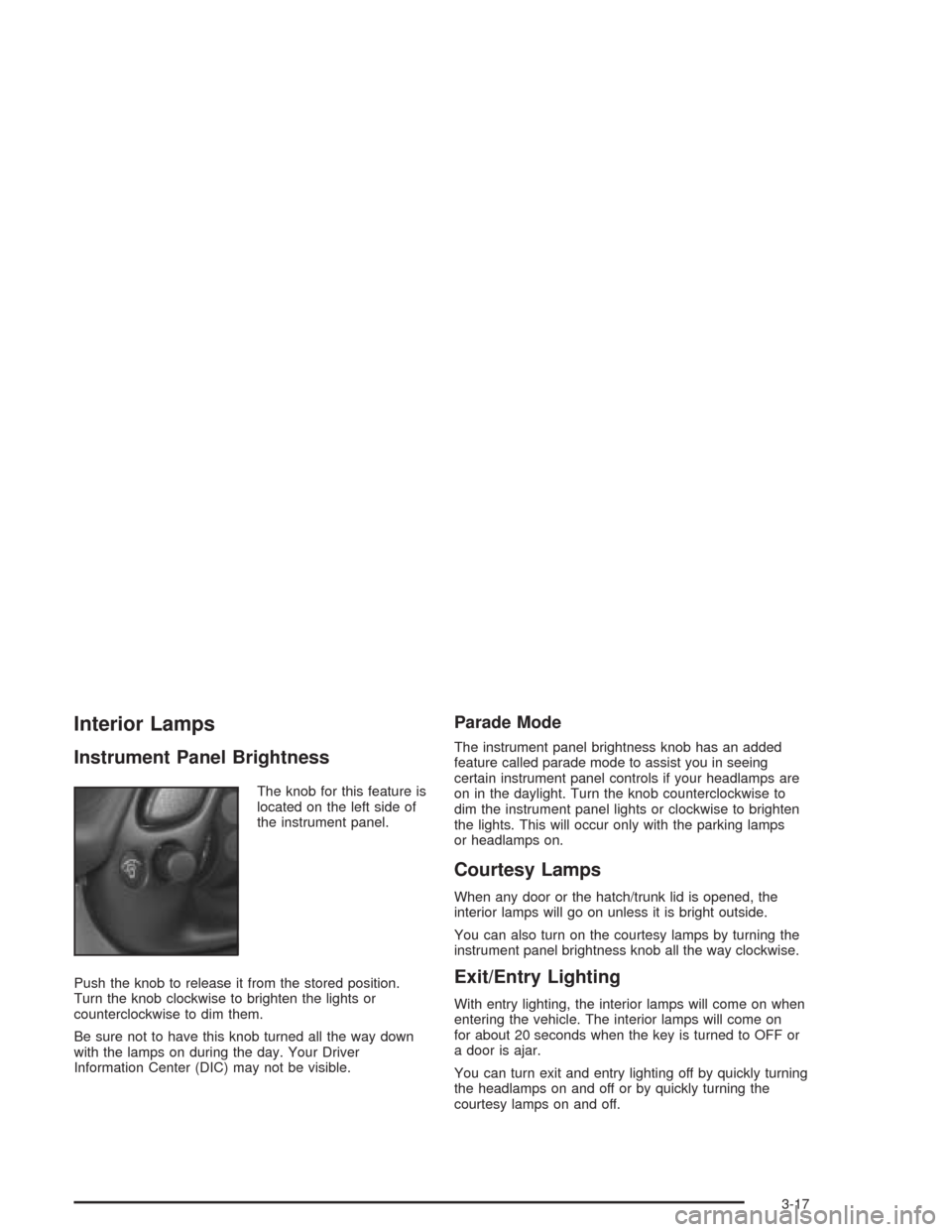
The knob for this feature is
located on the left side of
the instrument panel.
Push the knob to release it from the stored position.
Turn the knob clockwise to brighten the lights or
counterclockwise to dim them.
Be sure not to have this knob turned all the way down
with the lamps on during the day. Your Driver
Information Center (DIC) may not be visible.
Parade Mode
The instrument panel brightness knob has an added
feature called parade mode to assist you in seeing
certain instrument panel controls if your headlamps are
on in the daylight. Turn the knob counterclockwise to
dim the instrument panel lights or clockwise to brighten
the lights. This will occur only with the parking lamps
or headlamps on.
Courtesy Lamps
When any door or the hatch/trunk lid is opened, the
interior lamps will go on unless it is bright outside.
You can also turn on the courtesy lamps by turning the
instrument panel brightness knob all the way clockwise.
Exit/Entry Lighting
With entry lighting, the interior lamps will come on when
entering the vehicle. The interior lamps will come on
for about 20 seconds when the key is turned to OFF or
a door is ajar.
You can turn exit and entry lighting off by quickly turning
the headlamps on and off or by quickly turning the
courtesy lamps on and off.
3-17
Page 139 of 384
Manual Operation
OFF:Press this button to turn off the climate control
system. This is the only setting that fully shuts off
the fan. The digital display will show only the outside
temperature. You can still adjust the driver’s set
temperature, the passenger temperature offset and the
air intake mode while in OFF.
MODE:Press this button to manually lock in the current
air delivery setting and to stop the automatic mode
control. Pressing the MODE button will delete AUTO
from the digital display and the mode graphics will
be shown. To change the setting, press the MODE
button again. The AUTO button must be pressed
to return to the automatic mode selection.To change the current mode, select one of the following:H(Vent):This mode directs most of the air to the
instrument panel outlets, with a very small amount of air
directed to the floor outlets.
%(Bi-Level):This mode directs about half of the air
to the instrument panel outlets, and then directs
most of the remaining air to the floor outlets. Some air
may be directed toward the windshield. Cooler air is
directed to the upper outlets and warmer air to the floor
outlets.
6(Floor):This mode directs most of the air to the
floor outlets with some air directed to the outboard
outlets (for the side windows) and some air directed to
the windshield.
The MODE button can also be used to select the defog
mode. Information on defogging and defrosting can
be found later in this section.
3-25
Page 140 of 384
9(Fan):Press the button with the fan symbol to
manually increase or decrease the fan speed. Keep
pressing the up or down arrow on this switch until the
desired fan speed appears on the display.
Pressing the arrows will delete AUTO from the digital
display. The fan graphics with the fan speed bars will be
shown. To increase the fan speed so that more air
flows into the vehicle, press the up arrow on the
fan switch. To decrease the fan speed and airflow,
press the down arrow. The AUTO button must be
pressed to return to the automatic fan control.:(Outside Air):Press this button to turn the
outside air mode on or off. When this mode is on,
outside air will circulate throughout your vehicle. When
the button is pressed, an indicator light in the button
will come on to let you know that it is activated.
The outside air mode can be used with all modes, but
cannot be used with the recirculation mode.
When in the AUTO mode, the system automatically
selects outside air instead of recirculation, as required,
to control the temperature in the vehicle. By pressing
outside air, the system will lock into the outside air
mode. Any adjustment to the air intake must then be
made manually. Outside air should be used when trying
to defrost or defog windows to help reduce moisture
inside of the vehicle.
If you are in city traffic, your vehicle is stopped and
idling, or the weather is hot, the system may switch from
the outside air mode to the recirculation mode. To
prevent the air inside of your vehicle from becoming
stale, be sure to return to the outside air mode
periodically.
3-26
Page 141 of 384
?(Recirculation):This mode keeps outside air
from coming in the vehicle. It can be used to prevent
outside air and odors from entering your vehicle or
to help cool the air inside your vehicle more quickly.
Press this button to turn the recirculation mode on or off.
When the button is pressed, an indicator light will
come on. The air-conditioning compressor also comes
on. The recirculation mode cannot be used with the
outside air mode.
When in the AUTO mode, the system automatically
selects recirculation to cool the vehicle’s temperature.
By pressing this button, the system will lock into
recirculation mode. Any adjustment to the air intake
must then be made manually. Recirculation is not
available when using the defrost or defog mode because
outside air is needed to reduce moisture inside of the
vehicle.
Operating the system in the recirculation mode may
cause fogging of the vehicle’s windows when the
weather is cold and damp. To clear the fog, switch the
system to either the defog or defrost mode and
increase the fan speed. To avoid re-fogging of the
windows, operate the system in the outside air mode.Temperature Control:The DRIVER knob changes the
temperature on the driver’s and passenger’s side of
the vehicle. Turn the knob clockwise or counterclockwise
to manually increase or decrease the temperature
inside your vehicle. Whenever you turn this knob, the
temperature will be displayed for about five seconds
along with the current fan speed and air delivery mode.
The PASSENGER knob changes the temperature on
the passenger’s side of the vehicle. When the knob is in
the 12 o’clock position, the passenger’s temperature
is the same as the driver’s. Turn the knob clockwise for
warmer air on the passenger’s side or counterclockwise
for cooler air. If the driver-set temperature is set at
full cold 60°F (16°C) or full hot 90°F (32°C), turning the
PASSENGER knob has no effect because the system
is locked at a maximum setting.
3-27
Page 143 of 384
Sensors
The solar sensor on your vehicle monitors the solar
radiation and uses the information to maintain the
selected temperature when operating in AUTO mode by
initiating needed adjustments to the temperature, the
fan speed and the air delivery system. The system may
also supply cooler air to the side of the vehicle facing
the sun. The recirculation mode will also be activated, as
necessary. Do not cover the solar sensor located on
the top right side of the instrument panel near the
windshield or the system will not work properly.
There is also a sensor located behind the front bumper.
This sensor reads the outside air temperature and
helps to maintain the temperature inside the vehicle.
Any cover on the front of the vehicle could give a false
reading in the temperature.If the outside temperature goes up, the displayed
temperature will not change until:•The vehicle’s speed is above 16 mph (26 km/h) for
one and a half minutes.
•The vehicle’s speed is above 45 mph (72 km/h) for
one minute.
These delays prevent false readings. If the temperature
goes down, the outside temperature will be shown
when you start the vehicle. If it has been turned off for
less than three hours, the temperature will be recalled
from the previous vehicle operation.
There is also an inside temperature sensor located to
the left of the ignition switch. The automatic climate
control system uses this sensor to receive information,
so if you block or cover it, the system will not function
properly.
3-29
Page 145 of 384
Rear Window Defogger
The rear window defogger uses a warming grid to
remove fog or frost from the rear window.
The rear window defogger will only work when the
engine is running.
=REAR:Press this button to turn the rear window
defogger on. Be sure to clear as much snow from
the rear window as possible. An indicator light in the
button will come on to let you know that the rear window
defogger is activated.
The rear window defogger will automatically turn off
about 15 minutes after the button is pressed. If turned
on again, the defogger will only run for about seven
minutes before turning off. The defogger can also
be turned off by pressing the button again or by turning
off the engine.
Your vehicle has heated outside rearview mirrors. The
mirrors will heat to help clear fog or frost from the
surface of the mirrors when the rear window defog
button is pressed.
Notice:Don’t use anything sharp on the inside of
the rear window. If you do, you could cut or damage
the warming grid, and the repairs wouldn’t be
covered by your warranty. Do not attach a temporary
vehicle license, tape, a decal or anything similar
to the defogger grid.
Outlet Adjustment
Use the tab located on the air outlets to change the
direction of the airflow.
Operation Tips
•
Clear away any ice, snow or leaves from the air
inlets at the base of the windshield that may
block the flow of air into your vehicle.
•Use of non-GM approved hood deflectors may
adversely affect the performance of the system.
•Keep the area around the base of the instrument
panel console and air path under the seats clear
of objects to help circulate the air inside of
your vehicle more effectively.
3-31
Page 153 of 384

Anti-Lock Brake System
Warning Light
With the anti-lock brake
system, the light will come
on when your engine is
started and may stay on for
several seconds. That is
normal.
If the light stays on, turn the ignition to OFF. Or, if the
light comes on when you are driving, stop as soon
as possible and turn the ignition off. Then start
the engine again to reset the system. If the light still
stays on, or comes on again while you are driving, your
vehicle needs service. If the regular brake system
warning light is not on, you still have brakes, but you do
not have anti-lock brakes. If the regular brake system
warning light is also on, you do not have anti-lock brakes
and there is a problem with your regular brakes. See
Brake System Warning Light on page 3-38. Also
see “Service ABS” underDIC Warnings and Messages
on page 3-58.
The anti-lock brake system warning light will come on
briefly when you turn the ignition key to ON. This is
normal. If the light does not come on then, have it fixed
so it will be ready to warn you if there is a problem.
Traction Control System (TCS)
Warning Light
This light should come on
briefly as you start the
engine. If the light does not
come on then, have it
fixed so it will be ready to
warn you if there is a
problem.
If it stays on, or comes on and the DIC shows a
SERVICE TRACTION SYSTEM message when you are
driving, there is a problem with your TCS system and
your vehicle needs service. When this light is on,
the system will not limit wheel spin. Adjust your driving
accordingly. If the driver turns off the Traction Control
System by pressing the button on the console, the TCS
system light will come on and the TRACTION SYSTEM
OFF message will show on the DIC.
3-39
Page 162 of 384
Driver Information Center (DIC)
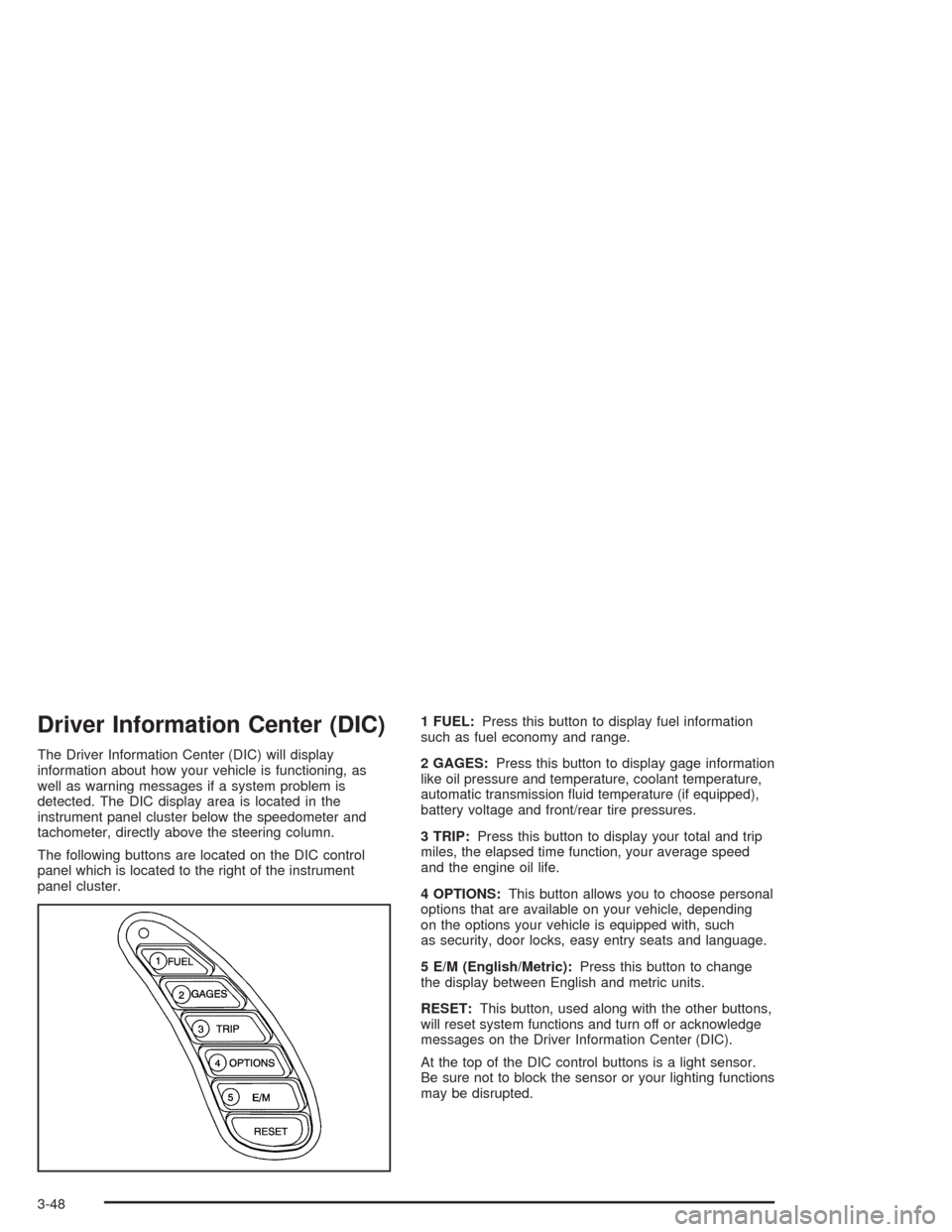
The Driver Information Center (DIC) will display
information about how your vehicle is functioning, as
well as warning messages if a system problem is
detected. The DIC display area is located in the
instrument panel cluster below the speedometer and
tachometer, directly above the steering column.
The following buttons are located on the DIC control
panel which is located to the right of the instrument
panel cluster.1 FUEL:Press this button to display fuel information
such as fuel economy and range.
2 GAGES:Press this button to display gage information
like oil pressure and temperature, coolant temperature,
automatic transmission fluid temperature (if equipped),
battery voltage and front/rear tire pressures.
3 TRIP:Press this button to display your total and trip
miles, the elapsed time function, your average speed
and the engine oil life.
4 OPTIONS:This button allows you to choose personal
options that are available on your vehicle, depending
on the options your vehicle is equipped with, such
as security, door locks, easy entry seats and language.
5 E/M (English/Metric):Press this button to change
the display between English and metric units.
RESET:This button, used along with the other buttons,
will reset system functions and turn off or acknowledge
messages on the Driver Information Center (DIC).
At the top of the DIC control buttons is a light sensor.
Be sure not to block the sensor or your lighting functions
may be disrupted.
3-48