Page 106 of 348
Hazard Warning Flashers
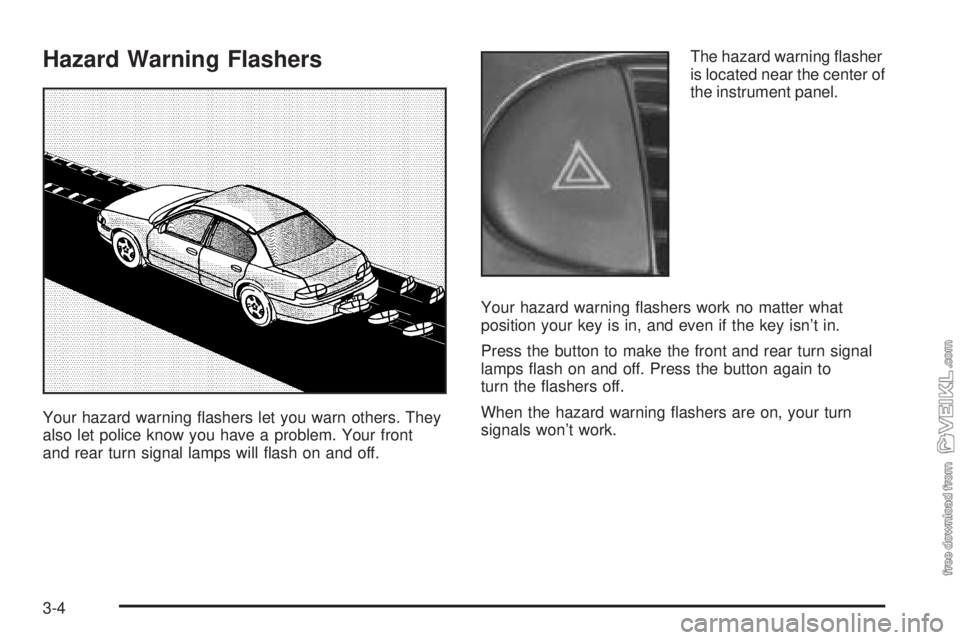
Your hazard warning flashers let you warn others. They
also let police know you have a problem. Your front
and rear turn signal lamps will flash on and off.The hazard warning flasher
is located near the center of
the instrument panel.
Your hazard warning flashers work no matter what
position your key is in, and even if the key isn’t in.
Press the button to make the front and rear turn signal
lamps flash on and off. Press the button again to
turn the flashers off.
When the hazard warning flashers are on, your turn
signals won’t work.
3-4
Page 108 of 348
Turn Signal/Multifunction Lever
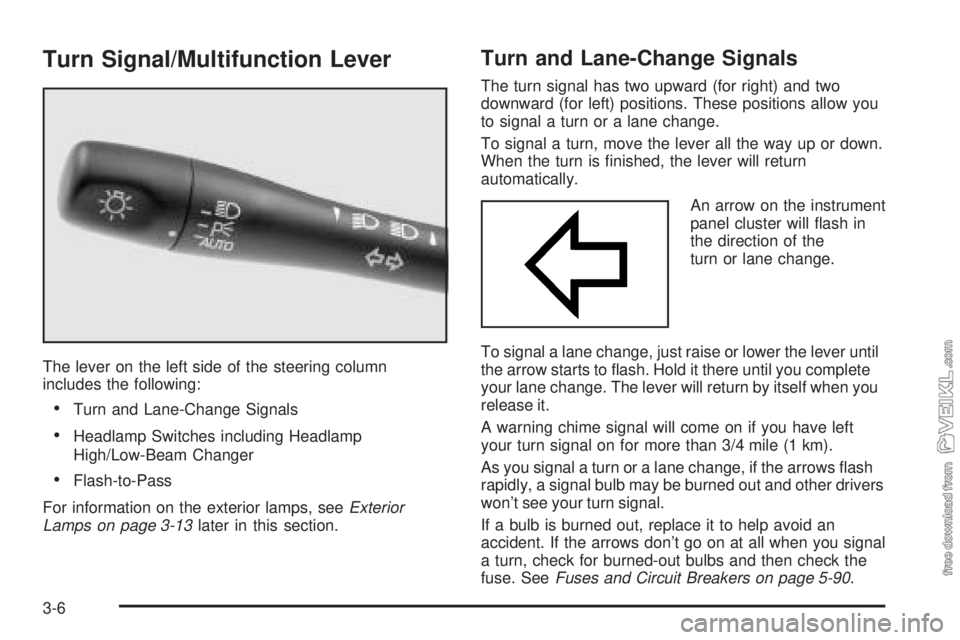
The lever on the left side of the steering column
includes the following:
•Turn and Lane-Change Signals
•Headlamp Switches including Headlamp
High/Low-Beam Changer
•Flash-to-Pass
For information on the exterior lamps, seeExterior
Lamps on page 3-13later in this section.
Turn and Lane-Change Signals
The turn signal has two upward (for right) and two
downward (for left) positions. These positions allow you
to signal a turn or a lane change.
To signal a turn, move the lever all the way up or down.
When the turn is finished, the lever will return
automatically.
An arrow on the instrument
panel cluster will flash in
the direction of the
turn or lane change.
To signal a lane change, just raise or lower the lever until
the arrow starts to flash. Hold it there until you complete
your lane change. The lever will return by itself when you
release it.
A warning chime signal will come on if you have left
your turn signal on for more than 3/4 mile (1 km).
As you signal a turn or a lane change, if the arrows flash
rapidly, a signal bulb may be burned out and other drivers
won’t see your turn signal.
If a bulb is burned out, replace it to help avoid an
accident. If the arrows don’t go on at all when you signal
a turn, check for burned-out bulbs and then check the
fuse. SeeFuses and Circuit Breakers on page 5-90.
3-6
Page 109 of 348
Headlamps
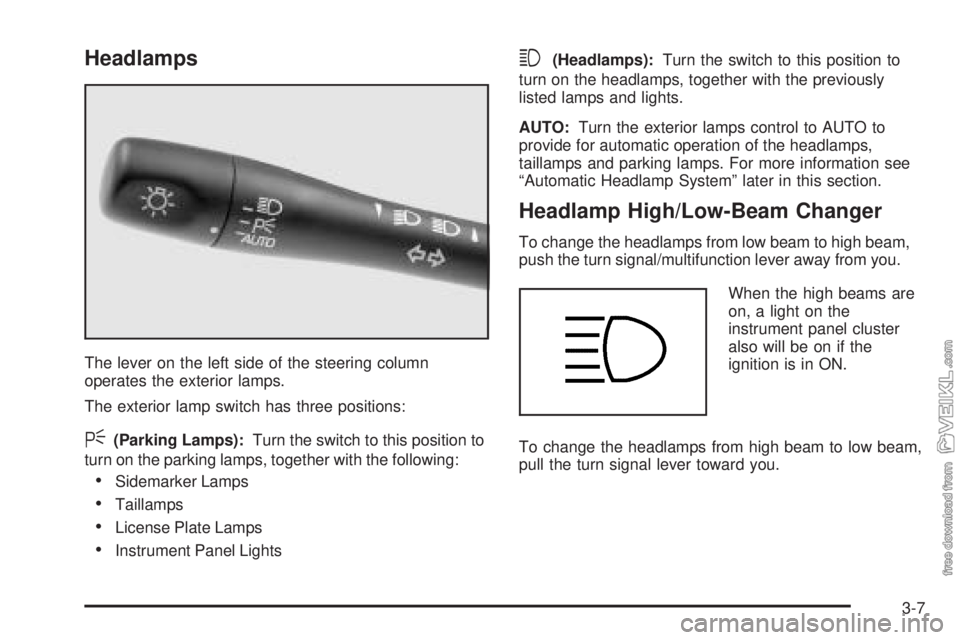
The lever on the left side of the steering column
operates the exterior lamps.
The exterior lamp switch has three positions:
<(Parking Lamps):Turn the switch to this position to
turn on the parking lamps, together with the following:
•Sidemarker Lamps
•Taillamps
•License Plate Lamps
•Instrument Panel Lights
3(Headlamps):Turn the switch to this position to
turn on the headlamps, together with the previously
listed lamps and lights.
AUTO:Turn the exterior lamps control to AUTO to
provide for automatic operation of the headlamps,
taillamps and parking lamps. For more information see
“Automatic Headlamp System” later in this section.
Headlamp High/Low-Beam Changer
To change the headlamps from low beam to high beam,
push the turn signal/multifunction lever away from you.
When the high beams are
on, a light on the
instrument panel cluster
also will be on if the
ignition is in ON.
To change the headlamps from high beam to low beam,
pull the turn signal lever toward you.
3-7
Page 115 of 348

Exterior Lamps
Headlamps
See “Headlamps” underTurn Signal/Multifunction Lever
on page 3-6.
Daytime Running Lamps (DRL)
Daytime Running Lamps (DRL) can make it easier for
others to see the front of your vehicle during the
day. DRL can be helpful in many different driving
conditions, but they can be especially helpful in the short
periods after dawn and before sunset.
The DRL system will make your low-beam headlamps
come on at a reduced brightness when the following
conditions are met:
•The ignition is on,
•the exterior lamp control is turned to AUTO or you
have turned on your parking lamps,
•the light sensor detects daytime light,
•the parking brake is released, and
•the shift lever is not in PARK (P).When the DRL system is on, the taillamps, sidemarker
lamps, parking lamps and instrument panel lights
will not be illuminated unless you have turned the
exterior lamps control to the parking lamp or headlamp
position.
The DRL system will remain off any time your vehicle is
in PARK (P) or the parking brake is engaged and the
vehicle speed is less than 8 mph (13 km/h), for
United States vehicles only.
As with any vehicle, you should turn on the regular
headlamp system when you need it.
Automatic Headlamp System
When it is dark enough outside, your Automatic
Headlamp System will turn on your headlamps at the
normal brightness along with other lamps such as
the taillamps, sidemarker, parking lamps and the
instrument panel lights. The radio lights will also be dim.
Your vehicle is equipped with a light sensor on the
top of the instrument panel under the defroster grill, so
be sure it is not covered which will cause the system
to be on whenever the ignition is on.
The system may also be on when driving through a
parking garage, heavy overcast weather or a tunnel.
This is normal.
3-13
Page 116 of 348

There is a delay in the transition between the daytime
and nighttime operation of the DRL and the Automatic
Headlamp System so that driving under bridges or bright
overhead street lights does not affect the system. The
DRL and Automatic Headlamp System will only be
affected when the light sensor sees a change in lighting
lasting longer than this delay.
If you start your vehicle in a dark garage, the automatic
headlamp system will come on immediately. Once
you leave the garage, it will take approximately
one minute for the automatic headlamp system to
change to DRL if it is light outside. During that delay,
your instrument panel cluster may not be as bright
as usual. Make sure your instrument panel brightness
control is in the full bright position. See “Instrument
Panel Brightness Control” underInterior Lamps
on page 3-15.
To idle your vehicle with the system off, set the park
brake while the ignition is off. Then start the vehicle. The
system will stay off until you release the park brake.
As with any vehicle, you should turn on the regular
headlamps when you need them.Headlamps Off in Park (P)
This feature works when the ignition is on and it is dark
outside. To turn the headlamps off when it is dark outside,
turn the exterior lamp control to the parking lamp position.
In this position, the parking lamps, sidemarker lamps,
taillamps, license plate lamps and instrument panel lights
will be on, but the headlamps will be off.
To turn on the headlamps along with the other lamps
when it is dark outside, turn the exterior lamp control to
the AUTO or headlamp position.
Delayed Headlamps
The delayed headlamps feature will continue to
illuminate the headlamps for 20 seconds after the key is
turned to OFF at night. Then the headlamps will
automatically turn off.
To override the 20 second delayed headlamp feature
while it is active turn the switch at the end of the
turn signal/multifunction lever up one position and then
back to AUTO.
3-14
Page 117 of 348
Interior Lamps
Instrument Panel Brightness
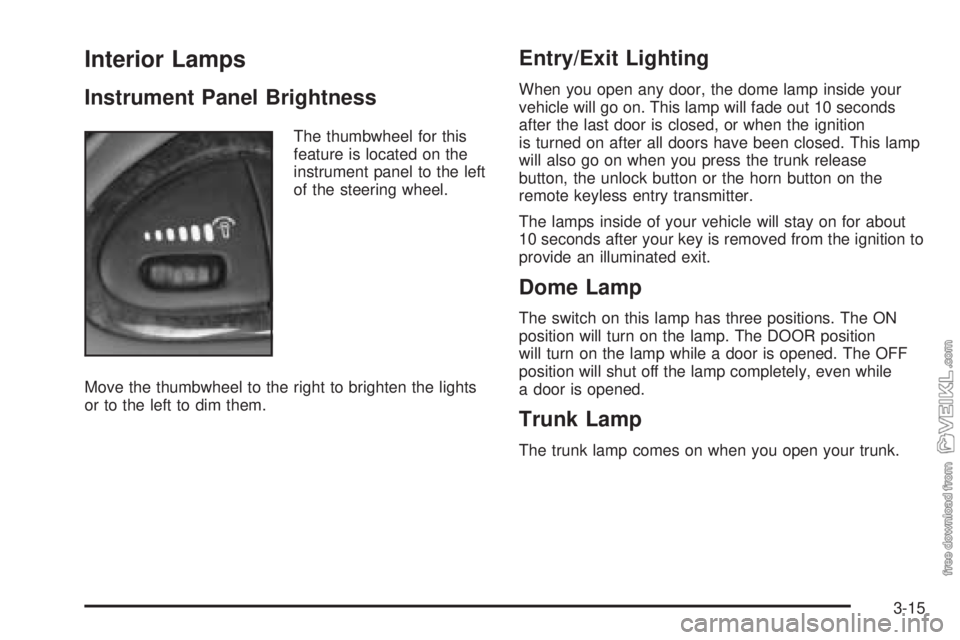
The thumbwheel for this
feature is located on the
instrument panel to the left
of the steering wheel.
Move the thumbwheel to the right to brighten the lights
or to the left to dim them.
Entry/Exit Lighting
When you open any door, the dome lamp inside your
vehicle will go on. This lamp will fade out 10 seconds
after the last door is closed, or when the ignition
is turned on after all doors have been closed. This lamp
will also go on when you press the trunk release
button, the unlock button or the horn button on the
remote keyless entry transmitter.
The lamps inside of your vehicle will stay on for about
10 seconds after your key is removed from the ignition to
provide an illuminated exit.
Dome Lamp
The switch on this lamp has three positions. The ON
position will turn on the lamp. The DOOR position
will turn on the lamp while a door is opened. The OFF
position will shut off the lamp completely, even while
a door is opened.
Trunk Lamp
The trunk lamp comes on when you open your trunk.
3-15
Page 119 of 348
Notice:Adding any electrical equipment to your
vehicle may damage it or keep other components
from working as they should. The repairs would not
be covered by your warranty. Check with your
dealer before adding electrical equipment.
When adding electrical equipment, be sure to follow the
proper installation instructions included with the
equipment.
Notice:Improper use of the power outlet can cause
damage not covered by your warranty. Do not
hang any type of accessory or accessory bracket
from the plug because the power outlets are
designed for accessory power plugs only.Ashtrays and Cigarette Lighter
The ashtray is located at the lower part of the center of
the instrument panel. To remove the ashtray for
cleaning, pull up on the metal tab and pull the bin out.
Notice:If you put papers or other ammable
items in the ashtray, hot cigarettes or other smoking
materials could ignite them and possibly damage
your vehicle. Never put ammable items in the
ashtray.
The cigarette lighter is located above the ashtray. To
use it, just push it in all the way and let go. When
it’s ready, it will pop back out by itself.
Notice:Holding a cigarette lighter in while it is
heating will not allow the lighter to back away from
the heating element when it is hot. Damage from
overheating may occur to the lighter or heating
element. Do not hold a cigarette lighter in while it is
heating.
3-17
Page 120 of 348
Climate Controls
Climate Control System
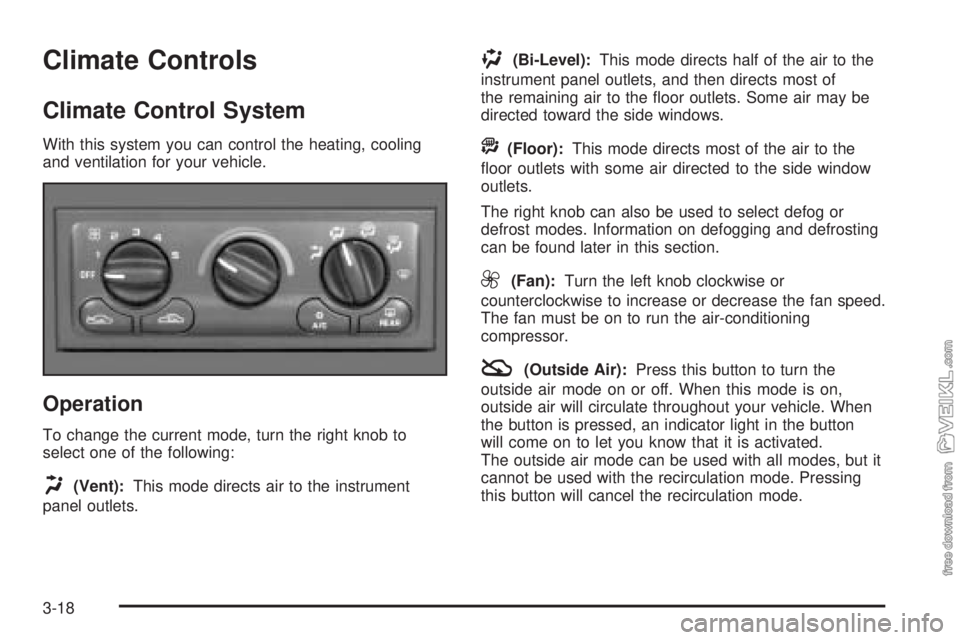
With this system you can control the heating, cooling
and ventilation for your vehicle.
Operation
To change the current mode, turn the right knob to
select one of the following:
H(Vent):This mode directs air to the instrument
panel outlets.
)(Bi-Level):This mode directs half of the air to the
instrument panel outlets, and then directs most of
the remaining air to the floor outlets. Some air may be
directed toward the side windows.
A(Floor):This mode directs most of the air to the
floor outlets with some air directed to the side window
outlets.
The right knob can also be used to select defog or
defrost modes. Information on defogging and defrosting
can be found later in this section.
9(Fan):Turn the left knob clockwise or
counterclockwise to increase or decrease the fan speed.
The fan must be on to run the air-conditioning
compressor.
:(Outside Air):Press this button to turn the
outside air mode on or off. When this mode is on,
outside air will circulate throughout your vehicle. When
the button is pressed, an indicator light in the button
will come on to let you know that it is activated.
The outside air mode can be used with all modes, but it
cannot be used with the recirculation mode. Pressing
this button will cancel the recirculation mode.
3-18