2004 CHEVROLET BLAZER door lock
[x] Cancel search: door lockPage 75 of 446

The following is a list of the available programming
options and how to set them after entering the
program mode:
All doors lock/Only the driver’s door unlocks:Press
the lock side of the power door lock switch once and
then the unlock side once. If your vehicle is not equipped
with remote keyless entry, you may not be able to
utilize this option.
All doors lock/All doors unlock:Press the lock side
of the power door lock switch once, and then the
unlock side twice.
All doors lock/None of the doors unlock:Press the
lock side of the power door lock switch once, and
then the unlock side three times.
No doors lock/None of the doors unlock:Press the
lock side of the power door lock switch twice. This turns
off the automatic lock feature. This is the factory setting.
For more information, see your dealer.The following instructions detail how to program your
door locks. Choose one of the programming options
before entering the programming mode.
To enter the program mode, do the following:
1. Begin with the ignition in OFF. Then pull the turn
signal/multifunction lever all the way toward you
and hold it while you perform the next step.
2. Turn your key to RUN and OFF twice. Then, with the
key in OFF, release the turn signal/multifunction
lever. Once you do this, you will hear the lock switch
lock and unlock.
3.
You are now ready to program the automatic door
locks. Select one of the previous four programming
options and follow the instructions. You will have
30 seconds to begin programming. If you exceed the
30 second limit, the locks will automatically lock and
unlock to indicate you have left the program mode.
If this occurs, repeat the procedure beginning with
Step 1. You can exit the program mode any time
by turning the ignition to RUN. The locks will
automatically lock and unlock to indicate you are
leaving the program mode. If the lock/unlock switches
are not pressed while in the programming mode,
the auto lock/unlock setting will not be modied.
2-9
Page 76 of 446

Rear Door Security Locks
With this feature, you can lock the rear doors so they
can’t be opened from the inside by passengers.
The security lock lever is
located on the inside edge
of each rear door.
To use the security locks, do the following:
1. Open one of the rear doors.
2. Slide the lever up to the lock symbol to engage
the lock.
3. Close the door.
4. Repeat these steps on the opposite rear door.If you want to open the rear door when the security lock
is on, unlock the door and open the door from the
outside. To return the rear doors to normal use,
disengage the locks by sliding the lever to the
unlock symbol.
Lockout Protection
If you have power door locks, this feature protects you
from locking your key in the vehicle when the key is
in the ignition and a door is open.
If the power door lock switch is pressed when a door is
open and the key is in the ignition, all of the doors
will lock and then the driver’s door will unlock.
Leaving Your Vehicle
If you are leaving the vehicle, take your keys, open your
door and set the locks from inside. Then get out and
close the door.
2-10
Page 78 of 446

Power Windows
If you have power windows, the controls are located on
the armrests on each of the side doors. The switches
operate the windows when the ignition is in RUN,
ACCESSORY or when Retained Accessory Power (RAP)
is active. See “Retained Accessory Power (RAP)” under
Ignition Positions on page 2-19. The driver’s door has a
switch for the passengers windows as well.
Press the side of the switch with the down arrow to
lower a window. Press the side of the switch with the
up arrow to raise the window.
Express Down Window
The driver’s window has an express-down feature that
allows you to lower it without holding the window switch.
Press the down arrow on the switch marked AUTO
located on the driver’s door briey to activate the
express-down feature. Lightly tap the switch to open the
window slightly. The express-down feature can be
interrupted at any time by pressing the up arrow on
the switch.
Window Lockout
Four-door vehicles have a lockout feature to prevent
passengers from operating the power windows.
It is located on the driver’s door armrest. Press LOCK to
activate this feature. Press NORM and the windows
will return to normal operation.
The driver will still be able to activate all the windows
when LOCK is active.
2-12
Page 80 of 446

Tailgate Release
To open a manual lock system from the outside,
insert the key into a lock and turn it counterclockwise
to unlock the liftgate, tailgate and liftglass.
To open a power lock system from the outside, insert
the key into a lock and turn it counterclockwise.
All the doors will then unlock.
If your vehicle is equipped with the keyless entry system,
your vehicle does not have a lock on the tailgate. It is
equipped with a push button to release the glass.
You may also use the keyless entry system, or the
power door locks (if equipped).
When the doors are
unlocked, press the button
to open the glass.Reach inside the tailgate
to lift the handle and open
the tailgate.
The tailgate can be opened without a key if the driver’s
door is unlocked. The tailgate glass will not release
if the vehicle is in gear.
To lock a power door lock system from the outside,
insert the key into a lock button and turn clockwise.
All doors, the tailgate, liftgate, and liftglass will lock.
2-14
Page 82 of 446
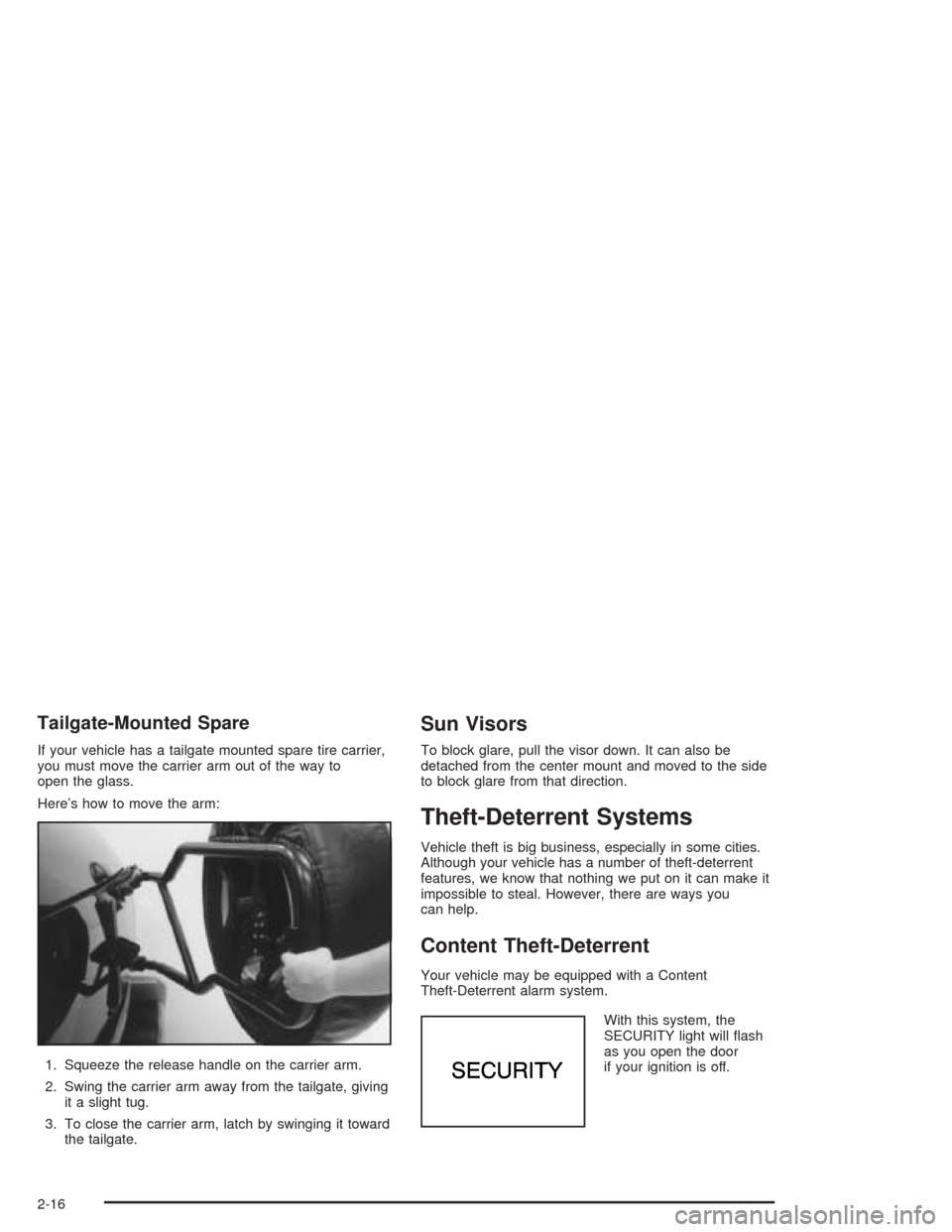
Tailgate-Mounted Spare
If your vehicle has a tailgate mounted spare tire carrier,
you must move the carrier arm out of the way to
open the glass.
Here’s how to move the arm:
1. Squeeze the release handle on the carrier arm.
2. Swing the carrier arm away from the tailgate, giving
it a slight tug.
3. To close the carrier arm, latch by swinging it toward
the tailgate.
Sun Visors
To block glare, pull the visor down. It can also be
detached from the center mount and moved to the side
to block glare from that direction.
Theft-Deterrent Systems
Vehicle theft is big business, especially in some cities.
Although your vehicle has a number of theft-deterrent
features, we know that nothing we put on it can make it
impossible to steal. However, there are ways you
can help.
Content Theft-Deterrent
Your vehicle may be equipped with a Content
Theft-Deterrent alarm system.
With this system, the
SECURITY light will ash
as you open the door
if your ignition is off.
2-16
Page 83 of 446

This light reminds you to activate the theft-deterrent
system. Here’s how to do it:
1. Open the door.
2. Lock the door with the power door lock switch or
the remote keyless entry transmitter. The
SECURITY light should come on and stay on.
3. Close all doors. The SECURITY light should go off
after approximately 30 seconds. The alarm is not
armed until the SECURITY light goes off.
If a door is opened without the key or the remote keyless
entry transmitter, the alarm will go off. Your vehicle’s
headlamps will ash and the horn will sound for
110 seconds, then will turn off to save the battery power.
Remember, the theft-deterrent system won’t activate if
you lock the doors with a key or use the manual
door lock. It activates only if you use a power door lock
switch with the door open, or with the remote keyless
entry transmitter. You should also remember that
you can start your vehicle with the correct ignition key if
the alarm has been set off.
Here’s how to avoid setting off the alarm by accident:
If you don’t want to activate the theft-deterrent
system, the vehicle should be locked with the door
keyafterthe doors are closed.
Always unlock a door with a key, or use the remote
keyless entry transmitter. Unlocking a door any
other way will set off the alarm.If you set off the alarm by accident, unlock any door
with the key. You can also turn off the alarm by pressing
UNLOCK on the remote keyless entry transmitter.
The alarm won’t stop if you try to unlock a door any
other way.
Testing the Alarm
The alarm can be tested by following these steps:
1. From inside the vehicle, lower the driver’s window
and open the driver’s door.
2. Activate the system by locking the doors with the
power door lock switch while the door is open, or
with the remote keyless entry transmitter.
3. Get out of the vehicle, close the door and wait for
the SECURITY light to go out.
4. Then reach in through the window, unlock the
door with the manual door lock and open the
door. This should set off the alarm.
If the alarm does not sound when it should but the
vehicle’s headlamps ash, check to see if the horn
works. The horn fuse may be blown. To replace
the fuse, seeFuses and Circuit Breakers on page 5-99.
If the alarm does not sound or the vehicle’s headlamps
do not ash, the vehicle should be serviced by an
authorized service center.
2-17
Page 86 of 446

C (OFF):This position lets you turn off the engine but
still turn the steering wheel. Use OFF if you must
have your vehicle in motion while the engine is off
(for example, if your vehicle is being towed).
D (RUN):This is the position for driving.
E (START):This position starts your engine.
Key Release Button
The key cannot be
removed from the ignition
of manual transmission
vehicles unless the
key release button is
pressed.
To remove the key, turn the ignition switch to OFF.
Then turn the key to LOCK while pressing the key
release button. Pull the key straight out.
Retained Accessory Power (RAP)
Your vehicle is equipped with a Retained Accessory
Power (RAP) feature which will allow certain features of
your vehicle to continue to work for up to 20 minutes
after the ignition key is turned to OFF.
Your radio, power windows, sunroof and overhead
console will work when the ignition key is in RUN or
ACCESSORY. Once the key is turned from RUN
to OFF, these features will continue to work for up to
20 minutes or until a door is opened.
Starting Your Engine
Automatic Transmission
Move your shift lever to PARK (P) or NEUTRAL (N).
Your engine won’t start in any other position – that’s a
safety feature. To restart when you’re already moving,
use NEUTRAL (N) only.
Notice:Do not try to shift to PARK (P) if your
vehicle is moving. If you do, you could damage the
transmission. Shift to PARK (P) only when your
vehicle is stopped.
2-20
Page 111 of 446
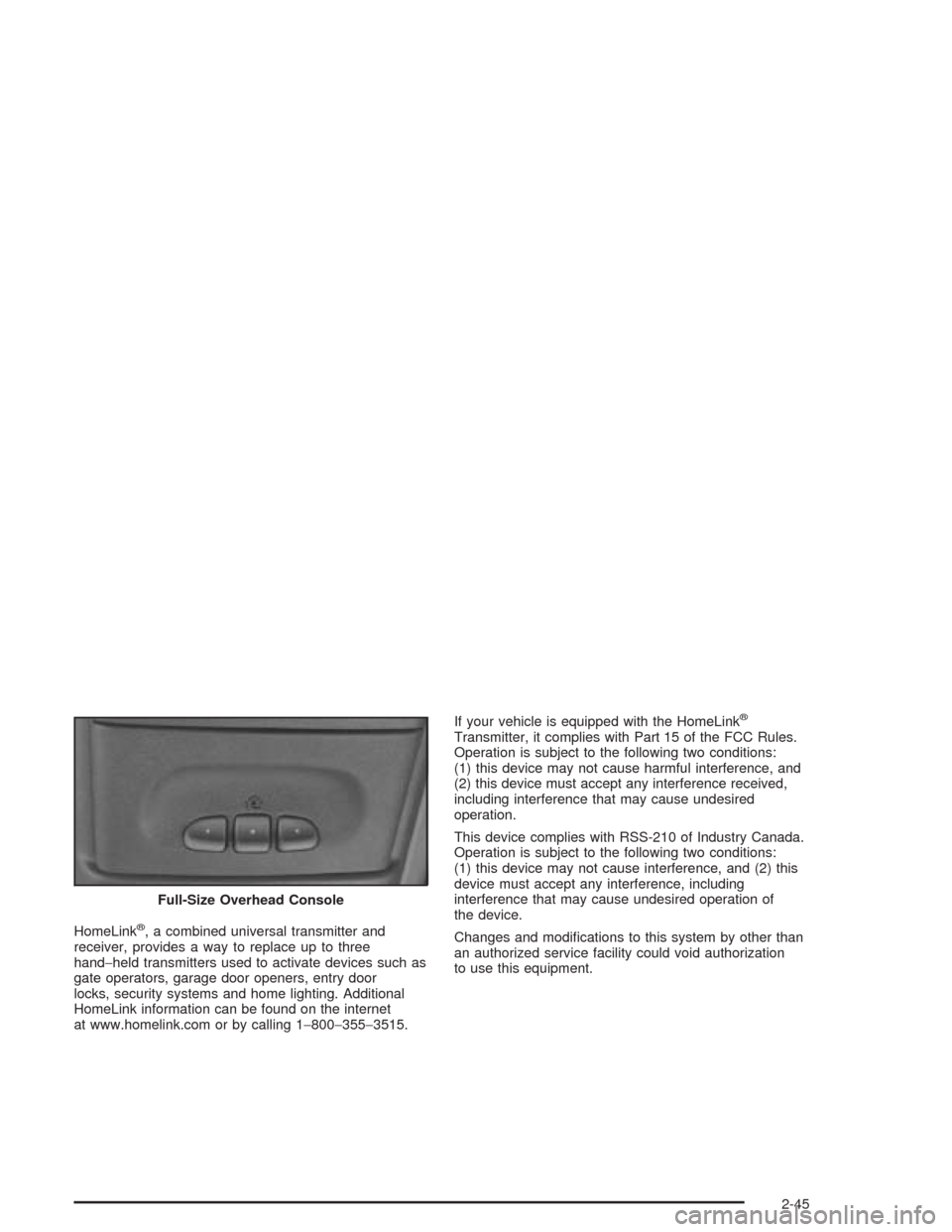
HomeLink®, a combined universal transmitter and
receiver, provides a way to replace up to three
hand−held transmitters used to activate devices such as
gate operators, garage door openers, entry door
locks, security systems and home lighting. Additional
HomeLink information can be found on the internet
at www.homelink.com or by calling 1−800−355−3515.If your vehicle is equipped with the HomeLink
®
Transmitter, it complies with Part 15 of the FCC Rules.
Operation is subject to the following two conditions:
(1) this device may not cause harmful interference, and
(2) this device must accept any interference received,
including interference that may cause undesired
operation.
This device complies with RSS-210 of Industry Canada.
Operation is subject to the following two conditions:
(1) this device may not cause interference, and (2) this
device must accept any interference, including
interference that may cause undesired operation of
the device.
Changes and modications to this system by other than
an authorized service facility could void authorization
to use this equipment. Full-Size Overhead Console
2-45