2004 CHEVROLET AVALANCHE light
[x] Cancel search: lightPage 100 of 548
Power Windows
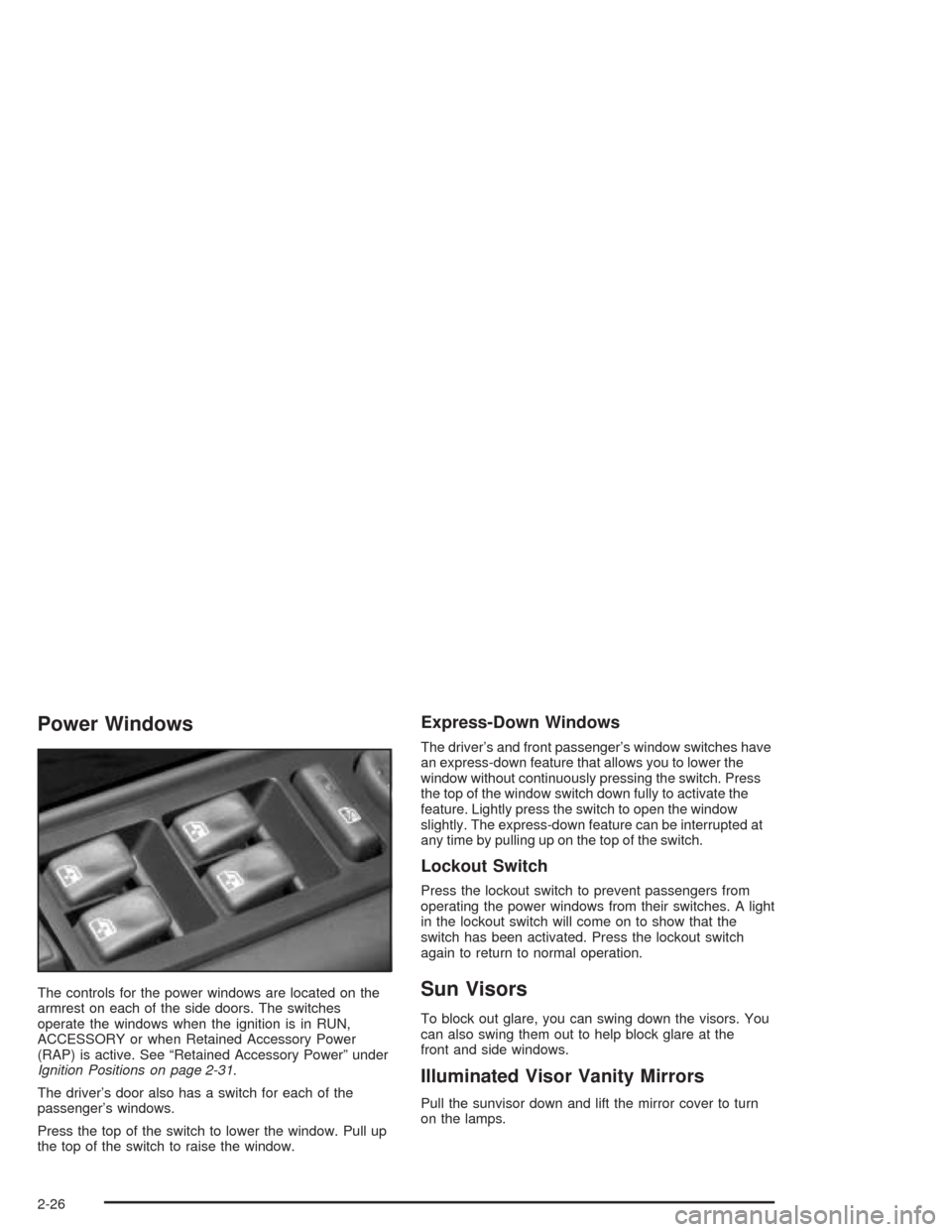
The controls for the power windows are located on the
armrest on each of the side doors. The switches
operate the windows when the ignition is in RUN,
ACCESSORY or when Retained Accessory Power
(RAP) is active. See “Retained Accessory Power” under
Ignition Positions on page 2-31.
The driver’s door also has a switch for each of the
passenger’s windows.
Press the top of the switch to lower the window. Pull up
the top of the switch to raise the window.
Express-Down Windows
The driver’s and front passenger’s window switches have
an express-down feature that allows you to lower the
window without continuously pressing the switch. Press
the top of the window switch down fully to activate the
feature. Lightly press the switch to open the window
slightly. The express-down feature can be interrupted at
any time by pulling up on the top of the switch.
Lockout Switch
Press the lockout switch to prevent passengers from
operating the power windows from their switches. A light
in the lockout switch will come on to show that the
switch has been activated. Press the lockout switch
again to return to normal operation.
Sun Visors
To block out glare, you can swing down the visors. You
can also swing them out to help block glare at the
front and side windows.
Illuminated Visor Vanity Mirrors
Pull the sunvisor down and lift the mirror cover to turn
on the lamps.
2-26
Page 101 of 548

Theft-Deterrent Systems
Vehicle theft is big business, especially in some cities.
Although your vehicle has a number of theft-deterrent
features, we know that nothing we put on it can make it
impossible to steal.
Content Theft-Deterrent
Your vehicle is equipped with a content theft-deterrent
alarm system.
With this system, the
security light in the
instrument panel cluster will
ash as you open the door
if your ignition is off.
This light reminds you to activate the theft-deterrent
system. Here’s how to do it:
1. Open the door.
2. Lock the door with the power door lock switch or
the remote keyless entry transmitter. The security
light should come on and stay on.3. Close all doors. The security light should go off
after about 30 seconds. The alarm is not armed
until the security light goes off.
If a locked door is opened without the key or the remote
keyless entry transmitter, the alarm will go off. The
headlamps and parking lamps will ash for two minutes,
and the horn will sound for 30 seconds, then will turn
off to save the battery power. You can choose different
feedback options for the alarm. SeeDriver Information
Center (DIC) on page 3-53.
Remember, the theft-deterrent system won’t activate if
you lock the doors with a key or use the manual
door lock. It activates only if you use a power door lock
switch with the door open, or with the remote keyless
entry transmitter. You should also remember that
you can start your vehicle with the correct ignition key if
the alarm has been set off.
2-27
Page 102 of 548

Here’s how to avoid setting off the alarm by accident:
If you don’t want to activate the theft-deterrent
system, the vehicle should be locked with the door
keyafterthe doors are closed.
Always unlock a door with a key, or use the remote
keyless entry transmitter. Unlocking a door any
other way will set off the alarm.
If you set off the alarm by accident, unlock any door
with the key. You can also turn off the alarm by pressing
unlock on the remote keyless entry transmitter. The
alarm won’t stop if you try to unlock a door any other
way.
Testing the Alarm
The alarm can be tested by following these steps:
1. From inside the vehicle, lower the driver’s window
and open the driver’s door.2. Activate the system by locking the doors with the
power door lock switch while the door is open, or
with the remote keyless entry transmitter.
3. Get out of the vehicle, close the door and wait for
the security light to go out.
4. Then reach in through the window, unlock the door
with the manual door lock and open the door. This
should set off the alarm.
While the alarm is set, the power door unlock switch is
not operational.
If the alarm does not sound when it should but the
headlamps ash, check to see if the horn works. The
horn fuse may be blown. To replace the fuse, seeFuses
and Circuit Breakers on page 5-120.
If the alarm does not sound or the headlamps do not
ash, the vehicle should be serviced by your dealer.
2-28
Page 103 of 548

Passlock®
Your vehicle is equipped with the Passlock®
theft-deterrent system.
Passlock
®is a passive theft-deterrent system. Passlock®
enables fuel if the ignition lock cylinder is turned with
a valid key. If a correct key is not used or the ignition
lock cylinder is tampered with, the fuel system is
disabled and the vehicle will not start.
During normal operation, the security light will turn off
approximately ve seconds after the key is turned
to RUN.
If the engine stalls and the security light ashes, wait
about 10 minutes until the light stops ashing before
trying to restart the engine. Remember to release
the key from START as soon as the engine starts.If the engine does not start after three tries, the vehicle
needs service.
If the engine is running and the security light comes on,
you will be able to restart the engine if you turn the
engine off. However, your Passlock
®system is
not working properly and must be serviced by your
dealer. Your vehicle is not protected by Passlock
®at this
time. You may also want to check the fuse. See
Fuses and Circuit Breakers on page 5-120. See your
dealer for service.
In an emergency, call the Roadside Assistance Center.
SeeRoadside Assistance Program on page 7-6.
2-29
Page 113 of 548
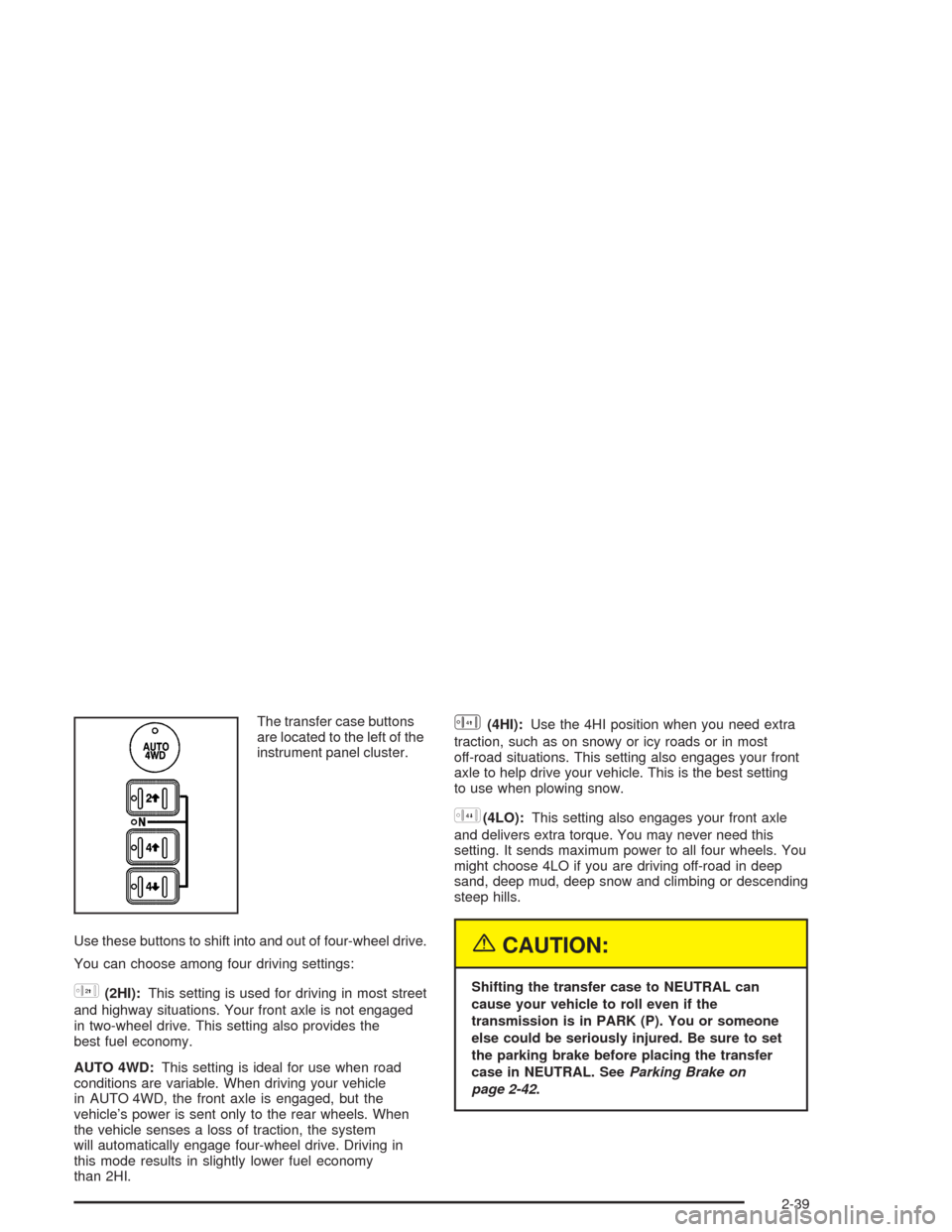
The transfer case buttons
are located to the left of the
instrument panel cluster.
Use these buttons to shift into and out of four-wheel drive.
You can choose among four driving settings:
h(2HI):This setting is used for driving in most street
and highway situations. Your front axle is not engaged
in two-wheel drive. This setting also provides the
best fuel economy.
AUTO 4WD:This setting is ideal for use when road
conditions are variable. When driving your vehicle
in AUTO 4WD, the front axle is engaged, but the
vehicle’s power is sent only to the rear wheels. When
the vehicle senses a loss of traction, the system
will automatically engage four-wheel drive. Driving in
this mode results in slightly lower fuel economy
than 2HI.
G(4HI):Use the 4HI position when you need extra
traction, such as on snowy or icy roads or in most
off-road situations. This setting also engages your front
axle to help drive your vehicle. This is the best setting
to use when plowing snow.
5(4LO):This setting also engages your front axle
and delivers extra torque. You may never need this
setting. It sends maximum power to all four wheels. You
might choose 4LO if you are driving off-road in deep
sand, deep mud, deep snow and climbing or descending
steep hills.
{CAUTION:
Shifting the transfer case to NEUTRAL can
cause your vehicle to roll even if the
transmission is in PARK (P). You or someone
else could be seriously injured. Be sure to set
the parking brake before placing the transfer
case in NEUTRAL. SeeParking Brake on
page 2-42.
2-39
Page 114 of 548
NEUTRAL (N):Shift the vehicle’s transfer case to
NEUTRAL only when towing your vehicle. See
Recreational Vehicle Towing on page 4-52orTowing
Your Vehicle on page 4-52for more information.
Indicator lights in the button show which setting you are
in. The indicator lights will come on briey when you
turn on the ignition and one will stay on. If the lights do
not come on, you should take your vehicle to your
dealer for service. An indicator light will ash while
shifting the transfer case. It will remain illuminated when
the shift is complete. If for some reason the transfer
case cannot make a requested shift, it will return to the
last chosen setting.
If the SERVICE 4WD message stays on, you should
take your vehicle to your dealer for service. See″Service
4WD message″underDriver Information Center (DIC)
on page 3-53.
Shifting into 4HI or AUTO 4WD
Press and release the 4HI or AUTO 4WD button. This
can be done at any speed (except when shifting
from 4LO), and the indicator light will ash while shifting.
It will remain illuminated when the shift is completed.
Shifting into 2HI
Press and release the 2HI button. This can be done at
any speed (except when shifting from 4LO).
Shifting into 4LO
To shift to the 4LO position, the ignition must be in RUN
and the vehicle must be stopped or moving less than
3 mph (4.8 km/h) with the transmission in NEUTRAL (N).
The preferred method for shifting into 4LO is to have
your vehicle moving 1 to 2 mph (1.6 to 3.2 km/h). Press
and release the 4LO button. You must wait for the
4LO indicator light to stop ashing and remain
illuminated before shifting your transmission in gear.
Notice:Shifting the transmission into gear before
the 4LO indicator light has stopped ashing
could damage the transfer case. To help avoid
damaging your vehicle, always wait for the 4LO
indicator light to stop ashing before shifting
the transmission into gear.
It is typical for your vehicle to exhibit signicant
engagment noise and bump when shifting between 4LO
and 4HI ranges or from NEUTRAL with the engine
running.
If the 4LO button is pressed when your vehicle is in
gear and/or moving, the 4LO indicator light will ash for
30 seconds and not complete the shift unless your
vehicle is moving less than 3 mph (4.8 km/h) and the
transmission is in NEUTRAL (N). After 30 seconds
the transfer case will shift to 4HI mode.
2-40
Page 115 of 548

Shifting Out of 4LO
To shift from 4LO to 4HI, AUTO 4WD or 2HI your
vehicle must be stopped or moving less than 3 mph
(4.8 km/h) with the transmission in NEUTRAL (N) and
the ignition in RUN. The preferred method for shifting out
of 4LO is to have your vehicle moving 1 to 2 mph
(1.6 to 3.2 km/h). Press and release the 4HI,
AUTO 4WD or 2HI button. You must wait for the 4HI,
AUTO 4WD or 2HI indicator light to stop ashing
and remain illuminated before shifting your transmission
into gear.
Notice:Shifting the transmission into gear before
the 4LO indicator light has stopped ashing
could damage the transfer case. To help avoid
damaging your vehicle, always wait for the 4LO
indicator light to stop ashing before shifting
the transmission into gear.
It is typical for your vehicle to exhibit signicant
engagment noise and bump when shifting between 4LO
and 4HI ranges or from NEUTRAL with the engine
running.
If the 4HI, AUTO 4WD or 2HI switch is pressed when
your vehicle is in gear and/or moving, the 4HI,
AUTO 4WD or 2HI indicator light will ash for
30 seconds but will not complete the shift unless your
vehicle is moving less than 3 mph (4.8 km/h) and
the transmission is in NEUTRAL (N).
Shifting into NEUTRAL
To shift the transfer case to NEUTRAL do the following:
1. Make sure the vehicle is parked so that it will
not roll.
2. Set the parking brake.
3. Start the vehicle or turn the ignition to RUN.
4. Connect the vehicle to the towing vehicle.
5. Put the transmission in NEUTRAL (N).
6. Shift the transfer case to 2HI.
7. Simultaneously press and hold the 2HI and 4LO
buttons for 10 seconds. The red NEUTRAL light
will come on when the transfer case shift to
NEUTRAL is complete.
8. Shift the transmission to REVERSE (R) for one
second, then shift the transmission to DRIVE (D)
for one second.
9. Turn the ignition to LOCK.
10. Place the transmission shift lever in PARK (P).
11. Release the parking brake prior to towing.
2-41
Page 116 of 548
Shifting Out of NEUTRAL
To shift out of NEUTRAL:
1. Set the parking brake and apply the regular brake
pedal.
2. Shift the transmission to NEUTRAL (N) and turn the
ignition to RUN with the engine off.
3. Press the button for the desired transfer case shift
position (2HI, 4HI, AUTO 4WD OR 4LO).
4. After the transfer case has shifted out of NEUTRAL
the red light will go out.
5. Release the parking brake.
6. You may start the engine and shift the transmission
to the desired position.
Excessively shifting the transfer case into or out of the
different modes may cause the transfer case to
enter the shift protection mode. This will protect the
transfer case from possible damage and will only allow
the transfer case to respond to one shift per
10 seconds. The transfer case may stay in this mode for
up to three minutes.
Parking Brake
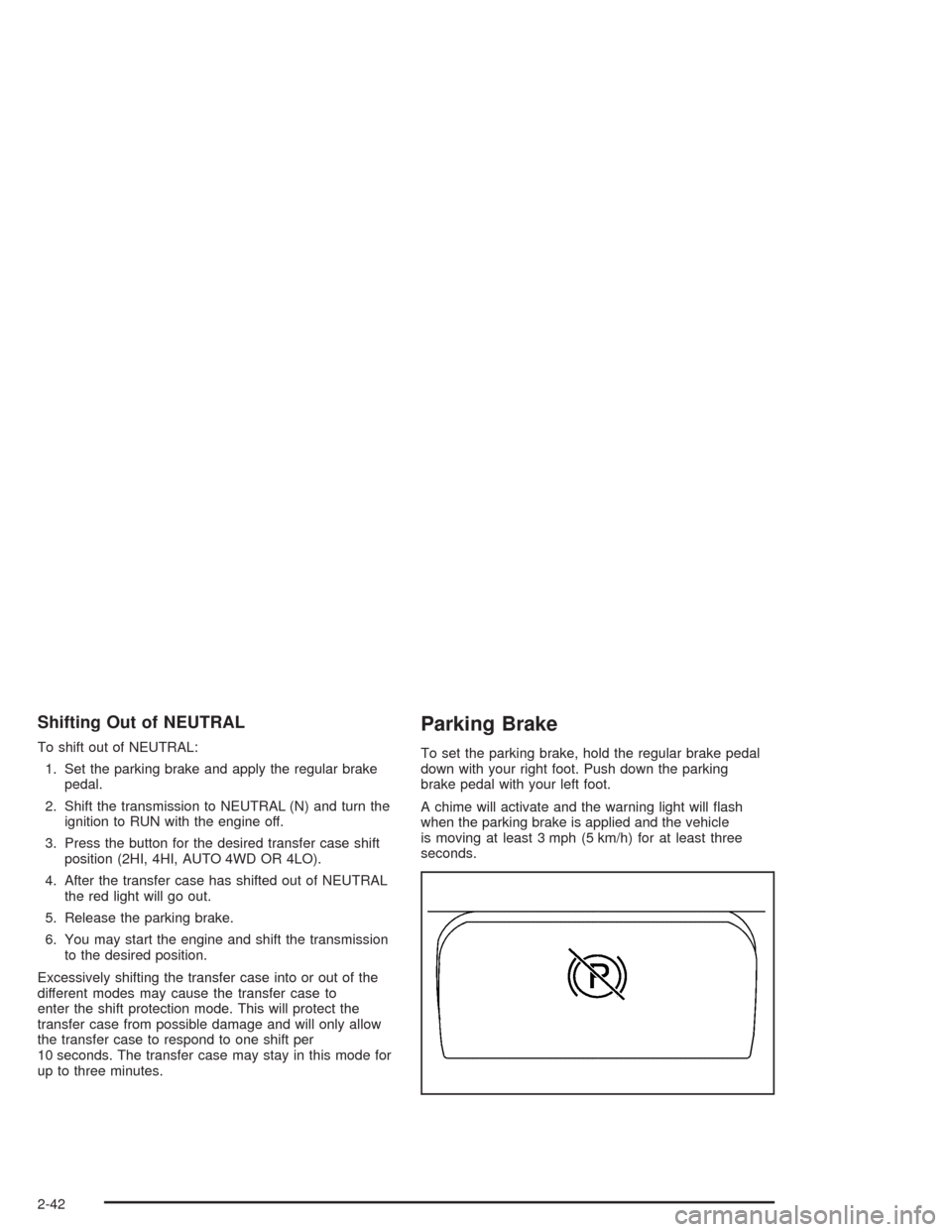
To set the parking brake, hold the regular brake pedal
down with your right foot. Push down the parking
brake pedal with your left foot.
A chime will activate and the warning light will ash
when the parking brake is applied and the vehicle
is moving at least 3 mph (5 km/h) for at least three
seconds.
2-42