2004 CHEVROLET ASTRO ignition
[x] Cancel search: ignitionPage 117 of 382

Before you turn on the ignition and move the vehicle,
the temperature indicated will be the last outside
temperature recorded with the ignition on. If the outside
temperature is 37ÉF (3ÉC) or lower, the display will
toggle between the word ICE and the current
temperature every eight seconds. This is a warning to
the driver that road conditions may be icy, and that
appropriate precautions should be taken.
The compass is self-calibrating, so it does not need to
be manually set. However, if C (Calibration) is displayed,
the compass will need to be calibrated. You may also
place the compass in a noncalibrated mode by pressing
and holding the US/MET and MODE buttons
simultaneously while in the COMP/TEMP mode. After
about 10 seconds, the compass will display C and
you can release the buttons. Drive the vehicle in
a complete 360É circle three times at a speed of less
than 5 mph (8 km/h), and the compass will function
normally. Once the calibration is complete, the display
will return to a compass reading.
Variance is the difference between magnetic north and
geographic north. In some areas, the difference
between the two can be great enough to cause false
compass readings. If this happens, follow these
instructions to set the variance for your particular
location:
1. Find your location on the zone map. Record your
zone number.2. Press and hold both the US/MET and the MODE
buttons while in the COMP/TEMP mode.
3. After ®ve seconds, the compass will acknowledge
the variation mode by displaying the current zone
number. When it does, release both buttons.
4. Press US/MET until your zone number appears on
the display.
5. Press MODE to enter your zone number. Your
variance is now set and the display will return to
the COMP/TEMP mode.
2-39
Page 123 of 382
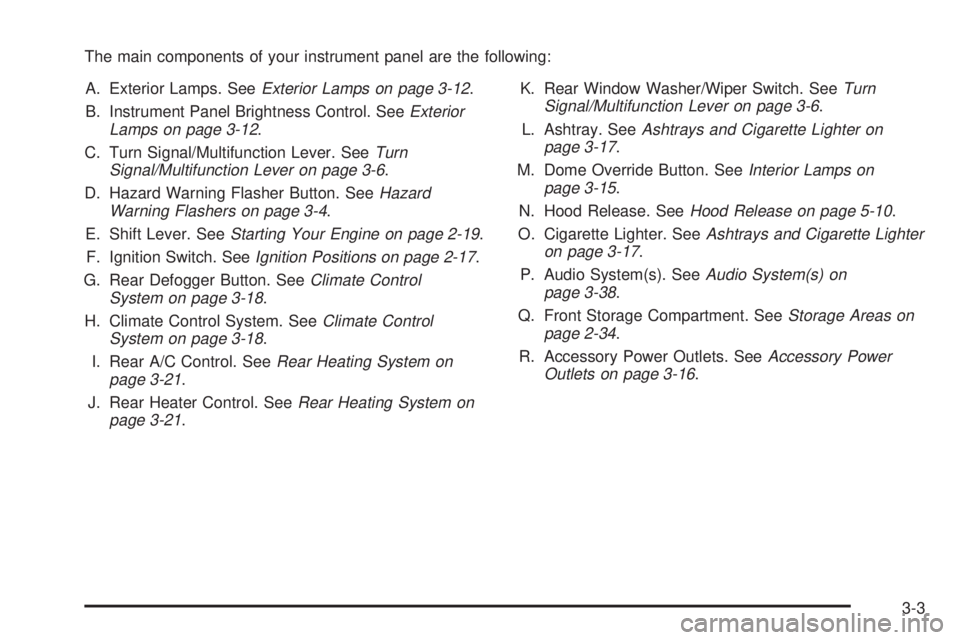
The main components of your instrument panel are the following:
A. Exterior Lamps. See
Exterior Lamps on page 3-12.
B. Instrument Panel Brightness Control. See
Exterior
Lamps on page 3-12.
C. Turn Signal/Multifunction Lever. See
Turn
Signal/Multifunction Lever on page 3-6.
D. Hazard Warning Flasher Button. See
Hazard
Warning Flashers on page 3-4.
E. Shift Lever. See
Starting Your Engine on page 2-19.
F. Ignition Switch. See
Ignition Positions on page 2-17.
G. Rear Defogger Button. See
Climate Control
System on page 3-18.
H. Climate Control System. See
Climate Control
System on page 3-18.
I. Rear A/C Control. See
Rear Heating System on
page 3-21.
J. Rear Heater Control. See
Rear Heating System on
page 3-21.K. Rear Window Washer/Wiper Switch. See
Turn
Signal/Multifunction Lever on page 3-6.
L. Ashtray. See
Ashtrays and Cigarette Lighter on
page 3-17.
M. Dome Override Button. See
Interior Lamps on
page 3-15.
N. Hood Release. See
Hood Release on page 5-10.
O. Cigarette Lighter. See
Ashtrays and Cigarette Lighter
on page 3-17.
P. Audio System(s). See
Audio System(s) on
page 3-38.
Q. Front Storage Compartment. See
Storage Areas on
page 2-34.
R. Accessory Power Outlets. See
Accessory Power
Outlets on page 3-16.
3-3
Page 132 of 382
Passing Another Vehicle While Using
Cruise Control
Use the accelerator pedal to increase your speed.
When you take your foot off the pedal, your vehicle will
slow down to the cruise control speed you set earlier.
Using Cruise Control on Hills
How well your cruise control will work on hills depends
upon your speed, load and the steepness of the
hills. When going up steep hills, you may want to step
on the accelerator pedal to maintain your speed.
When going downhill, you may have to brake or shift to
a lower gear to keep your speed down. Of course,
applying the brake takes you out of cruise control. Many
drivers ®nd this to be too much trouble and don't use
cruise control on steep hills.
Ending Cruise Control
There are two ways to turn off the cruise control:
·Step lightly on the brake pedal.
·Move the cruise switch to OFF.
Erasing Speed Memory
When you turn off the cruise control or the ignition, your
cruise control set speed memory is erased.
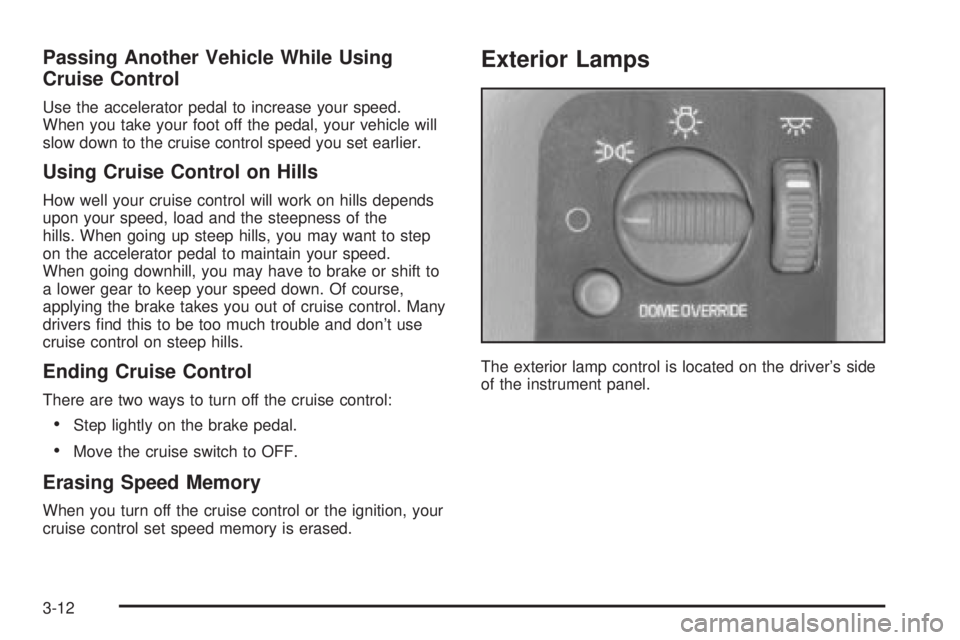
Exterior Lamps
The exterior lamp control is located on the driver's side
of the instrument panel.
3-12
Page 133 of 382

The exterior lamp control has three positions:
9(Off):Turning the control to this position turns off
all lamps except the Daytime Running Lamps (DRL).
;(Parking Lamps):Turning the control to this
position turns on the parking lamps, together with the
following:
·Sidemarker Lamps
·Taillamps
·License Plate Lamps
·Instrument Panel Lights
·Ashtray Lamp
O(Headlamps):Turning the control to this position
turns on the headlamps, together with the previously
listed lamps and lights.
Automatic Headlamp System
When it is dark enough outside, your automatic
headlamp system will turn on your headlamps at the
normal brightness along with other lamps such as
the taillamps, sidemarker, parking lamps and the
instrument panel lights. The radio lights will also dim.
Your vehicle is equipped with a light sensor on the top of
the instrument panel in the defroster grille. Be sure it
is not covered, or the system will be on whenever
the ignition is on.
The system may also turn on your headlamps when
driving through a parking garage, heavy overcast
weather or a tunnel. This is normal.
There is a delay in the transition between the daytime
and nighttime operation of the Daytime Running
Lamps (DRL) and the automatic headlamp systems so
that driving under bridges or bright overhead street
lights does not affect the system. The DRL and
automatic headlamp system will only be affected when
the light sensor sees a change in lighting lasting
longer than the delay.
3-13
Page 134 of 382

To idle your vehicle with the automatic headlamp
system off, set the parking brake while the ignition is off.
Then start your vehicle. The automatic headlamp
system will stay off until you release the parking brake.
You may be able to turn off your automatic headlamp
system. See ªDaytime Running Lamps (DRL)º later
in this section for more information.
As with any vehicle, you should turn on the regular
headlamps when you need them.
Lamps On Reminder
A reminder tone will sound when your headlamps or
parking lamps are manually turned on and your ignition
is in OFF, LOCK or ACCESSORY. To disable the
tone, turn the instrument panel brightness thumbwheel
all the way down. In the automatic mode, the
headlamps turn off once the ignition key is in OFF.
Daytime Running Lamps (DRL)
Daytime Running Lamps (DRL) can make it easier for
others to see the front of your vehicle during the
day. DRL can be helpful in many different driving
conditions, but they can be especially helpful in the short
periods after dawn and before sunset. Fully functional
daytime running lamps are required on all vehicles
®rst sold in Canada.
The DRL system will make your headlamps come on at
a reduced brightness when the following conditions
are met:
·The ignition is on,
·the exterior lamp control is off.
·the automatic transmission is not in PARK (P),
·the light sensor determines it is daytime and
·the parking brake is released.
When the DRL are on, only your DRL lamps will be on.
The taillamps, sidemarker and other lamps won't be
on. Your instrument panel won't be lit up either.
3-14
Page 135 of 382

When it begins to get dark, the automatic headlamp
system will switch from DRL to the headlamps or the last
chosen headlamp setting that was used.
To idle your vehicle with the DRL off, put the
transmission in PARK (P). The DRL will stay off until
you shift out of PARK (P).
The following does not apply to vehicles ®rst sold in
Canada.
When necessary, you may turn off the automatic
headlamp system and the Daytime Running
Lamps (DRL) feature by following the steps below:
1. Turn the ignition to RUN.
2. Press the DOME OVERRIDE button four times
within six seconds. After the fourth press of the
button, a chime will sound informing you that
the system is off.
To return to the automatic mode, push the DOME
OVERRIDE button four times within six seconds (the
chime will sound), or turn the ignition to off and then to
RUN again.
As with any vehicle, you should turn on the regular
headlamp system when you need it.
Interior Lamps
Instrument Panel Brightness Control
The thumbwheel for this feature is located to the right of
the exterior lamps control. Turn the thumbwheel up to
brighten the lights or down to dim them.
Moving the thumbwheel up to the ®rst position will
activate the interior dome lamps.
Exit Lighting
With exit lighting, the interior lamps will come on when
you remove the key from the ignition. The lights will
not come on if the DOME OVERRIDE button is
pressed in.
Entry Lighting
Your vehicle is equipped with an illuminated entry
feature.
When a door is opened, the dome lamps will come on if
the DOME OVERRIDE button is in the out position.
The dome lamps will not come on when the Dutch doors
are opened. When all the doors are closed, the lamps
will stay on for a short period of time and will then
go out. If the DOME OVERRIDE button is pressed in,
the lamps will not come on.
3-15
Page 136 of 382
Dome Lamps
The dome lamps will come on when you open a door.
Press the DOME OVERRIDE button in to cancel
automatic operation of the dome lamps. The button is
located near the exterior lamp control. Press the button
again to return it to the out position for normal
operation.
You can also turn the dome lamps on by turning the
thumbwheel, located next to the exterior lamp control, all
the way up. In this position, the dome lamps will
remain on whether a door is opened or closed.
You can use the DOME OVERRIDE button, located
near the exterior lamp control, to set the dome lamps to
come on automatically when a door is opened, or to
remain off. To turn the lamps off, press the button into
the in position, the dome lamps will remain off when
a door is open. To return the lamps to automatic
operation, press the button again and return it to the out
position. With the button in this position, the dome
lamps will come on when you open a door.
Battery Run-Down Protection
This feature shuts off the dome, courtesy, vanity,
reading and glove box lights if they are left on for more
than 20 minutes when the ignition is off. This will
keep your battery from running down.
If the battery run-down protection shuts off the interior
lamps, it may be necessary to do one of the following to
return to normal operation:
·Shut off all lamps and close all doors, or
·turn the ignition key to RUN.
Accessory Power Outlets
You can plug accessory electrical equipment into an
accessory power outlet. Just pull on the outlet cover to
remove it and follow the proper installation instructions
that are included with any electrical equipment that
you install.
The accessory power outlet is located on the
passenger's side of the front storage compartment.
These circuits are protected by a fuse and have
maximum current levels.
3-16
Page 139 of 382
Defogging and Defrosting
Turn the right knob to select the defog or defrost mode.
-(Blend):With this setting, the outside air comes
out of both the ¯oor and defroster outlets. Adjust
the temperature knob for warmer or cooler air. The air
conditioning compressor may operate in this setting
to dehumidfy the air.
1(Defrost):This setting operates the defroster. Most
of the air comes out near the windshield, with some
going to the ¯oor outlets and front side windows. The air
conditioning compressor may operate in this setting to
dehumidify the air.
The bi-level setting is useful for cold weather with a
large number of passengers or very humid conditions to
help keep the windshield clear. Use defrost to remove
fog or ice from the windshield quickly in extremely
cold conditions. The temperature knob should be in the
red area and the fan control toward high.
Rear Window Defogger
The rear window defogger uses a warming grid to
remove fog or frost from the rear window.
The rear window defogger will only work when the
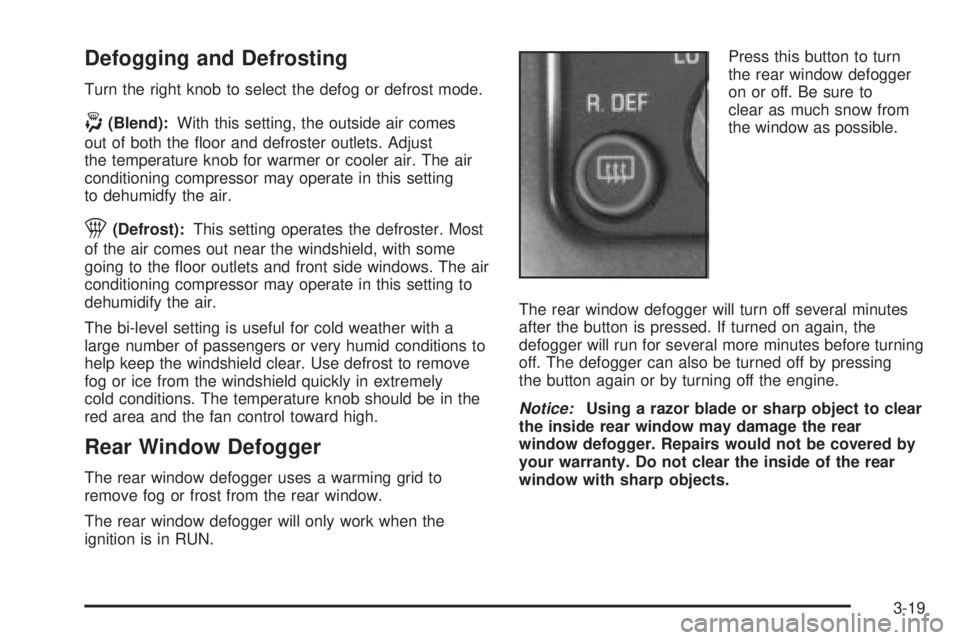
ignition is in RUN.Press this button to turn
the rear window defogger
on or off. Be sure to
clear as much snow from
the window as possible.
The rear window defogger will turn off several minutes
after the button is pressed. If turned on again, the
defogger will run for several more minutes before turning
off. The defogger can also be turned off by pressing
the button again or by turning off the engine.
Notice:Using a razor blade or sharp object to clear
the inside rear window may damage the rear
window defogger. Repairs would not be covered by
your warranty. Do not clear the inside of the rear
window with sharp objects.
3-19