2004 BUICK PARK AVENUE climate control
[x] Cancel search: climate controlPage 149 of 410

Climate Controls Personalization
If your vehicle is equipped with this feature, up to two
drivers are able to store and recall climate control
settings for the temperature, the fan speed and the
direction of the airow.
Memory buttons 1 and 2 are located on the driver’s
door panel and correspond to the numbers 1 or 2 found
on the back of each remote keyless entry transmitter.
To store settings, do the following:
1. Select the desired temperature, fan speed and
airow mode. If desired, a separate temperature
setting may also be selected for the front seat
passenger. For information on how to do this,
seeDual Automatic Climate Control System on
page 3-24.
2. Locate memory buttons 1 and 2 on the driver’s
door panel.3. Press the memory button on the door panel that
corresponds to the number on the back of the
transmitter you are programming, until you hear two
beeps. The beeps conrm that your selection has
been saved and can now be recalled. For more
information on the memory feature, seeMemory
Seat and Mirrors on page 2-51.
Follow these steps each time you want to change the
stored settings.
To recall the climate control settings last stored on your
transmitter, press the unlock button on your remote
keyless entry transmitter and put the ignition in
ACCESSORY or RUN. The settings will be recalled.
3-31
Page 155 of 410
{CAUTION:
If the air bag readiness light stays on after you
start your vehicle, it means the air bag system
may not be working properly. The air bags in
your vehicle may not inate in a crash, or they
could even inate without a crash. To help
avoid injury to yourself or others, have your
vehicle serviced right away if the air bag
readiness light stays on after you start your
vehicle.
The air bag readiness light should ash for a few
seconds when you turn the ignition key to RUN. If the
light doesn’t come on then, have it xed so it will
be ready to warn you if there is a problem.
Battery Warning Light
When you turn the key to
RUN, this light will come
on briey, to show the
battery charging system
is working.
When the light goes off and stays off, the charging
system is working.
If the light stays on, a chime will sound indicating you
need service, and you should take your vehicle to
the dealer at once. To save your battery until you get
there, turn off all accessories and turn off your climate
control system.
3-37
Page 169 of 410

When the STABILITY SYSTEM ACTIVE message is on,
you should continue to steer in the direction you want
to go. The system is designed to help you in bad
weather or other difficult driving situations by making the
most of whatever road conditions will permit. If the
STABILITY SYSTEM ACTIVE message comes on, you
will know that something has caused your vehicle to
start to spin, so you should consider slowing down.
Tire Pressure Status – 140:If you see the TIRE
PRESSURE LOW message, you should stop as soon
as you can and check all your tires for damage. If a tire
is at, seeIf a Tire Goes Flat on page 5-79. Also check
the tire pressure in all four tires as soon as you can.
SeeInation - Tire Pressure on page 5-69andCheck
Tire Pressure System on page 5-70.
There are times when you will have to reset (calibrate)
the Check Tire Pressure System. SeeCheck Tire
Pressure System on page 5-70.DIC Vehicle Personalization
The DIC is used to program personal choices for up to
two drivers. The drivers are recognized as DRIVER #1
and DRIVER #2. The DIC will identify a person as
UNKNOWN DRIVER if neither DRIVER #1 nor
DRIVER #2 is identied by the system. You will let the
DIC know which driver you are by using your remote
keyless entry transmitter or by pressing one of the
MEMORY buttons located on the driver’s door. Each
remote keyless entry transmitter was pre-programmed to
belong to DRIVER #1 or DRIVER #2 and is numbered
on the back. Each transmitter may be programmed
differently.
After you press the unlock button on your transmitter
with the ignition in RUN, the DIC will display the
identied driver number. The vehicle will recall the
personal choice settings that were last made to
correspond to your transmitter, including your radio
and climate control settings. SeeClimate Controls
Personalization on page 3-31.
3-51
Page 319 of 410
Uniform Tire Quality Grading
Quality grades can be found where applicable on the
tire sidewall between tread shoulder and maximum
section width. For example:
Treadwear 200 Traction AA Temperature A
The following information relates to the system
developed by the United States National Highway
Traffic Safety Administration, which grades tires by
treadwear, traction and temperature performance.
(This applies only to vehicles sold in the United States.)
The grades are molded on the sidewalls of most
passenger car tires. The Uniform Tire Quality Grading
system does not apply to deep tread, winter-type
snow tires, space-saver or temporary use spare tires,
tires with nominal rim diameters of 10 to 12 inches
(25 to 30 cm), or to some limited-production tires.
While the tires available on General Motors passenger
cars and light trucks may vary with respect to these
grades, they must also conform to federal safety
requirements and additional General Motors Tire
Performance Criteria (TPC) standards.
Treadwear
The treadwear grade is a comparative rating based on
the wear rate of the tire when tested under controlled
conditions on a specied government test course.
For example, a tire graded 150 would wear one and
a half (1.5) times as well on the government course as
a tire graded 100. The relative performance of tires
depends upon the actual conditions of their use,
however, and may depart signicantly from the norm
due to variations in driving habits, service practices
and differences in road characteristics and climate.
Traction – AA, A, B, C
The traction grades, from highest to lowest, are AA,
A, B, and C. Those grades represent the tire’s ability to
stop on wet pavement as measured under controlled
conditions on specied government test surfaces
of asphalt and concrete. A tire marked C may have poor
traction performance. Warning: The traction grade
assigned to this tire is based on straight-ahead braking
traction tests, and does not include acceleration,
cornering, hydroplaning, or peak traction characteristics.
5-75
Page 397 of 410
Chemical Paint Spotting...................................5-96
Child Restraints
Child Restraint Systems...............................1-33
Infants and Young Children...........................1-30
Lower Anchorages and Top Tethers for
Children (LATCH System)..........................1-40
Older Children.............................................1-27
Securing a Child Restraint Designed for
the LATCH System...................................1-42
Securing a Child Restraint in a Center
Rear Seat Position...................................1-44
Securing a Child Restraint in a Rear
Outside Seat Position...............................1-42
Securing a Child Restraint in the Right
Front Seat Position...................................1-46
Top Strap...................................................1-38
Top Strap Anchor Location............................1-39
Where to Put the Restraint...........................1-36
Cigarette Lighter.............................................3-23
Cleaning
Inside of Your Vehicle..................................5-90
Outside of Your Vehicle................................5-93
Underbody Maintenance...............................5-96
Weatherstrips..............................................5-93
Cleaning Aluminum or Chrome-Plated Wheels.......5-95
Cleaning Exterior Lamps/Lenses.......................5-94
Cleaning Fabric/Carpet....................................5-90
Cleaning Glass Surfaces..................................5-92
Cleaning Interior Plastic Components.................5-92
Cleaning Leather............................................5-92Cleaning the Speaker Covers...........................5-92
Cleaning the Top of the Instrument Panel...........5-92
Cleaning Tires................................................5-95
Cleaning Vinyl................................................5-92
Cleaning Windshield and Wiper Blades..............5-94
Climate Control System
Air Filter, Passenger Compartment.................3-30
Climate Controls Personalization....................3-31
Dual Automatic............................................3-24
Outlet Adjustment........................................3-29
Steering Wheel Controls...............................3-30
Compact Spare Tire........................................5-89
Compass Calibration.......................................2-37
Compass Operation.........................................2-37
Compass Variance..........................................2-38
Content Theft-Deferrent....................................2-19
Control of a Vehicle.......................................... 4-6
Convenience Net............................................2-49
Coolant
Engine Temperature Gage............................3-40
Heater, Engine............................................2-26
Cooling System..............................................5-30
Cornering Lamps............................................3-14
Courtesy Lamps.............................................3-15
Cruise Control.................................................. 3-9
Cruise Control Light........................................3-45
Current and Past Model Order Forms................7-12
Customer Assistance Information
Courtesy Transportation.................................. 7-7
3
Page 398 of 410
Customer Assistance Information (cont.)
Customer Assistance for Text
Telephone (TTY) Users............................... 7-4
Customer Assistance Offices........................... 7-4
Customer Satisfaction Procedure..................... 7-2
GM Mobility Program for Persons with
Disabilities................................................ 7-5
Reporting Safety Defects to General Motors.......7-11
Reporting Safety Defects to the
Canadian Government..............................7-11
Reporting Safety Defects to the
United States Government.........................7-10
Roadside Assistance Program......................... 7-6
Service Publications Ordering Information........7-11
Customizing Your Automatic Door Locks
Feature......................................................2-13
D
Daytime Running Lamps..................................3-13
Defensive Driving............................................. 4-2
Defogging and Defrosting.................................3-27
Delayed Entry Lighting.....................................3-15
Delayed Exit Lighting.......................................3-15
Delayed Locking.....................................2-11, 3-54
Dinghy Towing................................................4-32
Disabling the Theft-Deterrent Feature.................3-77
Doing Your Own Service Work........................... 5-3
Dolly Towing..................................................4-32Door
Central Door Unlocking System.....................2-11
Delayed Locking..........................................2-11
Door Ajar Reminder.....................................2-11
Locks........................................................2-10
Power Door Locks.......................................2-11
Programmable Automatic Door Locks.............2-12
Rear Door Security Locks.............................2-14
Driver
Position, Safety Belt.....................................1-12
Driver Information Center (DIC).........................3-47
DIC Controls and Displays............................3-47
DIC Vehicle Personalization..........................3-51
DIC Warnings and Messages........................3-50
Driving
At Night.....................................................4-17
City...........................................................4-21
Defensive..................................................... 4-2
Drunken....................................................... 4-3
Freeway.....................................................4-22
Hill and Mountain Roads..............................4-24
In Rain and on Wet Roads...........................4-18
Winter........................................................4-26
Driving On Grades..........................................4-44
Driving on Snow or Ice....................................4-27
Driving Through Deep Standing Water...............4-20
Driving Through Flowing Water.........................4-20
Driving with a Trailer.......................................4-42
Dual Automatic Climate Control System.............3-24
4
Page 404 of 410
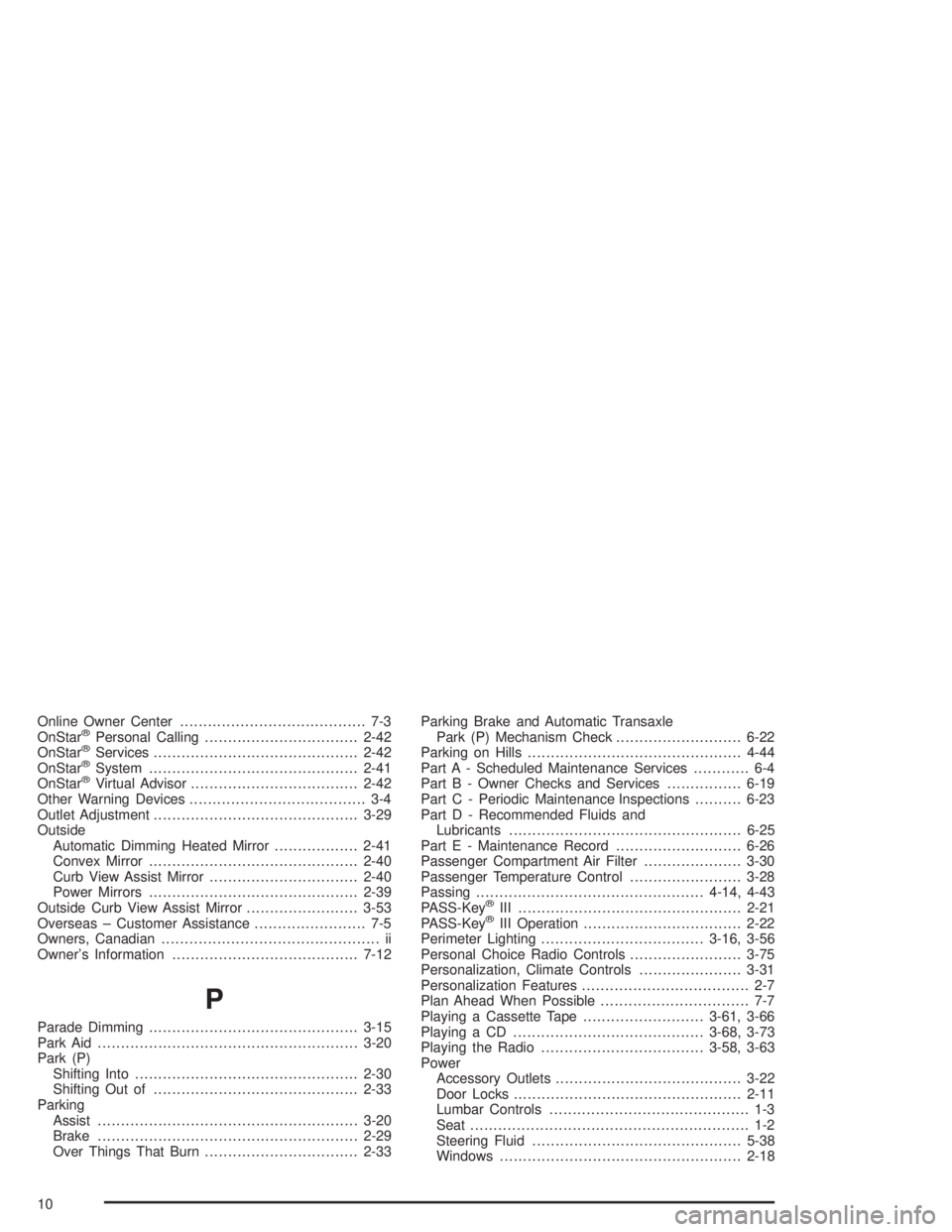
Online Owner Center........................................ 7-3
OnStar®Personal Calling.................................2-42
OnStar®Services............................................2-42
OnStar®System.............................................2-41
OnStar®Virtual Advisor....................................2-42
Other Warning Devices...................................... 3-4
Outlet Adjustment............................................3-29
Outside
Automatic Dimming Heated Mirror..................2-41
Convex Mirror.............................................2-40
Curb View Assist Mirror................................2-40
Power Mirrors.............................................2-39
Outside Curb View Assist Mirror........................3-53
Overseas – Customer Assistance........................ 7-5
Owners, Canadian............................................... ii
Owner’s Information........................................7-12
P
Parade Dimming.............................................3-15
Park Aid........................................................3-20
Park (P)
Shifting Into................................................2-30
Shifting Out of............................................2-33
Parking
Assist........................................................3-20
Brake........................................................2-29
Over Things That Burn.................................2-33Parking Brake and Automatic Transaxle
Park (P) Mechanism Check...........................6-22
Parking on Hills..............................................4-44
Part A - Scheduled Maintenance Services............ 6-4
Part B - Owner Checks and Services................6-19
Part C - Periodic Maintenance Inspections..........6-23
Part D - Recommended Fluids and
Lubricants..................................................6-25
Part E - Maintenance Record...........................6-26
Passenger Compartment Air Filter.....................3-30
Passenger Temperature Control........................3-28
Passing.................................................4-14, 4-43
PASS-Key
®III ................................................2-21
PASS-Key®III Operation..................................2-22
Perimeter Lighting...................................3-16, 3-56
Personal Choice Radio Controls........................3-75
Personalization, Climate Controls......................3-31
Personalization Features.................................... 2-7
Plan Ahead When Possible................................ 7-7
Playing a Cassette Tape..........................3-61, 3-66
Playing a CD.........................................3-68, 3-73
Playing the Radio...................................3-58, 3-63
Power
Accessory Outlets........................................3-22
Door Locks.................................................2-11
Lumbar Controls........................................... 1-3
Seat............................................................ 1-2
Steering Fluid.............................................5-38
Windows....................................................2-18
10