2004 BMW 645CI COUPE light
[x] Cancel search: lightPage 46 of 216

Adjustments
44
Seat, mirror and steering
wheel memory
You can store and select three different
adjustment settings for the driver's seat,
exterior mirrors and steering wheel.
The adjustment of the lumbar support is not
stored in the memory.
Storing
Ignition key as of position 1:
1.Adjust the desired seat, exterior mirror
and steering-wheel positions
2.Press
MEMORY button:
The indicator lamp in the button lights
up
3.Press the desired memory button 1, 2
or 3:
The indicator lamp goes out.
Calling up automatically
You have two possibilities:
>Calling up on unlocking the vehicle
>Calling up on opening the driver's door.
If you want to call up the last driver's seat,
exterior mirror and steering wheel position,
proceed as follows:
Control Center, for principle details, refer to
page 16:
1.Open the menu
2.Select "Vehicle settings" and press the
controller
3.Select "Door locks" and press the con-
troller
4.Select "Central locking" and press the
controller5.Select "Last seat pos." and press the
controller
6.Select "After unlocking" or "After open-
ing door"
7.Press the controller.
Depending on which key you have used to
open the vehicle, the last adjustment is
applied.
When using this Key Memory feature,
always make sure that the footwell
behind the driver's seat is empty and unob-
structed. If you fail to do so, any persons or
objects behind the seat could be injured or
damaged by a rearward movement of the
seat.<
Calling up manually
Do not call up a position from the
memory while the vehicle is moving.
There is a risk of accident from unexpected
movement of the seat or steering wheel.<
Convenience mode
1.Open the driver's door after unlocking
or turn the ignition key to position 1
2.Briefly press the desired memory but-
ton 1, 2 or 3.
The system immediately cancels the
adjustment procedure when you press one
of the seat adjustment switches or use one
of the memory buttons.
The adjusting procedure for the steering
wheel is immediately interrupted if you
operate the switch for the steering wheel
adjustment in any direction, refer to
page 48.
Page 47 of 216

Controls
45Reference
At a glance
Driving tips
Communications
Navigation
Entertainment
Mobility
Safety feature
1.Close the driver's door and turn the
ignition key to position 0 or 2
2.Press the desired memory button 1, 2
or 3 and maintain pressure until the
adjustment process has been com-
pleted.
If you press the
MEMORY button acciden-
tally:
Press the button again; the indicator lamp
goes out.
Tilt function, passenger-side mirror
Automatic curb monitor
Activating
1.Select the driver's exterior mirror with
the switch
2.When you engage reverse gear or
selector-lever position R, the exterior
mirror glass on the front passenger side
tilts downward slightly. This allows the
driver to see the area immediately adja-
cent to the vehicle – such as a curb –
when parking, etc.
Deactivating
Slide the mirror selection switch to the pas-
senger's side position.
Front head restraints
Head restraints reduce the risk of spi-
nal injury in the event of an accident.
Adjust the head restraints so that they are
centered roughly at the level of your ears.<
Coupe
Adjusting the height
>To raise: pull
>To lower: press.
To reach the lowest position, press
the button, refer to arrow 1.<
Adjusting tilt angle
Swivel the head restraints.
Removal
1.Pull the head restraint upwards to the
stop
2.Press the button, arrow 1, and remove
the head restraint.
Installation
Push the head restraint into the supports.
Convertible
Adjusting height
>To raise: move the switch upwards
>To lower: move the switch downwards.
Page 48 of 216
Adjustments
46
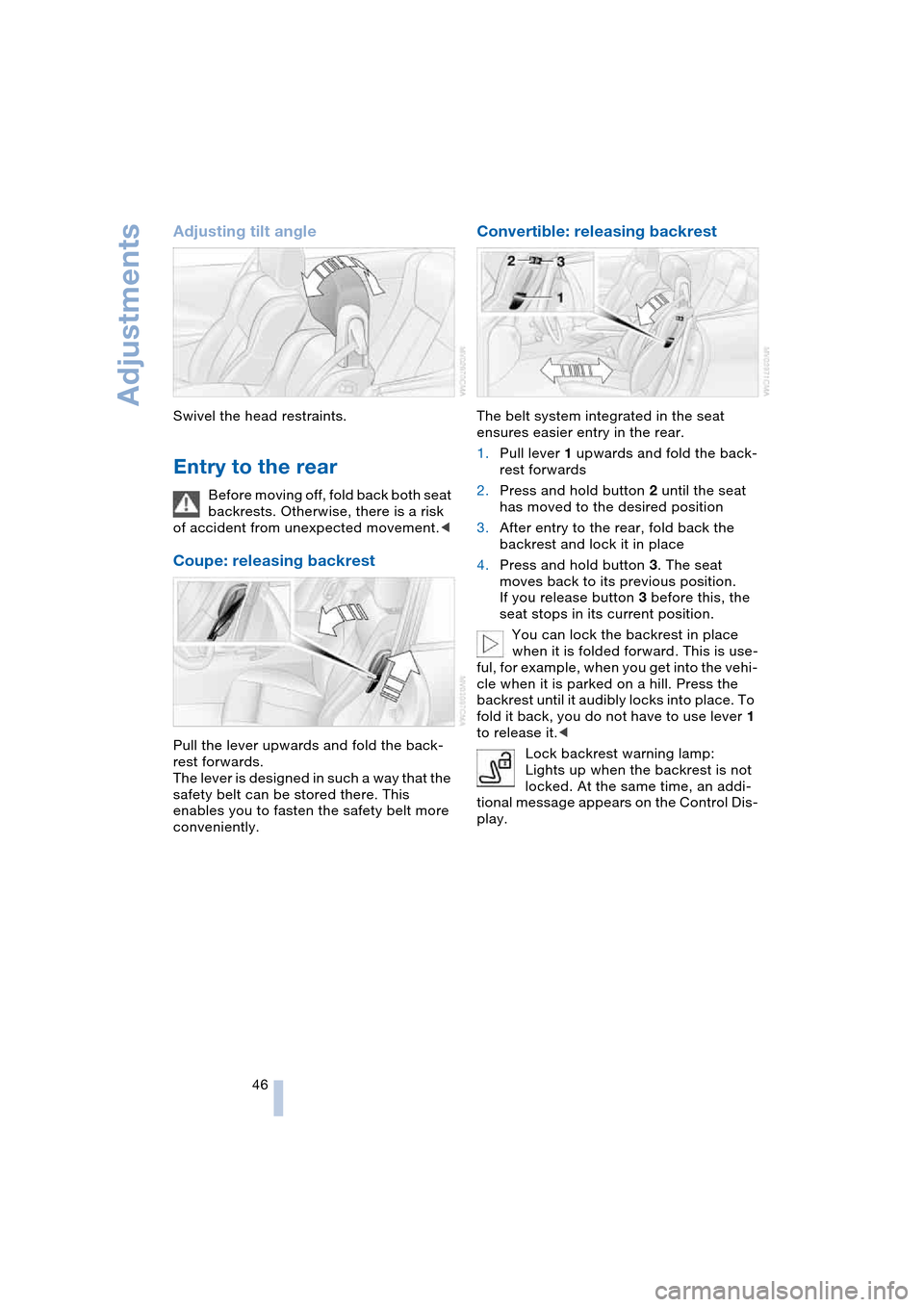
Adjusting tilt angle
Swivel the head restraints.
Entry to the rear
Before moving off, fold back both seat
backrests. Otherwise, there is a risk
of accident from unexpected movement.<
Coupe: releasing backrest
Pull the lever upwards and fold the back-
rest forwards.
The lever is designed in such a way that the
safety belt can be stored there. This
enables you to fasten the safety belt more
conveniently.
Convertible: releasing backrest
The belt system integrated in the seat
ensures easier entry in the rear.
1.Pull lever 1 upwards and fold the back-
rest forwards
2.Press and hold button 2 until the seat
has moved to the desired position
3.After entry to the rear, fold back the
backrest and lock it in place
4.Press and hold button 3. The seat
moves back to its previous position.
If you release button 3 before this, the
seat stops in its current position.
You can lock the backrest in place
when it is folded forward. This is use-
ful, for example, when you get into the vehi-
cle when it is parked on a hill. Press the
backrest until it audibly locks into place. To
fold it back, you do not have to use lever 1
to release it.<
Lock backrest warning lamp:
Lights up when the backrest is not
locked. At the same time, an addi-
tional message appears on the Control Dis-
play.
Page 49 of 216

Controls
47Reference
At a glance
Driving tips
Communications
Navigation
Entertainment
Mobility
Safety belts
Fasten your safety belt before starting any
trip. Airbags complement the safety belt as
an additional safety device, but they do not
represent a substitute.
Fastening
Make sure you hear the latch plate engage
in the belt buckle.
Please fasten safety belt
warning lamp:
Lights up until the driver and front
passenger have fastened their safety belts.
Depending on the model, a signal
* sounds
or a message
* appears on the Control Dis-
play at the same time.
The warning is also issued when the driver
or front passenger removes his or her
safety belt while driving.
The warning can also take place if
objects are placed on the passenger
seat.<
Releasing
1.Hold the belt firmly
2.Press the red button in the belt buckle
3.Guide the belt into its reel.
The shoulder strap's anchorage point will
be in the correct position for adults of every
build if the seat is correctly adjusted, refer
to page 43.
Damage to safety belts
If the safety belts are damaged or
stretched in an accident: have the
entire belt system, including the tensioning
mechanisms, replaced at your BMW cen-
ter. Have the belt anchorage points
inspected for damage at the same time.
Failure to observe this precaution may pre-
vent the safety belts from effectively pro-
viding optimal protection when needed.<
Heated seats
The system regulates the temperatures of
the seat cushion and backrest.
The temperature setting progresses one
step through its control sequence each
time you press the button.
To switch off:
Maintain pressure on the button for several
seconds.
Page 50 of 216

Adjustments
48
Mirrors
Adjusting exterior mirrors
Armrest in the driver's door:
14-way adjustment
2Switching to the other mirror or auto-
matic curb monitor, refer to page 45
To prevent the exterior mirrors from
being damaged due to the width of
the vehicle, always fold them in by hand
before entering an automatic car wash.<
You can also adjust the mirrors manually
if necessary by pressing against the outer
edges of their lenses.
Storing the mirror positions, refer to Seat,
mirror and steering wheel memory,
page 44.
The mirror on the passenger's side
features a lens with a more convex
surface than the mirror installed on the
driver's side. When estimating the distance
between yourself and other traffic, bear in
mind that the objects reflected in the mirror
are closer than they appear. This means
that estimations of the distance to following
traffic should not be regarded as precise.<
Automatic functions
>Both exterior mirrors are automatically
heated in ignition key position 2
>The interior and exterior mirrors dim
depending on the light occurring when
the vehicle is being driven forward
*.There are two photocells in the interior
mirror to control the automatic dimming
of the interior mirror. One is integrated
within the mirror's lens, refer to arrow,
while the other is located at an offset
position on the rear of the mirror hous-
ing.
For trouble-free operation, keep the
photocells clean and do not cover the
area between the interior rearview mir-
ror and the windshield. Do not attach
any kind of stickers on the windshield in
front of the mirror, either.
Steering wheel adjustment
Do not adjust the steering wheel while
the vehicle is moving. There is a risk
of accident from unexpected movement.<
The steering wheel can be adjusted in four
directions.
Storing the steering-wheel position, refer
to Seat, mirror and steering wheel memory,
page 44.
Page 51 of 216

Controls
49Reference
At a glance
Driving tips
Communications
Navigation
Entertainment
Mobility
Automatic steering wheel
adjustment
In conjunction with seat, mirror and steer-
ing wheel memory.
The steering wheel automatically moves as
high up and far forward as possible to ease
driver entry and exit before then returning
to the standard position or stored memory
setting.
This automatic feature is governed by the
driver's door and the ignition lock.
Steering wheel heater*
In ignition key position 2, press the button.
The indicator lamp within the button lights
up when the steering wheel heater is in
operation.
Programming button function
Depending on your vehicle's equipment, an
individual function can be assigned to each
of the two programmable function buttons
in the steering wheel.
Control Center, for principle details, refer to
page 16:
1.Open the menu
2.Select "Vehicle settings" and press the
controller
3.Select "Steering wheel buttons" and
press the controller.A list with different functions is dis-
played:
>"Navigation"
Voice instructions for the navigation
system
>"Air recirculation on / off"
In this mode, you can continuously
block the supply of outside air, refer
to AUC Automatic recirculated-air
control on page 89
>"Mute on / off"
Mutes the audio sources
>"Screen on / off"
Switches the Control Display on/off
>"Short cut / Telephone"
Display/hide phone book
>"Next entertainment source"
Changes audio source
4.Select the desired function
5.Press the controller
6.Select button if necessary
.
7.Press the controller.
Depending on which key you have used to
open the vehicle, the last adjustment is
applied.
You can operate the selected function
using the corresponding button.
Page 56 of 216

Driving
54
Driving
Ignition lock
0 Steering locked
The key can only be inserted or removed in
this position.
After removing the key, turn the steering
wheel slightly until it locks.
Interlock on automatic transmission
>Only move the selector lever from
position P with the engine running
>To turn the key back to position 0 or to
remove it, first select the selector lever
position P.
1 Steering unlocked
A slight steering wheel movement often
makes it easier to turn the key from 0 to 1.
Individual current consumers are ready for
operation.
2 Ignition switched on
All vehicle systems are ready for operation.
3 Start engine
Starting engine
Do not run the engine in closed
rooms, as otherwise the inhaling of
toxic exhaust gases can cause uncon-
sciousness and death. The exhaust gases
contain carbon monoxide, an odorless and
colorless, but highly toxic gas.Never leave an unattended vehicle with the
engine running, as such a vehicle repre-
sents a potential safety hazard.
To prevent the vehicle from rolling, always
select idle position or position N and apply
the handbrake before leaving the vehicle
with the engine running.<
When starting the engine, do not press the
accelerator pedal.
Do not allow the engine to warm up by
leaving it running while the vehicle remains
stationary. Instead, begin to drive immedi-
ately at a moderate engine speed.
Special starting conditions
Press the accelerator pedal halfway down
when starting if
>the engine fails to start on the first
attempt, for instance, if it is very hot or
cold
>the engine is started at very low tem-
peratures, below approx. + 57/–156,
at high altitudes, over 3,300 ft/1,000 m.
Avoid frequent starting in quick suc-
cession or repeated start attempts in
which the engine does not start. Otherwise,
the fuel is not burned or inadequately
burned and there is a danger of overheat-
ing and damaging the catalytic converter.<
Manual transmission
1.Apply the handbrake
2.Gearshift lever in idle position
3.Press the clutch pedal
If the clutch pedal is not
depressed, the engine will not
start.<
4.Start the engine.
Do not terminate the starting operation
too early, but after approx. 20 seconds
at the latest. When the engine starts, let
go of the ignition key immediately.
Page 57 of 216
Controls
55Reference
At a glance
Driving tips
Communications
Navigation
Entertainment
Mobility
SMG Sequential manual
transmission and automatic
transmission
Your BMW is equipped with the conve-
nience starting feature. Here, it is sufficient
to turn the ignition key only briefly to posi-
tion 3 'Start engine' and to let go of it right
away. The system responds by automati-
cally engaging the starter for a certain
period and allowing it to run until the engine
starts, after which it then disengages auto-
matically.
SMG Sequential manual
transmission
1.Press the brake pedal
2.Engage selector-lever position N
3.Start the engine.
If the engine does not start, engage
the last gear selected again, refer to
instrument cluster display, and then
engage selector-lever position N.<
Automatic transmission with
Steptronic
1.Press the brake pedal
2.Engage selector-lever position P or N
3.Start the engine.
Switching off engine
Do not remove the ignition key while
the vehicle is rolling, as otherwise the
steering wheel lock would engage while
steering.
When leaving the vehicle, remove the igni-
tion key and lock the steering.
When parking on a downhill incline, apply
the handbrake, as otherwise the vehicle
could roll away.<
Manual transmission
1.Turn the ignition key to position 1 or 0
2.Engage first or reverse gear.
SMG Sequential manual
transmission
1.Engage a drive position
2.Turn the ignition key to position 1 or 0.
A signal sounds if the idle position N is
engaged on stopping the engine.
Automatic transmission with
Steptronic
1.Engage selector-lever position P
2.Turn the ignition key to position 1 or 0.
Handbrake
The handbrake is primarily intended to pre-
vent the vehicle from rolling while parked;
it brakes the rear wheels.
Indicator lamp
The indicator lamp lights up, and an
acoustic signal also sounds when
starting off. The handbrake is
engaged.
Indicator lamp for Canadian mod-
els.
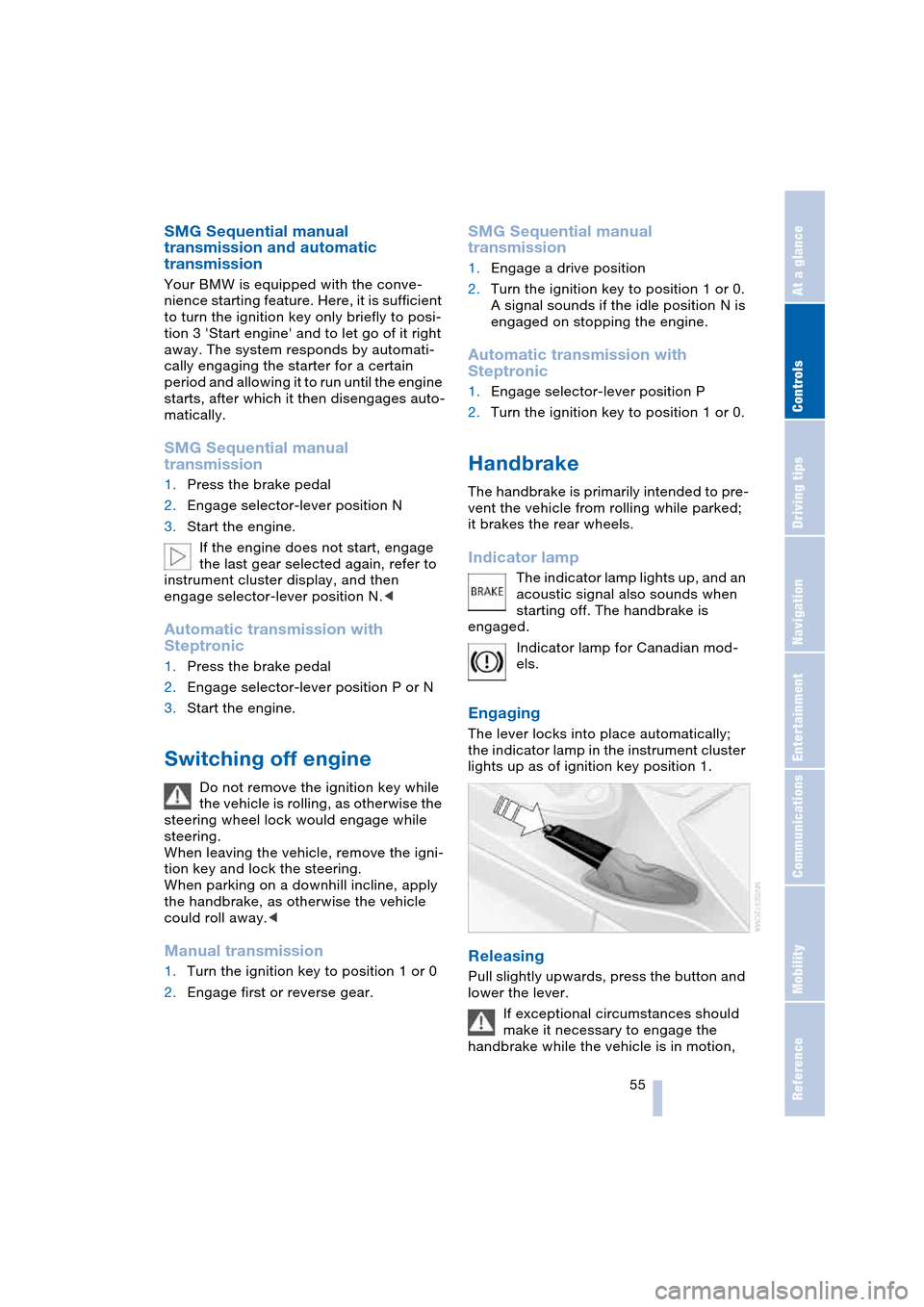
Engaging
The lever locks into place automatically;
the indicator lamp in the instrument cluster
lights up as of ignition key position 1.
Releasing
Pull slightly upwards, press the button and
lower the lever.
If exceptional circumstances should
make it necessary to engage the
handbrake while the vehicle is in motion,