2004 BMW 525I door lock
[x] Cancel search: door lockPage 39 of 220
Controls
37Reference
At a glance
Driving tips
Communications
Navigation
Entertainment
Mobility
ment, and the ensuing loss of vehicle con-
trol could lead to an accident.
On the front passenger side as well, do not
tilt the backrest too far toward the rear
while driving. Failure to observe this pre-
caution can prevent the belt from providing
effective protection against injury, as the
passenger could slide under the belt in an
accident.
Make sure that the footwell behind the
driver's and front passenger's seat is empty
and unobstructed. If you fail to do so, any
persons or objects behind the seat could
be injured or damaged by a rearward
movement of the seat.<
Please observe the information on damage
to safety belts provided on page 41 and the
information on the active head restraints on
page 40.
Seat adjustment
To ensure that the safety systems
continue to provide optimized protec-
tion, please observe the adjustment
instructions on page 36.<
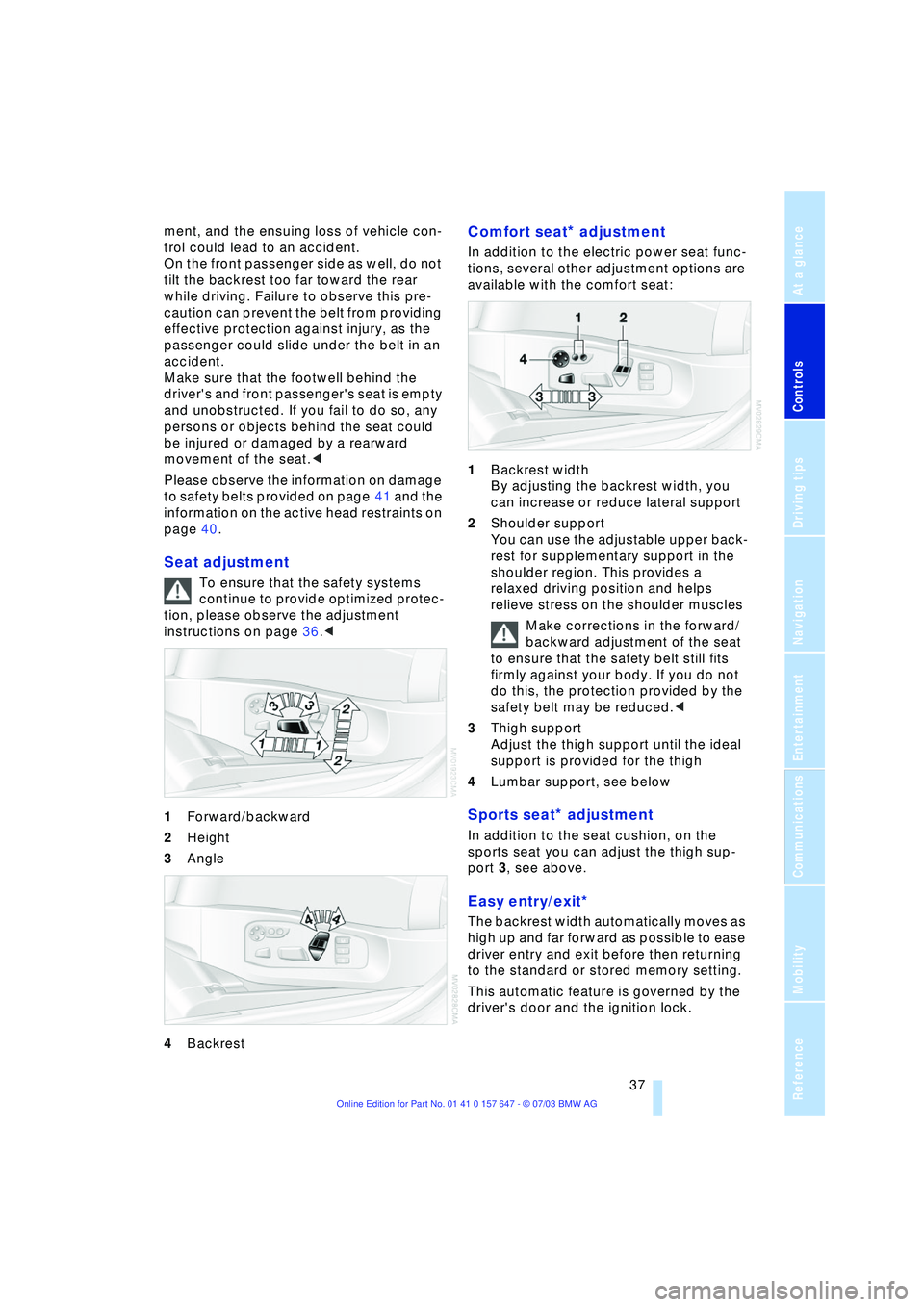
1Forward/backward
2Height
3Angle
4Backrest
Comfort seat* adjustment
In addition to the electric power seat func-
tions, several other adjustment options are
available with the comfort seat:
1Backrest width
By adjusting the backrest width, you
can increase or reduce lateral support
2Shoulder support
You can use the adjustable upper back-
rest for supplementary support in the
shoulder region. This provides a
relaxed driving position and helps
relieve stress on the shoulder muscles
Make corrections in the forward/
backward adjustment of the seat
to ensure that the safety belt still fits
firmly against your body. If you do not
do this, the protection provided by the
safety belt may be reduced.<
3Thigh support
Adjust the thigh support until the ideal
support is provided for the thigh
4Lumbar support, see below
Sports seat* adjustment
In addition to the seat cushion, on the
sports seat you can adjust the thigh sup-
port 3, see above.
Easy entry/exit*
The backrest width automatically moves as
high up and far forward as possible to ease
driver entry and exit before then returning
to the standard or stored memory setting.
This automatic feature is governed by the
driver's door and the ignition lock.
Page 40 of 220

Adjustments
38
Lumbar support* adjustment
You can also adjust the contours of the
backrest to obtain additional support in the
lumbar region.
The upper hips and spinal column receive
supplementary support to help you main-
tain a relaxed, upright sitting position.
>Press the front/rear of the switch to
strengthen or weaken the curvature
>Press the upper/lower end of the switch
to strengthen the curvature at the top or
bottom.
Seat, mirror and steering
wheel memory*
You can store and select two different
adjustment settings for the driver's seat,
exterior mirrors and steering wheel.
The adjustment of the lumbar support is not
stored in the memory.
Storing
1.Turn the ignition key to position 1 or 2
2.Set the desired seat, exterior mirror and
steering-wheel positions 3.Press the
MEMORY button:
The indicator lamp in the button lights
up
4.Press the desired memory button 1
or 2:
The indicator lamp goes out.
Calling up a stored setting
Do not call up a position from the
memory while the vehicle is moving.
Otherwise there is a risk of accident from
unexpected movement of the seat or steer-
ing wheel.<
Convenience mode
1.Open the driver's door after unlocking
or turn the ignition key to position 1
2.Briefly press the desired memory but-
ton 1 or 2.
The system immediately cancels the
adjustment procedure when you press
one of the seat adjustment buttons or
use one of the memory buttons.
When the respective last driver's seat,
exterior mirror and steering-wheel position
is called up can be set for each key.
Control Center, for principle details, refer to
page 16:
1.Open the menu
2.Select "Vehicle settings" and press the
controller
3.Select "Door locks" and press the con-
troller
4.Select "Central locking" and press the
controller
5.Select "Last seat position" and press
the controller
Page 41 of 220
Controls
39Reference
At a glance
Driving tips
Communications
Navigation
Entertainment
Mobility
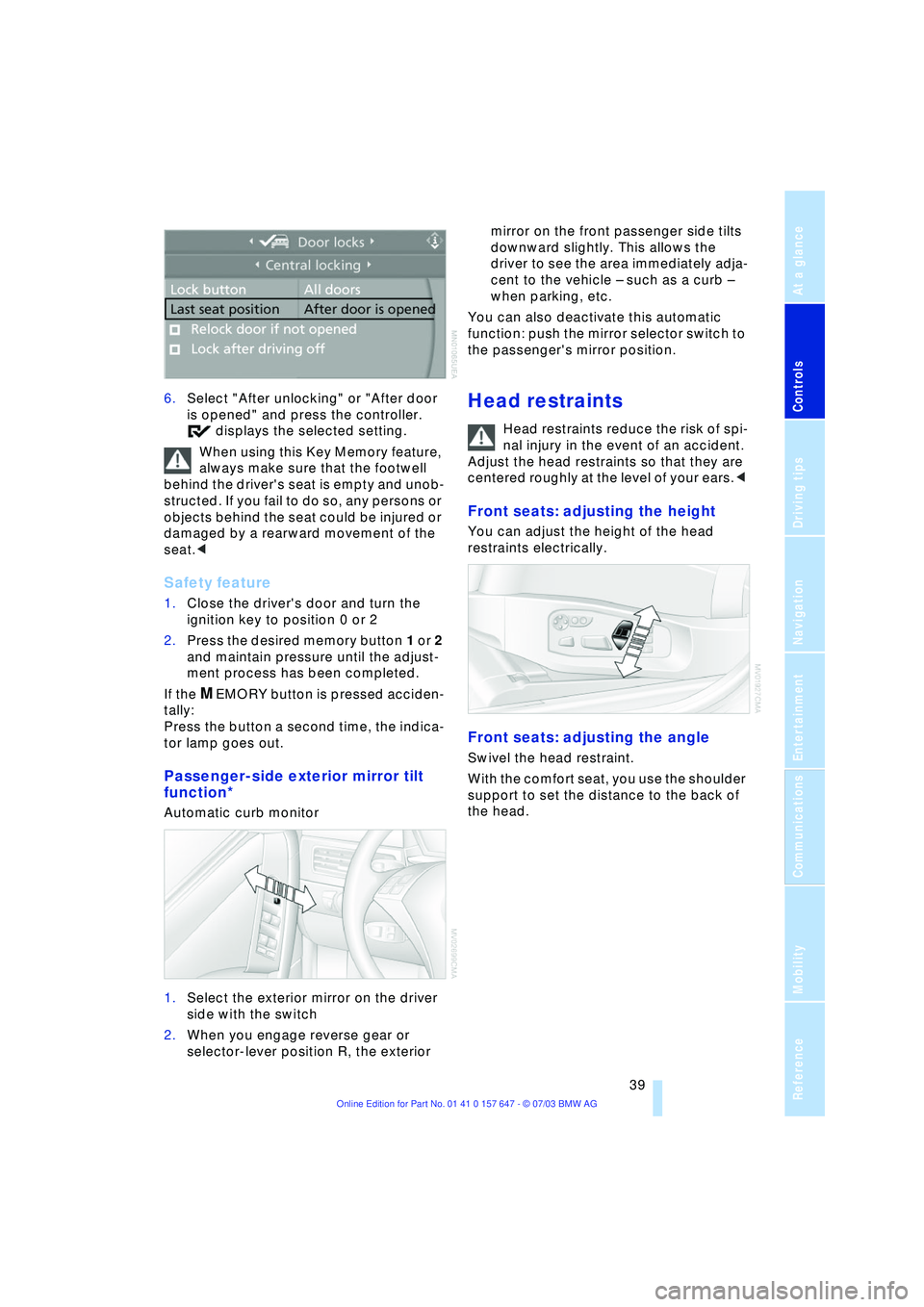
6.Select "After unlocking" or "After door
is opened" and press the controller.
displays the selected setting.
When using this Key Memory feature,
always make sure that the footwell
behind the driver's seat is empty and unob-
structed. If you fail to do so, any persons or
objects behind the seat could be injured or
damaged by a rearward movement of the
seat.<
Safety feature
1.Close the driver's door and turn the
ignition key to position 0 or 2
2.Press the desired memory button 1 or 2
and maintain pressure until the adjust-
ment process has been completed.
If the
MEMORY button is pressed acciden-
tally:
Press the button a second time, the indica-
tor lamp goes out.
Passenger-side exterior mirror tilt
function*
Automatic curb monitor
1.Select the exterior mirror on the driver
side with the switch
2.When you engage reverse gear or
selector-lever position R, the exterior mirror on the front passenger side tilts
downward slightly. This allows the
driver to see the area immediately adja-
cent to the vehicle Ð such as a curb Ð
when parking, etc.
You can also deactivate this automatic
function: push the mirror selector switch to
the passenger's mirror position.
Head restraints
Head restraints reduce the risk of spi-
nal injury in the event of an accident.
Adjust the head restraints so that they are
centered roughly at the level of your ears.<
Front seats: adjusting the height
You can adjust the height of the head
restraints electrically.
Front seats: adjusting the angle
Swivel the head restraint.
With the comfort seat, you use the shoulder
support to set the distance to the back of
the head.
Page 46 of 220

Adjustments
44 to the standard position or stored memory
setting.
This automatic feature is governed by the
driver's door and the ignition lock.
Steering wheel heater*
The steering wheel heater operates when
the ignition is on.
Press the button to activate or deactivate
this system.
The indicator lamp within the button lights
up when the steering wheel heater is in
operation.
Programming button function
Depending on your vehicle's equipment,
you can assign an individual function to
each of the two programmable function
buttons
* on the steering wheel for each
specific key. This feature then provides you
with quick access to this function, allowing
you to control it without undue distraction
from road and traffic conditions.
Control Center, for principle details, refer to
page 16:
1.Open the menu
2.Select "Vehicle settings" and press the
controller
3.Select "Steering wheel buttons" and
press the controller A list with different functions is dis-
played:
>"Navigation"
Switching voice instructions on/off
>"Air recirculation on / off"
In this mode, you can block the sup-
ply of outside air, refer to AUC Auto-
matic recirculated-air control on
page 91
>"Mute on / off"
Mutes the audio sources
>"Screen on / off"
Switches the Control Display on/off
>"Next entertainment source"
Next audio source
>"Head-Up Display"
Switches the Head-Up Display
on/off
>"Horn"
*
4.Select the desired function and press
the controller.
.
5.If appropriate, select a button and press
the controller.
You can select the displayed function using
the button.
Page 50 of 220
Transporting children safely
48 1.Engage the center safety belt into the
belt buckle
2.Pull the belt away from the area of the
child-restraint fixing.
On journeys
If side airbags are fitted in the rear,
make sure that children do not lean
out of the child's seat towards the door
panels. Otherwise severe injuries can be
caused if the side airbags are triggered.<
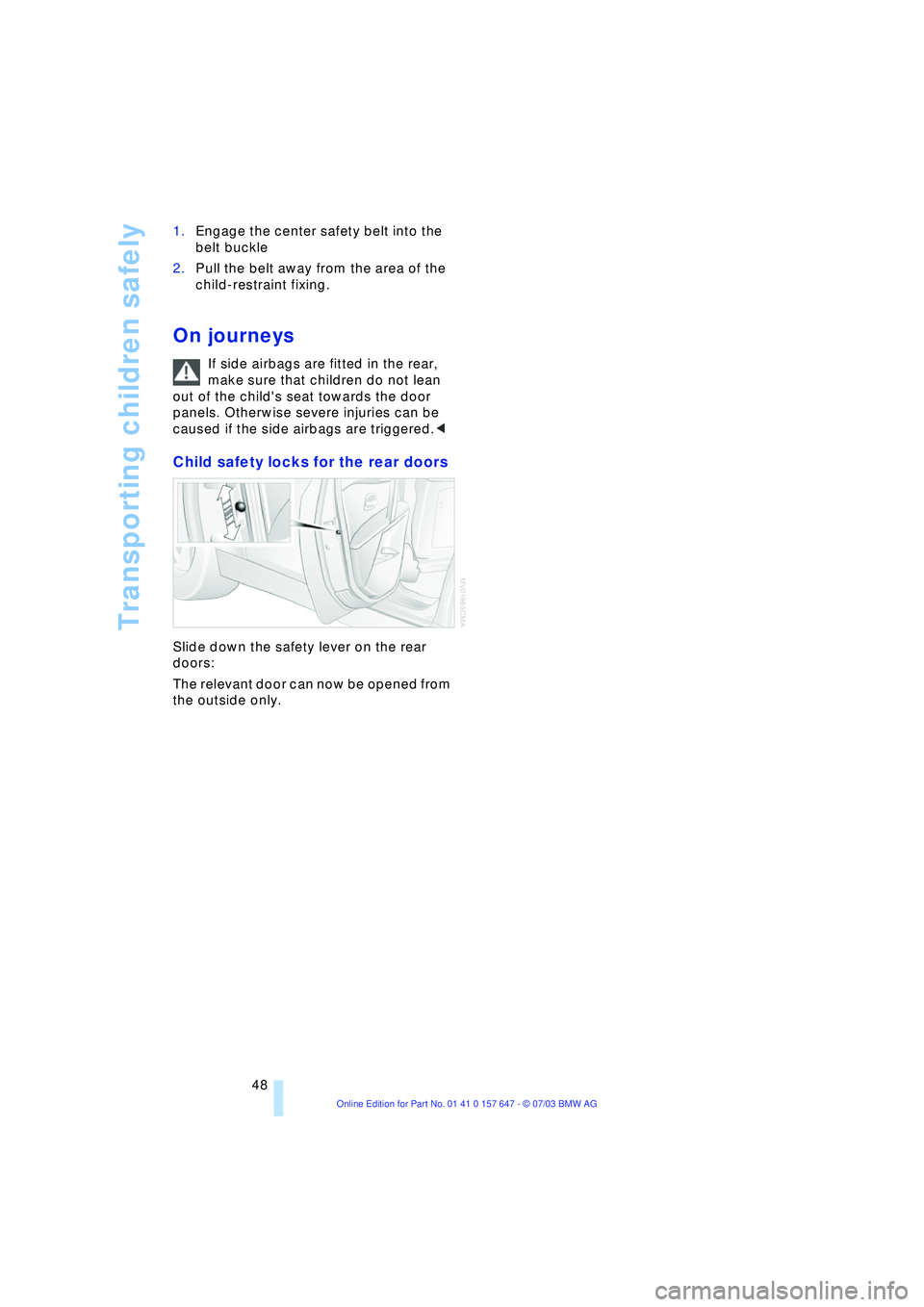
Child safety locks for the rear doors
Slide down the safety lever on the rear
doors:
The relevant door can now be opened from
the outside only.
Page 54 of 220
Driving
52 >Automatic upshifts and downshifts in
the Drive mode
>Automatic downshifts with minimum
engine speed
>Kickdown function in the Drive mode
>Acceleration assistant, refer to
page 54.
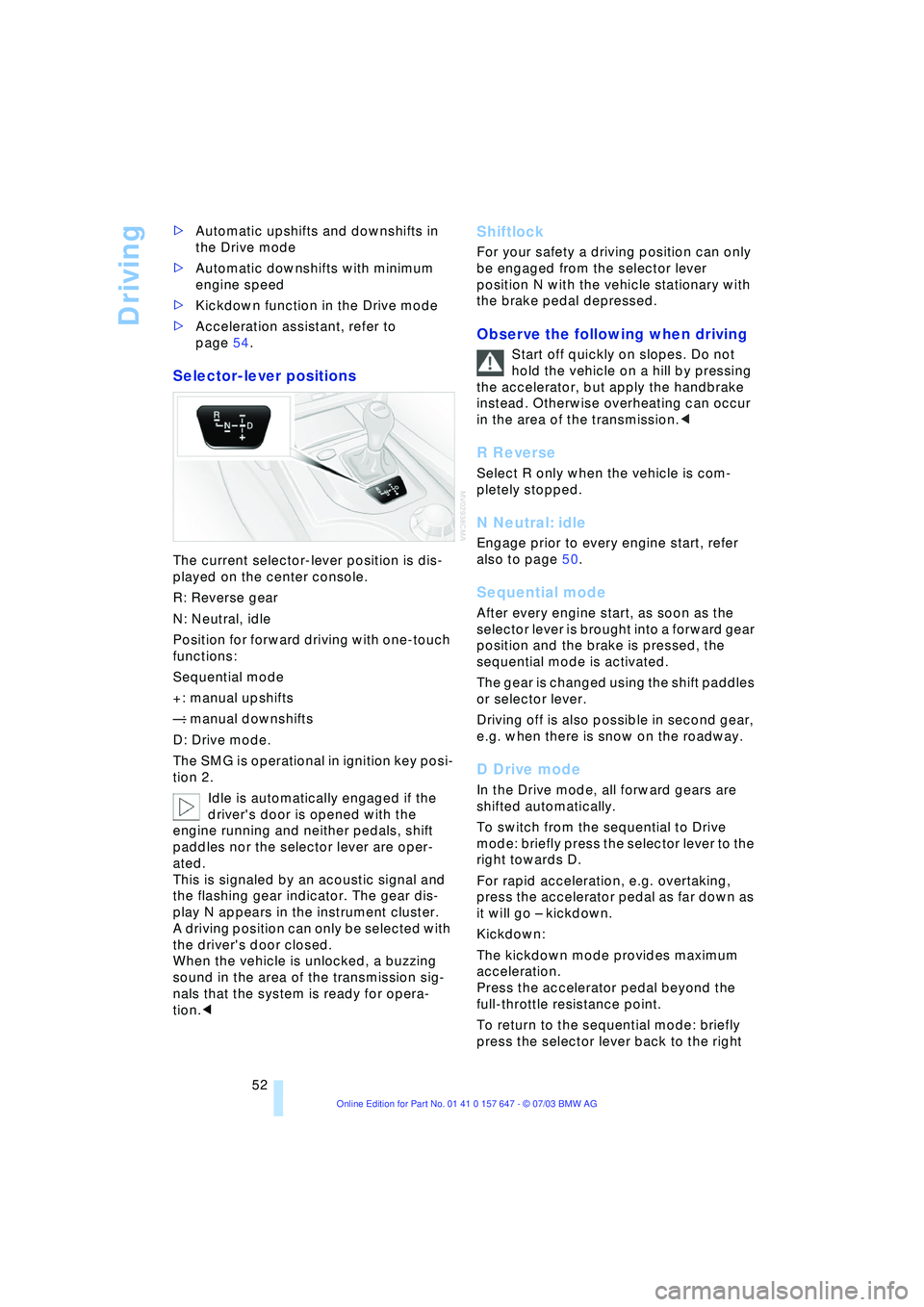
Selector-lever positions
The current selector-lever position is dis-
played on the center console.
R: Reverse gear
N: Neutral, idle
Position for forward driving with one-touch
functions:
Sequential mode
+: manual upshifts
Ñ: manual downshifts
D: Drive mode.
The SMG is operational in ignition key posi-
tion 2.
Idle is automatically engaged if the
driver's door is opened with the
engine running and neither pedals, shift
paddles nor the selector lever are oper-
ated.
This is signaled by an acoustic signal and
the flashing gear indicator. The gear dis-
play N appears in the instrument cluster.
A driving position can only be selected with
the driver's door closed.
When the vehicle is unlocked, a buzzing
sound in the area of the transmission sig-
nals that the system is ready for opera-
tion.<
Shiftlock
For your safety a driving position can only
be engaged from the selector lever
position N with the vehicle stationary with
the brake pedal depressed.
Observe the following when driving
Start off quickly on slopes. Do not
hold the vehicle on a hill by pressing
the accelerator, but apply the handbrake
instead. Otherwise overheating can occur
in the area of the transmission.<
R Reverse
Select R only when the vehicle is com-
pletely stopped.
N Neutral: idle
Engage prior to every engine start, refer
also to page 50.
Sequential mode
After every engine start, as soon as the
selector lever is brought into a forward gear
position and the brake is pressed, the
sequential mode is activated.
The gear is changed using the shift paddles
or selector lever.
Driving off is also possible in second gear,
e.g. when there is snow on the roadway.
D Drive mode
In the Drive mode, all forward gears are
shifted automatically.
To switch from the sequential to Drive
mode: briefly press the selector lever to the
right towards D.
For rapid acceleration, e.g. overtaking,
press the accelerator pedal as far down as
it will go Ð kickdown.
Kickdown:
The kickdown mode provides maximum
acceleration.
Press the accelerator pedal beyond the
full-throttle resistance point.
To return to the sequential mode: briefly
press the selector lever back to the right
Page 170 of 220
Refueling
168
Refueling
Fuel filler door
Always switch off the engine before
refueling. If you do not, fuel cannot be
filled into the tank and a message on the
Control Display will appear.<
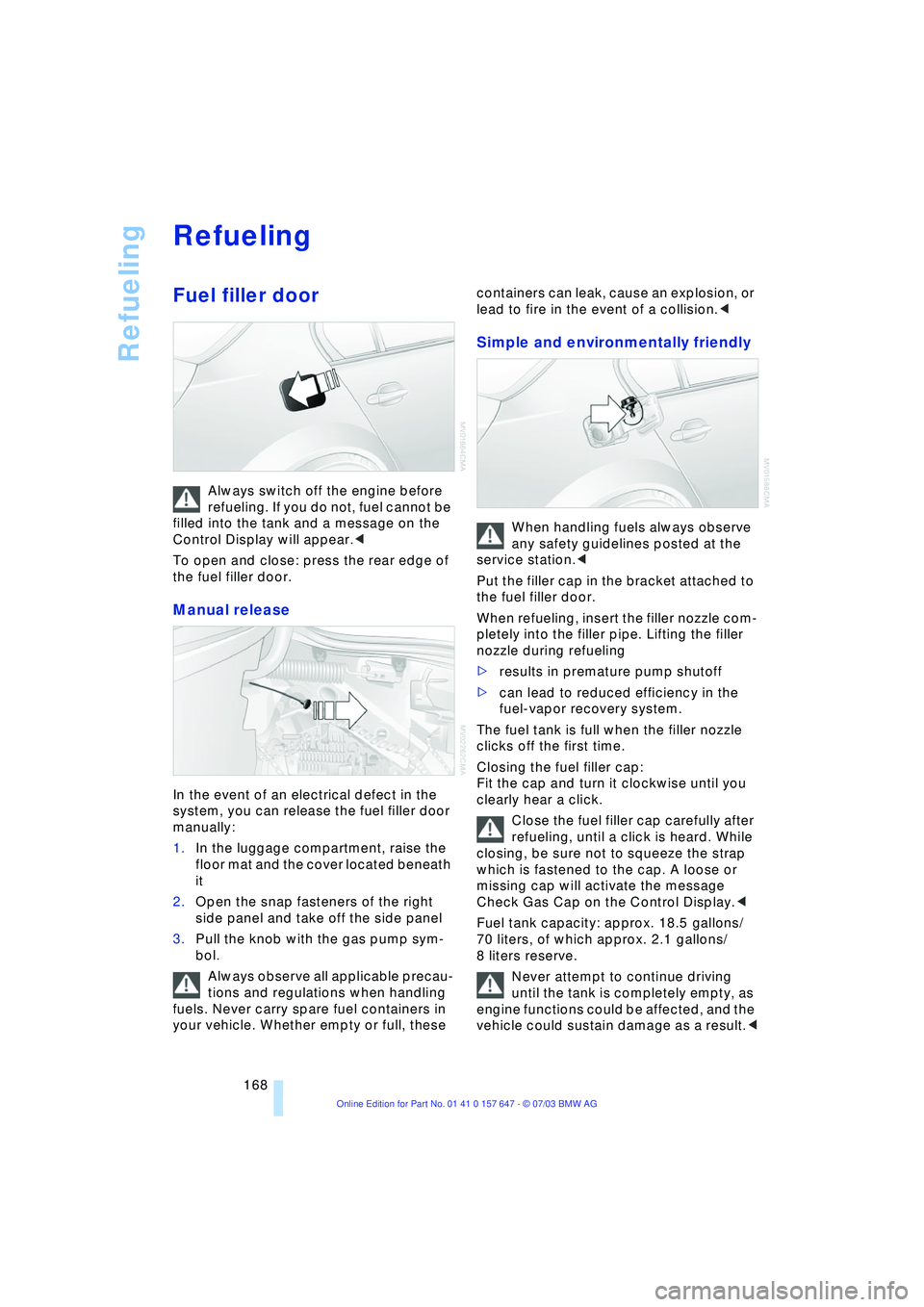
To open and close: press the rear edge of
the fuel filler door.
Manual release
In the event of an electrical defect in the
system, you can release the fuel filler door
manually:
1.In the luggage compartment, raise the
floor mat and the cover located beneath
it
2.Open the snap fasteners of the right
side panel and take off the side panel
3.Pull the knob with the gas pump sym-
bol.
Always observe all applicable precau-
tions and regulations when handling
fuels. Never carry spare fuel containers in
your vehicle. Whether empty or full, these containers can leak, cause an explosion, or
lead to fire in the event of a collision.<
Simple and environmentally friendly
When handling fuels always observe
any safety guidelines posted at the
service station.<
Put the filler cap in the bracket attached to
the fuel filler door.
When refueling, insert the filler nozzle com-
pletely into the filler pipe. Lifting the filler
nozzle during refueling
>results in premature pump shutoff
>can lead to reduced efficiency in the
fuel-vapor recovery system.
The fuel tank is full when the filler nozzle
clicks off the first time.
Closing the fuel filler cap:
Fit the cap and turn it clockwise until you
clearly hear a click.
Close the fuel filler cap carefully after
refueling, until a click is heard. While
closing, be sure not to squeeze the strap
which is fastened to the cap. A loose or
missing cap will activate the message
Check Gas Cap on the Control Display.<
Fuel tank capacity: approx. 18.5 gallons/
70 liters, of which approx. 2.1 gallons/
8 liters reserve.
Never attempt to continue driving
until the tank is completely empty, as
engine functions could be affected, and the
vehicle could sustain damage as a result.<
Page 204 of 220
Everything from A to Z
202
Everything from A to Z
Index
A
ABS Antilock Brake
System 77
Ð indicator lamp 77
Acceleration assistant 54
Accessories, refer to Your
individual vehicle 5
"Activation time" for
independent
ventilation 95
Active cruise control 59
Ð malfunctions 64
Active head restraints,
front 40
Active roll stabilization 80
Active seat 42
Active seat ventilation 42
Active steering 82
Adaptive Head Light 88
"Address book" for
navigation 120
Address for navigation
Ð deleting 120
Ð entering 116
Ð selecting 120
"Add to address book" for
navigation 120
"Add to destination
list" 118
Adjusting temperature for
upper body 93
Adjusting the thigh
support 37
"After door is opened" 39
"After unlocking" 39
Airbags 83
Ð indicator lamp 84
Ð sitting safely 36
Air circulation, refer to
Recirculated air 91
Air distribution
Ð automatic 91
Ð individual 93Air flow, refer to Air
volume 91
Airing, refer to
Ventilation 94
"Air recirculation on /
off" 44
Air vent outlets of
automatic climate
control 90
Air volume 91
AKI, refer to Fuel
specifications 169
Alarm system 32
Ð avoiding unintentional
alarms 33
All around the steering
wheel 10
"All channels" 138
"All doors" 28
All-season tires, refer to
Winter tires 175
"AM", wave-
band 130, 134
Antenna for portable
phone 150
Antifreeze
Ð coolant 179
Ð washer fluid 57
Anti-theft system 27
Anti-trapping mechanism
Ð glass roof 35
Ð windows 34
Approved axle loads, refer
to Weights 200
Approved gross vehicle
weight, refer to
Weights 200
Arrival time, refer to
Computer 71
Ashtray
Ð front 99
Ð rear 100
Assistance window 18Assisting systems, refer to
DSC Dynamic Stability
Control 78
AUC Automatic
recirculated-air
control 91
"Audio" 131
Audio 130
Ð adjusting the tone 131
Ð controls 130
Ð switching on/off 130
Ð volume 131
Audio systems, refer to
Tone control 131
Automatic
Ð air distribution 91
Ð air volume 91
Ð cruise control 58, 59
Ð storing stations 135
Automatic car wash, refer
to Caring for your vehicle
brochure
Automatic climate
control 90
Ð automatic air
distribution 91
Ð settings using the Control
Center 92
Ð switching off 92
Automatic curb monitor 39
Automatic headlamp
control 87
"Automatic programs" 93
Automatic recirculated-air
control AUC 91
Automatic steering wheel
Ð adjustment 43