Page 91 of 182
91
Hill Descent Control (HDC)*The conceptBy reducing the vehicle's speed on
steep downhill stretches, HDC main-
tains predictable vehicle handling
response to provide you with control of
your BMW during extreme descents.
The vehicle slows to a pace just slightly
faster than walking speed.
HDC is available for activation at vehi-
cle speeds below approx. 22 mph /
35 km/h. When driving down steep
hills, the vehicle reduces speed auto-
matically down to about double walking
speed – approx. 7.5 mph / 12 km/h –
and then maintains this speed at a con-
stant.
You can use the accelerator or brakes
to vary this speed within a range from
approx. 3 mph / 5 km/h to approx.
15 mph / 25 km/h.
In conjunction with the multifunction
steering wheel, you can use the +/–
button to set the cruise control to a tar-
get speed in the range from
approx. 3 mph / 5 km/h to approx.
15 mph / 25 km/h.
HDC is automatically deactivated once
vehicle speed again exceeds approx.
37 mph / 60 km/h.
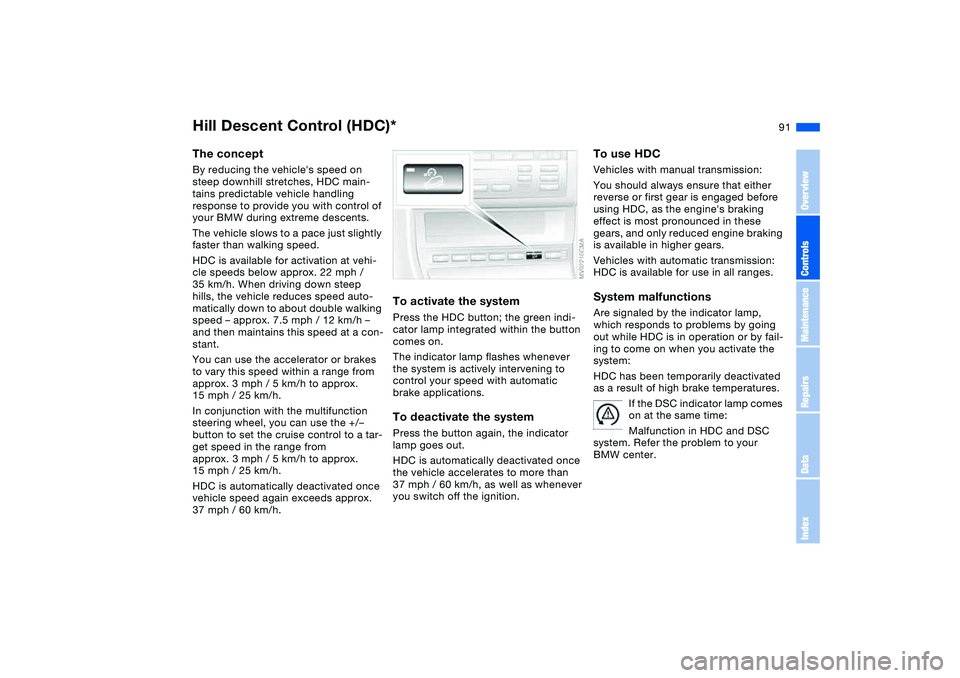
To activate the systemPress the HDC button; the green indi-
cator lamp integrated within the button
comes on.
The indicator lamp flashes whenever
the system is actively intervening to
control your speed with automatic
brake applications.To deactivate the systemPress the button again, the indicator
lamp goes out.
HDC is automatically deactivated once
the vehicle accelerates to more than
37 mph / 60 km/h, as well as whenever
you switch off the ignition.
To use HDCVehicles with manual transmission:
You should always ensure that either
reverse or first gear is engaged before
using HDC, as the engine's braking
effect is most pronounced in these
gears, and only reduced engine braking
is available in higher gears.
Vehicles with automatic transmission:
HDC is available for use in all ranges.System malfunctionsAre signaled by the indicator lamp,
which responds to problems by going
out while HDC is in operation or by fail-
ing to come on when you activate the
system:
HDC has been temporarily deactivated
as a result of high brake temperatures.
If the DSC indicator lamp comes
on at the same time:
Malfunction in HDC and DSC
system. Refer the problem to your
BMW center.
OverviewControlsMaintenanceRepairsDataIndex
Page 93 of 182
93
When driving with snow chains or
a space-saver spare tire, do not
initialize the system.<
Flat tire
The indicator lamp in the instru-
ment cluster lights up red. This
visual alert is accompanied by
an acoustic warning signal.
1. Carefully reduce speed and come to
a stop. Avoid sudden braking and
steering maneuvers
2. Determine which wheel is damaged
If this cannot be determined, con-
tact your BMW center.<
3. Replace the damaged wheel, refer to
Changing a wheel on page 147.
After replacing the damaged tire, initial-
ize the system.
Vehicles with Run Flat tires:
1. Carefully reduce your speed to under
50 mph / 80 km/h. Avoid strong
braking and steering maneuvers. Do
not exceed a speed of 50 mph /
80 km/h.
Because the sides of Run Flat
tires are reinforced, a drop in infla-
tion pressure usually cannot be
detected from the outside, refer to Run
Flat tires, page 150.<
2. To continue driving, follow the
instructions under Driving with a
damaged tire on page 151.
System malfunction
The indicator lamp in the instru-
ment cluster lights up yellow.
The Flat Tire Monitor is malfunc-
tioning or out of order. Please refer the
problem to your BMW center.
Brake force displayThe brake force display indicates to the
driver of the vehicle behind you how
hard you are braking your vehicle.
The display has two levels:
>Normal braking: the brake lamps
among the rear lamps and the center
brake lamp light up
>Hard braking or use of ABS: the tail
lamps light up with the same bright-
ness as the brake lamps and thereby
intensify the visual effect of the brake
lamps.
Flat Tire Monitor*
OverviewControlsMaintenanceRepairsDataIndex
Page 95 of 182
95
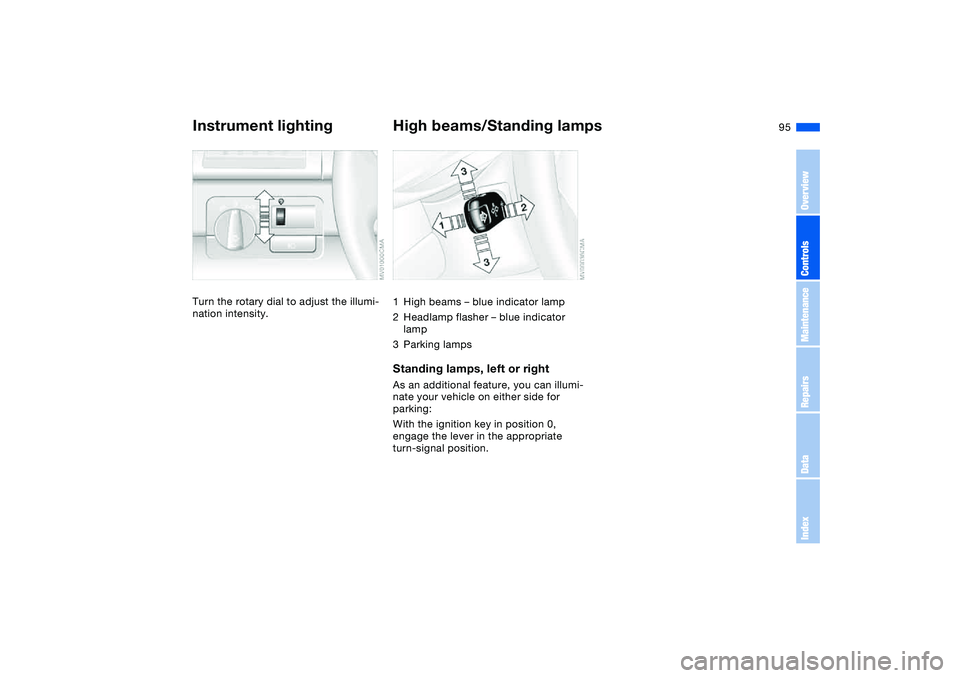
Instrument lightingTurn the rotary dial to adjust the illumi-
nation intensity.
High beams/Standing lamps1High beams – blue indicator lamp
2Headlamp flasher – blue indicator
lamp
3Parking lampsStanding lamps, left or rightAs an additional feature, you can illumi-
nate your vehicle on either side for
parking:
With the ignition key in position 0,
engage the lever in the appropriate
turn-signal position.
OverviewControlsMaintenanceRepairsDataIndex
Page 97 of 182
97
Do not remove the protective lens
and avoid staring directly at the
unfiltered beam for several hours, as
inflammation of the retina could
result.<
Interior lamps
OverviewControlsMaintenanceRepairsDataIndex
Page 99 of 182
99
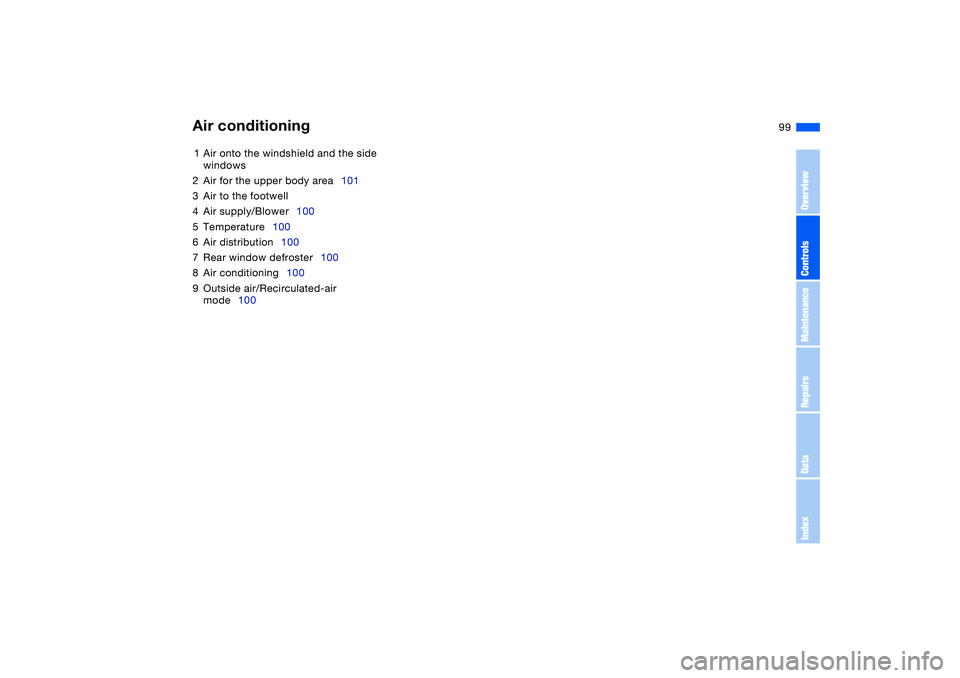
1Air onto the windshield and the side
windows
2Air for the upper body area101
3Air to the footwell
4Air supply/Blower100
5Temperature100
6Air distribution100
7Rear window defroster100
8Air conditioning100
9Outside air/Recirculated-air
mode100Air conditioning
OverviewControlsMaintenanceRepairsDataIndex
Page 101 of 182
101
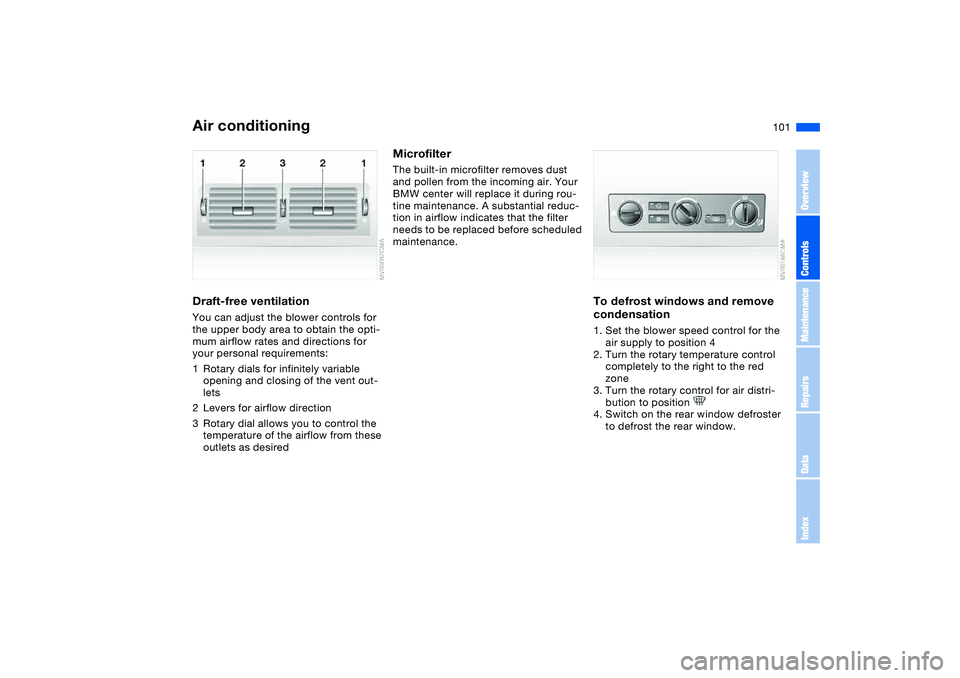
Draft-free ventilationYou can adjust the blower controls for
the upper body area to obtain the opti-
mum airflow rates and directions for
your personal requirements:
1Rotary dials for infinitely variable
opening and closing of the vent out-
lets
2Levers for airflow direction
3Rotary dial allows you to control the
temperature of the airflow from these
outlets as desired
MicrofilterThe built-in microfilter removes dust
and pollen from the incoming air. Your
BMW center will replace it during rou-
tine maintenance. A substantial reduc-
tion in airflow indicates that the filter
needs to be replaced before scheduled
maintenance.
To defrost windows and remove
condensation1. Set the blower speed control for the
air supply to position 4
2. Turn the rotary temperature control
completely to the right to the red
zone
3. Turn the rotary control for air distri-
bution to position
4. Switch on the rear window defroster
to defrost the rear window.
Air conditioning
OverviewControlsMaintenanceRepairsDataIndex
Page 103 of 182
103
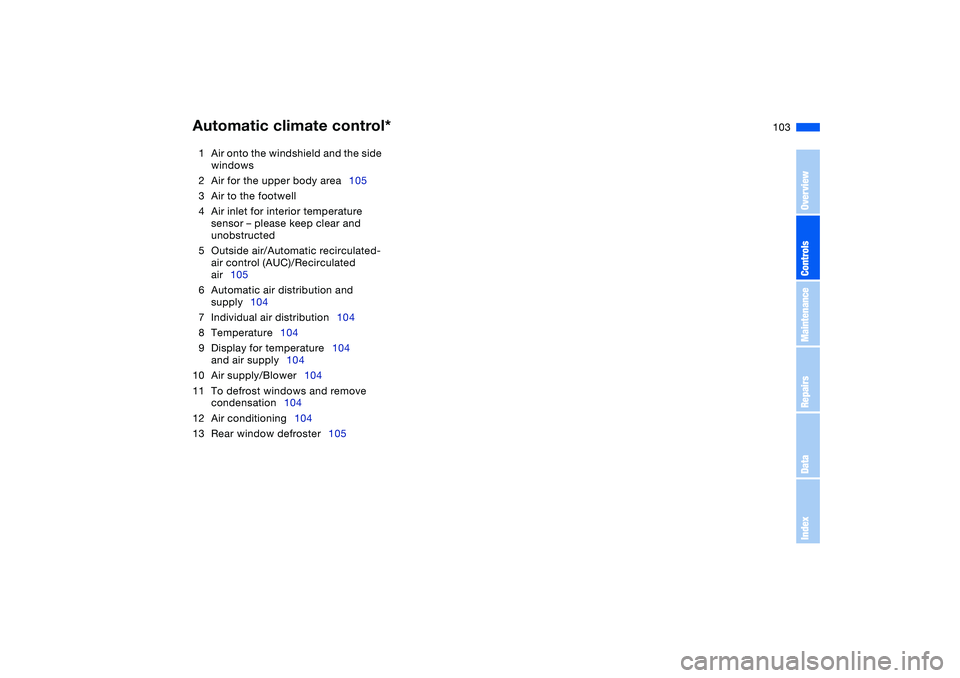
1Air onto the windshield and the side
windows
2Air for the upper body area105
3Air to the footwell
4Air inlet for interior temperature
sensor – please keep clear and
unobstructed
5Outside air/Automatic recirculated-
air control (AUC)/Recirculated
air105
6Automatic air distribution and
supply104
7Individual air distribution104
8Temperature104
9Display for temperature104
and air supply104
10 Air supply/Blower104
11 To defrost windows and remove
condensation104
12 Air conditioning104
13 Rear window defroster105Automatic climate control*
OverviewControlsMaintenanceRepairsDataIndex
Page 104 of 182
104
Tips for pleasant drivingUse the automatic mode – switch on
with AUTO button 6. Select the desired
interior temperature.
Detailed setting options are described
for you in the following section.
You can make the settings of your
vehicle in such a manner that,
when you unlock the vehicle with the
remote control of your personal key,
your own personalized setting for the
automatic climate control is initiated.
supply
The AUTO program adjusts the
air distribution and the air sup-
ply for you and in addition adapts the
temperature to external influences –
summer, winter – to meet preferences
you can specify.
Individual air distribution
You can cancel the AUTO pro-
gram by selecting specific dis-
tribution patterns to suit your
own individual requirements.
While the AUTO program is then deacti-
vated, the automatic airflow control
remains in operation. Air flows onto the
windows , toward the upper
body , and into the footwell .
You can reactivate the automatic air
distribution mode by selecting the
AUTO button.Temperature
The interior temperature that
appears in the display panel is a
general figure intended for refer-
ence purposes. We recommend 727/
+226 as a comfortable setting, even if
the air conditioning is on. When you
start the vehicle, the system ensures
that the selected temperature is
achieved as quickly as possible. It then
maintains this temperature, regardless
of the season.
To select the units of measure, 6 or
7, for the display, refer to page 84.
Air supply/Blower
By pressing the upper or lower
button, you can vary the air sup-
ply. This deactivates the auto-
matic control of the air supply, AUTO
disappears from the display panel. Nev-
ertheless, the automatic air distribution
remains unchanged. You can reactivate
the automatic air distribution mode by
selecting the AUTO button.
When the lowest blower speed is set
and you press the lower button, all of
the displays are canceled: the blower,
heating and air conditioning are
switched off. The outside air supply is
blocked. You can reactivate the system
by pressing any button for the auto-
matic climate control.To defrost windows and remove
condensation
This program quickly removes
ice and condensation from the
windshield and the side windows.
Air conditioning
The air is cooled and dehumidi-
fied and – depending on the
temperature setting – rewarmed.
Depending on the weather, the wind-
shield may fog over briefly when the
engine is started. Air conditioning helps
prevent the windows from fogging up.
Automatic climate control*