Page 75 of 312
’03 L/C U (L/O 0301)
71
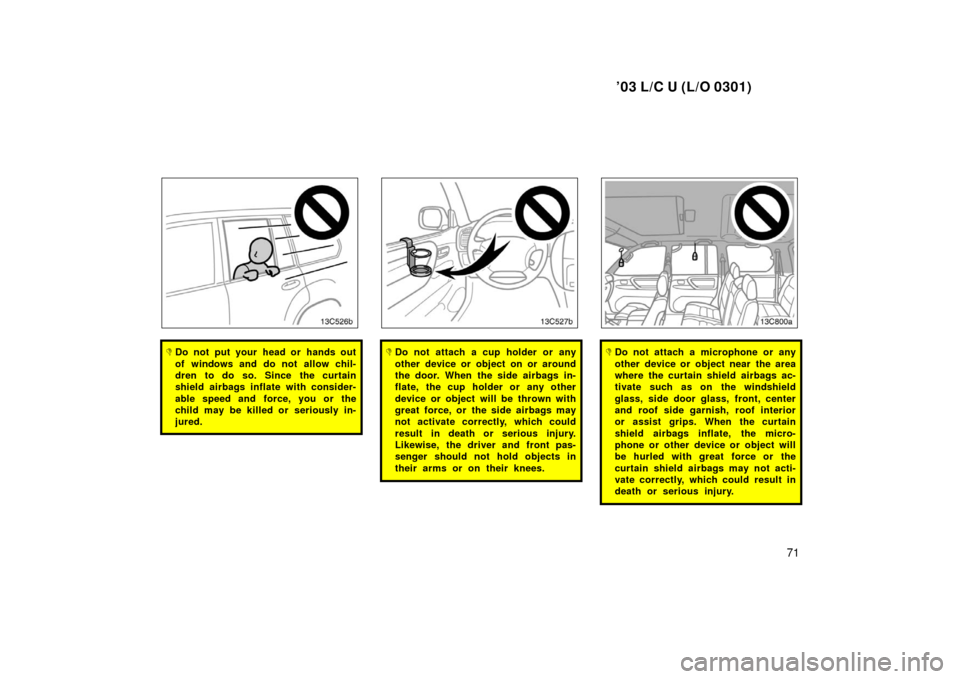
�Do not put your head or hands out
of windows and do not allow chil-
dren to do so. Since the curtain
shield airbags inflate with consider-
able speed and force, you or the
child may be killed or seriously in-
jured.�Do not attach a cup holder or any
other device or object on or around
the door. When the side airbags in-
flate, the cup holder or any other
device or object will be thrown with
great force, or the side airbags may
not activate correctly, which could
result in death or serious injury.
Likewise, the driver and front pas-
senger should not hold objects in
their arms or on their knees.�Do not attach a microphone or any
other device or object near the area
where the curtain shield airbags ac-
tivate such as on the windshield
glass, side door glass, front, center
and roof side garnish, roof interior
or assist grips. When the curtain
shield airbags inflate, the micro-
phone or other device or object will
be hurled with great force or the
curtain shield airbags may not acti-
vate correctly, which could result in
death or serious injury.
Page 151 of 312
’03 L/C U (L/O 0301)
147
YOUR RADIO ANTENNA
Lowering the antenna
The antenna automatically extends when
the radio is on or the radio system is on,
and retracts when the radio mode is off.
However, even if you turn off the radio
when the radio on the rear seat audio
system is on, the antenna does not re-
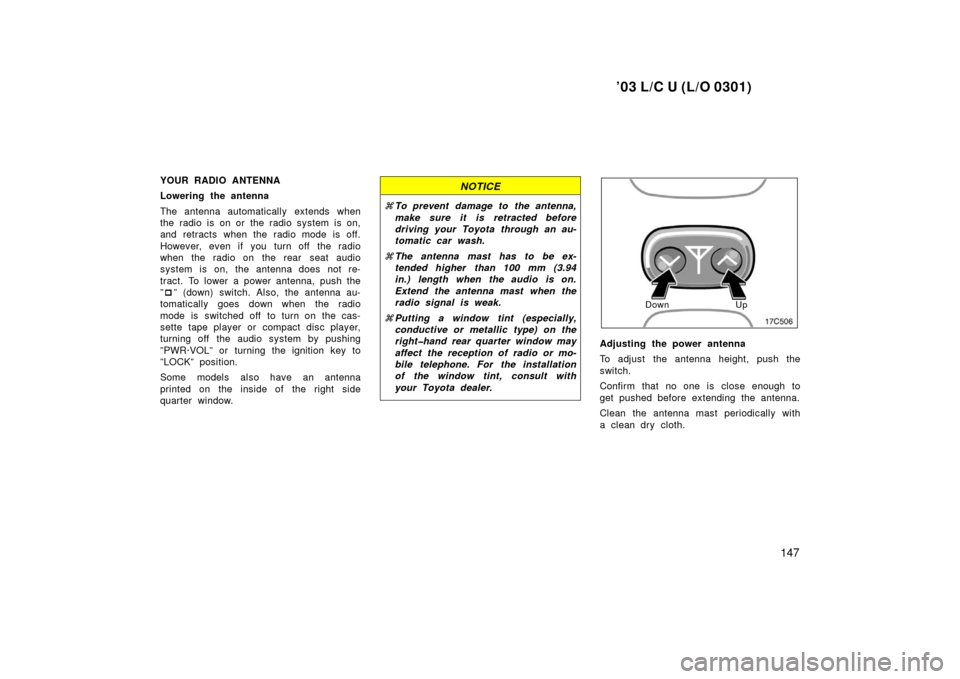
tract. To lower a power antenna, push the
”� ” (down) switch. Also, the antenna au-
tomatically goes down when the radio
mode is switched off to turn on the cas-
sette tape player or compact disc player,
turning off the audio system by pushing
”PWR·VOL” or turning the ignition key to
”LOCK” position.
Some models also have an antenna
printed on the inside of the right side
quarter window.NOTICE
� To prevent damage to the antenna,
make sure it is retracted before
driving your Toyota through an au-
tomatic car wash.
� The antenna mast has to be ex-
tended higher than 100 mm (3.94
in.) length when the audio is on.
Extend the antenna mast when the
radio signal is weak.
� Putting a window tint (especially,
conductive or meta llic type) on the
righthand rear quarter window may
affect the reception of radio or mo-
bile telephone. For the installation
of the window tint, consult with
your Toyota dealer.
Down Up
Adjusting the power antenna
To adjust the antenna height, push the
switch.
Confirm that no one is close enough to
get pushed before extending the antenna.
Clean the antenna mast periodically with
a clean dry cloth.
Page 160 of 312

’03 L/C U (L/O 0301)
156
TRAF (Traffic announcement function)
button
A station that regularly broadcasts traf-
fic information is automatically located.
When you push the ”TRAF” button, ”TRAF
SEEK” appears on the display and the
radio will start seeking any traffic program
station.
If no traffic program station is found, ”NO
TRAF INFO” appears on the display for a
few seconds and the display returns to
the previous mode.
TYPE (Program type) button
When you push this button while receiving
an RDS station, the current program type
appears on the display.
Each time you push the button, the pro-
gram type changes as in the following:
�ROCK
�EASY LIS (Easy listening)
�CLS/JAZZ (Classical music and jazz)
�R&B (Rhythm and Blues)
�INFORM (Information)
�RELIGION
�MISC
�ALERT (Emergency message)
NOTICE
To ensure correct audio system op-
erations:
�Be careful not to spill beverages
over the audio system.
� Do not put anything other than a
cassette tape or Compact Disc into
the slot.
� The use of a cellular phone inside
or near the vehicle may cause a
noise from the speakers of the au-
dio system which you are listening
to. However, this does not indicate
a malfunction.
RADIO RECEPTION
Usually, a problem with radio reception
does not mean there is a problem with
your radio—it is just the normal result of
conditions outside the vehicle.
For example, nearby buildings and terrain
can interfere with FM reception. Power
lines or telephone wires can interfere with
AM signals. And of course, radio signals
have a limited range. The farther you are
from a station, the weaker its signal will
be. In addition, reception conditions
change constantly as your vehicle moves. Here are some common reception prob-
lems that probably do not indicate a prob-
lem with your radio:
FM
Fading and drifting stations—Generally, the
effective range of FM is about 40 km (25
miles). Once outside this range, you may
notice fading and drifting, which increase
with the distance from the radio transmit-
ter. They are often accompanied by distor-
tion.
Multipath—FM signals are reflective,
making it possible for two signals to reach
your antenna at the same time. If this
happens, the signals will cancel each oth-
er out, causing a momentary flutter or
loss of reception.
Static and fluttering—These occur when
signals are blocked by buildings, trees, or
other large objects. Increasing the bass
level may reduce static and fluttering.
Station swapping—If the FM signal you
are listening to is interrupted or weak-
ened, and there is another strong station
nearby on the FM band, your radio may
tune in the second station until the origi-
nal signal can be picked up again.
Car audio system operating
hints
Page 163 of 312
’03 L/C U (L/O 0301)
159
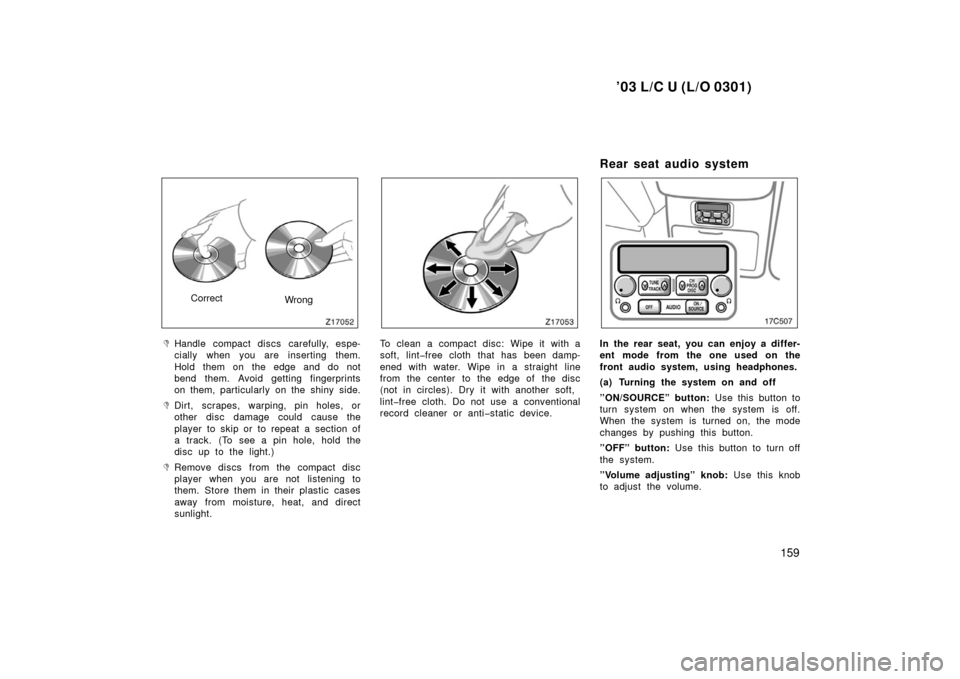
CorrectWrong
�Handle compact discs carefully, espe-
cially when you are inserting them.
Hold them on the edge and do not
bend them. Avoid getting fingerprints
on them, particularly on the shiny side.
�Dirt, scrapes, warping, pin holes, or
other disc damage could cause the
player to skip or to repeat a section of
a track. (To see a pin hole, hold the
disc up to the light.)
�Remove discs from the compact disc
player when you are not listening to
them. Store them in their plastic cases
away from moisture, heat, and direct
sunlight.
To clean a compact disc: Wipe it with a
soft, lintfree cloth that has been damp-
ened with water. Wipe in a straight line
from the center to the edge of the disc
(not in circles). Dry it with another soft,
lintfree cloth. Do not use a conventional
record cleaner or antistatic device.
Rear seat audio system
In the rear seat, you can enjoy a differ-
ent mode from the one used on the
front audio system, using headphones.
(a) Turning the system on and off
”ON/SOURCE” button: Use this button to
turn system on when the system is off.
When the system is turned on, the mode
changes by pushing this button.
”OFF” button: Use this button to turn off
the system.
”Volume adjusting” knob: Use this knob
to adjust the volume.