Page 76 of 249
’03MY CELICA U (L/O 0208)
72
2003 CELICA from Aug. ’02 Prod. (OM20809U)
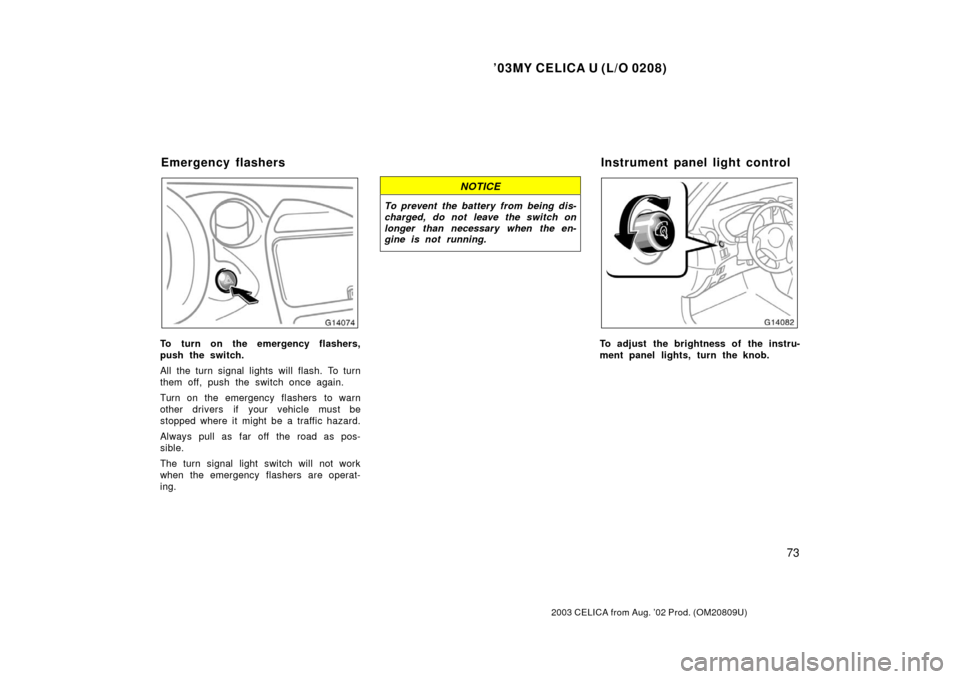
TURN SIGNALS
To signal a turn, push the headlight/
turn signal lever up or down to position
1.
The key must be in the “ON” position.
The lever automatically returns after you
make a turn, but you may have to return
it by hand after you change lanes.
To signal a lane change, move the lever
up or down to the pressure point (position
2) and hold it.
If the turn signal indicator lights (green
lights) on the instrument panel flash faster
than normal, a front or rear turn signal
bulb is burned out.To adjust the headlight beam level, turn
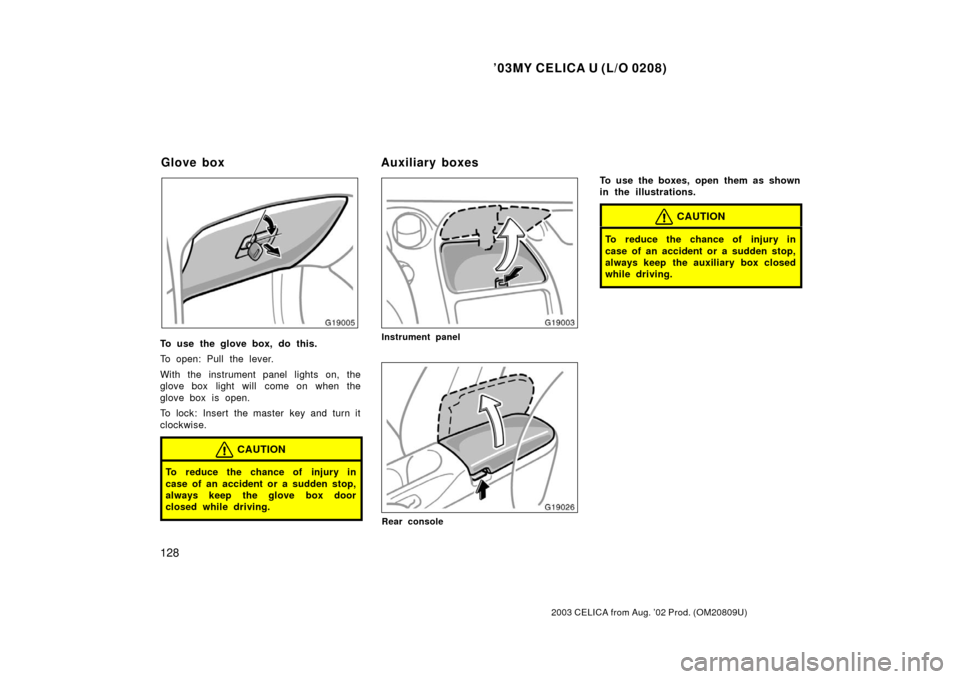
the dial.
The following list shows examples of prop-
er switch settings. For loading conditions
other than those listed, adjust the switch
position so that the beam level is the
same as the one obtained according to
the list when only the driver is in the
vehicle. The higher the number of the
switch position, the lower the headlight
beam level.
Always keep the headlight beam at the
proper level, or your headlights may
dazzle other road users.Loading condition
Dial position
Driver only0
Driver +
front passenger0
Full passengers
(including driver)1.5
Full passengers
(including driver) +
full luggage loading2.5
Driver + full luggage
loading4
Headlight beam level control
Page 77 of 249
’03MY CELICA U (L/O 0208)
73
2003 CELICA from Aug. ’02 Prod. (OM20809U)
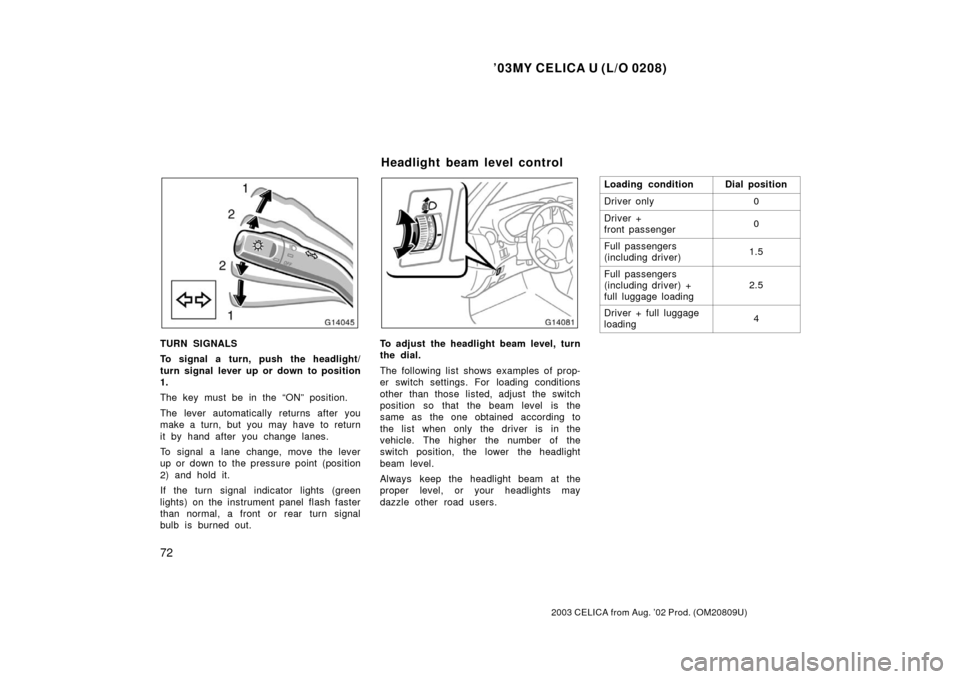
To turn on the emergency flashers,
push the switch.
All the turn signal lights will flash. To turn
them off, push the switch once again.
Turn on the emergency flashers to warn
other drivers if your vehicle must be
stopped where it might be a traffic hazard.
Always pull as far off the road as pos-
sible.
The turn signal light switch will not work
when the emergency flashers are operat-
ing.
NOTICE
To prevent the battery from being dis-
charged, do not leave the switch on
longer than necessary when the en-
gine is not running.
To adjust the brightness of the instru-
ment panel lights, turn the knob.
Emergency flashersInstrument panel light control
Page 78 of 249
’03MY CELICA U (L/O 0208)
74
2003 CELICA from Aug. ’02 Prod. (OM20809U)
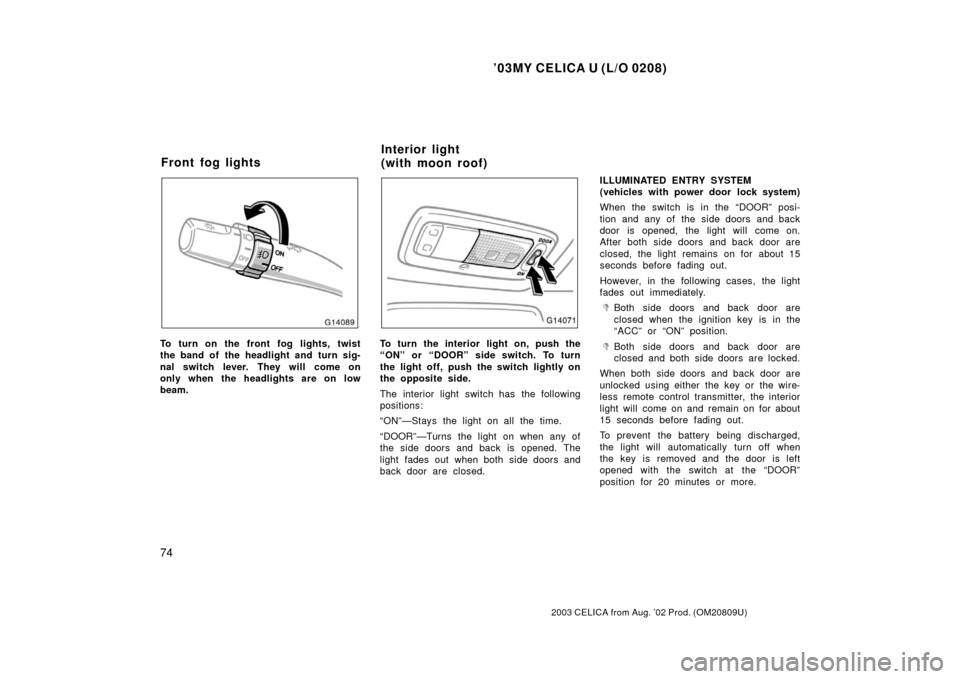
To turn on the front fog lights, twist
the band of the headlight and turn sig-
nal switch lever. They will come on
only when the headlights are on low
beam.To turn the interior light on, push the
“ON” or “DOOR” side switch. To turn
the light off, push the switch lightly on
the opposite side.
The interior light switch has the following
positions:
“ON”—Stays the light on all the time.
“DOOR”—Turns the light on when any of
the side doors and back is opened. The
light fades out when both side doors and
back door are closed.ILLUMINATED ENTRY SYSTEM
(vehicles with power door lock system)
When the switch is in the “DOOR” posi-
tion and any of the side doors and back
door is opened, the light will come on.
After both side doors and back door are
closed, the light remains on for about 15
seconds before fading out.
However, in the following cases, the light
fades out immediately.
�Both side doors and back door are
closed when the ignition key is in the
“ACC” or “ON” position.
�Both side doors and back door are
closed and both side doors are locked.
When both side doors and back door are
unlocked using either the key or the wire-
less remote control transmitter, the interior
light will come on and remain on for about
15 seconds before fading out.
To prevent the battery being discharged,
the light will automatically turn off when
the key is removed and the door is left
opened with the switch at the “DOOR”
position for 20 minutes or more.
Front fog lights Interior light
(with moon roof)
Page 88 of 249
’03MY CELICA U (L/O 0208)
84
2003 CELICA from Aug. ’02 Prod. (OM20809U)
If the indicator or buzzer comes on...Do this.
(h)orTake vehicle to Toyota dealer.
If the brake system warning light is also on, stop immediately and contact Toyota
dealer.
(i)Close both side doors and back door.
(j)Take vehicle to Toyota dealer immediately.
(k)Stop and check.
(l)Key reminder buzzerRemove key.
(m)Light reminder buzzerTurn off lights.
Page 130 of 249
’03MY CELICA U (L/O 0208)
126
2003 CELICA from Aug. ’02 Prod. (OM20809U)
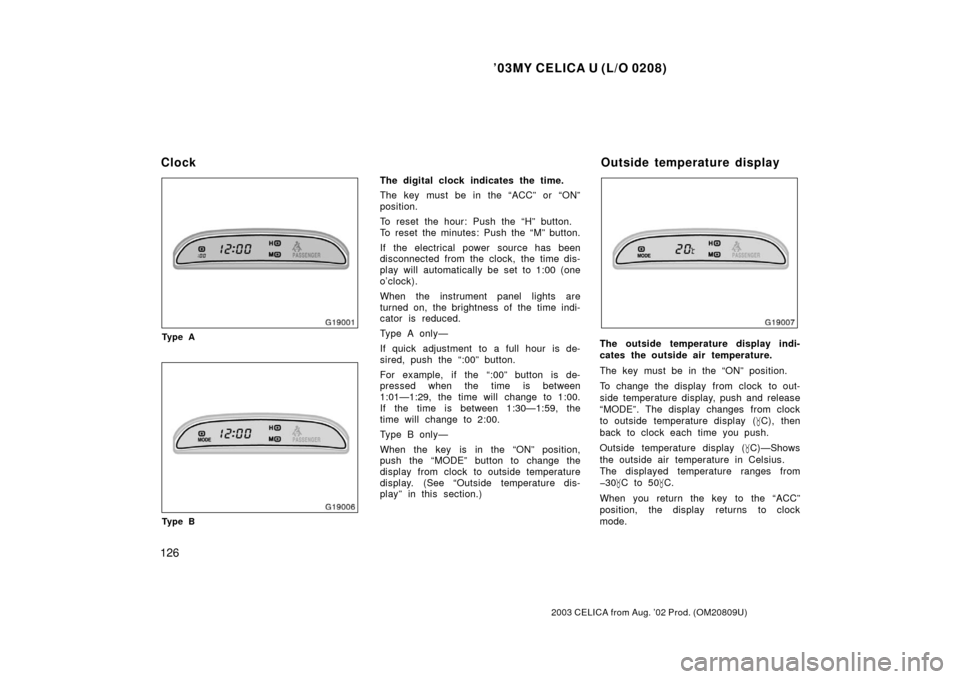
Ty p e A
Ty p e B
The digital clock indicates the time.
The key must be in the “ACC” or “ON”
position.
To reset the hour: Push the “H” button.
To reset the minutes: Push the “M” button.
If the electrical power source has been
disconnected from the clock, the time dis-
play will automatically be set to 1:00 (one
o’clock).
When the instrument panel lights are
turned on, the brightness of the time indi-
cator is reduced.
Type A only—
If quick adjustment to a full hour is de-
sired, push the “:00” button.
For example, if the “:00” button is de-
pressed when the time is between
1:01—1:29, the time will change to 1:00.
If the time is between 1:30—1:59, the
time will change to 2:00.
Type B only—
When the key is in the “ON” position,
push the “MODE” button to change the
display from clock to outside temperature
display. (See “Outside temperature dis-
play” in this section.)
The outside temperature display indi-
cates the outside air temperature.
The key must be in the “ON” position.
To change the display from clock to out-
side temperature display, push and release
“MODE”. The display changes from clock
to outside temperature display (�C), then
back to clock each time you push.
Outside temperature display ( �C)—Shows
the outside air temperature in Celsius.
The displayed temperature ranges from
30� C to 50 �C.
When you return the key to the “ACC”
position, the display returns to clock
mode.
Clock Outside temperature display
Page 131 of 249
’03MY CELICA U (L/O 0208)
127
2003 CELICA from Aug. ’02 Prod. (OM20809U)
If there is a problem with the connection
to the outside air temperature sensor, “”
will appear on the display. Contact your
Toyota dealer.
When the instrument panel lights are
turned on, the brightness of the tempera-
ture indicator is reduced.
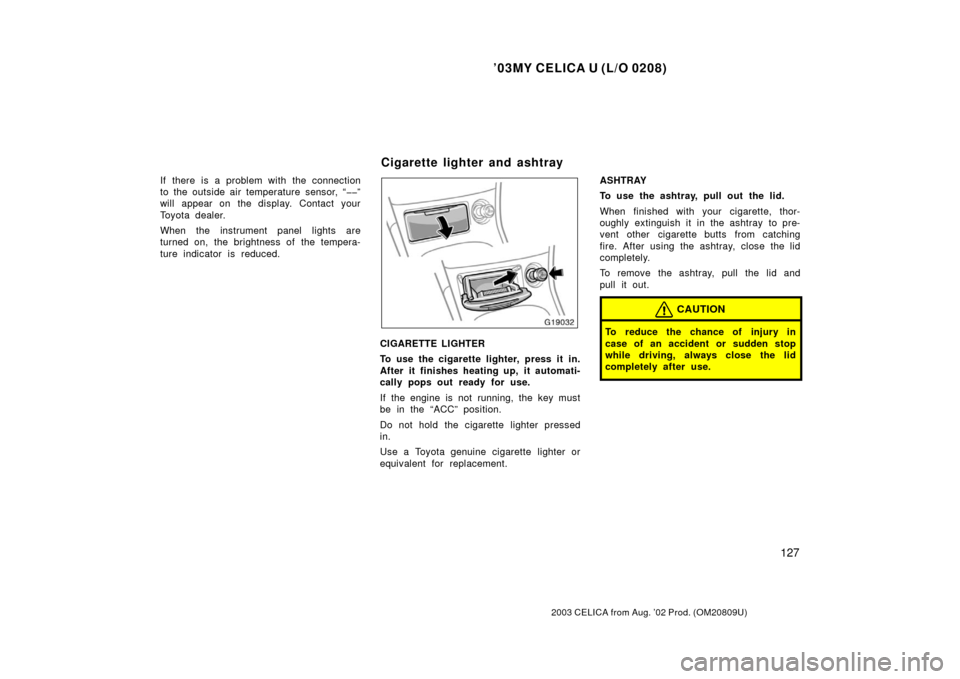
CIGARETTE LIGHTER
To use the cigarette lighter, press it in.
After it finishes heating up, it automati-
cally pops out ready for use.
If the engine is not running, the key must
be in the “ACC” position.
Do not hold the cigarette lighter pressed
in.
Use a Toyota genuine cigarette lighter or
equivalent for replacement.ASHTRAY
To use the ashtray, pull out the lid.
When finished with your cigarette, thor-
oughly extinguish it in the ashtray to pre-
vent other cigarette butts from catching
fire. After using the ashtray, close the lid
completely.
To remove the ashtray, pull the lid and
pull it out.
CAUTION
To reduce the chance of injury in
case of an accident or sudden stop
while driving, always close the lid
completely after use.
Cigarette lighter and ashtray
Page 132 of 249
’03MY CELICA U (L/O 0208)
128
2003 CELICA from Aug. ’02 Prod. (OM20809U)
To use the glove box, do this.
To open: Pull the lever.
With the instrument panel lights on, the
glove box light will come on when the
glove box is open.
To lock: Insert the master key and turn it
clockwise.
CAUTION
To reduce the chance of injury in
case of an accident or a sudden stop,
always keep the glove box door
closed while driving.
Instrument panel
Rear console
To use the boxes, open them as shown
in the illustrations.
CAUTION
To reduce the chance of injury in
case of an accident or a sudden stop,
always keep the auxiliary box closed
while driving.
Glove boxAuxiliary boxes
Page 152 of 249

’03MY CELICA U (L/O 0208)
148
2003 CELICA from Aug. ’02 Prod. (OM20809U)
1. Check the area around the vehicle be-fore entering it.
2. Adjust seat position, seatback angle, seat cushion angle and steering wheel
angle.
3. Adjust the inside and outside rear view mirrors.
4. Lock both side doors.
5. Fasten seat belts. 1. Apply the parking brake firmly.
2. Turn off unnecessary lights and acces-
sories.
3. Manual transmission: Press the clutch
pedal to the floor and shift the trans-
mission into neutral. Hold the clutch
pedal to the floor until the engine is
started. A starter safety device will pre-
vent the starter from operating if the
clutch pedal is not fully depressed.
Automatic transmission: Put the se-
lector lever in “P”. If you need to re-
start the engine while the vehicle is
moving, put the selector lever in “N”.
A starter safety device will prevent the
starter from operating if the selector
lever is in any drive position.
4. Automatic transmission only: De-
press the brake pedal and hold it to
the floor until driving off. Before starting the engine, be sure to fol-
low the instructions in “(a) Before crank-
ing”.
Normal starting procedure
The multiport fuel injection system/sequen-
tial multiport fuel injection system in your
engine automatically controls the proper
airfuel mixture for starting. You can start
a cold or hot engine as follows:
1. With your foot off the accelerator ped- al, crank the engine by turning the key
to “START”. Release it when the en-
gine starts.
2. After the engine runs for about 10 sec- onds, you are ready to drive.
If the weather is below freezing, let the
engine warm up for a few minutes before
driving.
If the engine stalls...
Simply restart it, using the correct proce-
dure given in normal starting.
If the engine will not start...
See “If your vehicle will not start” in Sec-
tion 4.
Before starting the engine How to start the engine—
(a) Before cranking
(b) Starting the engine