2003 Oldsmobile Bravada lock
[x] Cancel search: lockPage 84 of 410

Notice: If your key seems stuck in LOCK and you
can’t turn
it, be sure you are using the correct key; if
so, is it all the way in? Turn the key only with
your hand. Using a tool to force
it could break the
key or the ignition switch. If none of these works,
then your vehicle needs service.
B (ACCESSORY): This position lets you use things like
the radio and the windshield wipers when the engine
is
off.
Notice: Don’t operate accessories in the
ACCESSORY position for long periods of time.
Prolonged operation of accessories
in the
ACCESSORY position could drain your battery and
prevent you from starting your vehicle.
C (RUN): This is the position for driving.
D (START): This position starts the engine,
Retained Accessory Power (RAP)
Your vehicle is equipped with a Retained Accessory
Power (RAP) feature which will allow certain features
01
your vehicle to continue to work up to 20 minutes
after the ignition key is turned to LOCK.
Your radio, power windows, sunroof (option) and
overhead console will work when the ignition key is in
RUN or ACCESSORY. Once the key is turned from
RUN to LOCK, these features will continue to work for
up to
20 minutes or until a door is opened.
Starting Your Engine
Move your shift lever to PARK (P) or NEUTRAL (N). Your
engine won’t start in any other position-that’s a safety
feature. To restart when you’re already moving, use
NEUTRAL (N) only.
Notice: Don’t try to shift to PARK (P) if your
vehicle is moving.
If you do, you could damage the
transmission. Shift to PARK (P) only when your
vehicle is stopped.
1. With your foot off the accelerator pedal, turn the
ignition key to START. When the engine starts,
let go of the key. The idle speed will go down as
your engine gets warm.
Notice: Holding your key in START for longer than
15 seconds at a time will cause your battery to
be drained much sooner. And the excessive heat
can damage your starter motor.
At 15 seconds, the
starter will automatically be disengaged. Wait
about 15 seconds between each try to help avoid
draining your battery or damaging your starter.
2. If it doesn’t start within 10 seconds, push the
accelerator pedal all the way to the floor, while you
hold the ignition key in START. When the engine
starts, let go of the key and let up on the accelerator
pedal. Wait about 15 seconds between each try.
2-1 9
Page 87 of 410

Automatic Transmission Operation
There are several different positions for your shift lever
PARK (P): This position locks the rear wheels. It’s
the best position to use when you start the engine because your vehicle can’t move easily.
It is dangerous to get out of your vehicle if the
shift lever
is not fully in PARK (P) with the
parking brake firmly set. Your vehicle can roll.
Don’t leave your vehicle when the engine
is
running unless you have to. If you have left the
engine running, the vehicle can move suddenly. You or others could be injured. To be sure your vehicle won’t move, even when
you’re on fairly level ground, always set your parking brake and move the shift lever to PARK (P). See “Shifting Into Park (P)”
in the
Index. If you’re pulling a trailer, see “Towing a
Trailer”
in the Index. Ensure
the shift lever is fully in PARK (P) before starting
the engine. Your vehicle has an automatic transmission
shift lock control system. You have to fully apply the
regular brakes before you can shift from PARK
(P) when
the ignition key is in RUN. If you cannot shift out of
PARK (P), ease pressure on the shift lever, press the
button on the shift lever and push the shift lever all
the way into PARK (P) as you maintain brake
application. Move the shift lever into the gear you wish.
See
Shifting Out of Park (P) on page 2-27.
REVERSE (R): Use this gear to back up.
Notice: Shifting to REVERSE (R) while your vehicle
is moving forward could damage your transmission.
Shift to
REVERSE (R) only after your vehicle is
stopped.
To rock your vehicle back and forth to get out of snow,
ice or sand without damaging your transmission,
see
If You Are Stuck: In Sand, Mud, Ice or Snow on
page
4-40.
2-22
Page 89 of 410

FIRST (1): This position gives you even more power
but lower fuel economy than
SECOND (2). You can use
it on very steep hills, or in deep snow or mud.
If the
selector lever is put in FIRST
(1) while the vehicle
is moving forward, the transmission won’t shift into first
gear until the vehicle is going slowly enough.
Notice: If your wheels won’t turn, don’t try to drive.
This might happen if you were stuck in very deep
sand or mud or were up against a solid object. You
could damage your transmission. Also, if you
stop when going uphill, don’t hold your vehicle there
with only the accelerator pedal. This could overheat
and damage the transmission. Use your brakes
or shift into
PARK (P) to hold your vehicle in
position on a hill.
Shift Lock Release
This vehicle is equipped with a shift lock release
system. If your vehicle has a dead battery and you need
to have your vehicle towed, there is a shift lock
release lever that will allow you to move the shift lever
out of PARK (P).
I o access the shift lock release lever, do the following:
1. Press on the sides of the boot around the shift
2. Lift up the boot on the shift lever and you will see
lever
to release the boot.
an orange lever.
3. Lift the orange lever up and move the shift lever out
of
PARK (P).
4. Snap the shift lever boot back in place.
All-Wheel Drive
Your vehicle may have this feature. There is no lever or
switch to engage
or disengage the front axle. It is
fully automatic and adjusts as needed for road
conditions. Your vehicle has an active transfer case
allowing two-wheel-drive operation on dry roads.
The transfer case will shift automatically into all-wheel
drive on slippery surfaces. You may feel an extra
shift when the all-wheel drive engages.
2-24
Page 91 of 410

2. Move the shift lever
into PARK (P) like this:
Press and hold in the button on the lever.
Push the lever all the way toward the front of the
vehicle.
3. Turn the ignition key to LOCK.
4. Remove the key and take it with you. If you can
leave your vehicle with the key, your vehicle is in
PARK
(P).
Leaving Your Vehicle With the Engine
Running
It can be dangerous ,I leave your vehicle --ith
the engine running. Your vehicle could move
suddenly
if the shift lever is not fully in
PARK (P) with the parking brake firmly set.
And,
if you leave the vehicle with the engine
running,
it could overheat and even catch fire.
You or others could be injured. Don’t leave
, your vehicle with the engine running.
If you have to leave your vehicle with the engine
running, be sure your vehicle is in PARK (P) and your
parking brake is firmly set before you leave it. After
you’ve moved the shift lever into PARK (P), hold
the regular brake pedal down. Then, see
if you can
move the shift lever away from PARK (P) without first
pressing the button on the console shift lever. If you can,
it means that the shift lever wasn’t fully locked into
PARK (P).
2-26
Page 92 of 410

Torque Lock
If you are parking on a hill and you don’t shift your
transmission into PARK (P) properly, the weight of the
vehicle may put too much force on the parking pawl
in the transmission. You may find it difficult to pull the
shift lever out of PARK (P). This is called “torque
lock.” To prevent torque lock, set the parking brake and
then shift into PARK
(P) properly before you leave
the driver’s seat. To find out how, see
Shifting Into Park
(P) on page 2-25.
When you are ready to drive, move the shift lever out of
PARK (P)
before you release the parking brake.
If torque lock does occur, you may need to have another
vehicle push yours a little uphill to take some of the
pressure from the parking pawl in the transmission,
so
you can pull the shift lever out of PARK (P).
Shifting Out of Park (P)
Your vehicle has an automatic transmission shift lock
control system. You have to fully apply the regular
brakes before you can shift from PARK (P) when the
ignition is in RUN. See
Automatic Transmission
Operation
on page 2-22.
If you cannot shift out of PARK (P), ease pressure on
the shift lever. Push the shift lever all the way into
PARK (P) as you maintain brake application. Then press
the shift lever button and move the shift lever into the
gear you want.
If you ever hold the brake pedal down but still can’t shift
out of PARK (P), try this:
1. Turn the key to LOCK.
2. Apply and hold the brake until the end of Step 4.
3. Shift to NEUTRAL (N).
4. Start the vehicle and then shift to the drive gear
you want.
5. Have the vehicle fixed as soon as possible.
2-27
Page 100 of 410

Onstar@ System Onstar@ Services
OnStaP uses global positioning system (GPS) satellite
technology, wireless communications, and state of
the art call centers
to provide you with a wide range of
safety, security, information and convenience services.
An OnStaP subscription plan is included in the price
of
your vehicle. You can easily upgrade or extend your
Onstar@ services to meet your personal needs.
A complete Onstar@ user’s guide and the terms and
conditions of the Onstar@ Subscription Service
Agreement are included in your Onstar@ equipped
vehicle’s glove box literature. For more information, visit
www.onstar.com, contact Onstar@ at
1 -888-4-ONSTAR
(1-888-466-7827), or press the blue Onstar@ button
to speak to an Onstar@ advisor 24 hours a day,
7 days
a week.
0 Remote Door Unlock
Remote Diagnostics
Onstar@
MED-NET (Requires separate activation
and annual fee on some plans)
0 Online and Personal Concierge Services
Route Support
RideAssist
0 Information and Convenience Services
2-35
Page 102 of 410
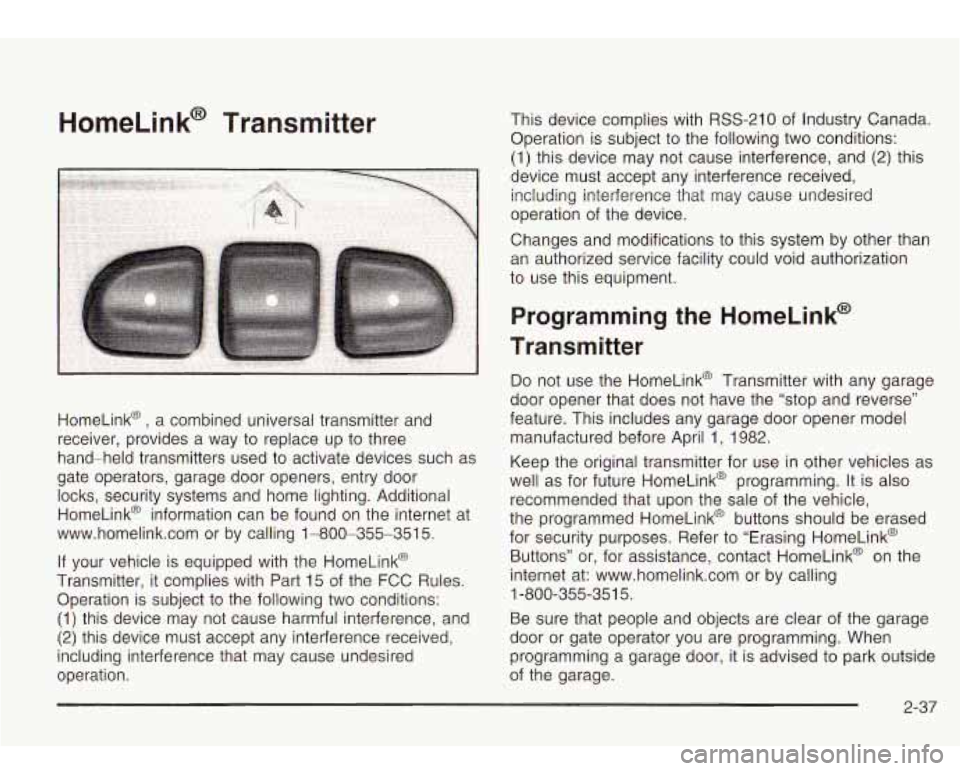
HomeLink@ Transmitter
HomeLink@ , a combined universal transmitter and
receiver, provides a way to replace up to three
hand-held transmitters used to activate devices such as
gate operators, garage door openers, entry door
locks, security systems and home lighting. Additional
HomeLink@ information can be found on the internet at
www.homelink.com or by calling 1-800-355-351
5.
If your vehicle is equipped with the HomeLink@
Transmitter, it complies with Part 15 of the FCC Rules.
Operation is subject to the following two conditions:
(1) this device may not cause harmful interference, and
(2) this device must accept any interference received,
including interference that may cause undesired
operation. This device complies with
RSS-210 of
Industry Canada.
Operation is subject
to the following two conditions:
(1) this device may not cause interference, and
(2) this
device must accept any interference received, including interference that may cause undesired
operation of the device.
Changes and modifications to this system by other than
an authorized service facility could void authorization
to use this equipment.
Programming the HomeLink@
Transmitter
Do not use the HomeLink@ Transmitter with any garage
door opener that does not have the “stop and reverse”
feature. This includes any garage door opener model
manufactured before April 1, 1982.
Keep the original transmitter for use in other vehicles as
well as for future HomeLink@ programming. It is also
recommended that upon the sale of the vehicle,
the programmed HomeLink@ buttons should be erased
for security purposes. Refer to “Erasing HomeLink@
Buttons” or, for assistance, contact HomeLink@ on the
internet at: www.homelink.com or by calling
Be sure that people and objects are clear of the garage
door or gate operator you are programming. When
programming a garage door, it is advised to park outside
of the garage.
1
-800-355-35
1 5.
2-37
Page 108 of 410

To slide the crossrails to where you want them, pull up
on the lever on each side of the crossrail. This will
release the crossrail and allow you
to slide it. When the
crossrail is where you want it, press down on the
levers to lock it into place.
Notice: Loading cargo that weighs more than
220 Ibs. (100 kg) on the luggage carrier may damage
your vehicle.
Don’t exceed the maximum vehicle capacity when
loading your vehicle. For more information on vehicle
capacity and loading, see
Loading Your Vehicle on
page
4-4 1.
To prevent damage or loss of cargo as you’re driving,
check now and then to make sure the luggage carrier is
locked and cargo is still securely fastened.
When the luggage carrier is not in use, place the
crossrails
at the following positions for wind noise
reduction. Place one crossrail at the rear most point of
the vehicle and the other crossrail above the opening
of the rear door.
Rear Floor Storage Lid
If any removable convenience item isn’t
secured properly, it can move around in a
collision or sudden stop. People in the vehicle
could be injured. Be sure
to secure any such
item properly.
Your vehicle has a rear floor storage lid located in the
rear cargo area that allows you to put items underneath
it.
To remove the rear floor storage lid, do the following:
1. Press the latch release and lift up the latch handle.
2. Raise the lid slightly to unhook it.
3. Pull the lid toward you to release it from the forward
mounting tabs.
To reinstall the rear floor storage lid, reverse the
previous steps. Make sure the lid
is secure by applying
slight pressure to the latch until you hear it click.
2-43