2003 OLDSMOBILE AURORA wheel
[x] Cancel search: wheelPage 150 of 387

Traction Control System (TCS)
Warning Light
,
TRAC
OFF
United States Canada
This warning light should come on briefly when the
engine
is started.
If the warning light doesn’t come on then, have it fixed
so it will be ready to warn you if there’s a problem.
If it stays on, or comes on when you’re driving, there
may be a problem with your traction control system and
your vehicle may need service. When this warning
light is on, the system will not limit wheel spin. Adjust
your ariving accordingiy. The
traction control system warning light may come on
for the following reasons:
If you turn the system off by pressing the TC button
located on the center console, the warning light will
come on and stay on. To turn the system back
on, press the button again. The warning light should
go
off. See Traction Control System (TCS) on
page 4-8 for more information.
If there’s a brake system problem that is specifically
related to traction control, the traction control
system will turn
off and the warning light will come
on.
If your brakes begin to overheat, the traction
control system will turn
off and the warning light will
come on until your brakes cool down.
If the traction control system is affected by an
engine-related problem, the system will turn off and
the warning light will come on.
If the traction control system warning light comes on
and stays on for an extended period of time when the
system is turned on, your vehicle needs service.
3-37
ProCarManuals.com
Page 151 of 387

Traction Control System Active
Light
United States
I
Canada
When your traction control system is limiting wheel spin,
this light will come on. Slippery road conditions may
exist
if the traction control system active light comes on,
so adjust your driving accordingly.
The light will stay on for a few seconds after the traction
control system stops limiting wheel spin.
Engine Coolant Temperature Gage
United States Canada
This gage shows the engine coolant temperature.
If the
gage pointer moves into the shaded warning zone,
your engine is hot.
To prevent engine overheating, the air conditioning
compressor will turn
off automatically, a fast-pulsed
chime will sound, and the message ENGINE HOT
... A/C
OFF will appear in the Driver Information Center
(DIC).
As the engine cools down, the air conditioning
compressor will automatically turn back on.
3-38
ProCarManuals.com
Page 187 of 387

Audio Steering Wheel Controls
With this feature, you can
control certain radio
functions using the buttons
on your steering wheel.
A VOL (Volume) v : Press the up or the down arrow
to increase or to decrease volume.
A SEEK: Press this button to seek to the next radio
station. When playing a cassette tape or compact disc,
press this button to hear the next selection. There
must be at least a three-second gap between selections
on a cassette tape.
PROG (Program): Press this button to tune to the next
preset radio station. When playing a cassette tape,
press this button
to hear the other side of a tape that is
playing. When listening to a disc in the
CD changer,
press this button to select the next loaded disc.
Understanding Radio Reception
AM
The range for most AM stations is greater than for FM,
especially at night. The longer range, however, can
cause stations
to interfere with each other. AM can pick
up noise from things like storms and power lines.
Try
reducing the treble to reduce this noise if you ever get it.
FM
FM stereo will give you the best sound, but FM signals
will reach only about
10 to 40 miles (1 6 to 65 km).
Tall buildings or hills can interfere with
FM signals,
causing the sound to come and go.
Care of Your Cassette Tape Player
A tape player that is not cleaned regularly can cause
reduced sound quality, ruined cassettes or a damaged
mechanism. Cassette tapes should be stored in their
cases away from contaminants, direct sunlight and
extreme heat.
If they aren’t, they may not operate
properly or may cause failure of the tape player.
3-74
ProCarManuals.com
Page 196 of 387

Anti-lock Brake System (ABS)
Your vehicle has anti-lock brakes. ABS is an advanced
electronic braking system that will help prevent a
braking skid.
When you start your engine and begin to drive away.
your anti-lock brake system will check itself. You
may hear a momentary motor or clicking noise while
this test is going on, and you may even notice that your
brake pedal moves a little. This is normal.
If there’s a problem with
the anti-lock brake system,
this warning light will
stay on. See
Anti-Lock
Brake System Warning
Light on page
3-36.
Let’s say the road is wet and you’re driving safely.
Suddenly, an animal jumps out in front of you. You slam
on the brakes and continue braking. Here’s what
happens with ABS:
A computer senses that wheels are slowing down. If
one of the wheels is about to stop rolling, the computer
will separately work the brakes at each front wheel
and at both rear wheels.
The anti-lock system can change the brake pressure
faster than any driver could. The computer is
programmed
to make the most of available tire and road
4-7
ProCarManuals.com
Page 197 of 387
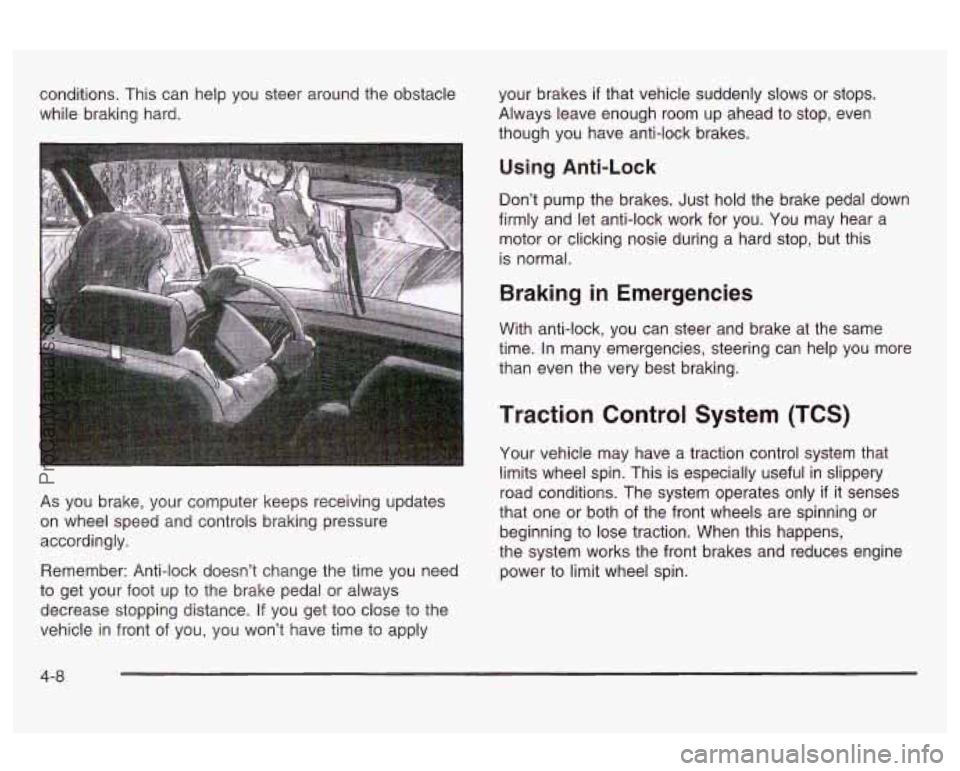
conditions. This can help you steer around the obstacle
while braking hard.
As you brake, your computer keeps receiving updates
on wheel speed and controls braking pressure
accordingly.
Remember: Anti-lock doesn’t change the time you need
to get your foot up to the brake pedal or always
decrease stopping distance.
If you get too close to the
vehicle
in front of you, you won’t have time to apply your
brakes
if that vehicle suddenly slows or stops.
Always leave enough room up ahead to stop, even
though you have anti-lock brakes.
Using Anti-Lock
Don’t pump the brakes. Just hold the brake pedal down
firmly and let anti-lock work for you. You may hear a
motor or clicking nosie during a hard stop, but this
is normal.
Braking in Emergencies
With anti-lock, you can steer and brake at the same
time. In many emergencies, steering can help you more
than even the very best braking.
Traction Control System (TCS)
Your vehicle may have a traction control system that
limits wheel spin. This is especially useful in slippery
road conditions. The system operates only
if it senses
that one or both of the front wheels are spinning
or
beginning to lose traction. When this happens,
the system works the front brakes and reduces engine
power to limit wheel spin.
4-8
ProCarManuals.com
Page 198 of 387

TRAC
ON
United States Canada
This light will come on when your traction control
system is limiting wheel spin. See
Traction Control
System Active Light
on page 3-38.
You may feel or hear the system working, but this is
normal.
If your vehicle is in cruise control when the traction
control system begins to limit wheel spin, the cruise
control will automatically disengage. When road
conditions allow you to safely use it again, you may
reengage the cruise control. See “Cruise Control” under
Turn SignaVMultifunction Lever on page 3-6.
TRAC
OFF
United States Canada
This light should come on briefly when you start the
engine.
If it stays on or comes on while you are driving,
there’s a problem with your traction control system.
See
Traction Control System (TCS) Warning Light on
page 3-37. When this warning light is on, the system will
not limit wheel spin. Adjust your driving accordingly.
The traction control system automatically comes
on whenever you start your vehicle. To limit wheel spin,
especially in slippery road conditions, you should
always leave the system on. But you can turn the
traction control system
off if you ever need to. You
should turn the system
off if your vehicle ever gets stuck
in sand, mud or snow and rocking the vehicle is
required. See “Rocking Your Vehicle To Get It Out”
under
If You Are Stuck: In Sand, Mud, Ice or Snow on
page 4-32.
4-9
ProCarManuals.com
Page 199 of 387

To turn the system off,
press the TC button on the
center console.
The traction control system warning light will come on
and stay on. If the system is limiting wheel spin
when you press the button, the warning light will come
on
- but the system won’t turn off right away. It will
wait until there’s no longer a current need
to limit
wheel spin.
You can turn the system back on at any time by
pressing the button again. The traction control system
warning light should go
off.
Steering
Power Steering
If you lose power steering assist because the engine
stops or the system is not functioning, you can steer but
it will take much more effort.
Magnetic-Speed Variable Assist
Steering
Your vehicle is equipped with a steering system that
continuously adjusts the effort you feel when steering at
all vehicle speeds. It provides ease when parking,
yet
a firm, solid feel at highway speeds.
4-1 0
ProCarManuals.com
Page 200 of 387

Steering Tips
Driving on Curves
It’s important to take curves at a reasonable speed.
A lot of the “driver lost control” accidents mentioned on
the news happen on curves. Here’s why:
Experienced driver or beginner, each of us is subject to
the same laws of physics when driving on curves.
The traction of the tires against the road surface makes
it possible for the vehicle to change its path when
you turn the front wheels. If there’s no traction, inertia
will keep the vehicle going in the same direction. If
you’ve ever tried to steer a vehicle on wet ice, you’ll
understand this.
The traction you can get in a curve depends on the
condition of your tires and the road surface, the angle at
which the curve is banked, and your speed. While
you’re in a curve, speed is the one factor you can
control.
Suppose you’re steering through a sharp curve. Then
~II slddenly accelerate. Both control systems -
steering and acceleration - have to do their work where
the tires meet the road. Adding the sudden acceleration
can demand too much of those places. You can lose
control. See
Traction Control System (TCS) on page 4-8.
What should you do if this ever happens? Ease up on
the accelerator pedal, steer the vehicle the way you
want
it to go, and slow down.
If you have Stabilitrak@, you may see the STABILITY
ACTIVE message on the Driver Information Center. See
“Stability Active Message” under
DIC Warnings and
Wlessages on page
3-50.
Speed limit signs near curves warn that you should
adjust your speed. Of course, the posted speeds
are based on good weather and road conditions. Under
less favorable conditions you’ll want to go slower.
If you need to reduce your speed as you approach a
curve, do it before you enter the curve, while your front
wheels are straight ahead.
Try to adjust your speed
so you can “drive” through the
curve. Maintain a reasonable, steady speed. Wait to
accelerate until you are out of the curve, and then
accelerate gently into the straightaway.
4-1 1
ProCarManuals.com