Page 74 of 360
74 Safety and SecurityDriving and safety systems4-ETS
The 4-ETS improves vehicle’s ability to uti-
lize available traction, especially under
slippery road conditions. The brakes are
applied to the spinning wheel and power is
allowed to flow to the wheel(s) with trac-
tion.
The 4-ETS function is available between ve-
hicle speeds of 0 mph (km/h) and 37 mph
(60 km/h).
The ESP warning lamp
v
in the instru-
ment cluster (
�page 24) lights up when
you turn the key to position2. It goes out
when the engine is running.
The ESP warning lamp
v
starts to flash
at any vehicle speed, as soon as the tires
lose traction and the wheels begin to spin.More information can be found in the
“Practical hints” section (
�page 238).
Warning!
G
When you see the ESP warning lamp
v
flashing in the speedometer dial, then pro-
ceed as follows:
�
While driving off, apply as little throttle
as possible.
�
While driving ease up on the accelera-
tor.
�
Adapt your speed and driving style to
the prevailing road conditions.
Failure to observe these guidelines could
cause the vehicle to skid.
The 4-ETS cannot prevent accidents result-
ing from excessive speed.
!The engine must be shut off when�
the parking brake is being tested on
a brake test dynamometer.
�
the vehicle is being towed with one
axle raised.
Otherwise, the 4-ETS will engage the
brakes and seriously damage the brake
system.
Page 100 of 360
100 Controls in detailLighting
LightingFor notes on how to switch on the head-
lamps and use the turn signals, see the
“Getting started” section (
�page 46).
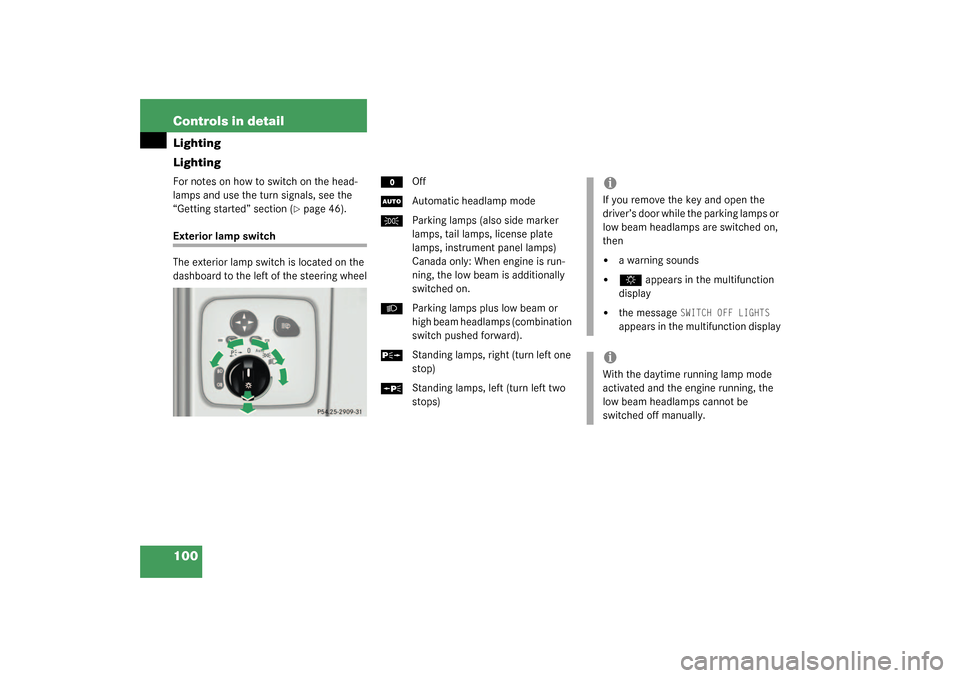
Exterior lamp switch
The exterior lamp switch is located on the
dashboard to the left of the steering wheel
M
Off
U
Automatic headlamp mode
C
Parking lamps (also side marker
lamps, tail lamps, license plate
lamps, instrument panel lamps)
Canada only: When engine is run-
ning, the low beam is additionally
switched on.
B
Parking lamps plus low beam or
high beam headlamps (combination
switch pushed forward).
ˆ
Standing lamps, right (turn left one
stop)
‚
Standing lamps, left (turn left two
stops)
iIf you remove the key and open the
driver’s door while the parking lamps or
low beam headlamps are switched on,
then �
a warning sounds
�
$
appears in the multifunction
display
�
the message
SWITCH OFF LIGHTS
appears in the multifunction display
iWith the daytime running lamp mode
activated and the engine running, the
low beam headlamps cannot be
switched off manually.
Page 101 of 360
101 Controls in detail
Lighting
Manual headlamp mode
The low beam headlamps and parking
lamps can be switched on and off with the
exterior lamp switch. For exterior lamp
switch, see above.
Automatic headlamp mode
The parking lamps, low beam headlamps
and license plate lamps switch on and off
automatically depending on the brightness
of the ambient light.�
Turn the exterior lamp switch to
U
.
Warning!
G
In automatic headlamp mode, the head-
lamps will not be automatically switched on
under foggy conditions. To minimize risk to
you and to others, activate headlamps by
turning exterior lamp switch to
B
.
The driver is responsible for the operation of
the vehicle’s lights at all times. The automat-
ic headlamp feature is only an aid to the driv-
er. Switch on the vehicle lights manually
when driving or when traffic conditions re-
quire you to do so.
iWith the daytime running lamp mode
activated, the low beam headlamps will
not be switched off automatically.
iFront fog lamps and rear fog lamp can
not be switched on manually with exte-
rior lamp switch in position
U
. To
activate the fog lamps, turn exterior
lamp switch to position
B
.
iIf you drive in countries where vehicles
drive on the other side of the road than
the country where the vehicle is regis-
tered, you must have the headlamps
modified for symmetrical low beams.
Relevant information can be obtained
at your authorized Mercedes-Benz
Light Truck Center.
Page 103 of 360
103 Controls in detail
Lighting
Switching on rear fog lamp�
Check that the low beam headlamps
are switched on.
�
Pull out exterior lamp switch to second
stop.
The yellow indicator lamp
†
in the
lamp switch lights up.
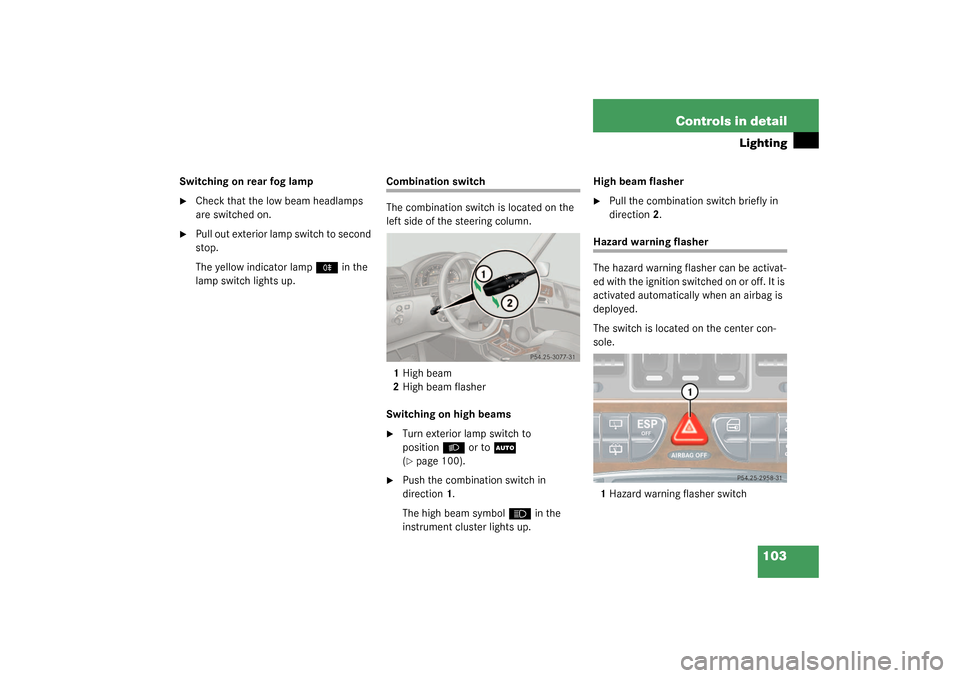
Combination switch
The combination switch is located on the
left side of the steering column.
1High beam
2High beam flasher
Switching on high beams�
Turn exterior lamp switch to
position
B
or to
U
(
�page 100).
�
Push the combination switch in
direction1.
The high beam symbol
A
in the
instrument cluster lights up.High beam flasher
�
Pull the combination switch briefly in
direction2.
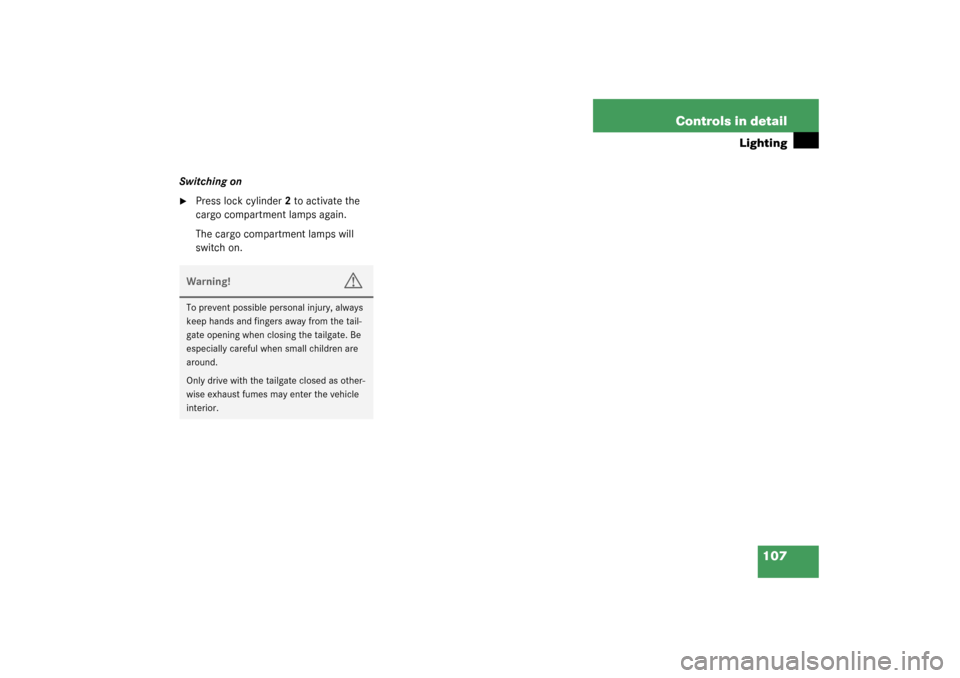
Hazard warning flasher
The hazard warning flasher can be activat-
ed with the ignition switched on or off. It is
activated automatically when an airbag is
deployed.
The switch is located on the center con-
sole.
1Hazard warning flasher switch
Page 104 of 360
104 Controls in detailLightingSwitching on the hazard warning
flasher�
Press the hazard warning flasher
switch.
All the turn signals will blink.
Switching off the hazard warning
flasher
�
Press hazard warning flasher switch
again.
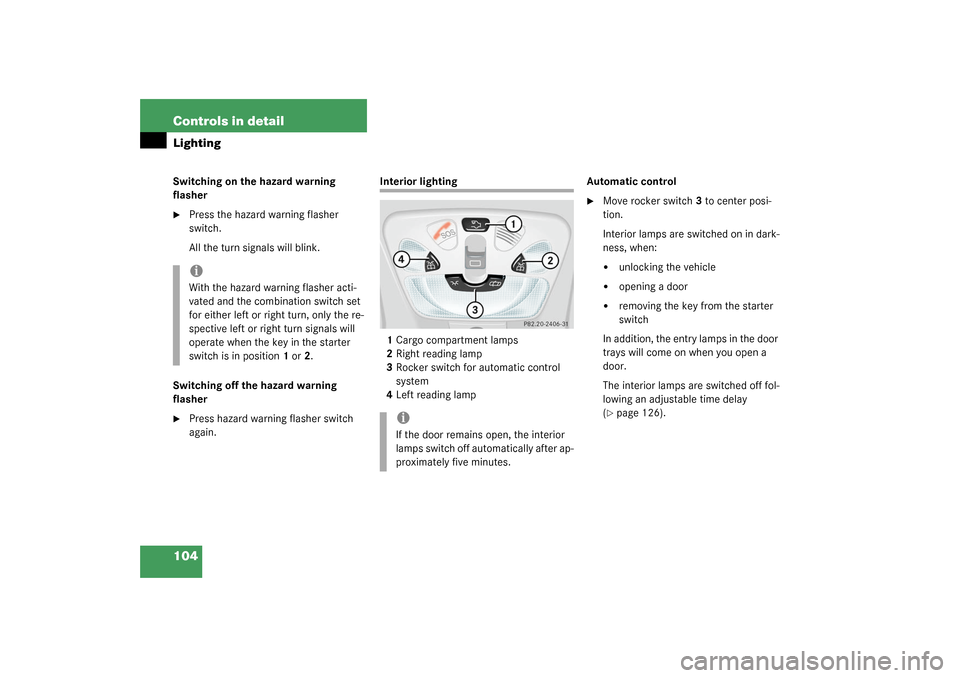
Interior lighting
1Cargo compartment lamps
2Right reading lamp
3Rocker switch for automatic control
system
4Left reading lampAutomatic control
�
Move rocker switch 3 to center posi-
tion.
Interior lamps are switched on in dark-
ness, when:�
unlocking the vehicle
�
opening a door
�
removing the key from the starter
switch
In addition, the entry lamps in the door
trays will come on when you open a
door.
The interior lamps are switched off fol-
lowing an adjustable time delay
(
�page 126).
iWith the hazard warning flasher acti-
vated and the combination switch set
for either left or right turn, only the re-
spective left or right turn signals will
operate when the key in the starter
switch is in position1 or2.
iIf the door remains open, the interior
lamps switch off automatically after ap-
proximately five minutes.
Page 107 of 360
107 Controls in detail
Lighting
Switching on�
Press lock cylinder2 to activate the
cargo compartment lamps again.
The cargo compartment lamps will
switch on.Warning!
G
To prevent possible personal injury, always
keep hands and fingers away from the tail-
gate opening when closing the tailgate. Be
especially careful when small children are
around.
Only drive with the tailgate closed as other-
wise exhaust fumes may enter the vehicle
interior.
Page 108 of 360
108 Controls in detailInstrument cluster
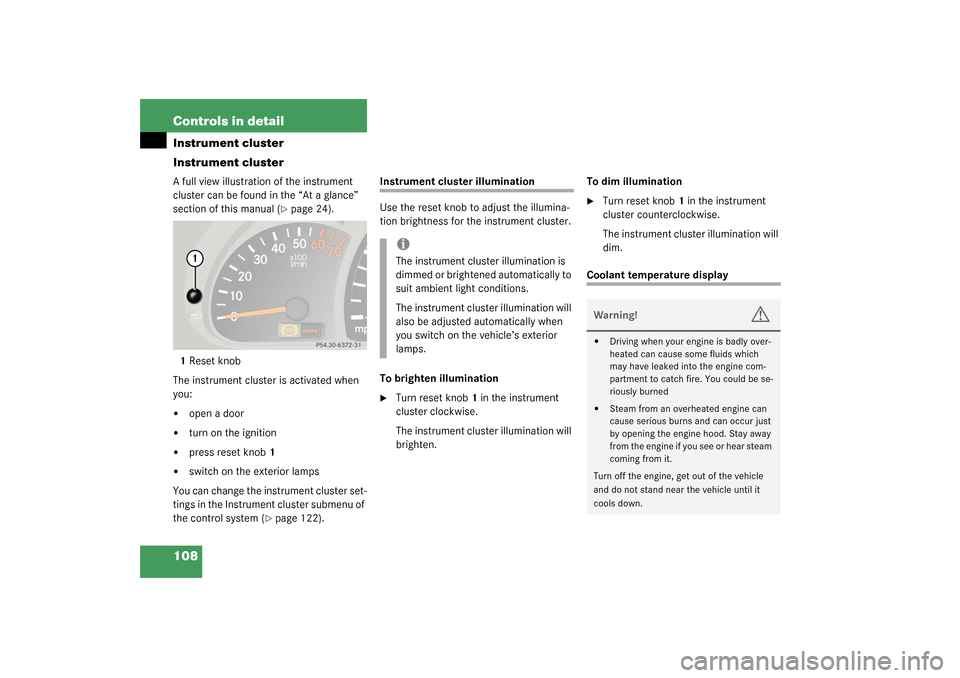
Instrument clusterA full view illustration of the instrument
cluster can be found in the “At a glance”
section of this manual (
�page 24).
1Reset knob
The instrument cluster is activated when
you:
�
open a door
�
turn on the ignition
�
press reset knob1
�
switch on the exterior lamps
You can change the instrument cluster set-
tings in the Instrument cluster submenu of
the control system (
�page 122).
Instrument cluster illumination
Use the reset knob to adjust the illumina-
tion brightness for the instrument cluster.
To brighten illumination�
Turn reset knob1 in the instrument
cluster clockwise.
The instrument cluster illumination will
brighten.To dim illumination
�
Turn reset knob1 in the instrument
cluster counterclockwise.
The instrument cluster illumination will
dim.
Coolant temperature display
iThe instrument cluster illumination is
dimmed or brightened automatically to
suit ambient light conditions.
The instrument cluster illumination will
also be adjusted automatically when
you switch on the vehicle’s exterior
lamps.
Warning!
G
�
Driving when your engine is badly over-
heated can cause some fluids which
may have leaked into the engine com-
partment to catch fire. You could be se-
riously burned
�
Steam from an overheated engine can
cause serious burns and can occur just
by opening the engine hood. Stay away
f r o m t h e e n g i n e i f y o u s e e o r h e a r s t e a m
coming from it.
Turn off the engine, get out of the vehicle
and do not stand near the vehicle until it
cools down.
Page 118 of 360
118 Controls in detailControl systemNAVI menu
The
NAVI
menu contains the functions
needed to operate your navigation system.
�
Press button
è
or
ÿ
repeatedly
until you see the message NAVI
in the
display.
�
If the navigation system is off, the mes-
sage
NAVI OFF
is shown in the display.
�
If the navigation system is on, the mes-
sage
NAVI ACTIVE
is shown in the dis-
play.
Please refer to the COMAND manual for in-
structions on how to activate the route
guidance system*.
Malfunction memory menu
Use the malfunction memory menu to scan
malfunction and warning messages that
may be stored in the system. The informa-
tion shown in the display depends on
whether malfunctions have actually oc-
curred.
�
Press button
è
or
ÿ
repeatedly
until you see the malfunction message
memory in the display.
No malfunction messages
If no malfunctions have occurred, the mes-
sage in the display is:
NO MALFUNCTIONMalfunctions have occurred
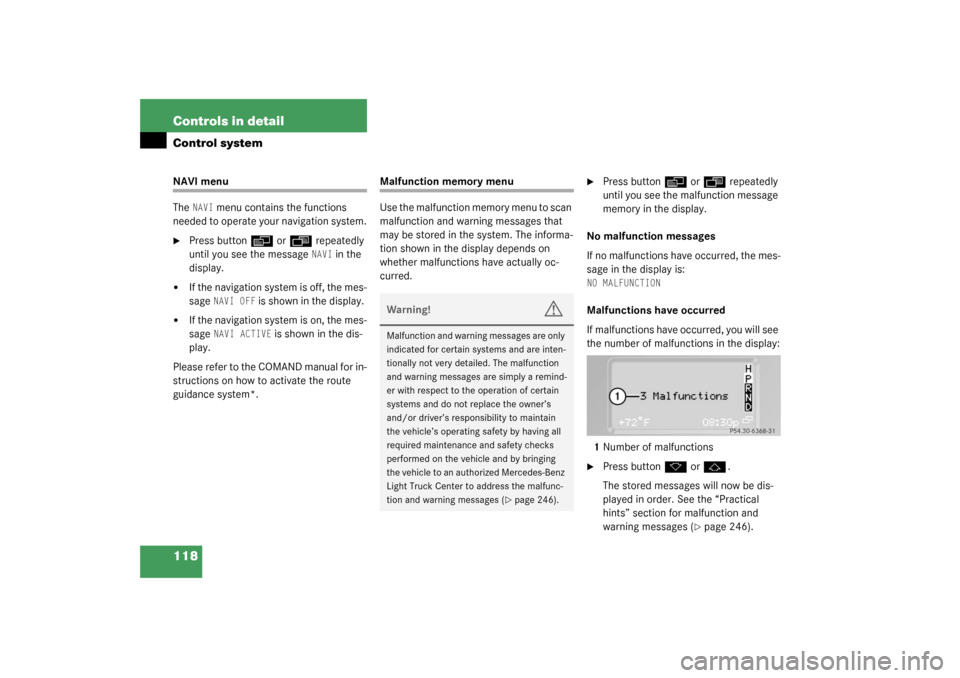
If malfunctions have occurred, you will see
the number of malfunctions in the display:
1Number of malfunctions�
Press button
k
or
j
.
The stored messages will now be dis-
played in order. See the “Practical
hints” section for malfunction and
warning messages (
�page 246).
Warning!
G
Malfunction and warning messages are only
indicated for certain systems and are inten-
tionally not very detailed. The malfunction
and warning messages are simply a remind-
er with respect to the operation of certain
systems and do not replace the owner’s
and/or driver’s responsibility to maintain
the vehicle’s operating safety by having all
required maintenance and safety checks
performed on the vehicle and by bringing
the vehicle to an authorized Mercedes-Benz
Light Truck Center to address the malfunc-
tion and warning messages (
�page 246).