Page 137 of 399
137 Controls in detail
Control system
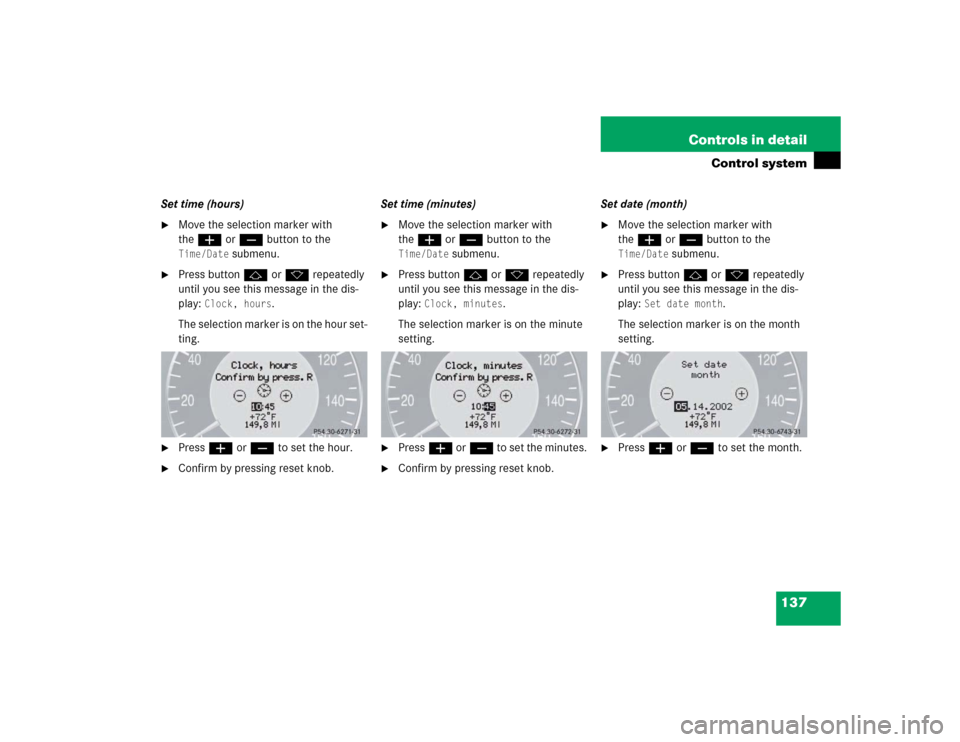
Set time (hours)�
Move the selection marker with
theæ orç button to the Time/Date
submenu.
�
Press buttonj ork repeatedly
until you see this message in the dis-
play:
Clock, hours
.
The selection marker is on the hour set-
ting.
�
Pressæ orç to set the hour.
�
Confirm by pressing reset knob.Set time (minutes)
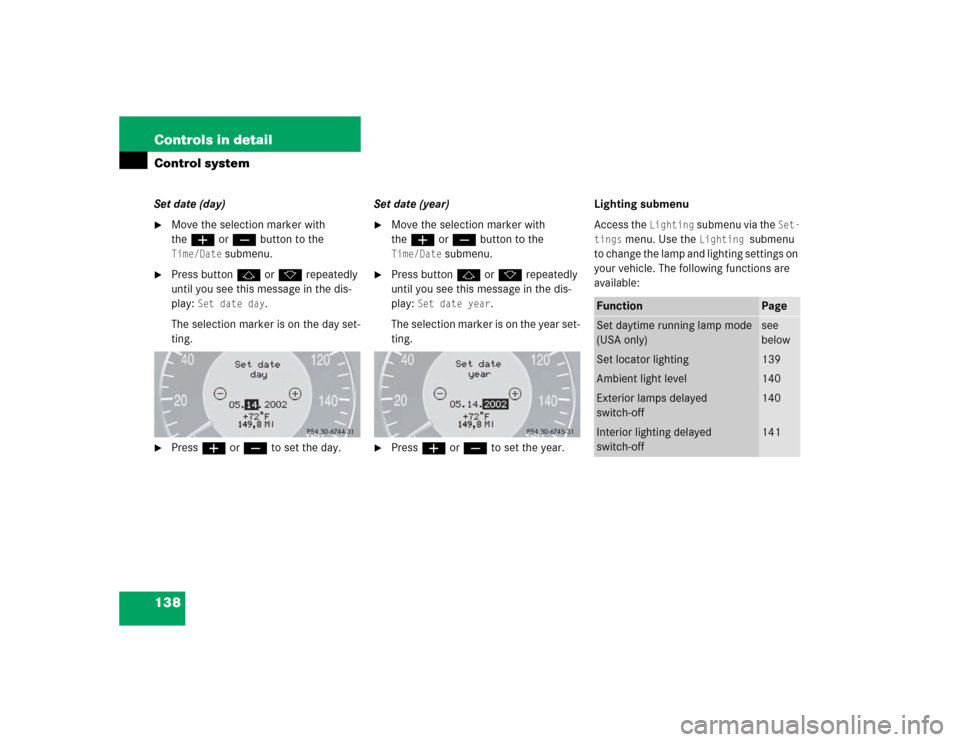
�
Move the selection marker with
theæ orç button to the Time/Date
submenu.
�
Press buttonj ork repeatedly
until you see this message in the dis-
play:
Clock, minutes
.
The selection marker is on the minute
setting.
�
Pressæ orç to set the minutes.
�
Confirm by pressing reset knob.Set date (month)
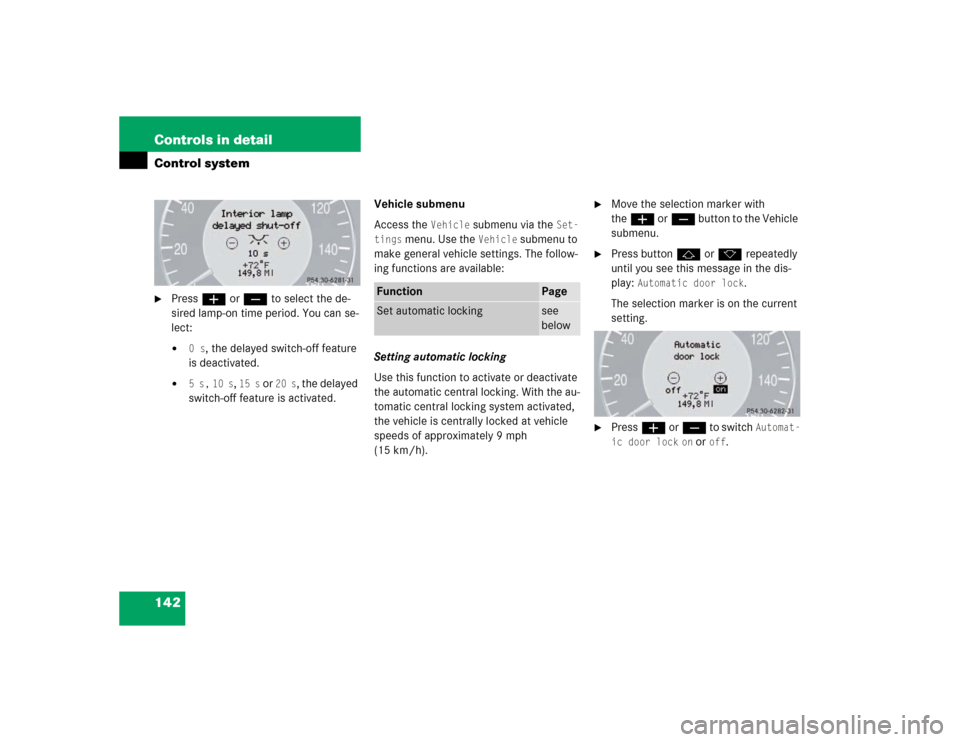
�
Move the selection marker with
theæ orç button to the Time/Date
submenu.
�
Press buttonj ork repeatedly
until you see this message in the dis-
play:
Set date month
.
The selection marker is on the month
setting.
�
Pressæ orç to set the month.
Page 138 of 399
138 Controls in detailControl systemSet date (day)�
Move the selection marker with
theæ orç button to the Time/Date
submenu.
�
Press buttonj ork repeatedly
until you see this message in the dis-
play:
Set date day
.
The selection marker is on the day set-
ting.
�
Pressæ orç to set the day.Set date (year)
�
Move the selection marker with
theæ orç button to the Time/Date
submenu.
�
Press buttonj ork repeatedly
until you see this message in the dis-
play:
Set date year
.
The selection marker is on the year set-
ting.
�
Pressæ orç to set the year.Lighting submenu
Access the
Lighting
submenu via the
Set-
tings
menu. Use the
Lighting
submenu
to change the lamp and lighting settings on
your vehicle. The following functions are
available:
Function
Page
Set daytime running lamp mode
(USA only)
see
below
Set locator lighting
139
Ambient light level
140
Exterior lamps delayed
switch-off
140
Interior lighting delayed
switch-off
141
Page 139 of 399

139 Controls in detail
Control system
Setting daytime running lamp mode
(USA only)�
Move the selection marker with
theæ orç button to the
Light-
ing
submenu.
�
Press buttonj ork repeatedly
until you see this message in the dis-
play:
Lamp circuit headlamp
.
The selection marker is on the current
setting.
�
Pressæ orç to select manual
or daytime running lamp (constant)
mode. This function is not available in
countries where daytime running
lamps are mandatory.With daytime running lamp mode se-
lected and the exterior lamp switch at
position0, the following lamps will
come on automatically when the en-
gine is turned on:
�
Parking lamps and low beam head-
lamps
�
License plate lamps (in low ambient
light conditions) Setting locator lighting
During darkness, the following lamps will
come on when the locator lighting feature
is activated and the vehicle is unlocked by
remote control:
�
Parking lamps
�
Tail lamps
�
License plate lamps
�
Front fog lamps
The exterior lamp switch must be set to po-
sition U (
�page 112).
The locator lighting switches off when the
driver’s door is opened. It switches off au-
tomatically after a period of approximately
40 seconds.
�
Move the selection marker with
theæ orç button to the
Light-
ing
submenu.
�
Press buttonj ork repeatedly
until you see this message in the dis-
play:
Function Surround lighting
.
iIf you turn the exterior lamp switch to
another position, the corresponding
lamp(s) will switch on.
For safety reasons, resetting the Lighting
submenu to factory settings
(
�page 131) will not reset the daytime
running lamp mode.
In the display you will then see the mes-
sage:
Lighting
Page 142 of 399
142 Controls in detailControl system�
Pressæ orç to select the de-
sired lamp-on time period. You can se-
lect:�
0 s
, the delayed switch-off feature
is deactivated.
�
5 s,
10 s
, 15 s
or
20 s
, the delayed
switch-off feature is activated.Vehicle submenu
Access the
Vehicle
submenu via the
Set-
tings
menu. Use the
Vehicle
submenu to
make general vehicle settings. The follow-
ing functions are available:
Setting automatic locking
Use this function to activate or deactivate
the automatic central locking. With the au-
tomatic central locking system activated,
the vehicle is centrally locked at vehicle
speeds of approximately 9 mph
(15 km/h).
�
Move the selection marker with
theæ orç button to the Vehicle
submenu.
�
Press buttonj ork repeatedly
until you see this message in the dis-
play:
Automatic door lock
.
The selection marker is on the current
setting.
�
Pressæ orç to switch
Automat-
ic door lock
on or
off
.
Function
Page
Set automatic locking
see
below
Page 146 of 399
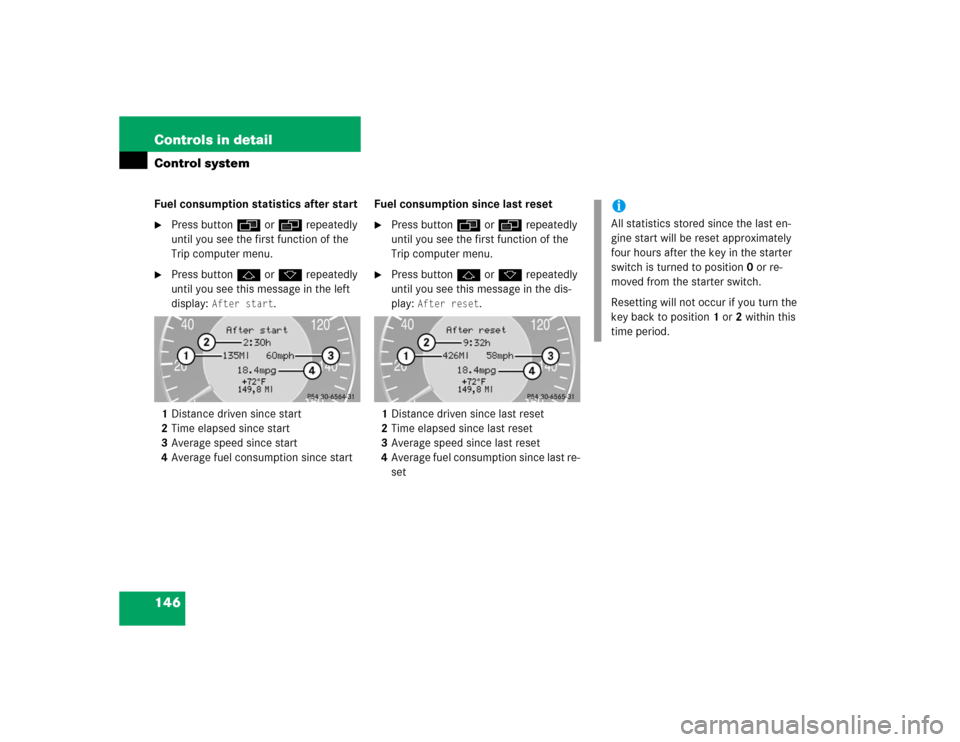
146 Controls in detailControl systemFuel consumption statistics after start�
Press buttonÿ orè repeatedly
until you see the first function of the
Trip computer menu.
�
Press buttonj ork repeatedly
until you see this message in the left
display:
After start
.
1Distance driven since start
2Time elapsed since start
3Average speed since start
4Average fuel consumption since startFuel consumption since last reset
�
Press buttonÿ orè repeatedly
until you see the first function of the
Trip computer menu.
�
Press buttonj ork repeatedly
until you see this message in the dis-
play:
After reset
.
1Distance driven since last reset
2Time elapsed since last reset
3Average speed since last reset
4Average fuel consumption since last re-
set
iAll statistics stored since the last en-
gine start will be reset approximately
four hours after the key in the starter
switch is turned to position0 or re-
moved from the starter switch.
Resetting will not occur if you turn the
key back to position1 or2 within this
time period.
Page 167 of 399
167 Controls in detail
Climate control
Adjusting automatically�
Press the U button.
The air volume is adjusted automatical-
ly.
Maximum cooling MAX COOL
If the left air distribution/airflow volume
control15 (
�page 164) is set to U and
there is a high need for cooling, the display
"MAX COOL"4 (�page 164) appears in
the climate control.
This provides the fastest possible cooling
of the vehicle interior (when windows and
sliding/pop-up roof are closed).
Defrosting
Activating�
Press buttonP.
The indicator lamp on the button
comes on.
or
�
Switch off air recirculation, if selected.
Press buttonO.
The indicator lamp on the button goes
out.
�
Close center air outlets.
�
Open left and right side air outlets and
adjust side air outlets upwards.
Deactivating
�
Press buttonP.The indicator lamp on the button goes
out. Defrosting is turned off.
Air recirculation mode
Switch to air recirculation mode to prevent
unpleasant odors from entering the vehicle
from the outside. This setting cuts off the
intake of outside air and recirculates the
air in the passenger compartment.
iThese settings should only be selected
for a short time.
Warning!
G
When the outside temperature is below
41°F (5°C), only switch to air recirculation
mode for short periods to prevent window
fogging.
Page 178 of 399

178 Controls in detailAutomatic climate control*This provides the fastest possible cooling
of the vehicle interior (when windows and
sliding/pop-up roof are closed).Defrosting
Activating�
Press buttonP.
The indicator lamp on the button
comes on.
�
Switch off air recirculation, if selected.
�
Press buttonO.
The indicator lamp on the button goes
out.
�
Close center air outlets.
�
Adjust side air outlets upwards.Deactivating
�
Press buttonP.
The indicator lamp on the button goes
out. Defrosting is turned off.
Air recirculation mode
Switch to air recirculation mode to prevent
unpleasant odors from entering the vehicle
from the outside. This setting cuts off the
intake of outside air and recirculates the
air in the passenger compartment.
Activating�
Press buttonO.
The indicator lamp on the button
comes on.
iThese settings should only be selected
for a short time.
Warning!
G
When the outside temperature is below
41°F (5°C), only switch to air recirculation
mode for short periods to prevent window
fogging.
iIf you keep buttonO pressed, the
side windows and the sliding/pop-up
roof* will be closed.
The air recirculation mode is activated
automatically:�
at high outside temperatures
�
if the concentration of carbon mon-
oxide and nitrogen oxide in the out-
side air increases, for example in a
tunnel (charcoal filter activated
(�page 180))
If you have turned off the air condition-
er (
�page 170) or the outside
temperature is below 41°F (5°C), the
air recirculation mode will not switch
on automatically.
Page 200 of 399

200 Controls in detailDriving systems
Distronic menu in the control system
In the Distronic menu you can read the cur-
rent settings for Distronic. What appears in
the display depends on whether Distronic
and the distance warning function are
turned on or off.�
Press buttonè orÿ repeatedly
until you see one of the following dis-
plays.
Warning!
G
An intermittent warning sounds and the
DTR warning lamp in the instrument cluster
is illuminated if the Distronic system calcu-
lates that the distance to the vehicle ahead
and your vehicle’s current speed indicate
that Distronic will not be capable of slowing
the vehicle sufficiently to maintain the pre-
set following distance, which creates a dan-
ger of a collision.
Immediately brake the vehicle to increase
the distance to the vehicle in front of you.
The warning sound is intended as a final cau-
tion that you have not interceded with your
own braking inputs to avoid a potentially
dangerous situation. Do not wait for the op-
eration of the warning signal to intercede
with your own braking, as that will result in
potentially dangerous emergency braking
which will not always result in an impact be-
ing avoided.
Tailgating increases the risk of an accident.
Warning!
G
Distronic brakes your vehicle with a maxi-
mum deceleration of 6.5 ft/s
2 (2 m/s
2).
This corresponds to about 20% of the maxi-
mum deceleration ability of your vehicle.
Distronic brakes the vehicle in an effort to
restore the preset distance or to maintain
the speed. The brake pedal is automatically
applied as this happens which results in the
brake pedal moving.
Keep driver’s foot area clear at all times, in-
cluding the area under the brake pedal. Ob-
jects stored in this area may impair pedal
movement which could interfere with the
braking ability of the Distronic system.
Do not place your foot under the brake pedal
– your foot could become caught.