Page 94 of 394

94 Controls in detailLocking and unlockingClosing the trunk lid
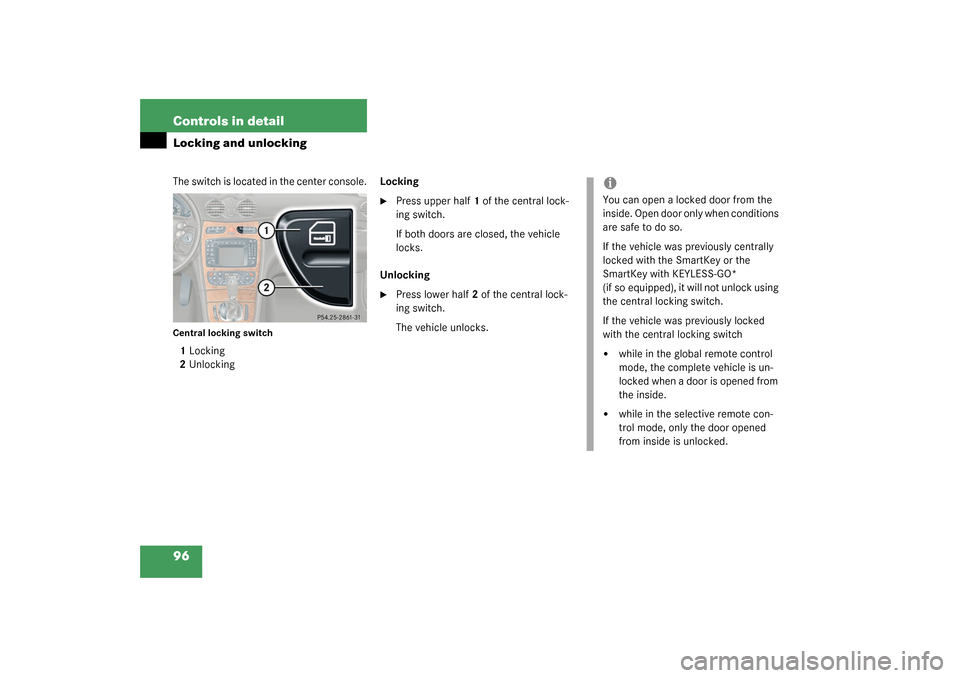
1Handle�
Lower trunk lid by pulling firmly on
handle1.
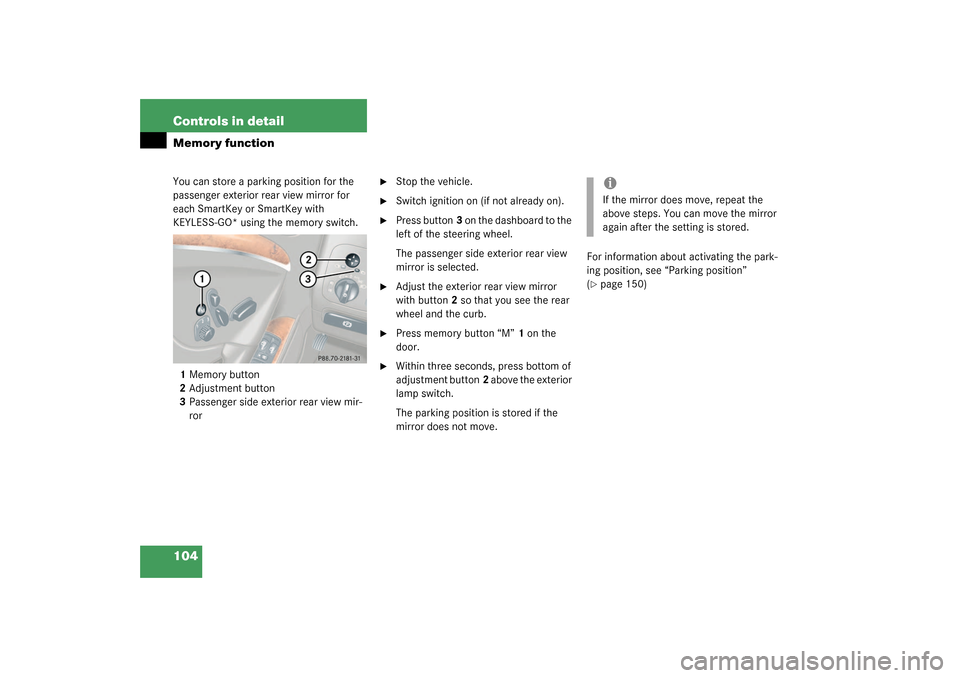
Separately locking the trunk
1Locked
2Unlocked�
Close the trunk lid (
�page 94)
�
Pull the mechanical key out of the
SmartKey (
�page 310).
�
Insert the mechanical key into the
trunk lid lock.
�
Turn the key completely to the right to
position 1.
The trunk remains locked even when the
vehicle is centrally unlocked.
Warning!
G
To prevent possible personal injury, always
keep hands and fingers away from the trunk
lid opening when closing the trunk. Be espe-
cially careful when small children are
around.
Warning!
G
Only drive with the trunk closed as, among
other dangers such as visibility blockage,
exhaust fumes may enter the vehicle interi-
or.iTo prevent an inadvertent lockout, do
not place the key in the trunk.
Vehicles with KEYLESS-GO:
To prevent a possible inadvertent lock-
out, the trunk lid will open automatical-
ly if a SmartKey with KEYLESS-GO* is
recognized in the area of the rear shelf
or inside the trunk.
Page 95 of 394
95 Controls in detail
Locking and unlocking
Separately unlocking the trunk�
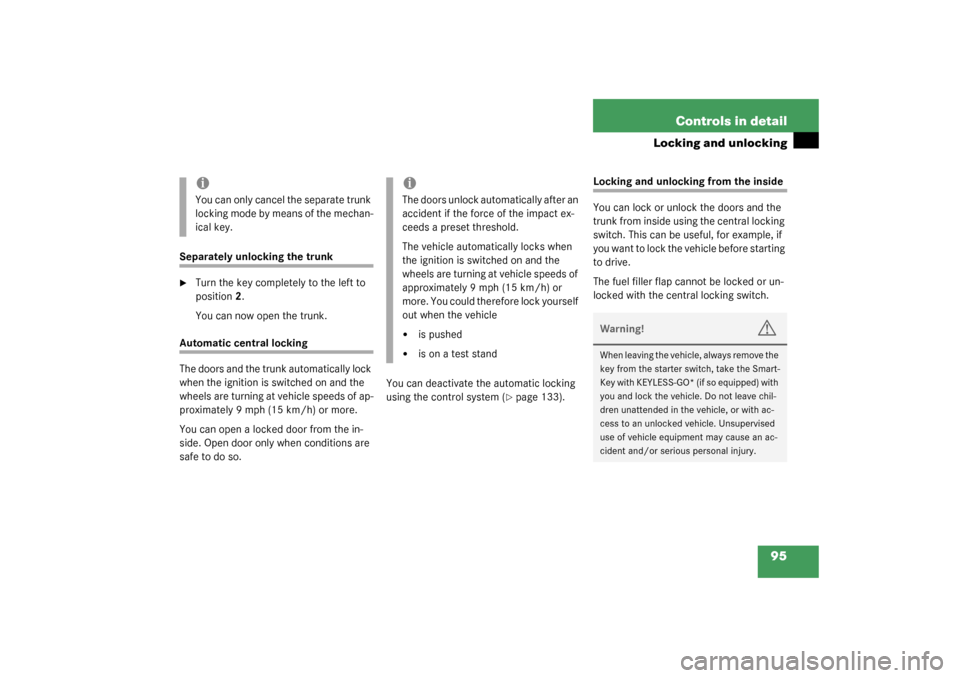
Turn the key completely to the left to
position 2.
You can now open the trunk.
Automatic central locking
The doors and the trunk automatically lock
when the ignition is switched on and the
wheels are turning at vehicle speeds of ap-
proximately 9 mph (15 km/h) or more.
You can open a locked door from the in-
side. Open door only when conditions are
safe to do so.You can deactivate the automatic locking
using the control system (
�page 133).
Locking and unlocking from the inside
You can lock or unlock the doors and the
trunk from inside using the central locking
switch. This can be useful, for example, if
you want to lock the vehicle before starting
to drive.
The fuel filler flap cannot be locked or un-
locked with the central locking switch.
iYou can only cancel the separate trunk
locking mode by means of the mechan-
ical key.
iThe doors unlock automatically after an
accident if the force of the impact ex-
ceeds a preset threshold.
The vehicle automatically locks when
the ignition is switched on and the
wheels are turning at vehicle speeds of
approximately 9 mph (15 km/h) or
more. You could therefore lock yourself
out when the vehicle�
is pushed
�
is on a test stand
Warning!
G
When leaving the vehicle, always remove the
key from the starter switch, take the Smart-
Key with KEYLESS-GO* (if so equipped) with
you and lock the vehicle. Do not leave chil-
dren unattended in the vehicle, or with ac-
cess to an unlocked vehicle. Unsupervised
use of vehicle equipment may cause an ac-
cident and/or serious personal injury.
Page 96 of 394
96 Controls in detailLocking and unlockingThe switch is located in the center console.Central locking switch1Locking
2UnlockingLocking
�
Press upper half1 of the central lock-
ing switch.
If both doors are closed, the vehicle
locks.
Unlocking
�
Press lower half2 of the central lock-
ing switch.
The vehicle unlocks.
iYou can open a locked door from the
inside. Open door only when conditions
are safe to do so.
If the vehicle was previously centrally
locked with the SmartKey or the
SmartKey with KEYLESS-GO*
(if so equipped), it will not unlock using
the central locking switch.
If the vehicle was previously locked
with the central locking switch�
while in the global remote control
mode, the complete vehicle is un-
locked when a door is opened from
the inside.
�
while in the selective remote con-
trol mode, only the door opened
from inside is unlocked.
Page 97 of 394
97 Controls in detail
Seats
Seats
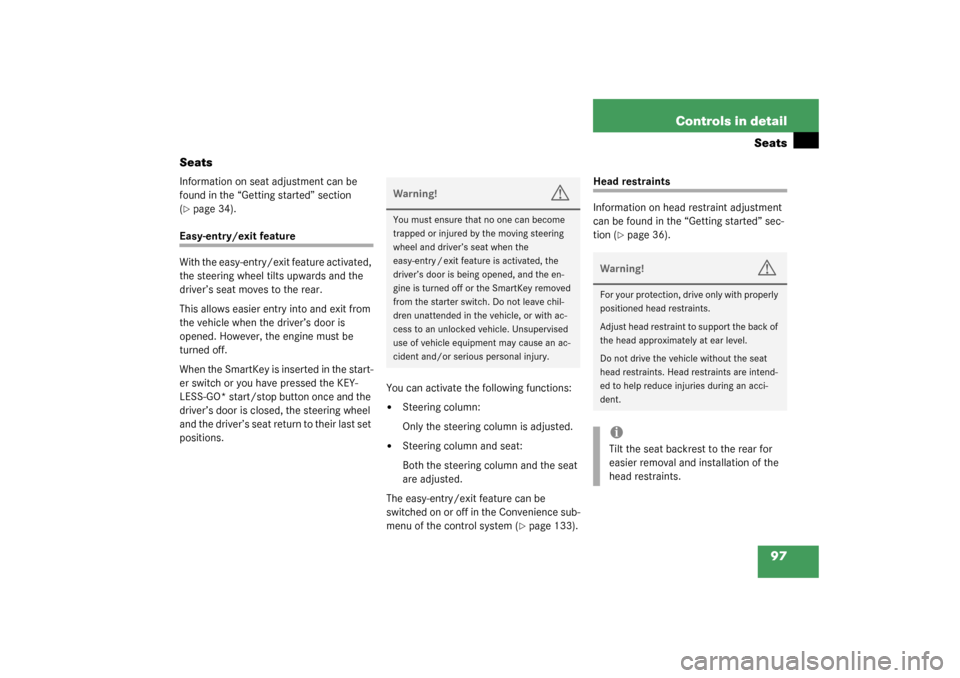
Information on seat adjustment can be
found in the “Getting started” section
(�page 34).
Easy-entry/exit feature
With the easy-entry/exit feature activated,
the steering wheel tilts upwards and the
driver’s seat moves to the rear.
This allows easier entry into and exit from
the vehicle when the driver’s door is
opened. However, the engine must be
turned off.
When the SmartKey is inserted in the start-
er switch or you have pressed the KEY-
LESS-GO* start/stop button once and the
driver’s door is closed, the steering wheel
and the driver’s seat return to their last set
positions.You can activate the following functions:
�
Steering column:
Only the steering column is adjusted.
�
Steering column and seat:
Both the steering column and the seat
are adjusted.
The easy-entry/exit feature can be
switched on or off in the Convenience sub-
menu of the control system (
�page 133).
Head restraints
Information on head restraint adjustment
can be found in the “Getting started” sec-
tion (
�page 36).
Warning!
G
You must ensure that no one can become
trapped or injured by the moving steering
wheel and driver’s seat when the
easy-entry / exit feature is activated, the
driver’s door is being opened, and the en-
gine is turned off or the SmartKey removed
from the starter switch. Do not leave chil-
dren unattended in the vehicle, or with ac-
cess to an unlocked vehicle. Unsupervised
use of vehicle equipment may cause an ac-
cident and/or serious personal injury.
Warning!
G
For your protection, drive only with properly
positioned head restraints.
Adjust head restraint to support the back of
the head approximately at ear level.
Do not drive the vehicle without the seat
head restraints. Head restraints are intend-
ed to help reduce injuries during an acci-
dent.iTilt the seat backrest to the rear for
easier removal and installation of the
head restraints.
Page 100 of 394
100 Controls in detailSeatsMulticontour seat*
Some models may be equipped with multi-
contour seats. This seat has a movable
seat cushion and inflatable air cushions
built into the seat backrest to provide addi-
tional lumbar and side support.
The seat cushion movement, backrest
cushion height and curvature can be con-
tinuously varied with regulators on the
right side of the seat after turning the
SmartKey in the starter switch to
position2 or pressing the KEYLESS-GO*
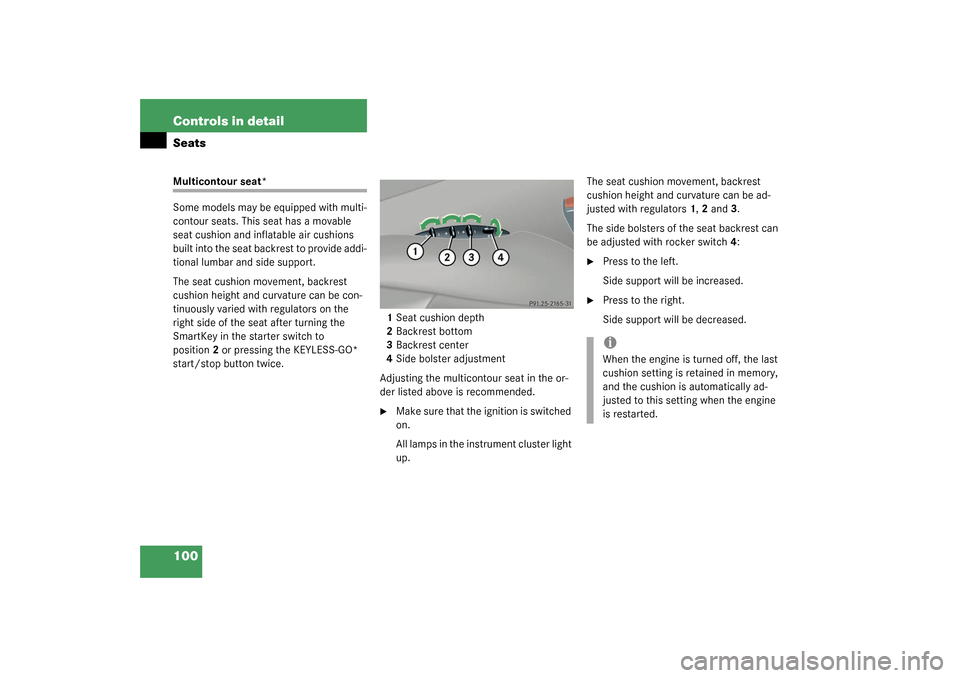
start/stop button twice.1Seat cushion depth
2Backrest bottom
3Backrest center
4Side bolster adjustment
Adjusting the multicontour seat in the or-
der listed above is recommended.
�
Make sure that the ignition is switched
on.
All lamps in the instrument cluster light
up.The seat cushion movement, backrest
cushion height and curvature can be ad-
justed with regulators1, 2 and3.
The side bolsters of the seat backrest can
be adjusted with rocker switch4:
�
Press to the left.
Side support will be increased.
�
Press to the right.
Side support will be decreased.iWhen the engine is turned off, the last
cushion setting is retained in memory,
and the cushion is automatically ad-
justed to this setting when the engine
is restarted.
Page 102 of 394
102 Controls in detailMemory function
Memory function
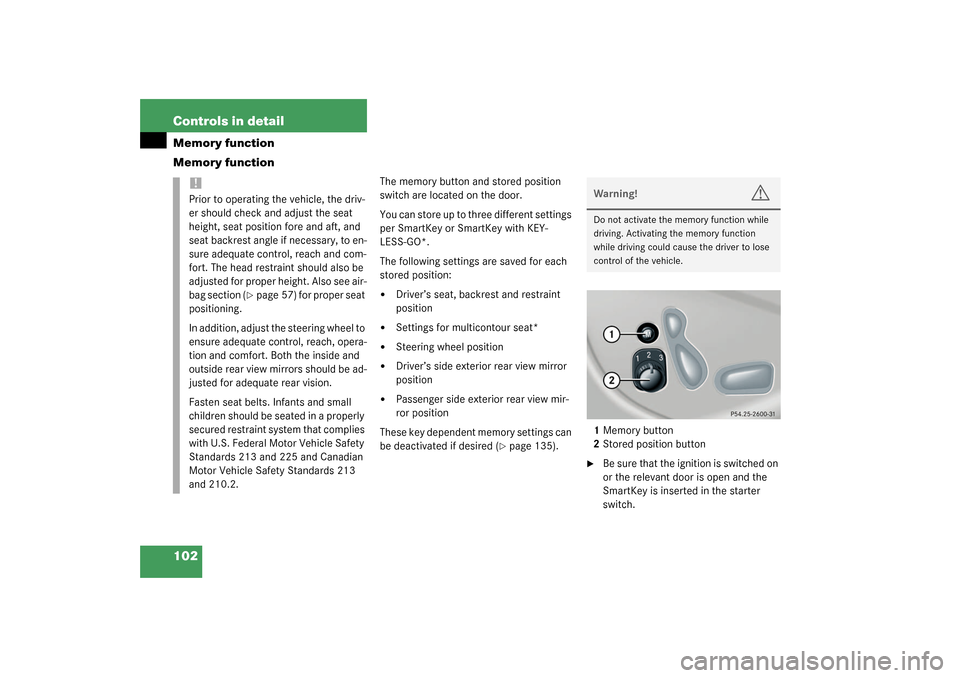
The memory button and stored position
switch are located on the door.
You can store up to three different settings
per SmartKey or SmartKey with KEY-
LESS-GO*.
The following settings are saved for each
stored position:�
Driver’s seat, backrest and restraint
position
�
Settings for multicontour seat*
�
Steering wheel position
�
Driver’s side exterior rear view mirror
position
�
Passenger side exterior rear view mir-
ror position
These key dependent memory settings can
be deactivated if desired (
�page 135).1Memory button
2Stored position button
�
Be sure that the ignition is switched on
or the relevant door is open and the
SmartKey is inserted in the starter
switch.
!Prior to operating the vehicle, the driv-
er should check and adjust the seat
height, seat position fore and aft, and
seat backrest angle if necessary, to en-
sure adequate control, reach and com-
fort. The head restraint should also be
adjusted for proper height. Also see air-
bag section (
�page 57) for proper seat
positioning.
In addition, adjust the steering wheel to
ensure adequate control, reach, opera-
tion and comfort. Both the inside and
outside rear view mirrors should be ad-
justed for adequate rear vision.
Fasten seat belts. Infants and small
children should be seated in a properly
secured restraint system that complies
with U.S. Federal Motor Vehicle Safety
Standards 213 and 225 and Canadian
Motor Vehicle Safety Standards 213
and 210.2.
Warning!
G
Do not activate the memory function while
driving. Activating the memory function
while driving could cause the driver to lose
control of the vehicle.
Page 104 of 394
104 Controls in detailMemory functionYou can store a parking position for the
passenger exterior rear view mirror for
each SmartKey or SmartKey with
KEYLESS-GO* using the memory switch.
1Memory button
2Adjustment button
3Passenger side exterior rear view mir-
ror
�
Stop the vehicle.
�
Switch ignition on (if not already on).
�
Press button3 on the dashboard to the
left of the steering wheel.
The passenger side exterior rear view
mirror is selected.
�
Adjust the exterior rear view mirror
with button2 so that you see the rear
wheel and the curb.
�
Press memory button “M”1 on the
door.
�
Within three seconds, press bottom of
adjustment button2 above the exterior
lamp switch.
The parking position is stored if the
mirror does not move.For information about activating the park-
ing position, see “Parking position”
(
�page 150)iIf the mirror does move, repeat the
above steps. You can move the mirror
again after the setting is stored.
Page 105 of 394
105 Controls in detail
Lighting
Lighting
For notes on how to switch on the head-
lamps and use the turn signals, see the
“Getting started” section (
�page 46).
Exterior lamp switch
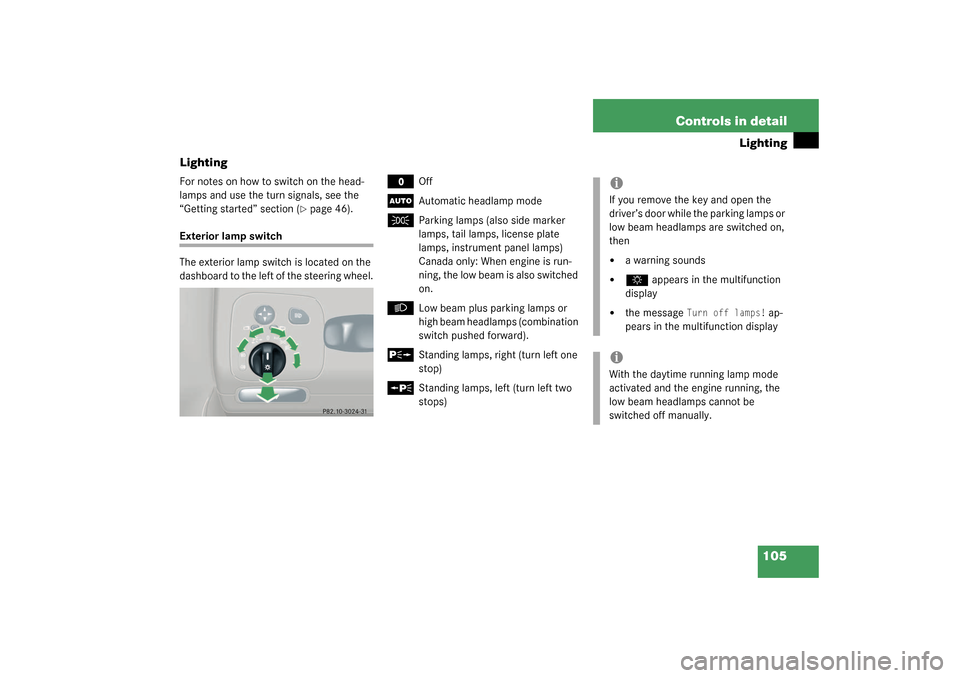
The exterior lamp switch is located on the
dashboard to the left of the steering wheel.
M
Off
U
Automatic headlamp mode
C
Parking lamps (also side marker
lamps, tail lamps, license plate
lamps, instrument panel lamps)
Canada only: When engine is run-
ning, the low beam is also switched
on.
B
Low beam plus parking lamps or
high beam headlamps (combination
switch pushed forward).
ˆ
Standing lamps, right (turn left one
stop)
‚
Standing lamps, left (turn left two
stops)
iIf you remove the key and open the
driver’s door while the parking lamps or
low beam headlamps are switched on,
then �
a warning sounds
�
$
appears in the multifunction
display
�
the message
Turn off lamps!
ap-
pears in the multifunction display
iWith the daytime running lamp mode
activated and the engine running, the
low beam headlamps cannot be
switched off manually.