2003 LINCOLN AVIATOR air condition
[x] Cancel search: air conditionPage 10 of 288
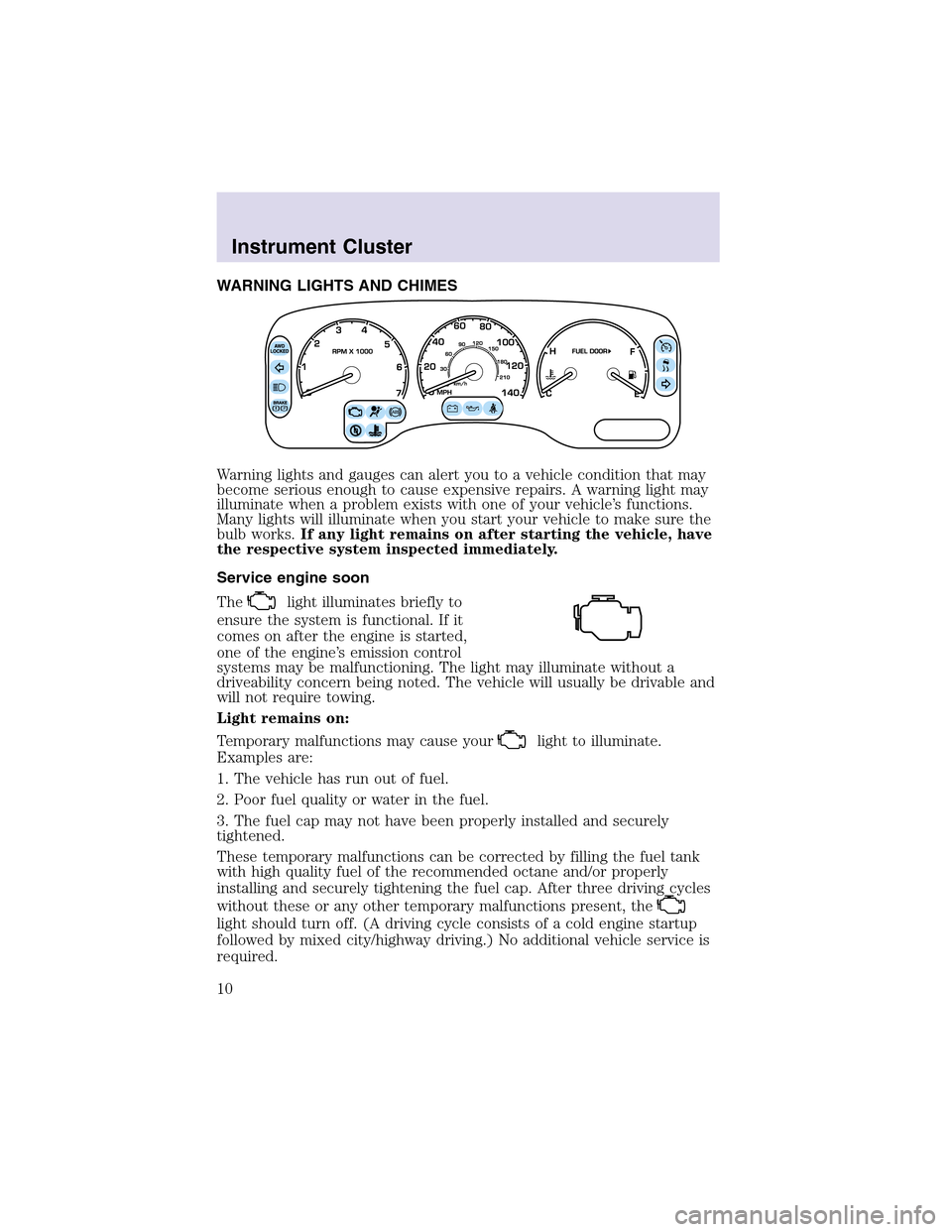
WARNING LIGHTS AND CHIMES
Warning lights and gauges can alert you to a vehicle condition that may
become serious enough to cause expensive repairs. A warning light may
illuminate when a problem exists with one of your vehicle’s functions.
Many lights will illuminate when you start your vehicle to make sure the
bulb works.If any light remains on after starting the vehicle, have
the respective system inspected immediately.
Service engine soon
The
light illuminates briefly to
ensure the system is functional. If it
comes on after the engine is started,
one of the engine’s emission control
systems may be malfunctioning. The light may illuminate without a
driveability concern being noted. The vehicle will usually be drivable and
will not require towing.
Light remains on:
Temporary malfunctions may cause your
light to illuminate.
Examples are:
1. The vehicle has run out of fuel.
2. Poor fuel quality or water in the fuel.
3. The fuel cap may not have been properly installed and securely
tightened.
These temporary malfunctions can be corrected by filling the fuel tank
with high quality fuel of the recommended octane and/or properly
installing and securely tightening the fuel cap. After three driving cycles
without these or any other temporary malfunctions present, the
light should turn off. (A driving cycle consists of a cold engine startup
followed by mixed city/highway driving.) No additional vehicle service is
required.
Instrument Cluster
10
Page 42 of 288

Automatic operation
Press AUTO and select the desired
temperature. The system will either
heat or cool the vehicle to achieve
the selected temperature. The
system will automatically determine
fan speed, airflow location and
whether outside or recirculated air
is required.
When in automatic operation and
weather conditions require heat, the
air will be sent to the floor ducts.
However, until the engine is warmed, the fan speed will operate at a low
speed and airflow will be directed to the windshield defroster ducts.
Upon engine warm up, the system will automatically direct airflow to the
floor ducts and operate at the required fan speed to achieve the selected
temperature.
If unusual conditions exist (i.e. window fogging, etc.), the manual
overrides allow you to select airflow locations and fan speed. To return
to automatic operation after an airflow selection, press AUTO.
Single/dual temperature zone
Press DUAL to enable or disable the
dual zone temperature feature.
When DUAL is pressed, the display
window indicates the current
temperature setting for the driver
and the last temperature setting for
the passenger. In addition to the
DUAL control, the passenger may
manually enable the dual zone
temperature feature by pressing the
passenger temperature control.
The DUAL indicator will be lit when the dual zone temperature feature is
selected.
Driver/passenger temperature selection
To control the temperature, select the desired temperature by pressing
the driver/passenger temperature controls.
Climate Controls
42
Page 44 of 288
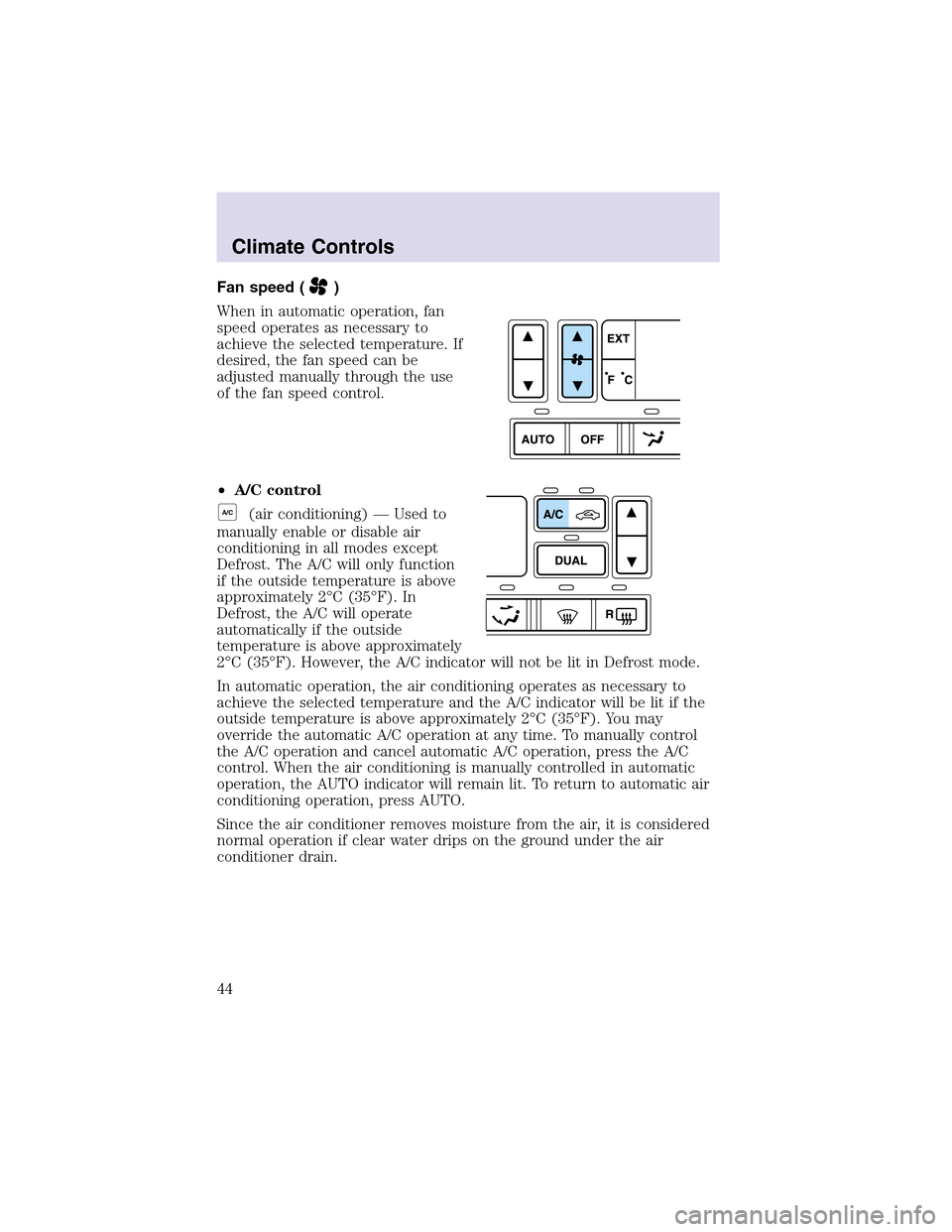
Fan speed ()
When in automatic operation, fan
speed operates as necessary to
achieve the selected temperature. If
desired, the fan speed can be
adjusted manually through the use
of the fan speed control.
•A/C control
A/C(air conditioning) — Used to
manually enable or disable air
conditioning in all modes except
Defrost. The A/C will only function
if the outside temperature is above
approximately 2°C (35°F). In
Defrost, the A/C will operate
automatically if the outside
temperature is above approximately
2°C (35°F). However, the A/C indicator will not be lit in Defrost mode.
In automatic operation, the air conditioning operates as necessary to
achieve the selected temperature and the A/C indicator will be lit if the
outside temperature is above approximately 2°C (35°F). You may
override the automatic A/C operation at any time. To manually control
the A/C operation and cancel automatic A/C operation, press the A/C
control. When the air conditioning is manually controlled in automatic
operation, the AUTO indicator will remain lit. To return to automatic air
conditioning operation, press AUTO.
Since the air conditioner removes moisture from the air, it is considered
normal operation if clear water drips on the ground under the air
conditioner drain.
Climate Controls
44
Page 45 of 288
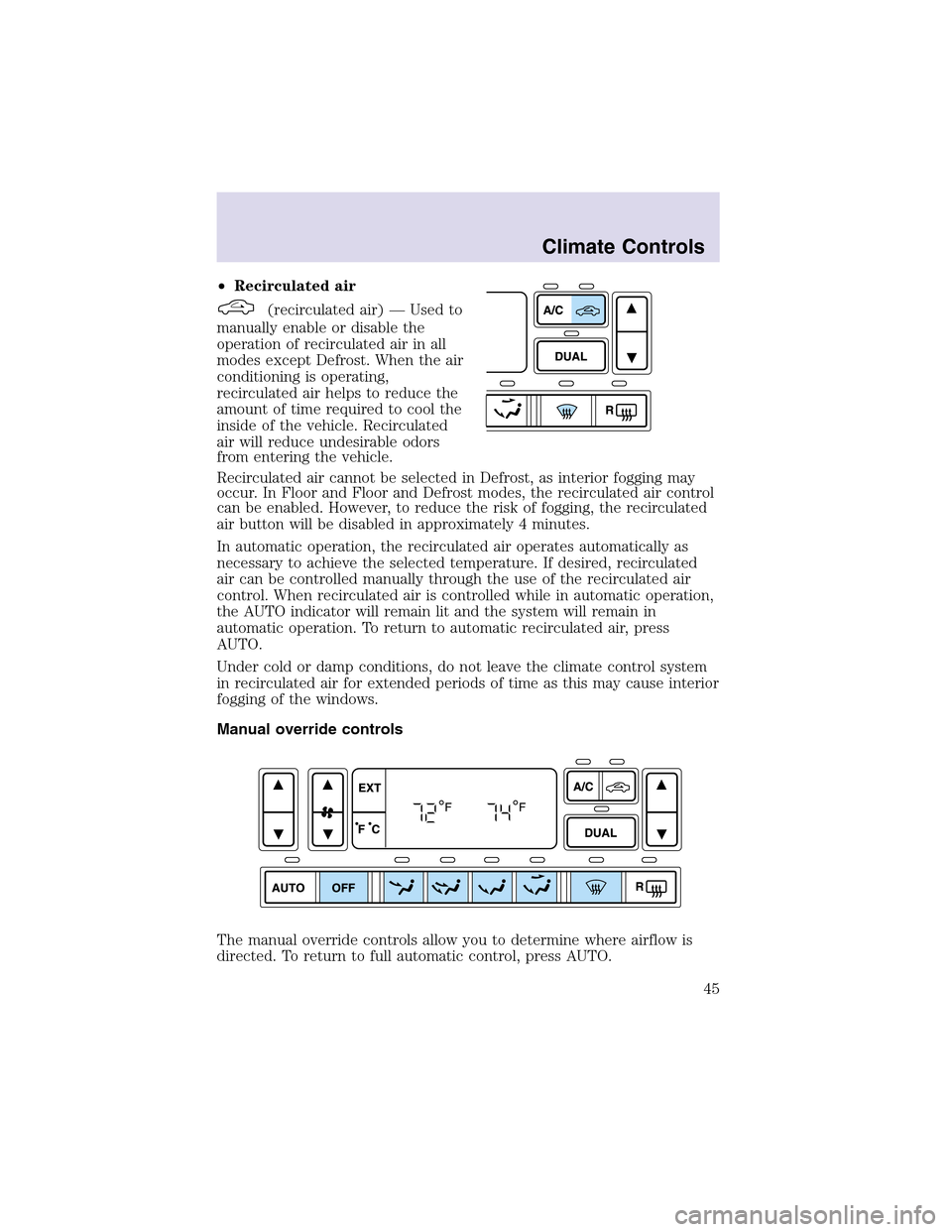
•Recirculated air
(recirculated air) — Used to
manually enable or disable the
operation of recirculated air in all
modes except Defrost. When the air
conditioning is operating,
recirculated air helps to reduce the
amount of time required to cool the
inside of the vehicle. Recirculated
air will reduce undesirable odors
from entering the vehicle.
Recirculated air cannot be selected in Defrost, as interior fogging may
occur. In Floor and Floor and Defrost modes, the recirculated air control
can be enabled. However, to reduce the risk of fogging, the recirculated
air button will be disabled in approximately 4 minutes.
In automatic operation, the recirculated air operates automatically as
necessary to achieve the selected temperature. If desired, recirculated
air can be controlled manually through the use of the recirculated air
control. When recirculated air is controlled while in automatic operation,
the AUTO indicator will remain lit and the system will remain in
automatic operation. To return to automatic recirculated air, press
AUTO.
Under cold or dampconditions, do not leave the climate control system
in recirculated air for extended periods of time as this may cause interior
fogging of the windows.
Manual override controls
The manual override controls allow you to determine where airflow is
directed. To return to full automatic control, press AUTO.
Climate Controls
45
Page 46 of 288
•Off-Outside air is shut out and the fan will not operate. This mode will
reduce undesirable odors from entering the vehicle but may increase
the possibility of interior window fogging.
•Panel - Distributes outside or recirculated air through the instrument
panel registers. The A/C compressor will only function if the outside
temperature is above approximately 2°C (35°F). The system will allow
some airflow through the floor ducts.
•Panel and Floor -Distributes outside or recirculated air through the
instrument panel registers and floor ducts. The A/C compressor will
only function if the outside temperature is above approximately 2°C
(35°F). The air distributed through the floor ducts will be slightly
warmer than that sent to the instrument panel registers.
•Floor -Distributes outside or recirculated air through the floor ducts.
The A/C compressor will only function if the outside temperature is
above approximately 2°C (35°F).
•Floor & Defrost -Distributes outside or recirculated air through the
floor ducts, windshield defroster ducts and the side window demisters.
The A/C compressor will operate automatically if the outside
temperature is above approximately 2°C (35°F). The air distributed
through the floor ducts will be slightly warmer than that sent to the
windshield defroster ducts and the side window demisters.
•Defrost-Distributes outside air through the windshield defroster ducts
and the side window demisters. The A/C compressor will operate
automatically if the outside temperature is above approximately 2°C
(35°F). This mode will clear ice and fog from the windshield.
Operating tips
•To reduce fogging in humid weather, place the climate control system
in Defrost mode and Rear Defrost before driving.
•To reduce humidity buildupinside the vehicle in warm weather
conditions, don’t drive with the climate control system in the Off
mode.
•To reduce humidity buildupinside the vehicle in cold weather
conditions, don’t drive with the climate control system in recirculation
mode or Off mode.
•Remove any snow, ice or leaves from the exterior base of the
windshield.
•To increase the efficiency of the A/C, drive with the windows slightly
open for 2–3 minutes after start up or until the vehicle has been
“aired out.”
Climate Controls
46
Page 47 of 288
•Do not place objects under the front seat or over the defroster ducts.
They may reduce visibility, fall into the ducts, or degrade the
performance of your climate control system.
Do not place objects on top of the instrument panel, as these
objects may become projectiles in a collision or sudden stop.
AUXILIARY CLIMATE CONTROLS
The auxiliary climate control feature provides increased capacity to
quickly heat or cool the vehicle. The auxiliary climate controls are
located in the overhead console of the first row seating and in the floor
console of the second row seating.
The auxiliary climate controls are independent of the main climate
control system. If the main climate control system is in the Off position,
the auxiliary climate controls will still operate. However, if the main
climate control system is ON, the auxiliary air will not be cooled unless
the air conditioning is functioning on the main climate control system.
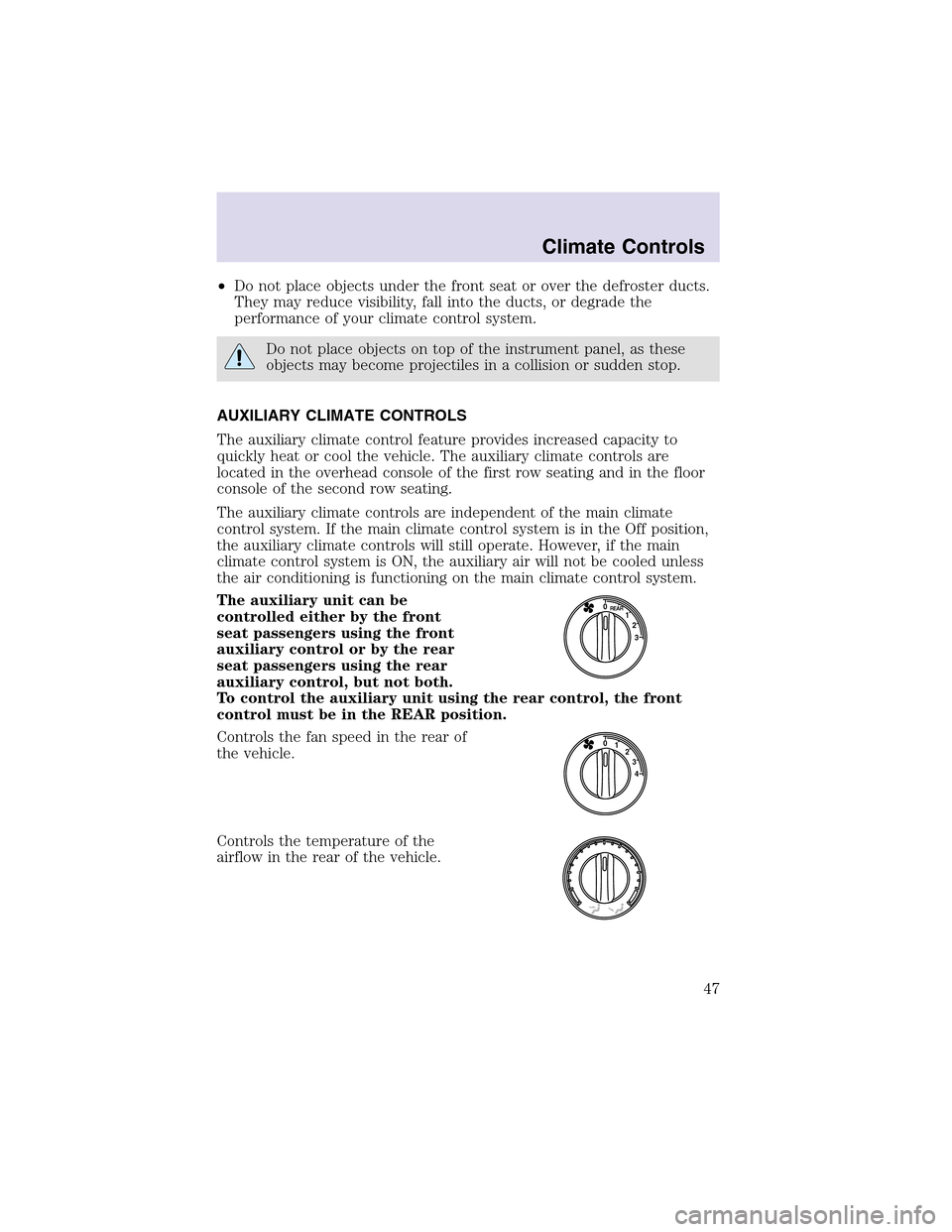
The auxiliary unit can be
controlled either by the front
seat passengers using the front
auxiliary control or by the rear
seat passengers using the rear
auxiliary control, but not both.
To control the auxiliary unit using the rear control, the front
control must be in the REAR position.
Controls the fan speed in the rear of
the vehicle.
Controls the temperature of the
airflow in the rear of the vehicle.
3 2 1 0
REAR
4 3 2 0
1
Climate Controls
47
Page 87 of 288

conditions. If the compass still appears to be inaccurate, a manual
calibration may be necessary. Refer toCompass zone/calibration
adjustment.
Most geographic areas (zones) have a magnetic north compass point that
varies slightly from the northerly direction on maps. This variation is four
degrees between adjacent zones and will become noticeable as the
vehicle crosses multiple zones. A correct zone setting will eliminate this
error. Refer toCompass zone/calibration adjustment.
Compass zone/calibration adjustment
Perform this adjustment in an open area free from steel structures and
high voltage lines.
For optimum calibration, turn off all electrical accessories (heater/air
conditioning, wipers, etc.) and make sure all vehicle doors are shut.
1. Turn ignition to the ON position.
2. Start the engine.
3. Determine your magnetic zone by
referring to the zone map.
4. From Info menu, select the
Compass/Odometer function. (Do
not select Trip, DTE, or AFE. The
topof the message center must be
blank).
5. Press and hold the RESET and
SETUP control until the message
center display changes to show the
current zone setting.
6. Release the RESET AND SETUP
control, then slowly press RESET
down again.
7. Press the SETUP control
repeatedly until the correct zone
setting for your geographic location is displayed on the message center.
To exit the zone setting mode press and release the RESET control.
1
4
5
6 7 8 9 101112 13 15
Driver Controls
87
Page 143 of 288
Do not use extensions to change the fit of the shoulder belt
across the torso.
Safety belt maintenance
Inspect the safety belt systems periodically to make sure they work
properly and are not damaged. Inspect the safety belts to make sure
there are no nicks, tears or cuts. Replace if necessary. All safety belt
assemblies, including retractors, buckles, front seat belt buckle
assemblies, buckle support assemblies (slide bar-if equipped), shoulder
belt height adjusters (if equipped), shoulder belt guide on seatback (if
equipped), child safety seat LATCH and tether anchors, and attaching
hardware, should be inspected after a collision. Ford Motor Company
recommends that all safety belt assemblies used in vehicles involved in a
collision be replaced. However, if the collision was minor and a qualified
technician finds that the belts do not show damage and continue to
operate properly, they do not need to be replaced. Safety belt assemblies
not in use during a collision should also be inspected and replaced if
either damage or improper operation is noted.
Failure to inspect and if necessary replace the safety belt
assembly under the above conditions could result in severe
personal injuries in the event of a collision.
Refer toInteriorin theCleaningchapter.
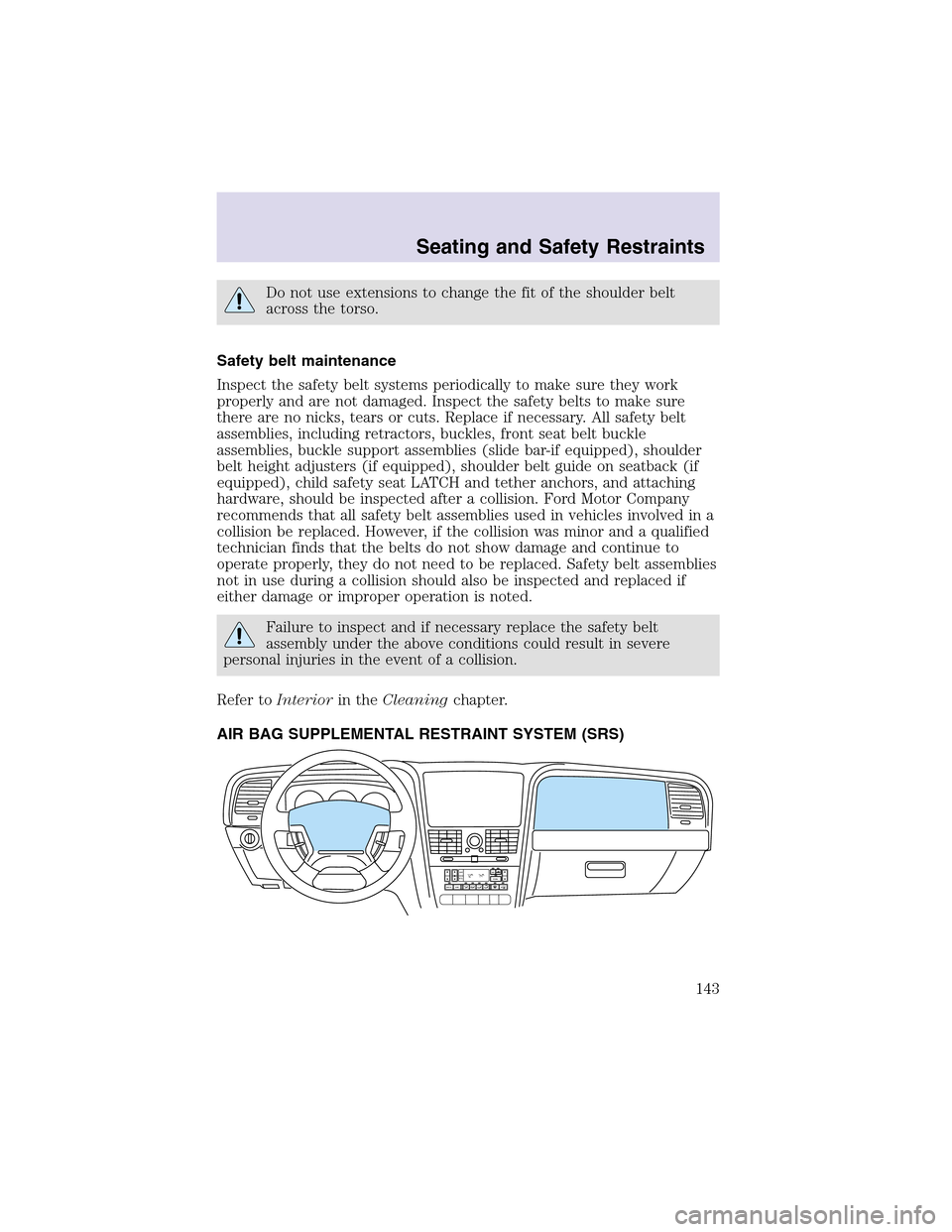
AIR BAG SUPPLEMENTAL RESTRAINT SYSTEM (SRS)
AUTO DUALA/C
R EXT
F/ CFFOFF
Seating and Safety Restraints
143