Page 163 of 415
�Û
�Ý
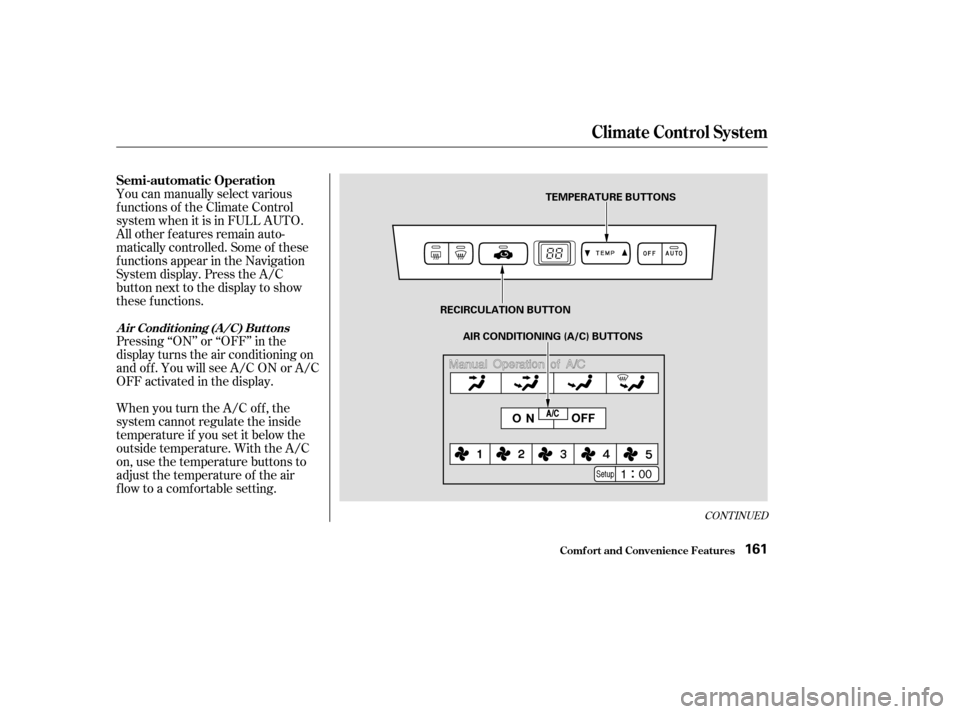
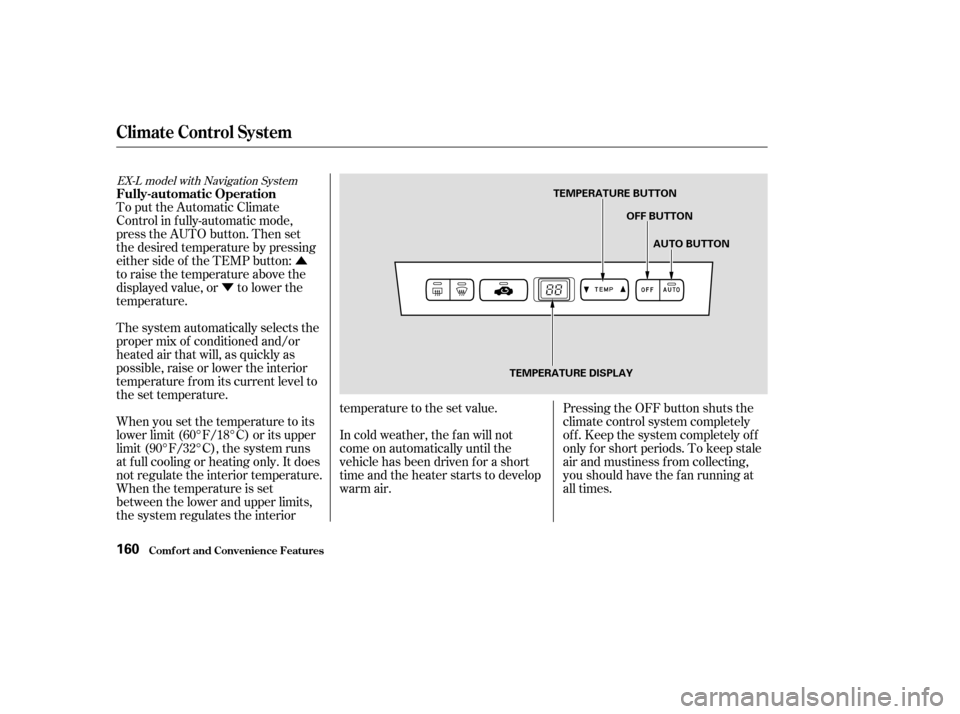
To put the Automatic Climate
Control in f ully-automatic mode,
press the AUTO button. Then set
the desired temperature by pressing
either side of the TEMP button:
to raise the temperature above the
displayed value, or to lower the
temperature.
The system automatically selects the
proper mix of conditioned and/or
heated air that will, as quickly as
possible, raise or lower the interior
temperature f rom its current level to
the set temperature.
When you set the temperature to its
lower limit (60°F/18°C) or its upper
limit (90°F/32°C), the system runs
at f ull cooling or heating only. It does
not regulate the interior temperature.
When the temperature is set
between the lower and upper limits,
the system regulates the interior temperature to the set value.
In cold weather, the f an will not
come on automatically until the
vehicle has been driven f or a short
time and the heater starts to develop
warm air.
Pressing the OFF button shuts the
climate control system completely
of f . Keep the system completely of f
only f or short periods. To keep stale
air and mustiness f rom collecting,
you should have the f an running at
all times.
EX-L model with Navigation System
Climat e Cont rol Syst em
Fully-automatic Operation
Comf ort and Convenience Feat ures160
TEMPERATURE BUTTON
OFF BUTTON
AUTO BUTTON
TEMPERATURE DISPLAY
Page 164 of 415
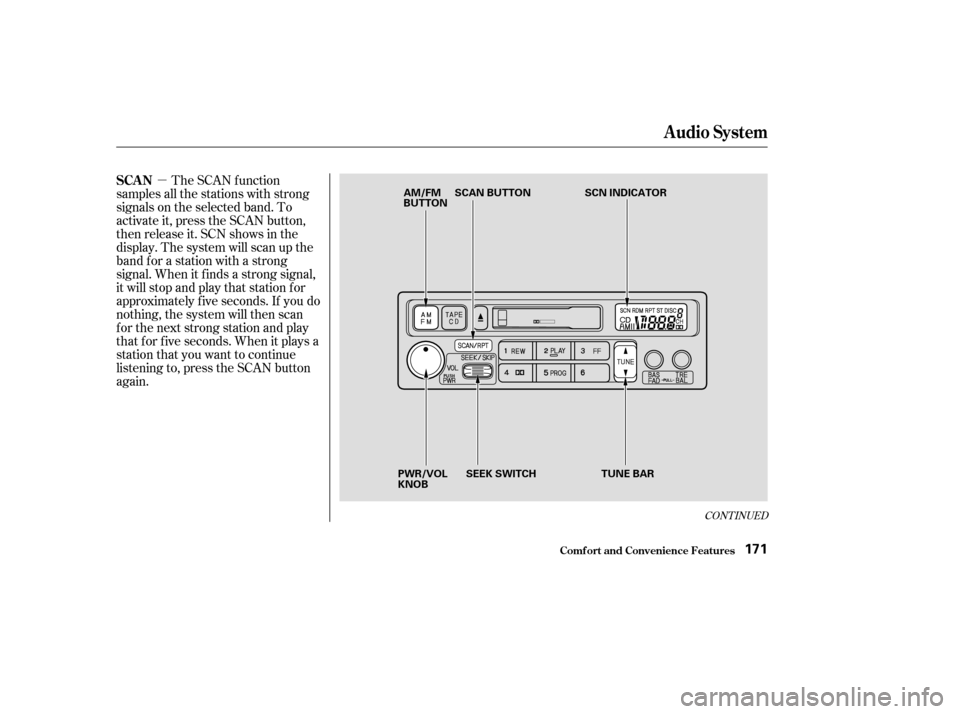
You can manually select various
f unctions of the Climate Control
system when it is in FULL AUTO.
All other f eatures remain auto-
matically controlled. Some of these
f unctions appear in the Navigation
System display. Press the A/C
button next to the display to show
these functions.
Pressing ‘‘ON’’ or ‘‘OFF’’ in the
display turns the air conditioning on
andoff.YouwillseeA/CONorA/C
OFF activated in the display.
When you turn the A/C of f , the
system cannot regulate the inside
temperature if you set it below the
outside temperature. With the A/C
on, use the temperature buttons to
adjust the temperature of the air
flow to a comfortable setting.
CONT INUED
Climat e Cont rol Syst em
Comf ort and Convenience Feat ures
Semi-automatic Operation
A ir Condit ioning (A /C) But t ons
161
TEMPERATURE BUTTONS
RECIRCULATION BUTTON AIR CONDITIONING (A/C) BUTTONS
Page 173 of 415

�µ�µ
�Ý �Û
The ignition switch must be in
ACCESSORY (I) or ON (II) to
operate the audio system. Turn the
system on by pushing the PWR/
VOL knob.
The band and f requency that the
radio was last tuned to is displayed.
To change bands, press the AM/FM
button. On the FM band, ST will be
displayed if the station is broadcast-
ing in stereo. Stereo reproduction on
AM is not available. Adjust the volume by turning the
PWR/VOL knob. You can use any of f our methods to
f ind radio stations on the selected
band: TUNE, SEEK, SCAN or the
Preset buttons.
Use the TUNE bar to tune
the radio to a desired f requency.
Press the upper part ( ) to tune
to a higher f requency, or the lower
part ( ) to tune to a lower
f requency. The f requency numbers
will start to change rapidly. Release
the bar when the display reaches the
desired f requency. To change the
f requency in small increments, press
and release the TUNE bar quickly. The SEEK f unction
searches the band for a station with
a strong signal. To activate it, push
the SEEK switch up or down, then
release it. Depending on which way
you push the switch, the system
scans upward or downward f rom the
current f requency. It stops when it
finds a station with a strong signal.
Audio System
Comf ort and Convenience Feat ures
Operating the Radio
TUNESEEK
170
Page 174 of 415
�µ
CONT INUED
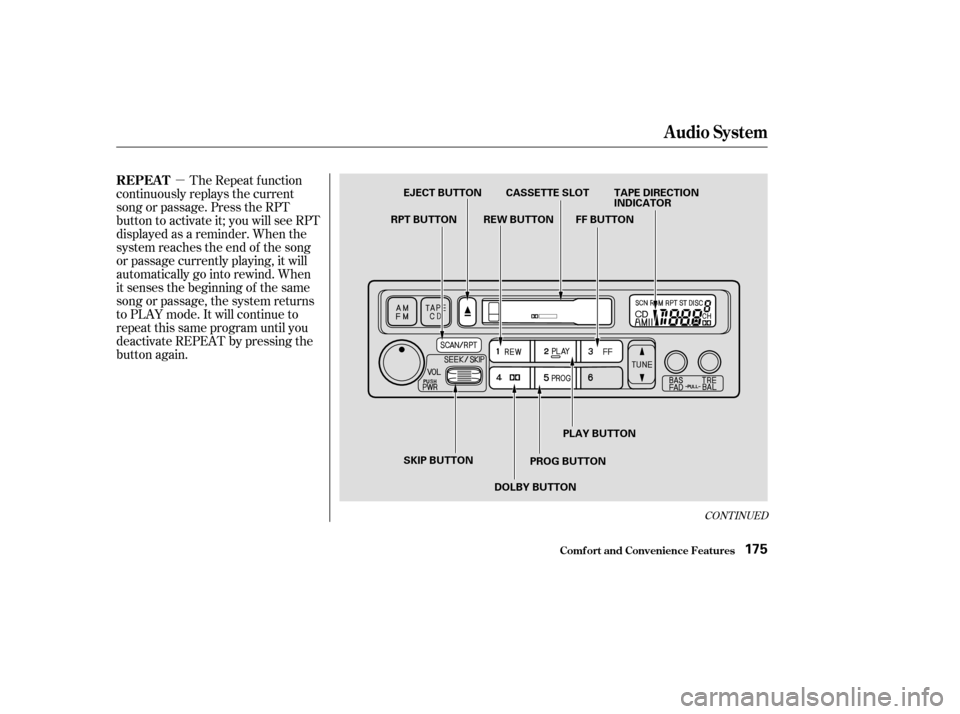
The SCAN f unction
samples all the stations with strong
signals on the selected band. To
activate it, press the SCAN button,
then release it. SCN shows in the
display. The system will scan up the
band f or a station with a strong
signal. When it f inds a strong signal,
it will stop and play that station f or
approximately f ive seconds. If you do
nothing, the system will then scan
f or the next strong station and play
that f or f ive seconds. When it plays a
station that you want to continue
listening to, press the SCAN button
again.
Audio System
Comf ort and Convenience Feat ures
SCAN
171
AM/FM
BUTTON SCAN BUTTON
SCN INDICATOR
PWR/VOL
KNOB SEEK SWITCH
TUNE BAR
Page 177 of 415

�Û�µ�µ
When the system reaches the end of
the tape, it will automatically reverse
direction and play the other side. If
you want to remove the cassette
f rom the drive, press the EJECT
button.
You can use the instrument panel
brightness control knob to adjust the
illumination of the audio system (see
page ). The audio system
illuminates when the parking lights
are on, even if the radio is turned of f .
Turn the audio system ON. Make
sure the tape opening on the cassette
is f acing to the right, then insert the
cassette most of the way into the slot.
The system will pull it in the rest of
the way, and begin to play.
The tape direction indicator will light
to show you which side of the
cassette is playing. The indicates
thesideyouinsertedfacingupward
is now playing. If you want to play
the other side, press the PROG
button.
With a cassette playing, you can use
the FF, REW, SKIP, or REPEAT
f unction to f ind a desired program.
Fast Forward and Re-
wind move the tape rapidly. To re-
wind the tape, push the REW button.
You will see REW in the display. To
fast forward the tape, push the FF
button. You will see FF displayed.
Press the PLAY button to take the
system out of rewind or f ast f orward. If the system reaches the end of the
tape while in f ast f orward or rewind,
it automatically stops that function,
reverses direction, and begins to play.
The Skip Function allows
youtofindthebeginningof asong
or passage. To f ind the beginning of
the song or passage currently
playing, push the SKIP switch down.
You will see REW f lashing in the
display as the tape rewinds. To f ind
the beginning of the next song, push
the SKIP switch up. You will see FF
flashing in the display as the tape
fast forwards. When the system
f inds the beginning of a song or
passage, it goes back to PLAY mode.
Dolby noise reduction turns on when
you insert a cassette. If the tape was
not recorded with Dolby noise reduc-
tion, turn it of f by pressing the
button.
83
Audio System
Comf ort and Convenience Feat ures
A udio System L ighting
Operating the Cassette Player
T ape Search Functions
FF/REWSK IP
174
Page 178 of 415
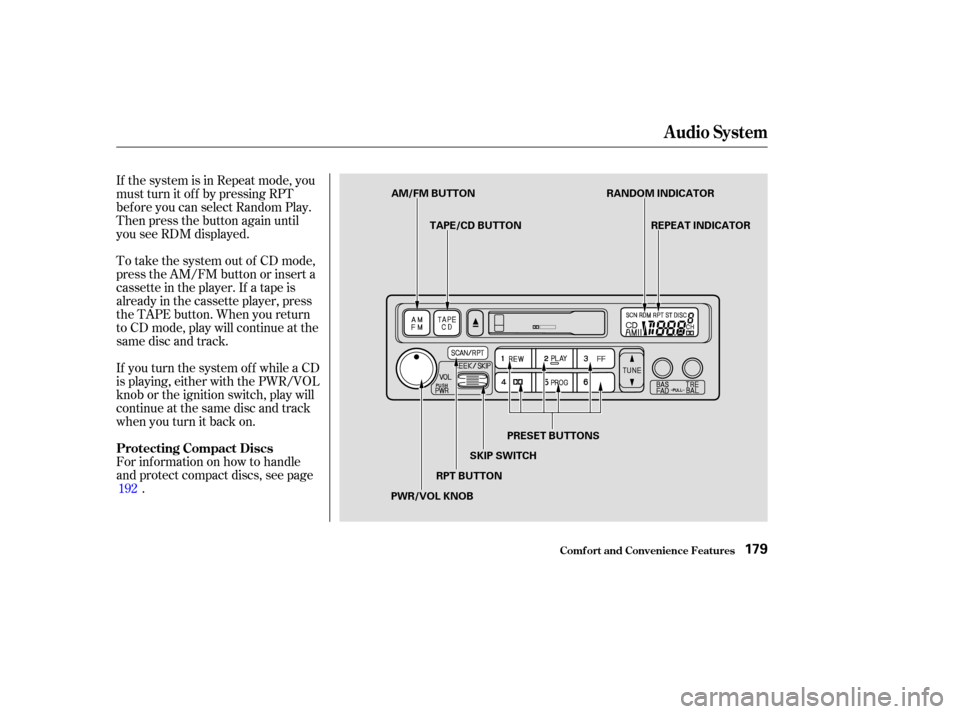
�µThe Repeat f unction
continuously replays the current
song or passage. Press the RPT
button to activate it; you will see RPT
displayed as a reminder. When the
system reaches the end of the song
or passage currently playing, it will
automatically go into rewind. When
it senses the beginning of the same
song or passage, the system returns
to PLAY mode. It will continue to
repeat this same program until you
deactivate REPEAT by pressing the
button again.
CONT INUED
Audio System
Comf ort and Convenience Feat ures
REPEAT
175
EJECT BUTTON CASSETTE SLOT TAPE DIRECTION INDICATOR
FF BUTTON
REW BUTTON
RPT BUTTON
SKIP BUTTON PLAY BUTTON
PROG BUTTON
DOLBY BUTTON
Page 181 of 415

�µ�µ
�µ
When you activate the
Repeat feature by pressing the RPT
button, the system continuously
replays the current track. You will
see RPT in the display as a reminder.
Press the RPT button again to turn it
of f .
This feature,
when activated, plays the tracks on a
CD in random order, rather than in
the order they are recorded on the
CD. To activate Random Play, press
andholdtheRPTbuttonuntilyou
seeRDMinthedisplay.Thesystem
will then select and play tracks
randomly on the current disc. When
all tracks on that disc have been
played, the next disc is loaded and
played randomly. This continues
until you deactivate Random Play by
pressing RPT again.
If you push and hold the SKIP switch,
you will hear a beep and the system
will continue to move across tracks.
Release the switch when you think it
has reached the desired place on the
disc. You can use the SKIP switch to
select tracks within a disc. If you
push and release the SKIP switch,
the system will move to the
beginning of a track. Push the switch
up to move to the beginning of the
next track, and push the switch
down to move to the beginning of
the current track. To select a dif f erent disc, press the
appropriate preset button (1 6). If
you select an empty slot in the
magazine, the changer will, af ter
f inding that slot empty, try to load
the CD in the next slot. This
continues until it f inds a CD to load
and play.
For best results when using CD-R
discs, use only high quality discs
labeled f or audio use. When
recording a CD-R, the recording
must be closed in order f or the disc
to be used by CD players. CD-RW
discs will not work in this unit.
To operate the CD changer or player,
the ignition must be in ACCESSORY
(I) or ON (II) and the audio system
must be on.
Press the CD button until ‘‘CD’’
appears in the display. The system
will start to play the f irst track of the
f irst disc in the magazine. Play only
standard round discs.
When that disc ends, the next disc in
the magazine is loaded and played.
Af ter the last disc f inishes, the
system returns to disc 1.
Audio System
Comf ort and Convenience Feat ures
REPEAT
RANDOM PLAY
178
Page 182 of 415
If the system is in Repeat mode, you
must turn it of f by pressing RPT
bef ore you can select Random Play.
Then press the button again until
you see RDM displayed.
To take the system out of CD mode,
press the AM/FM button or insert a
cassette in the player. If a tape is
already in the cassette player, press
the TAPE button. When you return
to CD mode, play will continue at the
same disc and track.
For inf ormation on how to handle
and protect compact discs, see page.
If you turn the system of f while a CD
is playing, either with the PWR/VOL
knob or the ignition switch, play will
continue at the same disc and track
when you turn it back on.
192
Audio System
Comf ort and Convenience Feat ures
Protecting Compact Discs
179
AM/FM BUTTON TAPE/CD BUTTON RANDOM INDICATOR
REPEAT INDICATOR
PRESET BUTTONS
SKIP SWITCH
RPT BUTTON
PWR/VOL KNOB