Page 126 of 374
These sockets are intended to supply
power f or 12 volt DC accessories
that are rated 120 watts or less (10
amps). To power an accessory, the
ignition switch must be in
ACCESSORY (I) or ON (II).
When both sockets are being used,
the combined power rating of both
accessories should be 120 watts or
less (10 amps).
They will not power an automotive
type cigarette lighter element.
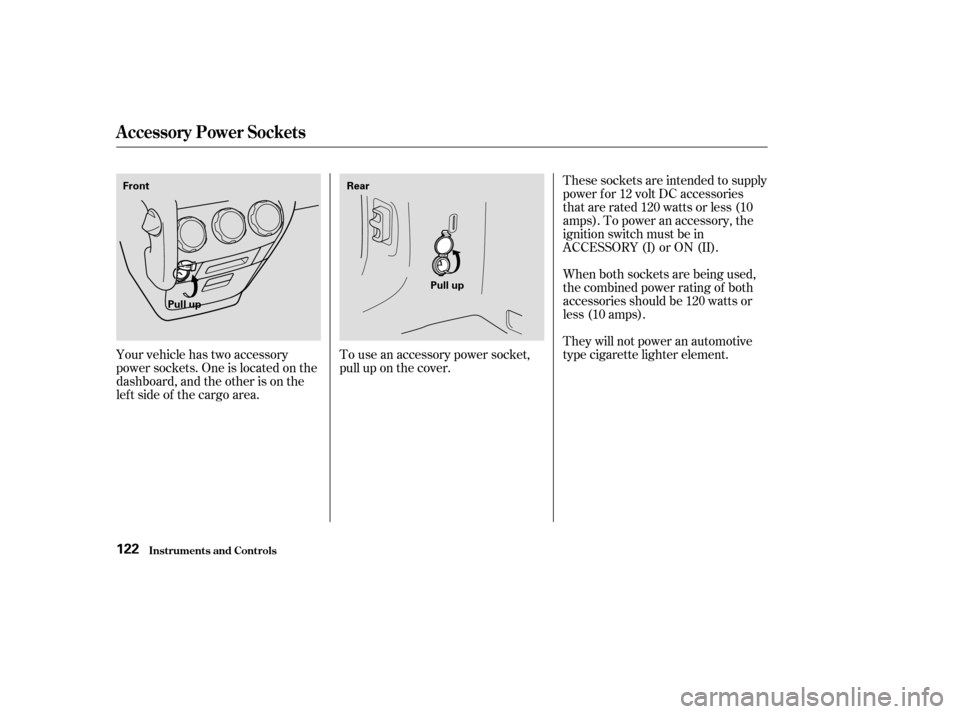
Your vehicle has two accessory
power sockets. One is located on the
dashboard, and the other is on the
lef t side of the cargo area. To use an accessory power socket,
pull up on the cover.
Inst rument s and Cont rols
A ccessory Power Socket s
122
Front
Rear
Pull up Pull up
Page 127 of 374
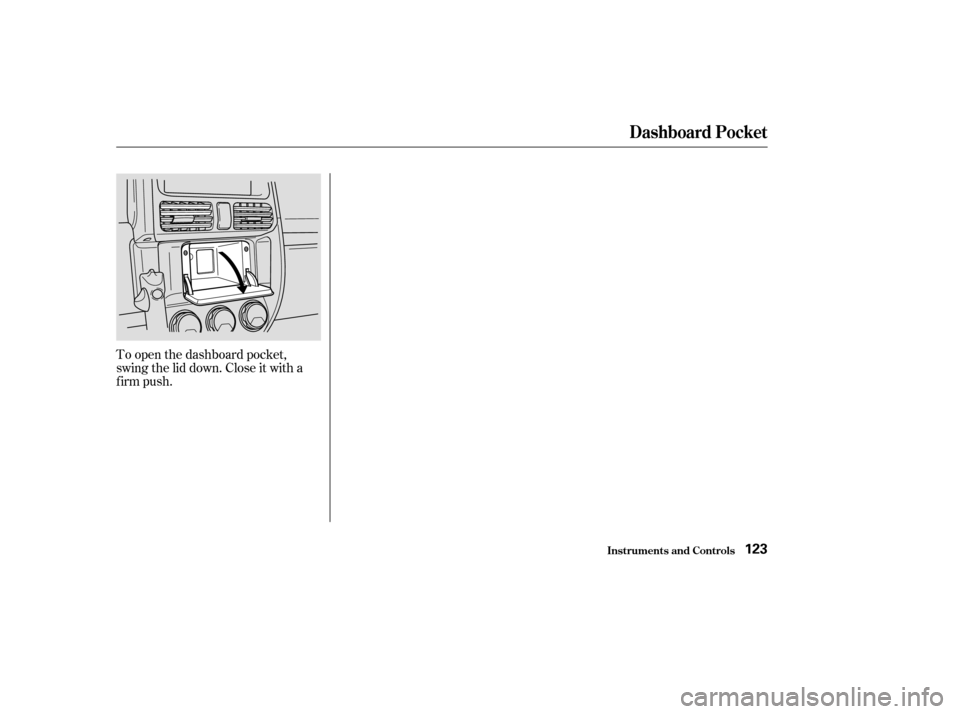
To open the dashboard pocket,
swing the lid down. Close it with a
firm push.
Dashboard Pocket
Inst rument s and Cont rols123
Page 132 of 374

Proper use of the Heating and
Cooling system can make the
interior dry and comf ortable, and
keep the windows clear f or the best
visibility.
Turning this dial clockwise increases
the f an’s speed, which increases air
flow.
Turning this dial clockwise increases
the temperature of the air flow.
This button turns the air condi-
tioning ON and OFF. The indicator
in the button lights when the A/C is
on.This button controls the source of
the air going into the system. When
the indicator in this button is lit, air
f rom the vehicle’s interior is sent
through the system again (Recircula-
tion mode). When the indicator is off,
air is brought in f rom outside the
vehicle (Fresh Air mode).
This button turns the rear window
def ogger on and of f (see page ).Use the MODE control dial to select
the vents the air flows from. Some
air will f low f rom the dashboard
vents in all modes.
81
Comf ort and Convenience Feat ures
Heating and Cooling
What Each Control Does
Fan Control Dial
Air Conditioning (A/C) Button Recirculation Button
Rear Window Def ogger ButtonMode Control Dial
T emperature Control Dial
128
FAN CONTROL
DIAL TEMPERATURE
CONTROL DIAL
MODE CONTROL DIAL
RECIRCULATION
BUTTON REAR WINDOW DEFOGGER
BUTTON
AIR CONDITIONING
(A/C) BUTTON
Page 133 of 374
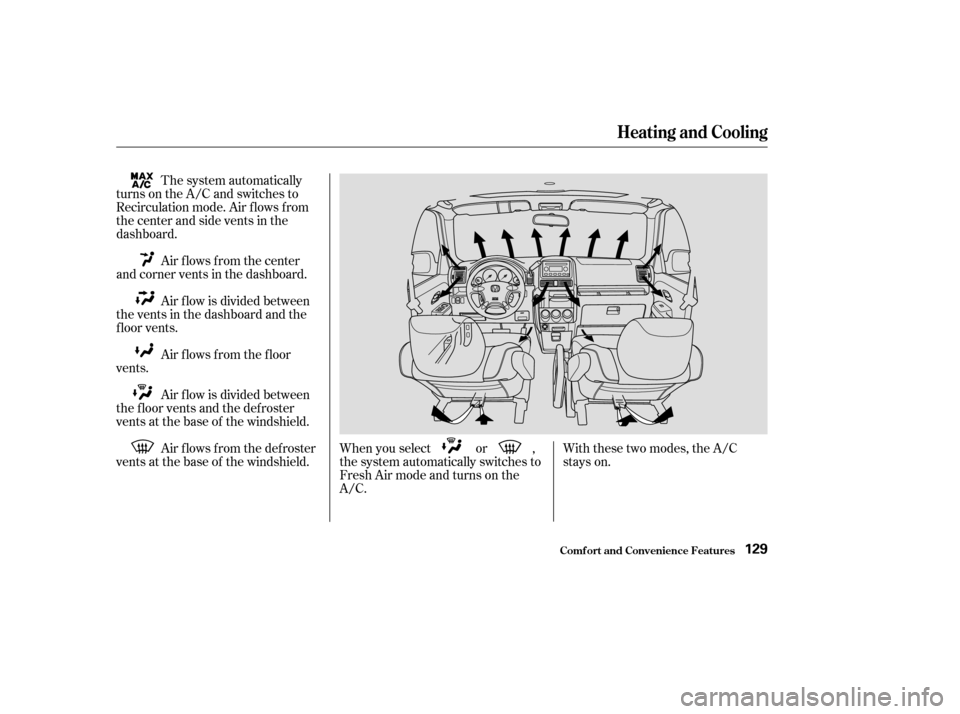
The system automatically
turns on the A/C and switches to
Recirculation mode. Air f lows f rom
the center and side vents in the
dashboard.
Air flows from the center
and corner vents in the dashboard.
Air f low is divided between
the vents in the dashboard and the
f loor vents.
Air f lows f rom the f loor
vents.
Air f low is divided between
the f loor vents and the def roster
vents at the base of the windshield.
Air f lows f rom the def roster
vents at the base of the windshield. When you select or ,
the system automatically switches to
Fresh Air mode and turns on the
A/C.With these two modes, the A/C
stays on.
Heating and Cooling
Comf ort and Convenience Feat ures129
Page 134 of 374
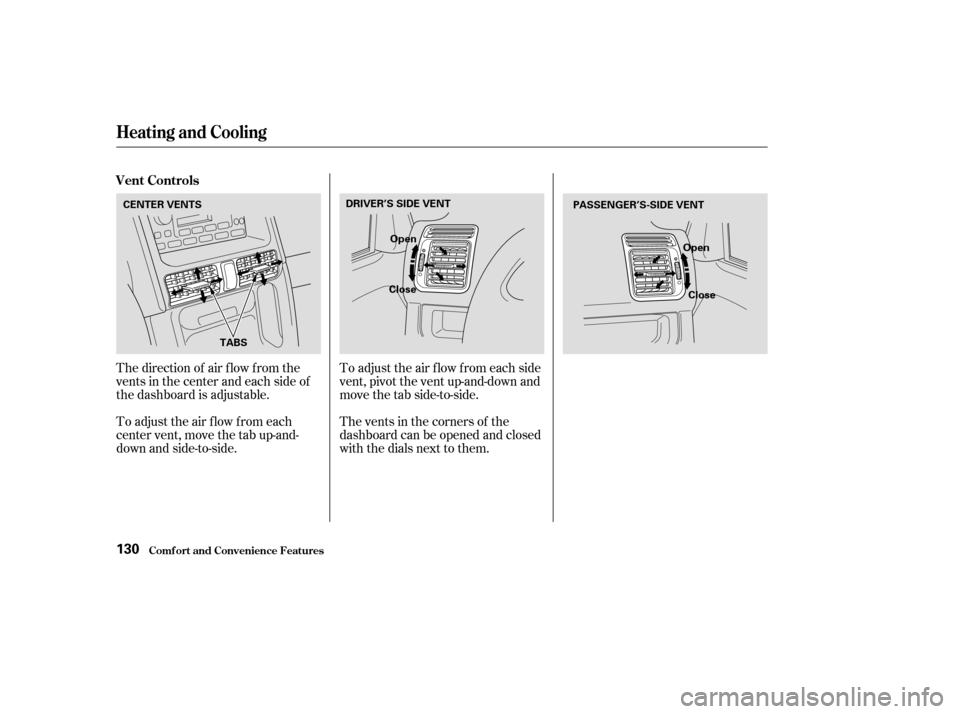
The direction of air f low f rom the
vents in the center and each side of
the dashboard is adjustable.
To adjust the air flow from each
center vent, move the tab up-and-
down and side-to-side.The vents in the corners of the
dashboard can be opened and closed
with the dials next to them. To adjust the air f low f rom each side
vent, pivot the vent up-and-down and
move the tab side-to-side.
Heating and Cooling
Comf ort and Convenience Feat ures
Vent Controls
130
CENTER VENTS
DRIVER’S SIDE VENT
Open
Close PASSENGER’S-SIDE VENT
Open
Close
TABS
Page 189 of 374
Remove the f uel f ill cap slowly.
You may hear a hissing sound as
pressure inside the tank escapes.
Stop f illing the tank af ter the f uel
nozzle automatically clicks of f . Do
not try to ‘‘top of f ’’ the tank, leave
some room f or the f uel to expand
with temperature changes.
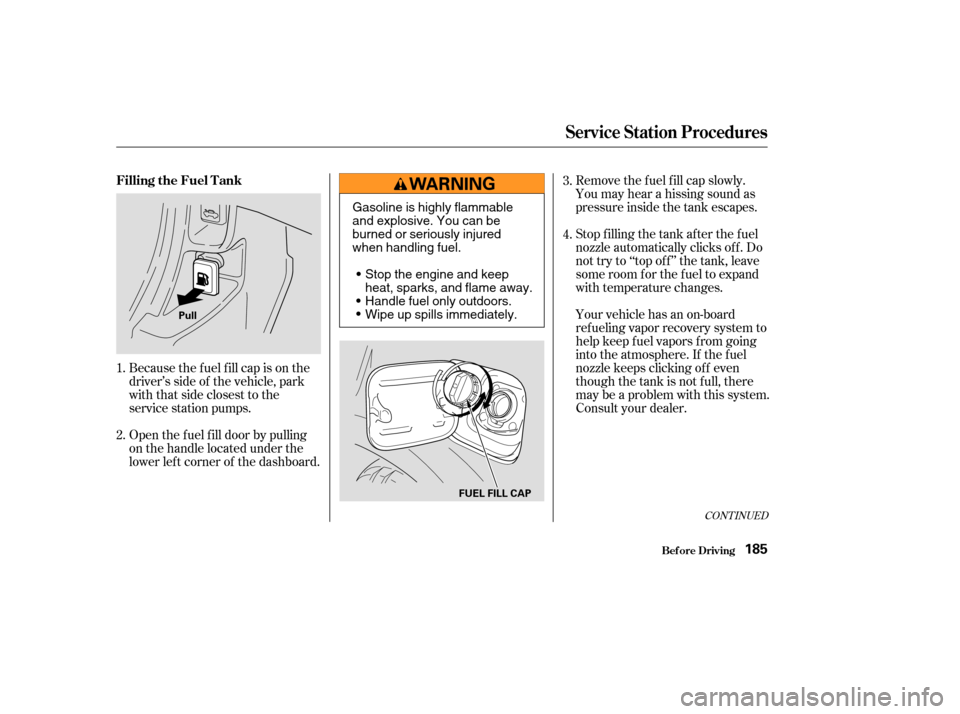
Because the f uel f ill cap is on the
driver’s side of the vehicle, park
with that side closest to the
service station pumps.
Open the f uel f ill door by pulling
on the handle located under the
lower lef t corner of the dashboard. Your vehicle has an on-board
ref ueling vapor recovery system to
help keep f uel vapors f rom going
into the atmosphere. If the fuel
nozzle keeps clicking of f even
though the tank is not full, there
maybeaproblemwiththissystem.
Consult your dealer.
1.
2. 3.
4.
CONT INUED
Filling the Fuel Tank
Service Station Procedures
Bef ore Driving185
Pull
FUEL FILL CAP
Gasoline is highly flammable
and explosive. You can be
burned or seriously injured
when handling fuel.Stop the engine and keep
heat, sparks, and flame away.
Handle fuel only outdoors.
Wipe up spills immediately.
Page 190 of 374
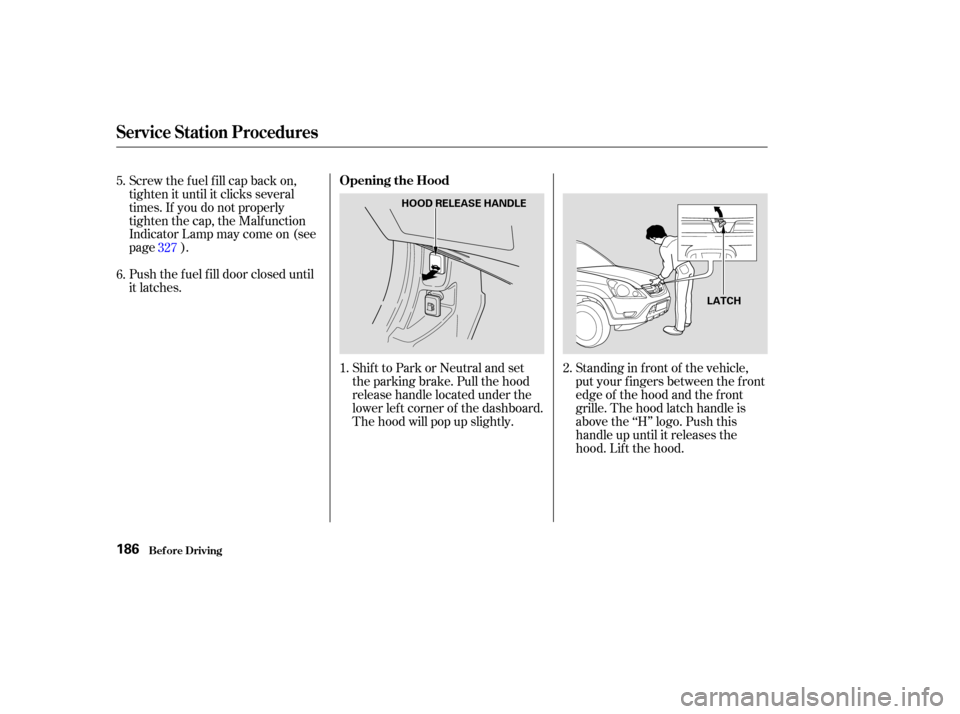
Shift to Park or Neutral and set
the parking brake. Pull the hood
release handle located under the
lower lef t corner of the dashboard.
The hood will pop up slightly.
Screw the f uel f ill cap back on,
tighten it until it clicks several
times. If you do not properly
tighten the cap, the Malfunction
Indicator Lamp may come on (see
page ).
Push the f uel f ill door closed until
it latches.
Standing in f ront of the vehicle,
put your f ingers between the f ront
edge of the hood and the f ront
grille. The hood latch handle is
above the ‘‘H’’ logo. Push this
handle up until it releases the
hood. Lif t the hood.
1.
2.
5.
6.
327
Service Station Procedures
Bef ore Driving
Opening the Hood
186
HOOD RELEASE HANDLE
LATCH
Page 196 of 374

Covering the outside edge of a
f ront seat-back, with a non-Honda
seat cover for example, could
prevent the airbag from inflating
properly.If a side airbag
inflates,acupholderorotherhard
object attached on or near the
door could be propelled inside the
vehicle and hurt someone.
Some examples are:
Lowering the vehicle with an
aftermarket suspension kit that
signif icantly reduces ground
clearance can allow the
undercarriage to impact speed
bumps or other raised objects,
which could cause the airbags to
deploy.
Raising the vehicle with an
af termarket suspension kit can
af f ect the handling and stability.
Af termarket wheels, because they
are a universal design, can cause
excessive stress on suspension
components. Larger or smaller wheels and tires
can interf ere with the operation of
your vehicle’s anti-lock brakes and
other systems.
Do not modif y your steering wheel
or any other part of your
Supplemental Restraint System.
Modif ications could make the
system inef f ective.
Any object
attached to or placed on the covers
marked ‘‘SRS AIRBAG,’’ in the
center of the steering wheel and
on top of the dashboard, could
interf ere with the proper operation
of the airbags. Or, if the airbags
inf late, the objects could be
propelled inside the vehicle and
hurt someone.
If you plan to modif y your vehicle,
consult with your Honda dealer.
Removing parts f rom your vehicle,
or replacing components with non-
Honda (af termarket) components
could seriously af f ect your vehicle’s
handling, stability, and reliability.
Only on models equipped with side
airbagsModif ications
Additional Saf ety Precautions
Do not place any object s over t heoutsideedgeof afront seat-back.
Do not at t ach hard object s on or
near a f ront door.
Do not at t ach or place object s on the f ront airbag covers.
A ccessories and Modif ications
Bef ore Driving192