Page 60 of 317
This section gives inf ormation about
the controls and displays that
contribute to the daily operation of
your Honda. All the essential
controls are within easy reach............................
Control Locations .58 ...............................
Indicator Lights .59
.............................................
Gauges .67
...............................
Speedometer .69
.................................
Tachometer .69
...............
Odometer/Trip Meter . 69
.................
Current Fuel Mileage . 70
................................
Trip Mileage .70
Turning Of f the Mileage .....................................
Display .71
..................................
Fuel Gauge .71
...................
Temperature Gauge . 71
..................
Battery Level Gauge . 72
................
Charge/Assist Gauge . 73
Controls Near the Steering .......................................
Wheel .74
...................................
Headlights .75
............
Daytime Running Lights . 76
....
Instrument Panel Brightness . 77
................................
Turn Signals .78
.....................
Windshield Wipers .78
..................
Windshield Washers . 80
..........................
Hazard Warning .80
.............
Rear Window Def ogger . 81
......
Steering Wheel Adjustment . 82
...............................
Keys and Locks .83
..............................................
Keys .83 ....................
Immobilizer System . 84
............................
Ignition Switch .86
......................
Power Door Locks .87
...................
Remote Transmitter . 89
..............
Childproof Door Locks . 92
...........................................
Trunk .92
........
Emergency Trunk Opener . 93
............................
Seat Adjustments .94
.............
Front Seat Adjustments . 94
................
Driver’s Seat Armrest . 95
..........................
Head Restraints .96
..............................
Power Windows .97
.............................................
Mirrors .99
....
Adjusting the Power Mirrors . 99
...............................
Parking Brake .100
......................................
Glove Box .101
...........................
Beverage Holder .102
.................
Console Compartment . 102
........................................
Coin Box .103
...............................
Center Pocket .103
.............
Accessory Power Socket . 103
...............................
Interior Lights .104
..............................
Ceiling Light .104
...................................
Spotlights .104
................
Ignition Switch Light . 105
Instruments and Controls
Inst rument s and Cont rols57
Page 107 of 317
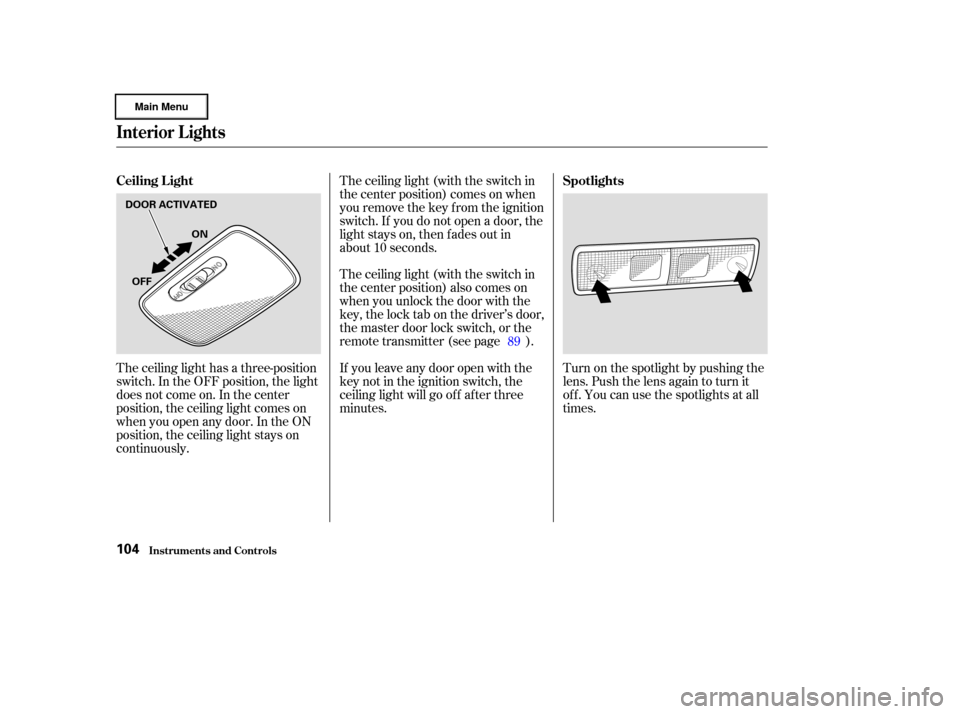
The ceiling light has a three-position
switch. In the OFF position, the light
does not come on. In the center
position, the ceiling light comes on
when you open any door. In the ON
position, the ceiling light stays on
continuously.The ceiling light (with the switch in
the center position) comes on when
you remove the key f rom the ignition
switch. If you do not open a door, the
light stays on, then f ades out in
about 10 seconds.
The ceiling light (with the switch in
the center position) also comes on
when you unlock the door with the
key, the lock tab on the driver’s door,
the master door lock switch, or the
remote transmitter (see page ).
If you leave any door open with the
keynotintheignitionswitch,the
ceiling light will go of f af ter three
minutes.
Turn on the spotlight by pushing the
lens. Push the lens again to turn it
of f . You can use the spotlights at all
times.
89
Ceiling L ight
Spotlights
Interior Lights
Inst rument s and Cont rols104
OFFON
DOOR ACTIVATED
Page 108 of 317
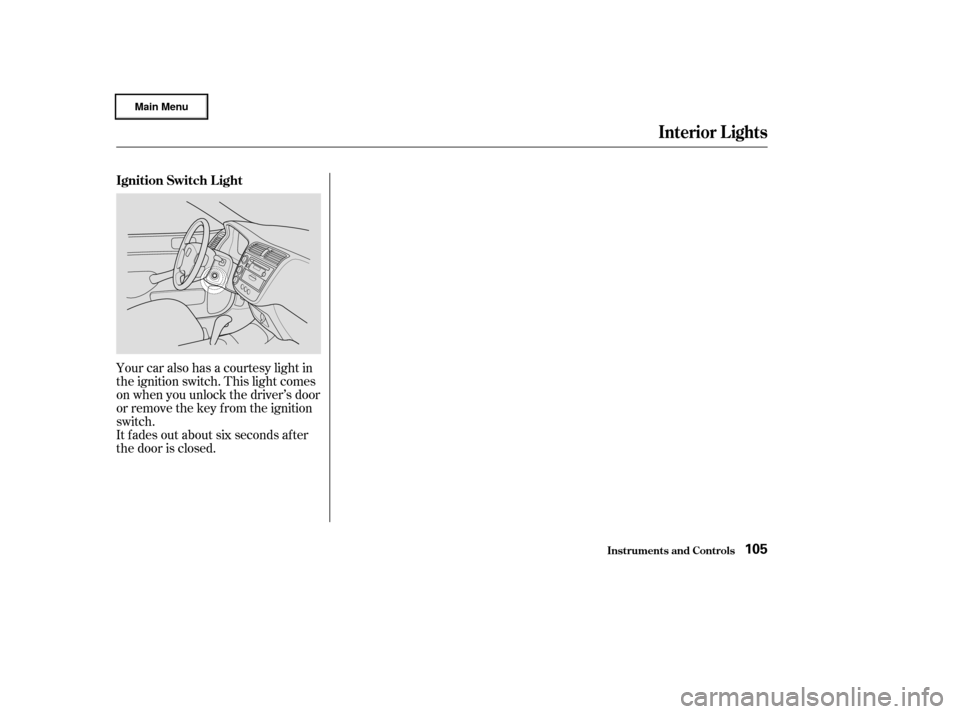
Your car also has a courtesy light in
the ignition switch. This light comes
on when you unlock the driver’s door
or remove the key from the ignition
switch.
It f ades out about six seconds af ter
the door is closed.
Interior Lights
Inst rument s and Cont rols
Ignition Switch L ight
105
Page 114 of 317
To heat or cool the interior f aster,
select Recirculation mode and set
the temperature control dial to the
upper or lower limit.
The system runs of f ull cooling or
heating only. It does not regulate the
interior temperature. When the
temperature is set between the lower
and upper limits, the system
regulates the interior temperature to
the set value.
TurningthefancontroldialtoOFF
shuts the heating and cooling system
completely off. Keep the system
completely of f only f or short periods.
To keep stale air and mustiness from
collecting, you should have the f an
running at all times.
When the system is in f ull AUTO
mode, the Auto Idle Stop f unction
will not be activated.You can manually set the system
controls f or ventilation, air condi-
tioning, heating, air f low direction,
and fan speed in various
combinations.
When you press the ECON button
with the fan speed control dial on,
the Auto Idle Stop works only if the
outside temperature is above 41°F
(5°C). The indicator in the button
lights when the ECON is on. With
the ECON on, you can get better f uel
economy. You can select the ECON
mode with the A/C on or of f .
In this mode with A/C on, you may
f eel a slight reduction in cooling
ef f iciency. If you want more cooling,
select AUTO (see page ).
The system turns of f the ECON
mode when you select AUTO,
,or . Pressing the A/C button turns the
air conditioning ON and OFF. The
indicator in the button lights when
the A/C is ON.
When you turn the A/C of f , the
system cannot regulate the inside
temperature if you set the dial below
the outside air temperature.
With A/C on, use the temperature
control dial to adjust the temperature
of the air f low to a comf ortable
setting.
110
CONT INUED
Heating and Cooling (Automatic System)
Comf ort and Convenience Feat ures
Manual Operation
ECON Button A ir Condit ioning (A /C) But t on
111
Page 244 of 317
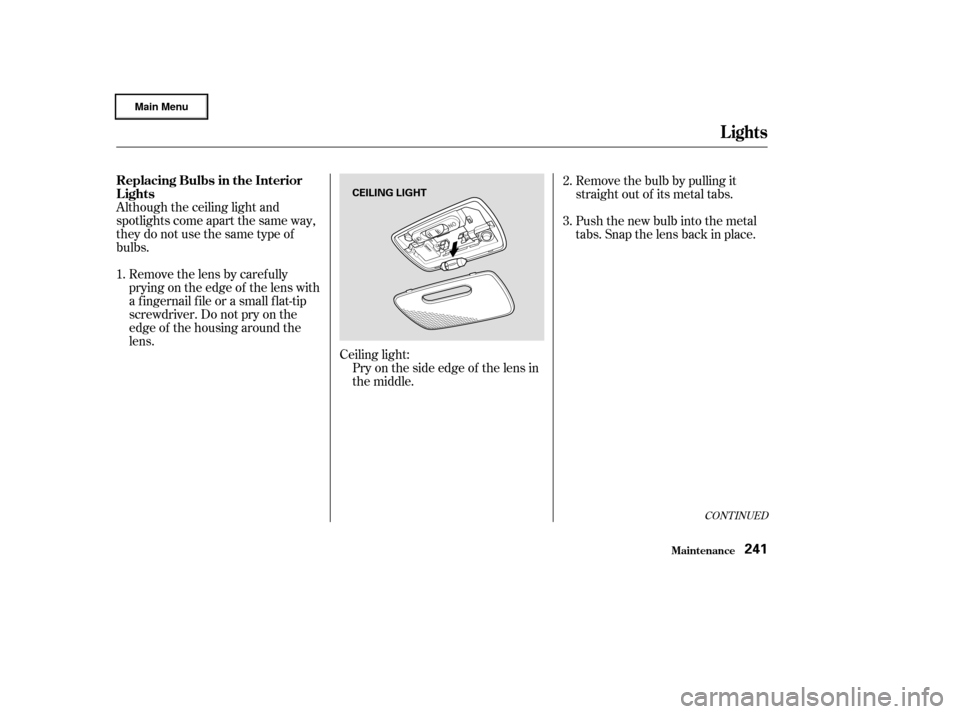
Although the ceiling light and
spotlights come apart the same way,
theydonotusethesametypeof
bulbs.Removethelensbycarefully
prying on the edge of the lens with
a f ingernail f ile or a small f lat-tip
screwdriver. Do not pry on the
edge of the housing around the
lens. Ceiling light:Pry on the side edge of the lens in
the middle. Remove the bulb by pulling it
straight out of its metal tabs.
Push the new bulb into the metal
tabs. Snap the lens back in place.
2.
3.
1.
CONT INUED
Replacing Bulbs in the Interior
Lights
Lights
Maint enance241
CEILING LIGHT
Page 280 of 317
Check each of the large f uses in
the under-hood f use box by
looking through the top at the wire
inside. Removing these f uses
requires a Phillips-head screw-
driver.
If something electrical in your car
stops working, the f irst thing you
should check f or is a blown f use.
Determine f rom the chart on pages
and , or the diagram on the
fuse box lid, which fuse or fuses
control that component. Check those
f uses f irst, but check all the f uses
bef ore deciding that a blown f use is
not the cause. Replace any blown
f uses and check the component’s
operation.
Turn the ignition switch to LOCK
(0). Make sure the headlights and
all other accessories are off.
Remove the cover f rom the f use
box.
The interior f use box is underneath
the steering column. To open it, turn
the knobs as shown.
3.
1.
2. 281
280
CONT INUED
Checking and Replacing Fuses
Fuses
T aking Care of t he Unexpect ed277
INTERIOR
FUSE
BLOWN
Page 284 of 317
�µ�µ
�Î �Î
�Î
�Î
�Î
No. Amps. No.
Circuits Protected Amps. Circuits Protected
1
2
3
4
5
15 A
20 A
(10 A) 10 A 6
7
8
9
10
11
12
13
14
15
16
17
18
19
20
21
22
23
24
25
26
Ignition Coil IN
LAF Heater
(Daytime running lights )
FI-ECU
Not Used 7.5 A
7.5 A
15 A
7.5 A
7.5 A
(7.5 A) 10 A
10 A
(10 A) 7.5 A 15 A
15 A
7.5 A 20 A
7.5 A 20 A
20 A
20 A
20 A
7.5 A Power Window Relay
Not Used
Accessory, Radio
Ignition Coil EX
Meter
ABS
(Daytime running lights )
SRS
Remote Control Mirrors
(SCTY )
IMA
Fuel Pump
Accessory Power Socket
Turn Signal Lights
Front Wiper
STS (Steering Switch)
Front Right Power Window
Front Left Power Window
Rear Lef t Power Window
Rear Right Power Window
Cooling Fan Relay
1 : On Canadian models
2 : Optional Security System
1
2
Fuses
T aking Care of t he Unexpect ed281
INTERIOR FUSE BOX
Page 292 of 317

�µ�µ�µ
�µ
�µ
�µ
�µ
�µ
�µ
�µ
�µ
�µ
�µ
�µ
�µ
�µ
�µ
�Î
�Î
�Î
�Î
Specif ications
T echnical Inf ormation289
Fuses
Alignment
Air Conditioning
Lights
Battery
Tires
HFC-134a (R-134a)
17.6 19.4 oz (500 550 g) SP-10
12 V
12 V 60/55 W (HB2)
21/5 W
12 V 8 W 12 V 3 CP
12 V 21 W
12 V 3 CP
12 V 21 W 12 V 21/5 W 12 V 21 W
12 V 3 CP Interior
Under-hood
Toe-in
Camber
Caster
2°20’1°
0°12’
0.00 in (0.0 mm)
P185/70R14 87S
Refrigerant type
Charge quantity
Lubricant oil type
0.08 in (2.0 mm)
12 V
12 V 8W
5W
Headlights (HI/LO)
Front turn signal/side marker
lights
Front parking light
Rear turn signal lights
Stop/Taillights/Rear side
marker lights
Back-up lights
Taillights
High-mount brake light
License plate lights
Ceiling light
Spotlights
Trunk light
Capacity
12 V 35 AH/20 HR See page
281or the fuse label
attached to the inside of the fuse
box door under the steering
column.
See page 280or the fuse box
cover.
T115/70D14 88M
30 psi (210 kPa , 2.1 kgf/cm
)
60 psi (420 kPa , 4.2 kgf/cm)
Size
Pressure
T125/70D15 95M
Front
Rear
Front
Rear
Front
Front/Rear
Spare
Front/Rear
Spare
1 : Without ABS
2 : With ABS
1
2