Page 101 of 302
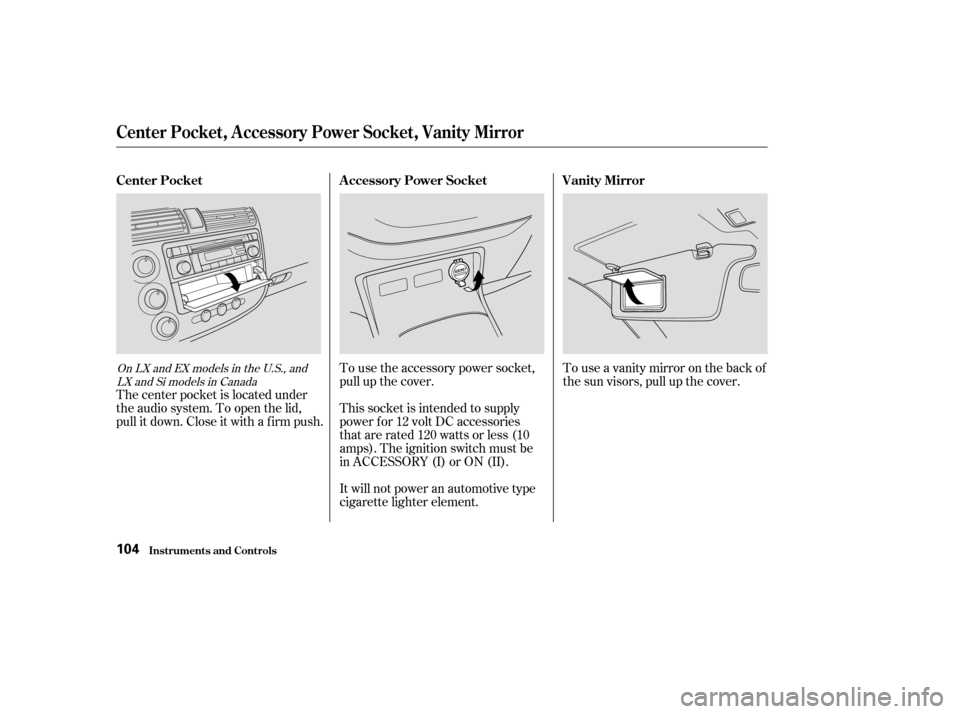
The center pocket is located under
the audio system. To open the lid,
pull it down. Close it with a f irm push.To use the accessory power socket,
pull up the cover.
This socket is intended to supply
power f or 12 volt DC accessories
that are rated 120 watts or less (10
amps). The ignition switch must be
in ACCESSORY (I) or ON (II).
It will not power an automotive type
cigarette lighter element.Touseavanitymirroronthebackof
the sun visors, pull up the cover.
OnLXandEXmodelsintheU.S.,and
LXandSimodelsinCanada
Center Pocket A ccessory Power Socket Vanity Mirror
Center Pocket, A ccessory Power Socket, Vanity Mirror
Inst rument s and Cont rols104
�����—�����—�����y�
����
��������y���
�(���%�������y���
�����y
Page 102 of 302
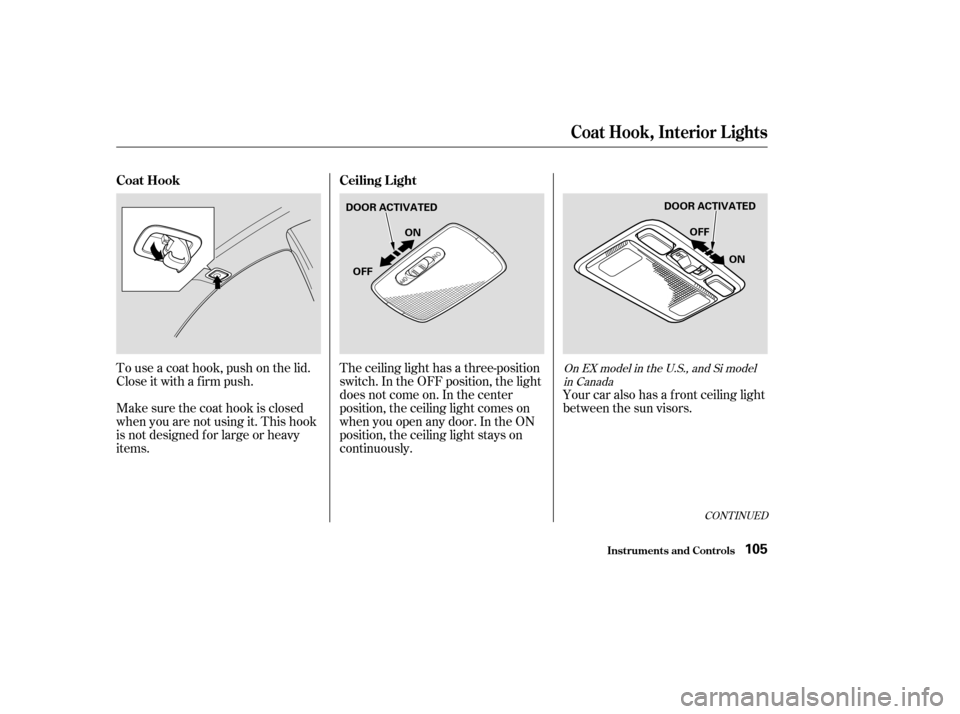
To use a coat hook, push on the lid.
Close it with a f irm push.
Make sure the coat hook is closed
when you are not using it. This hook
is not designed f or large or heavy
items.The ceiling light has a three-position
switch. In the OFF position, the light
does not come on. In the center
position, the ceiling light comes on
when you open any door. In the ON
position, the ceiling light stays on
continuously.
Your car also has a f ront ceiling light
between the sun visors.
CONT INUED
On EX model in the U.S., and Si model
in Canada
Coat Hook Ceiling L ight
Coat Hook, Interior L ights
Inst rument s and Cont rols105
DOOR ACTIVATED DOOR ACTIVATED
ON
OFF OFF
ON
�����—�����—�����y�
����
��������y���
�(���%�������y���
�����y
Page 103 of 302
The ceiling light (with the switch in
the center position) comes on when
you remove the key f rom the ignition
switch. If you do not open a door, the
light stays on, then f ades out in
about 10 seconds.
The ceiling light (with the switch in
the center position) also comes on
when you unlock the door with the
key or the remote transmitter (see
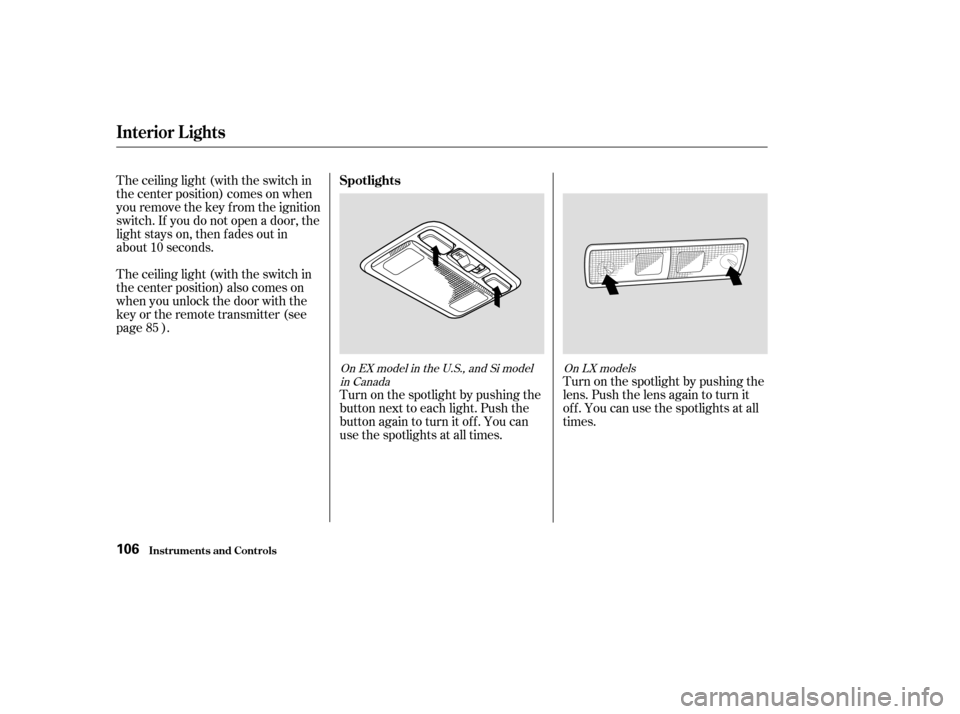
page ).Turn on the spotlight by pushing the
button next to each light. Push the
button again to turn it off. You can
use the spotlights at all times.Turn on the spotlight by pushing the
lens. Push the lens again to turn it
of f . You can use the spotlights at all
times.
85
On EX model in the U.S., and Si model
in Canada On LX models
Spotlights
Interior Lights
Inst rument s and Cont rols106
�����—�����—�����y�
����
��������y���
�(���%�������y���
�����y
Page 104 of 302
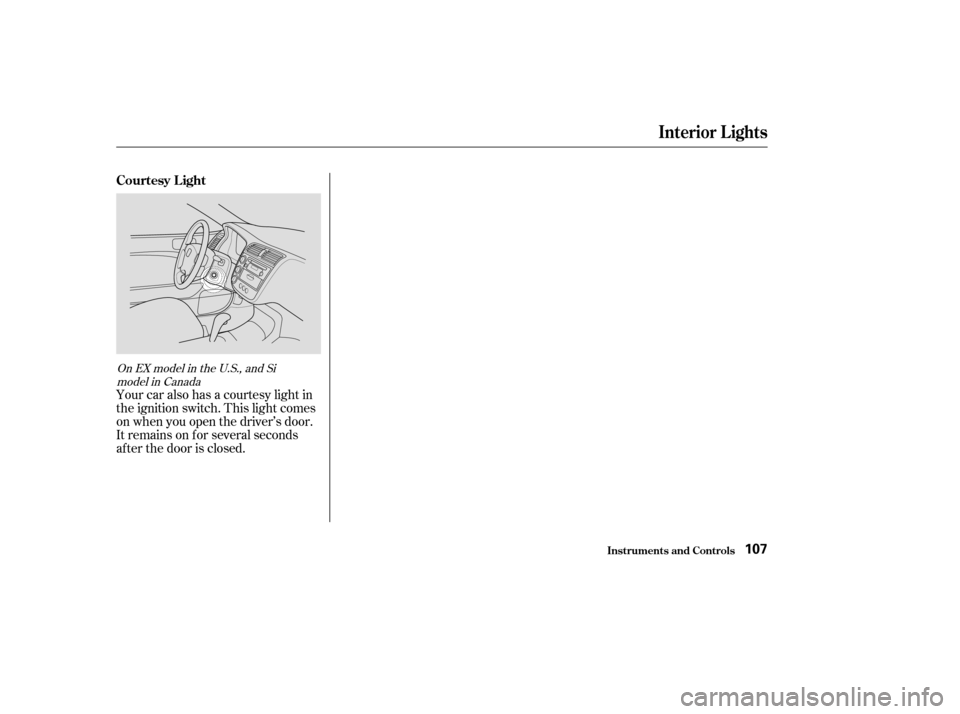
Your car also has a courtesy light in
the ignition switch. This light comes
on when you open the driver’s door.
It remains on f or several seconds
af ter the door is closed.
On EX model in the U.S., and Simodel in Canada
Interior Lights
Inst rument s and Cont rols
Courtesy L ight
107
�����—�����—�����y�
����
��������y���
�(���%�������y���
�
���y
Page 106 of 302

Proper use of the Heating and
Cooling system can make the
interior dry and comf ortable, and
keep the windows clear f or the best
visibility.
If your car does not have air
conditioning, it can be installed at
any time. Your dealer can install a
genuine Honda air conditioning
system that meets Honda’s high
quality standards and is designed to
exactly f it your car. Please contact
your dealer f or more inf ormation.
Turning this dial clockwise increases
the f an’s speed, which increases air
flow.This button controls the source of
the air going into the system. When
the indicator in this button is lit, air
from the car’s interior is sent
through the system again (Recircula-
tion mode). When the indicator is off,
air is brought in f rom outside the car
(Fresh Air mode).
Turning this dial clockwise increases
the temperature of the air flow. This button turns the air condi-
tioning ON and OFF. The indicator
in the button lights when the A/C ison.
This button turns the rear window
def ogger on and of f (see page ).
78
Standard f or LX and EX models in the
U.S.,andLXandSimodelsinCanada
Optional f or other models
Comf ort and Convenience Feat ures
Heating and Cooling
Recirculation Button
What Each Control Does
Fan Control Dial Air Conditioning (A/C) Button
Rear Window Def ogger Button
T emperature Control Dial
110
RECIRCULATION BUTTON
MODE CONTROL DIAL TEMPERATURE
CONTROL DIAL
FAN CONTROL DIAL REAR WINDOW
DEFOGGER
BUTTON
AIR CONDITIONING
(A/C) BUTTON
�����—�����—�����y�
����
����
���y���
�(���%�������y���
�
���y
Page 110 of 302
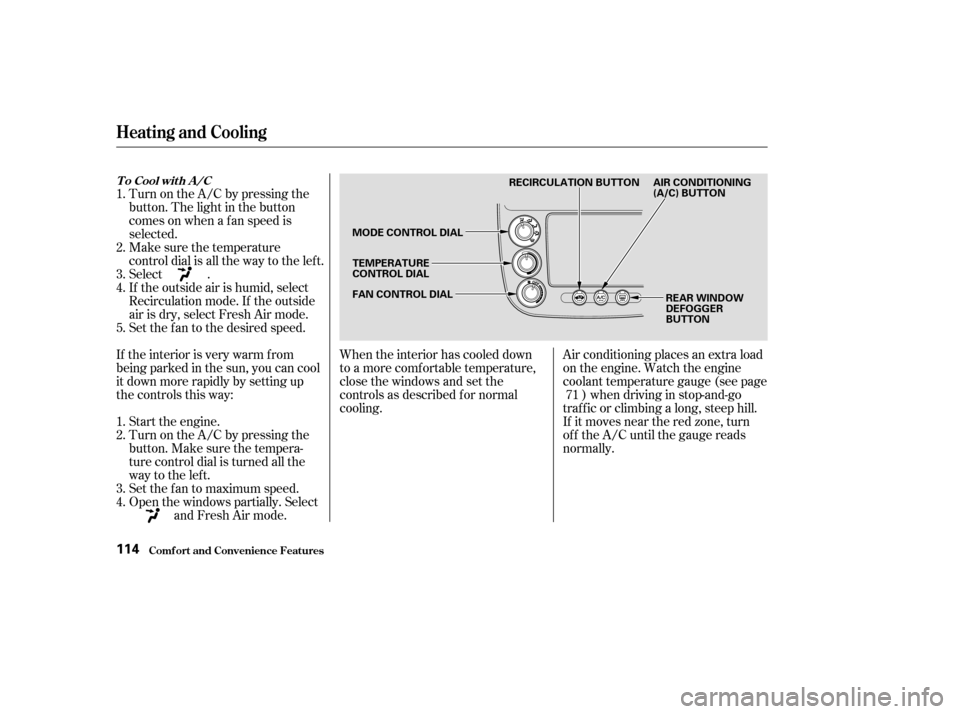
When the interior has cooled down
to a more comf ortable temperature,
close the windows and set the
controls as described f or normal
cooling.Air conditioning places an extra load
on the engine. Watch the engine
coolant temperature gauge (see page
) when driving in stop-and-go
traf f ic or climbing a long, steep hill.
If it moves near the red zone, turn
of f the A/C until the gauge reads
normally.
If the interior is very warm f rom
beingparkedinthesun,youcancool
it down more rapidly by setting up
the controls this way: Turn on the A/C by pressing the
button. The light in the button
comesonwhenafanspeedis
selected.
Make sure the temperature
control dial is all the way to the left.
Select .
If the outside air is humid, select
Recirculation mode. If the outside
air is dry, select Fresh Air mode.
Set the f an to the desired speed.
Start the engine.
Turn on the A/C by pressing the
button. Make sure the tempera-
ture control dial is turned all the
way to the left.
Set the f an to maximum speed.
Open the windows partially. Select
and Fresh Air mode.
1.2. 3. 4.
1. 2. 3. 4. 5.
71
Comf ort and Convenience Feat ures
Heating and Cooling
T o Cool wit h A /C
114
MODE CONTROL DIALTEMPERATURE
CONTROL DIAL
FAN CONTROL DIAL REAR WINDOW
DEFOGGER
BUTTON
RECIRCULATION BUTTON AIR CONDITIONING
(A/C) BUTTON
�����—�����—�����y�
����
��������y���
�(���%�������y���
�
���y
Page 119 of 302

You can use the instrument panel
brightness control dial to adjust the il-
lumination of the audio system (see
page ). The audio system
illuminates when the parking lights
are on, even if the radio is turned of f .
Theaudiosystemalsodisplaysthe
time. To set the time, the ignition
switch must be in ACCESSORY (I)
or ON (II), and you must wait about
f ive seconds af ter perf orming any
other operations with the system.For example:
1:06 would RESET to 1:00.
1:52 would RESET to 2:00.
Adjust the minutes by pressing and
holding the CLOCK button, then
pressing the M (Preset 5) button.
Adjust the hours by pressing and
holding the CLOCK button, then
pressing the H (Preset 4) button.
You can quickly set the time to the
nearest hour. If the displayed time is
bef ore the half hour, the clock is set
back to the previous hour by
pressing and holding the CLOCK
button, then pressing the R (Preset
6) button. If the displayed time is
af ter the half hour, the clock is set
f orward to the beginning of the next
hour.If your car’s battery is disconnected
or goes dead, the time setting will be
lost. To set the time again, f ollow the
setting procedure.
74
Audio System
Comf ort and Convenience Feat ures
A udio System L ighting
Digital Clock
123
CLOCK BUTTON
H BUTTON M BUTTON
R BUTTON
�����—�����—�����y�
������
����
�y���
�(���%�������y���
�����y
Page 120 of 302

�Û
�Î
�Î
When the system reaches the end of
the tape, it will automatically reverse
direction and play the other side. If
you want to remove the cassette
f rom the drive, press the EJECT
button.
If you turn the system of f while a
tape is playing, either with the PWR/
VOL knob or by turning of f the
ignition, the cassette will remain in
the drive. When you turn the system
back on, the tape will begin playing
where it lef t of f .
To switch to the radio or optional CD
changer while listening to a tape,
press the AM/FM or CD/TAPE
button. To change back to the
cassette player, press the CD/TAPE
button.
The tape direction indicator will light
to show you which side of the
cassette is playing. The indicates
thesideyouinsertedfacingupward
is now playing. If you want to play
the other side, press the PROG
button.
Make sure the tape opening on the
cassette is facing to the right, then
insert the cassette most of the way
into the slot. The system will pull it
in the rest of the way, and begin to
play.
The cassette system f eatures Dolby
noise reduction, automatic sensing of
chromium-dioxide (CrO ) tape, and
autoreverse f or continuous play.
Dolby noise reduction turns on when
you insert a cassette. The indi-
cator will light in the display. If the
tape was not recorded with Dolby
noise reduction, turn it of f by
pressing the NR button.
Noise reduction remains of f until you
turn it on by pressing the button
again.
2
Dolby noise reduction manuf actured under
license from Dolby Laboratories Licensing Corpo-
ration. ‘‘DOLBY’’ and the double-D symbol are trademarks of Dolby Laboratories
Licensing Corporation.
Audio System
Comf ort and Convenience Feat ures
Operating the Optional Cassette
Player
124
�����—�����—�����y�
������
����
�y���
�(���%�������y���
�����y