Page 71 of 302
Canadian models only
With the headlight switch off, the
high beam headlights come on with
reduced brightness when you turn
the ignition switch to ON (II) and
release the parking brake. They
remain on until you turn the ignition
of f , even if you set the parking brake.
The headlights revert to normal
operation when you turn them on
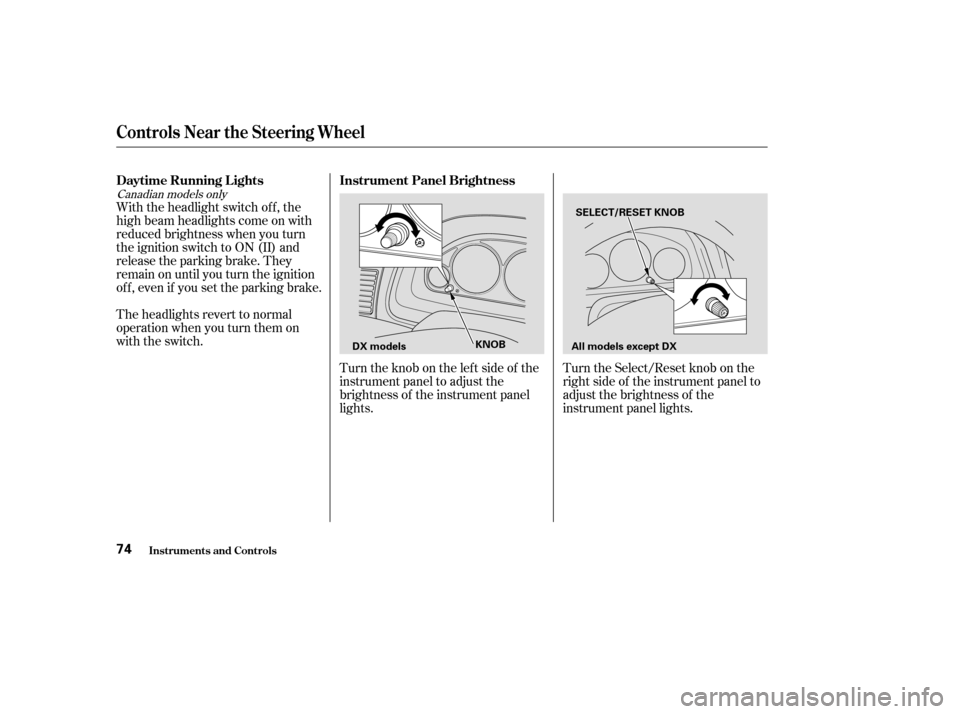
with the switch.Turntheknobontheleftsideof the
instrument panel to adjust the
brightness of the instrument panel
lights.Turn the Select/Reset knob on the
right side of the instrument panel to
adjust the brightness of the
instrument panel lights.
Instrument Panel Brightness
Daytime Running L ights
Controls Near the Steering Wheel
Inst rument s and Cont rols74
SELECT/RESET KNOB
KNOB All models except DX
DX models
�����—�����—�����y�
����
��������y���
�(���%�������y���������y
Page 72 of 302
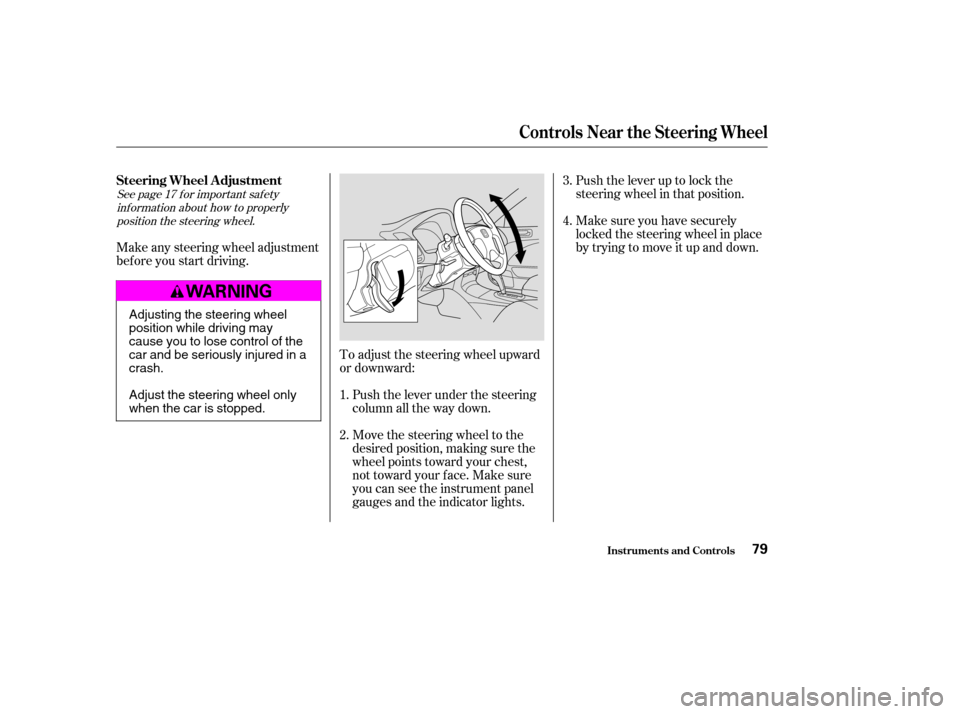
Signal a turn or lane change with this
lever. Push down on the lever to
signal a lef t turn, and up to signal a
right turn. If you push it up or down
all the way, the turn signal continues
to blink even when you release the
lever. It shuts off automatically as
you complete the turn.
Turn the Select/Reset knob to adjust
the instrument panel brightness.
There are six brightness levels.
When you turn the knob, the
odometer/trip meter display
changes to circles that show you the
current level. You will hear a tone
when you reach the maximum or
minimum brightness. The display
returns to the odometer/trip meter
values f ive seconds af ter you stop
adjusting the knob.
The instrument panel dims when the
parking lights or headlights are
turned on. Adjust the brightness to
the desired level with the headlight
switch of f , and also with the
headlight switch on. Both settings
will remain at those levels until you
change them.
To reduce glare at night, the instru-
ment panel illumination dims when
you turn the light switch to or
. Turning the Select/Reset
knob f ully to the right will return the
instrument panel to the brightness
adjusted with the headlight switch
of f and a tone will sound.
CONT INUED
Turn Signals
Controls Near the Steering Wheel
Inst rument s and Cont rols75
�����—�����—�����y�
����
��������y���
�(���%�������y���������y
Page 75 of 302
Make sure the rear window is clear
and you have good visibility bef ore
starting to drive.
The def ogger and antenna wires on
the inside of the rear window can be
accidentally damaged. When
cleaning the glass, always wipe side
to side.
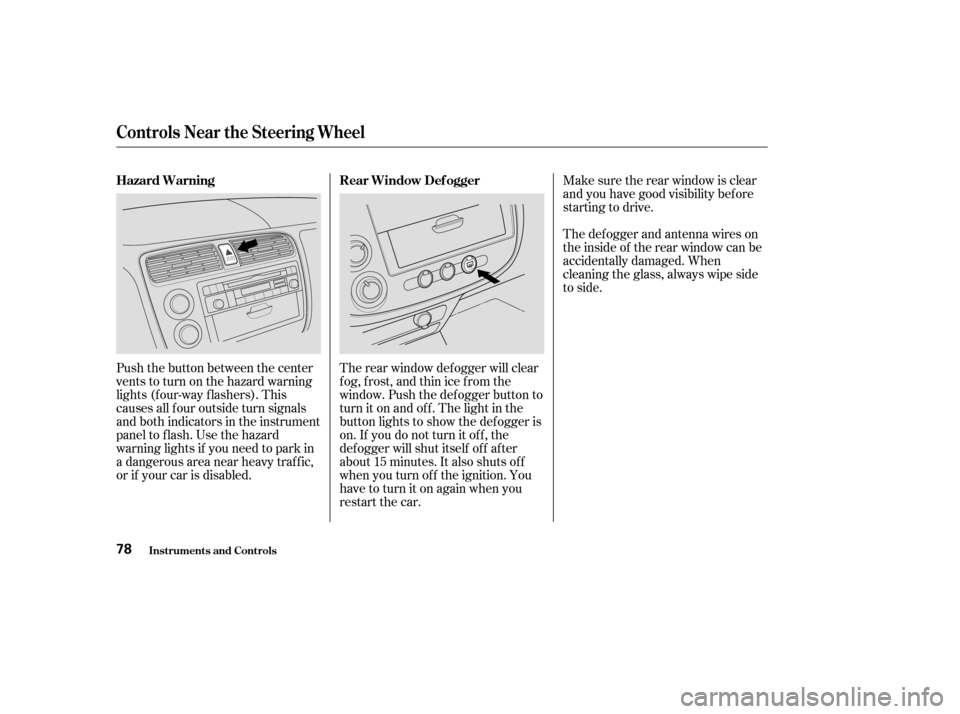
Push the button between the center
vents to turn on the hazard warning
lights (f our-way f lashers). This
causes all f our outside turn signals
and both indicators in the instrument
panel to f lash. Use the hazard
warning lights if you need to park in
a dangerous area near heavy traffic,
or if your car is disabled. The rear window def ogger will clear
fog, frost, and thin ice from the
window. Push the def ogger button to
turn it on and of f . The light in the
button lights to show the def ogger is
on. If you do not turn it of f , the
def ogger will shut itself of f af ter
about15minutes.Italsoshutsoff
when you turn of f the ignition. You
have to turn it on again when you
restart the car.
Controls Near the Steering Wheel
Inst rument s and Cont rols
Rear Window Def ogger
Hazard Warning
78
�����—�����—�����y�
����
��������y���
�(���%�������y�������
�y
Page 76 of 302
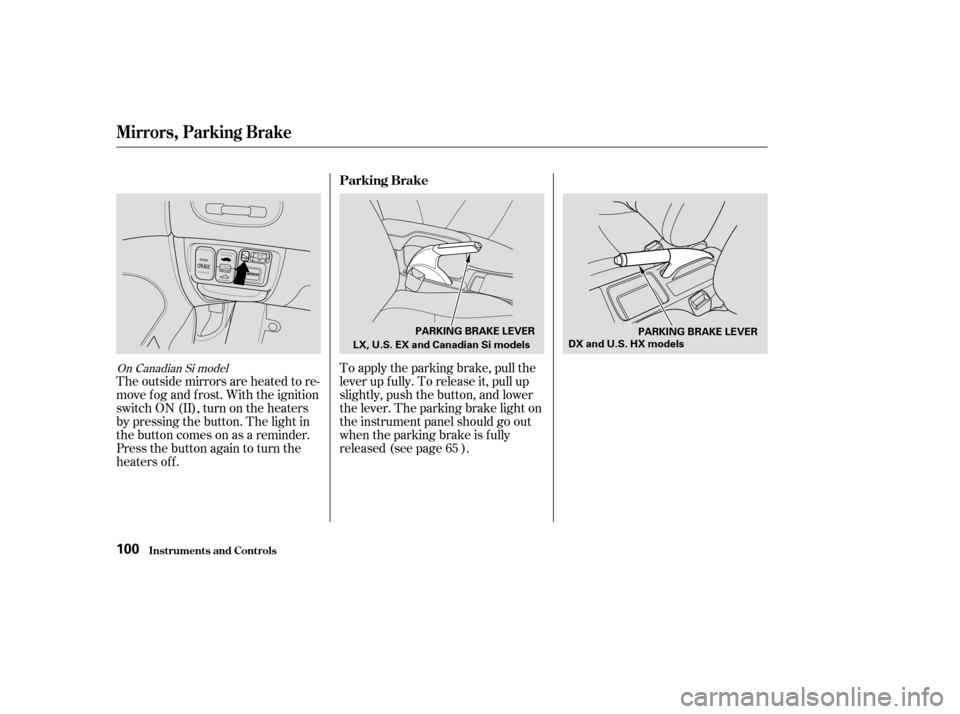
Push the lever up to lock the
steering wheel in that position.
Make sure you have securely
locked the steering wheel in place
by trying to move it up and down.
Move the steering wheel to the
desired position, making sure the
wheel points toward your chest,
not toward your f ace. Make sure
you can see the instrument panel
gauges and the indicator lights.
Push the lever under the steering
column all the way down.
To adjust the steering wheel upward
or downward:
Make any steering wheel adjustment
bef ore you start driving.
1.4.
3.
2.
See page f or important saf ety inf ormation about how to properlyposition the steering wheel. 17
Inst rument s and Cont rols
Controls Near the Steering Wheel
Steering Wheel A djustment
79
Adjusting the steering wheel
position while driving may
cause you to lose control of the
car and be seriously injured in acrash.
Adjust the steering wheel only
when the car is stopped.
�����—�����—�����y�
����
��������y���
�(���%�������y���������y
Page 97 of 302
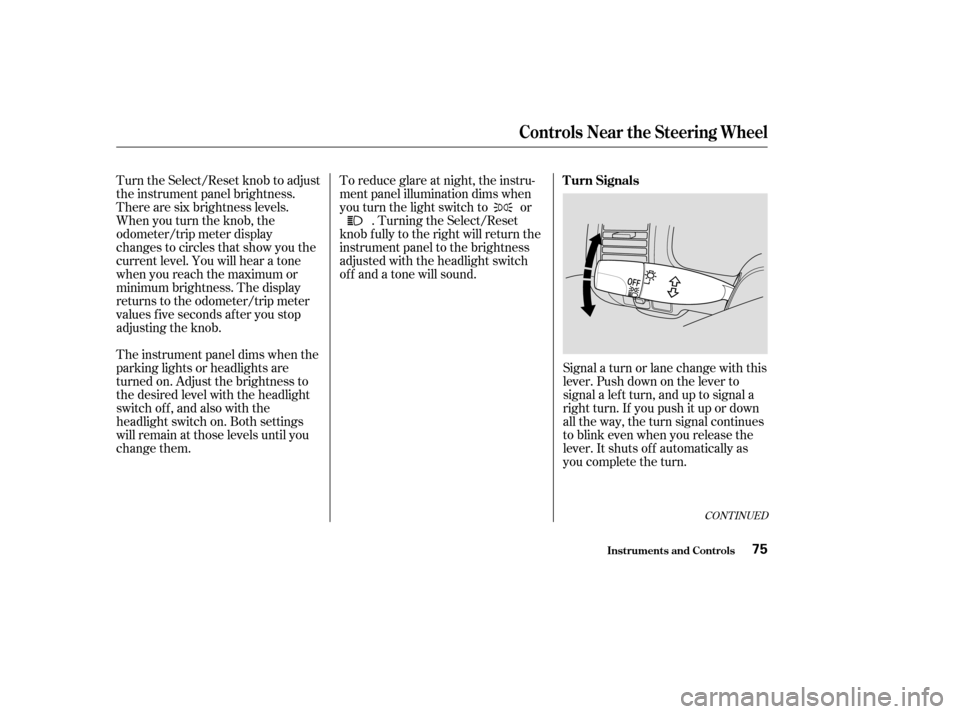
To apply the parking brake, pull the
lever up f ully. To release it, pull up
slightly, push the button, and lower
the lever. The parking brake light on
the instrument panel should go out
when the parking brake is f ully
released (see page ).
The outside mirrors are heated to re-
move fog and frost. With the ignition
switchON(II),turnontheheaters
by pressing the button. The light in
the button comes on as a reminder.
Press the button again to turn the
heaters off.
65On Canadian Si model
Parking Brake
Mirrors, Parking Brake
Inst rument s and Cont rols100
LX, U.S. EX and Canadian Si models
DX and U.S. HX models
PARKING BRAKE LEVER
PARKING BRAKE LEVER
�����—�����—�����y�
����
��������y���
�(���%�������y���
�����y
Page 119 of 302

You can use the instrument panel
brightness control dial to adjust the il-
lumination of the audio system (see
page ). The audio system
illuminates when the parking lights
are on, even if the radio is turned of f .
Theaudiosystemalsodisplaysthe
time. To set the time, the ignition
switch must be in ACCESSORY (I)
or ON (II), and you must wait about
f ive seconds af ter perf orming any
other operations with the system.For example:
1:06 would RESET to 1:00.
1:52 would RESET to 2:00.
Adjust the minutes by pressing and
holding the CLOCK button, then
pressing the M (Preset 5) button.
Adjust the hours by pressing and
holding the CLOCK button, then
pressing the H (Preset 4) button.
You can quickly set the time to the
nearest hour. If the displayed time is
bef ore the half hour, the clock is set
back to the previous hour by
pressing and holding the CLOCK
button, then pressing the R (Preset
6) button. If the displayed time is
af ter the half hour, the clock is set
f orward to the beginning of the next
hour.If your car’s battery is disconnected
or goes dead, the time setting will be
lost. To set the time again, f ollow the
setting procedure.
74
Audio System
Comf ort and Convenience Feat ures
A udio System L ighting
Digital Clock
123
CLOCK BUTTON
H BUTTON M BUTTON
R BUTTON
�����—�����—�����y�
������
����
�y���
�(���%�������y���
�����y
Page 131 of 302
You can use the instrument panel
brightness control dial to adjust the il-
lumination of the audio system (see
page ). The audio system
illuminates when the parking lights
are on, even if the radio is turned of f .
The display of your audio system
usually shows the time when the
ignition switch is in ACCESSORY (I)
or ON (II). It shows the operation
mode of the radio, CD player, or
optional CD changer/cassette player
when you operate them, and goes
back to the time display after five
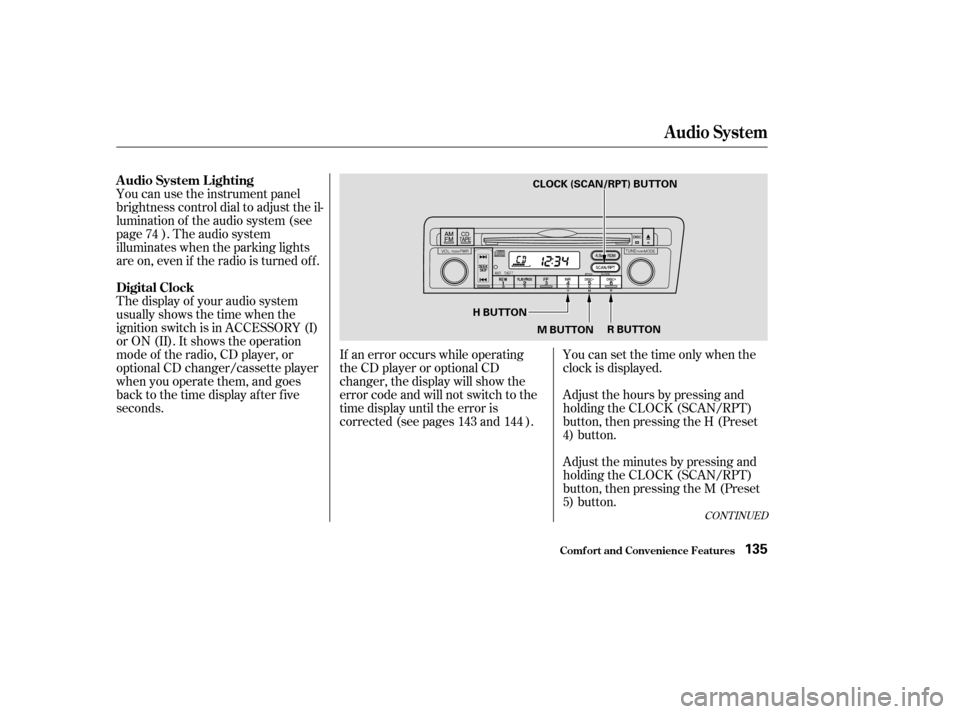
seconds.You can set the time only when the
clock is displayed.
If an error occurs while operating
the CD player or optional CD
changer, the display will show the
error code and will not switch to the
time display until the error is
corrected (see pages and ). Adjust the hours by pressing and
holding the CLOCK (SCAN/RPT)
button, then pressing the H (Preset
4) button.
Adjust the minutes by pressing and
holding the CLOCK (SCAN/RPT)
button, then pressing the M (Preset
5) button.
74
143 144
CONT INUED
A udio System L ighting
Digital Clock
Audio System
Comf ort and Convenience Feat ures135
H BUTTONM BUTTON R BUTTON
CLOCK (SCAN/RPT) BUTTON
�����—�����—�����y�
�������������y���
�(���%�������y���
�����y
Page 148 of 302
You can increase the set cruising
speed in any of these ways:Press and hold the RESUME/
accel button. The car will acceler-
ate. When you reach the desired
cruising speed, release the button.
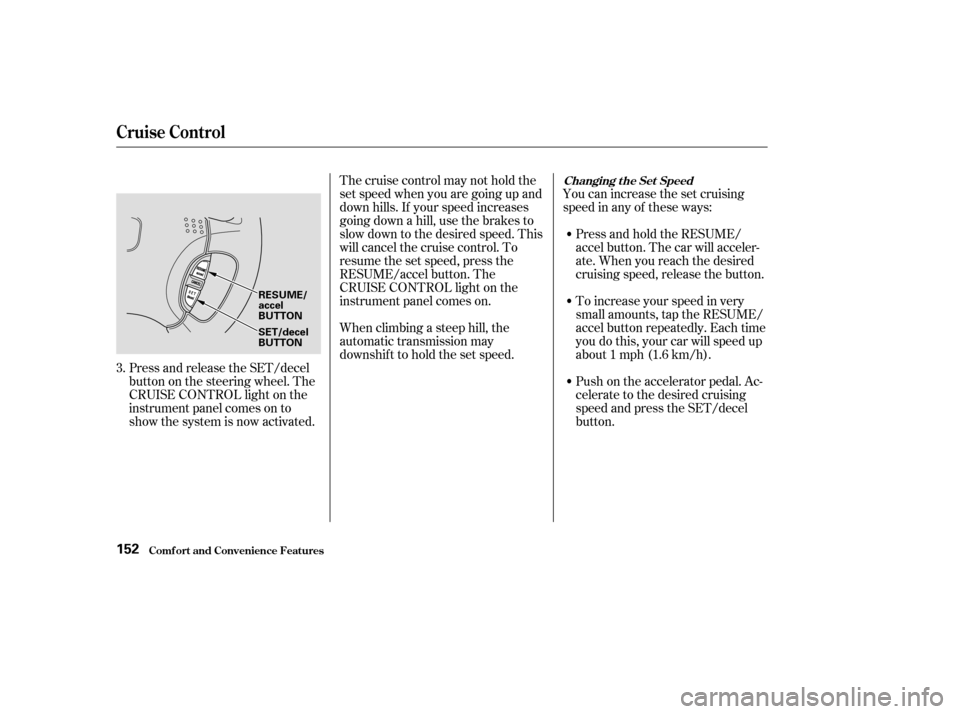
Press and release the SET/decel
buttononthesteeringwheel.The
CRUISE CONTROL light on the
instrument panel comes on to
show the system is now activated. Thecruisecontrolmaynotholdthe
set speed when you are going up and
down hills. If your speed increases
going down a hill, use the brakes to
slow down to the desired speed. This
will cancel the cruise control. To
resume the set speed, press the
RESUME/accel button. The
CRUISE CONTROL light on the
instrument panel comes on.
When climbing a steep hill, the
automatic transmission may
downshif t to hold the set speed.
To increase your speed in very
small amounts, tap the RESUME/
accel button repeatedly. Each time
you do this, your car will speed up
about 1 mph (1.6 km/h).
Push on the accelerator pedal. Ac-
celerate to the desired cruising
speed and press the SET/decel
button.
3.
Changing t he Set Speed
Cruise Control
Comf ort and Convenience Feat ures152
RESUME/ accel
BUTTON
SET/decel
BUTTON
�����—�����—�����y�
���������
���y���
�(���%�������y���
�����y