Page 199 of 395

Resting your f oot on the brake or
clutch pedal will cause the cruise
control to cancel. Even with the cruise control turned
on, you can still use the accelerator
pedal to speed up f or passing. Af ter
completing the pass, take your foot
of f the accelerator pedal. The car
will return to the set cruising speed.
You can decrease the set cruising
speed in any of these ways:
You can increase the set cruising
speed in any of these ways: When climbing a steep hill, the
automatic transmission may
downshif t to hold the set speed. Thecruisecontrolmaynotholdthe
set speed when you are going up and
down hills. If your speed increases
going down a hill, use the brakes to
slow down to the desired speed. This
will cancel the cruise control. To
resume the set speed, press the
RES/ACCEL button. The CRUISE
CONTROL light on the instrument
panel comes on.
Press and hold the RES/ACCEL
button. The car will accelerate.
When you reach the desired
cruising speed, release the button. Push on the accelerator pedal. Ac-
celerate to the desired cruising
speed and press the DECEL/SET
button.
To increase your speed in very
small amounts, tap the RES/
ACCEL button repeatedly. Each
time you do this, your car will
speed up about 1 mph (1.6 km/h).
Press and hold the DECEL/SET
button. The car will decelerate.
Release the button when you
reach the desired speed.
To slow down in very small
amounts, tap the DECEL/SET
button repeatedly. Each time you
do this, your car will slow down
about 1 mph (1.6 km/h).Tap the brake or clutch pedal
lightly with your f oot. The
CRUISE CONTROL light on the
instrument panel will go out.
When the car slows to the desired
speed, press the DECEL/SET
button. The car will then maintain
the desired speed.
Changing the Set Speed
Cruise Control
Comf ort and Convenience Feat ures196
Page 200 of 395
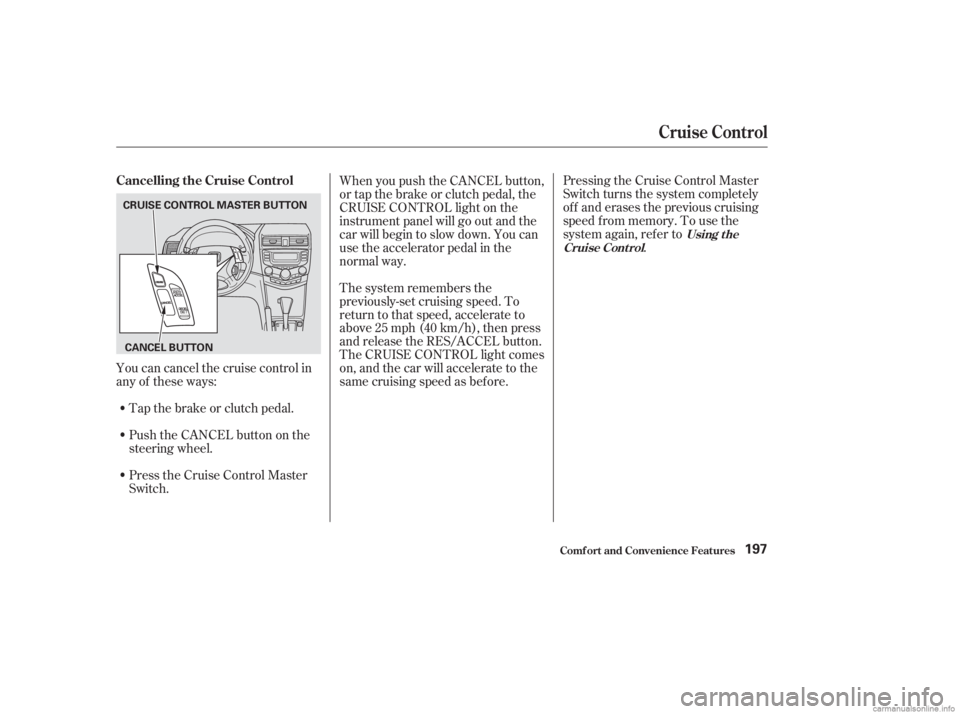
Pressing the Cruise Control Master
Switch turns the system completely
of f and erases the previous cruising
speed f rom memory. To use the
system again, ref er to.
Press the Cruise Control Master
Switch. Push the CANCEL button on the
steering wheel. Tap the brake or clutch pedal.
Youcancancelthecruisecontrolin
any of these ways: When you push the CANCEL button,
or tap the brake or clutch pedal, the
CRUISE CONTROL light on the
instrument panel will go out and the
car will begin to slow down. You can
use the accelerator pedal in the
normal way.
The system remembers the
previously-set cruising speed. To
return to that speed, accelerate to
above25mph(40km/h),thenpress
and release the RES/ACCEL button.
The CRUISE CONTROL light comes
on, and the car will accelerate to the
same cruising speed as bef ore.
Using t he
Cruise Cont rol
Cancelling the Cruise Control
Cruise Control
Comf ort and Convenience Feat ures197
CANCEL BUTTON
CRUISE CONTROL MASTER BUTTON
Page 209 of 395
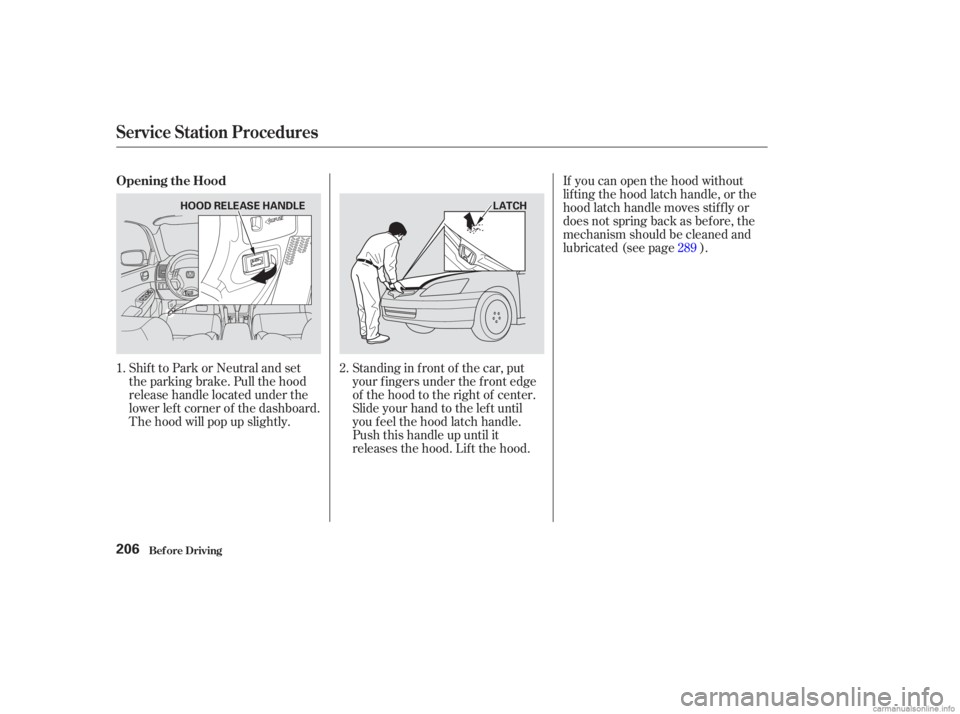
Shift to Park or Neutral and set
the parking brake. Pull the hood
release handle located under the
lower lef t corner of the dashboard.
The hood will pop up slightly.Standing in f ront of the car, put
your f ingers under the f ront edge
of the hood to the right of center.
Slide your hand to the lef t until
you f eel the hood latch handle.
Push this handle up until it
releases the hood. Lif t the hood.If you can open the hood without
lifting the hood latch handle, or the
hood latch handle moves stif f ly or
does not spring back as bef ore, the
mechanism should be cleaned and
lubricated (see page ).
1. 2. 289
Opening the Hood
Service Station Procedures
Bef ore Driving206
HOOD RELEASE HANDLE
LATCH
Page 215 of 395
Be sure electronic accessories do
not overload electrical circuits
(see page ).
Have the installer contact your
Honda dealer f or assistance bef ore
installing any electronic accessory.
If possible, have your dealer inspect
the f inal installation. Bef ore installing any accessory:
Modif ying your car, or installing
some non-Honda accessories, can
make your car unsaf e. Bef ore you
make any modif ications or add any
accessories,besuretoreadthe
f ollowing inf ormation.
Your dealer has genuine Honda
accessories that allow you to
personalize your car. These
accessories have been designed and
approved f or your car, and are
covered by warranty.
Non-Honda accessories are usually
designed f or universal applications.
Although aftermarket accessories
may f it on your car, they may not
meet f actory specif ications, and
could adversely af f ect your car’s
handling and stability. (See
‘‘Modif ications’’ on page f or
additional information.)
However, if electronic accessories
are improperly installed, or exceed
your car’s electrical system capacity,
they can interfere with the operationof your car, or even cause the
airbags to deploy.
Make sure the accessory does not
obscure any lights, or interf ere
with proper car operation or
perf ormance.
When properly installed, cellular
phones, alarms, two-way radios, and
low-powered audio systems should
not interf ere with your car’s
computer-controlled systems, such
as the SRS and anti-lock brake
system.
213 353
A ccessories
A ccessories and Modif ications
Bef ore Driving212
Improper accessories or
modifications can affect your
car’s handling, stability, and
performance, and cause a
crash in which you can be hurt
or killed.
Follow all instructions in this
owner’s manual regarding
accessories and modifications.
Page 231 of 395
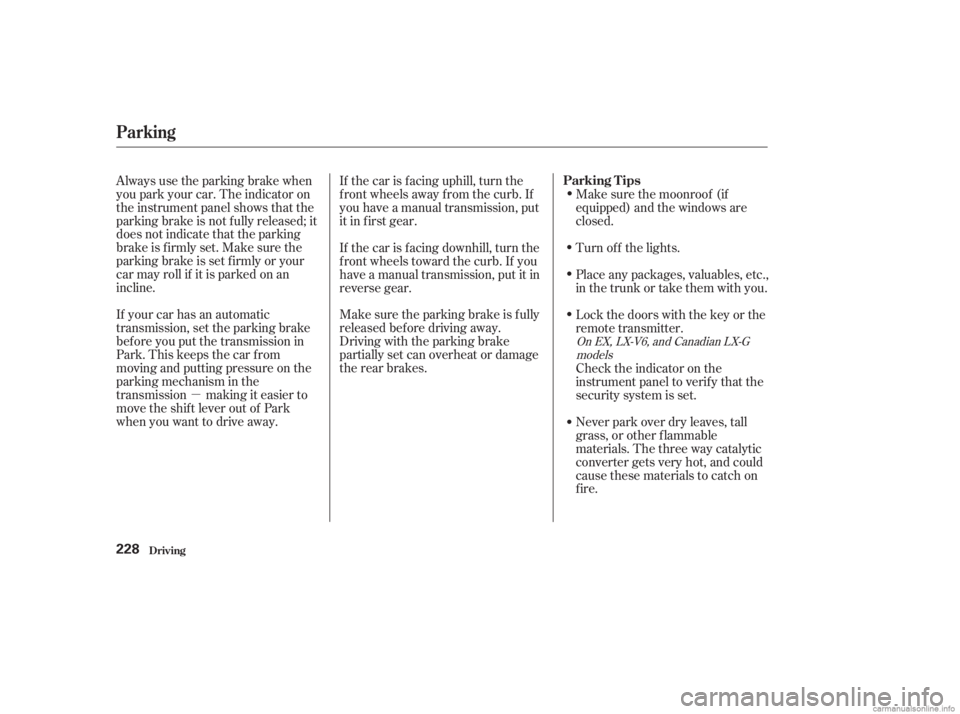
�µMake sure the parking brake is f ully
released bef ore driving away.
Driving with the parking brake
partially set can overheat or damage
the rear brakes.
Always use the parking brake when
you park your car. The indicator on
the instrument panel shows that the
parking brake is not f ully released; it
does not indicate that the parking
brakeisfirmlyset.Makesurethe
parking brake is set f irmly or your
car may roll if it is parked on an
incline.
If your car has an automatic
transmission, set the parking brake
bef ore you put the transmission in
Park.Thiskeepsthecarfrom
moving and putting pressure on the
parking mechanism in the
transmission making it easier to
move the shift lever out of Park
when you want to drive away. If the car is f acing uphill, turn the
f ront wheels away f rom the curb. If
you have a manual transmission, put
it in f irst gear.
If the car is f acing downhill, turn the
f ront wheels toward the curb. If you
have a manual transmission, put it in
reverse gear.
Make sure the moonroof (if
equipped) and the windows are
closed.
Lockthedoorswiththekeyorthe
remote transmitter. Place any packages, valuables, etc.,
in the trunk or take them with you. Turn of f the lights.
Never park over dry leaves, tall
grass, or other f lammable
materials. The three way catalytic
converter gets very hot, and could
cause these materials to catch on
fire. Check the indicator on the
instrument panel to verif y that the
security system is set.
On EX, LX-V6, and Canadian LX-G
models
Parking T ips
Driving
Parking
228
Page 232 of 395

Your Honda is equipped with f ront
disc brakes. The brakes on the rear
wheels may be disc or drum,
depending on the model. A power
assist helps reduce the ef f ort needed
on the brake pedal.
Put your f oot on the brake pedal only
when you intend to brake. Resting
your f oot on the pedal keeps the
brakes applied lightly, causing them
to build up heat. Heat build-up can
reduce how well your brakes work. It
also keeps your brake lights on all
the time, conf using drivers behind
you.Constant application of the brakes
when going down a long hill builds
up heat and reduces their ef f ective-
ness. Use the engine to assist the
brakes by downshif ting to a lower
gear and taking your f oot of f the
accelerator pedal.
Check your brakes af ter driving
through deep water. Apply the
brakes moderately to see if they f eel
normal. If not, apply them gently and
f requently until they do. Since a
longer distance is needed to stop
with wet brakes, be extra cautious
and alert in your driving.
Your brakes may sometimes squeal
or squeak when you apply them
lightly. Do not conf use this with the
brakewearindicators.Theymakea
very audible ‘‘screeching.’’ The f ront disc brakes on all models
have audible brake wear indicators.
They are also on the rear brakes of
cars equipped with rear disc brakes
(EX, EX-V6, and LX-V6 models) as
standard equipment.
When the brake pads need replacing,
you will hear a distinctive metallic
‘‘screeching’’ sound when you apply
the brakes. If you do not have the
brake pads replaced, they will begin
screeching all the time. Brake Wear Indicators
The Braking System
Driving229
Page 243 of 395
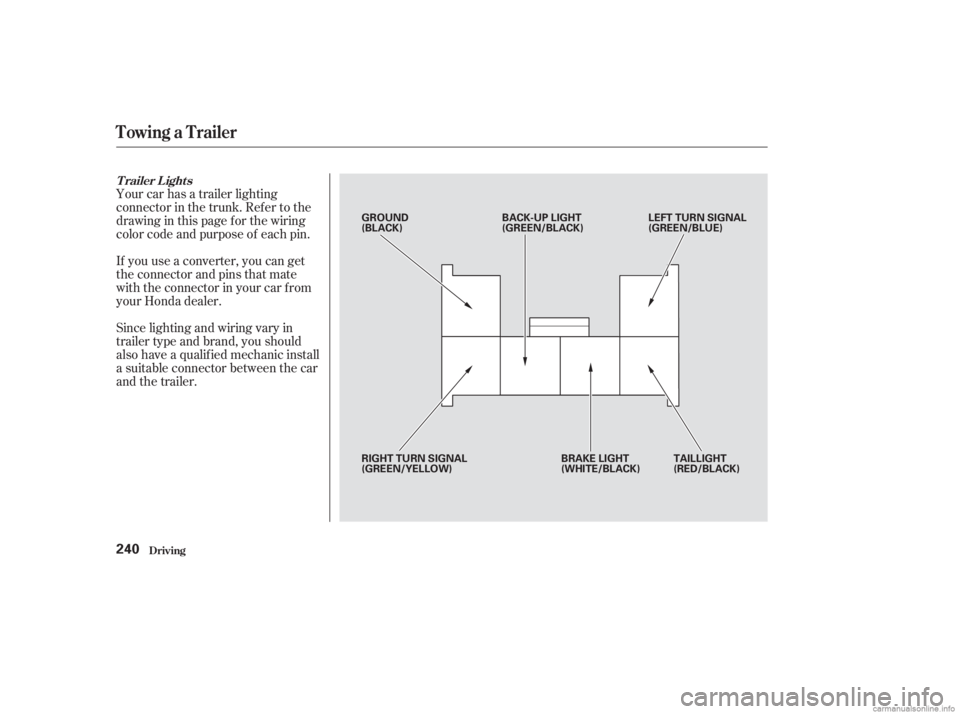
Your car has a trailer lighting
connector in the trunk. Ref er to the
drawing in this page f or the wiring
color code and purpose of each pin.
If you use a converter, you can get
the connector and pins that mate
with the connector in your car f rom
your Honda dealer.
Since lighting and wiring vary in
trailer type and brand, you should
also have a qualif ied mechanic install
a suitable connector between the car
and the trailer.
T railer L ights
Towing a Trailer
Driving240
GROUND
(BLACK)BACK-UP LIGHT
(GREEN/BLACK) LEFT TURN SIGNAL
(GREEN/BLUE)
RIGHT TURN SIGNAL
(GREEN/YELLOW) BRAKE LIGHT
(WHITE/BLACK)TAILLIGHT
(RED/BLACK)
Page 244 of 395
Many states and Canadian provinces
require special outside mirrors when
towing a trailer. Even if they don’t,
you should install special mirrors if
you cannot clearly see behind you, or
if the trailer creates a blind spot.
Askyourtrailersalesorrental
agency if any other items are
recommended or required f or your
towing situation.When preparing to tow, and bef ore
driving away, be sure to check the
f ollowing:
All weights and loads are within
limits (see pages and ).
Thehitch,safetychains,andany
other attachments are secure.
Allitemsonandinthetrailerare
properly secured and cannot shif t
while you drive. The car has been properly
serviced, and the tires, brakes,
suspension, and cooling system
are in good operating condition.
The lights and brakes on your car
and the trailer are working
properly. Your car tires and spare are
properly inf lated (see page ),
and the trailer tires and spare are
inflated as recommended by the
trailer maker.
237 238 303
Additional Trailer EquipmentPre-T ow Checklist
Towing a Trailer
Driving241