2003 FORD EXPLORER SPORT display
[x] Cancel search: displayPage 17 of 200
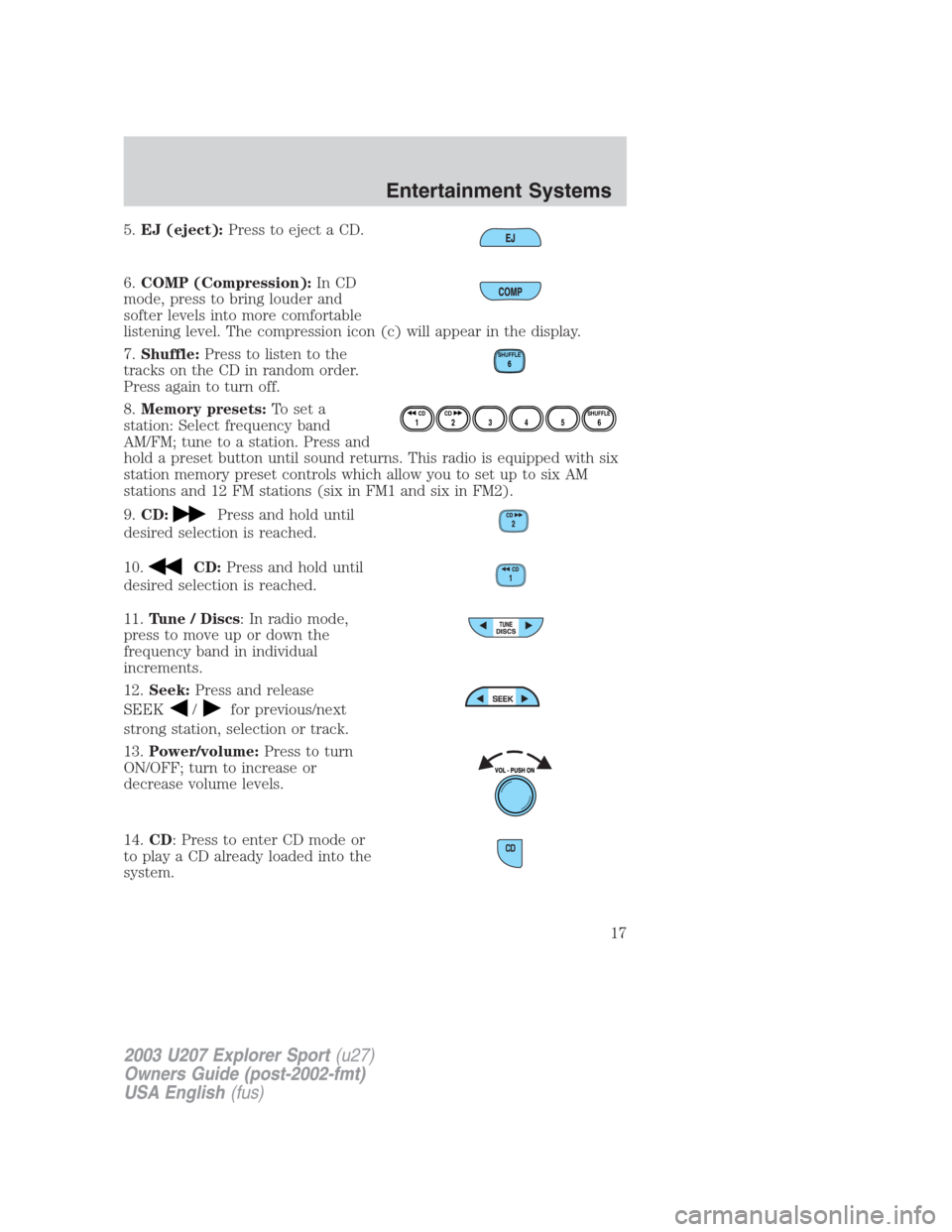
5.EJ (eject):Press to eject a CD.
6.COMP (Compression):In CD
mode, press to bring louder and
softer levels into more comfortable
listening level. The compression icon (c) will appear in the display.
7.Shuffle:Press to listen to the
tracks on the CD in random order.
Press again to turn off.
8.Memory presets:To set a
station: Select frequency band
AM/FM; tune to a station. Press and
hold a preset button until sound returns. This radio is equipped with six
station memory preset controls which allow you to set up to six AM
stations and 12 FM stations (six in FM1 and six in FM2).
9.CD:
Press and hold until
desired selection is reached.
10.
CD:Press and hold until
desired selection is reached.
11.Tune / Discs: In radio mode,
press to move up or down the
frequency band in individual
increments.
12.Seek:Press and release
SEEK
/for previous/next
strong station, selection or track.
13.Power/volume:Press to turn
ON/OFF; turn to increase or
decrease volume levels.
14.CD: Press to enter CD mode or
to play a CD already loaded into the
system.
SHUFFLE6
12 3456SHUFFLE CD CD
2003 U207 Explorer Sport(u27)
Owners Guide (post-2002-fmt)
USA English(fus)
Entertainment Systems
17
Page 24 of 200
RADIO RECEPTION FACTORS
There are three factors that can affect radio reception:
•Distance/strength: The further you travel from an FM station, the
weaker the signal and the weaker the reception.
•Terrain: Hills, mountains, tall buildings, power lines, electric fences,
traffic lights and thunderstorms can interfere with your reception.
•Station overload: When you pass a broadcast tower, a stronger signal
may overtake a weaker one and play while the weak station frequency
is displayed.
CASSETTE/PLAYER CARE
Do:
•Use only cassettes that are 90 minutes long or less.
•Tighten very loose tapes by inserting a finger or pencil into the hole
and turning the hub.
•Remove loose labels before inserting tapes.
•Allow tapes which have been subjected to extreme heat, humidity or
cold to reach a moderate temperature before playing.
•Clean the cassette player head with a cassette cleaning cartridge after
10–12 hours of play to maintain good sound/operation.
Don’t:
•Expose tapes to direct sunlight, extreme humidity, heat or cold.
•Leave tapes in the cassette player for a long time when not being
played.
CD/CD PLAYER CARE
Do:
•Handle discs by their edges only. Never touch the playing surface.
•Inspect discs before playing. Clean only with an approved CD cleaner
and wipe from the center out.
Don’t:
•Expose discs to direct sunlight or heat sources for extended periods
of time.
•Insert more than one disc into each slot of the CD changer magazine.
•Clean using a circular motion.
2003 U207 Explorer Sport(u27)
Owners Guide (post-2002-fmt)
USA English(fus)
Entertainment Systems
24
Page 47 of 200
To vent the moon roof:press and hold thecontrol.The moon
roof must be in the closed position in order to move it into the
vent position.To close, press and hold the
control until the glass
panel stops moving.
The moon roof sliding shade can be opened or closed manually. The
glass panel must be closed in order to move the sliding shade.
Note:If the battery is disconnected, discharged, or a new battery is
installed, the moon roof positions will need to be reset. To reset the
moon roof positions, move the moon roof into the vent position.
ELECTRONIC COMPASS AND OUTSIDE TEMPERATURE DISPLAY
(IF EQUIPPED)
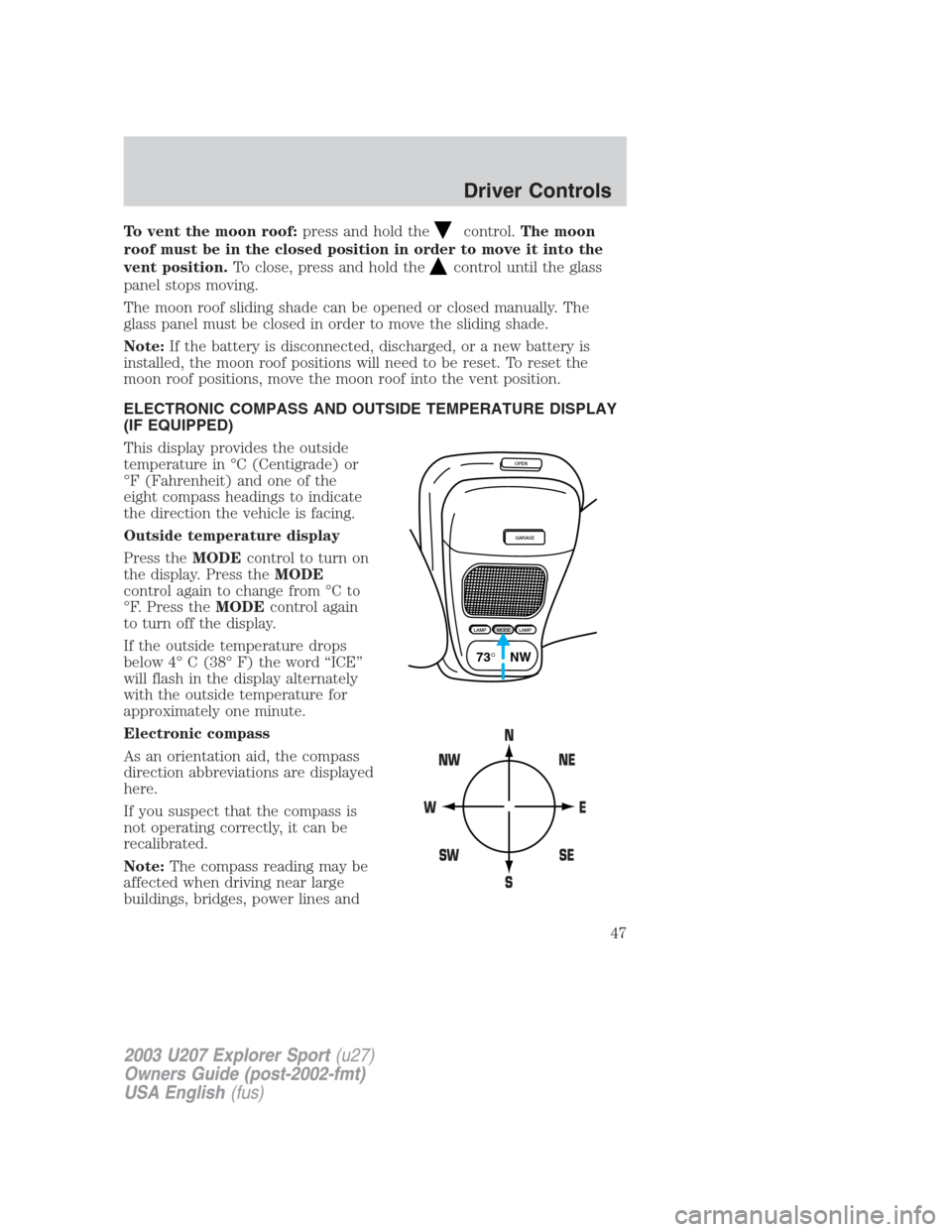
This display provides the outside
temperature in °C (Centigrade) or
°F (Fahrenheit) and one of the
eight compass headings to indicate
the direction the vehicle is facing.
Outside temperature display
Press theMODEcontrol to turn on
the display. Press theMODE
control again to change from °C to
°F. Press theMODEcontrol again
to turn off the display.
If the outside temperature drops
below 4° C (38° F) the word “ICE”
will flash in the display alternately
with the outside temperature for
approximately one minute.
Electronic compass
As an orientation aid, the compass
direction abbreviations are displayed
here.
If you suspect that the compass is
not operating correctly, it can be
recalibrated.
Note:The compass reading may be
affected when driving near large
buildings, bridges, power lines and
OPEN
GARAGE
LAMPMODELAMP
73° NW
2003 U207 Explorer Sport(u27)
Owners Guide (post-2002-fmt)
USA English(fus)
Driver Controls
47
Page 48 of 200
broadcast antennas. Magnetic or metallic objects place on or in the
vehicle may also affect the compass reading.
•Adjusting the compass
Note:The ignition must be in the ON position.
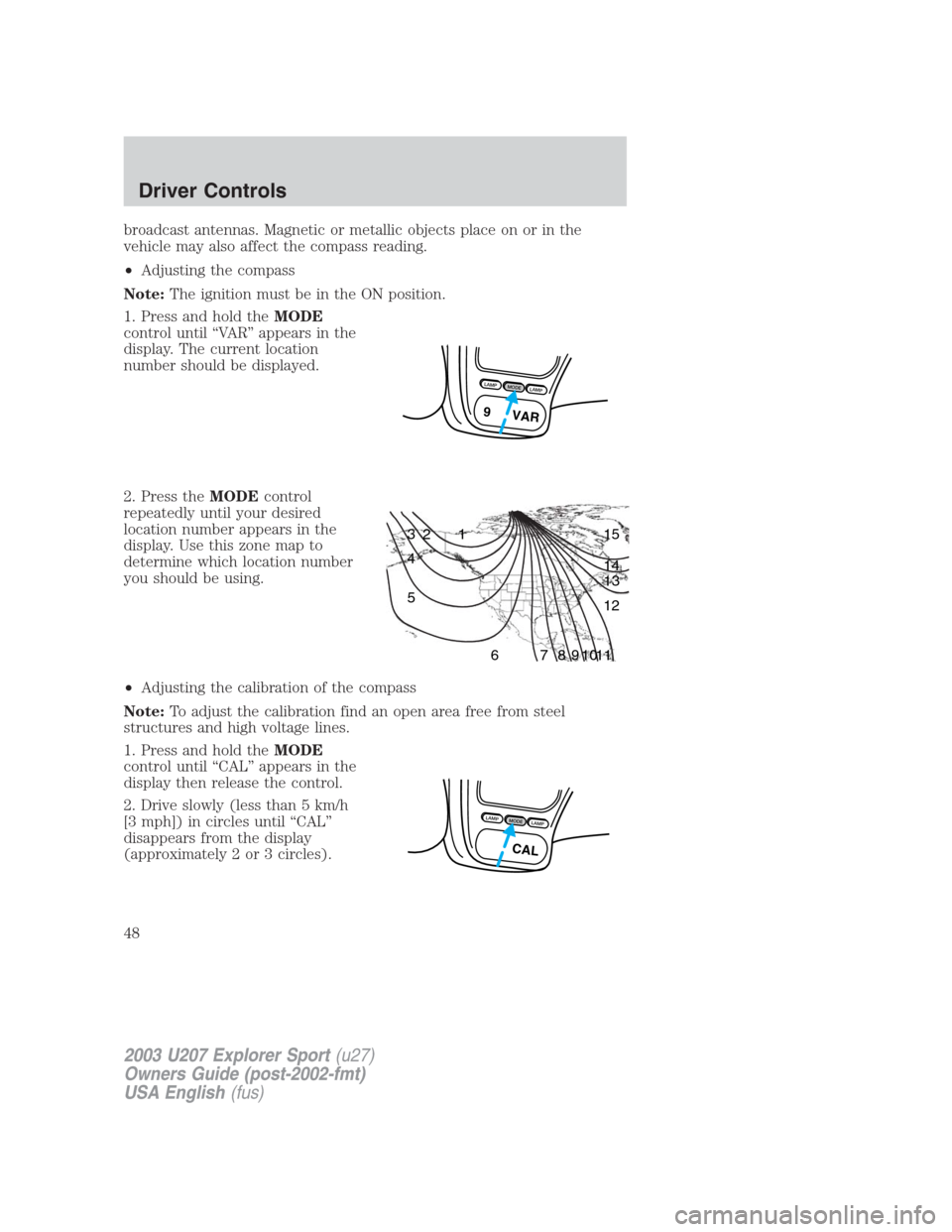
1. Press and hold theMODE
control until “VAR” appears in the
display. The current location
number should be displayed.
2. Press theMODEcontrol
repeatedly until your desired
location number appears in the
display. Use this zone map to
determine which location number
you should be using.
•Adjusting the calibration of the compass
Note:To adjust the calibration find an open area free from steel
structures and high voltage lines.
1. Press and hold theMODE
control until “CAL” appears in the
display then release the control.
2. Drive slowly (less than 5 km/h
[3 mph]) in circles until “CAL”
disappears from the display
(approximately 2 or 3 circles).
L
A
M
PM
O
D
EL
A
M
P
9 VAR
1 2 3
4
5
6 7 8 9 101112 13 14 15
L
A
M
PM
O
D
EL
A
M
P
CAL
2003 U207 Explorer Sport(u27)
Owners Guide (post-2002-fmt)
USA English(fus)
Driver Controls
48
Page 196 of 200
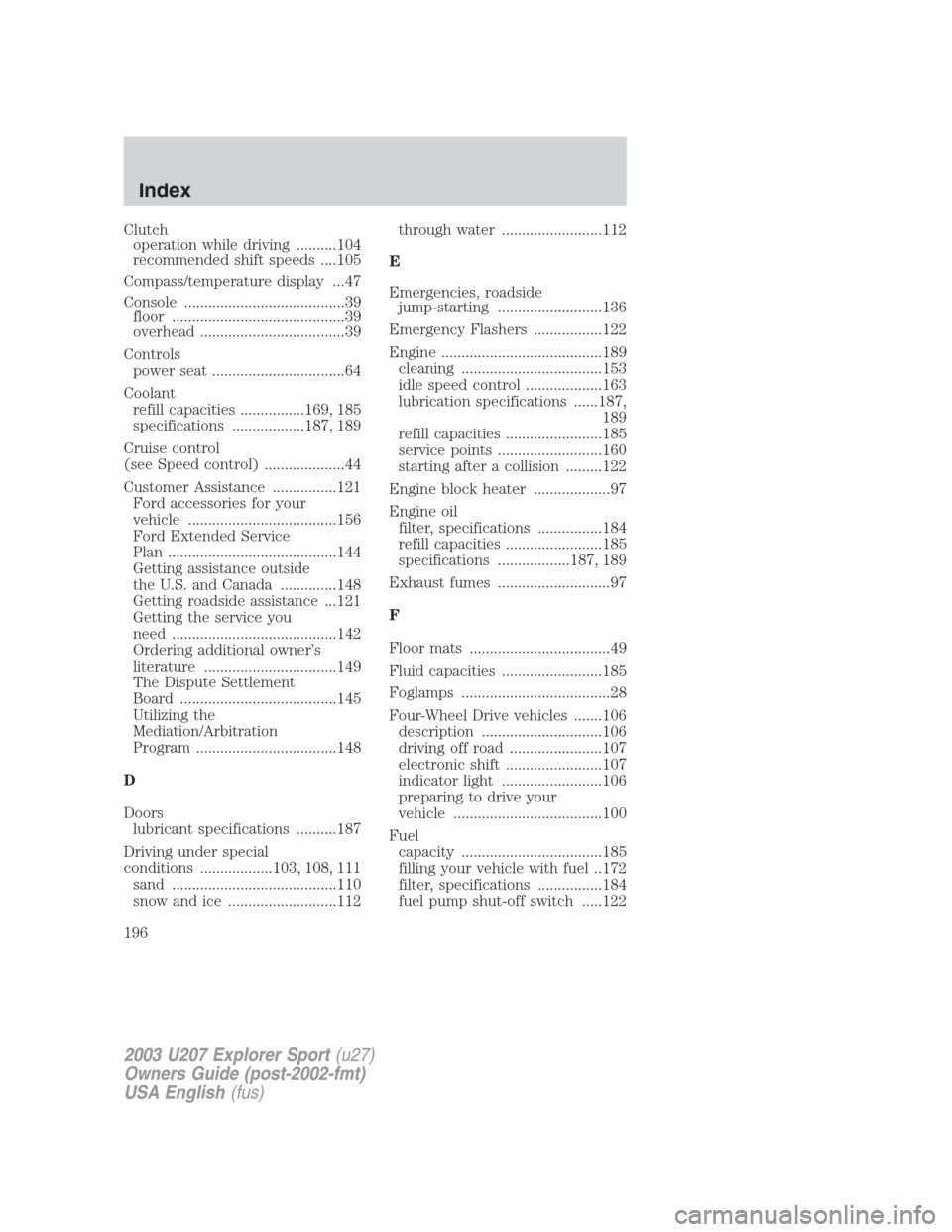
Clutch
operation while driving ..........104
recommended shift speeds ....105
Compass/temperature display ...47
Console ........................................39
floor ...........................................39
overhead ....................................39
Controls
power seat .................................64
Coolant
refill capacities ................169, 185
specifications ..................187, 189
Cruise control
(see Speed control) ....................44
Customer Assistance ................121
Ford accessories for your
vehicle .....................................156
Ford Extended Service
Plan ..........................................144
Getting assistance outside
the U.S. and Canada ..............148
Getting roadside assistance ...121
Getting the service you
need .........................................142
Ordering additional owner’s
literature .................................149
The Dispute Settlement
Board .......................................145
Utilizing the
Mediation/Arbitration
Program ...................................148
D
Doors
lubricant specifications ..........187
Driving under special
conditions ..................103, 108, 111
sand .........................................110
snow and ice ...........................112through water .........................112
E
Emergencies, roadside
jump-starting ..........................136
Emergency Flashers .................122
Engine ........................................189
cleaning ...................................153
idle speed control ...................163
lubrication specifications ......187,
189
refill capacities ........................185
service points ..........................160
starting after a collision .........122
Engine block heater ...................97
Engine oil
filter, specifications ................184
refill capacities ........................185
specifications ..................187, 189
Exhaust fumes ............................97
F
Floor mats ...................................49
Fluid capacities .........................185
Foglamps .....................................28
Four-Wheel Drive vehicles .......106
description ..............................106
driving off road .......................107
electronic shift ........................107
indicator light .........................106
preparing to drive your
vehicle .....................................100
Fuel
capacity ...................................185
filling your vehicle with fuel ..172
filter, specifications ................184
fuel pump shut-off switch .....122
2003 U207 Explorer Sport(u27)
Owners Guide (post-2002-fmt)
USA English(fus)
Index
196