2003 FORD EXPLORER SPORT ECO mode
[x] Cancel search: ECO modePage 10 of 200
WARNING LIGHTS AND CHIMES
Warning lights and gauges can alert you to a vehicle condition that may
become serious enough to cause expensive repairs. A warning light may
illuminate when a problem exists with one of your vehicle’s functions.
Many lights will illuminate when you start your vehicle to make sure the
bulb works. If any light remains on after starting the vehicle, have the
respective system inspected immediately.
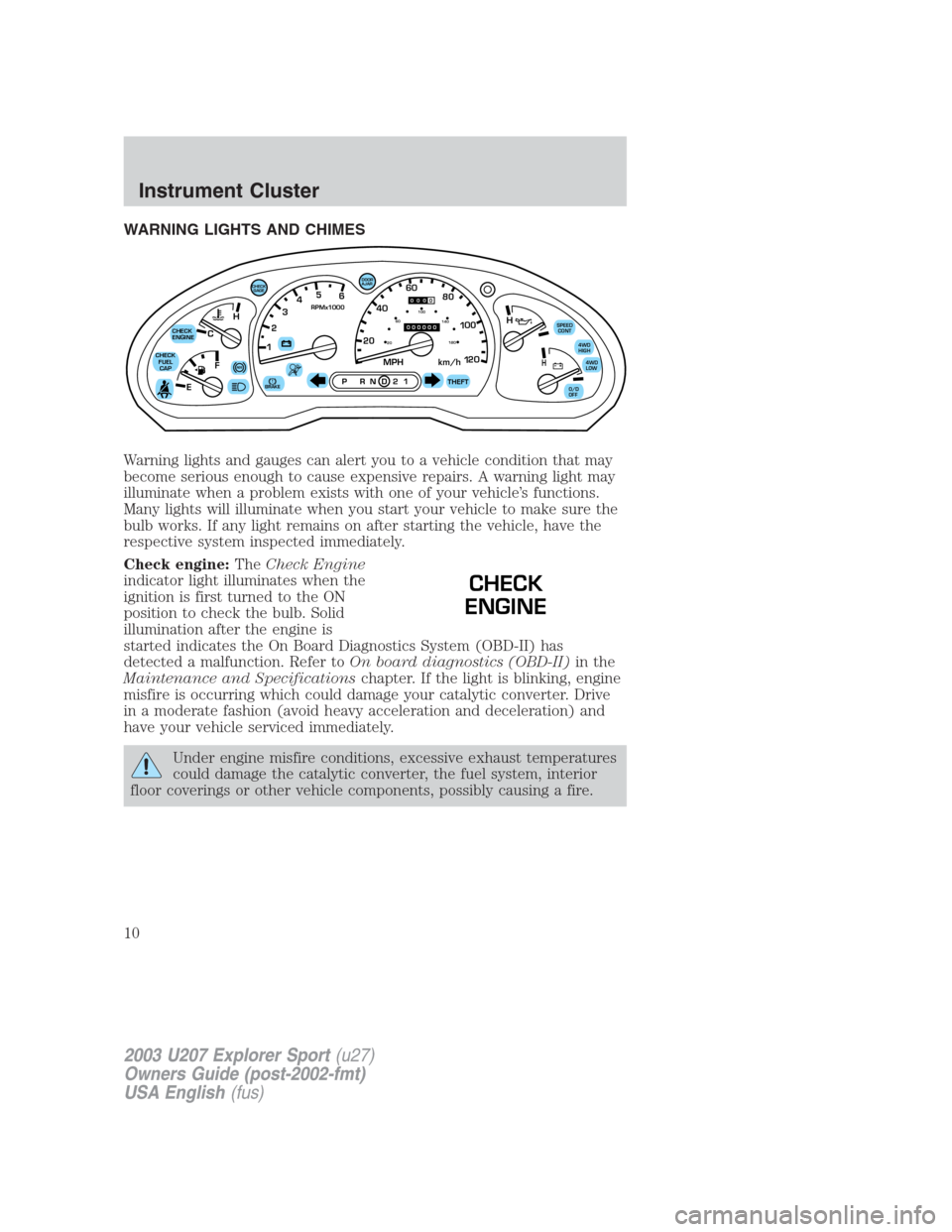
Check engine:TheCheck Engine
indicator light illuminates when the
ignition is first turned to the ON
position to check the bulb. Solid
illumination after the engine is
started indicates the On Board Diagnostics System (OBD-II) has
detected a malfunction. Refer toOn board diagnostics (OBD-II)in the
Maintenance and Specificationschapter. If the light is blinking, engine
misfire is occurring which could damage your catalytic converter. Drive
in a moderate fashion (avoid heavy acceleration and deceleration) and
have your vehicle serviced immediately.
Under engine misfire conditions, excessive exhaust temperatures
could damage the catalytic converter, the fuel system, interior
floor coverings or other vehicle components, possibly causing a fire.
C12345
6
RPMx1000
ABS
CHECK
ENGINE
CHECK
FUEL
CAP
EFH
H
H
PRN D 2 1THEFT
SPEED
CONT
4WD
HIGH
4WD
LOW
O/D
OFF
MPH 2060
4080
km/h
00
1
20
160100
140
180
20
DOOR
AJAR
CHECK
GAGE
!BRAKE
CHECK
ENGINE
2003 U207 Explorer Sport(u27)
Owners Guide (post-2002-fmt)
USA English(fus)
Instrument Cluster
Instrument Cluster
10
Page 18 of 200
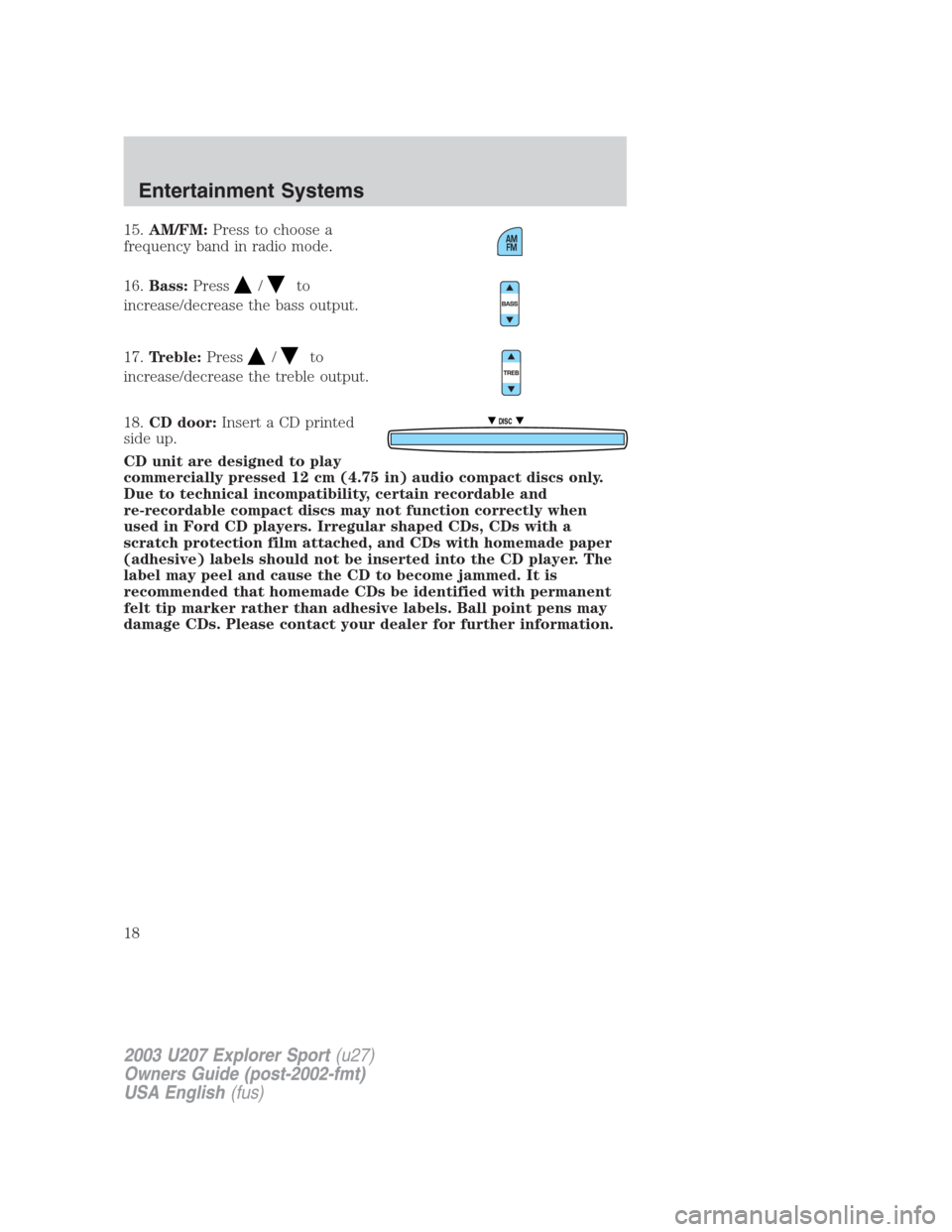
15.AM/FM:Press to choose a
frequency band in radio mode.
16.Bass:Press
/to
increase/decrease the bass output.
17.Treble:Press
/to
increase/decrease the treble output.
18.CD door:Insert a CD printed
side up.
CD unit are designed to play
commercially pressed 12 cm (4.75 in) audio compact discs only.
Due to technical incompatibility, certain recordable and
re-recordable compact discs may not function correctly when
used in Ford CD players. Irregular shaped CDs, CDs with a
scratch protection film attached, and CDs with homemade paper
(adhesive) labels should not be inserted into the CD player. The
label may peel and cause the CD to become jammed. It is
recommended that homemade CDs be identified with permanent
felt tip marker rather than adhesive labels. Ball point pens may
damage CDs. Please contact your dealer for further information.
DISC
2003 U207 Explorer Sport(u27)
Owners Guide (post-2002-fmt)
USA English(fus)
Entertainment Systems
18
Page 23 of 200
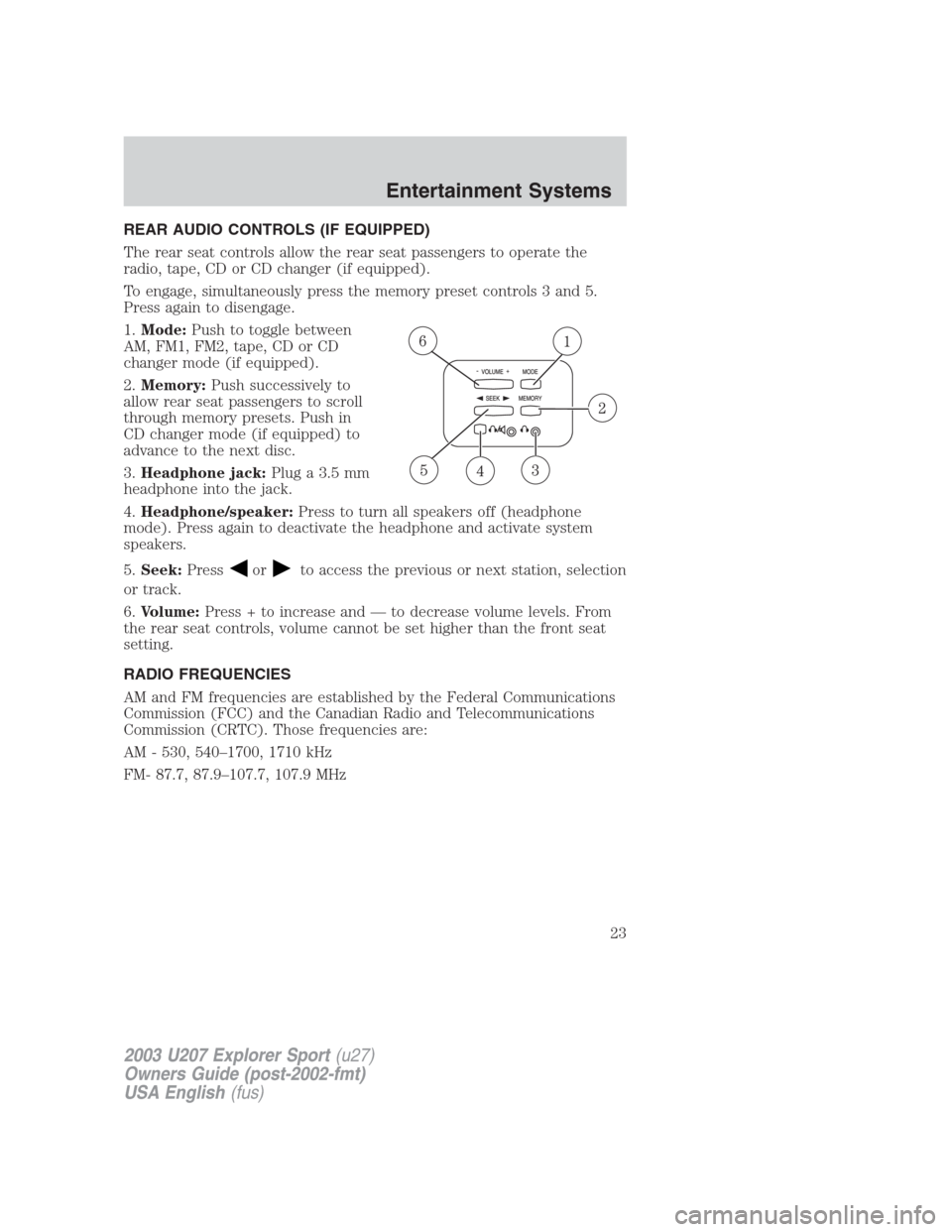
REAR AUDIO CONTROLS (IF EQUIPPED)
The rear seat controls allow the rear seat passengers to operate the
radio, tape, CD or CD changer (if equipped).
To engage, simultaneously press the memory preset controls 3 and 5.
Press again to disengage.
1.Mode:Push to toggle between
AM, FM1, FM2, tape, CD or CD
changer mode (if equipped).
2.Memory:Push successively to
allow rear seat passengers to scroll
through memory presets. Push in
CD changer mode (if equipped) to
advance to the next disc.
3.Headphone jack:Plug a 3.5 mm
headphone into the jack.
4.Headphone/speaker:Press to turn all speakers off (headphone
mode). Press again to deactivate the headphone and activate system
speakers.
5.Seek:Press
orto access the previous or next station, selection
or track.
6.Volume:Press + to increase and — to decrease volume levels. From
the rear seat controls, volume cannot be set higher than the front seat
setting.
RADIO FREQUENCIES
AM and FM frequencies are established by the Federal Communications
Commission (FCC) and the Canadian Radio and Telecommunications
Commission (CRTC). Those frequencies are:
AM - 530, 540–1700, 1710 kHz
FM- 87.7, 87.9–107.7, 107.9 MHz
2003 U207 Explorer Sport(u27)
Owners Guide (post-2002-fmt)
USA English(fus)
Entertainment Systems
23
Page 27 of 200
To aid in side window defogging/demisting in cold weather:
1. Select A/C
2. Modulate the temperature control to maintain comfort.
3. Set the fan speed to HI
4. Direct the outer instrument panel vents towards the side windows
To increase airflow to the outer instrument panel vents, close the vents
located in the middle of the instrument panel.
Do not place objects on top of the instrument panel as these
objects may become projectiles in a collision or sudden stop.
Rear console climate controls (if equipped)
The front climate controls must be on in order for the rear console
climate controls to work.
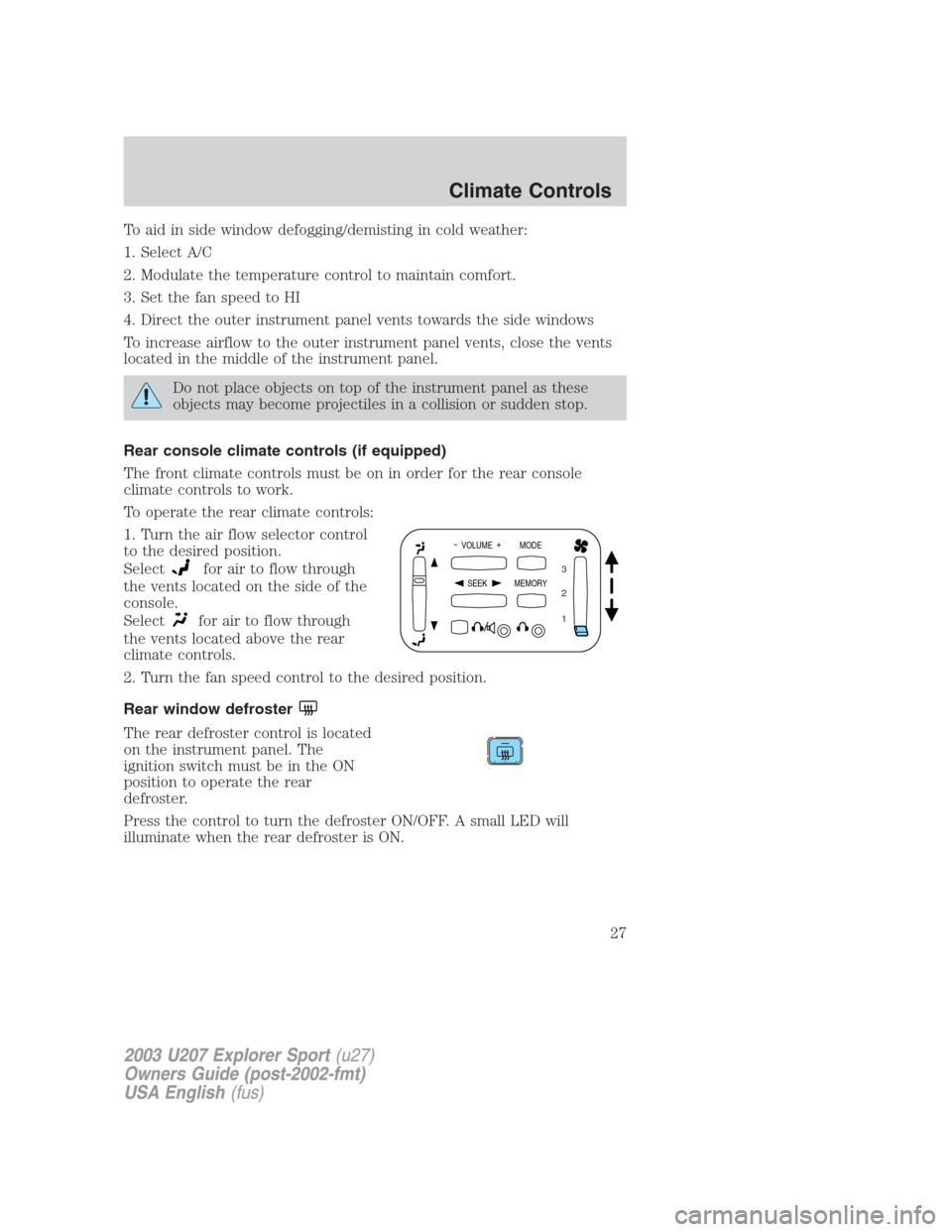
To operate the rear climate controls:
1. Turn the air flow selector control
to the desired position.
Select
for air to flow through
the vents located on the side of the
console.
Select
for air to flow through
the vents located above the rear
climate controls.
2. Turn the fan speed control to the desired position.
Rear window defroster
The rear defroster control is located
on the instrument panel. The
ignition switch must be in the ON
position to operate the rear
defroster.
Press the control to turn the defroster ON/OFF. A small LED will
illuminate when the rear defroster is ON.
- VOLUME +
MODE
SEEK MEMORY
1 2 3
2003 U207 Explorer Sport(u27)
Owners Guide (post-2002-fmt)
USA English(fus)
Climate Controls
27
Page 47 of 200
To vent the moon roof:press and hold thecontrol.The moon
roof must be in the closed position in order to move it into the
vent position.To close, press and hold the
control until the glass
panel stops moving.
The moon roof sliding shade can be opened or closed manually. The
glass panel must be closed in order to move the sliding shade.
Note:If the battery is disconnected, discharged, or a new battery is
installed, the moon roof positions will need to be reset. To reset the
moon roof positions, move the moon roof into the vent position.
ELECTRONIC COMPASS AND OUTSIDE TEMPERATURE DISPLAY
(IF EQUIPPED)
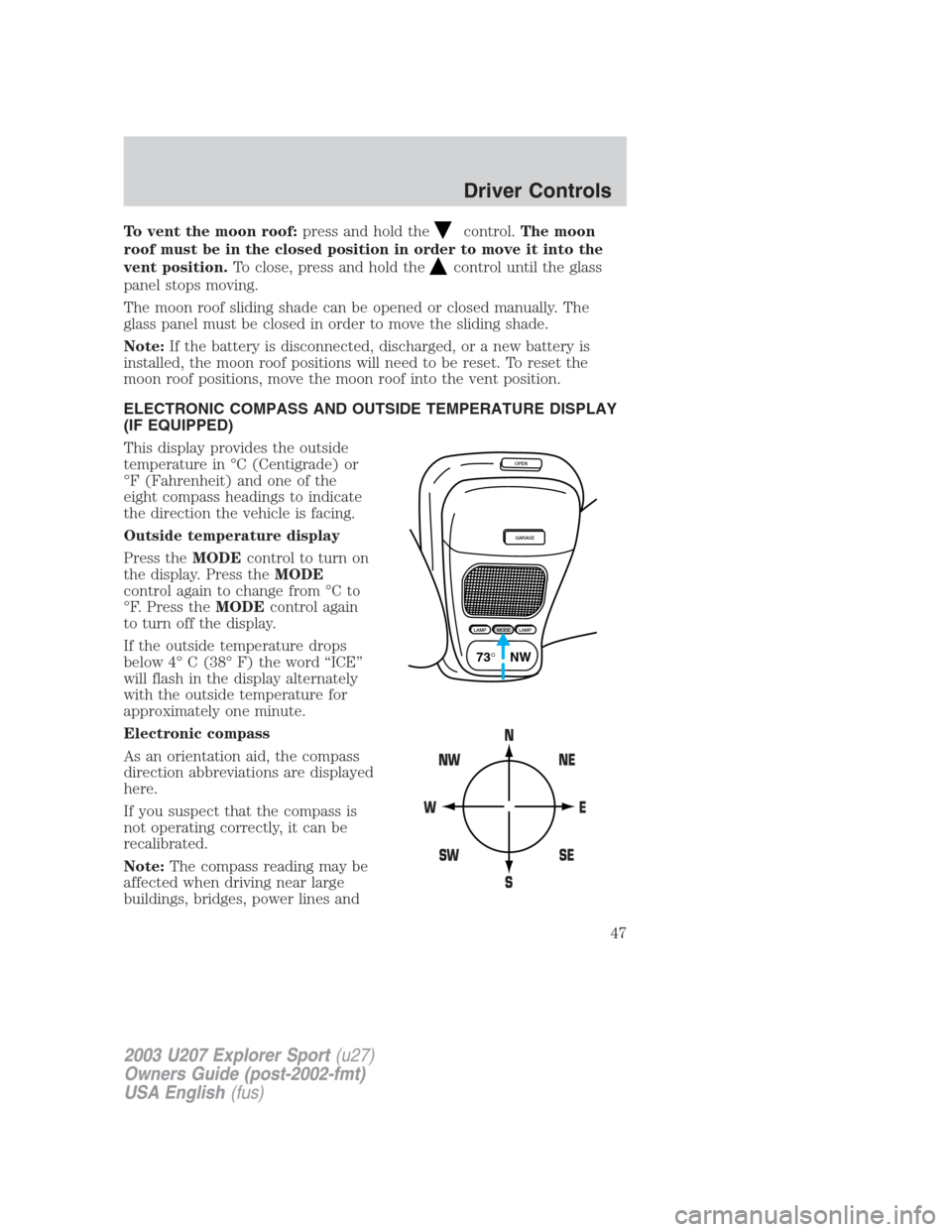
This display provides the outside
temperature in °C (Centigrade) or
°F (Fahrenheit) and one of the
eight compass headings to indicate
the direction the vehicle is facing.
Outside temperature display
Press theMODEcontrol to turn on
the display. Press theMODE
control again to change from °C to
°F. Press theMODEcontrol again
to turn off the display.
If the outside temperature drops
below 4° C (38° F) the word “ICE”
will flash in the display alternately
with the outside temperature for
approximately one minute.
Electronic compass
As an orientation aid, the compass
direction abbreviations are displayed
here.
If you suspect that the compass is
not operating correctly, it can be
recalibrated.
Note:The compass reading may be
affected when driving near large
buildings, bridges, power lines and
OPEN
GARAGE
LAMPMODELAMP
73° NW
2003 U207 Explorer Sport(u27)
Owners Guide (post-2002-fmt)
USA English(fus)
Driver Controls
47
Page 48 of 200
broadcast antennas. Magnetic or metallic objects place on or in the
vehicle may also affect the compass reading.
•Adjusting the compass
Note:The ignition must be in the ON position.
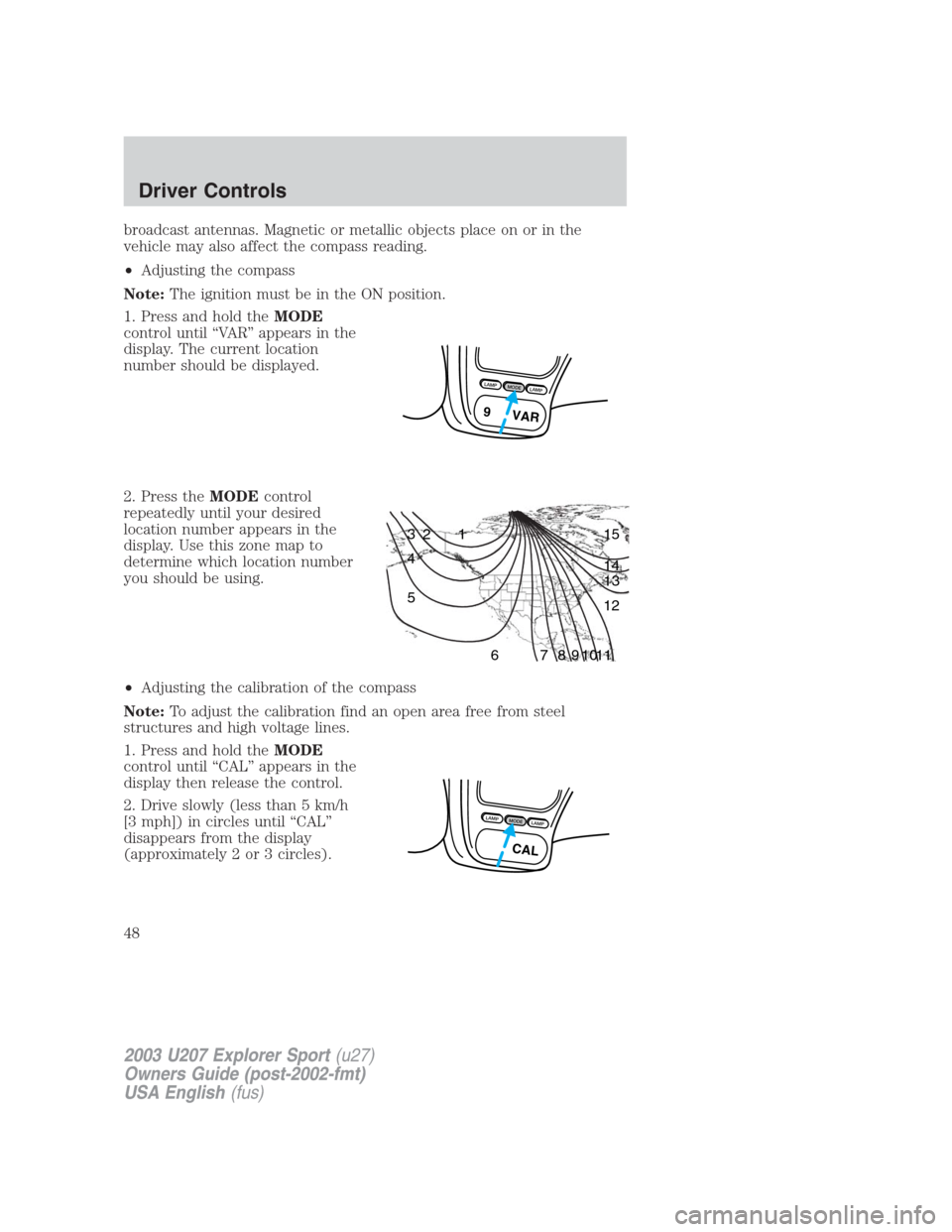
1. Press and hold theMODE
control until “VAR” appears in the
display. The current location
number should be displayed.
2. Press theMODEcontrol
repeatedly until your desired
location number appears in the
display. Use this zone map to
determine which location number
you should be using.
•Adjusting the calibration of the compass
Note:To adjust the calibration find an open area free from steel
structures and high voltage lines.
1. Press and hold theMODE
control until “CAL” appears in the
display then release the control.
2. Drive slowly (less than 5 km/h
[3 mph]) in circles until “CAL”
disappears from the display
(approximately 2 or 3 circles).
L
A
M
PM
O
D
EL
A
M
P
9 VAR
1 2 3
4
5
6 7 8 9 101112 13 14 15
L
A
M
PM
O
D
EL
A
M
P
CAL
2003 U207 Explorer Sport(u27)
Owners Guide (post-2002-fmt)
USA English(fus)
Driver Controls
48
Page 56 of 200
How to reprogram your remote entry transmitters
You must haveall remote entry transmitters(maximum of four)
available before beginning this procedure.
To reprogram the remote entry
transmitters:
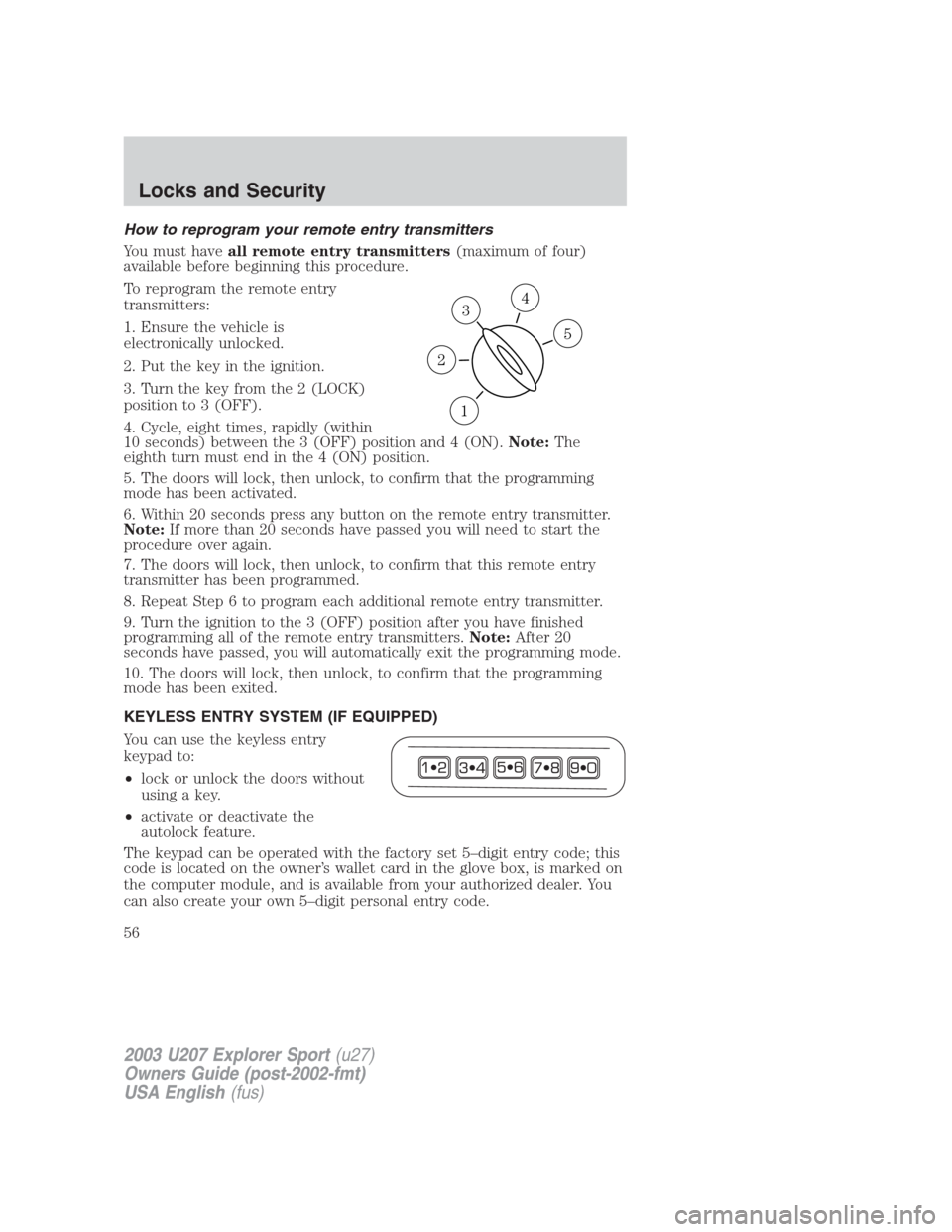
1. Ensure the vehicle is
electronically unlocked.
2. Put the key in the ignition.
3. Turn the key from the 2 (LOCK)
position to 3 (OFF).
4. Cycle, eight times, rapidly (within
10 seconds) between the 3 (OFF) position and 4 (ON).Note:The
eighth turn must end in the 4 (ON) position.
5. The doors will lock, then unlock, to confirm that the programming
mode has been activated.
6. Within 20 seconds press any button on the remote entry transmitter.
Note:If more than 20 seconds have passed you will need to start the
procedure over again.
7. The doors will lock, then unlock, to confirm that this remote entry
transmitter has been programmed.
8. Repeat Step 6 to program each additional remote entry transmitter.
9. Turn the ignition to the 3 (OFF) position after you have finished
programming all of the remote entry transmitters.Note:After 20
seconds have passed, you will automatically exit the programming mode.
10. The doors will lock, then unlock, to confirm that the programming
mode has been exited.
KEYLESS ENTRY SYSTEM (IF EQUIPPED)
You can use the keyless entry
keypad to:
•lock or unlock the doors without
using a key.
•activate or deactivate the
autolock feature.
The keypad can be operated with the factory set 5–digit entry code; this
code is located on the owner’s wallet card in the glove box, is marked on
the computer module, and is available from your authorized dealer. You
can also create your own 5–digit personal entry code.
3
1
2
5
4
2003 U207 Explorer Sport(u27)
Owners Guide (post-2002-fmt)
USA English(fus)
Locks and Security
56
Page 57 of 200
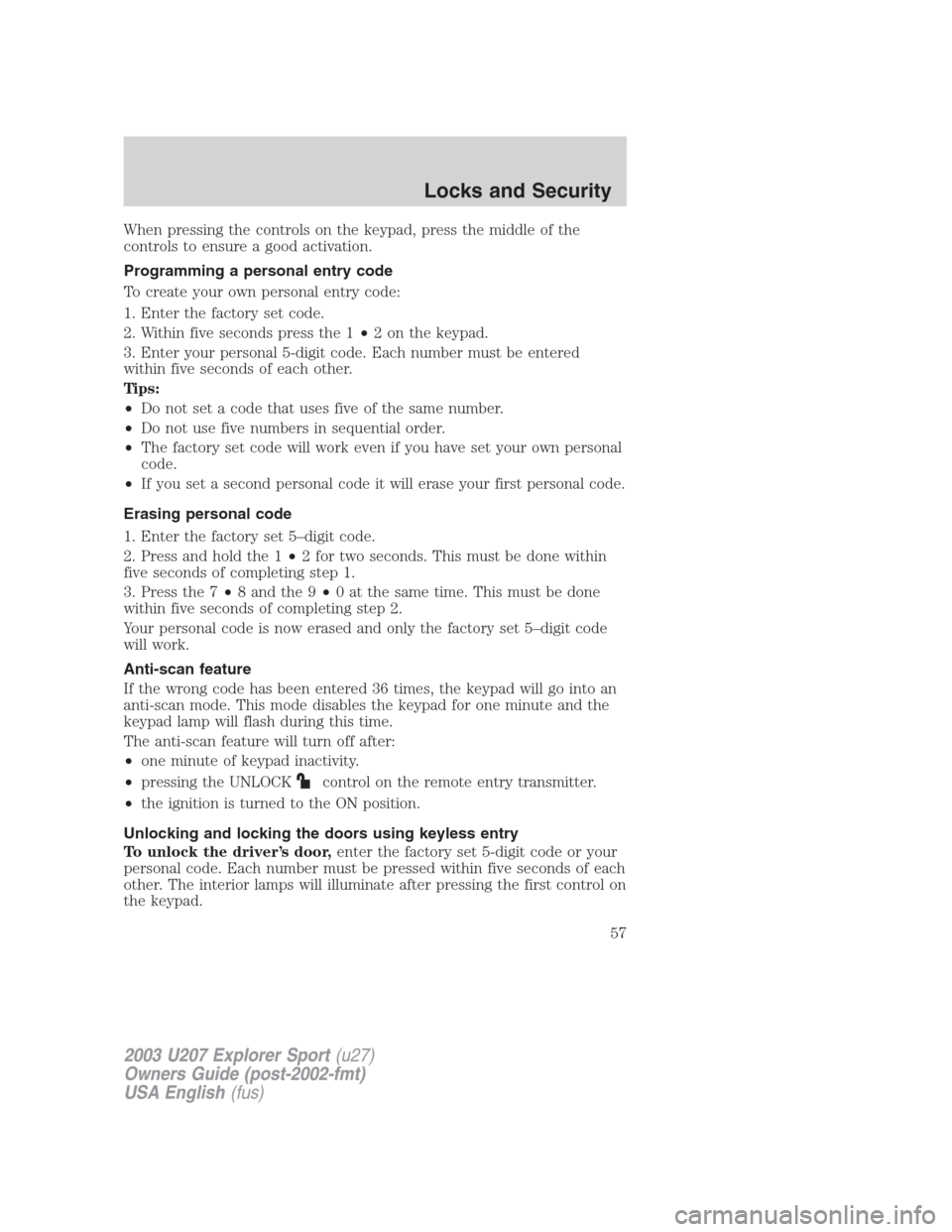
When pressing the controls on the keypad, press the middle of the
controls to ensure a good activation.
Programming a personal entry code
To create your own personal entry code:
1. Enter the factory set code.
2. Within five seconds press the 1•2 on the keypad.
3. Enter your personal 5-digit code. Each number must be entered
within five seconds of each other.
Tips:
•Do not set a code that uses five of the same number.
•Do not use five numbers in sequential order.
•The factory set code will work even if you have set your own personal
code.
•If you set a second personal code it will erase your first personal code.
Erasing personal code
1. Enter the factory set 5–digit code.
2. Press and hold the 1•2 for two seconds. This must be done within
five seconds of completing step 1.
3. Press the 7•8 and the 9•0 at the same time. This must be done
within five seconds of completing step 2.
Your personal code is now erased and only the factory set 5–digit code
will work.
Anti-scan feature
If the wrong code has been entered 36 times, the keypad will go into an
anti-scan mode. This mode disables the keypad for one minute and the
keypad lamp will flash during this time.
The anti-scan feature will turn off after:
•one minute of keypad inactivity.
•pressing the UNLOCK
control on the remote entry transmitter.
•the ignition is turned to the ON position.
Unlocking and locking the doors using keyless entry
To unlock the driver’s door,enter the factory set 5-digit code or your
personal code. Each number must be pressed within five seconds of each
other. The interior lamps will illuminate after pressing the first control on
the keypad.
2003 U207 Explorer Sport(u27)
Owners Guide (post-2002-fmt)
USA English(fus)
Locks and Security
57