Page 52 of 248
compressor will operate automatically if the outside temperature is
above approximately 2°C (36°F). The air distributed through the floor
ducts will be slightly warmer than that sent to the windshield
defroster ducts and the side window demisters.
•Defrost - Distributes outside air through the windshield defroster
ducts and the side window demisters. The A/C compressor will
operate automatically if the outside temperature is above
approximately 2°C (36°F). This mode will clear ice and fog from the
windshield.
Operating tips
•To reduce fogging under humid weather conditions, place the climate
control system in Defrost and Rear Defrost (if equipped) mode before
driving.
•To reduce humidity buildup inside the vehicle: Do not drive with the
climate control system in Off mode. Do not drive with the climate
control system in Max A/C mode (if equipped).
•Under normal weather conditions, do not leave your vehicle in Max
A/C (if equipped), recirculation control (if equipped) or Off mode
when turning off the ignition.
•Under snowy or dirty weather conditions, leave your vehicle in Max
A/C (if equipped), recirculation control (if equipped), or Off mode
when turning off the ignition.
•Remove any snow, ice or leaves from the exterior base of the
windshield.
•To increase the efficiency of the A/C (if equipped), drive with the
windows slightly open for 2–3 minutes or until the vehicle has been
“aired”out.
•Do not place objects under the front seat or over the defroster ducts.
They may reduce visibility, fall into the ducts, or degrade the
performance of your climate control system.
To aid in side window defogging/demisting in cold weather conditions:
1. Select VENT
2. Set the temperature control to full heat
3. Set the fan speed to HI
4. Direct the outer panel vents towards to side windows
To increase airflow to the outer panel vents, close the central panel vents.
2003 Crown Victoria(cro)
Owners Guide (post-2002-fmt)
USA English(fus)
Climate Controls
52
Page 53 of 248
Do not place objects on top of the instrument panel, as these
objects may become projectiles in a collision or sudden stop.
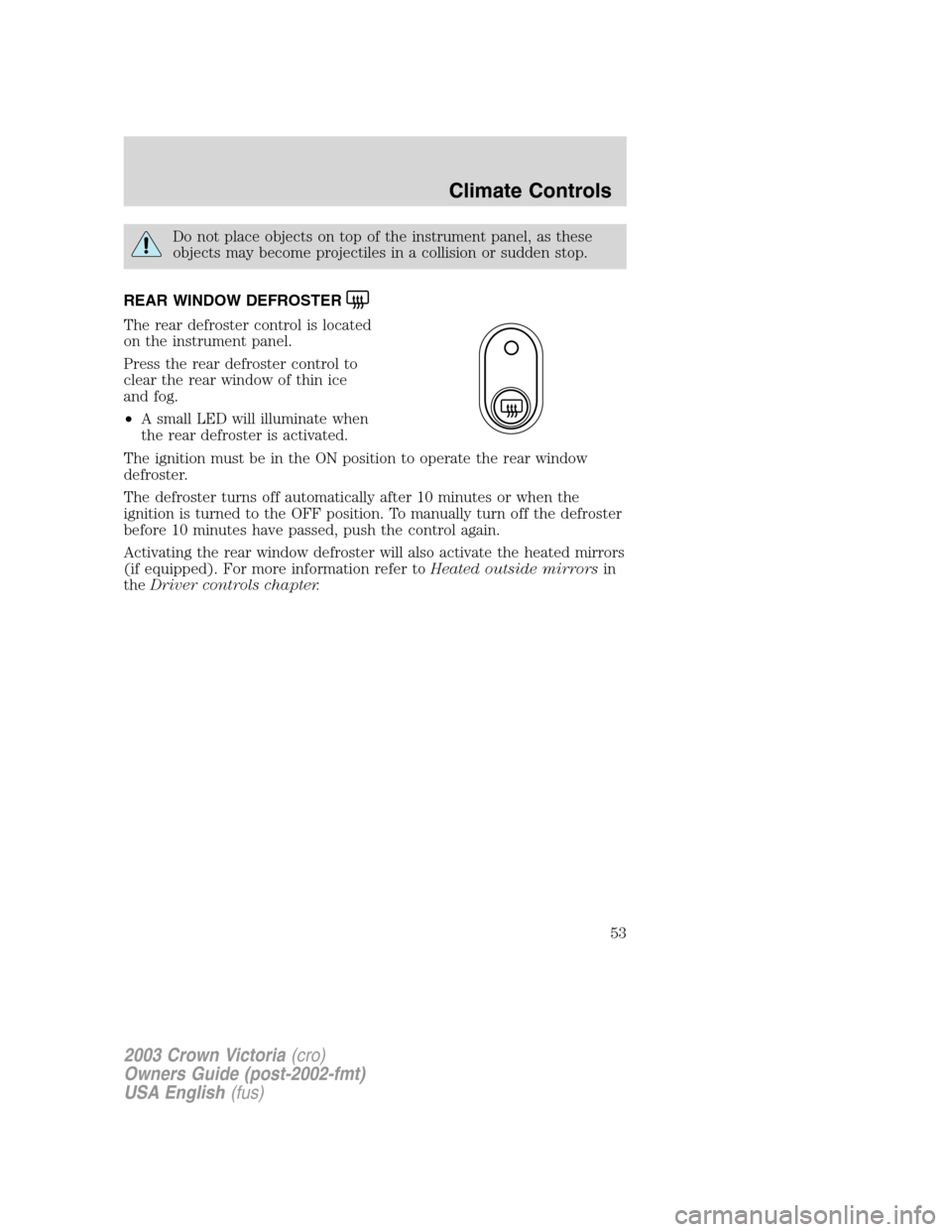
REAR WINDOW DEFROSTER
The rear defroster control is located
on the instrument panel.
Press the rear defroster control to
clear the rear window of thin ice
and fog.
•A small LED will illuminate when
the rear defroster is activated.
The ignition must be in the ON position to operate the rear window
defroster.
The defroster turns off automatically after 10 minutes or when the
ignition is turned to the OFF position. To manually turn off the defroster
before 10 minutes have passed, push the control again.
Activating the rear window defroster will also activate the heated mirrors
(if equipped). For more information refer toHeated outside mirrorsin
theDriver controls chapter.
2003 Crown Victoria(cro)
Owners Guide (post-2002-fmt)
USA English(fus)
Climate Controls
53
Page 54 of 248
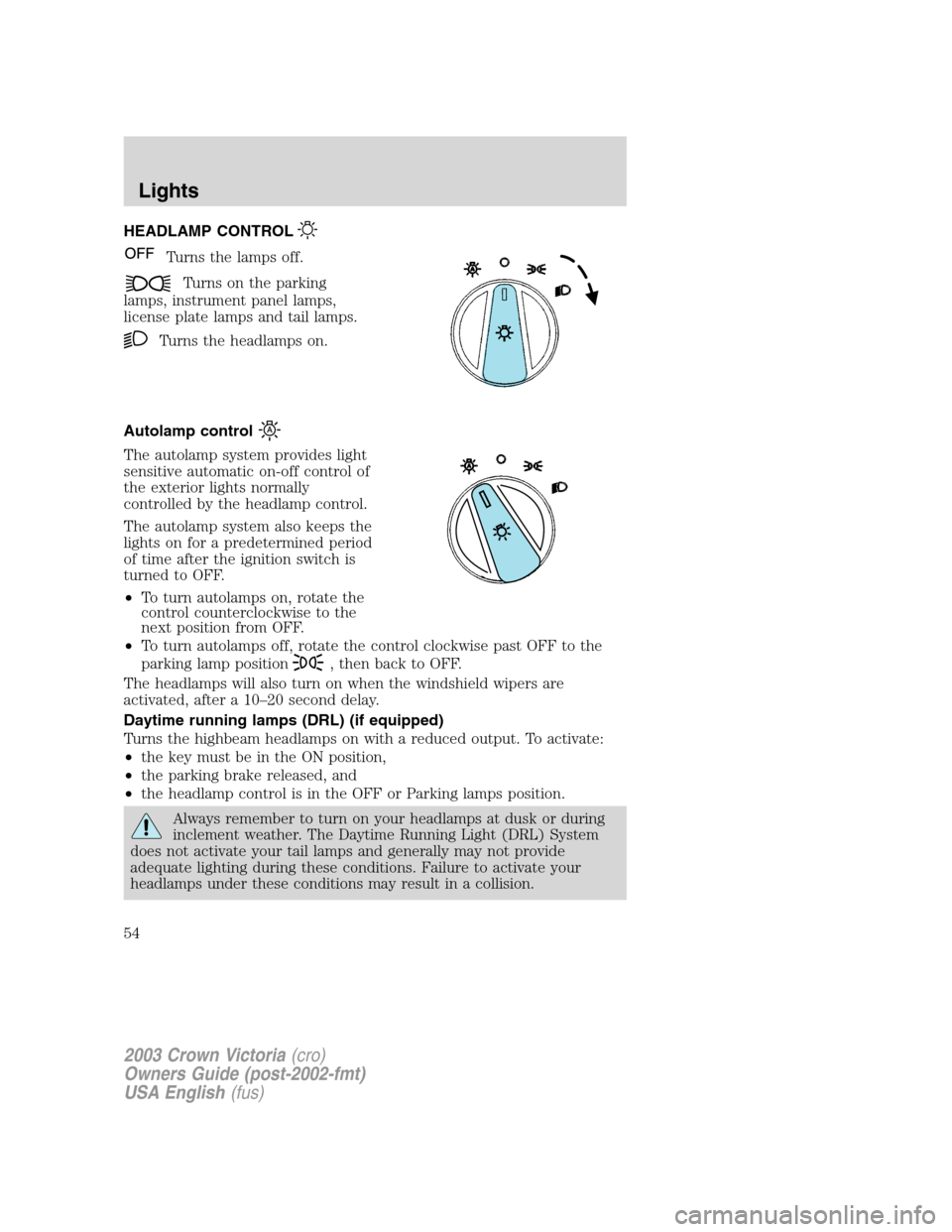
HEADLAMP CONTROL
Turns the lamps off.
Turns on the parking
lamps, instrument panel lamps,
license plate lamps and tail lamps.
Turns the headlamps on.
Autolamp control
The autolamp system provides light
sensitive automatic on-off control of
the exterior lights normally
controlled by the headlamp control.
The autolamp system also keeps the
lights on for a predetermined period
of time after the ignition switch is
turned to OFF.
•To turn autolamps on, rotate the
control counterclockwise to the
next position from OFF.
•To turn autolamps off, rotate the control clockwise past OFF to the
parking lamp position
, then back to OFF.
The headlamps will also turn on when the windshield wipers are
activated, after a 10–20 second delay.
Daytime running lamps (DRL) (if equipped)
Turns the highbeam headlamps on with a reduced output. To activate:
•the key must be in the ON position,
•the parking brake released, and
•the headlamp control is in the OFF or Parking lamps position.
Always remember to turn on your headlamps at dusk or during
inclement weather. The Daytime Running Light (DRL) System
does not activate your tail lamps and generally may not provide
adequate lighting during these conditions. Failure to activate your
headlamps under these conditions may result in a collision.
2003 Crown Victoria(cro)
Owners Guide (post-2002-fmt)
USA English(fus)
Lights
Lights
54
Page 63 of 248
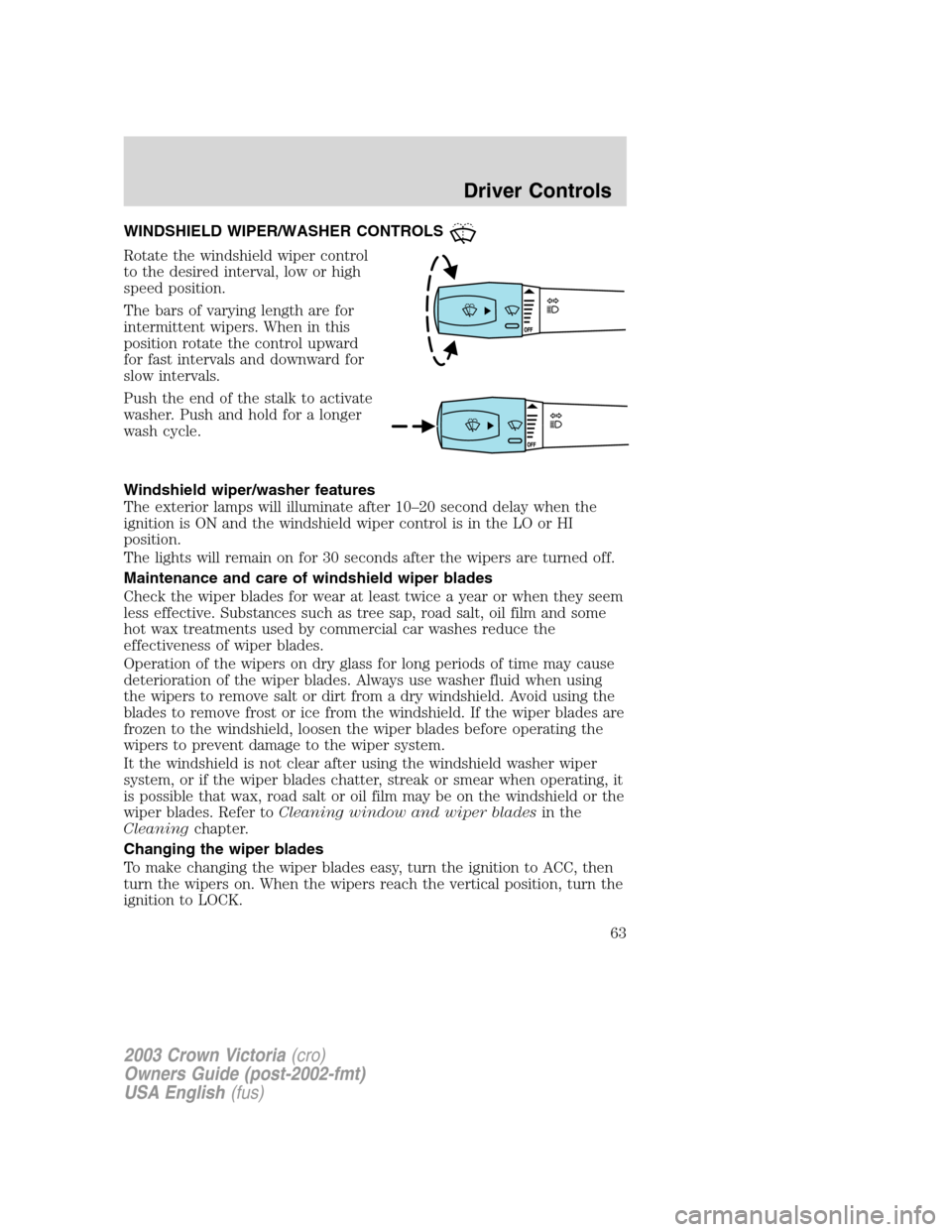
WINDSHIELD WIPER/WASHER CONTROLS
Rotate the windshield wiper control
to the desired interval, low or high
speed position.
The bars of varying length are for
intermittent wipers. When in this
position rotate the control upward
for fast intervals and downward for
slow intervals.
Push the end of the stalk to activate
washer. Push and hold for a longer
wash cycle.
Windshield wiper/washer features
The exterior lamps will illuminate after 10–20 second delay when the
ignition is ON and the windshield wiper control is in the LO or HI
position.
The lights will remain on for 30 seconds after the wipers are turned off.
Maintenance and care of windshield wiper blades
Check the wiper blades for wear at least twice a year or when they seem
less effective. Substances such as tree sap, road salt, oil film and some
hot wax treatments used by commercial car washes reduce the
effectiveness of wiper blades.
Operation of the wipers on dry glass for long periods of time may cause
deterioration of the wiper blades. Always use washer fluid when using
the wipers to remove salt or dirt from a dry windshield. Avoid using the
blades to remove frost or ice from the windshield. If the wiper blades are
frozen to the windshield, loosen the wiper blades before operating the
wipers to prevent damage to the wiper system.
It the windshield is not clear after using the windshield washer wiper
system, or if the wiper blades chatter, streak or smear when operating, it
is possible that wax, road salt or oil film may be on the windshield or the
wiper blades. Refer toCleaning window and wiper bladesin the
Cleaningchapter.
Changing the wiper blades
To make changing the wiper blades easy, turn the ignition to ACC, then
turn the wipers on. When the wipers reach the vertical position, turn the
ignition to LOCK.
2003 Crown Victoria(cro)
Owners Guide (post-2002-fmt)
USA English(fus)
Driver Controls
Driver Controls
63
Page 65 of 248
Storage compartment (if
equipped):Press the OPEN control
to open the storage compartment.
The door will open slightly and can
be moved to full open.
The storage compartment may be
used to secure sunglasses or a
similar object.
Electronic compass display (if equipped)
Compass:The compass display is contained in the overhead console.
The vehicle heading is displayed as one of N, NE, E, SE, S, SW, W and
NW.
The compass reading may be affected when you drive near large
buildings, bridges, power lines and powerful broadcast antenna. Magnetic
or metallic objects placed in or on the vehicle may also affect compass
accuracy. Adjustments may need to be made to the zone and calibration
of the compass.
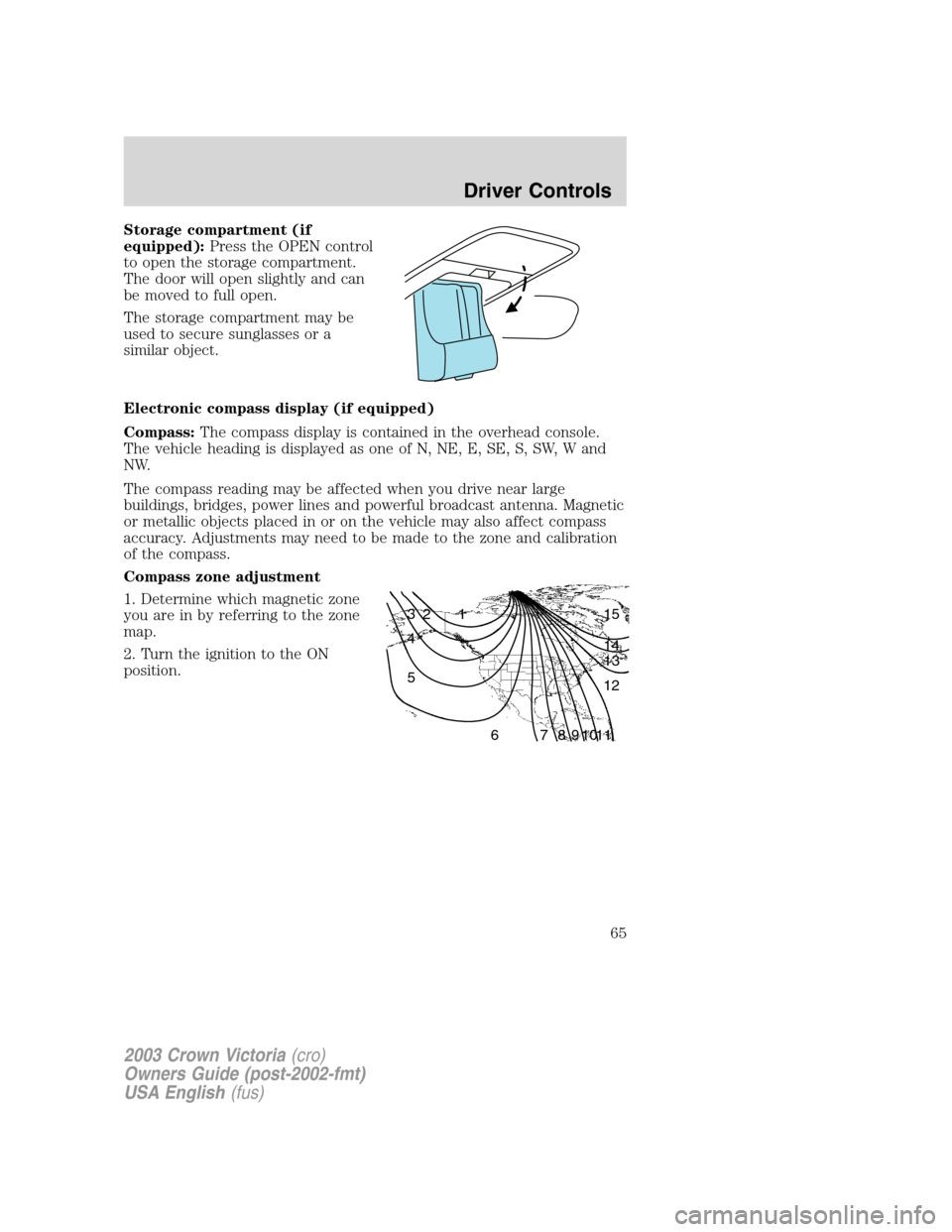
Compass zone adjustment
1. Determine which magnetic zone
you are in by referring to the zone
map.
2. Turn the ignition to the ON
position.
1 2 3
4
5
6 7 8 9 101112 13 14 15
2003 Crown Victoria(cro)
Owners Guide (post-2002-fmt)
USA English(fus)
Driver Controls
65
Page 66 of 248
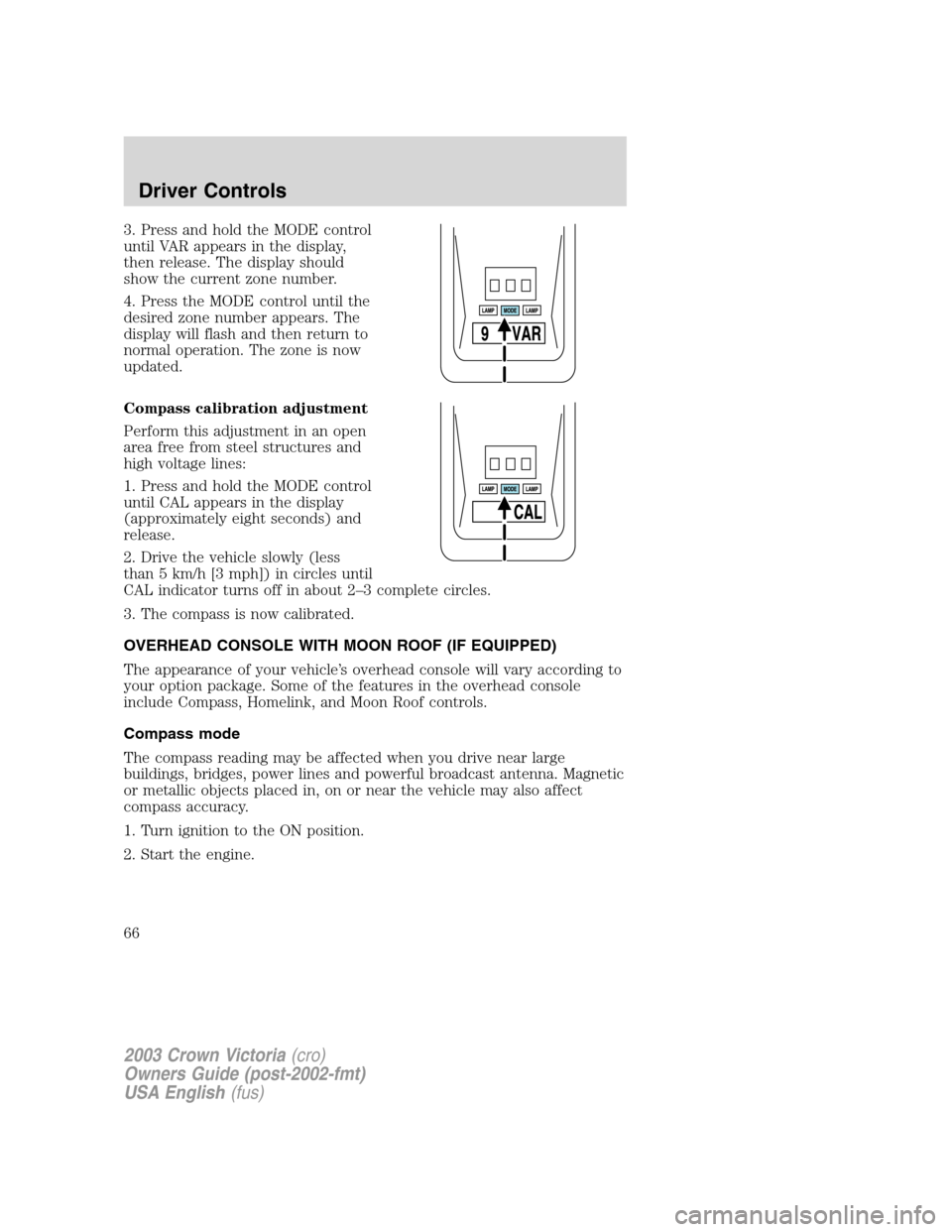
3. Press and hold the MODE control
until VAR appears in the display,
then release. The display should
show the current zone number.
4. Press the MODE control until the
desired zone number appears. The
display will flash and then return to
normal operation. The zone is now
updated.
Compass calibration adjustment
Perform this adjustment in an open
area free from steel structures and
high voltage lines:
1. Press and hold the MODE control
until CAL appears in the display
(approximately eight seconds) and
release.
2. Drive the vehicle slowly (less
than 5 km/h [3 mph]) in circles until
CAL indicator turns off in about 2–3 complete circles.
3. The compass is now calibrated.
OVERHEAD CONSOLE WITH MOON ROOF (IF EQUIPPED)
The appearance of your vehicle’s overhead console will vary according to
your option package. Some of the features in the overhead console
include Compass, Homelink, and Moon Roof controls.
Compass mode
The compass reading may be affected when you drive near large
buildings, bridges, power lines and powerful broadcast antenna. Magnetic
or metallic objects placed in, on or near the vehicle may also affect
compass accuracy.
1. Turn ignition to the ON position.
2. Start the engine.
2003 Crown Victoria(cro)
Owners Guide (post-2002-fmt)
USA English(fus)
Driver Controls
66
Page 77 of 248
Never adjust the accelerator and brake pedal with feet on the
pedals while the vehicle is moving.
SPEED CONTROL (IF EQUIPPED)
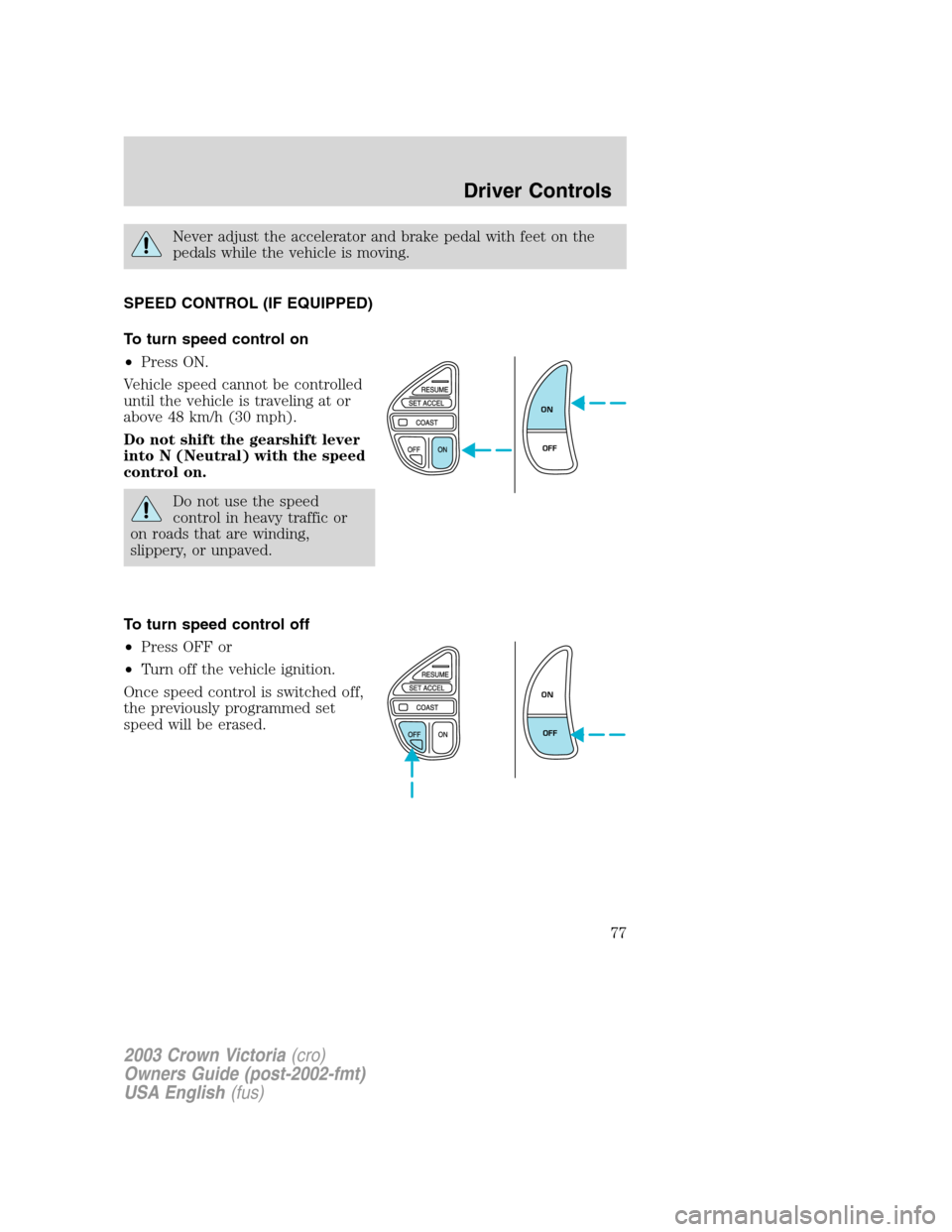
To turn speed control on
•Press ON.
Vehicle speed cannot be controlled
until the vehicle is traveling at or
above 48 km/h (30 mph).
Do not shift the gearshift lever
into N (Neutral) with the speed
control on.
Do not use the speed
control in heavy traffic or
on roads that are winding,
slippery, or unpaved.
To turn speed control off
•Press OFF or
•Turn off the vehicle ignition.
Once speed control is switched off,
the previously programmed set
speed will be erased.
ON
OFF
ON
OFF
2003 Crown Victoria(cro)
Owners Guide (post-2002-fmt)
USA English(fus)
Driver Controls
77
Page 80 of 248
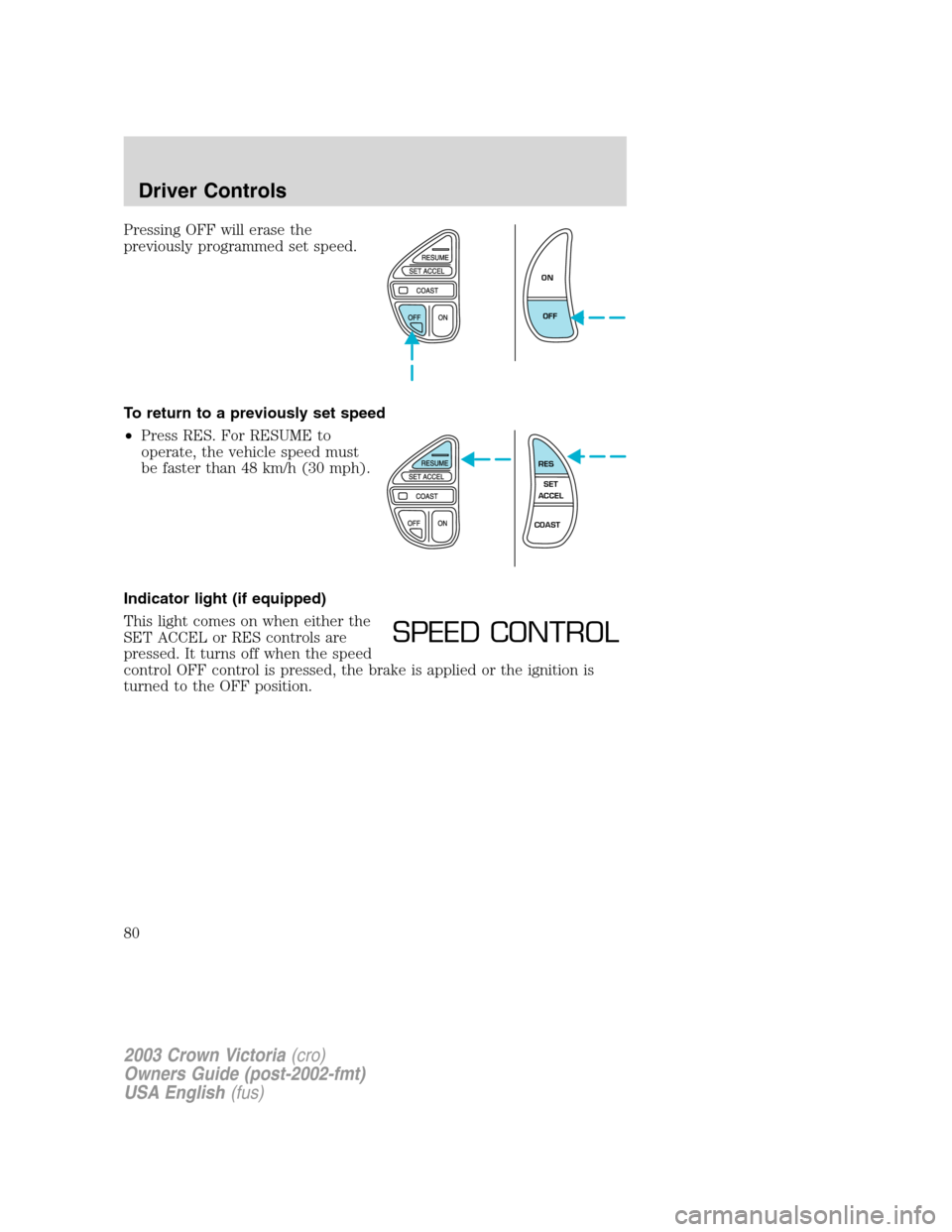
Pressing OFF will erase the
previously programmed set speed.
To return to a previously set speed
•Press RES. For RESUME to
operate, the vehicle speed must
be faster than 48 km/h (30 mph).
Indicator light (if equipped)
This light comes on when either the
SET ACCEL or RES controls are
pressed. It turns off when the speed
control OFF control is pressed, the brake is applied or the ignition is
turned to the OFF position.
ON
OFF
RES
SET
ACCEL
COAST
SPEED CONTROL
2003 Crown Victoria(cro)
Owners Guide (post-2002-fmt)
USA English(fus)
Driver Controls
80