2003 CHEVROLET VENTURE ECU
[x] Cancel search: ECUPage 161 of 486

Reprogramming a Single HomeLinkž
Button
To program a device to HomeLinkžusing a HomeLinkž
button previously trained, follow these steps:
1. Press and hold the desired HomeLink
žbutton. Do
not release the button.
2. The indicator light will begin to ¯ash after
20 seconds. While still holding the HomeLink
ž
button, proceed with Step 2 under ªProgramming
HomeLinkž.º
Resetting Defaults
To reset HomeLinkžto default settings do the following:
1. Hold down the two outside buttons for about
20 seconds until the indicator light begins to ¯ash.
2. Continue to hold both buttons until the HomeLink
ž
indicator light turns off.
3. Release both buttons.
For questions or comments, contact HomeLink
žat
1-800-355-3515, or on the internet at
www.homelink.com.
Storage Areas
Your vehicle's large carrying capacity can store many
items. If you have the extended wheelbase version, you
can carry things as large as a 4' x 8' piece of plywood.
You can also use the ¯oor pins that are used to
attach the seats, to secure larger loads.
Glove Box
Your vehicle has a glove box below the instrument
panel. To open the glove box, lift the latch release.
The glove box door has a detent to prevent the door
from lowering too far. Open the glove box until the door
is partway open, then pull the door down if you need
it fully open. To close the glove box, the door must
be pushed up past the detent.
Cupholder(s)
There are cupholders located below the center
instrument panel switchbank. The cupholders have a
removable liner for larger size cups and for cleaning the
cupholders.
To use the cupholders, simply pull out the tray. Keep
the tray stowed in when not in use.
Your vehicle also has cupholders on the bottom inboard
side of the second row driver's side captain's chairs
and the seatbacks have cupholders that can be
used when the seatbacks are folded forward.
2-51
Page 166 of 486
Notice:Loading cargo on the luggage carrier that
weighs more than 150 lbs. (68 kg) or hangs over the
rear or sides of the vehicle may damage your
vehicle. Load cargo so that it rests on the slats as
far forward as possible and against the side
rails, making sure to fasten it securely.
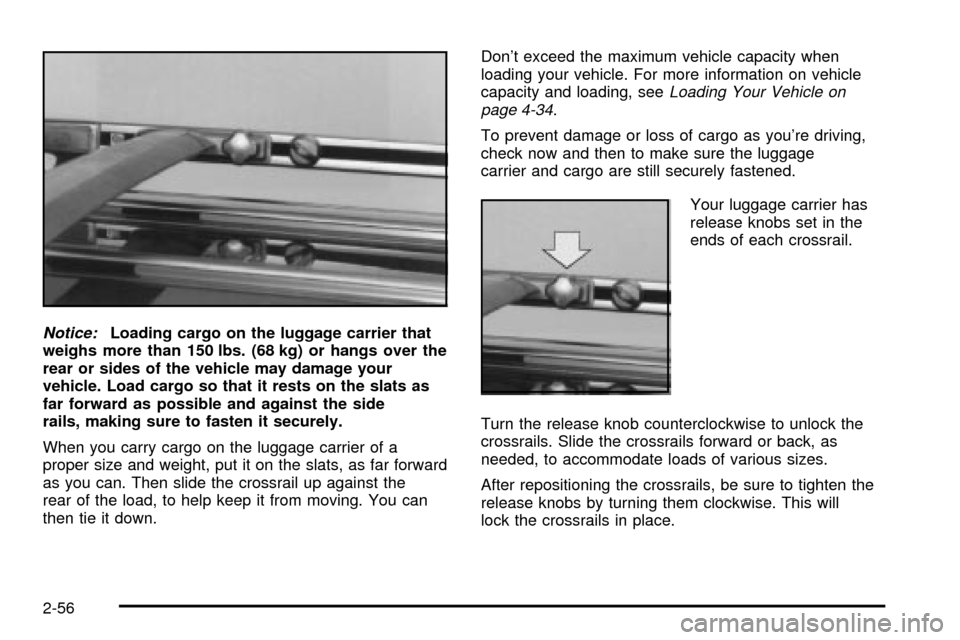
When you carry cargo on the luggage carrier of a
proper size and weight, put it on the slats, as far forward
as you can. Then slide the crossrail up against the
rear of the load, to help keep it from moving. You can
then tie it down.Don't exceed the maximum vehicle capacity when
loading your vehicle. For more information on vehicle
capacity and loading, see
Loading Your Vehicle on
page 4-34.
To prevent damage or loss of cargo as you're driving,
check now and then to make sure the luggage
carrier and cargo are still securely fastened.
Your luggage carrier has
release knobs set in the
ends of each crossrail.
Turn the release knob counterclockwise to unlock the
crossrails. Slide the crossrails forward or back, as
needed, to accommodate loads of various sizes.
After repositioning the crossrails, be sure to tighten the
release knobs by turning them clockwise. This will
lock the crossrails in place.
2-56
Page 167 of 486
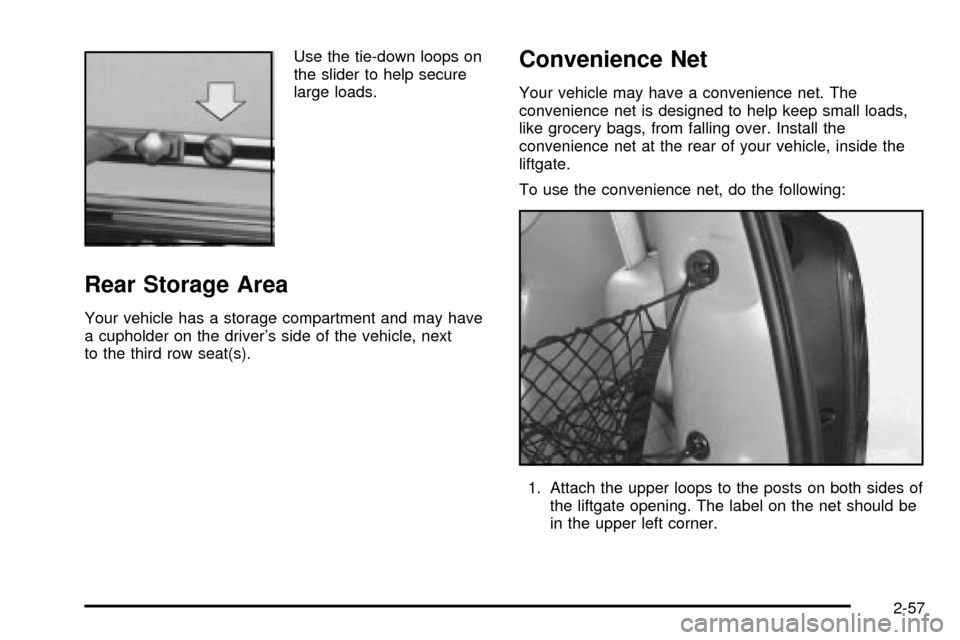
Use the tie-down loops on
the slider to help secure
large loads.
Rear Storage Area
Your vehicle has a storage compartment and may have
a cupholder on the driver's side of the vehicle, next
to the third row seat(s).
Convenience Net
Your vehicle may have a convenience net. The
convenience net is designed to help keep small loads,
like grocery bags, from falling over. Install the
convenience net at the rear of your vehicle, inside the
liftgate.
To use the convenience net, do the following:
1. Attach the upper loops to the posts on both sides of
the liftgate opening. The label on the net should be
in the upper left corner.
2-57
Page 168 of 486
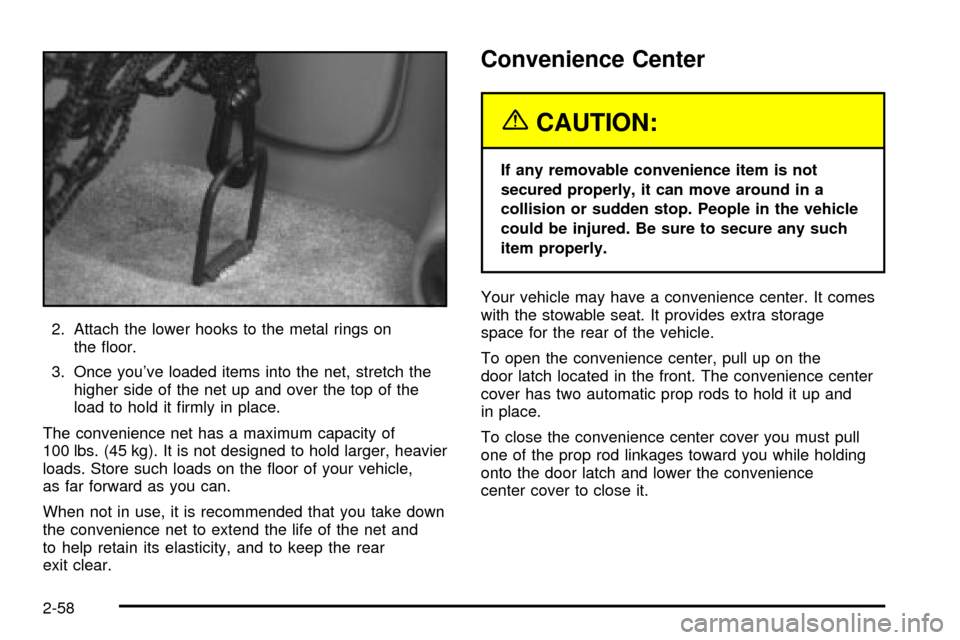
2. Attach the lower hooks to the metal rings on
the ¯oor.
3. Once you've loaded items into the net, stretch the
higher side of the net up and over the top of the
load to hold it ®rmly in place.
The convenience net has a maximum capacity of
100 lbs. (45 kg). It is not designed to hold larger, heavier
loads. Store such loads on the ¯oor of your vehicle,
as far forward as you can.
When not in use, it is recommended that you take down
the convenience net to extend the life of the net and
to help retain its elasticity, and to keep the rear
exit clear.
Convenience Center
{CAUTION:
If any removable convenience item is not
secured properly, it can move around in a
collision or sudden stop. People in the vehicle
could be injured. Be sure to secure any such
item properly.
Your vehicle may have a convenience center. It comes
with the stowable seat. It provides extra storage
space for the rear of the vehicle.
To open the convenience center, pull up on the
door latch located in the front. The convenience center
cover has two automatic prop rods to hold it up and
in place.
To close the convenience center cover you must pull
one of the prop rod linkages toward you while holding
onto the door latch and lower the convenience
center cover to close it.
2-58
Page 179 of 486

Mode 2:Remote Keyless Entry Transmitter
Arm/Disarm Only
·The system will arm when you lock the doors with
your remote keyless entry transmitter. The key
must be removed from the ignition when you lock
the doors or the content theft-deterrent system
will not arm.
·The system will disarm when you unlock the doors
with your remote keyless entry transmitter.
While this mode provides increased security, it can be a
problem if your remote keyless entry transmitter is
damaged, lost or if it fails to operate for any reason while
the content theft-deterrent system is armed. The
content theft-deterrent system must be disarmed for the
engine to run while in Mode 2; your key can no longer
disarm the system.
If your vehicle is equipped with the OnStar
žsystem,
OnStaržwill not be able to remotely unlock your vehicle
if it has been programmed to Mode 2.
Mode 3:Standard Arming and Disarming
·The system will arm when you lock the doors using
either power door lock switch while any door or the
liftgate is open and the key is removed from the
ignition.
·The system will arm when you lock the doors with
your key or remote keyless entry transmitter and
the key is removed from the ignition.
·The system will disarm when you unlock the doors
with your key or remote keyless entry transmitter.
Your vehicle was originally programmed to Mode 1. The
mode may have been changed since then. To
determine the current mode, or to change the mode, do
the following:
1. Follow the instructions for
Entering Programming
Mode on page 2-62.
2. Insert your spare key fully into any door key
cylinder and turn it to the unlock position.
This step is necessary to prevent accidental
programming of this feature to Mode 2. Do not
program this feature to Mode 2 without ®rst reading
Mode 2 entirely. The door key cylinder must
remain in the unlock position during
Steps 2 through 4.
3. Press the button with the horn symbol on the
remote keyless entry transmitter.
2-69
Page 181 of 486

Instrument Panel Overview...............................3-4
Hazard Warning Flashers................................3-6
Other Warning Devices...................................3-6
Horn.............................................................3-7
Tilt Wheel.....................................................3-7
Turn Signal/Multifunction Lever.........................3-7
Exterior Lamps.............................................3-15
Interior Lamps..............................................3-17
Switchbanks.................................................3-20
Instrument Panel Switchbank..........................3-21
Overhead Console Switchbank.......................3-21
Ultrasonic Rear Parking
Assist (URPA)...........................................3-22
Accessory Power Outlets...............................3-24
Climate Controls............................................3-25
Climate Control System.................................3-25
Outlet Adjustment.........................................3-28
Rear Climate Control System (Without
Entertainment System)...............................3-29
Rear Climate Control System
(With Entertainment System).......................3-31
Passenger Compartment Air Filter...................3-33
Warning Lights, Gages and Indicators.............3-35
Instrument Panel Cluster................................3-36
Speedometer and Odometer...........................3-38Tachometer.................................................3-39
Safety Belt Reminder Light.............................3-40
Air Bag Readiness Light................................3-40
Brake System Warning Light..........................3-41
Anti-Lock Brake System Warning Light.............3-42
Traction Control System (TCS)
Warning Light...........................................3-43
Engine Coolant Temperature Gage..................3-44
Malfunction Indicator Lamp.............................3-45
Fuel Gage...................................................3-48
Message Center.............................................3-50
Service Traction System Warning Message......3-50
Traction Active Message................................3-51
Engine Coolant Temperature Warning
Message..................................................3-51
Charging System Indicator Message................3-52
Low Oil Pressure Message............................3-52
Low Engine Oil Level Message.......................3-53
Change Engine Oil Message..........................3-54
Power Sliding Door Warning Message.............3-54
Door Ajar Warning Message...........................3-55
Rear Hatch Ajar Warning Message..................3-56
PASS-Key
žIII Security Message....................3-56
All-Wheel Drive Disable Warning Message.......3-57
Low Fuel Warning Message...........................3-57
Section 3 Instrument Panel
3-1
Page 204 of 486

When the System Does Not Seem to Work
Properly
The light may ¯ash red when the vehicle is in
REVERSE (R) if the ultrasonic sensors are not kept
clean. So be sure to keep your rear bumper free of mud,
dirt, snow, ice and slush. Other conditions that may
affect system performance include things like the
vibrations from a jackhammer or the compression of air
brakes on a very large truck. If after cleaning the
rear bumper and then driving forward at least 15 mph
(25 km/h), the display continues to ¯ash red, see
your dealer.
If a trailer was attached to your vehicle, or a bicycle or
an object was on the back of, or hanging out of your
liftgate during your last drive cycle, the light may
also ¯ash red. The light will continue to ¯ash whenever
in REVERSE (R) until your vehicle is driven forward
at least 15 mph (25 km/h) without any obstructions
behind the vehicle.
For cleaning instructions, see
Cleaning the Outside of
Your Vehicle on page 5-90.
Accessory Power Outlets
With accessory power outlets you can plug in electrical
equipment such as a cellular telephone or CB radio.
The front accessory power outlet is located below
the cupholder drawer.
Pull the cover down to use the accessory power outlet.
When not in use, keep the cover on.
The rear accessory power outlet is located in the rear
compartment on the driver's side next to the air
in¯ator system.
To remove the cover, pull the tab on the cover and pull
it off. To put the cover back on, line up the tabs at
the back of the cover and put the cover in place. Push
down the tab to secure the cover. When not in use,
always cover the rear accessory power outlet with the
protective cap.
Notice:Leaving electrical equipment on for
extended periods will drain the battery. Always turn
off electrical equipment when not in use and do
not plug in equipment that exceeds the maximum
amperage rating.
3-24
Page 236 of 486
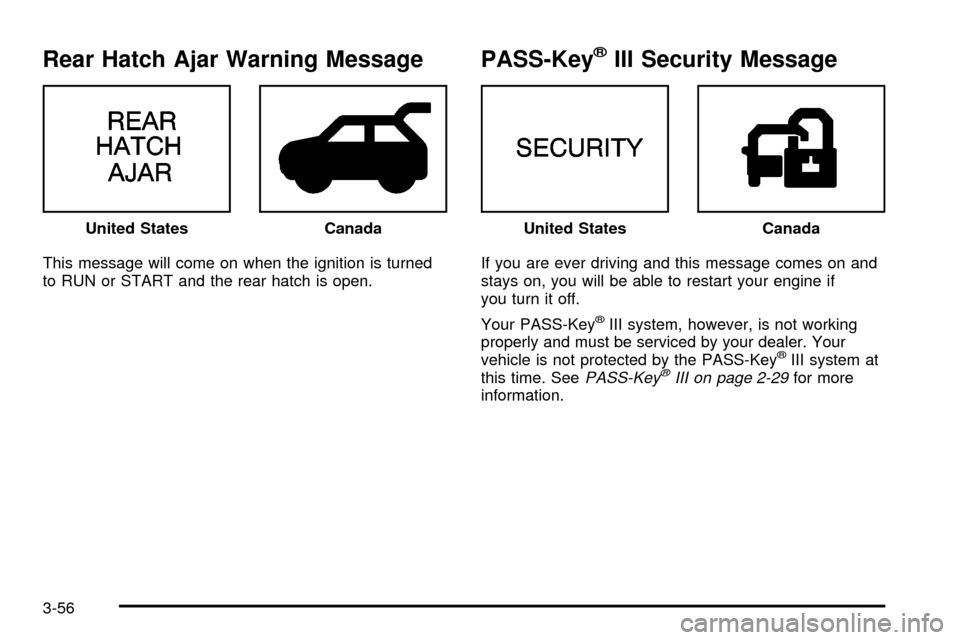
Rear Hatch Ajar Warning Message
This message will come on when the ignition is turned
to RUN or START and the rear hatch is open.
PASS-KeyžIII Security Message
If you are ever driving and this message comes on and
stays on, you will be able to restart your engine if
you turn it off.
Your PASS-Key
žIII system, however, is not working
properly and must be serviced by your dealer. Your
vehicle is not protected by the PASS-Key
žIII system at
this time. SeePASS-KeyžIII on page 2-29for more
information. United States
CanadaUnited StatesCanada
3-56