2003 CHEVROLET TRAIL BLAZER ignition
[x] Cancel search: ignitionPage 162 of 436

This light should come on, as a check to show you it is
working, when the ignition is on and the engine is
not running. If the light does not come on, have it
repaired. This light will also come on during a
malfunction in one of two ways:
·Light FlashingÐ A mis®re condition has been
detected. A mis®re increases vehicle emissions
and may damage the emission control system on
your vehicle. Diagnosis and service may be
required.
·Light On SteadyÐ An emission control system
malfunction has been detected on your vehicle.
Diagnosis and service may be required.
If the Light Is Flashing
The following may prevent more serious damage to
your vehicle:
·Reducing vehicle speed.
·Avoiding hard accelerations.
·Avoiding steep uphill grades.
·If you are towing a trailer, reduce the amount of
cargo being hauled as soon as it is possible.
If the light stops ¯ashing and remains on steady, see ªIf
the Light Is On Steadyº following.If the light continues to ¯ash, when it is safe to do so,
stop the vehicle.Find a safe place to park your vehicle.
Turn the key off, wait at least 10 seconds and restart
the engine. If the light remains on steady, see ªIf
the Light Is On Steadyº following. If the light is still
¯ashing, follow the previous steps, and see your dealer
for service as soon as possible.
If the Light Is On Steady
You may be able to correct the emission system
malfunction by considering the following:
Did you recently put fuel into your vehicle?
If so, reinstall the fuel cap, making sure to fully install
the cap. See
Filling Your Tank on page 5-7. The
diagnostic system can determine if the fuel cap has
been left off or improperly installed. A loose or missing
fuel cap will allow fuel to evaporate into the atmosphere.
A few driving trips with the cap properly installed
should turn the light off.
Did you just drive through a deep puddle of water?
If so, your electrical system may be wet. The condition
will usually be corrected when the electrical system
dries out. A few driving trips should turn the light off.
3-44
Page 167 of 436
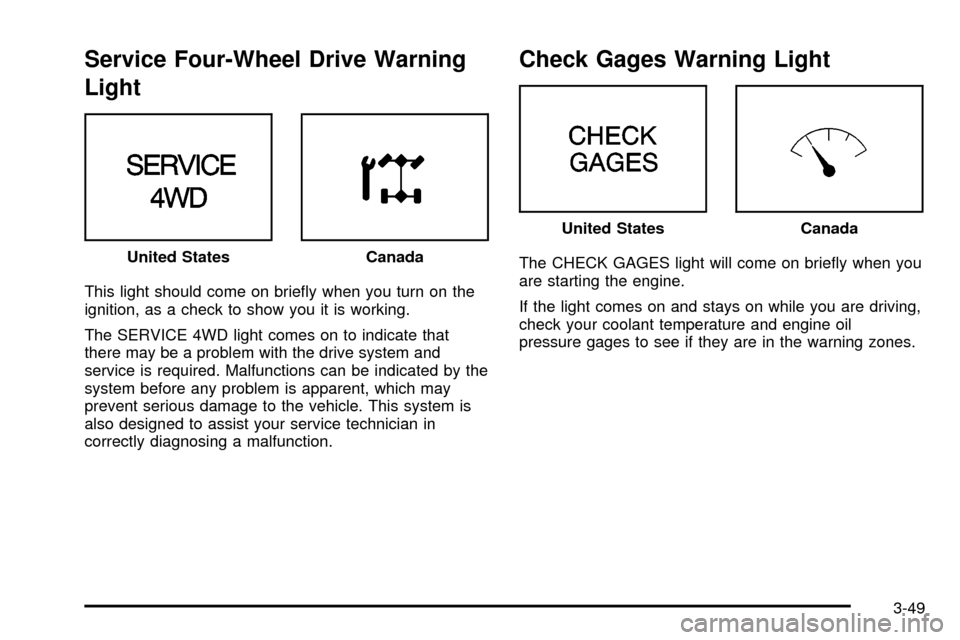
Service Four-Wheel Drive Warning
Light
This light should come on brie¯y when you turn on the
ignition, as a check to show you it is working.
The SERVICE 4WD light comes on to indicate that
there may be a problem with the drive system and
service is required. Malfunctions can be indicated by the
system before any problem is apparent, which may
prevent serious damage to the vehicle. This system is
also designed to assist your service technician in
correctly diagnosing a malfunction.
Check Gages Warning Light
The CHECK GAGES light will come on brie¯y when you
are starting the engine.
If the light comes on and stays on while you are driving,
check your coolant temperature and engine oil
pressure gages to see if they are in the warning zones. United StatesCanada
United StatesCanada
3-49
Page 168 of 436
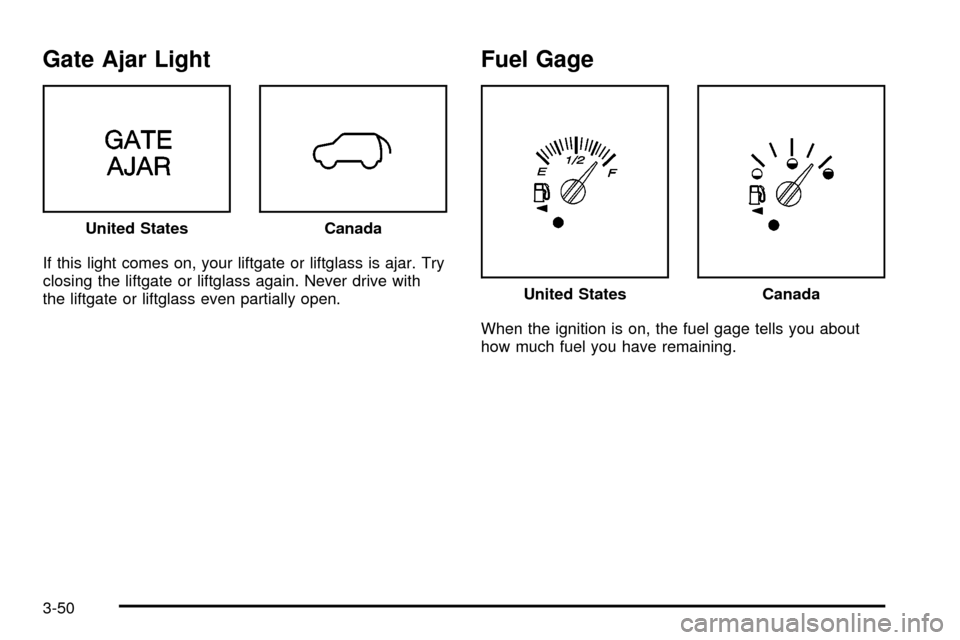
Gate Ajar Light
If this light comes on, your liftgate or liftglass is ajar. Try
closing the liftgate or liftglass again. Never drive with
the liftgate or liftglass even partially open.
Fuel Gage
When the ignition is on, the fuel gage tells you about
how much fuel you have remaining. United States
Canada
United StatesCanada
3-50
Page 169 of 436

Here are four things that some owners ask about. None
of these show a problem with your fuel gage:
·At the gas station, the gas pump shuts off before
the gage reads full.
·It takes a little more or less fuel to ®ll up than the
gage indicated. For example, the gage may have
indicated the tank was half full, but it actually took a
little more or less than half the tank's capacity to
®ll the tank.
·The gage moves a little when you turn a corner or
speed up.
·The gage doesn't go back to empty when you turn
off the ignition.
Low Fuel Warning Light
The light next to the fuel gage will come on brie¯y when
you are starting the engine.
This light comes on when the fuel tank is low on fuel.
To turn it off, add fuel to the fuel tank.
Driver Information Center (DIC)
Your vehicle may have this feature. The DIC display
is located on the instrument panel cluster above
the steering wheel. The DIC can display information
such as the trip odometer, fuel economy and
personalization features. The DIC buttons are located
on the steering wheel.
A.Trip Information:Press this button to display the
odometer, trip odometer and the timer.
B.Fuel Information:Press this button to display the
current range, average fuel economy, instant
fuel economy and engine oil life.
C.Personalization:Press this button to change
personal settings for some of the options on your
vehicle.
D.Select:Press this button to reset certain functions
and turn off or acknowledge messages on the DIC.
3-51
Page 170 of 436

DIC Operation and Displays
The DIC comes on when the ignition is on. After a short
delay the DIC will display the current driver and the
information that was last displayed before the engine
was turned off.
If a problem is detected, a warning message will appear
on the display. Pressing the select button will
acknowledge any current warning or service messages.
The DIC has different modes which can be accessed
by pressing the four buttons on the DIC. These buttons
are trip information, fuel information, personalization
and select. The button functions are detailed in
the following.
Trip Information
Use the trip information button to scroll through the
odometer, TRIP A, TRIP B and TIMER.
Odometer
Press the trip information button until the odometer
appears on the display. This shows the total distance
the vehicle has been driven in either miles or kilometers.
Pressing the reset stem located on the instrument
cluster with the vehicle off will also display the odometer.
Trip A and Trip B
Press the trip information button until TRIP A or TRIP B
is displayed. This shows the current distance traveled
since the last reset for each trip odometer in either miles
or kilometers. Both odometers can be used at the
same time.
Each trip odometer can be reset to zero separately by
pressing select while the desired trip odometer is
displayed. You can also reset the trip odometers with
the reset stem on the cluster. If you press and hold the
reset stem for four seconds, the display will show the
distance traveled since the last ignition cycle.
Timer
The DIC can be used as a stopwatch. Press the select
button while TIMER is displayed to start the timer.
The display will show the amount of time that has
passed since the timer was last reset (not including time
the ignition is off). Time will continue to be counted as
long as the ignition is on, even if another display is being
shown on the DIC. The timer will record up to 99 hours,
59 minutes and 59 seconds (99:59:59) after which
the display will roll back to zero.
To stop the counting of time, press the select button
brie¯y while TIMER is displayed.
To reset the timer to zero, press and hold the select
button while TIMER is displayed.
3-52
Page 173 of 436

Automatic Locking
Press the select button while AUTOMATIC LOCKING is
displayed on the DIC to scroll through the following
choices:
·LOCK DOORS OUT OF PARK (default)
·LOCK DOORS MANUALLY
·LOCK DOORS WITH SPEED
If you choose for the doors to lock out of park, the
doors will lock when the vehicle is shifted out of
PARK (P).
If you choose for the doors to lock manually, the doors
will not be locked automatically.
If you choose for the doors to lock with speed, the
doors will lock when the vehicle speed is above 8 mph
(13 km/h) for three seconds.
Press the personalization button while your choice is
displayed on the DIC to select it and move on to the next
feature. For more information on automatic door locks
see
Programmable Automatic Door Locks on page 2-10.
Automatic Unlocking
Press the personalization button until AUTOMATIC
UNLOCKING appears in the display. To select
your personalization for automatic unlocking, press theselect button while AUTOMATIC UNLOCKING is
displayed on the DIC. Pressing the select button will
scroll through the following choices:
·UNLOCK ALL IN PARK (default)
·UNLOCK ALL AT KEY OUT
·UNLOCK DOORS MANUALLY
·UNLOCK DRIVER IN PARK
If you choose for all the doors to unlock in park, all of
the doors will unlock when the vehicle is shifted
into PARK (P).
If you choose for all the doors to unlock at key out, all
of the doors will unlock when the key is taken out of the
ignition.
If you choose for the doors to unlock manually, the
doors will not be unlocked automatically.
If you choose for the driver's door to unlock in park, the
driver's door will be unlocked when the vehicle is
shifted into PARK (P).
Choose one of the four options and press the
personalization button while it is displayed on the DIC to
select it and move on to the next feature. For more
information on automatic door locks see
Programmable
Automatic Door Locks on page 2-10.
3-55
Page 174 of 436

Seat Position Recall
Press the personalization button until SEAT POSITION
RECALL appears in the display. To select your
personalization for seat position recall, press the select
button while SEAT POSITION RECALL is displayed
on the DIC. Pressing the select button will scroll through
the following choices:
·SEAT POSITION RECALL OFF (default)
·SEAT POSITION RECALL AT KEY IN
·SEAT POSITION RECALL ON REMOTE
If you choose seat recall off, the memory seat position
you saved will only be recalled when the memory
button 1or 2 is pressed.
If you choose seat recall at key in, the memory seat
position you saved will be recalled when you put the key
in the ignition.
If you choose seat recall on remote, the memory seat
position you saved will be recalled when you unlock the
vehicle with the remote keyless entry transmitter.
Choose one of the three options and press the
personalization button while it is displayed on the DIC to
select it and move on to the next feature.
Perimeter Lighting
Press the personalization button until PERIMETER
LIGHTING appears in the display. To select your
personalization for perimeter lighting, press the select
button while PERIMETER LIGHTING is displayed on the
DIC. Pressing the select button will scroll through the
following choices:
·PERIMETER LIGHTING ON (default)
·PERIMETER LIGHTING OFF
If you choose for perimeter lighting to be on, the
headlamps and back-up lamps will come on for
40 seconds, if it is dark enough outside, when you
unlock the vehicle with the remote keyless entry
transmitter.
Choose one of the two options and press the
personalization button while it is displayed on the DIC to
select it and move on to the next feature.
3-56
Page 177 of 436

Mirror Curbview Assist
Press the personalization button until MIRROR
CURBVIEW ASSIST appears in the display. To select
your personalization for tilt mirror in reverse, press
the select button while MIRROR CURBVIEW ASSIST is
displayed on the DIC. Pressing the select button will
scroll through the following choices:
·CURB VIEW: OFF (default)
·CURB VIEW: PASSENGER
·CURB VIEW: DRIVER
·CURB VIEW: BOTH
If you choose off, neither outside mirror will be tilted
down when the vehicle is shifted into REVERSE (R).
If you choose passenger, the passenger's outside mirror
will be tilted down when the vehicle is shifted into
REVERSE (R).
If you choose driver, the driver's outside mirror will be
tilted down when the vehicle is shifted into
REVERSE (R).
If you choose both, the driver's and passenger's outside
mirror will be tilted down when the vehicle is shifted
into REVERSE (R).Choose one of the four options and press the
personalization button while it is displayed on the
DIC to select it and move on to the next feature.
Easy Exit Driver Seat
Press the personalization button until EASY EXIT
DRIVER SEAT appears in the display. To select your
personalization for seat position exit, press the
select button while EASY EXIT DRIVER SEAT is
displayed on the DIC. Pressing the select button will
scroll through the following choices:
·EASY EXIT SEAT: OFF (default)
·EASY EXIT SEAT: ON
If you choose for the easy exit seat feature to be on, the
driver's seat will move to the exit position when the
key is removed from the ignition. If you choose for this
feature to be off, no seat exit recall will occur.
Choose one of the two options and press the
personalization button while it is displayed on the DIC to
select it and move on to the next feature.
3-59