2003 CHEVROLET TRAIL BLAZER tow
[x] Cancel search: towPage 102 of 436
Outside Manual Mirrors
Adjust your outside mirrors so you can see a little of the
side of your vehicle.
Fold the mirrors in before entering a car wash. To do
this, pull the mirrors in toward the vehicle. Push the
mirrors back out when ®nished.
Outside Power Mirrors
Your vehicle may have this feature.
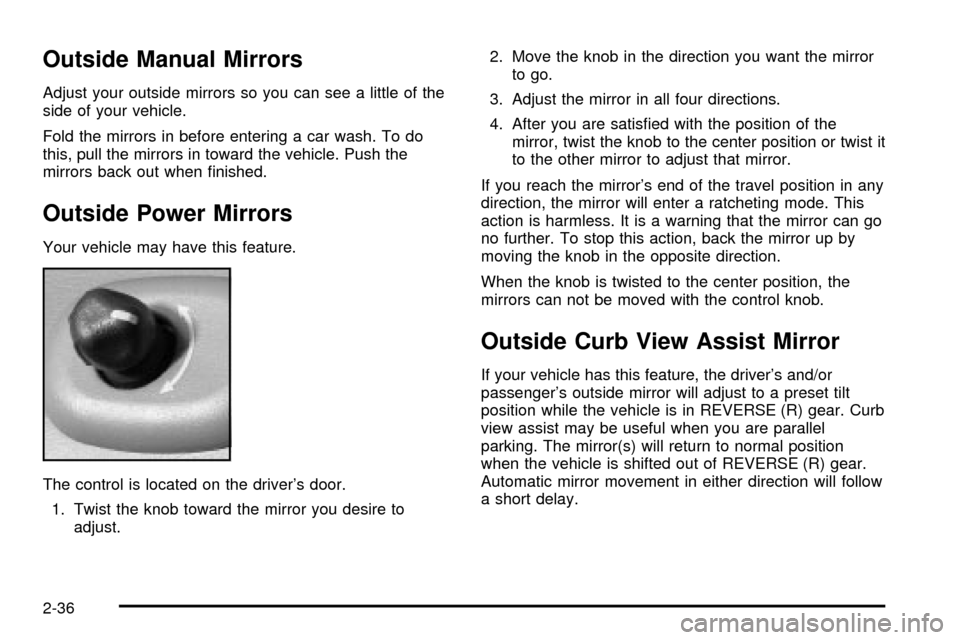
The control is located on the driver's door.
1. Twist the knob toward the mirror you desire to
adjust.2. Move the knob in the direction you want the mirror
to go.
3. Adjust the mirror in all four directions.
4. After you are satis®ed with the position of the
mirror, twist the knob to the center position or twist it
to the other mirror to adjust that mirror.
If you reach the mirror's end of the travel position in any
direction, the mirror will enter a ratcheting mode. This
action is harmless. It is a warning that the mirror can go
no further. To stop this action, back the mirror up by
moving the knob in the opposite direction.
When the knob is twisted to the center position, the
mirrors can not be moved with the control knob.
Outside Curb View Assist Mirror
If your vehicle has this feature, the driver's and/or
passenger's outside mirror will adjust to a preset tilt
position while the vehicle is in REVERSE (R) gear. Curb
view assist may be useful when you are parallel
parking. The mirror(s) will return to normal position
when the vehicle is shifted out of REVERSE (R) gear.
Automatic mirror movement in either direction will follow
a short delay.
2-36
Page 113 of 436
Table
Your vehicle may be equipped with a table. The
maximum load for the table is 200 lbs. (90 kg).
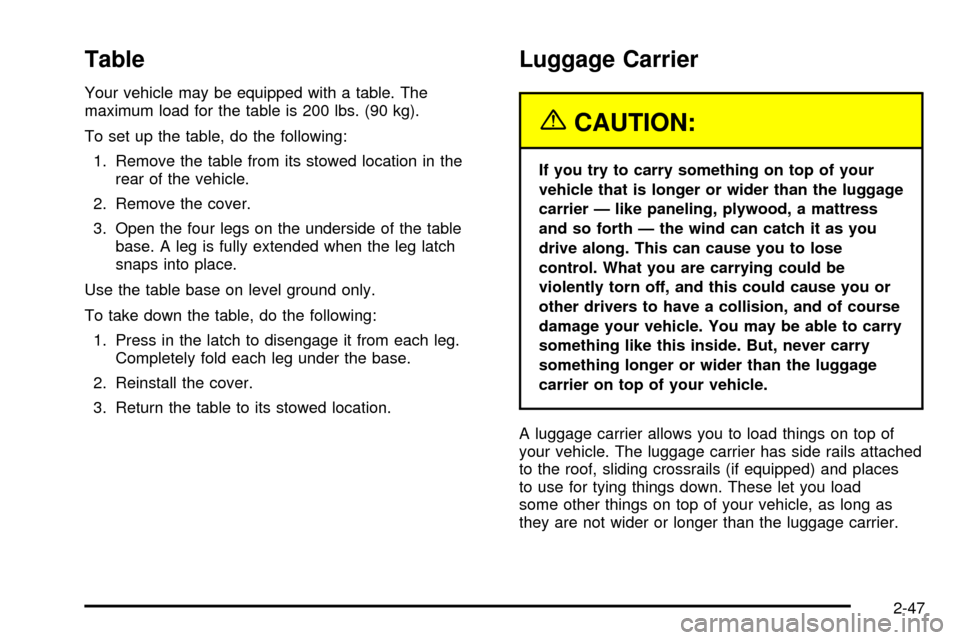
To set up the table, do the following:
1. Remove the table from its stowed location in the
rear of the vehicle.
2. Remove the cover.
3. Open the four legs on the underside of the table
base. A leg is fully extended when the leg latch
snaps into place.
Use the table base on level ground only.
To take down the table, do the following:
1. Press in the latch to disengage it from each leg.
Completely fold each leg under the base.
2. Reinstall the cover.
3. Return the table to its stowed location.
Luggage Carrier
{CAUTION:
If you try to carry something on top of your
vehicle that is longer or wider than the luggage
carrier Ð like paneling, plywood, a mattress
and so forth Ð the wind can catch it as you
drive along. This can cause you to lose
control. What you are carrying could be
violently torn off, and this could cause you or
other drivers to have a collision, and of course
damage your vehicle. You may be able to carry
something like this inside. But, never carry
something longer or wider than the luggage
carrier on top of your vehicle.
A luggage carrier allows you to load things on top of
your vehicle. The luggage carrier has side rails attached
to the roof, sliding crossrails (if equipped) and places
to use for tying things down. These let you load
some other things on top of your vehicle, as long as
they are not wider or longer than the luggage carrier.
2-47
Page 114 of 436
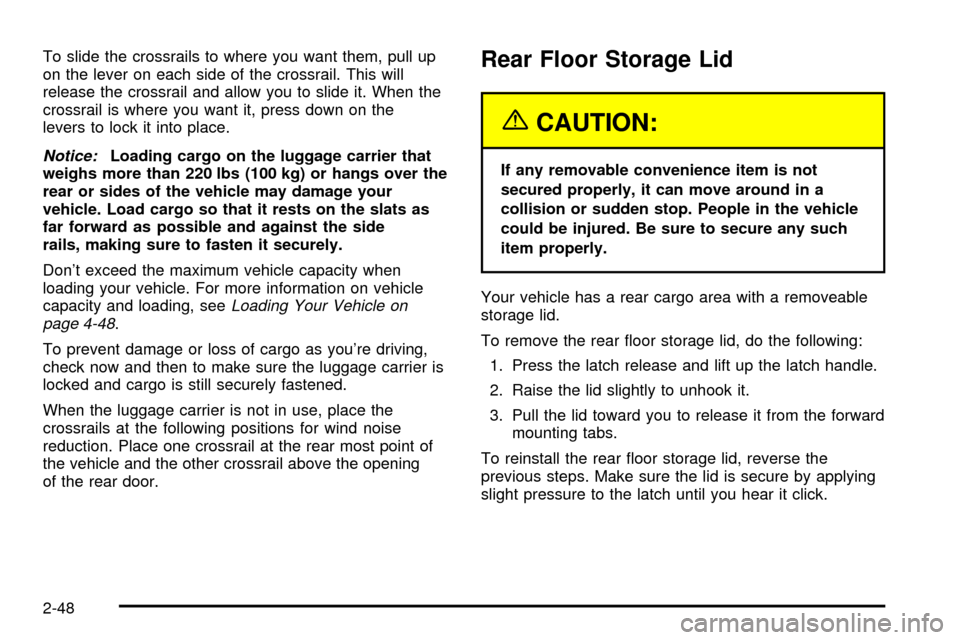
To slide the crossrails to where you want them, pull up
on the lever on each side of the crossrail. This will
release the crossrail and allow you to slide it. When the
crossrail is where you want it, press down on the
levers to lock it into place.
Notice:Loading cargo on the luggage carrier that
weighs more than 220 lbs (100 kg) or hangs over the
rear or sides of the vehicle may damage your
vehicle. Load cargo so that it rests on the slats as
far forward as possible and against the side
rails, making sure to fasten it securely.
Don't exceed the maximum vehicle capacity when
loading your vehicle. For more information on vehicle
capacity and loading, see
Loading Your Vehicle on
page 4-48.
To prevent damage or loss of cargo as you're driving,
check now and then to make sure the luggage carrier is
locked and cargo is still securely fastened.
When the luggage carrier is not in use, place the
crossrails at the following positions for wind noise
reduction. Place one crossrail at the rear most point of
the vehicle and the other crossrail above the opening
of the rear door.
Rear Floor Storage Lid
{CAUTION:
If any removable convenience item is not
secured properly, it can move around in a
collision or sudden stop. People in the vehicle
could be injured. Be sure to secure any such
item properly.
Your vehicle has a rear cargo area with a removeable
storage lid.
To remove the rear ¯oor storage lid, do the following:
1. Press the latch release and lift up the latch handle.
2. Raise the lid slightly to unhook it.
3. Pull the lid toward you to release it from the forward
mounting tabs.
To reinstall the rear ¯oor storage lid, reverse the
previous steps. Make sure the lid is secure by applying
slight pressure to the latch until you hear it click.
2-48
Page 125 of 436

Horn
To sound the horn, press the horn symbols on the
steering wheel pad.
Tilt Wheel
You should adjust the
steering wheel before you
drive. The tilt lever is
located to the left of the
steering column, under the
turn signal lever.
You can raise it to the highest level to give your legs
more room when you enter and exit the vehicle.
To tilt the wheel, hold the steering wheel and pull the
lever toward you. Move the steering wheel to a
comfortable level, then release the lever to lock the
wheel in place.
Do not adjust the steering wheel while driving.
Turn Signal/Multifunction Lever
The lever on the left side of the steering column
includes the following:
·G:Turn and Lane Change Signals
·2:Headlamp High/Low-Beam Changer
·Flash-to-Pass Feature
·N:Windshield Wipers
·J:Windshield Washer
·I:Cruise Control (If Equipped)
3-7
Page 126 of 436

Turn and Lane Change Signals
The turn signal has two upward (for right) and two
downward (for left) positions. These positions allow you
to signal a turn or a lane change.
To signal a turn, move the lever all the way up or down.
When the turn is ®nished, the lever will return
automatically.
An arrow on the instrument
panel cluster will ¯ash in
the direction of the
turn or lane change.
To signal a lane change, just raise or lower the lever
until the arrow starts to ¯ash. Hold it there until you
complete your lane change. The lever will return by itself
when you release it. The bottom of the outside
rearview mirrors may also be equipped with lane change
indicators.As you signal a turn or a lane change, if the arrows
¯ash more quickly than normal, a signal bulb may
be burned out and other drivers won't see your turn
signal.
If a bulb is burned out, replace it to help avoid an
accident. If the arrows don't go on at all when you signal
a turn, check the fuse. See
Fuses and Circuit Breakers
on page 5-89and check for burned-out bulbs.
If you have a trailer towing option with added wiring for
the trailer lamps, a different turn signal ¯asher is
used. With this ¯asher installed, the signal indicator will
¯ash even if a turn signal bulb is burned out. Check
the front and rear turn signal lamps regularly to make
sure they are working.
Turn Signal On Chime
If your turn signal is left on for more than 3/4 of a
mile (1.2 km), a chime will sound at each ¯ash of the
turn signal. To turn off the chime, move the turn
signal lever to the off position.
3-8
Page 127 of 436

Headlamp High/Low-Beam Changer
To change the headlamps from low to high beam, push
the lever toward the instrument panel. To return to
low-beam headlamps, pull the multifunction lever toward
you. Then release it.
When the high beams are
on, this indicator light on
the instrument panel
cluster will also be on.
Flash-to-Pass
This feature lets you use your high-beam headlamps to
signal a driver in front of you that you want to pass.
It works even if your headlamps are in the automatic
position.
To use it, pull the turn signal lever toward you, then
release it.
If your headlamps are in the automatic position or on
low beam, your high-beam headlamps will turn on.
They'll stay on as long as you hold the lever toward you.The high-beam indicator on the instrument panel cluster
will come on. Release the lever to return to normal
operation.
Windshield Wipers
8
(Mist):For a single wiping cycle, turn the band to
mist. Hold it there until the wipers start. Then let go.
The wipers will stop after one wipe. If you want
more wipes, hold the band on mist longer.
9(Off):To stop the wipers, move the band to off.
N(Windshield Wipers):Turn the band to control the
windshield wipers.
You can set the wiper speed for a long or short delay
between wipes. This can be very useful in light rain
or snow. Turn the band to choose the delay time. The
closer to the top of the lever, the shorter the delay.
For steady wiping at low speed, turn the band away from
you to the ®rst solid band past the delay settings. For
high-speed wiping, turn the band further, to the second
solid band past the delay settings. To stop the wipers,
move the band to off.
Be sure to clear ice and snow from the wiper blades
before using them. If they're frozen to the windshield,
carefully loosen or thaw them. If your blades do become
worn or damaged, get new blades or blade inserts.
3-9
Page 139 of 436
Climate Controls
Dual Climate Control System
With this system you can control the heating, cooling
and ventilation for your vehicle.
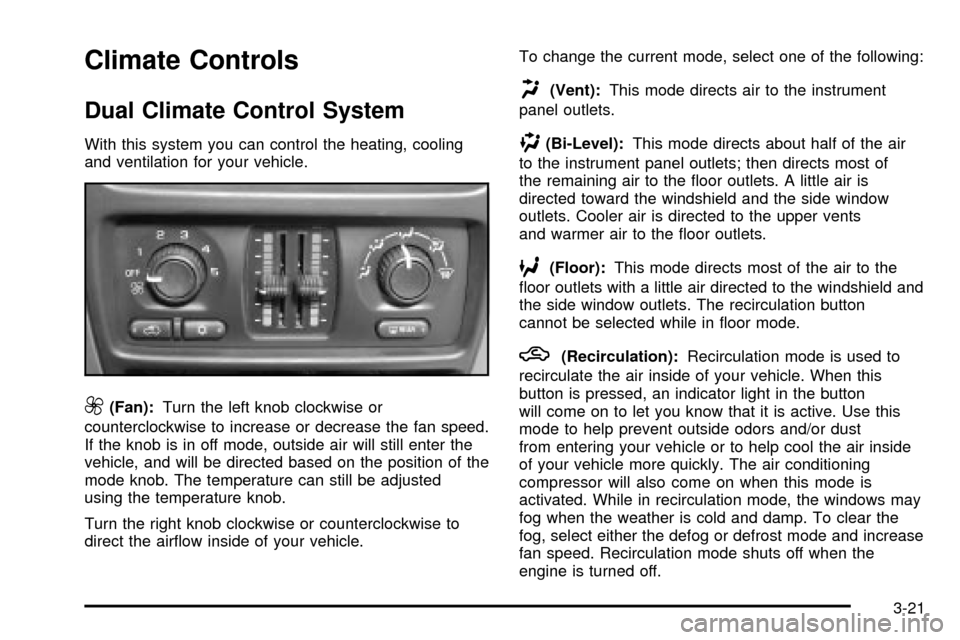
9(Fan):Turn the left knob clockwise or
counterclockwise to increase or decrease the fan speed.
If the knob is in off mode, outside air will still enter the
vehicle, and will be directed based on the position of the
mode knob. The temperature can still be adjusted
using the temperature knob.
Turn the right knob clockwise or counterclockwise to
direct the air¯ow inside of your vehicle.To change the current mode, select one of the following:
H(Vent):This mode directs air to the instrument
panel outlets.
)(Bi-Level):This mode directs about half of the air
to the instrument panel outlets; then directs most of
the remaining air to the ¯oor outlets. A little air is
directed toward the windshield and the side window
outlets. Cooler air is directed to the upper vents
and warmer air to the ¯oor outlets.
6(Floor):This mode directs most of the air to the
¯oor outlets with a little air directed to the windshield and
the side window outlets. The recirculation button
cannot be selected while in ¯oor mode.
h(Recirculation):Recirculation mode is used to
recirculate the air inside of your vehicle. When this
button is pressed, an indicator light in the button
will come on to let you know that it is active. Use this
mode to help prevent outside odors and/or dust
from entering your vehicle or to help cool the air inside
of your vehicle more quickly. The air conditioning
compressor will also come on when this mode is
activated. While in recirculation mode, the windows may
fog when the weather is cold and damp. To clear the
fog, select either the defog or defrost mode and increase
fan speed. Recirculation mode shuts off when the
engine is turned off.
3-21
Page 145 of 436

)(Bi-Level):This mode directs approximately half of
the air to the instrument panel outlets, then directs
the remaining air to the ¯oor outlets. A little air is
directed toward the windshield and the side window
outlets. Cooler air is directed to the upper outlets and
warmer air to the ¯oor outlets.
6(Floor):This mode directs most of the air to the
¯oor outlets. Some air also comes out of the defroster
and side window outlets. The recirculation button cannot
be selected in ¯oor mode.
h(Recirculation):Press this button to turn
recirculation mode on or off. When this button is
pressed, an indicator light in the button will also come
on to let you know that it is activated. Recirculation
mode is used to recirculate the air inside of your vehicle.
Use this mode to help prevent outside odors and/or
dust from entering your vehicle or to help cool the air
inside of your vehicle more quickly. Recirculation
mode can be used with vent and bi-level modes, but it
cannot be used with ¯oor, defog or defrost modes.
If the weather is cold and damp, the system may
cause the windows to fog while using recirculation
mode. If the windows do start to fog, select defog or
defrost mode.
#A/C (Air Conditioning):Press this button to
manually turn the air conditioning system on or off.
When the system is on, the system will automatically
begin to cool and dehumidify the air inside of your
vehicle.
If you select air conditioning off while in front defrost or
defog mode, the air conditioning off symbol will ¯ash
to let you know this option is not allowed.
You may notice a slight change in engine performance
when the air-conditioning compressor shuts off and
turns on again. This is normal.
A/C OFF (Air Conditioning Off):When you turn the
air conditioning off, the words A/C OFF will appear
on the display. When the air conditioning is selected or
in AUTO mode, the system will run the air conditioning
automatically.
3-27