2003 CHEVROLET SSR brake light
[x] Cancel search: brake lightPage 154 of 374

Roof Hall Switch Fault
This message will be displayed on the DIC when trying
to raise or lower the convertible top and there is a
fault with this switch. If the message persists, see your
dealer for service.
Service Air Bag
If there is a problem with the air bag system this
message will be displayed on the DIC. The air bag
readiness light may also be displayed on the instrument
panel cluster. See your dealer for service. Press the
select button to acknowledge this message and clear it
from the display. SeeServicing Your Airbag-Equipped
Vehicle on page 1-52andAirbag Readiness Light
on page 3-25for more information.
Service Brake System
If a problem occurs with the brake system this message
will appear on the DIC. The brake system warning
light and the anti-lock brake system warning light may
also be displayed on the instrument panel cluster.
SeeBrake System Warning Light on page 3-28and
Anti-Lock Brake System Warning Light on page 3-29
for more information. If this message appears,
stop as soon as possible and turn off the vehicle.Restart the vehicle and check for the message on the
DIC display. If the message is still displayed, or appears
again when you begin driving, the brake system
needs service. SeeBrakes on page 5-33for more
information. Press the select button to acknowledge this
message and clear it from the display.
Stop Vehicle
This message will be displayed when attempting to
release the cargo cover while the vehicle is in motion.
The vehicle must stopped and the transmission
placed in PARK (P) to release the cargo cover.
SeeCargo Cover on page 2-32for more information.
Tlat (Tonneau Latch) Hall Switch Fault
This message will be displayed when trying to raise
or lower the convertible top and there is a problem with
this switch. If the message persists, see your dealer
for service.
3-50
Page 192 of 374

Braking
Braking action involvesperception timeand
reaction time.
First, you have to decide to push on the brake pedal.
That isperception time.Then you have to bring up your
foot and do it. That isreaction time.
Averagereaction timeis about 3/4 of a second. But that
is only an average. It might be less with one driver
and as long as two or three seconds or more with
another. Age, physical condition, alertness, coordination
and eyesight all play a part. So do alcohol, drugs and
frustration. But even in 3/4 of a second, a vehicle moving
at 60 mph (100 km/h) travels 66 feet (20 m). That
could be a lot of distance in an emergency, so keeping
enough space between your vehicle and others is
important.
And, of course, actual stopping distances vary greatly
with the surface of the road (whether it is pavement
or gravel); the condition of the road (wet, dry, icy); tire
tread; the condition of your brakes; the weight of
the vehicle and the amount of brake force applied.
Avoid needless heavy braking. Some people drive in
spurts — heavy acceleration followed by heavy
braking — rather than keeping pace with traffic. This is
a mistake. Your brakes may not have time to cool
between hard stops. Your brakes will wear out much
faster if you do a lot of heavy braking. If you keep pacewith the traffic and allow realistic following distances,
you will eliminate a lot of unnecessary braking.
That means better braking and longer brake life.
If your engine ever stops while you are driving, brake
normally but do not pump your brakes. If you do,
the pedal may get harder to push down. If your engine
stops, you will still have some power brake assist.
But you will use it when you brake. Once the power
assist is used up, it may take longer to stop and
the brake pedal will be harder to push.
Anti-lock Brake System
Your vehicle has anti-lock brakes. ABS is an advanced
electronic braking system that will help prevent a
braking skid.
When you start your engine and begin to drive away,
your anti-lock brake system will check itself. You
may hear a momentary motor or clicking noise while
this test is going on. This is normal.
If there is a problem with
the anti-lock brake system,
this warning light will
stay on. SeeAnti-Lock
Brake System Warning
Light on page 3-29.
4-6
Page 194 of 374

Remember: Anti-lock does not change the time you
need to get your foot up to the brake pedal or always
decrease stopping distance. If you get too close to
the vehicle in front of you, you will not have time to apply
your brakes if that vehicle suddenly slows or stops.
Always leave enough room up ahead to stop, even
though you have anti-lock brakes.
Using Anti-Lock
Do not pump the brakes. Just hold the brake pedal
down rmly and let anti-lock work for you. You may feel
the brakes vibrate, or you may notice some noise,
but this is normal.
Braking in Emergencies
With anti-lock, you can steer and brake at the same
time. In many emergencies, steering can help you more
than even the very best braking.
Traction Control System (TCS)
Your vehicle has a Traction Control System (TCS) that
limits wheel spin. This is especially useful in slippery
road conditions. The system operates only if it senses
that one or both of the rear wheels are spinning or
beginning to lose traction. When this happens,
the system reduces engine power and may also
upshift the transmission to limit wheel spin.
You may feel or hear the system working, but this
is normal.
If your vehicle is in cruise control when the traction
control system begins to limit wheel spin, the cruise
control will automatically disengage. When road
conditions allow you to safely use it again, you may
re-engage the cruise control. See “Cruise Control”
inTurn Signal/Multifunction Lever on page 3-5.
The Traction Control System operates in all transmission
shift lever positions except for rst gear. This is
normal. The system is deactivated when the
transmission is shifted into rst gear. In this situation,
the “TRAC OFF” light on the instrument panel cluster will
come on. This is normal. The system can upshift the
transmission only as high as the shift lever position
you’ve chosen, so you should use the lower gears only
when necessary. SeeAutomatic Transmission
Operation on page 2-17.
4-8
Page 204 of 374
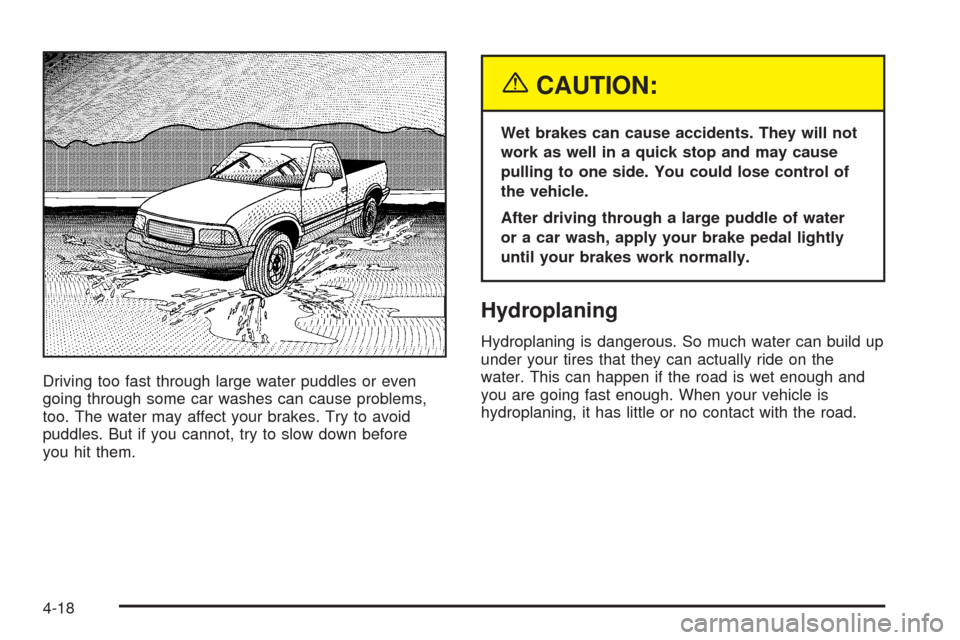
Driving too fast through large water puddles or even
going through some car washes can cause problems,
too. The water may affect your brakes. Try to avoid
puddles. But if you cannot, try to slow down before
you hit them.
{CAUTION:
Wet brakes can cause accidents. They will not
work as well in a quick stop and may cause
pulling to one side. You could lose control of
the vehicle.
After driving through a large puddle of water
or a car wash, apply your brake pedal lightly
until your brakes work normally.
Hydroplaning
Hydroplaning is dangerous. So much water can build up
under your tires that they can actually ride on the
water. This can happen if the road is wet enough and
you are going fast enough. When your vehicle is
hydroplaning, it has little or no contact with the road.
4-18
Page 271 of 374

Brake Wear
Your vehicle has four-wheel disc brakes.
Disc brake pads have built-in wear indicators that make a
high-pitched warning sound when the brake pads are
worn and new pads are needed. The sound may come
and go or be heard all the time your vehicle is moving
(except when you are pushing on the brake pedal rmly).
{CAUTION:
The brake wear warning sound means that soon
your brakes will not work well. That could lead
to an accident. When you hear the brake wear
warning sound, have your vehicle serviced.
Notice:Continuing to drive with worn-out brake
pads could result in costly brake repair.
Some driving conditions or climates may cause a brake
squeal when the brakes are rst applied or lightly applied.
This does not mean something is wrong with your brakes.
Properly torqued wheel nuts are necessary to help
prevent brake pulsation. When tires are rotated, inspect
brake pads for wear and evenly tighten wheel nuts in
the proper sequence to GM torque specications.Brake linings should always be replaced as complete
axle sets.
SeeBrake System Inspection on page 6-14.
Brake Pedal Travel
See your dealer if the brake pedal does not return to
normal height, or if there is a rapid increase in
pedal travel. This could be a sign of brake trouble.
Brake Adjustment
Every time you make a brake stop, your disc brakes
adjust for wear.
Replacing Brake System Parts
The braking system on a vehicle is complex. Its many
parts have to be of top quality and work well together if
the vehicle is to have really good braking. Your vehicle
was designed and tested with top-quality GM brake parts.
When you replace parts of your braking system — for
example, when your brake linings wear down and you
need new ones put in — be sure you get new approved
GM replacement parts. If you do not, your brakes may no
longer work properly. For example, if someone puts in
brake linings that are wrong for your vehicle, the balance
between your front and rear brakes can change — for the
worse. The braking performance you have come to
expect can change in many other ways if someone puts
in the wrong replacement brake parts.
5-35
Page 273 of 374

Notice:Ignoring these steps could result in costly
damage to your vehicle that would not be covered
by your warranty.
Trying to start your vehicle by pushing or pulling it
will not work, and it could damage your vehicle.
1. Check the other vehicle. It must have a 12-volt
battery with a negative ground system.
Notice:If the other vehicle’s system is not a 12-volt
system with a negative ground, both vehicles can
be damaged. Only use vehicles with 12-volt systems
with negative grounds to jump start your vehicle.
2. Get the vehicles close enough so the jumper cables
can reach, but be sure the vehicles aren’t touching
each other. If they are, it could cause a ground
connection you don’t want. You wouldn’t be able to
start your vehicle and the bad grounding could
damage the electrical systems.
To avoid the possibility of the vehicles rolling, set
the parking brake rmly on both vehicles involved in
the jump start procedure. Put your transmission
in PARK (P) before setting the parking brake.
Notice:If you leave your radio or other accessories
on during the jump starting procedure, they could
be damaged. The repairs would not be covered
by your warranty. Always turn off your radio and
other accessories when jump starting your vehicle.3. Turn off the ignition on both vehicles. Unplug
unnecessary accessories plugged into the cigarette
lighter or in the accessory power outlets. Turn off
the radio and all lamps that aren’t needed. This will
avoid sparks and help save both batteries. And it
could save your radio.
4. Open the hoods and locate the positive (+) and
negative (−) terminal locations on the other vehicle.
Your vehicle has a remote positive (+) jump starting
terminal and a remote negative (−) jump starting
terminal. You should always use these remote
terminals instead of the terminals on the battery.
The remote positive (+)
terminal is located in the
engine compartment
on the passenger’s side
of the vehicle.
Press inward on the tabs located on the outboard
sides of the remote positive (+) terminal cover
and pull outward to access the terminal.
5-37
Page 322 of 374

Fuses Usage
6 Ignition
7 Driver’s Side High Beam Headlamp
8Passenger’s Side High Beam
Headlamp
9 Ignition
10Instrument Panel Cluster, Driver
Information Center (DIC)
11 Driver’s Side Low Beam Headlamp
12Passenger’s Side Low Beam
Headlamp
13 Powertrain Control Module (PCM)
14 Air Bag System
15 Truck Body Controller
16 Truck Body Control, Ignition
17 Driver’s Side Stoplamp/Turn Signals
18Passenger’s Side Stoplamp/
Turn Signals
19 Back-up Lamps
20 Throttle Actuator Control (TAC)
21 Fog LampsFuses Usage
22 Horn
23 Injector A
24 Injector B
25 Oxygen Sensor A
26 Oxygen Sensor B
27 Windshield Washer
28 Cigarette Lighter
29 Powertrain Control Module (PCM)
30 Blank
31 Cargo Cover Release
32 Hazard Warning Flashers
33 Stoplamps
44 Engine Cooling Fan
45 Climate Control Fan
46 Ignition A
47 Ignition B
48 Anti-lock Brake System (ABS)
49 Body Fuse
5-86
Page 359 of 374

A
Accessing the Tire Inator Kit...........................5-66
Accessory Power Outlets.................................3-16
Adding Washer Fluid.......................................5-32
Additional Program Information........................... 7-8
Additives, Fuel................................................. 5-7
Add-On Electrical Equipment............................5-81
Add-On Equipment..........................................4-37
Adjusting the Speakers (Balance/Fade)......3-62, 3-71
Airbag
Off Light.....................................................3-26
Readiness Light..........................................3-25
Airbag Systems..............................................1-40
Airbag Off Switch........................................1-48
How Does an Airbag Restrain?......................1-46
Servicing Your Airbag-Equipped Vehicle..........1-52
What Makes an Airbag Inate?......................1-46
What Will You See After an Airbag Inates?....1-47
When Should an Airbag Inate?....................1-45
Where Are the Airbags?...............................1-42
Air Cleaner/Filter, Engine.................................5-20
Air Compressor..............................................5-68
Air Conditioning..............................................3-18
AM ...............................................................3-81
Antenna, Integrated Windshield.........................3-81
Anti-lock Brake System..................................... 4-6
Anti-Lock Brake, System Warning Light..............3-29Appearance Care............................................5-72
Care of Safety Belts....................................5-75
Chemical Paint Spotting...............................5-78
Cleaning the Inside of Your Vehicle................5-73
Cleaning the Outside of Your Vehicle..............5-75
Finish Damage............................................5-78
Sheet Metal Damage...................................5-78
Underbody Maintenance...............................5-78
Vehicle Care/Appearance Materials................5-79
Weatherstrips..............................................5-75
Ashtrays........................................................3-17
Audio System(s).............................................3-58
Audio Steering Wheel Controls......................3-80
Care of Your CD Player...............................3-81
Care of Your CDs........................................3-81
Integrated Windshield Antenna.......................3-81
Radio with CD............................................3-59
Radio with Six-Disc CD................................3-68
Setting the Time..........................................3-59
Theft-Deterrent Feature................................3-80
Understanding Radio Reception.....................3-81
Automatic Headlamp System............................3-12
Automatic Transmission
Fluid..........................................................5-21
Operation...................................................2-17
Automatic Transmission Check..........................6-10
Automatic Transmission Shift Lock Control
System Check.............................................6-11
Auxiliary Gage Package...................................3-38
1