Page 67 of 556
If your child restraint does not have the LATCH system,
you will be using the lap-shoulder belt to secure the
child restraint in this position. Be sure to follow the
instructions that came with the child restraint. Secure
the child in the child restraint when and as the
instructions say.
1. Your vehicle has a right front passenger's frontal air
bag. If you need to use a rear-facing child restraint
in this seat, make sure the air bag is off once
the child restraint has been installed. See
Air Bag
Off Switch on page 1-71andPassenger Sensing
System on page 1-76. If your child restraint is
forward-facing, move the seat as far back as it will
go before securing the restraint in this seat.
See
Manual Seats on page 1-3orPower Seats on
page 1-4.
When the passenger sensing system or the AIR
BAG OFF switch has turned off the right front
passenger's frontal air bag, the off indicator in the
passenger air bag status indicator should light
and stay lit when you turn the ignition to RUN or
START. See
Passenger Air Bag Status Indicator on
page 3-40.
2. Put the restraint on the seat.
3. Pick up the latch plate, and run the lap and shoulder
portions of the vehicle's safety belt through or
around the restraint. The child restraint instructions
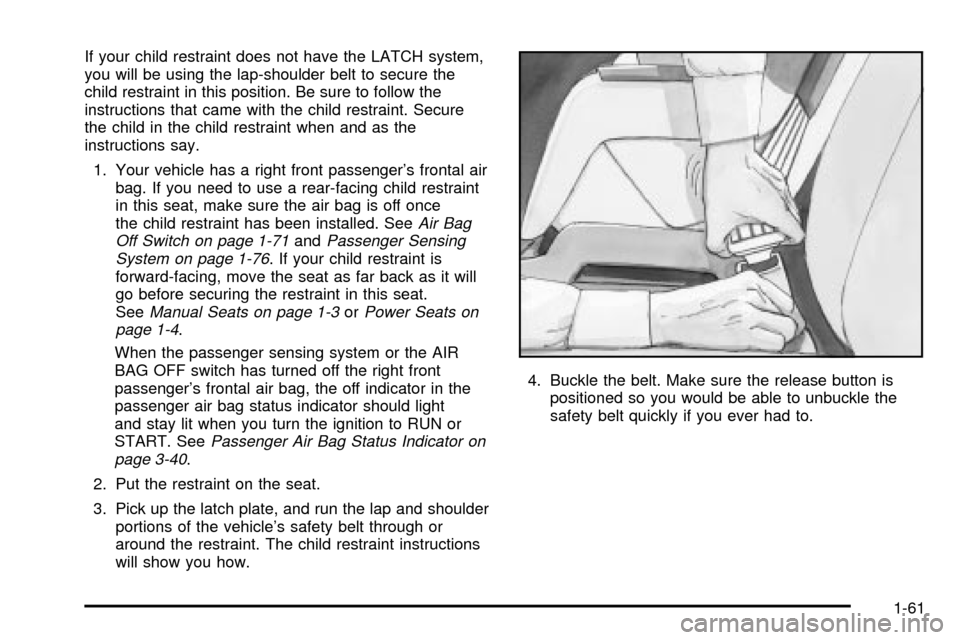
will show you how.4. Buckle the belt. Make sure the release button is
positioned so you would be able to unbuckle the
safety belt quickly if you ever had to.
1-61
Page 75 of 556

Seat Position Sensors
Vehicle's with dual stage air bags are also equipped
with special sensors which enable the sensing system to
monitor the position of both the driver and passenger
front seats. The seat position sensor provides
information which is used to determine if the air bags
should deploy at a reduced level or at full deployment.
Single Stage Air Bags
If your vehicle has frontal air bags with single stage
deployment and your vehicle goes straight into a wall
that does not move or deform, the threshold level
is about 13 to 16 mph (20 to 25 km/h). The threshold
level can vary, however, with speci®c vehicle design, so
that it can be somewhat above or below this range.
If your vehicle strikes something that will move or
deform, such as a parked car, the threshold level will be
higher. The air bag is not designed to in¯ate in
rollovers, rear impacts, or in many side impacts because
in¯ation would not help the occupant.
What Makes an Air Bag In¯ate?
In an impact of sufficient severity, the air bag sensing
system detects that the vehicle is in a crash. The
sensing system triggers a release of gas from the
in¯ator, which in¯ates the air bag. The in¯ator, air bag,
and related hardware are all part of the air bag
modules inside the steering wheel and in the instrument
panel in front of the right front passenger.
How Does an Air Bag Restrain?
In moderate to severe frontal or near-frontal collisions,
even belted occupants can contact the steering wheel or
the instrument panel. Air bags supplement the
protection provided by safety belts. Air bags distribute
the force of the impact more evenly over the occupant's
upper body, stopping the occupant more gradually.
But air bags would not help you in many types of
collisions, including rollovers, rear impacts and many
side impacts, primarily because an occupant's motion is
not toward those air bags. Air bags should never be
regarded as anything more than a supplement to safety
belts, and then only in moderate to severe frontal or
near-frontal collisions.
1-69
Page 148 of 556

Outside Power Mirrors
If your vehicle is equipped
with power outside mirrors,
the controls are located
on the driver's door
armrest.
Move the selector switch located above the control pad
to the left or right to choose the mirror you want to
adjust, then press the dots located on the four-way
control pad to adjust the mirror.The mirrors also include a memory function which works
in conjunction with the memory seats. See ªMemory
Seatsº in the Index for more information.
Outside Power Camper-Type Mirror
If your vehicle is equipped with outside power
camper-type mirrors, they can be adjusted so you can
have a clear view of objects behind you.
To extend the mirrors move the selector switch, located
above the mirror control, to the middle position. The
mirror control will illuminate. Press the left side of
the mirror control to slide the mirror heads away from
the body of the vehicle. Press the right side of the mirror
control to slide the mirror heads toward the body of
the vehicle.
2-60
Page 153 of 556

Front Storage Area
Your vehicle may have a center armrest storage
compartment in the front bench seat.
To open it, fold down the armrest and press the latch
handle located at the front of the armrest. Then, let the
lid pop up and swing open.
The storage compartment has a cassette/compact disc
holder. The holder will store up to six compact disc
cases and ®ve cassette tape cases or a total of
11 cassette tape cases.
If not used to store cassette or compact disc cases, the
storage area can be used to store a laptop computer.
To use the writing table, pull the latch at the rear of the
table and swing the writing table forward. Use it to
hold a pad of paper and a pen.
Center Console Storage Area
Your vehicle may be equipped with a console
compartment between the bucket seats.
To open it, press the button and swing the console lid
open. The console has a place to store tissues,
pens and a clip to hold business cards.
Your console may have a cupholder that swings down
for the rear seat passengers to use. The front cupholder
pulls out and swivels 180É to provide clearance
between tall beverage containers and the manual
transmission shift lever (if equipped).
Your vehicle may have a compact disc holder in the
console.
2-65
Page 181 of 556
Operation Tips
·
Keep the hood and front air inlets free of ice, snow,
or any other obstruction (such as leaves). The
heater and defroster will work far better, reducing
the chance of fogging the inside of your windows.
·Keep the air path under the front seats clear
of objects. This helps air to circulate throughout your
vehicle.
·Adding outside equipment to the front of your
vehicle, such as hood-air de¯ectors, etc., may affect
the performance of the heating and air conditioning
system. Check with your dealer before adding
equipment to the outside of your vehicle.
Dual Automatic Climate Control
System
With this system, you can control the heating, cooling
and ventilation in your vehicle. Your vehicle also
has a ¯ow-through ventilation system described later in
this section.
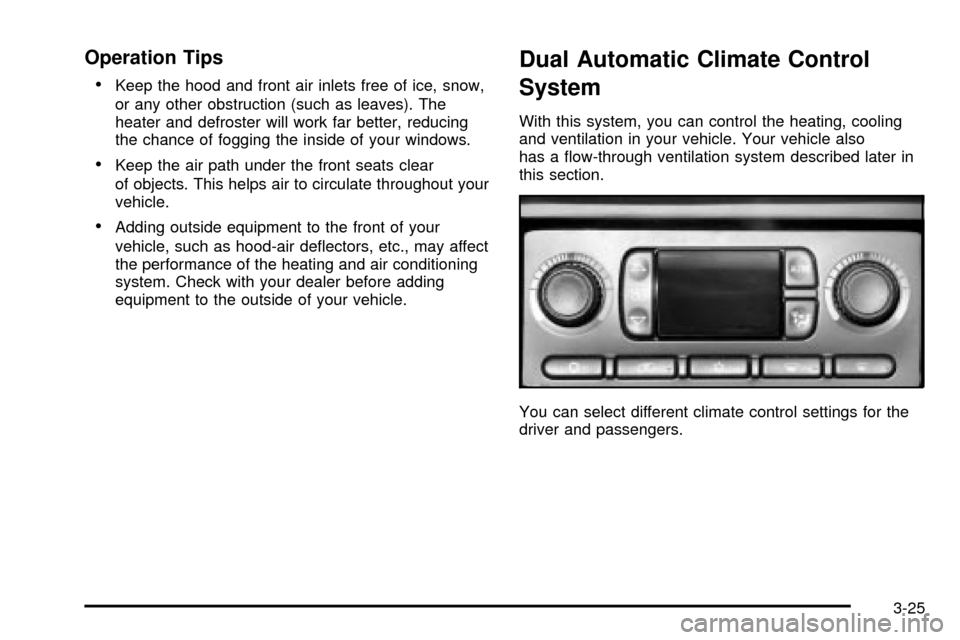
You can select different climate control settings for the
driver and passengers.
3-25
Page 188 of 556
Outlet Adjustment
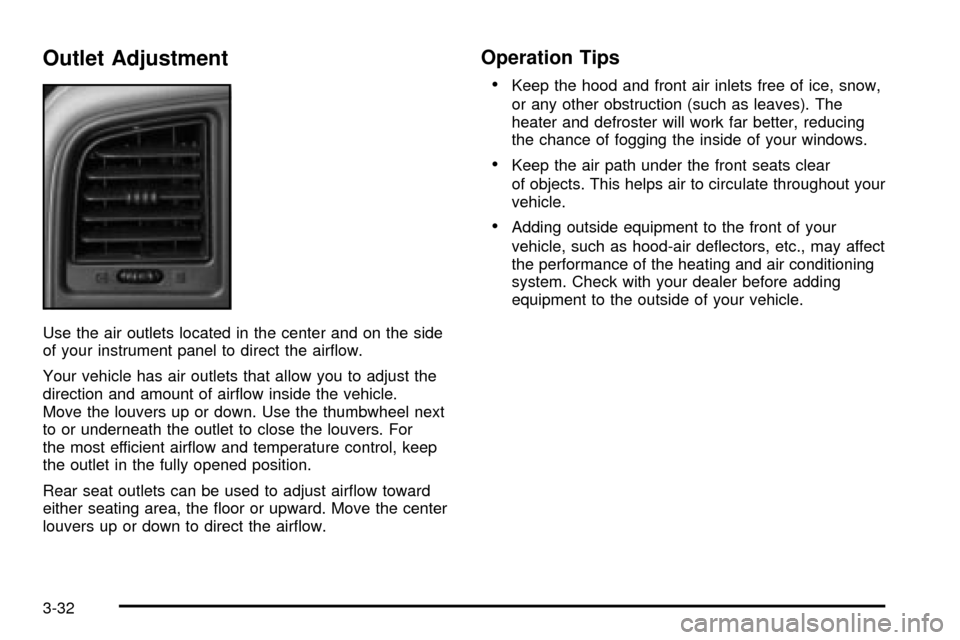
Use the air outlets located in the center and on the side
of your instrument panel to direct the air¯ow.
Your vehicle has air outlets that allow you to adjust the
direction and amount of air¯ow inside the vehicle.
Move the louvers up or down. Use the thumbwheel next
to or underneath the outlet to close the louvers. For
the most efficient air¯ow and temperature control, keep
the outlet in the fully opened position.
Rear seat outlets can be used to adjust air¯ow toward
either seating area, the ¯oor or upward. Move the center
louvers up or down to direct the air¯ow.
Operation Tips
·
Keep the hood and front air inlets free of ice, snow,
or any other obstruction (such as leaves). The
heater and defroster will work far better, reducing
the chance of fogging the inside of your windows.
·Keep the air path under the front seats clear
of objects. This helps air to circulate throughout your
vehicle.
·Adding outside equipment to the front of your
vehicle, such as hood-air de¯ectors, etc., may affect
the performance of the heating and air conditioning
system. Check with your dealer before adding
equipment to the outside of your vehicle.
3-32
Page 341 of 556
{CAUTION:
Do not load your vehicle any heavier than the
GVWR, or either the maximum front or rear
GAWR. If you do, parts on your vehicle can
break, and it can change the way your vehicle
handles. These could cause you to lose
control and crash. Also, overloading can
shorten the life of your vehicle.
Notice:Your warranty does not cover parts or
components that fail because of overloading.
This will help you decide how much cargo and installed
equipment your truck can carry.
Using heavier suspension components to get added
durability might not change your weight ratings. Ask your
dealer to help you load your vehicle the right way.
If you put things inside your vehicle ± like suitcases,
tools, packages, or anything else ± they go as fast
as the vehicle goes. If you have to stop or turn quickly,
or if there is a crash, they'll keep going.
{CAUTION:
Things you put inside your vehicle can strike
and injure people in a sudden stop or turn, or
in a crash.
·Put things in the trunk of your vehicle. In a
trunk, put them as far forward as you can.
Try to spread the weight evenly.
·Never stack heavier things, like suitcases,
inside the vehicle so that some of them
are above the tops of the seats.
·Don't leave an unsecured child restraint in
your vehicle.
·When you carry something inside the
vehicle, secure it whenever you can.
There's also important loading information for off-road
driving in this manual. See ªLoading Your Vehicle
for Off-Road Drivingº under
Off-Road Driving with Your
Four-Wheel-Drive Vehicle on page 4-22.
4-59
Page 462 of 556
The equipment you'll need is behind the passenger's
seat. For Extended and Crew Cabžmodels, the
equipment is under the passenger's side second
row seat.1. If there is a cover, move the seats forward and turn
the wing nut on the cover counterclockwise to
remove it. For Crew Cab
žmodels, pull up
the second row seat with the loop at the base of
the seat cushion to access the tools.
2. To release the bottle jack from its holder, turn the
knob on the bottle jack counterclockwise to lower
the jack head.
3. The wheel blocks and the wheel block retainer can
be removed by turning the wing nut
counterclockwise.
4. There is also a wing nut used to retain the storage
bag and tools. To remove it, turn the wing nut
counterclockwise.
Short Short Box Crew Cab
5-82