Page 78 of 432

Remote Keyless Entry System
Operation
If your vehicle has this feature, you can lock and unlock
your doors from about 3 feet (1 m) up to 30 feet
(9 m) away using the remote keyless entry transmitter
supplied with your vehicle.
UNLOCK:Press UNLOCK
to unlock the driver's door.
The parking lamps will
¯ash and the interior lights
will go on.
If you press UNLOCK again within three seconds, the
remaining doors will unlock.LOCK:Press LOCK to lock all the doors. Press LOCK
again within three seconds and the horn will chirp.L(Panic Alarm):Press this button to make the horn
sound and the headlamps and taillamps ¯ash for up
to 30 seconds. This can be turned off by pressing
the panic button again, waiting for 30 seconds, or
starting the vehicle.
Matching Transmitter(s) to Your
Vehicle
Each remote keyless entry transmitter is coded to
prevent another transmitter from unlocking your vehicle.
If a transmitter is lost or stolen, a replacement can
be purchased through your dealer. Remember to bring
any remaining transmitters with you when you go to
your dealer. When the dealer matches the replacement
transmitter to your vehicle, any remaining transmitters
must also be matched. Once your dealer has coded the
new transmitter, the lost transmitter will not unlock
your vehicle. Each vehicle can have a maximum of four
transmitters matched to it.
2-6
Page 79 of 432

Battery Replacement
Under normal use, the battery in your remote keyless
entry transmitter should last about two years.
You can tell the battery is weak if the transmitter won't
work at the normal range in any location. If you have
to get close to your vehicle before the transmitter works,
it's probably time to change the battery.
Notice:When replacing the battery, use care not to
touch any of the circuitry. Static from your body
transferred to these surfaces may damage the
transmitter.To replace the battery in the keyless entry transmitter
do the following:
1. Insert an object like a thin coin in the slot between
the covers of the transmitter housing near the key
ring hole. Remove the bottom by twisting the coin.
2. Remove and replace the battery with a three volt
CR2032 or equivalent battery, positive (+) side up.
3. Align the covers and snap them together.
4. Resynchronize the transmitter. See
Programmable
Automatic Door Locks on page 2-9for instructions.
5. Check the operation of the transmitter.
2-7
Page 80 of 432

Doors and Locks
Door Locks
{CAUTION:
Unlocked doors can be dangerous.
·Passengers Ð especially children Ð can
easily open the doors and fall out of a
moving vehicle. When a door is locked, the
handle will not open it. You increase the
chance of being thrown out of the vehicle
in a crash if the doors are not locked. So,
wear safety belts properly and lock the
doors whenever you drive.
·Young children who get into unlocked
vehicles may be unable to get out. A child
can be overcome by extreme heat and can
suffer permanent injuries or even death
from heat stroke. Always lock your vehicle
whenever you leave it.
·Outsiders can easily enter through an
unlocked door when you slow down or
stop your vehicle. Locking your doors can
help prevent this from happening.There are several ways to lock and unlock your vehicle:
·You can use the keyless entry system, if your
vehicle has this feature.
·You can use your key to unlock your door from the
outside.
·You can use the power lock switch (if equipped) to
lock or unlock the doors.
To manually lock a door
from the inside, slide the
manual lever on your
door down. To manually
unlock a door from
the inside, slide the lever
on the door up.
·You will see a colored area on the lever when the
door is unlocked.
2-8
Page 81 of 432
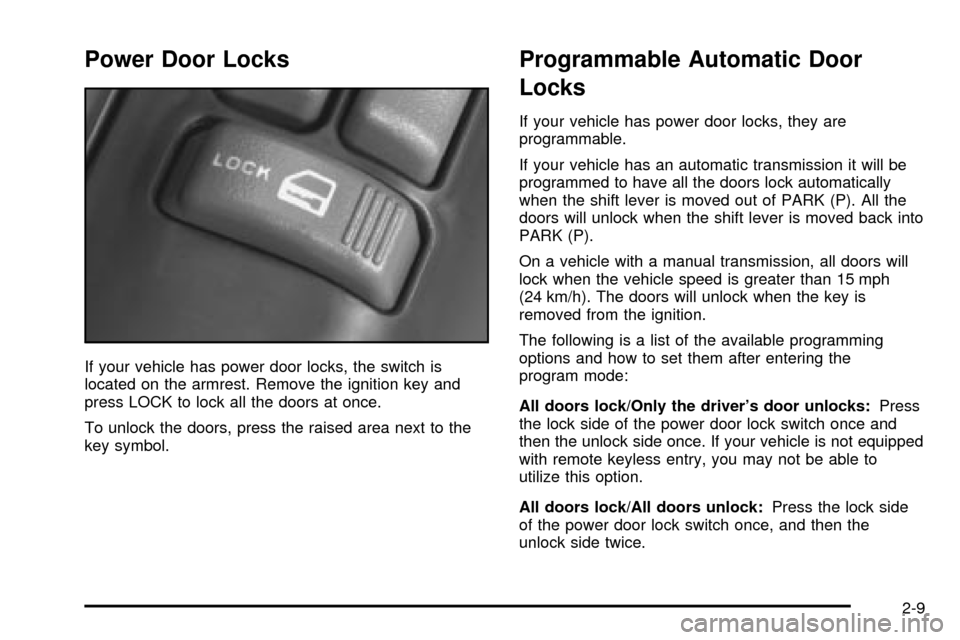
Power Door Locks
If your vehicle has power door locks, the switch is
located on the armrest. Remove the ignition key and
press LOCK to lock all the doors at once.
To unlock the doors, press the raised area next to the
key symbol.
Programmable Automatic Door
Locks
If your vehicle has power door locks, they are
programmable.
If your vehicle has an automatic transmission it will be
programmed to have all the doors lock automatically
when the shift lever is moved out of PARK (P). All the
doors will unlock when the shift lever is moved back into
PARK (P).
On a vehicle with a manual transmission, all doors will
lock when the vehicle speed is greater than 15 mph
(24 km/h). The doors will unlock when the key is
removed from the ignition.
The following is a list of the available programming
options and how to set them after entering the
program mode:
All doors lock/Only the driver's door unlocks:Press
the lock side of the power door lock switch once and
then the unlock side once. If your vehicle is not equipped
with remote keyless entry, you may not be able to
utilize this option.
All doors lock/All doors unlock:Press the lock side
of the power door lock switch once, and then the
unlock side twice.
2-9
Page 82 of 432

All doors lock/None of the doors unlock:Press the
lock side of the power door lock switch once, and
then the unlock side three times.
No doors lock/None of the doors unlock:Press the
lock side of the power door lock switch twice. This
turns off the automatic lock feature. This is the factory
setting.
For more information, see your dealer.
The following instructions detail how to program your
door locks. Choose one of the programming options
before entering the programming mode.
To enter the program mode, do the following:
1. Begin with the ignition in OFF. Then pull the turn
signal/multifunction lever all the way toward you
and hold it while you perform the next step.
2. Turn your key to RUN and OFF twice. Then, with
the key in OFF, release the turn signal/multifunction
lever. Once you do this, you will hear the lock
switch lock and unlock.3. You are now ready to program the automatic door
locks. Select one of the previous four programming
options and follow the instructions. You will have
30 seconds to begin programming. If you exceed
the 30 second limit, the locks will automatically lock
and unlock to indicate you have left the program
mode. If this occurs, repeat the procedure beginning
with Step 1. You can exit the program mode any
time by turning the ignition to RUN. The locks
will automatically lock and unlock to indicate you
are leaving the program mode. If the lock/unlock
switches are not pressed while in the programming
mode, the auto lock/unlock setting will not be
modi®ed.
2-10
Page 83 of 432
Rear Door Security Locks
If you have the Crew Cabžmodel, your vehicle may be
equipped with rear door security locks. With this
feature, you can lock the rear doors so they can't be
opened from the inside by passengers.
The security lock lever is
located on the inside edge
of each rear door.To use the security locks, do the following:
1. Open one of the rear doors.
2. Slide the lever up to the lock symbol to engage the
lock.
3. Close the door.
4. Repeat these steps on the opposite rear door.
If you want to open the rear door when the security lock
is on, unlock the door and open the door from the
outside. To return the rear doors to normal use,
disengage the locks by sliding the lever to the unlock
symbol.
2-11
Page 84 of 432
Lockout Protection
This feature protects you from locking your key in the
vehicle when the key is in the ignition and a door
is open.
If the power door lock switch is pressed when a door is
open and the key is in the ignition, all of the doors
will lock and then the driver's door will unlock.
Leaving Your Vehicle
If you are leaving the vehicle, take your keys, open your
door and set the locks from inside. Then get out and
close the door.
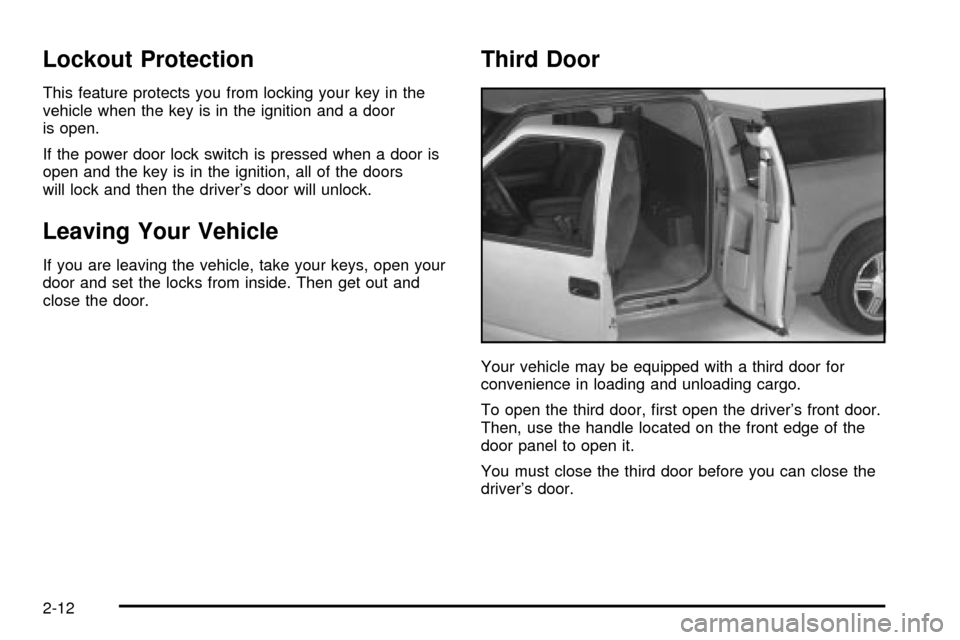
Third Door
Your vehicle may be equipped with a third door for
convenience in loading and unloading cargo.
To open the third door, ®rst open the driver's front door.
Then, use the handle located on the front edge of the
door panel to open it.
You must close the third door before you can close the
driver's door.
2-12
Page 87 of 432
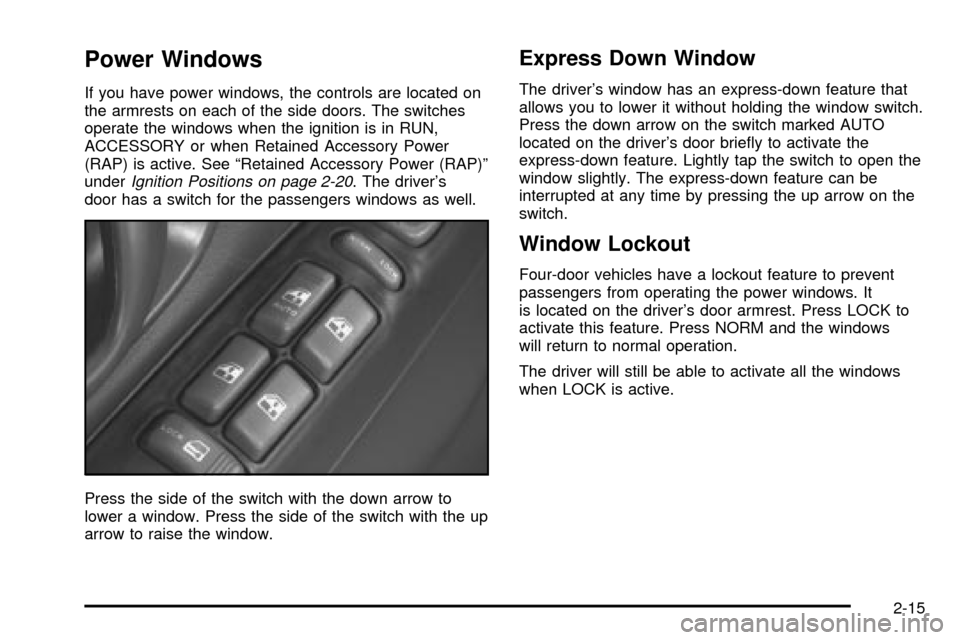
Power Windows
If you have power windows, the controls are located on
the armrests on each of the side doors. The switches
operate the windows when the ignition is in RUN,
ACCESSORY or when Retained Accessory Power
(RAP) is active. See ªRetained Accessory Power (RAP)º
under
Ignition Positions on page 2-20. The driver's
door has a switch for the passengers windows as well.
Press the side of the switch with the down arrow to
lower a window. Press the side of the switch with the up
arrow to raise the window.
Express Down Window
The driver's window has an express-down feature that
allows you to lower it without holding the window switch.
Press the down arrow on the switch marked AUTO
located on the driver's door brie¯y to activate the
express-down feature. Lightly tap the switch to open the
window slightly. The express-down feature can be
interrupted at any time by pressing the up arrow on the
switch.
Window Lockout
Four-door vehicles have a lockout feature to prevent
passengers from operating the power windows. It
is located on the driver's door armrest. Press LOCK to
activate this feature. Press NORM and the windows
will return to normal operation.
The driver will still be able to activate all the windows
when LOCK is active.
2-15