2003 CHEVROLET MALIBU key
[x] Cancel search: keyPage 68 of 326

Battery Replacement
Under normal use, the battery in your remote keyless
entry transmitter should last about four years.
You can tell the battery is weak if the transmitter won't
work at the normal range in any location. If you have
to get close to your vehicle before the transmitter works,
it's probably time to change the battery.
Notice:When replacing the battery, use care not to
touch any of the circuitry. Static from your body
transferred to these surfaces may damage the
transmitter.To replace the battery in the remote keyless entry
transmitter:
1. Use a ¯at object like a coin to separate the bottom
half from the top half of the transmitter.
2. Remove the battery and replace it with the new
one. Make sure the positive side of the battery
faces up. Use one three-volt, CR2032, or
equivalent, type battery.
3. Put the two halves back together. Make sure the
cover is on tightly, so water won't get in.
2-6
Page 69 of 326
Doors and Locks
Door Locks
{CAUTION:
Unlocked doors can be dangerous.
·Passengers Ð especially children Ð can
easily open the doors and fall out of a
moving vehicle. When a door is locked, the
handle will not open it. You increase the
chance of being thrown out of the vehicle
in a crash if the doors are not locked. So,
wear safety belts properly and lock the
doors whenever you drive.
·Young children who get into unlocked
vehicles may be unable to get out. A child
can be overcome by extreme heat and can
suffer permanent injuries or even death
from heat stroke. Always lock your vehicle
whenever you leave it.
·Outsiders can easily enter through an
unlocked door when you slow down or
stop your vehicle. Locking your doors can
help prevent this from happening.There are several ways to lock and unlock your vehicle.
From the outside, use your key or remote keyless
entry system, if your vehicle is equipped with this
feature. If your vehicle has remote keyless entry, only
the driver's door has a lock cylinder.
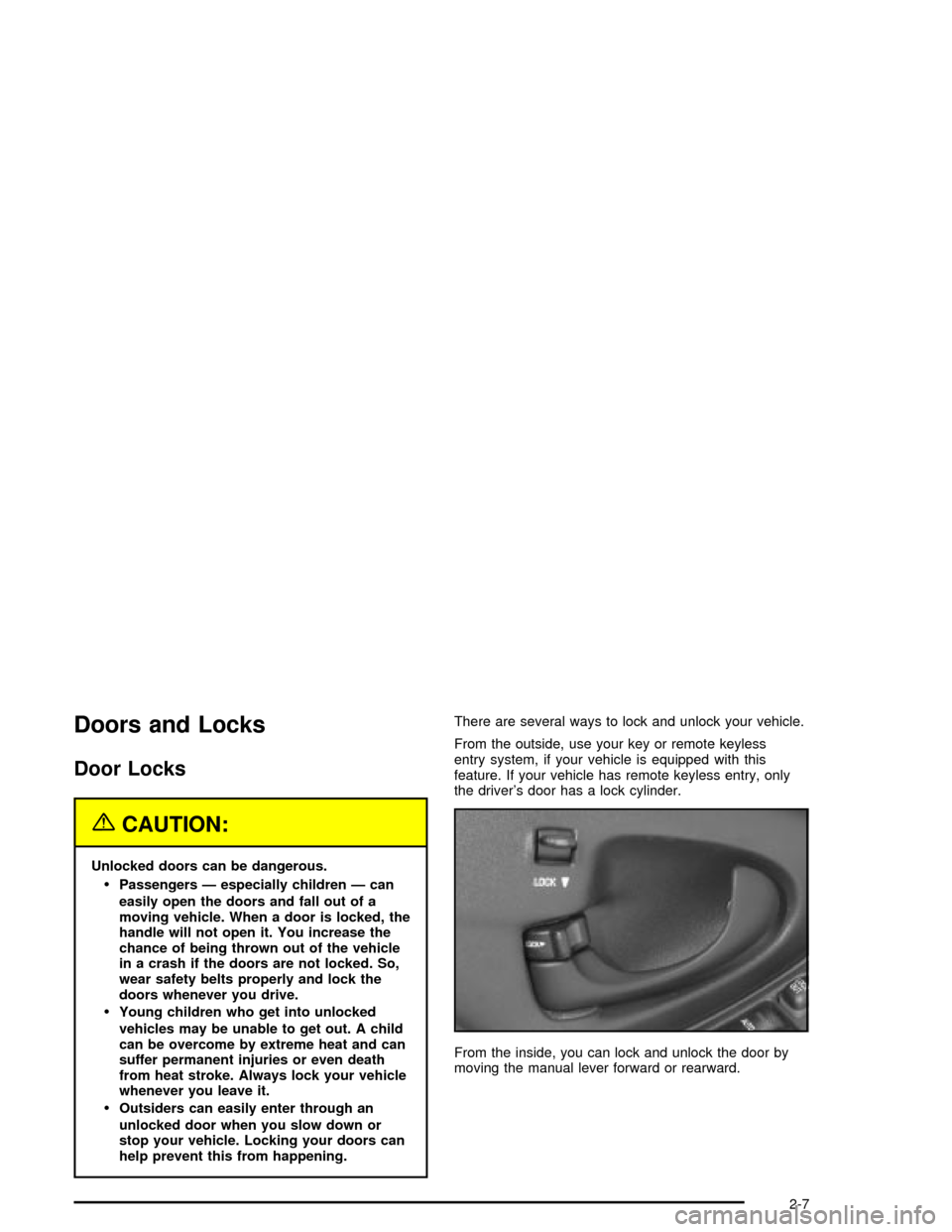
From the inside, you can lock and unlock the door by
moving the manual lever forward or rearward.
2-7
Page 70 of 326
Power Door Locks
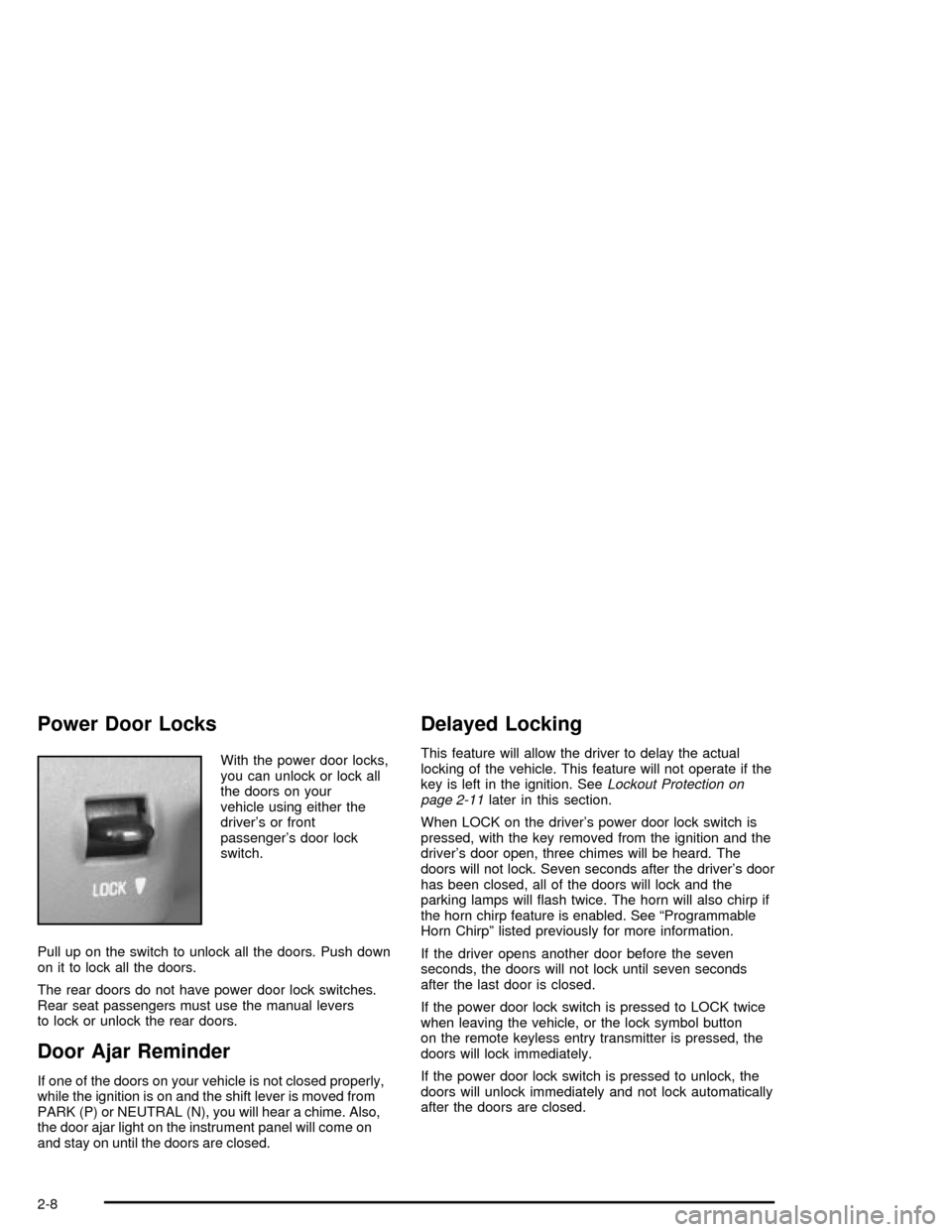
With the power door locks,
you can unlock or lock all
the doors on your
vehicle using either the
driver's or front
passenger's door lock
switch.
Pull up on the switch to unlock all the doors. Push down
on it to lock all the doors.
The rear doors do not have power door lock switches.
Rear seat passengers must use the manual levers
to lock or unlock the rear doors.
Door Ajar Reminder
If one of the doors on your vehicle is not closed properly,
while the ignition is on and the shift lever is moved from
PARK (P) or NEUTRAL (N), you will hear a chime. Also,
the door ajar light on the instrument panel will come on
and stay on until the doors are closed.
Delayed Locking
This feature will allow the driver to delay the actual
locking of the vehicle. This feature will not operate if the
key is left in the ignition. See
Lockout Protection on
page 2-11later in this section.
When LOCK on the driver's power door lock switch is
pressed, with the key removed from the ignition and the
driver's door open, three chimes will be heard. The
doors will not lock. Seven seconds after the driver's door
has been closed, all of the doors will lock and the
parking lamps will ¯ash twice. The horn will also chirp if
the horn chirp feature is enabled. See ªProgrammable
Horn Chirpº listed previously for more information.
If the driver opens another door before the seven
seconds, the doors will not lock until seven seconds
after the last door is closed.
If the power door lock switch is pressed to LOCK twice
when leaving the vehicle, or the lock symbol button
on the remote keyless entry transmitter is pressed, the
doors will lock immediately.
If the power door lock switch is pressed to unlock, the
doors will unlock immediately and not lock automatically
after the doors are closed.
2-8
Page 71 of 326

Programmable Automatic Door
Locks
With this feature, when you close all the doors, turn on
the ignition and shift out of PARK (P), all of the doors
will lock. If someone needs to get out while the vehicle is
running, have that person use either the manual lock
lever or the power door lock switch. When the door
is closed again, it will lock automatically when the
vehicle reaches about 5 mph (8 km/h). All doors will
automatically unlock when the shift lever is moved
to PARK (P) and the key is turned to OFF.
Customizing the Automatic Door Locks
One of four operating modes may be selected and
programmed by the driver:
Mode 1:All doors automatically lock when the transaxle
is shifted out of PARK (P). The doors will remain
locked unless manually unlocked or the lock button is
pressed. All doors will unlock when the transaxle is
shifted into PARK (P) and the key is turned to OFF.
Mode 2:This mode is only available with the remote
keyless entry system (if equipped). All doors
automatically lock when the transaxle is shifted out of
PARK (P). Automatic driver's door only unlock when the
transaxle is shifted into PARK (P) and the key is
turned to OFF.Mode 3:All doors automatically lock when the transaxle
is shifted out of PARK (P). No automatic door unlock.
Mode 4:No automatic door lock or unlock.
Before your vehicle was shipped from the factory it was
programmed in Mode 1. To determine the current
mode of the vehicle or to change to a different mode,
do the following:
1. Ensure the shift lever is in PARK (P) and all doors
are fully closed throughout this procedure. Turn the
ignition to ON.
2. Press and hold LOCK on either power door lock
switch for 10 seconds. Release the switch when
you hear the chime.
3. Count the number of chimes you hear. The number
of chimes tells you which mode your vehicle is in.
You can change the mode by pressing and
holding LOCK on the power door lock switch (two
chimes for Mode 2, three chimes for Mode 3
and four chimes for Mode 4).
4. Repeat Step 2 until you hear the number of chimes
that matches the mode you want.
The mode you selected is now set.
2-9
Page 73 of 326

Lockout Protection
Lockout protection is intended to provide enhanced
security and convenience. This feature prevents a driver
who has left the key in the ignition from locking the
doors, using the power door locks while any door
is open.
To override this feature, when the key is in the ignition
and any door is open, press and hold down the
power door lock switch for three seconds.
This feature cannot guarantee that you will never be
locked out of your vehicle. If you don't leave the key in
the ignition, or if you use the manual door lock or
the remote keyless entry transmitter, you could still lock
your key inside your vehicle. Always remember to
take your key with you.
Leaving Your Vehicle
If you are leaving your vehicle, open your door and set
the locks from the inside, then get out and close the door.
Trunk
To unlock the trunk from the outside, insert the key and
turn the trunk lock cylinder. When closing the trunk
lid, close from the center to ensure it fully latches.
{CAUTION:
It can be dangerous to drive with the trunk lid
open because carbon monoxide (CO) gas can
come into your vehicle. You can't see or smell
CO. It can cause unconsciousness and even
death. If you must drive with the trunk lid open
or if electrical wiring or other cable
connections must pass through the seal
between the body and the trunk lid:
·Make sure all other windows are shut.
·Turn the fan on your heating or cooling
system to its highest speed and select the
control setting that will force outside air
into your vehicle. See ªClimate Control
Systemº in the Index.
·If you have air outlets on or under the
instrument panel, open them all the way.
See ªEngine Exhaustº in the Index.
2-11
Page 74 of 326
Remote Trunk Release
Press the remote trunk
release button, located on
the lower left side of
the instrument panel, to
release the trunk lid.
If your vehicle has the remote trunk release lockout
feature, make sure it is not activated. Also, the remote
trunk release will only work when either the ignition
is off, or with the ignition in ON while either the parking
brake is engaged or the vehicle speed is less than
2 mph (3 km/h).
Remote Trunk Release Lockout
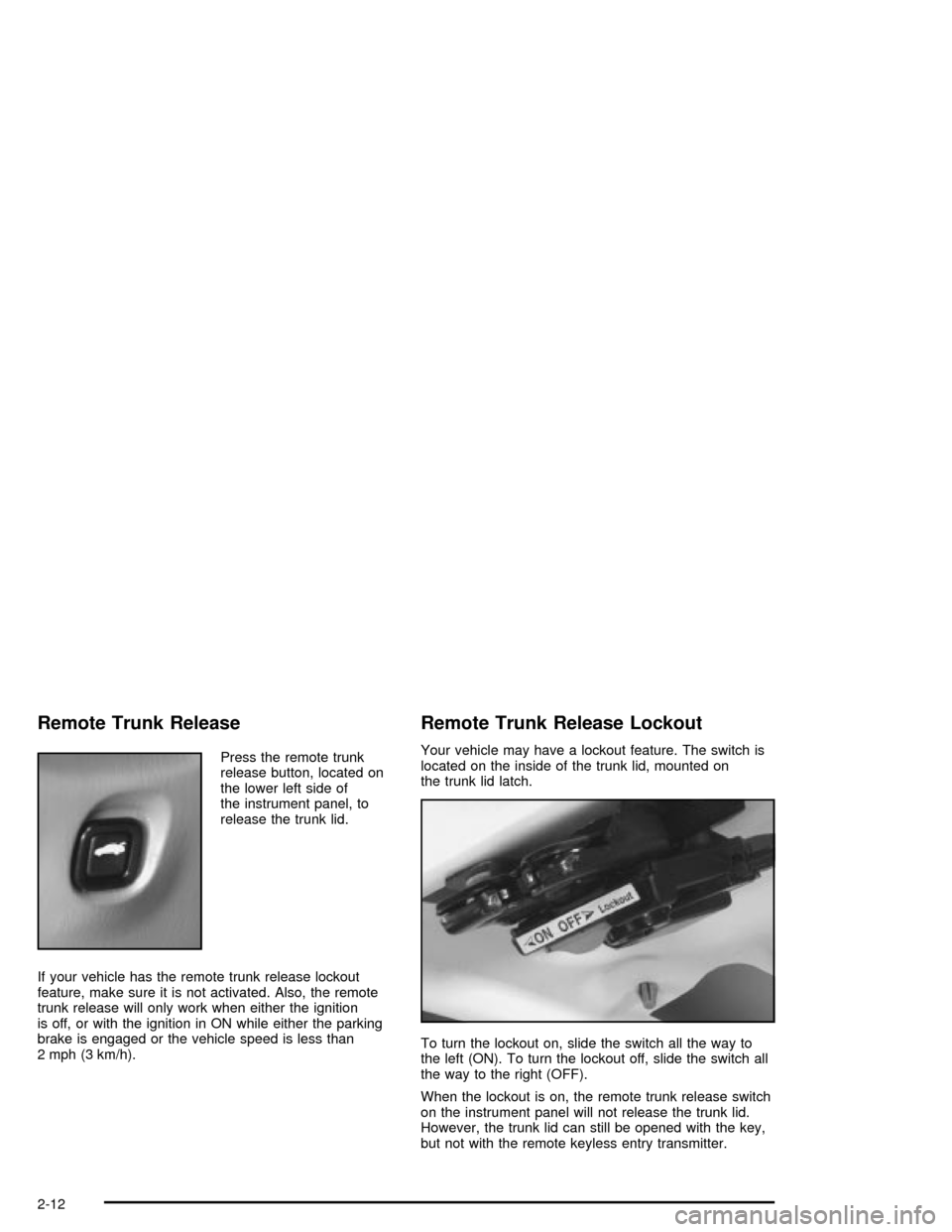
Your vehicle may have a lockout feature. The switch is
located on the inside of the trunk lid, mounted on
the trunk lid latch.
To turn the lockout on, slide the switch all the way to
the left (ON). To turn the lockout off, slide the switch all
the way to the right (OFF).
When the lockout is on, the remote trunk release switch
on the instrument panel will not release the trunk lid.
However, the trunk lid can still be opened with the key,
but not with the remote keyless entry transmitter.
2-12
Page 78 of 326

Passlockž
Your vehicle has the Passlockžtheft-deterrent system.
Passlock
žis a passive theft-deterrent system.
Passlockženables fuel if the ignition lock cylinder is
turned with a valid key. If a correct key is not used or the
ignition lock cylinder is tampered with, the fuel system
is disabled and the vehicle will not start.
During normal operation, the THEFT SYSTEM light will
turn off approximately ®ve seconds after the ignition
key is turned to ON and the engine is started.
After attempting to start the engine, if the THEFT
SYSTEM light ¯ashes or stays on, wait ten minutes with
the key in ON until the light goes off. Then turn the
ignition to OFF before attempting to start the engine
again.
Starting and Operating Your
Vehicle
New Vehicle Break-In
Notice:Your vehicle doesn't need an elaborate
ªbreak-in.º But it will perform better in the long run
if you follow these guidelines:
·Don't drive at any one speed Ð fast or
slow Ð for the ®rst 500 miles (805 km).
Don't make full-throttle starts.
·Avoid making hard stops for the ®rst 200 miles
(322 km) or so. During this time your new
brake linings aren't yet broken in. Hard stops
with new linings can mean premature wear and
earlier replacement. Follow this breaking-in
guideline every time you get new brake linings.
·Don't tow a trailer during break-in. See ªTowing
a Trailerº in the Index for more information.
2-16
Page 79 of 326

Ignition Positions
With the key in the ignition switch, you can turn it to four
different positions.
Notice:If your key seems stuck in OFF and you
can't turn it, be sure you are using the correct key;
if so, is it all the way in? Turn the key only with
your hand. Using a tool to force it could break the
key or the ignition switch. If none of this works, then
your vehicle needs service.A (OFF):This is the only position from which you can
remove the key. It also locks your ignition and transaxle.
A warning chime will sound if you open the driver's
door when the ignition is off and the key is in the ignition.
B (ACCESSORY):This position lets you use things
like the radio and windshield wipers when the engine is
not running. To use ACCESSORY, turn the key
clockwise to the ®rst position.
Use this position if your vehicle must be pushed or
towed, but never try to push-start your vehicle.
See
Recreational Vehicle Towing on page 4-28.
C (ON):This position unlocks the ignition. It is also the
position to where the key returns after you start the
engine and release the switch. The switch will stay in
this position when the engine is running. But even when
the engine is not running, you can use ON to operate
your electrical accessories, and to display some
instrument panel warning lights.
D (START):This position starts the engine. When the
engine starts, release the key. The ignition switch
will return to ON for normal driving.
2-17