2003 CHEVROLET MALIBU brake
[x] Cancel search: brakePage 86 of 326
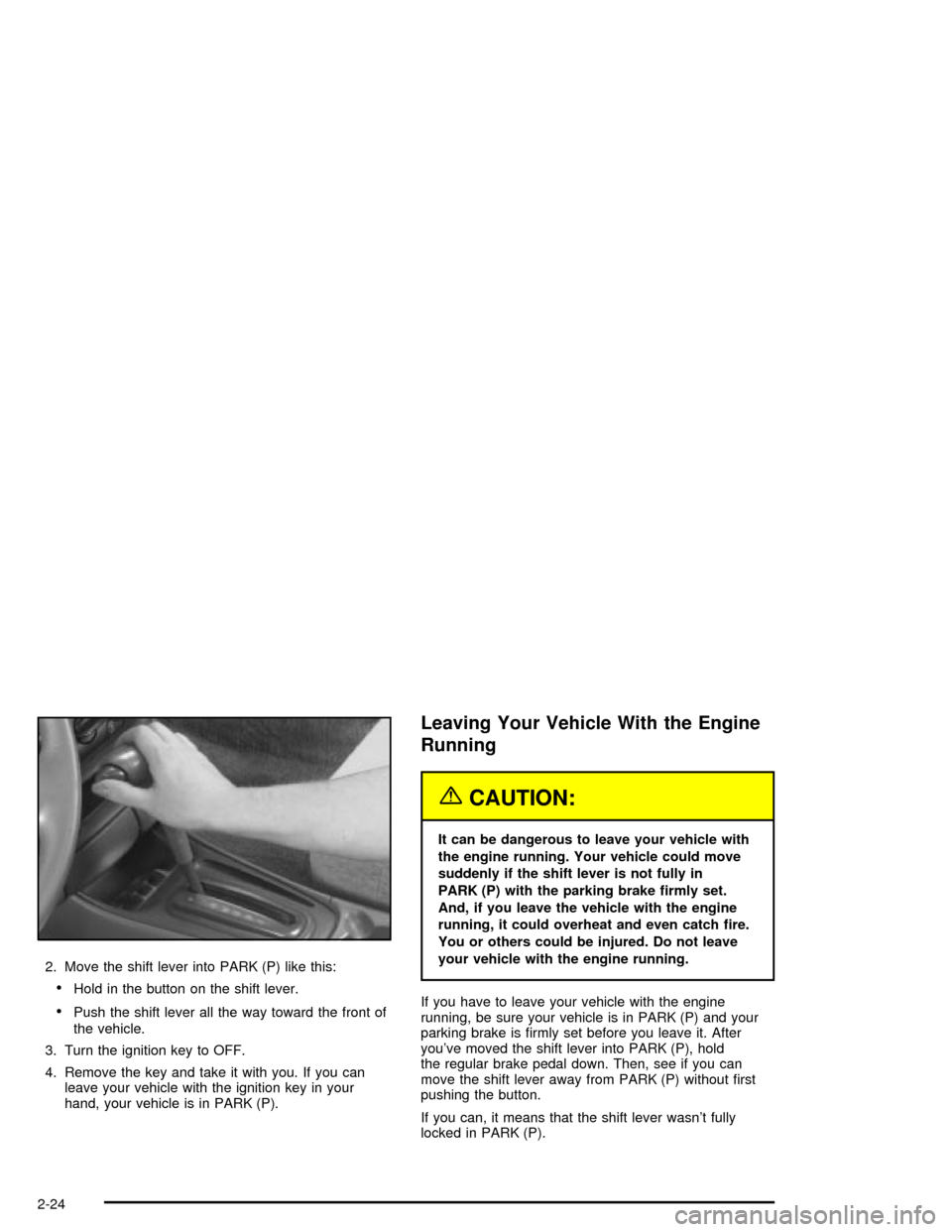
2. Move the shift lever into PARK (P) like this:
·Hold in the button on the shift lever.
·Push the shift lever all the way toward the front of
the vehicle.
3. Turn the ignition key to OFF.
4. Remove the key and take it with you. If you can
leave your vehicle with the ignition key in your
hand, your vehicle is in PARK (P).
Leaving Your Vehicle With the Engine
Running
{CAUTION:
It can be dangerous to leave your vehicle with
the engine running. Your vehicle could move
suddenly if the shift lever is not fully in
PARK (P) with the parking brake ®rmly set.
And, if you leave the vehicle with the engine
running, it could overheat and even catch ®re.
You or others could be injured. Do not leave
your vehicle with the engine running.
If you have to leave your vehicle with the engine
running, be sure your vehicle is in PARK (P) and your
parking brake is ®rmly set before you leave it. After
you've moved the shift lever into PARK (P), hold
the regular brake pedal down. Then, see if you can
move the shift lever away from PARK (P) without ®rst
pushing the button.
If you can, it means that the shift lever wasn't fully
locked in PARK (P).
2-24
Page 87 of 326

Torque Lock
If you are parking on a hill and you don't shift your
transaxle into PARK (P) properly, the weight of
the vehicle may put too much force on the parking pawl
in the transaxle. You may ®nd it difficult to pull the
shift lever out of PARK (P). This is called ªtorque lock.º
To prevent torque lock, set the parking brake and
then shift into PARK (P) properly before you leave the
driver's seat. To ®nd out how, see
Shifting Into Park (P)
on page 2-23.
When you are ready to drive, move the shift lever out of
PARK (P)
beforeyou release the parking brake.
If torque lock does occur, you may need to have another
vehicle push yours a little uphill to take some of the
pressure from the parking pawl in the transaxle, so you
can pull the shift lever out of PARK (P).
Shifting Out of Park (P)
Your vehicle has an automatic transaxle shift lock
control system. You have to apply your regular brake
before you can shift from PARK (P) when the ignition is
in ON. See
Automatic Transaxle Operation on
page 2-20.If you cannot shift out of PARK (P), ease pressure on
the shift lever and push the shift lever all the way
into PARK (P) as you maintain brake application. Then
move the shift lever into the gear you wish. Press
the shift lever button before moving the shift lever.
If you ever hold the brake pedal down but still can't shift
out of PARK (P), try this:
1. Turn the ignition key to ACCESSORY.
2. Apply and hold the regular brake until the end of
Step 5.
3. Shift to NEUTRAL (N).
4. Turn the ignition key to START, to start the vehicle.
5. Shift to the drive gear you want.
6. Have the vehicle ®xed as soon as you can.
2-25
Page 89 of 326

Running Your Engine While You
Are Parked
It's better not to park with the engine running. But if you
ever have to, here are some things to know.
{CAUTION:
Idling the engine with the climate control
system off could allow dangerous exhaust into
your vehicle. See the earlier Caution under
ªEngine Exhaust.º
Also, idling in a closed-in place can let deadly
carbon monoxide (CO) into your vehicle even if
the climate control fan is at the highest setting.
One place this can happen is a garage.
Exhaust Ð with CO Ð can come in easily.
NEVER park in a garage with the engine
running.
Another closed-in place can be a blizzard.
See ªWinter Drivingº in the Index.
{CAUTION:
It can be dangerous to get out of your vehicle
if the shift lever is not fully in PARK (P) with
the parking brake ®rmly set. Your vehicle can
roll. Do not leave your vehicle when the engine
is running unless you have to. If you have left
the engine running, the vehicle can move
suddenly. You or others could be injured.
To be sure your vehicle will not move, even
when you are on fairly level ground, always
set your parking brake and move the shift
lever to PARK (P).
Follow the proper steps to be sure your vehicle won't
move. See
Shifting Into Park (P) on page 2-23.
If you are parking on a hill and if you're pulling a trailer,
also see
Towing a Trailer on page 4-34.
2-27
Page 95 of 326

Instrument Panel Overview...............................3-2
Hazard Warning Flashers................................3-4
Other Warning Devices...................................3-4
Horn.............................................................3-5
Tilt Wheel.....................................................3-5
Turn Signal/Multifunction Lever.........................3-5
Exterior Lamps.............................................3-12
Interior Lamps..............................................3-15
Accessory Power Outlets...............................3-16
Ashtrays and Cigarette Lighter........................3-17
Climate Controls............................................3-17
Climate Control System.................................3-17
Outlet Adjustment.........................................3-21
Warning Lights, Gages and Indicators.............3-22
Instrument Panel Cluster................................3-23
Speedometer and Odometer...........................3-24
Tachometer.................................................3-25
Safety Belt Reminder Light.............................3-25
Air Bag Readiness Light................................3-26
Charging System Light..................................3-27
Brake System Warning Light..........................3-27
Anti-Lock Brake System Warning Light.............3-28
Engine Coolant Temperature Gage..................3-29
Low Coolant Warning Light............................3-29
Malfunction Indicator Lamp.............................3-30Oil Pressure Light.........................................3-32
Check Oil Level Light....................................3-33
Passlock
žWarning Light................................3-34
Low Washer Fluid Warning Light.....................3-34
Door Ajar Light.............................................3-34
Service Vehicle Soon Light............................3-35
Fuel Gage...................................................3-35
Audio System(s).............................................3-36
Setting the Time for Radios without
Radio Data Systems (RDS)........................3-36
Setting the Time for Radios with
Radio Data Systems (RDS)........................3-37
Radio with CD (Base Level)...........................3-37
Radio with CD (Up Level)..............................3-41
Radio with Cassette and CD..........................3-48
Theft-Deterrent Feature
(Non-RDS Radios).....................................3-57
Theft-Deterrent Feature
(RDS Radios)...........................................3-57
Understanding Radio Reception......................3-57
Care of Your Cassette Tape Player.................3-58
Care of Your CDs.........................................3-59
Care of Your CD Player................................3-59
Fixed Mast Antenna......................................3-59
Chime Level Adjustment................................3-59
Section 3 Instrument Panel
3-1
Page 97 of 326

The main components of your instrument panel are the
following:
A. Side Window Defogger Vents. See ªDefogging and
Defrostingº in
Climate Control System on
page 3-17.
B. Vent Outlets. See
Outlet Adjustment on page 3-21.
C. Instrument Panel Brightness Thumbwheel. See
Interior Lamps on page 3-15.
D. Fog Lamp Button (If Equipped). See ªFog Lampsº in
Exterior Lamps on page 3-12.
E. Turn Signal/Multifunction Lever. See
Turn
Signal/Multifunction Lever on page 3-5.
F. Cruise Control Buttons (If Equipped). See ªCruise
Controlº in
Turn Signal/Multifunction Lever on
page 3-5.
G. Instrument Panel Cluster. See
Instrument Panel
Cluster on page 3-23.
H. Windshield Wiper/Washer Lever. See ªWindshield
Wipersº in
Turn Signal/Multifunction Lever on
page 3-5.
I. Ignition Switch. See
Ignition Positions on
page 2-17.J. Hazard Warning Flashers Button. See
Hazard
Warning Flashers on page 3-4.
K. Instrument Panel Fuse Blocks. See
Fuses and
Circuit Breakers on page 5-77.
L. Instrument Panel Cupholder. See
Cupholder(s) on
page 2-30.
M. Remote Trunk Release Button. See ªRemote Trunk
Releaseº in
Trunk on page 2-11.
N. Hood Release. See
Hood Release on page 5-10.
O. Tilt Wheel Lever. See
Tilt Wheel on page 3-5.
P. Parking Brake. See
Parking Brake on page 2-23.
Q. Horn. See
Horn on page 3-5.
R. Audio System. See
Audio System(s) on page 3-36.
S. Cigarette Lighter. See
Ashtrays and Cigarette
Lighter on page 3-17.
T. Ashtray. See
Ashtrays and Cigarette Lighter on
page 3-17.
U. Accessory Power Outlet. See
Accessory Power
Outlets on page 3-16.
V. Climate Control System. See
Climate Control
System on page 3-17.
3-3
Page 104 of 326
Setting Cruise Control
{CAUTION:
If you leave your cruise control on when you're
not using cruise, you might hit a button and go
into cruise when you don't want to. You could
be startled and even lose control. Keep the
cruise control switch off until you want to use
cruise control.
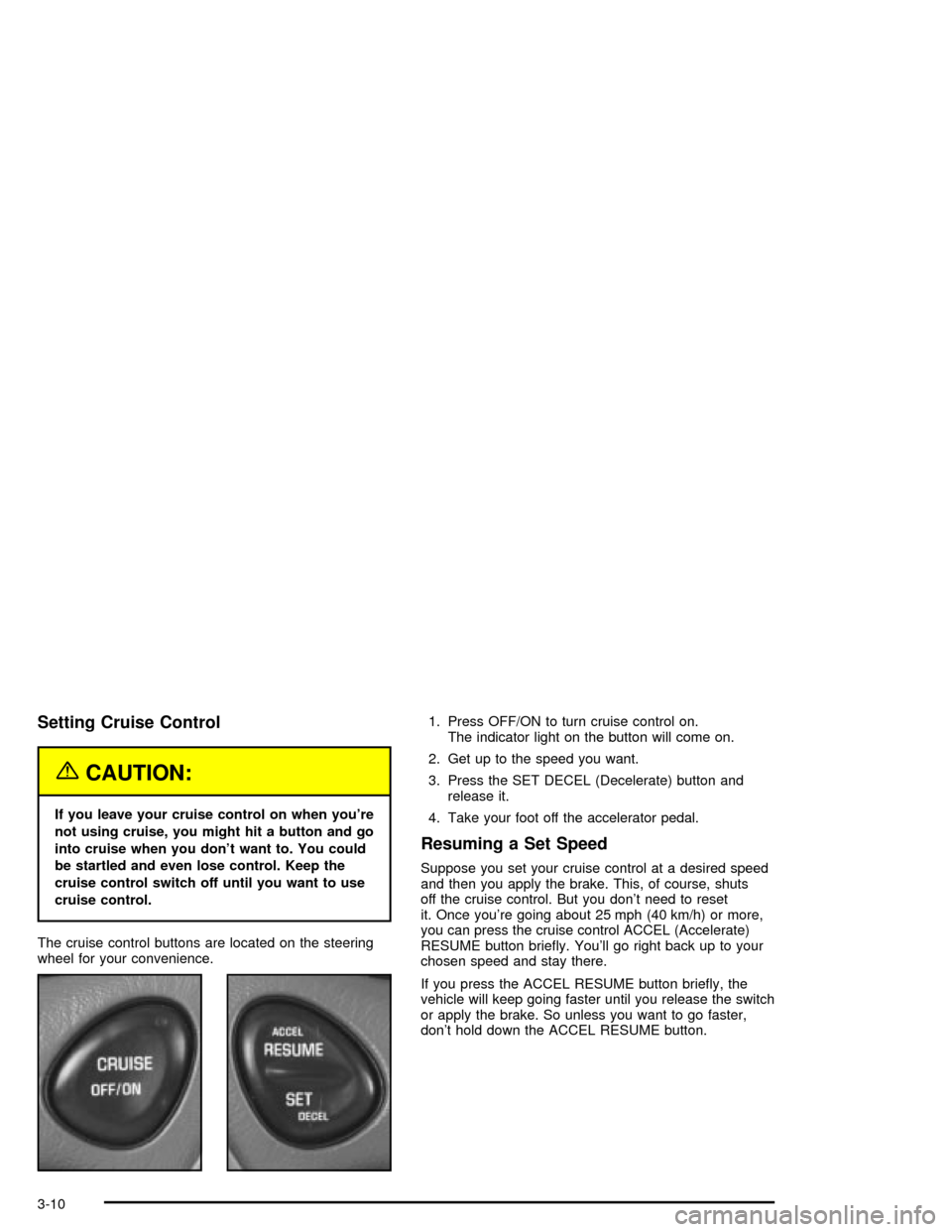
The cruise control buttons are located on the steering
wheel for your convenience.1. Press OFF/ON to turn cruise control on.
The indicator light on the button will come on.
2. Get up to the speed you want.
3. Press the SET DECEL (Decelerate) button and
release it.
4. Take your foot off the accelerator pedal.
Resuming a Set Speed
Suppose you set your cruise control at a desired speed
and then you apply the brake. This, of course, shuts
off the cruise control. But you don't need to reset
it. Once you're going about 25 mph (40 km/h) or more,
you can press the cruise control ACCEL (Accelerate)
RESUME button brie¯y. You'll go right back up to your
chosen speed and stay there.
If you press the ACCEL RESUME button brie¯y, the
vehicle will keep going faster until you release the switch
or apply the brake. So unless you want to go faster,
don't hold down the ACCEL RESUME button.
3-10
Page 105 of 326

Increasing Speed While Using Cruise
Control
There are two ways to go to a higher speed.
·Use the accelerator pedal to get to the higher
speed. Press the SET DECEL button, then release
the button and the accelerator pedal. You'll now
cruise at the higher speed.
·Press the ACCEL RESUME button. Hold it there until
you get up to the speed you want, and then release
the button. To increase your speed in very small
amounts, press the ACCEL RESUME button brie¯y
and then release it. Each time you do this, your
vehicle will go about 1 mph (1.6 km/h) faster.
The accelerate feature will only work after you turn on
the cruise control by pressing the SET DECEL button.
Reducing Speed While Using Cruise
Control
There are two ways to reduce your speed while using
cruise control:
·Press the SET DECEL button until you reach the
lower speed you want, then release it.
·To slow down in very small amounts, press the
SET DECEL button brie¯y. Each time you do
this, you'll go about 1 mph (1.6 km/h) slower.
Passing Another Vehicle While Using
Cruise Control
Use the accelerator pedal to increase your speed.
When you take your foot off the pedal, your vehicle will
slow down to the cruise control speed you set earlier.
Using Cruise Control on Hills
How well your cruise control will work on hills depends
upon your speed, load and the steepness of the
hills. When going up steep hills, you may have to step
on the accelerator pedal to maintain your speed.
When going downhill, you may have to brake or shift to
a lower gear to keep your speed down. Of course,
applying the brake takes you out of cruise control. Many
drivers ®nd this to be too much trouble and don't use
cruise control on steep hills.
Ending Cruise Control
There are two ways to turn off the cruise control:
·Step lightly on the brake pedal;
·Press OFF/ON.
Erasing Speed Memory
When you turn off the cruise control or the ignition, your
cruise control set speed memory is erased.
3-11
Page 106 of 326
Exterior Lamps
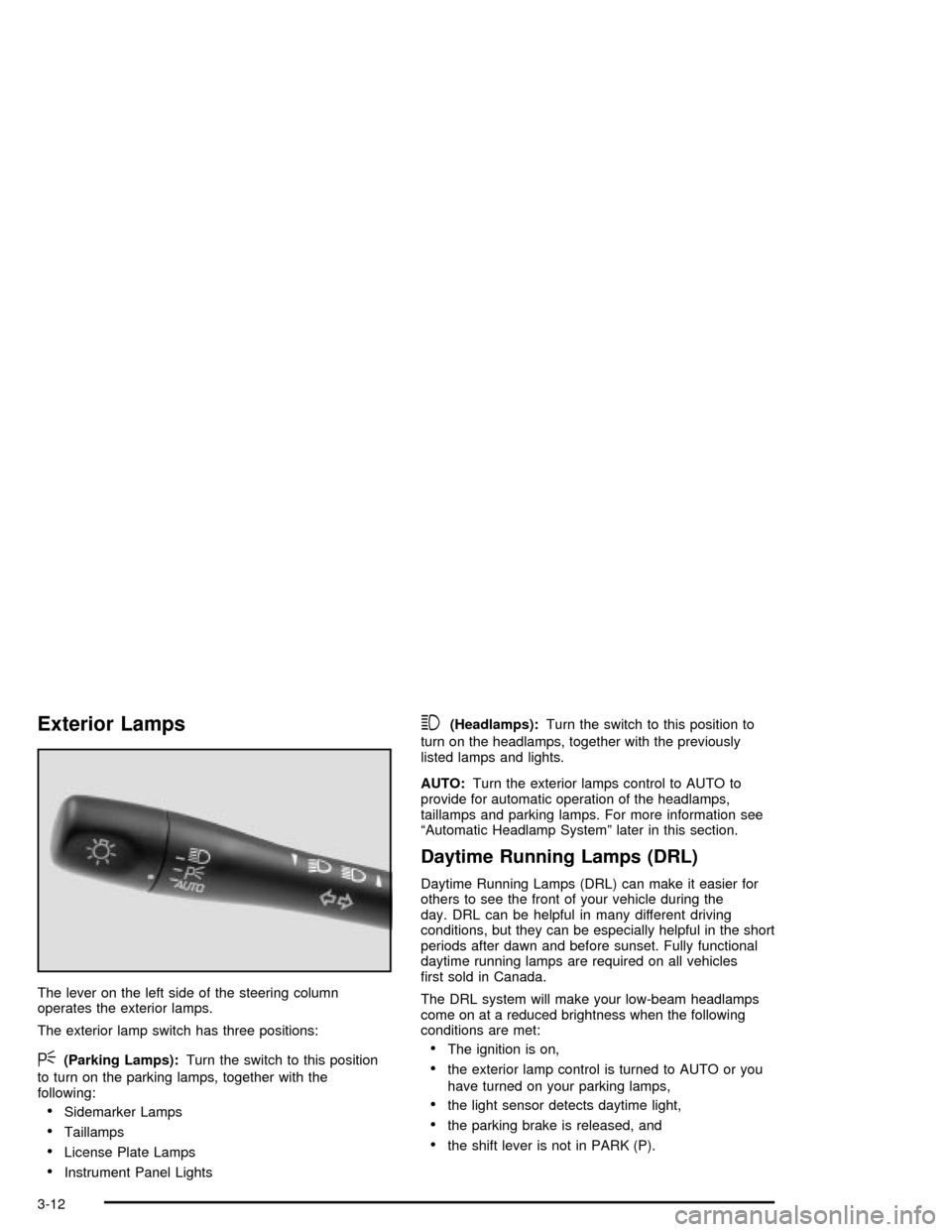
The lever on the left side of the steering column
operates the exterior lamps.
The exterior lamp switch has three positions:
<(Parking Lamps):Turn the switch to this position
to turn on the parking lamps, together with the
following:
·Sidemarker Lamps
·Taillamps
·License Plate Lamps
·Instrument Panel Lights
3(Headlamps):Turn the switch to this position to
turn on the headlamps, together with the previously
listed lamps and lights.
AUTO:Turn the exterior lamps control to AUTO to
provide for automatic operation of the headlamps,
taillamps and parking lamps. For more information see
ªAutomatic Headlamp Systemº later in this section.
Daytime Running Lamps (DRL)
Daytime Running Lamps (DRL) can make it easier for
others to see the front of your vehicle during the
day. DRL can be helpful in many different driving
conditions, but they can be especially helpful in the short
periods after dawn and before sunset. Fully functional
daytime running lamps are required on all vehicles
®rst sold in Canada.
The DRL system will make your low-beam headlamps
come on at a reduced brightness when the following
conditions are met:
·The ignition is on,
·the exterior lamp control is turned to AUTO or you
have turned on your parking lamps,
·the light sensor detects daytime light,
·the parking brake is released, and
·the shift lever is not in PARK (P).
3-12