Page 122 of 386
2-47
CAUTION:
It can be dangerous to get out of your vehicle
without the parking brake firmly set. Your
vehicle can roll. If you've left the engine running,
the vehicle can move suddenly. You or others
could be injured. To be sure your vehicle won't
move, even when you're on fairly level ground,
always set your parking brake.
Follow the proper steps to be sure your vehicle
won't move.
Horn
Sound the horn by pushing the center of the steering
wheel. If you have the optional air horn, it is controlled
by a cord that you'll find up above and to the left of
the driver. The harder you pull on the cord, the louder
the air horn will sound. The air horn works only after
your air brake system pressure gets up to about
115 psi (790 kPa). The air horn will work properly
unless the the air brake system pressure drops
below 60 psi (415 kPa).
Page 123 of 386
2-48
Tilt Wheel (If Equipped)
A tilt wheel allows you to adjust the steering wheel
before you drive. You can raise it to the highest level
to give your legs more room when you exit and enter
the vehicle.
The lever that allows you to tilt the steering wheel is
located on the left side of the steering column.
To tilt the wheel, hold the wheel and pull the lever. Then
move the wheel to a comfortable position and release
the lever to lock the wheel in place.
Turn Signal/Multifunction Lever
The lever located on the left side of the steering column
includes the following:
�Turn and Lane
-Change Signals
�Headlamp High/Low
-Beam Changer
�Windshield Wipers
�Windshield Washer
�Cruise Control (Option)
Page 132 of 386
2-57
Trailer Brake Hand Control Valve
(Option)
If your vehicle has this feature, it is located near the
center console on the floor.
This feature lets you apply the trailer brakes without
applying the tractor brakes. You can apply the trailer
brakes a little, or apply them all the way, if needed.
Press the trailer brake hand control valve downward to
apply the trailer brakes. Pull the hand control valve
upward to release the trailer brakes.
Use this control only when you're driving. Don't use it
for parking or to hold the rig on a hill.
CAUTION:
Using the trailer brake hand control for parking or
for holding the vehicle on a hill may not keep the
vehicle from rolling. This can happen if someone
hits the valve by accident, or if air pressure bleeds
from the system. If the vehicle rolls, you or others
could be injured. To park the vehicle or hold it on
a hill, use the parking brake properly.
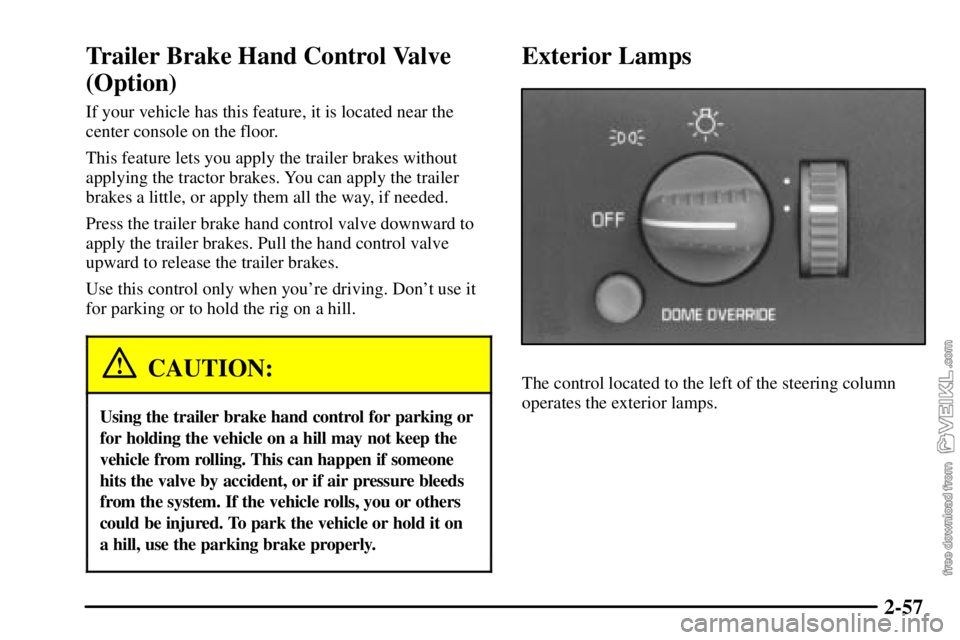
Exterior Lamps
The control located to the left of the steering column
operates the exterior lamps.
Page 153 of 386

2-78 Charging System Indicator Light
The charging system
indicator light may be
located in the instrument
panel cluster, or with the
auxiliary warning lights
in the center of the
instrument panel.
It should come on briefly when you turn on the ignition,
before the engine is running, as a check to show that it
is working.
If it stays on, or comes on while you are driving, have it
checked right away. You could have a loose generator
drive belt or some other problem.
Driving while this light is on will drain your battery. If
you must drive a short distance with the light on, turn
off your radio and other accessories.
Sustained driving with a generator failure could result in
a lack of back
-up braking if the engine quits or the
power steering pump should fail.
Voltmeter
When your engine is
running, the voltmeter
gage, at the right side of
the instrument panel cluster,
shows the charging
system voltage.
Readings in either warning zone indicate a possible
problem in the electrical system.
Readings in the low warning zone may occur when a
large number of electrical accessories are operating in the
vehicle and the engine is left at an idle for an extended
period. This condition is normal since the charging
system may not be able to provide full power at engine
idle. As engine speeds are increased, this condition
should correct itself because higher engine speeds allow
the charging system to create maximum power.
You can only drive a short time on the battery. Be sure
to shut off the radio, the fan or any unnecessary
accessories and have the system serviced.
Page 194 of 386
4-
4-1
Section 4 Your Driving and the Road
Here you'll find information about driving on different kinds of roads and in varying weather conditions. We've also
included many other useful tips on driving.
4
-2 Defensive Driving
4
-3 Drunken Driving
4
-6 Control of a Vehicle
4
-6 Braking
4
-10 Traction Control System (TCS) (Option)
4
-11 Steering
4
-13 Off-Road Recovery
4
-13 Passing
4
-15 Loss of Control4
-16 Driving at Night
4
-18 Driving in Rain and on Wet Roads
4
-21 City Driving
4
-22 Freeway Driving
4
-23 Highway Hypnosis
4
-24 Hill and Mountain Roads
4
-26 Winter Driving
4
-30 Loading Your Vehicle
4
-32 Power Take-Off (PTO) Switch (If Equipped)
Page 199 of 386

4-6
Control of a Vehicle
You have three systems that make your vehicle go where
you want it to go. They are the brakes, the steering and
the accelerator. All three systems have to do their work
at the places where the tires meet the road.
Sometimes, as when you're driving on snow or ice, it's
easy to ask more of those control systems than the tires
and road can provide. That means you can lose control
of your vehicle.
Braking
Braking action involves perception time and
reaction time.
First, you have to decide to push on the brake pedal.
That's perception time. Then you have to bring up your
foot and do it. That's reaction time.
Average reaction time is about 3/4 of a second. But
that's only an average. It might be less with one driver
and as long as two or three seconds or more with
another. Age, physical condition, alertness, coordination
and eyesight all play a part. So do alcohol, drugs and
frustration. But even in 3/4 of a second, a vehicle
moving at 60 mph (100 km/h) travels 66 feet (20 m).
That could be a lot of distance in an emergency, so
keeping enough space between your vehicle and others
is important.
And, of course, actual stopping distances vary greatly
with the surface of the road (whether it's pavement or
gravel); the condition of the road (wet, dry, icy); tire
tread; the condition of your brakes; the weight of the
vehicle and the amount of brake force applied.
Page 200 of 386

4-7
Avoid needless heavy braking. Some people drive in
spurts
-- heavy acceleration followed by heavy
braking
-- rather than keeping pace with traffic. This is a
mistake. Your brakes may not have time to cool between
hard stops. Your brakes will wear out much faster if you
do a lot of heavy braking. If you keep pace with the
traffic and allow realistic following distances, you will
eliminate a lot of unnecessary braking. That means
better braking and longer brake life.
If your engine ever stops while you're driving, brake
normally but don't pump your brakes. If you do, the
pedal may get harder to push down. If your engine
stops, you will still have some power brake assist. But
you will use it when you brake. Once the power assist is
used up, it may take longer to stop and the brake pedal
will be harder to push.
Hydraulic Brake Systems
If your engine stops running, or if your primary brake
system stops working, your vehicle has a reserve power
assist system to help you slow down. Just slowly and
steadily apply the brake pedal until you can safely get
off the road. The pedal will seem harder to push down.
Don't pump the pedal; the system won't work well or at
all that way.
You may find that the steering wheel seems hard to turn
when you're turning and braking at the same time. Also,
the PRIMARY BRAKE warning light may come on and
the warning tone may sound. This is normal because the
main hydraulic brake system and power steering both
use the power steering pump. If this ever happens, let up
on the brake pedal a little. When you let up on the brake
pedal in that situation, it lets the steering get a little
more help from the pump.
Page 202 of 386
4-9
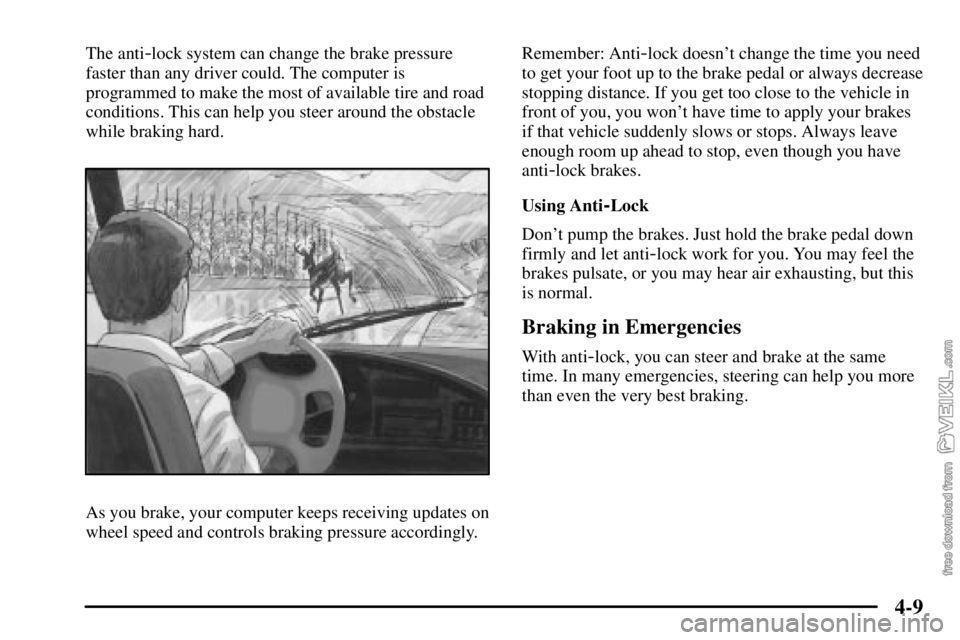
The anti-lock system can change the brake pressure
faster than any driver could. The computer is
programmed to make the most of available tire and road
conditions. This can help you steer around the obstacle
while braking hard.
As you brake, your computer keeps receiving updates on
wheel speed and controls braking pressure accordingly.Remember: Anti
-lock doesn't change the time you need
to get your foot up to the brake pedal or always decrease
stopping distance. If you get too close to the vehicle in
front of you, you won't have time to apply your brakes
if that vehicle suddenly slows or stops. Always leave
enough room up ahead to stop, even though you have
anti
-lock brakes.
Using Anti
-Lock
Don't pump the brakes. Just hold the brake pedal down
firmly and let anti
-lock work for you. You may feel the
brakes pulsate, or you may hear air exhausting, but this
is normal.
Braking in Emergencies
With anti-lock, you can steer and brake at the same
time. In many emergencies, steering can help you more
than even the very best braking.