2003 CHEVROLET BLAZER ECU
[x] Cancel search: ECUPage 123 of 420

You can adjust the crossrails to handle loads of various
sizes. Just loosen the slider knobs at each end of
the crossrail and move them to where you want them.
Make sure both sides of the crossrails are even,
then tighten the slider knobs.
Be sure the cargo is properly loaded. Follow these
guidelines:
·Carrying small, heavy loads on the roof is not
recommended.
·Secure the load using the tie downs at both ends of
the crossrails. When loading cargo directly on the
roof panel, use the crossrails to keep the load from
shifting.
·If you need to carry long items, move the crossrails
as far apart as possible. Tie the load to the tie
downs provided. Also tie the load to the bumpers.
Do not tie the load so tightly that the crossrails
or side rails are damaged.
Notice:Loading cargo that weighs more than
200 lbs. (91 kg) on the luggage carrier may damage
your vehicle. When you carry large things, never
let them hang over the rear or the sides of your
vehicle. Load your cargo so that it rests on the slats
and does not scratch or damage the vehicle. Put
the cargo against the side rails and fasten it
securely to the luggage carrier. Put the main weight
as far forward as you can.Don't exceed the maximum vehicle capacity when
loading your vehicle. For more information on vehicle
capacity and loading see
Loading Your Vehicle on
page 4-52.
To prevent damage or loss of cargo as you're driving,
check now and then to make sure the luggage
carrier and cargo are still securely fastened.
Convenience Net
You may have a convenience net in the rear of your
vehicle to help keep small items, like gloves and
light clothing, in place during sharp turns or quick stops
and starts.
2-57
Page 124 of 420
The net is not designed to retain these items during
off-road use. The net is not for larger, heavier items.
Attach the upper loops to the retainers on both sides of
the tailgate opening. The label should be in the upper
passenger's side corner, visible from the rear of vehicle.
Attach the lower hooks to the rear cargo tie-downs on
the ¯oor.
Cargo Cover
If your vehicle has a cargo cover, you can use it to
cover items in the cargo area of your vehicle.
Grasp the handle and unroll the cover. Latch the posts
into the sockets on the inside trim panel on the
passenger's side of the vehicle to secure it.
{CAUTION:
An improperly stored cargo cover could be
thrown about the vehicle during a collision or
sudden maneuver. You or others could be
injured. If you remove the cover, always store
it in the proper storage location. When you put
it back, always be sure that it is securely
reattached.
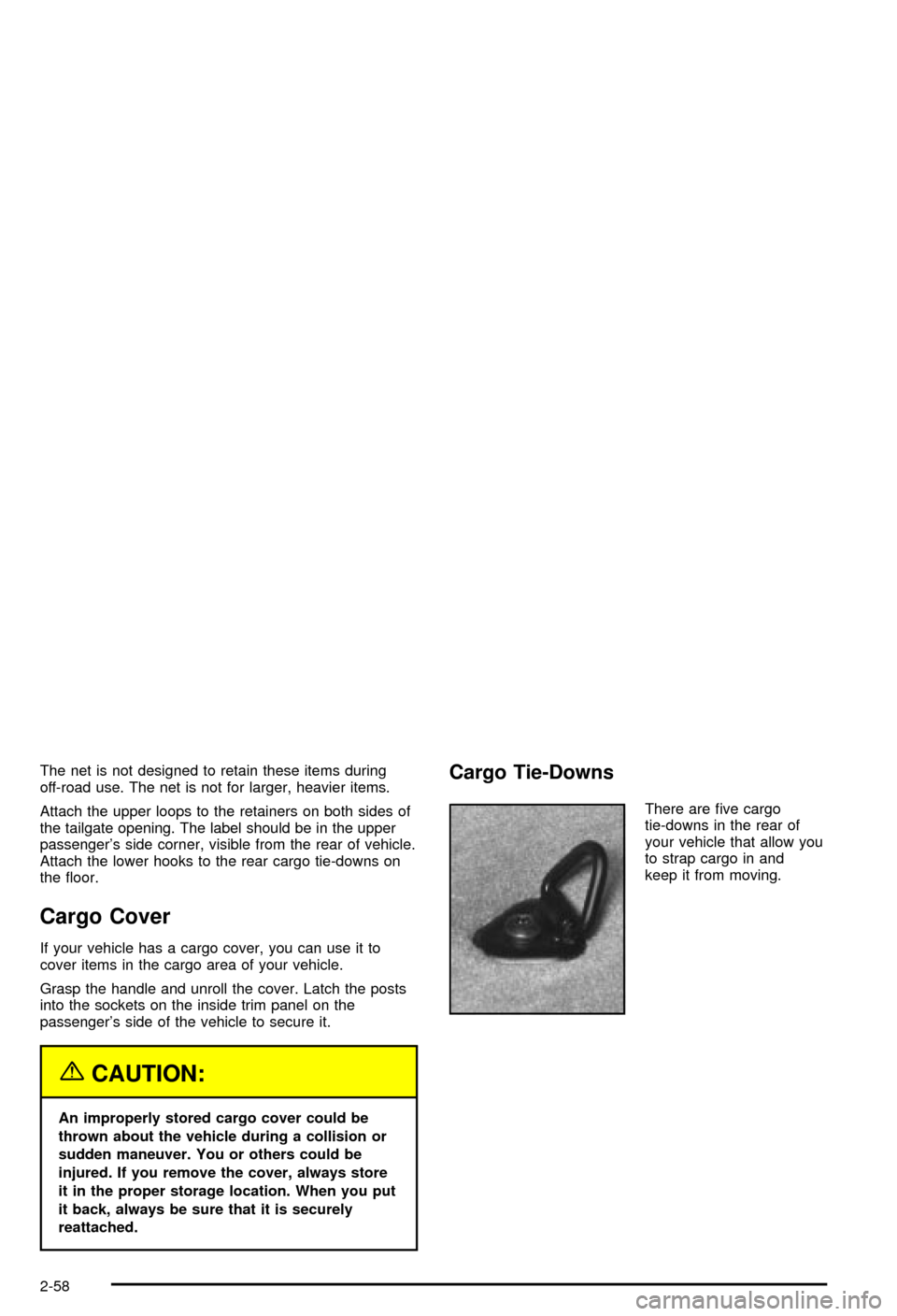
Cargo Tie-Downs
There are ®ve cargo
tie-downs in the rear of
your vehicle that allow you
to strap cargo in and
keep it from moving.
2-58
Page 125 of 420

Rear Convenience System
{CAUTION:
If any removable convenience item isn't
secured properly, it can move around in a
collision or sudden stop. People in the vehicle
could be injured. Be sure to secure any such
item properly.
If your vehicle has the convenience system, it is located
in the rear of your vehicle. It provides a place to store
loose items in your vehicle.
A. Collapsible Dividers
B. Anchor Bracket/
Cargo Tie-Down
Plugs
C. PartitionsD. Soda Pop/Gallon
Jug Holder
E. Partition Storage
F. Cargo Tie-Down
Cutouts
2-59
Page 129 of 420

Instrument Panel Overview...............................3-2
Hazard Warning Flashers................................3-3
Other Warning Devices...................................3-4
Horn.............................................................3-4
Tilt Wheel.....................................................3-4
Turn Signal/Multifunction Lever.........................3-5
Exterior Lamps.............................................3-11
Interior Lamps..............................................3-14
Accessory Power Outlets...............................3-15
Ashtrays and Cigarette Lighter........................3-16
Climate Controls............................................3-17
Climate Control System.................................3-17
Outlet Adjustment.........................................3-20
Warning Lights, Gages and Indicators.............3-21
Instrument Panel Cluster................................3-22
Speedometer and Odometer...........................3-24
Trip Odometer..............................................3-24
Tachometer.................................................3-24
Safety Belt Reminder Light.............................3-25
Air Bag Readiness Light................................3-25
Charging System Light..................................3-26
Voltmeter Gage............................................3-27
Up-Shift Light...............................................3-27
Brake System Warning Light..........................3-28
Anti-Lock Brake System Warning Light.............3-29
Engine Coolant Temperature Gage..................3-29Malfunction Indicator Lamp.............................3-30
Oil Pressure Gage........................................3-33
Security Light...............................................3-34
Service Four-Wheel Drive Warning Light..........3-34
Tow/Haul Mode Light....................................3-35
Check Gages Warning Light...........................3-35
Gate Ajar Light.............................................3-35
Fuel Gage...................................................3-35
Low Fuel Warning Light.................................3-36
Audio System(s).............................................3-37
Setting the Time for Radios without Radio
Data Systems (RDS)..................................3-37
Setting the Time for Radios with Radio Data
Systems (RDS).........................................3-38
AM-FM Radio...............................................3-38
Radio with CD..............................................3-41
Radio with Cassette and CD..........................3-48
Radio with Six-Disc CD.................................3-58
Theft-Deterrent Feature (Non-RDS Radios).......3-68
Theft-Deterrent Feature (RDS Radios).............3-68
Understanding Radio Reception......................3-69
Care of Your Cassette Tape Player.................3-69
Care of Your CDs.........................................3-70
Care of Your CD Player................................3-70
Fixed Mast Antenna......................................3-70
Section 3 Instrument Panel
3-1
Page 162 of 420

Security Light
This light will come on
brie¯y when you turn the
key toward START.
The light will stay on until
the engine starts.
If the light ¯ashes, the Passlock
žsystem has entered a
tamper mode. If the vehicle fails to start, seePasslockž
on page 2-18.
If the light comes on continuously while driving and
stays on, there may be a problem with the Passlock
ž
system. Your vehicle will not be protected by Passlockž,
and you should see your dealer.
Also, see
Content Theft-Deterrent on page 2-17for
additional information regarding the SECURITY light.
Service Four-Wheel Drive
Warning Light
If you have this light, it
should come on brie¯y
when you turn on the
ignition, as a check
to show you it is working.
The SERVICE 4WD light comes on to indicate that
there may be a problem with the four-wheel drive system
and service is required. Malfunctions can be indicated
by the system before any problem is apparent,
which may prevent serious damage to the vehicle. This
system is also designed to assist your service
technician in correctly diagnosing a malfunction.
3-34
Page 214 of 420

Before You Go Off-Roading
There are some things to do before you go out. For
example, be sure to have all necessary maintenance
and service work done. Check to make sure all
underbody shields, if so equipped, are properly attached.
Be sure you read all the information about your
four-wheel-drive vehicle in this manual. Is there enough
fuel? Is the spare tire fully in¯ated? Are the ¯uid
levels up where they should be? What are the local
laws that apply to off-roading where you'll be driving? If
you don't know, you should check with law enforcement
people in the area. Will you be on someone's private
land? If so, be sure to get the necessary permission.
Loading Your Vehicle for Off-Road
Driving
There are some important things to remember about
how to load your vehicle.
·The heaviest things should be on the load ¯oor and
forward of your rear axle. Put heavier items as far
forward as you can.
·Be sure the load is secured properly, so driving on
the off-road terrain doesn't toss things around.
{CAUTION:
·Cargo on the load ¯oor piled higher than
the seatbacks can be thrown forward
during a sudden stop. You or your
passengers could be injured. Keep cargo
below the top of the seatbacks.
·Unsecured cargo on the load ¯oor can be
tossed about when driving over rough
terrain. You or your passengers can be
struck by ¯ying objects. Secure the cargo
properly.
·Heavy loads on the roof raise the vehicle's
center of gravity, making it more likely to
roll over. You can be seriously or fatally
injured if the vehicle rolls over. Put heavy
loads inside the cargo area, not on the
roof. Keep cargo in the cargo area as far
forward and low as possible.
You'll ®nd other important information in this manual.
See
Loading Your Vehicle on page 4-52,Luggage
Carrier on page 2-56andTires on page 5-54.
4-16
Page 236 of 420

·You may see highway signs on mountains that
warn of special problems. Examples are long
grades, passing or no-passing zones, a falling rocks
area or winding roads. Be alert to these and take
appropriate action.
Winter Driving
Here are some tips for winter driving:
·Have your vehicle in good shape for winter.
·You may want to put winter emergency supplies in
your vehicle.
Include an ice scraper, a small brush or broom, a
supply of windshield washer ¯uid, a rag, some winter
outer clothing, a small shovel, a ¯ashlight, a red
cloth and re¯ective warning triangles. And, if you will be
driving under severe conditions, include a small bag
of sand, a piece of old carpet or a couple of burlap bags
to help provide traction. Be sure you properly secure
these items in your vehicle.
Driving on Snow or Ice
Most of the time, those places where your tires meet
the road probably have good traction.
However, if there is snow or ice between your tires and
the road, you can have a very slippery situation.
You'll have a lot less traction or ªgripº and will need to
be very careful.
4-38
Page 244 of 420

Dinghy Towing
Vehicles with the Automatic Transfer Case
If your vehicle is equipped with an automatic transfer
case with a NEUTRAL position, you can dinghy tow your
vehicle. To dinghy tow your vehicle, use the following
steps:
1. Firmly set the parking brake.
2. Place the transmission in PARK (P).3. Securely attach the vehicle being towed to the tow
vehicle.
{CAUTION:
Shifting a four-wheel-drive vehicle's transfer
case into NEUTRAL can cause your vehicle to
roll even if the transmission is in Park (P) for
an automatic transmission, or if your vehicle is
in gear, for a manual transmission. You or
others could be injured. Make sure the parking
brake is ®rmly set before you shift the transfer
case to NEUTRAL.
4. With the engine running, shift the transfer case to
NEUTRAL (N). See ªAutomatic Transfer Caseº
under
Four-Wheel Drive on page 5-45for more
information on how to shift the transfer case
to NEUTRAL.
4-46