Page 84 of 492

Mode 3:All doors unlock when the key is removed
from the ignition.
Mode 4:No automatic door unlock.
The following instructions tell you how to change the
automatic door unlock mode. Choose one of the
four programming options listed above before entering
the program mode. To enter the program mode, do
the following:
1. Begin with the ignition off. Then pull the turn
signal/multifunction lever toward you and hold
it there while you perform the next step.
2. Turn the key to RUN and LOCK twice. Then, with
the key in LOCK, release the turn
signal/multifunction lever. Once you do this, the
doors will lock and unlock, the horn will chirp twice,
and a 30-second timer will begin. You are now
ready to program the automatic door unlock feature.3. Press the door unlock switch once. You will hear
one, two, three, or four chimes. The number of
chimes tells you which unlock mode is currently
selected. Continue to press the door unlock switch
until the number of chimes that you hear matches
the number of the mode that you want. If you
take longer than 30 seconds, the locks will
automatically lock and unlock and the horn will
chirp twice to indicate that you have left the program
mode. If this occurs, you can repeat the procedure
beginning with Step 1 to re-enter the programming
mode.
You can exit the program mode any time by turning the
ignition to RUN (the doors will automatically lock and
unlock and the horn will chirp twice to indicate that you
are leaving the program mode). If the lock/unlock
switches are not pressed while in the programming
mode, the current automatic settings will not be
modi®ed.
See your dealer for more information.
2-10
Page 88 of 492
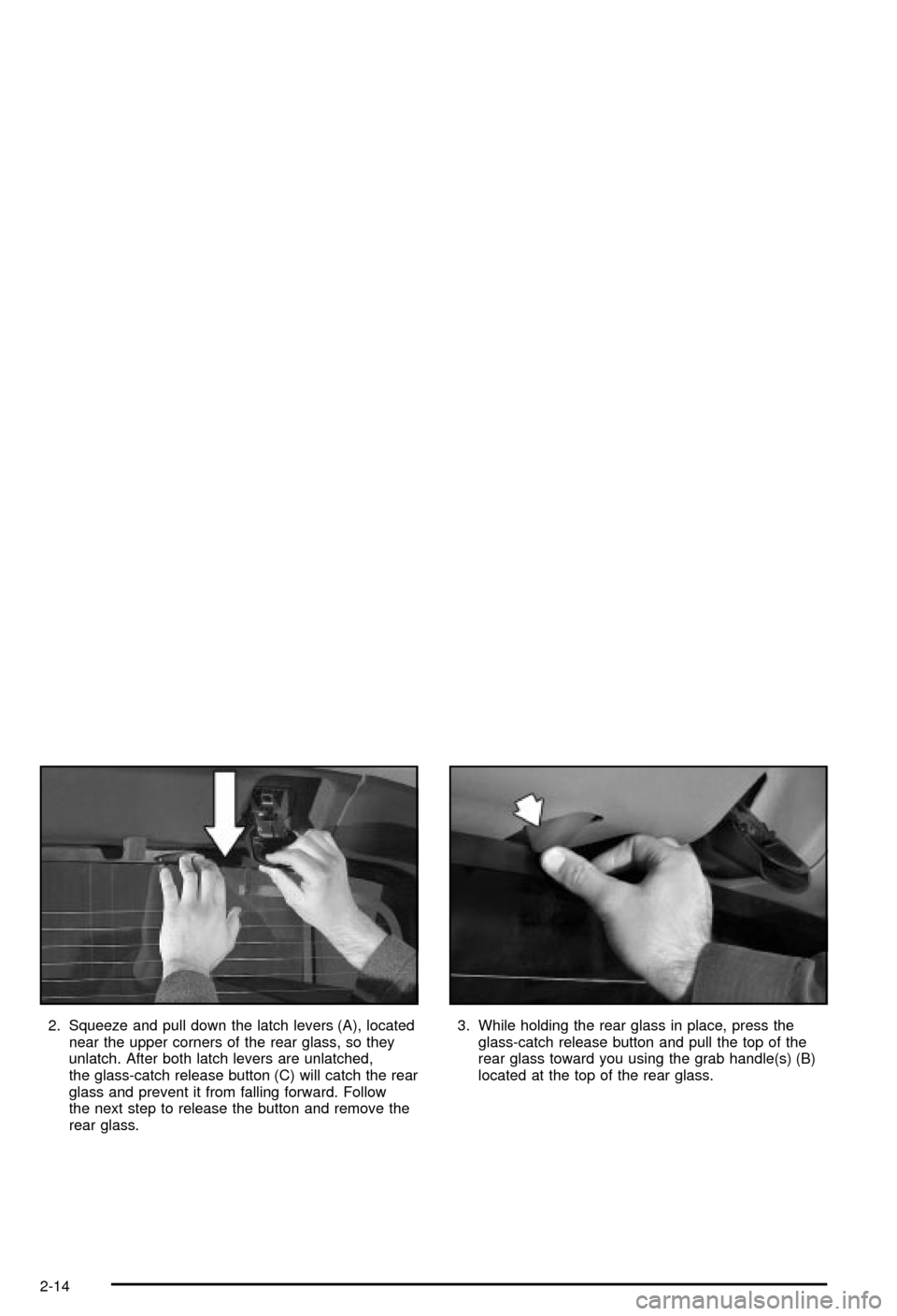
2. Squeeze and pull down the latch levers (A), located
near the upper corners of the rear glass, so they
unlatch. After both latch levers are unlatched,
the glass-catch release button (C) will catch the rear
glass and prevent it from falling forward. Follow
the next step to release the button and remove the
rear glass.3. While holding the rear glass in place, press the
glass-catch release button and pull the top of the
rear glass toward you using the grab handle(s) (B)
located at the top of the rear glass.
2-14
Page 89 of 492
4. With the rear glass tilted toward you, lift it out from
the lower window frame channel. Use the grab
handles to assist you in removing the rear glass.
5. Load the rear glass in its storage pocket in the
midgate using the lower edge of the rear glass
to guide it behind the three rear glass retaining
tabs (E).
Hold the rear glass ¯at against the storage pocket
(with grab handles facing you) until the next step.
2-15
Page 93 of 492
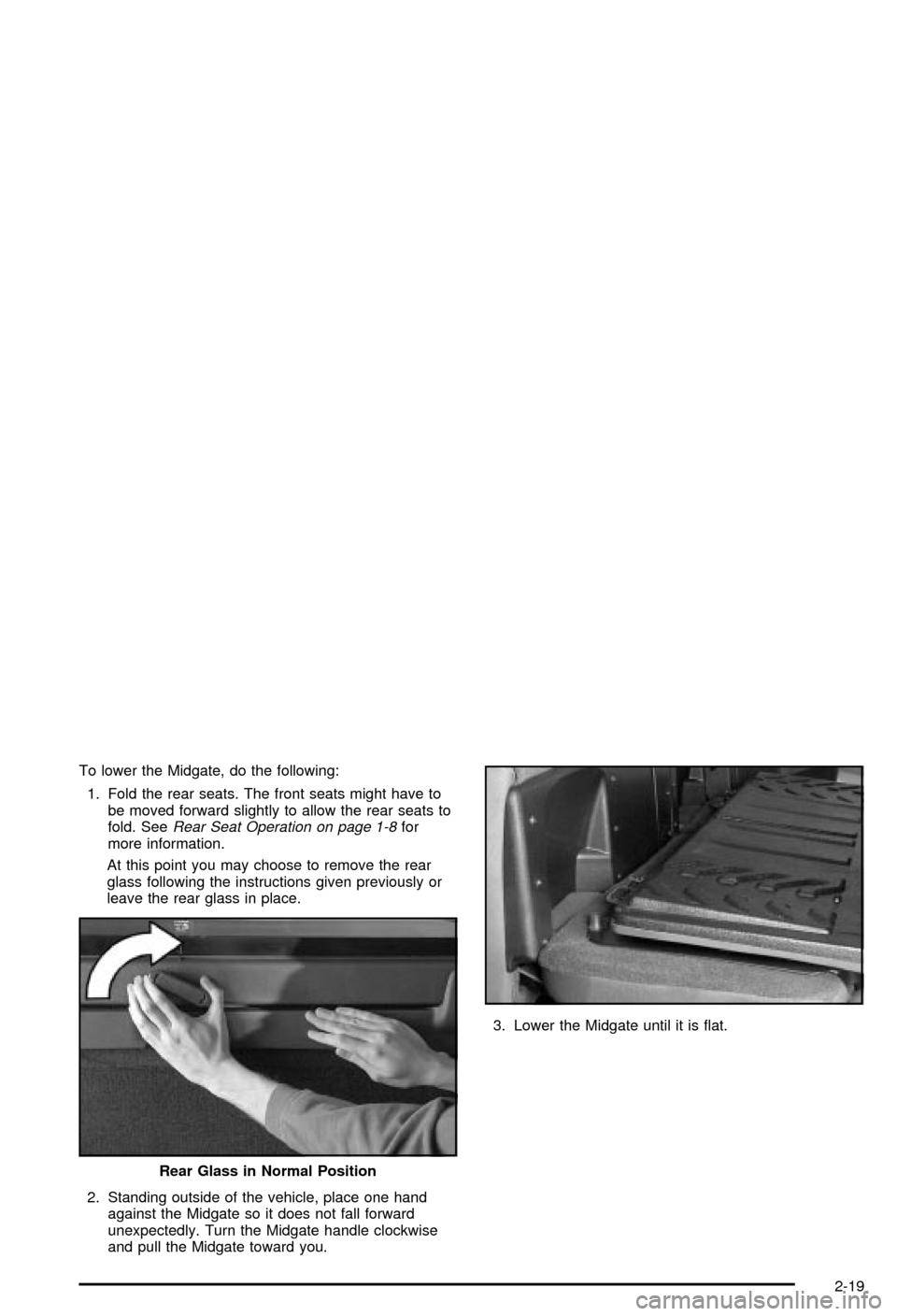
To lower the Midgate, do the following:
1. Fold the rear seats. The front seats might have to
be moved forward slightly to allow the rear seats to
fold. See
Rear Seat Operation on page 1-8for
more information.
At this point you may choose to remove the rear
glass following the instructions given previously or
leave the rear glass in place.
2. Standing outside of the vehicle, place one hand
against the Midgate so it does not fall forward
unexpectedly. Turn the Midgate handle clockwise
and pull the Midgate toward you.3. Lower the Midgate until it is ¯at.
Rear Glass in Normal Position
2-19
Page 94 of 492
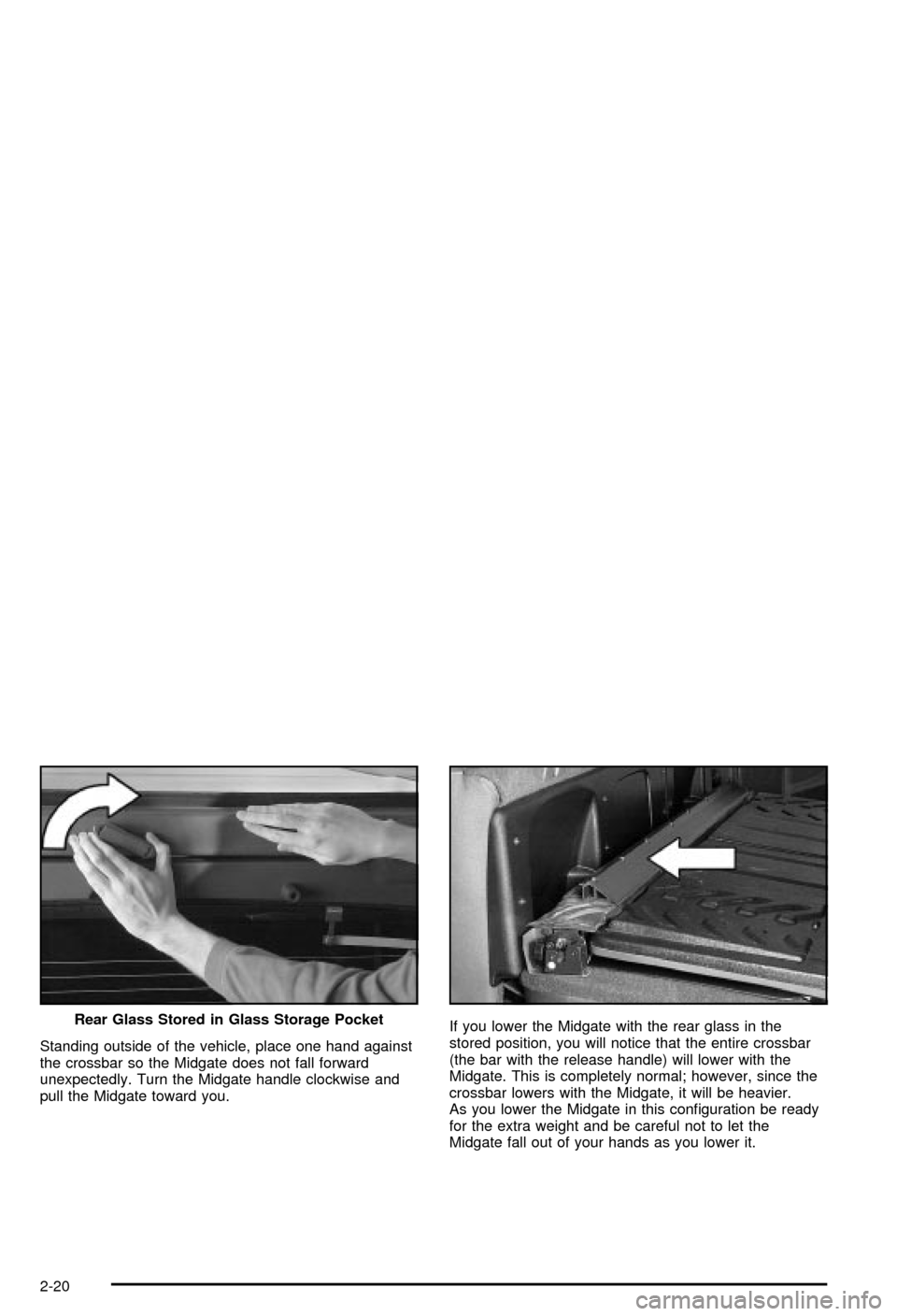
Standing outside of the vehicle, place one hand against
the crossbar so the Midgate does not fall forward
unexpectedly. Turn the Midgate handle clockwise and
pull the Midgate toward you.If you lower the Midgate with the rear glass in the
stored position, you will notice that the entire crossbar
(the bar with the release handle) will lower with the
Midgate. This is completely normal; however, since the
crossbar lowers with the Midgate, it will be heavier.
As you lower the Midgate in this con®guration be ready
for the extra weight and be careful not to let the
Midgate fall out of your hands as you lower it. Rear Glass Stored in Glass Storage Pocket
2-20
Page 95 of 492

Raising the Midgate
To return the Midgate to its normal position, raise the
Midgate up with a ®rm swinging motion (this will help to
ensure that the Midgate closes with enough force to
engage the latches) until it latches into place securely.
If the rear glass is removed and you would like to
put it back, do so using the instructions given previously.
Tailgate
Use the ignition/door key to unlock/lock the tailgate.
Open the tailgate by lifting up on its handle while pulling
the tailgate toward you.
To shut the tailgate, ®rmly push it upward until it
latches.
After you put the tailgate back up, pull it back towards
you to be sure it is latched securely.
Tailgate Removal
The tailgate on your vehicle can be removed to allow for
different loading situations. Although the tailgate can
be removed without assistance, you may want someone
to assist you with the removal to avoid possible
damage to the vehicle.
To remove the tailgate, do the following:
1. Raise the tailgate
slightly and release
both retaining
cable clips. To release
the retaining cable
clips, lift the cable so it
points straight out
and push the cable clip
forward.
2-21
Page 101 of 492

Starting and Operating Your
Vehicle
New Vehicle Break-In
Notice:Your vehicle doesn't need an elaborate
ªbreak-in.º But it will perform better in the long run
if you follow these guidelines:
·Keep your speed at 55 mph (88 km/h) or less for
the ®rst 500 miles (805 km).
·Don't drive at any one speed Ð fast or slow Ð
for the ®rst 500 miles (805 km). Don't make
full-throttle starts.
·Avoid making hard stops for the ®rst 200 miles
(322 km) or so. During this time your new
brake linings aren't yet broken in. Hard stops
with new linings can mean premature wear and
earlier replacement. Follow this breaking-in
guideline every time you get new brake linings.
·Don't tow a trailer during break-in. See ªTowing
a Trailerº in the Index for more information.
Ignition Positions
With your key in the ignition switch you can turn it to
four different positions.
A (LOCK):This position locks your ignition and
transmission. It's a theft-deterrent feature. You will only
be able to remove your key when the ignition is
turned to LOCK.
2-27
Page 105 of 492

Automatic Transmission Operation
Your vehicle is equipped with an automatic transmission
and features an electronic shift position indicator
located within the instrument panel cluster.
There are several different positions for your shift lever.
PARK (P):This position locks your drive wheels. It's
the best position to use when you start your engine
because your vehicle can't move easily.
{CAUTION:
It is dangerous to get out of your vehicle if the
shift lever is not fully in PARK (P) with the
parking brake ®rmly set. Your vehicle can roll.
Don't leave your vehicle when the engine is
running unless you have to. If you have left the
engine running, the vehicle can move
suddenly. You or others could be injured.
CAUTION: (Continued)
CAUTION: (Continued)
To be sure your vehicle won't move, even
when you're on fairly level ground, always set
your parking brake and move the shift lever to
PARK (P). See ªShifting Into Park (P)º in the
Index. If you're pulling a trailer, see ªTowing a
Trailerº in the Index.
{CAUTION:
If you have four-wheel drive, your vehicle will
be free to roll Ð even if your shift lever is in
PARK (P) Ð if your transfer case is in
NEUTRAL. So, be sure the transfer case is in a
drive gear, two-wheel high (2H) or four-wheel
high (4H) or four-wheel low (4L) Ð not in
NEUTRAL. See ªShifting into Park (P)º in the
index.
2-31