2003 CADILLAC SEVILLE CD changer
[x] Cancel search: CD changerPage 114 of 408

Trip Computer................................................3-77
Oil Life Indicator...........................................3-77
Audio System(s).............................................3-78
Setting the Time for Radios without Radio
Data Systems (RDS)..................................3-78
Setting the Time for Radios with Radio
Data Systems (RDS)..................................3-78
Radio with Cassette and CD (Base Level)........3-79
Radio with Cassette and CD (Up Level)...........3-87
Navigation/Radio System...............................3-98
Console-Mounted CD Changer........................3-99Radio Personalization with Home and
Away Feature..........................................3-102
Theft-Deterrent Feature................................3-102
Audio Steering Wheel Controls......................3-103
Understanding Radio Reception....................3-103
Care of Your Cassette Tape Player...............3-104
Care of Your CDs.......................................3-105
Care of Your CD Player...............................3-105
Diversity Antenna System.............................3-106
XMŸ Satellite Radio Antenna System
(48 Contiguous US States)........................3-106
Section 3 Instrument Panel
3-2
Page 121 of 408
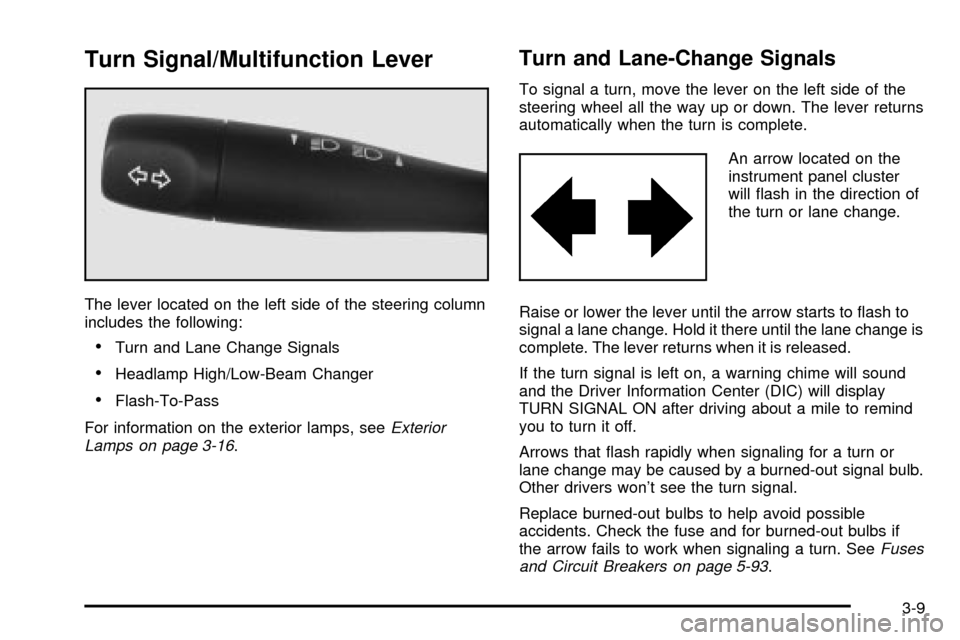
Turn Signal/Multifunction Lever
The lever located on the left side of the steering column
includes the following:
·Turn and Lane Change Signals
·Headlamp High/Low-Beam Changer
·Flash-To-Pass
For information on the exterior lamps, see
Exterior
Lamps on page 3-16.
Turn and Lane-Change Signals
To signal a turn, move the lever on the left side of the
steering wheel all the way up or down. The lever returns
automatically when the turn is complete.
An arrow located on the
instrument panel cluster
will ¯ash in the direction of
the turn or lane change.
Raise or lower the lever until the arrow starts to ¯ash to
signal a lane change. Hold it there until the lane change is
complete. The lever returns when it is released.
If the turn signal is left on, a warning chime will sound
and the Driver Information Center (DIC) will display
TURN SIGNAL ON after driving about a mile to remind
you to turn it off.
Arrows that ¯ash rapidly when signaling for a turn or
lane change may be caused by a burned-out signal bulb.
Other drivers won't see the turn signal.
Replace burned-out bulbs to help avoid possible
accidents. Check the fuse and for burned-out bulbs if
the arrow fails to work when signaling a turn. See
Fuses
and Circuit Breakers on page 5-93.
3-9
Page 122 of 408
Headlamp High/Low-Beam Changer
When the low-beam headlamps are on, push the turn
signal lever away from you to change the headlamps to
high beam.
This light on the instrument
panel cluster will be on,
indicating high-beam
usage.
Pull the turn signal lever toward you to return to
low-beam headlamps.
Flash-To-Pass
This feature lets you use the high-beam headlamps to
signal the driver in front of you that you want to pass.
Pull the turn signal lever toward you brie¯y to
¯ash-to-pass. When you do, the following will occur:
·If the headlamps are either off or in the Daytime
Running Lamps (DRL) mode, the high-beam
headlamps will turn on. They'll stay on as long as
you hold the lever there. Release the lever to
turn them off.
·If the headlamps are on low beam, they will remain
active and the high beam will also illuminate until
you release the lever.
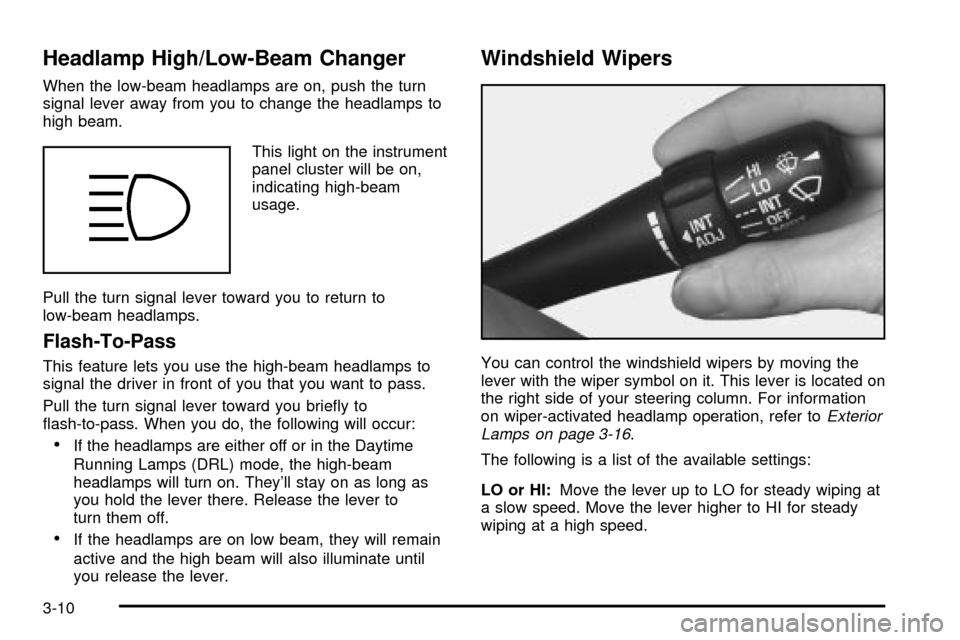
Windshield Wipers
You can control the windshield wipers by moving the
lever with the wiper symbol on it. This lever is located on
the right side of your steering column. For information
on wiper-activated headlamp operation, refer to
Exterior
Lamps on page 3-16.
The following is a list of the available settings:
LO or HI:Move the lever up to LO for steady wiping at
a slow speed. Move the lever higher to HI for steady
wiping at a high speed.
3-10
Page 211 of 408
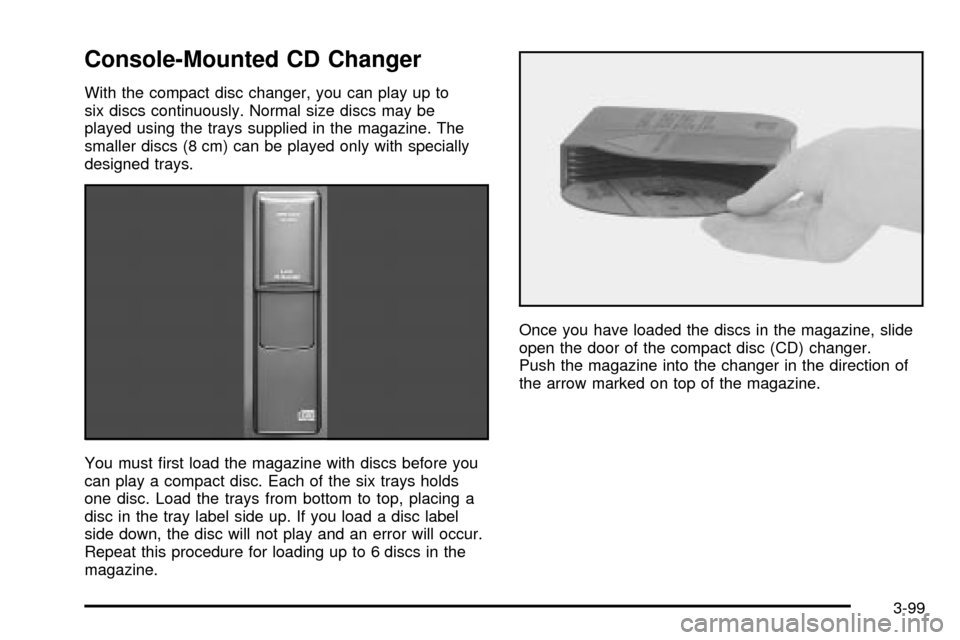
Console-Mounted CD Changer
With the compact disc changer, you can play up to
six discs continuously. Normal size discs may be
played using the trays supplied in the magazine. The
smaller discs (8 cm) can be played only with specially
designed trays.
You must ®rst load the magazine with discs before you
can play a compact disc. Each of the six trays holds
one disc. Load the trays from bottom to top, placing a
disc in the tray label side up. If you load a disc label
side down, the disc will not play and an error will occur.
Repeat this procedure for loading up to 6 discs in the
magazine.Once you have loaded the discs in the magazine, slide
open the door of the compact disc (CD) changer.
Push the magazine into the changer in the direction of
the arrow marked on top of the magazine.
3-99
Page 212 of 408
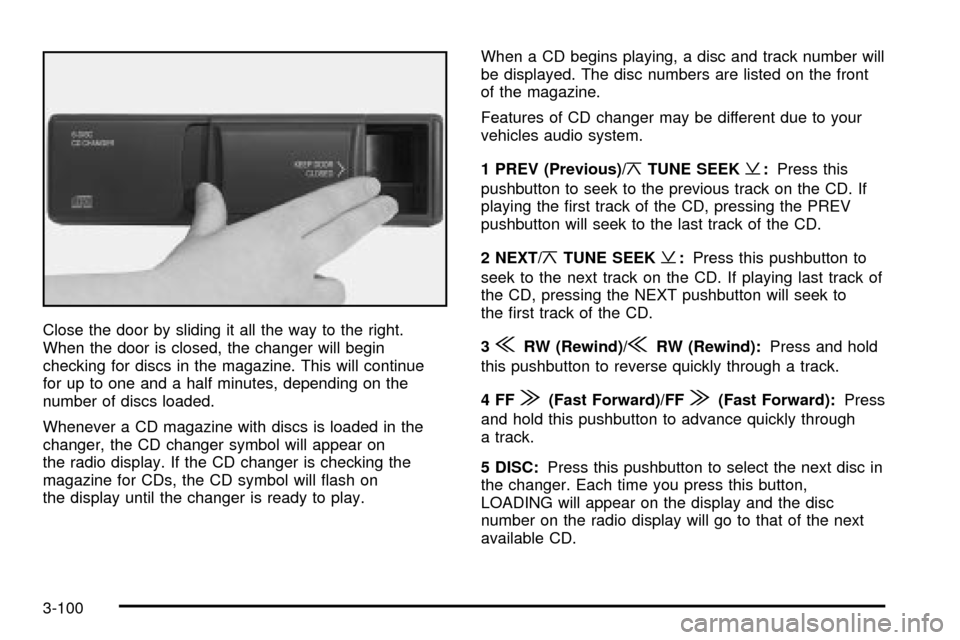
Close the door by sliding it all the way to the right.
When the door is closed, the changer will begin
checking for discs in the magazine. This will continue
for up to one and a half minutes, depending on the
number of discs loaded.
Whenever a CD magazine with discs is loaded in the
changer, the CD changer symbol will appear on
the radio display. If the CD changer is checking the
magazine for CDs, the CD symbol will ¯ash on
the display until the changer is ready to play.When a CD begins playing, a disc and track number will
be displayed. The disc numbers are listed on the front
of the magazine.
Features of CD changer may be different due to your
vehicles audio system.
1 PREV (Previous)/
¦TUNE SEEK¥:Press this
pushbutton to seek to the previous track on the CD. If
playing the ®rst track of the CD, pressing the PREV
pushbutton will seek to the last track of the CD.
2 NEXT/
¦TUNE SEEK¥:Press this pushbutton to
seek to the next track on the CD. If playing last track of
the CD, pressing the NEXT pushbutton will seek to
the ®rst track of the CD.
3
{RW (Rewind)/{RW (Rewind):Press and hold
this pushbutton to reverse quickly through a track.
4FF
|(Fast Forward)/FF|(Fast Forward):Press
and hold this pushbutton to advance quickly through
a track.
5 DISC:Press this pushbutton to select the next disc in
the changer. Each time you press this button,
LOADING will appear on the display and the disc
number on the radio display will go to that of the next
available CD.
3-100
Page 213 of 408

6 RDM (Random):Press this pushbutton to hear the
tracks in random, rather than sequential, order. RDM will
appear on the display. Press the PREV or NEXT
pushbuttons while RDM is on the display to randomly
seek through discs. Press RDM again to turn off random
play. This feature may not be available on your radio.
SCAN:Press this button. You will hear the ®rst few
seconds of the ®rst track on each disc. The CD will mute
while scanning and SCAN will appear on the display.
Press this button again to stop scanning.
SOURCE:Press this button if you have a disc loaded
in the changer and the radio is on, to play a compact
disc. To return to playing the radio, press BAND.
Pressing source also switches between a tape or
compact disc if both are loaded.
EJECT:Slide the CD changer door all the way open.
Press the EJECT button and the magazine will eject.Compact Disc Changer Errors
CD CHANGER ERROR:This message may be
displayed for one of the following reasons:
·You're driving on a very rough road. When the road
becomes smoother, the disc should play.
·The disc is dirty, scratched, wet or loaded label
side up.
·The air is very humid. If so, wait about an hour and
try again.
If any error occurs repeatedly or if an error cannot be
corrected, contact your dealership. If your radio displays
an error number, write it down and provide this
information to your dealership when reporting the
problem.
3-101
Page 393 of 408

A
Accessory Power Outlets.................................3-26
Adding Washer Fluid.......................................5-39
Additional Program Information........................... 7-9
Additives, Fuel................................................. 5-6
Add-On Electrical Equipment............................5-92
Adjusting the Speakers (Balance/Fade)......3-81, 3-90
Air Bag System, Supplemental In¯atable
Restraint (SIR)............................................1-44
Air Bag .........................................................3-42
Readiness Light..........................................3-42
Air Cleaner/Filter, Engine.................................5-19
AM .............................................................3-103
Antenna, Diversity Antenna System..................3-106
Antenna, XMŸ Satellite Radio
Antenna System........................................3-106
Anti-lock Brake System (ABS)............................ 4-7
Anti-Lock Brake, System Warning Light..............3-44
Anti-Pinch Feature..........................................2-17
Appearance Care............................................5-83
Care of Safety Belts....................................5-86
Chemical Paint Spotting...............................5-89
Cleaning the Inside of Your Vehicle................5-84
Cleaning the Outside of Your Vehicle..............5-86
Finish Damage............................................5-89
Sheet Metal Damage...................................5-88
Underbody Maintenance...............................5-89Appearance Care (cont.)
Vehicle Care/Appearance Materials................5-90
Weatherstrips..............................................5-86
Ashtrays........................................................3-27
Assist Handles...............................................2-49
Audio System(s).............................................3-78
Audio Steering Wheel Controls....................3-103
Care of Your Cassette Tape Player...............3-104
Care of Your CD Player..............................3-105
Care of Your CDs......................................3-105
Console-Mounted CD Changer......................3-99
Diversity Antenna System............................3-106
Navigation/Radio System..............................3-98
Radio Personalization with Home and
Away Feature........................................3-102
Radio with Cassette and CD.................3-79, 3-87
Setting the Time for Radios with Radio
Data Systems (RDS)................................3-78
Setting the Time for Radios without
Radio Data Systems (RDS).......................3-78
Theft-Deterrent Feature...............................3-102
Understanding Radio Reception...................3-103
XMŸ Satellite Radio Antenna System...........3-106
Auto Exit Seat................................................3-66
Auto Exit Steering Wheel.................................3-67
Automatic Level Control...................................4-34
Automatic Transaxle Check..............................6-10
Automatic Transaxle Shift Lock Control
System Check.............................................6-11
1
Page 394 of 408

Automatic Transaxle........................................5-21
Fluid..........................................................5-21
Operation...................................................2-28
B
Backing Up....................................................4-40
Battery Load Management...............................3-23
Battery Replacement......................................... 2-8
Battery..........................................................5-43
Before Leaving on a Long Trip.........................4-23
Body Lubrication Service..................................6-10
Brake Adjustment............................................5-42
Brake Fluid....................................................5-40
Brake Pedal Travel.........................................5-42
Brake Wear...................................................5-42
Brake............................................................2-31
Parking......................................................2-31
System Inspection.......................................6-14
System Warning and Parking Brake
Indicator Light..........................................3-43
Brakes..........................................................5-40
Braking in Emergencies..................................... 4-9
Braking........................................................... 4-6
Break-In, New Vehicle.....................................2-23
Bulb Replacement...........................................5-55
Center High-Mounted Stoplamp (CHMSL)........5-60
Front Turn Signal Lamps..............................5-59
Halogen Bulbs............................................5-56Bulb Replacement (cont.)
Headlamp Aiming........................................5-51
Headlamps.................................................5-56
High Intensity Discharge (HID) Lighting...........5-55
Replacement Bulbs......................................5-61
Taillamps and Turn Signal Lamps..................5-60
Buying New Tires...........................................5-68
C
Cadillac Owner PrivilegesŸ............................... 7-6
California Fuel.................................................. 5-5
Canada ± Customer Assistance.......................... 7-4
Canadian Owners................................................ ii
Capacities and Speci®cations..........................5-100
Carbon Monoxide...................4-26, 4-35, 2-12, 2-35
Care of.........................................................5-86
Safety Belts................................................5-86
Your Cassette Tape Player..........................3-104
Your CD Player.........................................3-105
Your CDs .................................................3-105
Cassette Tape Messages.........................3-85, 3-96
Cassette Tape Player Service............................. 6-9
CD Changer, Console-Mounted.........................3-99
Cellular Phone Usage....................................3-104
Cellular Telephone, Storage Area......................2-48
Center Console Storage Area...........................2-49
Center High-Mounted Stoplamp (CHMSL)...........5-60
Chains, Tires..................................................5-72
2